warning PONTIAC G6 2006 Owner's Manual
[x] Cancel search | Manufacturer: PONTIAC, Model Year: 2006, Model line: G6, Model: PONTIAC G6 2006Pages: 416, PDF Size: 2.66 MB
Page 166 of 416
Charging System Light
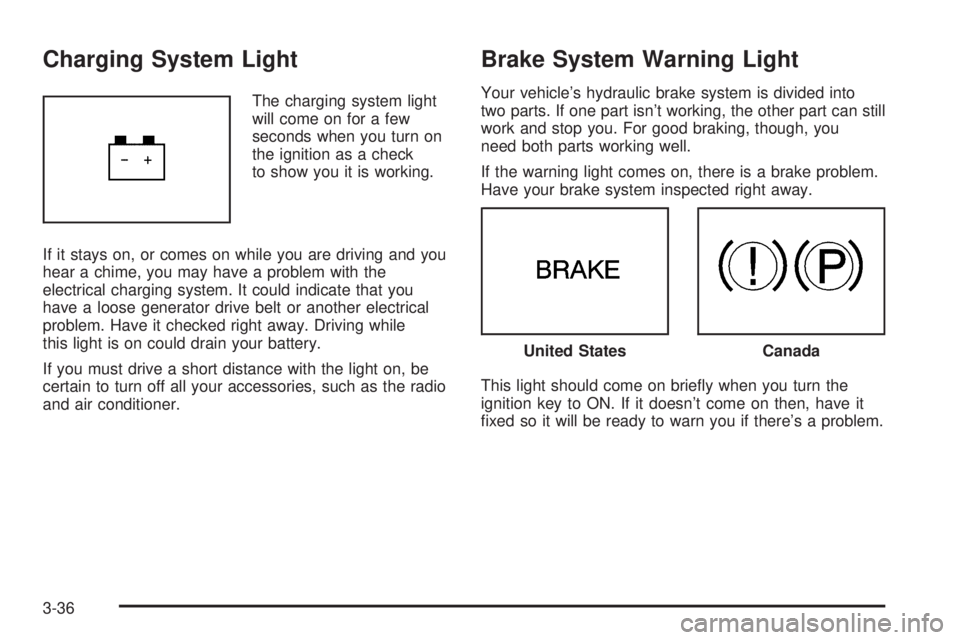
The charging system light
will come on for a few
seconds when you turn on
the ignition as a check
to show you it is working.
If it stays on, or comes on while you are driving and you
hear a chime, you may have a problem with the
electrical charging system. It could indicate that you
have a loose generator drive belt or another electrical
problem. Have it checked right away. Driving while
this light is on could drain your battery.
If you must drive a short distance with the light on, be
certain to turn off all your accessories, such as the radio
and air conditioner.
Brake System Warning Light
Your vehicle’s hydraulic brake system is divided into
two parts. If one part isn’t working, the other part can still
work and stop you. For good braking, though, you
need both parts working well.
If the warning light comes on, there is a brake problem.
Have your brake system inspected right away.
This light should come on briey when you turn the
ignition key to ON. If it doesn’t come on then, have it
xed so it will be ready to warn you if there’s a problem.
United StatesCanada
3-36
Page 167 of 416
When the ignition is on, the brake system warning light
will also come on when you set your parking brake.
The light will stay on if your parking brake doesn’t
release fully. If it stays on after your parking brake is
fully released, it means you have a brake problem.
If the light comes on while you are driving, pull off the
road and stop carefully. You may notice that the pedal is
harder to push. Or, the pedal may go closer to the
oor. It may take longer to stop. If the light is still on,
have the vehicle towed for service. SeeTowing
Your Vehicle on page 4-38.
{CAUTION:
Your brake system may not be working
properly if the brake system warning light is
on. Driving with the brake system warning light
on can lead to an accident. If the light is still
on after you have pulled off the road and
stopped carefully, have the vehicle towed
for service.
Anti-Lock Brake System
Warning Light
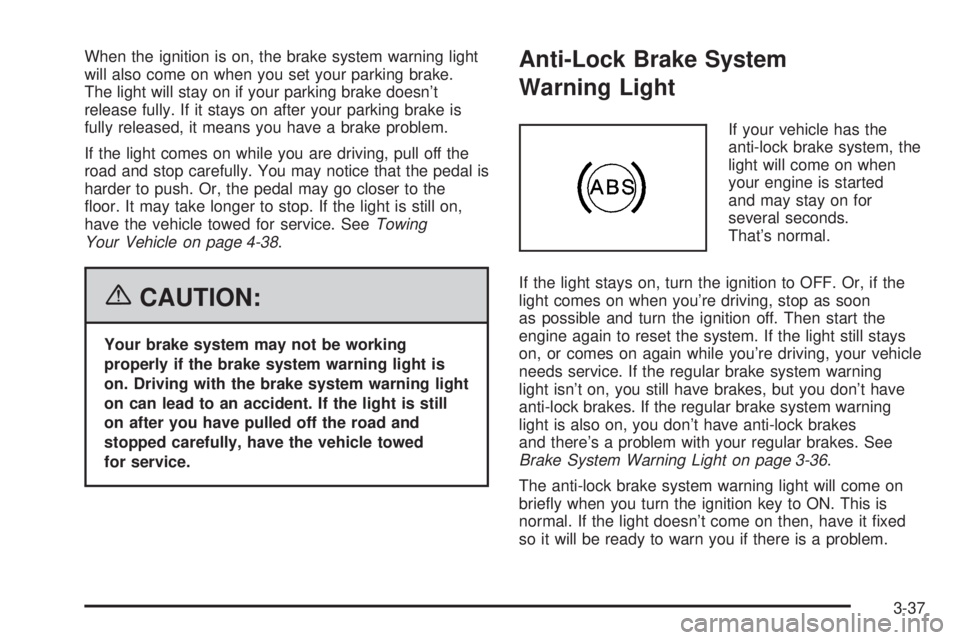
If your vehicle has the
anti-lock brake system, the
light will come on when
your engine is started
and may stay on for
several seconds.
That’s normal.
If the light stays on, turn the ignition to OFF. Or, if the
light comes on when you’re driving, stop as soon
as possible and turn the ignition off. Then start the
engine again to reset the system. If the light still stays
on, or comes on again while you’re driving, your vehicle
needs service. If the regular brake system warning
light isn’t on, you still have brakes, but you don’t have
anti-lock brakes. If the regular brake system warning
light is also on, you don’t have anti-lock brakes
and there’s a problem with your regular brakes. See
Brake System Warning Light on page 3-36.
The anti-lock brake system warning light will come on
briey when you turn the ignition key to ON. This is
normal. If the light doesn’t come on then, have it xed
so it will be ready to warn you if there is a problem.
3-37
Page 168 of 416
Traction Control System (TCS)
Warning Light
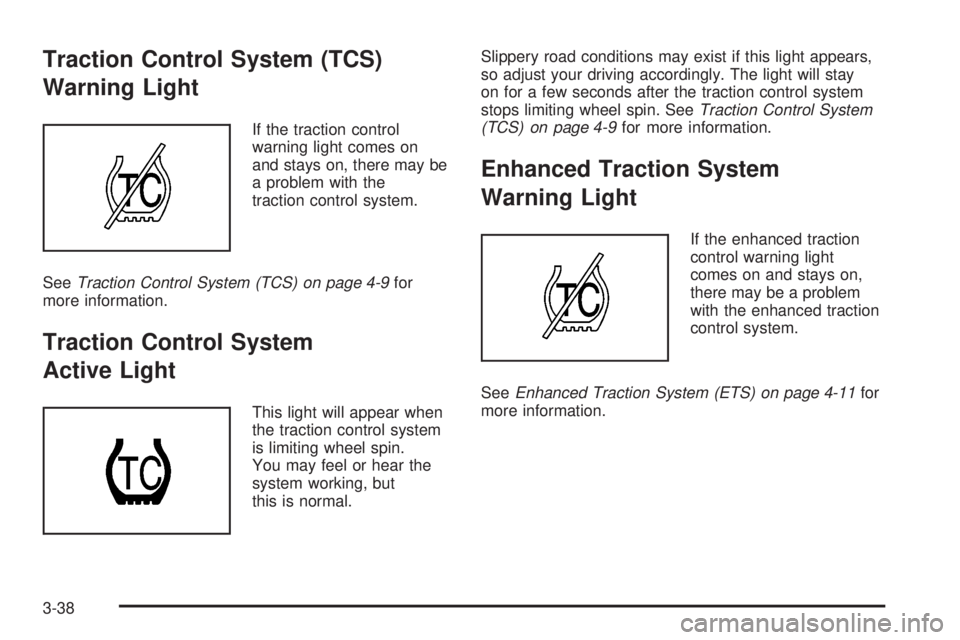
If the traction control
warning light comes on
and stays on, there may be
a problem with the
traction control system.
SeeTraction Control System (TCS) on page 4-9for
more information.
Traction Control System
Active Light
This light will appear when
the traction control system
is limiting wheel spin.
You may feel or hear the
system working, but
this is normal.Slippery road conditions may exist if this light appears,
so adjust your driving accordingly. The light will stay
on for a few seconds after the traction control system
stops limiting wheel spin. SeeTraction Control System
(TCS) on page 4-9for more information.
Enhanced Traction System
Warning Light
If the enhanced traction
control warning light
comes on and stays on,
there may be a problem
with the enhanced traction
control system.
SeeEnhanced Traction System (ETS) on page 4-11for
more information.
3-38
Page 174 of 416
Security Light
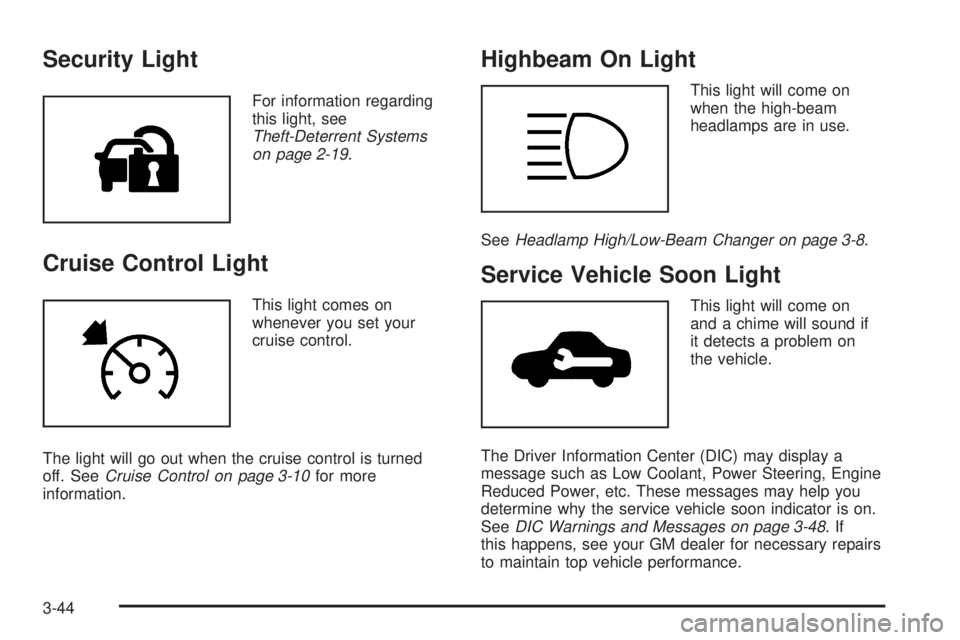
For information regarding
this light, see
Theft-Deterrent Systems
on page 2-19.
Cruise Control Light
This light comes on
whenever you set your
cruise control.
The light will go out when the cruise control is turned
off. SeeCruise Control on page 3-10for more
information.
Highbeam On Light
This light will come on
when the high-beam
headlamps are in use.
SeeHeadlamp High/Low-Beam Changer on page 3-8.
Service Vehicle Soon Light
This light will come on
and a chime will sound if
it detects a problem on
the vehicle.
The Driver Information Center (DIC) may display a
message such as Low Coolant, Power Steering, Engine
Reduced Power, etc. These messages may help you
determine why the service vehicle soon indicator is on.
SeeDIC Warnings and Messages on page 3-48.If
this happens, see your GM dealer for necessary repairs
to maintain top vehicle performance.
3-44
Page 175 of 416
Fuel Gage
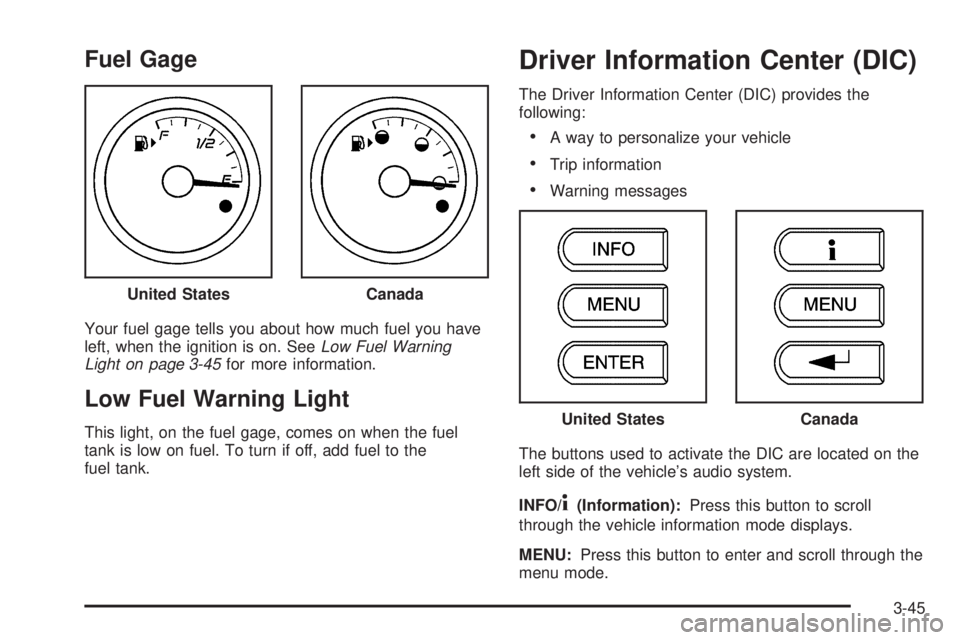
Your fuel gage tells you about how much fuel you have
left, when the ignition is on. SeeLow Fuel Warning
Light on page 3-45for more information.
Low Fuel Warning Light
This light, on the fuel gage, comes on when the fuel
tank is low on fuel. To turn if off, add fuel to the
fuel tank.
Driver Information Center (DIC)
The Driver Information Center (DIC) provides the
following:
A way to personalize your vehicle
Trip information
Warning messages
The buttons used to activate the DIC are located on the
left side of the vehicle’s audio system.
INFO/
4(Information):Press this button to scroll
through the vehicle information mode displays.
MENU:Press this button to enter and scroll through the
menu mode. United States
Canada
United StatesCanada
3-45
Page 176 of 416
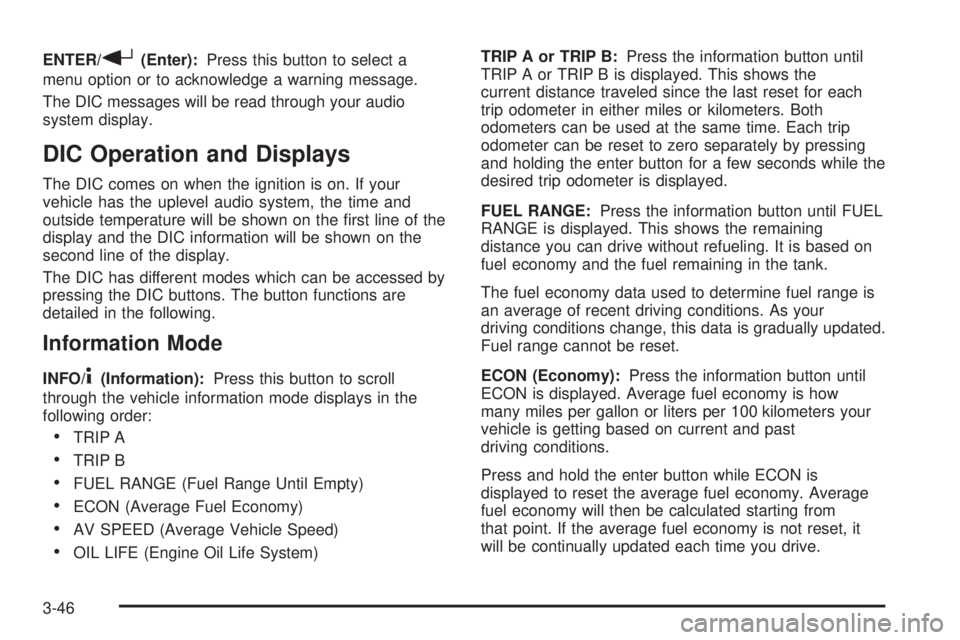
ENTER/r(Enter):Press this button to select a
menu option or to acknowledge a warning message.
The DIC messages will be read through your audio
system display.
DIC Operation and Displays
The DIC comes on when the ignition is on. If your
vehicle has the uplevel audio system, the time and
outside temperature will be shown on the rst line of the
display and the DIC information will be shown on the
second line of the display.
The DIC has different modes which can be accessed by
pressing the DIC buttons. The button functions are
detailed in the following.
Information Mode
INFO/4(Information):Press this button to scroll
through the vehicle information mode displays in the
following order:
TRIP A
TRIP B
FUEL RANGE (Fuel Range Until Empty)
ECON (Average Fuel Economy)
AV SPEED (Average Vehicle Speed)
OIL LIFE (Engine Oil Life System)TRIP A or TRIP B:Press the information button until
TRIP A or TRIP B is displayed. This shows the
current distance traveled since the last reset for each
trip odometer in either miles or kilometers. Both
odometers can be used at the same time. Each trip
odometer can be reset to zero separately by pressing
and holding the enter button for a few seconds while the
desired trip odometer is displayed.
FUEL RANGE:Press the information button until FUEL
RANGE is displayed. This shows the remaining
distance you can drive without refueling. It is based on
fuel economy and the fuel remaining in the tank.
The fuel economy data used to determine fuel range is
an average of recent driving conditions. As your
driving conditions change, this data is gradually updated.
Fuel range cannot be reset.
ECON (Economy):Press the information button until
ECON is displayed. Average fuel economy is how
many miles per gallon or liters per 100 kilometers your
vehicle is getting based on current and past
driving conditions.
Press and hold the enter button while ECON is
displayed to reset the average fuel economy. Average
fuel economy will then be calculated starting from
that point. If the average fuel economy is not reset, it
will be continually updated each time you drive.
3-46
Page 178 of 416
When the desired option is reached, press the enter
button to toggle between the modes of that option. To
make a selection, press the MENU button again.
If no selection is made within 10 seconds, the display
will revert back to the previous information displayed.
The MENU mode is exited when the information button
is pressed, a 10 second time period has elapsed,
the ignition is turned to OFF, or the end of the MENU
list is reached.
SeeDIC Vehicle Personalization on page 3-52for more
information on the personalization options.
Enter
ENTER/r(Enter):Press this button to reset certain
functions and to turn off or acknowledge messages
on the DIC display. This button also toggles through the
options available in each personalization menu.
DIC Warnings and Messages
These messages will appear if there is a problem
detected in one of your vehicle’s systems.
Any message will clear when the vehicle’s condition
is no longer present. To acknowledge a message
and clear it from the display, press any of the
three DIC buttons. The warning message will come
back on the next time the vehicle is turned off and back
on if the condition is still present. With most messages,
a warning chime will sound when the message is
displayed. Your vehicle may have other warning
messages.
AUTO (Automatic) LIGHTS OFF:This message will
display if the automatic headlamp system is disabled
with the headlamp switch.
AUTO (Automatic) LIGHTS ON:This message will
display if the automatic headlamp system is enabled
with the headlamp switch.
BRAKE FLUID:This message will display to inform the
driver that the brake uid level is low while the ignition
is in ON. Have the brake system serviced by your
GM dealer as soon as possible.
3-48
Page 179 of 416

CHANGE OIL SOON:This message will display
when the life of the engine oil has expired and it should
be changed.
When you acknowledge the Change Engine Oil
message by clearing it from the display, you still must
reset the engine oil life system separately. See
Engine Oil Life System on page 5-20,Engine Oil on
page 5-17, andScheduled Maintenance on page 6-4for
more information.
CHECK CARGO TOP:If your vehicle has a retractable
hardtop, this message will display if the cargo divider
is not in place when operating the retractable hardtop.
Open the trunk and make sure the cargo divider is
secure and no objects are on the divider. SeeTrunk on
page 2-14,Lowering the Retractable Hardtop on
page 2-49, andRaising the Retractable Hardtop on
page 2-51for more information.
CHECK GAS CAP:This message will display if the gas
cap has not been fully tightened. You should recheck
your gas cap to ensure that it is on properly. A few
driving trips with the cap properly installed should turn
the message off.
DOOR AJAR:This message will display if one or more
of the vehicle’s doors are not closed properly. When
this message displays, you should make sure that the
door is closed completely.ENGINE DISABLED:This message will display if the
starting of the engine is disabled. Have your vehicle
serviced immediately by your GM dealer.
ENG (Engine) PWR (Power) REDUCED:This
message will display to inform you that the vehicle has
reduced engine power to avoid damaging the engine.
ICE POSSIBLE:This message will display when
the outside air temperature is cold enough to create icy
road conditions.
KEY FOB BATT (Battery) LOW:This message will
display if the remote keyless entry transmitter battery is
low. You should replace the battery in the transmitter.
See “Battery Replacement” underRemote Keyless Entry
System Operation on page 2-5.
LOW COOLANT:This message will display when there
is a low level of engine coolant. Have the cooling
system serviced by your GM dealer as soon as possible.
LOW FUEL:This message will display when your
vehicle is low on fuel. You should rell the fuel tank as
soon as possible. You will also see a low fuel warning
light on the instrument panel cluster. SeeLow Fuel
Warning Light on page 3-45,Fuel on page 5-5,
andFilling the Tank on page 5-8.
3-49
Page 227 of 416

Anti-Lock Brake System (ABS)
Your vehicle may have anti-lock brakes. ABS is an
advanced electronic braking system that will help
prevent a braking skid.
If your vehicle has anti-lock
brakes, this warning light
on the instrument panel will
come on briey when
you start your vehicle.
When you start your engine, or when you begin to drive
away, your anti-lock brake system will check itself.
You may hear a momentary motor or clicking noise while
this test is going on, and you may even notice that
your brake pedal moves or pulses a little. This is normal.Let us say the road is wet and you are driving safely.
Suddenly, an animal jumps out in front of you. You slam
on the brakes and continue braking while trying to
avoid the animal. Here is what happens with ABS:
A computer senses that wheels are slowing down. If
one of the wheels is about to stop rolling, the computer
will separately work the brakes at each wheel. See
Braking in Emergencies on page 4-8.
4-7
Page 230 of 416
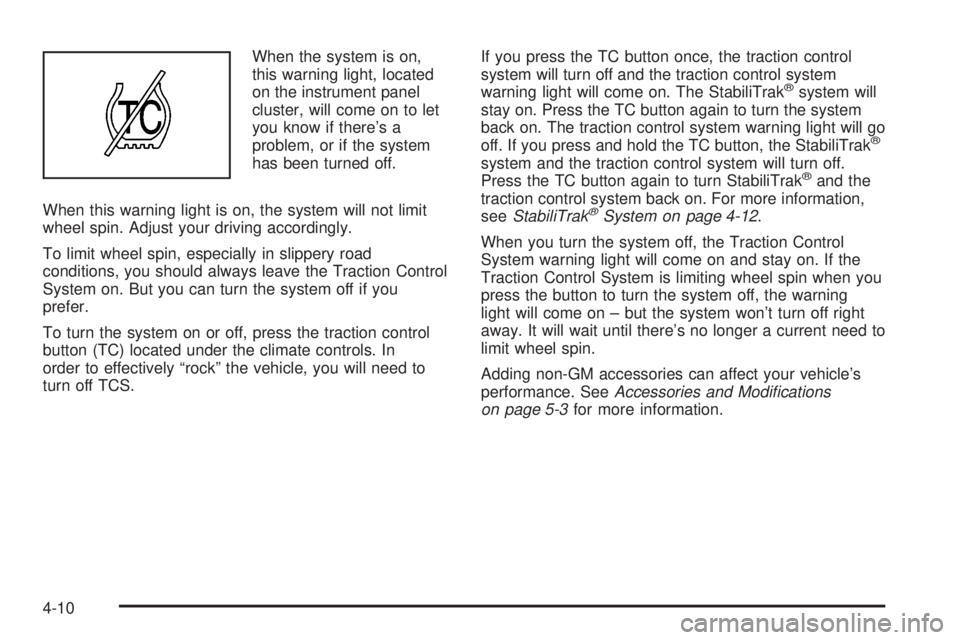
When the system is on,
this warning light, located
on the instrument panel
cluster, will come on to let
you know if there’s a
problem, or if the system
has been turned off.
When this warning light is on, the system will not limit
wheel spin. Adjust your driving accordingly.
To limit wheel spin, especially in slippery road
conditions, you should always leave the Traction Control
System on. But you can turn the system off if you
prefer.
To turn the system on or off, press the traction control
button (TC) located under the climate controls. In
order to effectively “rock” the vehicle, you will need to
turn off TCS.If you press the TC button once, the traction control
system will turn off and the traction control system
warning light will come on. The StabiliTrak
®system will
stay on. Press the TC button again to turn the system
back on. The traction control system warning light will go
off. If you press and hold the TC button, the StabiliTrak
®
system and the traction control system will turn off.
Press the TC button again to turn StabiliTrak®and the
traction control system back on. For more information,
seeStabiliTrak
®System on page 4-12.
When you turn the system off, the Traction Control
System warning light will come on and stay on. If the
Traction Control System is limiting wheel spin when you
press the button to turn the system off, the warning
light will come on – but the system won’t turn off right
away. It will wait until there’s no longer a current need to
limit wheel spin.
Adding non-GM accessories can affect your vehicle’s
performance. SeeAccessories and Modications
on page 5-3for more information.
4-10