climate control PONTIAC G6 2007 User Guide
[x] Cancel search | Manufacturer: PONTIAC, Model Year: 2007, Model line: G6, Model: PONTIAC G6 2007Pages: 486, PDF Size: 2.78 MB
Page 183 of 486
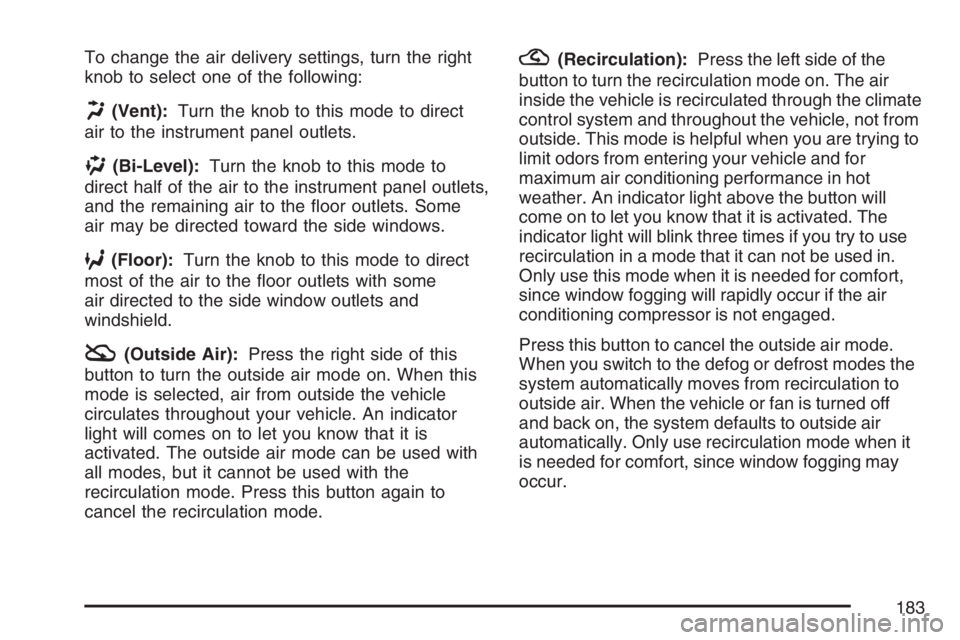
To change the air delivery settings, turn the right
knob to select one of the following:
H(Vent):Turn the knob to this mode to direct
air to the instrument panel outlets.
)(Bi-Level):Turn the knob to this mode to
direct half of the air to the instrument panel outlets,
and the remaining air to the oor outlets. Some
air may be directed toward the side windows.
6(Floor):Turn the knob to this mode to direct
most of the air to the oor outlets with some
air directed to the side window outlets and
windshield.
:(Outside Air):Press the right side of this
button to turn the outside air mode on. When this
mode is selected, air from outside the vehicle
circulates throughout your vehicle. An indicator
light will comes on to let you know that it is
activated. The outside air mode can be used with
all modes, but it cannot be used with the
recirculation mode. Press this button again to
cancel the recirculation mode.
?(Recirculation):Press the left side of the
button to turn the recirculation mode on. The air
inside the vehicle is recirculated through the climate
control system and throughout the vehicle, not from
outside. This mode is helpful when you are trying to
limit odors from entering your vehicle and for
maximum air conditioning performance in hot
weather. An indicator light above the button will
come on to let you know that it is activated. The
indicator light will blink three times if you try to use
recirculation in a mode that it can not be used in.
Only use this mode when it is needed for comfort,
since window fogging will rapidly occur if the air
conditioning compressor is not engaged.
Press this button to cancel the outside air mode.
When you switch to the defog or defrost modes the
system automatically moves from recirculation to
outside air. When the vehicle or fan is turned off
and back on, the system defaults to outside air
automatically. Only use recirculation mode when it
is needed for comfort, since window fogging may
occur.
183
Page 184 of 486

Temperature Control:Turn the center knob
clockwise or counterclockwise to increase
or decrease the temperature inside your vehicle.
When it’s cold outside 0°F (−18°C) or lower,
use the engine coolant heater, if the vehicle has
one, to warm air faster in your vehicle. An
engine coolant heater warms the engine coolant
that is used to warm the inside of your vehicle. For
more information, seeEngine Coolant Heater on
page 128.
#(Air Conditioning):Press this button to turn
the air conditioning system on or off. When
the air conditioning button is pressed, an indicator
light comes on to indicate that the air conditioning
is activated.
The air conditioning system removes moisture from
the air, so sometimes a small amount of water drips
underneath the vehicle while it is idling or after the
engine is turned off. This is normal.
Maximum Air Conditioning
On hot days, open the windows to let hot inside
air escape; then close them. This helps to reduce
the time it takes for your vehicle to cool down.
It also helps the system to operate more efficiently.For quick cool down on hot days, do the following:
1. Select the
Cvent mode.
2. Select the highest fan speed.
3. Select
#air conditioning.
4. Select the
?recirculation mode.
5. Select the coolest temperature.
Using these settings together for long periods of
time can cause the air inside of your vehicle
to become too dry. To prevent this from
happening, after the air in your vehicle has cooled,
turn the recirculation mode off.
If your vehicle has the remote start feature, it will
turn on using the last settings selected on the
climate control before the vehicle was turned off.
The fan and air delivery knobs can be used during
remote start. The buttons will not work until the
ignition is turned on by the key.
The climate control system changes back to
manual operation when the vehicle key is
turned to ON.
184
Page 185 of 486
Defogging and Defrosting
Fog on the inside of windows is a result of high
humidity (moisture) condensing on the cool window
glass. This can be minimized if the climate
control system is used properly. There are
two modes to choose from to clear fog or frost
from your windshield. Use the defog mode to clear
the windows of fog or moisture and warm the
passengers. Use the defrost mode to remove fog
or frost from the windshield more quickly.
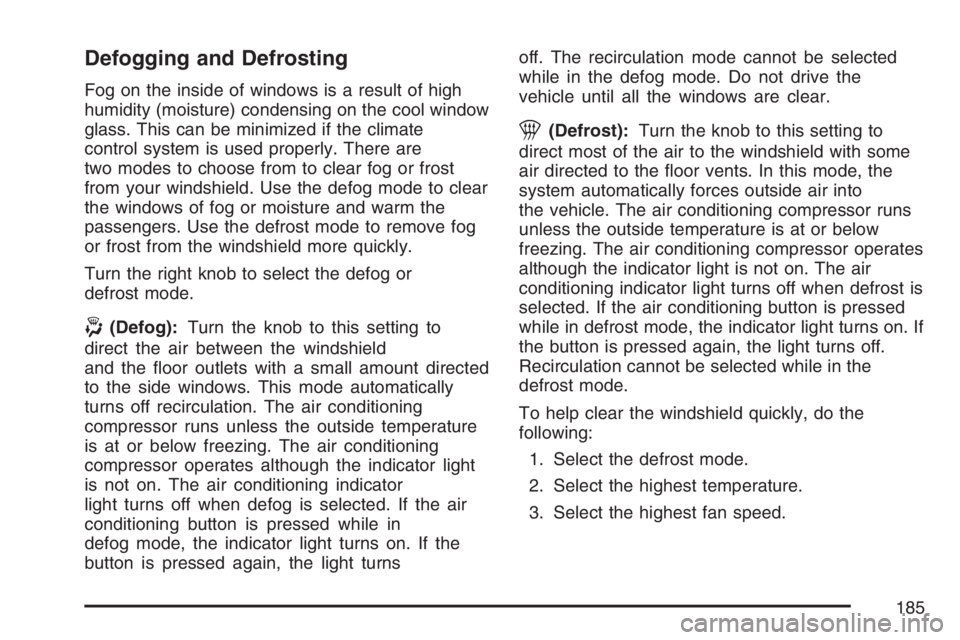
Turn the right knob to select the defog or
defrost mode.
-(Defog):Turn the knob to this setting to
direct the air between the windshield
and the oor outlets with a small amount directed
to the side windows. This mode automatically
turns off recirculation. The air conditioning
compressor runs unless the outside temperature
is at or below freezing. The air conditioning
compressor operates although the indicator light
is not on. The air conditioning indicator
light turns off when defog is selected. If the air
conditioning button is pressed while in
defog mode, the indicator light turns on. If the
button is pressed again, the light turnsoff. The recirculation mode cannot be selected
while in the defog mode. Do not drive the
vehicle until all the windows are clear.
1(Defrost):Turn the knob to this setting to
direct most of the air to the windshield with some
air directed to the oor vents. In this mode, the
system automatically forces outside air into
the vehicle. The air conditioning compressor runs
unless the outside temperature is at or below
freezing. The air conditioning compressor operates
although the indicator light is not on. The air
conditioning indicator light turns off when defrost is
selected. If the air conditioning button is pressed
while in defrost mode, the indicator light turns on. If
the button is pressed again, the light turns off.
Recirculation cannot be selected while in the
defrost mode.
To help clear the windshield quickly, do the
following:
1. Select the defrost mode.
2. Select the highest temperature.
3. Select the highest fan speed.
185
Page 187 of 486
Automatic Climate Control System
If your vehicle has this system, you can
automatically control the heating, cooling and
ventilation in your vehicle.
Automatic Operation
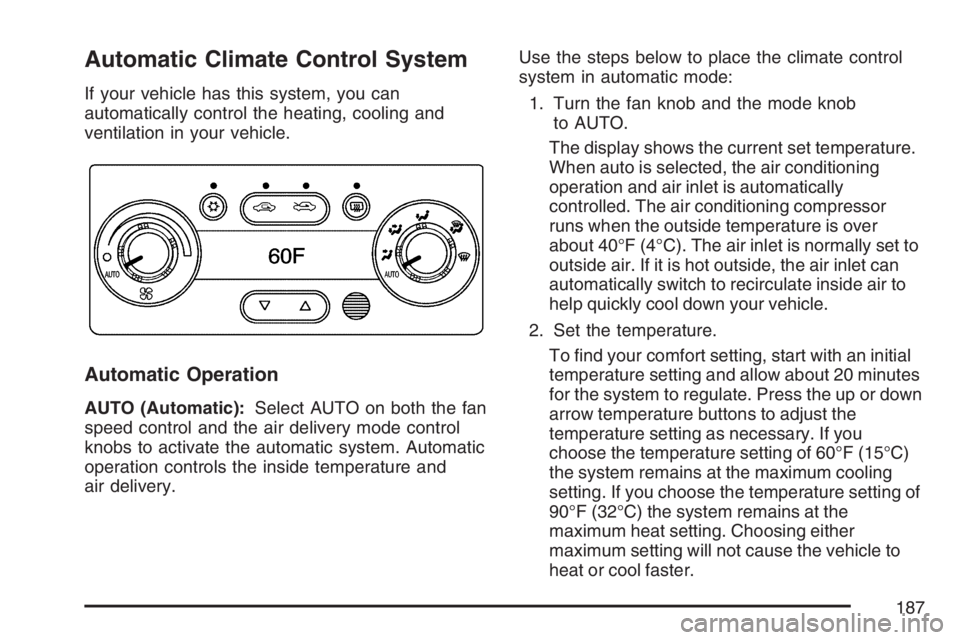
AUTO (Automatic):Select AUTO on both the fan
speed control and the air delivery mode control
knobs to activate the automatic system. Automatic
operation controls the inside temperature and
air delivery.Use the steps below to place the climate control
system in automatic mode:
1. Turn the fan knob and the mode knob
to AUTO.
The display shows the current set temperature.
When auto is selected, the air conditioning
operation and air inlet is automatically
controlled. The air conditioning compressor
runs when the outside temperature is over
about 40°F (4°C). The air inlet is normally set to
outside air. If it is hot outside, the air inlet can
automatically switch to recirculate inside air to
help quickly cool down your vehicle.
2. Set the temperature.
To nd your comfort setting, start with an initial
temperature setting and allow about 20 minutes
for the system to regulate. Press the up or down
arrow temperature buttons to adjust the
temperature setting as necessary. If you
choose the temperature setting of 60°F (15°C)
the system remains at the maximum cooling
setting. If you choose the temperature setting of
90°F (32°C) the system remains at the
maximum heat setting. Choosing either
maximum setting will not cause the vehicle to
heat or cool faster.
187
Page 188 of 486

Be careful not to cover the sensor located on
the top of the instrument panel near the
windshield. This sensor regulates air
temperature based on sun load, and also turns
on your headlamps.
Also be careful not to cover the sensor grille
on the lower right side of the climate
control faceplate. This senses the inside
vehicle temperature needed for proper
regulation.
To avoid blowing cold air at start-up in cold
weather, the system delays turning on the fan
until warm air is available. The length of
delay depends on the engine coolant
temperature. Turning the fan knob overrides
this delay and change the fan to a selected
speed.
If your vehicle has the remote start feature, the
climate control display initially shows “AS” in place
of the temperature to indicate the remote start
has been activated. The remote start system turns
on using the last temperature selected before
the vehicle was last turned off.For best performance, turn the fan and mode
knobs to the AUTO position. The fan speed and
air delivery modes will change to achieve the best
comfort.
If the outside air temperature is below 45°F and
the air delivery mode knob is set to AUTO,
the automatic climate control system starts in the
defrost mode to clear the window.
The automatic climate control changes back to
manual operation by turning the vehicle on with
the key.
Manual Operation
You can manually adjust the air delivery mode or
fan speed.
9(Off):Select this position on the fan knob to
turn off the entire climate control system.
Outside air will still enter the vehicle, and be
directed to the oor. This direction can be changed
by changing the mode position. The temperature
can also be adjusted using either the up or
down arrow temperature buttons.
9(Fan):Turn the knob with the fan symbol to
manually adjust the fan speed.
188
Page 189 of 486
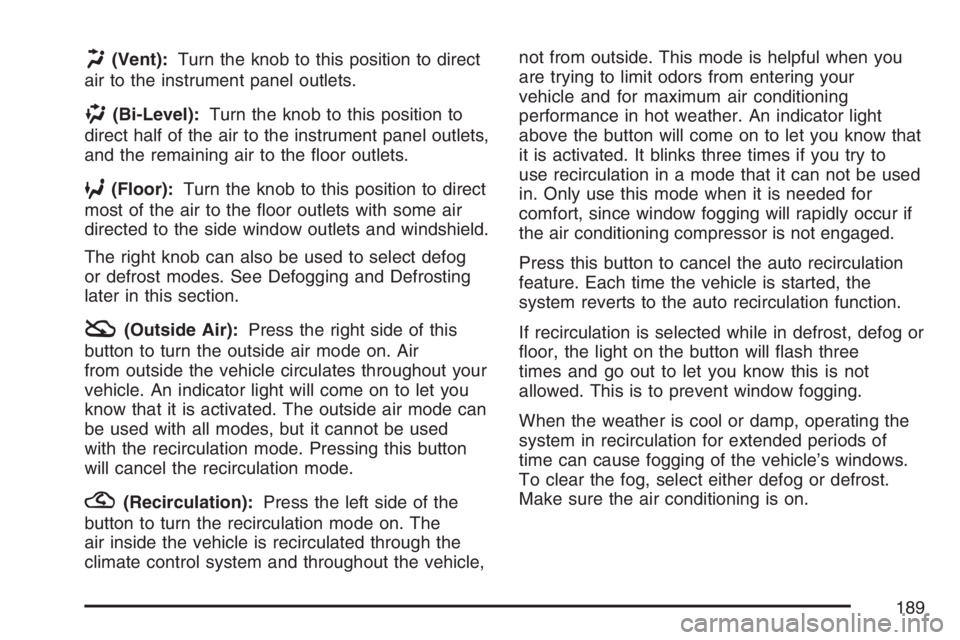
H(Vent):Turn the knob to this position to direct
air to the instrument panel outlets.
)(Bi-Level):Turn the knob to this position to
direct half of the air to the instrument panel outlets,
and the remaining air to the oor outlets.
6(Floor):Turn the knob to this position to direct
most of the air to the oor outlets with some air
directed to the side window outlets and windshield.
The right knob can also be used to select defog
or defrost modes. See Defogging and Defrosting
later in this section.
:(Outside Air):Press the right side of this
button to turn the outside air mode on. Air
from outside the vehicle circulates throughout your
vehicle. An indicator light will come on to let you
know that it is activated. The outside air mode can
be used with all modes, but it cannot be used
with the recirculation mode. Pressing this button
will cancel the recirculation mode.
?(Recirculation):Press the left side of the
button to turn the recirculation mode on. The
air inside the vehicle is recirculated through the
climate control system and throughout the vehicle,not from outside. This mode is helpful when you
are trying to limit odors from entering your
vehicle and for maximum air conditioning
performance in hot weather. An indicator light
above the button will come on to let you know that
it is activated. It blinks three times if you try to
use recirculation in a mode that it can not be used
in. Only use this mode when it is needed for
comfort, since window fogging will rapidly occur if
the air conditioning compressor is not engaged.
Press this button to cancel the auto recirculation
feature. Each time the vehicle is started, the
system reverts to the auto recirculation function.
If recirculation is selected while in defrost, defog or
oor, the light on the button will ash three
times and go out to let you know this is not
allowed. This is to prevent window fogging.
When the weather is cool or damp, operating the
system in recirculation for extended periods of
time can cause fogging of the vehicle’s windows.
To clear the fog, select either defog or defrost.
Make sure the air conditioning is on.
189
Page 263 of 486

To limit wheel spin, especially in slippery road
conditions, you should always leave the Traction
Control System on. But you can turn the system off
if you prefer.
To turn the system on or off, press the traction
control button (TC) located under the climate
controls. In order to effectively “rock” the vehicle,
you will need to turn off TCS.
If you press the TC button once, the traction control
system will turn off and the traction control system
warning light will come on. The StabiliTrak
®system
will stay on. Press the TC button again to turn the
system back on. The traction control system
warning light will go off. If you press and hold the
TC button, the StabiliTrak
®system and the traction
control system will turn off. Press the TC button
again to turn StabiliTrak
®and the traction control
system back on. For more information, see
StabiliTrak
®System on page 265.
When you turn the system off, the Traction Control
System warning light will come on and stay on.
If the Traction Control System is limiting wheel spin
when you press the button to turn the system
off, the warning light will come on – but the system
won’t turn off right away. It will wait until there’s
no longer a current need to limit wheel spin.Adding non-GM accessories can affect your
vehicle’s performance. SeeAccessories and
Modications on page 308for more information.
Enhanced Traction System (ETS)
Your vehicle may have an Enhanced Traction
System (ETS) that limits wheel spin. This is
especially useful in slippery road conditions. The
system operates only if it senses that one or
both of the front wheels are spinning or beginning
to lose traction. When this happens, the system
reduces engine power and may also upshift
the transaxle to limit wheel spin.
This light, located on
the instrument panel,
will come on when your
Enhanced Traction
System is limiting
wheel spin.
You may feel or hear the system working, but this
is normal.
263
Page 386 of 486
Uniform Tire Quality Grading
Quality grades can be found where applicable on
the tire sidewall between tread shoulder and
maximum section width. For example:
Treadwear 200 Traction AA Temperature A
The following information relates to the system
developed by the United States National Highway
Traffic Safety Administration (NHTSA), which
grades tires by treadwear, traction, and
temperature performance. This applies only to
vehicles sold in the United States. The grades are
molded on the sidewalls of most passenger car
tires. The Uniform Tire Quality Grading (UTQG)
system does not apply to deep tread, winter-type
snow tires, space-saver, or temporary use spare
tires, tires with nominal rim diameters of
10 to 12 inches (25 to 30 cm), or to some
limited-production tires.
While the tires available on General Motors
passenger cars and light trucks may vary with
respect to these grades, they must also conform
to federal safety requirements and additional
General Motors Tire Performance Criteria (TPC)
standards.
Treadwear
The treadwear grade is a comparative rating
based on the wear rate of the tire when tested
under controlled conditions on a specied
government test course. For example, a tire
graded 150 would wear one and a half (1.5) times
as well on the government course as a tire
graded 100. The relative performance of tires
depends upon the actual conditions of their use,
however, and may depart signicantly from
the norm due to variations in driving habits, service
practices, and differences in road characteristics
and climate.
Traction – AA, A, B, C
The traction grades, from highest to lowest, are AA,
A, B, and C. Those grades represent the tire’s
ability to stop on wet pavement as measured under
controlled conditions on specied government test
surfaces of asphalt and concrete. A tire marked C
may have poor traction performance.
Warning:The traction grade assigned to this tire
is based on straight-ahead braking traction tests,
and does not include acceleration, cornering,
hydroplaning, or peak traction characteristics.
386
Page 472 of 486

Appearance Care (cont.)
Washing Your Vehicle.............................. 408
Weatherstrips........................................... 408
Windshield and Wiper Blades................... 410
Audio System(s).......................................... 219
Audio Steering Wheel Controls................. 248
Backglass Antenna................................... 250
Care of Your CD Player........................... 250
Care of Your CDs.................................... 250
Fixed Mast Antenna................................. 250
Radio with CD......................................... 221
Radio with Six-Disc CD............................ 231
Setting the Time for Radios with
Radio Data Systems (RDS).................. 221
Setting the Time for Radios without
Radio Data Systems (RDS).................. 220
Theft-Deterrent Feature............................ 248
Understanding Radio Reception............... 249
XM™ Satellite Radio Antenna System........ 251
Automatic Climate Control System............... 187
Automatic Door Lock................................... 110
Automatic Headlamp System....................... 177
Automatic Transaxle
Fluid...............................................332, 335
Operation................................................. 129B
Backglass Antenna...................................... 250
Battery........................................................ 355
Electric Power Management..................... 180
Run-Down Protection............................... 181
Before Leaving on a Long Trip.................... 279
Bench Seat, Split (60/40).............................. 20
Brake
Anti-Lock Brake System (ABS)................. 259
Emergencies............................................ 261
Parking.................................................... 135
System Warning Light.............................. 199
Brake Pedal, Throttle................................... 127
Brakes........................................................ 352
Braking....................................................... 258
Braking in Emergencies............................... 261
Break-In, New Vehicle................................. 122
Bulb Replacement....................................... 361
Center High-Mounted
Stoplamp (CHMSL)......................363, 364
Halogen Bulbs......................................... 361
Headlamps, Front Turn Signal,
Sidemarker, and Parking Lamps........... 362
License Plate Lamps................................ 368
472
Page 474 of 486

Cleaning (cont.)
Underbody Maintenance........................... 412
Washing Your Vehicle.............................. 408
Weatherstrips........................................... 408
Windshield and Wiper Blades................... 410
Climate Control System............................... 182
Automatic................................................. 187
Outlet Adjustment..................................... 191
Clutch, Hydraulic......................................... 338
Collision Damage Repair............................. 462
Comfort Guides, Rear Safety Belt................. 42
Compact Spare Tire.................................... 403
Compass............................................143, 145
Content Theft-Deterrent............................... 118
Control of a Vehicle..................................... 258
Convenience Net......................................... 150
Coolant
Engine Temperature Gage........................ 203
Heater, Engine......................................... 128
Cooling System........................................... 345
Courtesy Lamps.......................................... 178
Cruise Control............................................. 171
Cruise Control Light.................................... 208
Cupholder(s)................................................ 150Customer Assistance Information
Courtesy Transportation........................... 459
Customer Assistance for Text
Telephone (TTY) Users ......................... 454
Customer Assistance Offices.................... 454
Customer Satisfaction Procedure.............. 450
GM Mobility Reimbursement Program........ 455
Reporting Safety Defects to
General Motors..................................... 467
Reporting Safety Defects to the
Canadian Government.......................... 467
Reporting Safety Defects to the
United States Government.................... 466
Roadside Assistance Program.................. 456
Service Publications Ordering
Information........................................... 468
D
Daytime Running Lamps............................. 176
Defensive Driving........................................ 254
Delayed Headlamps.................................... 176
Delayed Locking.......................................... 110
Doing Your Own Service Work.................... 309
474