instrument panel PONTIAC G6 2007 Owner's Manual
[x] Cancel search | Manufacturer: PONTIAC, Model Year: 2007, Model line: G6, Model: PONTIAC G6 2007Pages: 486, PDF Size: 2.78 MB
Page 164 of 486
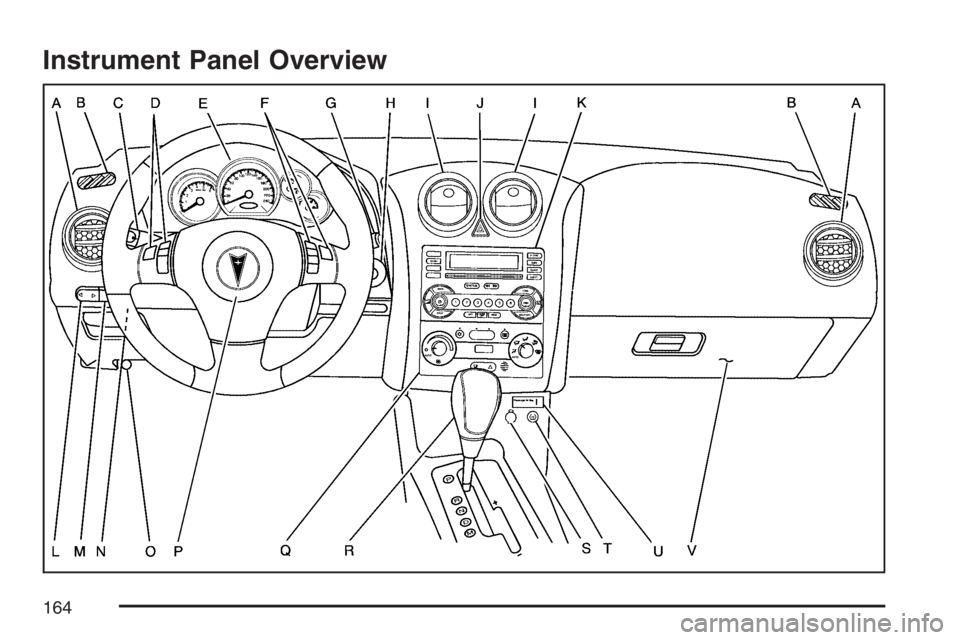
Instrument Panel Overview
164
Page 165 of 486
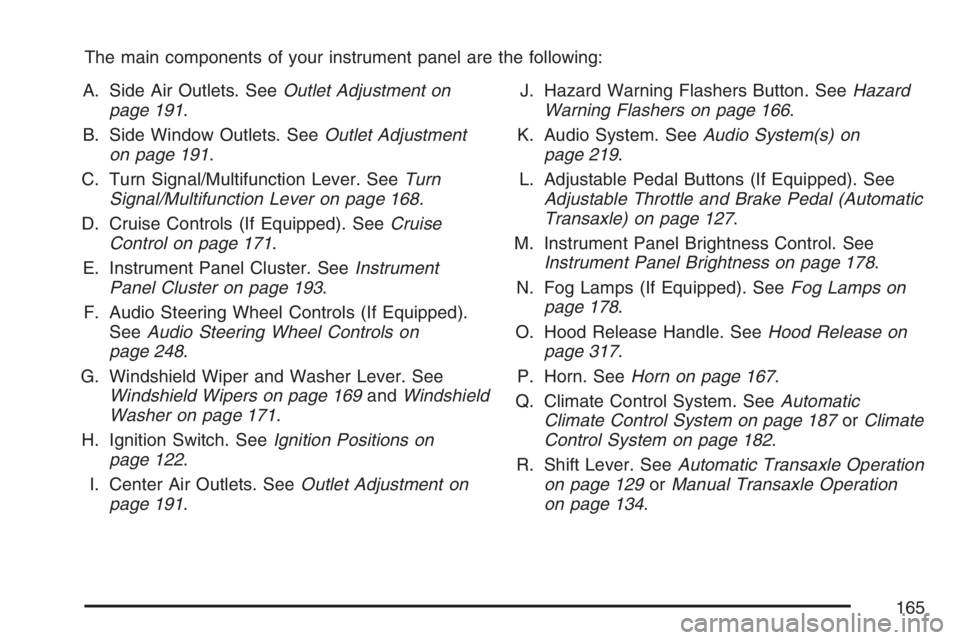
The main components of your instrument panel are the following:
A. Side Air Outlets. SeeOutlet Adjustment on
page 191.
B. Side Window Outlets. SeeOutlet Adjustment
on page 191.
C. Turn Signal/Multifunction Lever. SeeTurn
Signal/Multifunction Lever on page 168.
D. Cruise Controls (If Equipped). SeeCruise
Control on page 171.
E. Instrument Panel Cluster. SeeInstrument
Panel Cluster on page 193.
F. Audio Steering Wheel Controls (If Equipped).
SeeAudio Steering Wheel Controls on
page 248.
G. Windshield Wiper and Washer Lever. See
Windshield Wipers on page 169andWindshield
Washer on page 171.
H. Ignition Switch. SeeIgnition Positions on
page 122.
I. Center Air Outlets. SeeOutlet Adjustment on
page 191.J. Hazard Warning Flashers Button. SeeHazard
Warning Flashers on page 166.
K. Audio System. SeeAudio System(s) on
page 219.
L. Adjustable Pedal Buttons (If Equipped). See
Adjustable Throttle and Brake Pedal (Automatic
Transaxle) on page 127.
M. Instrument Panel Brightness Control. See
Instrument Panel Brightness on page 178.
N. Fog Lamps (If Equipped). SeeFog Lamps on
page 178.
O. Hood Release Handle. SeeHood Release on
page 317.
P. Horn. SeeHorn on page 167.
Q. Climate Control System. SeeAutomatic
Climate Control System on page 187orClimate
Control System on page 182.
R. Shift Lever. SeeAutomatic Transaxle Operation
on page 129orManual Transaxle Operation
on page 134.
165
Page 166 of 486
S. Accessory Power Outlet. SeeAccessory Power
Outlet(s) on page 181.
T. Traction Control System Button (If Equipped),
Enhanced Traction System Button (If
Equipped), and/or StabiliTrak
®(If Equipped).
SeeTraction Control System (TCS) on
page 262orEnhanced Traction System (ETS)
on page 263and/orStabiliTrak
®System on
page 265.
U. Passenger Airbag Status Indicator. See
Passenger Airbag Status Indicator on page 197.
V. Glove Box. SeeGlove Box on page 150.
Hazard Warning Flashers
Your hazard warning ashers let you warn others.
They also let police know you have a problem.
Your front and rear turn signal lamps will ash on
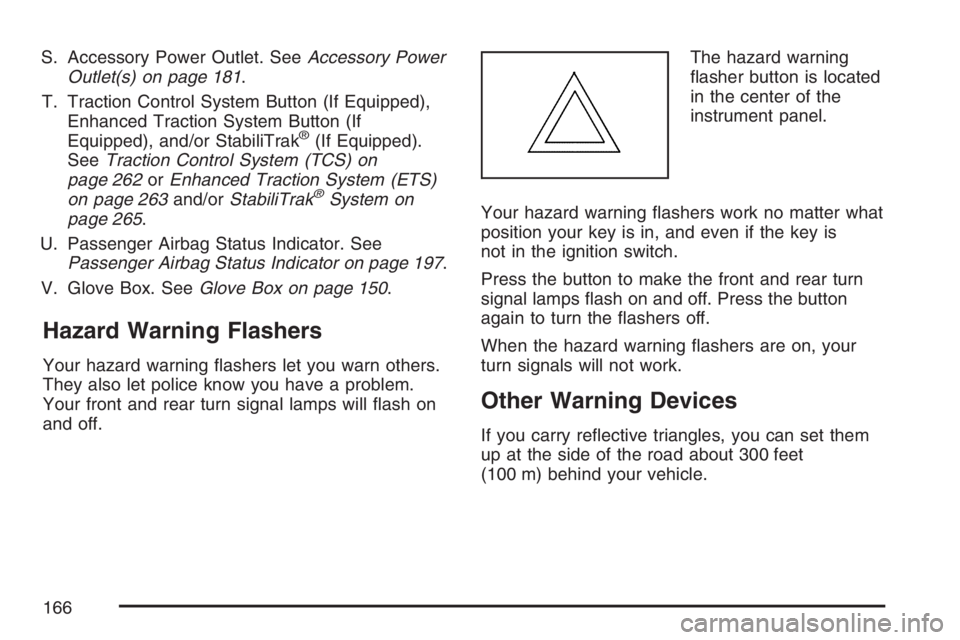
and off.The hazard warning
asher button is located
in the center of the
instrument panel.
Your hazard warning ashers work no matter what
position your key is in, and even if the key is
not in the ignition switch.
Press the button to make the front and rear turn
signal lamps ash on and off. Press the button
again to turn the ashers off.
When the hazard warning ashers are on, your
turn signals will not work.
Other Warning Devices
If you carry reective triangles, you can set them
up at the side of the road about 300 feet
(100 m) behind your vehicle.
166
Page 168 of 486
Turn Signal/Multifunction Lever
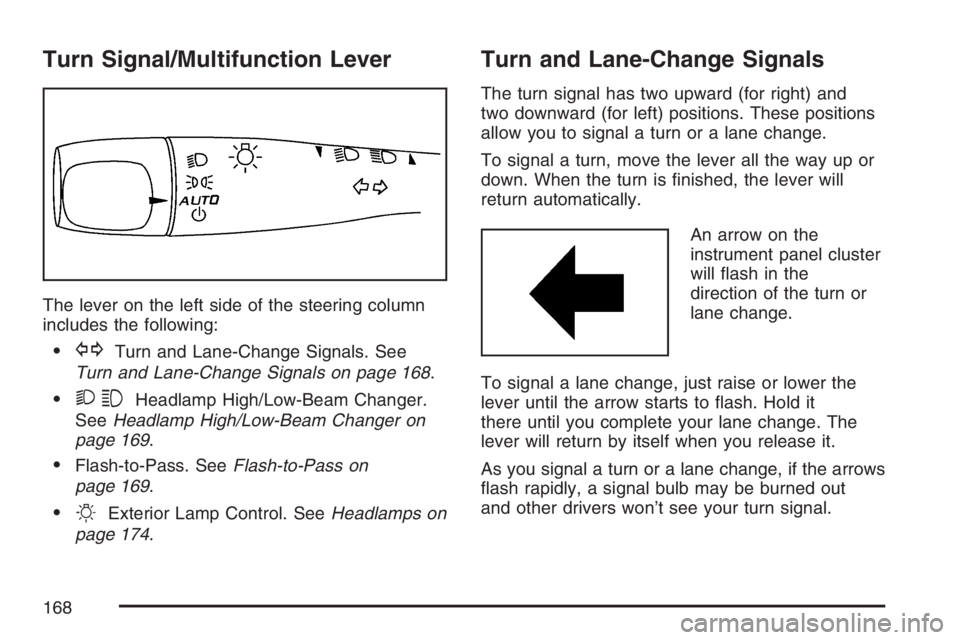
The lever on the left side of the steering column
includes the following:
GTurn and Lane-Change Signals. See
Turn and Lane-Change Signals on page 168.
23Headlamp High/Low-Beam Changer.
SeeHeadlamp High/Low-Beam Changer on
page 169.
Flash-to-Pass. SeeFlash-to-Pass on
page 169.
OExterior Lamp Control. SeeHeadlamps on
page 174.
Turn and Lane-Change Signals
The turn signal has two upward (for right) and
two downward (for left) positions. These positions
allow you to signal a turn or a lane change.
To signal a turn, move the lever all the way up or
down. When the turn is nished, the lever will
return automatically.
An arrow on the
instrument panel cluster
will ash in the
direction of the turn or
lane change.
To signal a lane change, just raise or lower the
lever until the arrow starts to ash. Hold it
there until you complete your lane change. The
lever will return by itself when you release it.
As you signal a turn or a lane change, if the arrows
ash rapidly, a signal bulb may be burned out
and other drivers won’t see your turn signal.
168
Page 169 of 486
If a bulb is burned out, replace it to help avoid an
accident. If the arrows don’t go on at all when
you signal a turn, check for burned-out bulbs and
then check the fuse. SeeFuses on page 415.
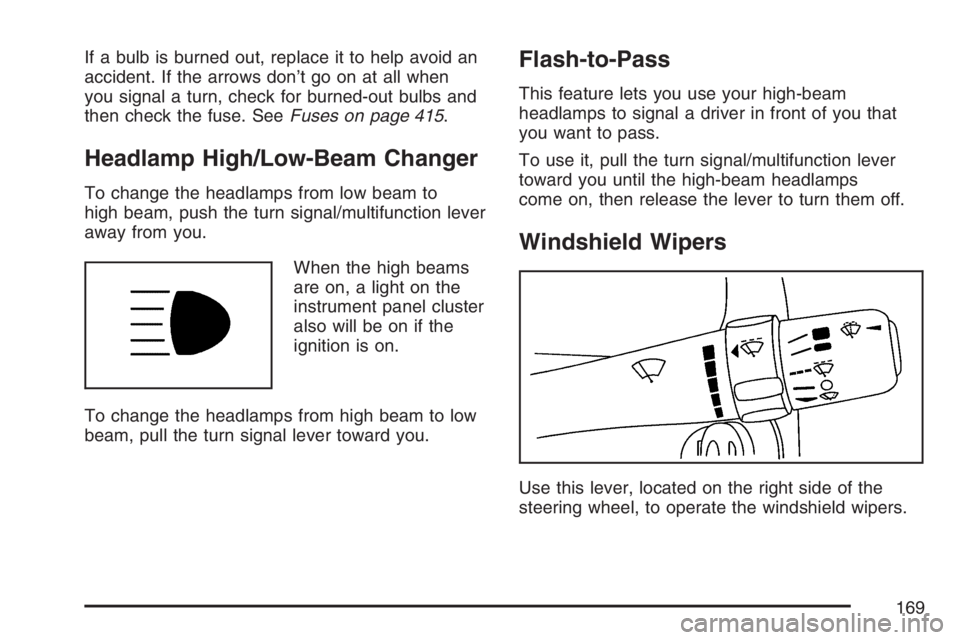
Headlamp High/Low-Beam Changer
To change the headlamps from low beam to
high beam, push the turn signal/multifunction lever
away from you.
When the high beams
are on, a light on the
instrument panel cluster
also will be on if the
ignition is on.
To change the headlamps from high beam to low
beam, pull the turn signal lever toward you.
Flash-to-Pass
This feature lets you use your high-beam
headlamps to signal a driver in front of you that
you want to pass.
To use it, pull the turn signal/multifunction lever
toward you until the high-beam headlamps
come on, then release the lever to turn them off.
Windshield Wipers
Use this lever, located on the right side of the
steering wheel, to operate the windshield wipers.
169
Page 172 of 486

Setting Cruise Control
{CAUTION:
If you leave your cruise control on when
you are not using cruise, you might hit a
button and go into cruise when you do
not want to. You could be startled and
even lose control. Keep the cruise control
switch off until you want to use cruise
control.
The cruise control
buttons are located on
the steering wheel.
J(On/Off):Press this button to turn the cruise
control system on and off.
RES+ (Resume):Press this button to resume a
set speed and to accelerate the speed.
SET−(Set):Press this button to set a speed and
to decrease the speed.
CANCEL
[:Press this button to cancel cruise
control.
To set a speed do the following:
1. Press the on/off symbol to turn cruise control
on. The indicator light on the button will
come on.
2. Get to the speed you want.
3. Press the SET−symbol and release it. The
cruise symbol will display in the instrument
panel cluster to show the system is engaged.
4. Take your foot off the accelerator pedal.
When the brakes are applied, the cruise control
shuts off.
172
Page 173 of 486
If the vehicle is in cruise control and the Traction
Control System (TCS) or Enhanced Traction
System (ETS) begins to limit wheel spin, the cruise
control will automatically disengage. SeeTraction
Control System (TCS) on page 262and
Enhanced Traction System (ETS) on page 263.
When road conditions allow, the cruise control can
be used again.
Resuming a Set Speed
Suppose you set your cruise control at a desired
speed and then you apply the brakes. This
disengages the cruise control. The cruise symbol
in the instrument panel cluster will also go out
indicating cruise is no longer engaged. To return
to your previously set speed, you do not need
to go through the set process again. Once
at a speed of about 25 mph (40 km/h) or more,
you can press the RES+ symbol briey.
This will take you back up to your previously
chosen speed and stay there.
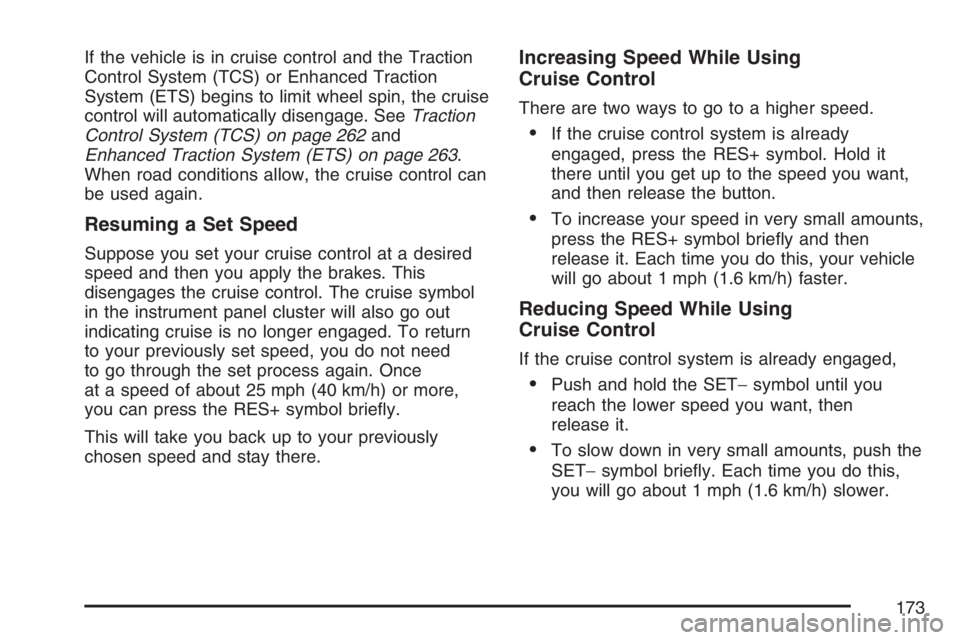
Increasing Speed While Using
Cruise Control
There are two ways to go to a higher speed.
If the cruise control system is already
engaged, press the RES+ symbol. Hold it
there until you get up to the speed you want,
and then release the button.
To increase your speed in very small amounts,
press the RES+ symbol briey and then
release it. Each time you do this, your vehicle
will go about 1 mph (1.6 km/h) faster.
Reducing Speed While Using
Cruise Control
If the cruise control system is already engaged,
Push and hold the SET−symbol until you
reach the lower speed you want, then
release it.
To slow down in very small amounts, push the
SET−symbol briey. Each time you do this,
you will go about 1 mph (1.6 km/h) slower.
173
Page 174 of 486

Passing Another Vehicle While Using
Cruise Control
Use the accelerator pedal to increase your speed.
When you take your foot off the pedal, your
vehicle will slow down to the cruise control speed
you set earlier.
Using Cruise Control on Hills
How well your cruise control will work on hills
depends upon your speed, load, and the
steepness of the hills. When going up steep hills,
you may have to step on the accelerator pedal
to maintain your vehicle’s speed. When going
downhill, you may have to brake or shift to a lower
gear to keep your vehicle’s speed down. Of
course, applying the brakes ends cruise control.
Many drivers nd this to be too much trouble
and do not use cruise control on steep hills.
Ending Cruise Control
There are three ways to disengage the cruise
control:
Step lightly on the brake pedal; when cruise
control disengages, the cruise symbol in the
instrument panel cluster will go out.
Press the on/off button, this will turn off the
cruise control system.
Press the cancel button. When cruise control
disengages, the cruise symbol in the
instrument panel cluster will go out.
Erasing Speed Memory
When you turn off the cruise control or the
ignition, your cruise control set speed memory is
erased.
Headlamps
The lever on the left side of the steering column
operates the exterior lamps.
174
Page 175 of 486

The exterior lamp switch has the following four
positions:
2(Headlamps):This position turns on the
headlamps, parking lamps, and taillamps.
;(Parking Lamps):This position turns on the
parking lamps and taillamps only.
AUTO (Automatic Headlamp System):This
position automatically turns on the Daytime
Running Lamps during daytime, and the
headlamps, parking lamps, and taillamps at night.
P(Off/On):This position turns on the Automatic
Headlamp System. In Canada, this only works
when a vehicle with an automatic transaxle
is in PARK (P).
To turn on the Automatic Headlamp System, turn
the switch to off/on. To turn them off, turn the
switch to off/on again. This is a momentary control
switch that will spring back when released. The
Automatic Headlamp System is always turned on
at the beginning of an ignition cycle.
Headlamps on Reminder
A reminder tone will sound when your headlamps
or parking lamps are manually turned on, if the
driver’s door is open and your ignition is in
the OFF or ACC position. To turn the tone off, turn
the knob all the way counterclockwise. In the
automatic mode, the headlamps turn off once the
ignition key is in the OFF position.
Headlamps Off in PARK (P)
This feature works when the ignition is ON and it
is dark outside. To turn the headlamps off
when it is dark outside but keep other exterior
lights on, turn the exterior lamp control to
the parking lamp position. In this position, the
parking lamps, sidemarker lamps, taillamps,
license plate lamps and instrument panel lights will
be on, but the headlamps will be off.
To turn on the headlamps along with the other
lamps when it is dark outside, turn the exterior
lamp control to the AUTO or headlamp position.
This feature will not work for Canadian vehicles.
175
Page 176 of 486

Delayed Headlamps
The delayed headlamps feature will continue to
illuminate the headlamps for 20 seconds after the
key is turned to OFF, then the headlamps will
automatically turn off.
To override the 20 second delayed headlamp
feature while it is active turn the turn signal/
multifunction lever up one position and then back
to AUTO.
Daytime Running Lamps (DRL)
Daytime Running Lamps (DRL) can make it easier
for others to see the front of your vehicle during
the day. DRL can be helpful in many different
driving conditions, but they can be especially
helpful in the short periods after dawn and before
sunset. Fully functional daytime running lamps
are required on all vehicles rst sold in Canada.
The vehicle has a light sensor on top of the
instrument panel. Make sure it is not covered, or
the head lamps will be on when not needed.The DRL system will make your low-beam
headlamps come on at a reduced brightness when
the following conditions are met:
The ignition is on.
The exterior lamps control is in AUTO.
The exterior lamps control is in the parking
lamps only position (this applies only to
vehicles that are rst sold in Canada).
The light sensor detects daytime light.
The parking brake is released (manual
transaxle) or the vehicle is not in PARK
(automatic transaxle).
When the DRL system is on, the taillamps,
sidemarker lamps, parking lamps, and instrument
panel lights will not be illuminated unless you
have turned the exterior lamps control to
the parking lamp position.
As with any vehicle, you should turn on the
regular headlamp system when you need it.
176