ignition PONTIAC G6 2007 Workshop Manual
[x] Cancel search | Manufacturer: PONTIAC, Model Year: 2007, Model line: G6, Model: PONTIAC G6 2007Pages: 486, PDF Size: 2.78 MB
Page 200 of 486
When the ignition is on, the brake system warning
light will also come on when you set your
parking brake. The light will stay on if your parking
brake does not release fully. If it stays on after
your parking brake is fully released, it means you
have a brake problem.
If the light comes on while you are driving, pull off
the road and stop carefully. Make sure the parking
brake is fully released. You may notice that the
pedal is harder to push or, the pedal may go closer
to the oor. It may take longer to stop. If the light is
still on, have the vehicle towed for service. See
Towing Your Vehicle on page 293.
{CAUTION:
Your brake system may not be working
properly if the brake system warning light
is on. Driving with the brake system
warning light on can lead to an accident.
If the light is still on after you have pulled
off the road and stopped carefully, have
the vehicle towed for service.
Anti-Lock Brake System
Warning Light
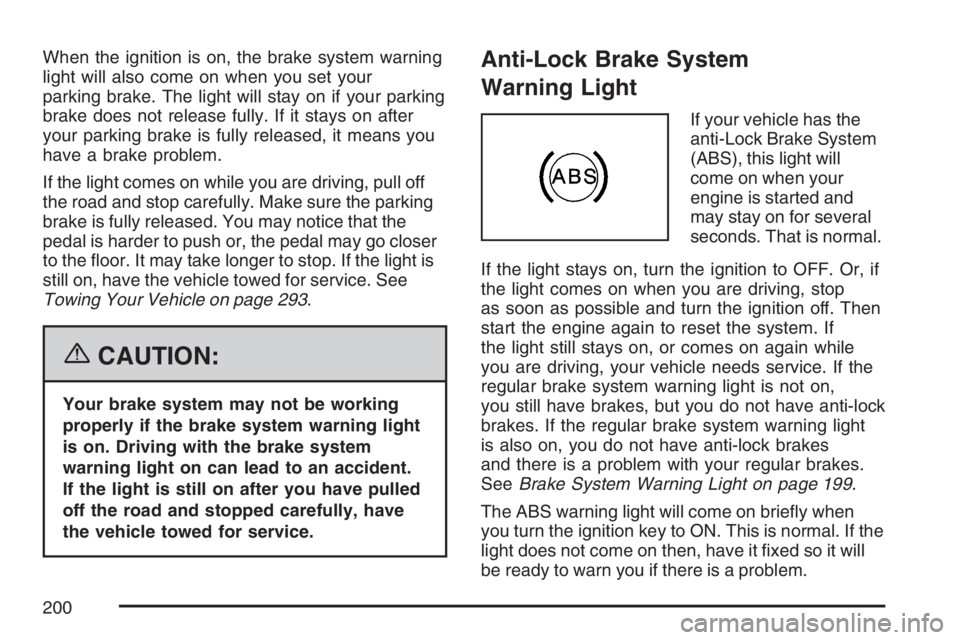
If your vehicle has the
anti-Lock Brake System
(ABS), this light will
come on when your
engine is started and
may stay on for several
seconds. That is normal.
If the light stays on, turn the ignition to OFF. Or, if
the light comes on when you are driving, stop
as soon as possible and turn the ignition off. Then
start the engine again to reset the system. If
the light still stays on, or comes on again while
you are driving, your vehicle needs service. If the
regular brake system warning light is not on,
you still have brakes, but you do not have anti-lock
brakes. If the regular brake system warning light
is also on, you do not have anti-lock brakes
and there is a problem with your regular brakes.
SeeBrake System Warning Light on page 199.
The ABS warning light will come on briey when
you turn the ignition key to ON. This is normal. If the
light does not come on then, have it xed so it will
be ready to warn you if there is a problem.
200
Page 204 of 486

Malfunction Indicator Lamp
Check Engine Light
Your vehicle has a
computer which
monitors operation of
the fuel, ignition,
and emission control
systems.
This system is called OBD II (On-Board
Diagnostics-Second Generation) and is intended
to assure that emissions are at acceptable
levels for the life of the vehicle, helping to produce
a cleaner environment. The check engine light
comes on to indicate that there is a problem and
service is required. Malfunctions often will be
indicated by the system before any problem is
apparent. This may prevent more serious damage
to your vehicle. This system is also designed to
assist your service technician in correctly
diagnosing any malfunction.Notice:If you keep driving your vehicle with
this light on, after awhile, your emission
controls may not work as well, your fuel
economy may not be as good, and your engine
may not run as smoothly. This could lead to
costly repairs that may not be covered by your
warranty.
Notice:Modications made to the engine,
transaxle, exhaust, intake, or fuel system
of your vehicle or the replacement of the
original tires with other than those of the same
Tire Performance Criteria (TPC) can affect
your vehicle’s emission controls and may
cause this light to come on. Modications to
these systems could lead to costly repairs not
covered by your warranty. This may also
result in a failure to pass a required Emission
Inspection/Maintenance test. SeeAccessories
and Modifications on page 308.
204
Page 205 of 486

This light should come on, as a check to show
you it is working, when the ignition is on and the
engine is not running. If the light does not
come on, have it repaired. This light will also
come on during a malfunction in one of two ways:
Light Flashing— A misre condition has
been detected. A misre increases vehicle
emissions and may damage the emission
control system on your vehicle. Diagnosis and
service may be required.
Light On Steady— An emission control
system malfunction has been detected on your
vehicle. Diagnosis and service may be
required.
If the Light is Flashing
The following may prevent more serious damage
to your vehicle:
Reducing vehicle speed
Avoiding hard accelerations
Avoiding steep uphill grades
If you are towing a trailer, reduce the amount
of cargo being hauled as soon as it is
possibleIf the light stops ashing and remains on steady,
see “If the Light Is On Steady” following.
If the light continues to ash, when it is safe to do
so, stop the vehicle. Find a safe place to park
your vehicle. Turn the key off, wait at least
10 seconds and restart the engine. If the light
remains on steady, see “If the Light Is On Steady”
following. If the light is still ashing, follow the
previous steps, and see your dealer for service as
soon as possible.
If the Light Is On Steady
You may be able to correct the emission system
malfunction by considering the following:
Did you recently put fuel into your vehicle?
If so, reinstall the fuel cap, making sure to fully
install the cap. SeeFilling the Tank on page 313.
The diagnostic system can determine if the
fuel cap has been left off or improperly installed.
A loose or missing fuel cap will allow fuel to
evaporate into the atmosphere. A few driving trips
with the cap properly installed should turn the
light off.
205
Page 207 of 486

Oil Pressure Light
If you have a low engine
oil pressure problem,
this light will stay on after
you start your engine, or
come on when you are
driving. This indicates
that your engine is not
receiving enough oil.
The engine could be low on oil, or could have
some other oil problem. Have it xed immediately.
The oil light could also come on in three other
situations:
When the ignition is on but the engine is not
running, the light will come on as a test to
show you it is working, but the light will go out
when you turn the ignition to START. If it
doesn’t come on with the ignition on, you may
have a problem with the fuse or bulb. Have
it xed right away.
If the vehicle is idling at a stop sign, the light
may blink on and then off.
If you make a hard stop, the light may come
on for a moment. This is normal.
{CAUTION:
Do not keep driving if the oil pressure is
low. If you do, your engine can become so
hot that it catches re. You or others
could be burned. Check your oil as soon
as possible and have your vehicle
serviced.
Notice:Lack of proper engine oil maintenance
may damage the engine. The repairs would
not be covered by your warranty. Always follow
the maintenance schedule in this manual for
changing engine oil.
Security Light
For information
regarding this light, see
Theft-Deterrent
Systems on page 118.
207
Page 208 of 486
Cruise Control Light
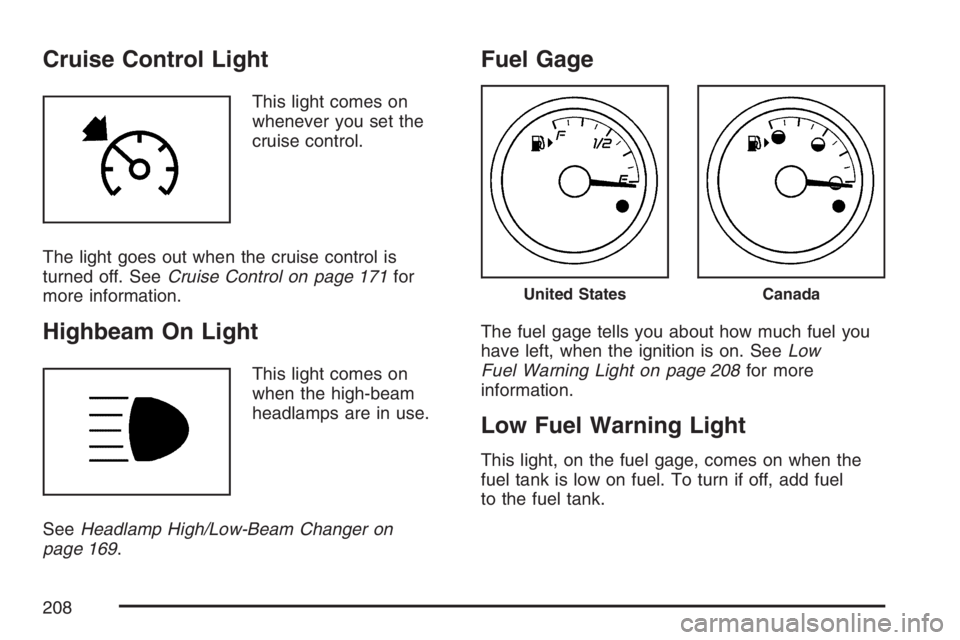
This light comes on
whenever you set the
cruise control.
The light goes out when the cruise control is
turned off. SeeCruise Control on page 171for
more information.
Highbeam On Light
This light comes on
when the high-beam
headlamps are in use.
SeeHeadlamp High/Low-Beam Changer on
page 169.
Fuel Gage
The fuel gage tells you about how much fuel you
have left, when the ignition is on. SeeLow
Fuel Warning Light on page 208for more
information.
Low Fuel Warning Light
This light, on the fuel gage, comes on when the
fuel tank is low on fuel. To turn if off, add fuel
to the fuel tank.
United StatesCanada
208
Page 209 of 486

Driver Information Center (DIC)
The Driver Information Center (DIC) provides
the following:
A way to personalize your vehicle
Trip information
Warning messages
The buttons used to activate the DIC are located
on the left side of the vehicle’s audio system.
INFO/
4(Information):Press this button to scroll
through the vehicle information mode displays.
MENU:Press this button to enter and scroll
through the menu mode.ENTER/
r(Enter):Press this button to select a
menu option or to acknowledge a warning
message.
The DIC messages will be read through your
audio system display.
DIC Operation and Displays
The DIC comes on when the ignition is ON. If your
vehicle has the uplevel audio system, the time
and outside temperature is shown on the rst line
of the display and the DIC information is shown
on the second line of the display.
The DIC has different modes which can be
accessed by pressing the DIC buttons. The button
functions are detailed in the following section.
United StatesCanada
209
Page 211 of 486
AV (Average) SPEED:Press the information
button until AV SPEED is displayed. This shows the
vehicle’s average speed in miles per hour (mph) or
kilometers per hour (km/h).
Press and hold the enter button while AV SPEED is
displayed to reset the average vehicle speed.
OIL LIFE:Press the information button until
OIL LIFE is displayed. The engine oil life system
shows an estimate of the oil’s remaining useful life.
It shows 100% when the system is reset after
an oil change. It will alert you to change the oil on
a schedule consistent with your driving conditions.
Always reset the engine oil life system after an oil
change. SeeEngine Oil Life System on page 328.
In addition to the engine oil life system monitoring
the oil life, additional maintenance is recommended
in the Maintenance Schedule in this manual. See
Scheduled Maintenance on page 431andEngine
Oil on page 325.Personalization
MENU:Press this button while the ignition is ON to
scroll through each of the personalization options in
the following order. To avoid excessive drain on the
battery, it is recommended that the headlamps are
turned off. If the vehicle is moving faster than 2 mph
(3 km/h), the personalization menu options are not
available, except for the UNITS option. All of the
personalization options may not be available on
your vehicle. Only the options available display on
the DIC.
Oil Life Reset
Units Selection (English/Metric)
Remote Start Capability
Horn Chirp During Remote Keyless Entry
Locking
Horn Chirp During Remote Keyless Entry
Unlocking
Exterior Light Flash During Remote Keyless
Entry Locking or Unlocking
Delayed Locking
Automatic Vehicle Unlocking: Specic Doors
211
Page 212 of 486

Automatic Vehicle Unlocking: When Key is Off
or When Shift To Park
Exterior Perimeter Lighting During Remote
Keyless Entry Unlock
Select Language: (English, French, Spanish or
German)
When the desired option is reached, press the
enter button to toggle between the modes of that
option. To make a selection, press the MENU
button again.
If no selection is made within 10 seconds, the
display reverts back to the previous information
displayed.
The MENU mode is exited when the information
button is pressed, a 10 second time period
has elapsed, the ignition is turned to OFF, or the
end of the MENU list is reached.
SeeDIC Vehicle Personalization on page 216for
more information on the personalization options.
Enter
ENTER/r(Enter):Press this button to reset
certain functions and to turn off or acknowledge
messages on the DIC display. This button
also toggles through the options available in each
personalization menu.
DIC Warnings and Messages
These messages appear if there is a problem
detected in one of your vehicle’s systems.
A message will clear when that condition is no
longer present on the vehicle. To acknowledge a
message and clear it from the display, press
any of the three DIC buttons. If the condition is
still present, the warning message will come back
on the next time the vehicle is turned off and
back on. With most messages, a warning chime
sounds when the message displays. Your
vehicle may have other warning messages.
AUTO (Automatic) LIGHTS OFF:This message
displays if the automatic headlamp system is
disabled with the headlamp switch.
AUTO (Automatic) LIGHTS ON:This message
displays if the automatic headlamp system is
enabled with the headlamp switch.
212
Page 213 of 486
BRAKE FLUID:This message displays to inform
the driver that the brake uid level is low while the
ignition is in ON. The brake system warning light on
the instrument panel cluster also comes on. See
Brake System Warning Light on page 199for more
information. Have the brake system serviced by
your dealer as soon as possible.
CHANGE OIL SOON:This message displays
when the life of the engine oil has expired and it
should be changed.
When you acknowledge the CHANGE OIL SOON
message by clearing it from the display, you
still must reset the engine oil life system
separately. SeeEngine Oil Life System on
page 328,Engine Oil on page 325, andScheduled
Maintenance on page 431for more information.
CHECK CARGO TOP:If your vehicle has a
retractable hardtop, this message displays if the
cargo divider is not in place when operating
the retractable hardtop. Open the trunk and make
sure the cargo divider is secure and no objects
are on the divider. SeeTrunk on page 113,
Lowering the Retractable Hardtop on page 154,
andRaising the Retractable Hardtop on page 157
for more information.CHECK GAS CAP:This message displays if the
fuel cap has not been fully tightened. Recheck
the fuel cap to make sure that it is on properly.
A few driving trips with the cap properly installed
should turn the message off.
DOOR AJAR:This message displays if one or
more of the vehicle’s doors are not closed
properly. When this message displays, make sure
that the door is closed completely.
ENGINE DISABLED:This message displays if
the starting of the engine is disabled. Have
your vehicle serviced immediately by your dealer.
ENG (Engine) PWR (Power) REDUCED:This
message displays to inform you that the vehicle
has reduced engine power to avoid damaging the
engine. Reduced engine power can affect the
vehicle’s ability to accelerate. If this message is on,
but there is no reduction in performance, proceed
to your destination. The performance may be
reduced the next time the vehicle is driven. The
vehicle may be driven at a reduced speed
while this message is on, but acceleration and
speed may be reduced. Anytime this message
stays on, the vehicle should be taken to your
dealer for service as soon as possible.
213
Page 217 of 486

UNLOCK HORN:If your vehicle has Remote
Keyless Entry (RKE), this option which allows the
vehicle’s horn to chirp every time the unlock button
on the RKE transmitter is pressed, can be enabled
or disabled. When UNLOCK HORN appears on the
display, press the enter button to move between
ON and OFF. When you have made your choice,
press the MENU button to record your selection.
The initial setting from the factory is OFF.
LIGHT FLASH:If your vehicle has Remote
Keyless Entry (RKE), this option which allows the
vehicle’s exterior perimeter lighting to ash every
time the lock, unlock, or trunk release buttons on
the RKE transmitter are pressed, can be enabled or
disabled. When LIGHT FLASH appears on the
display, press the enter button to move between
OFF and ON. When you have made your choice,
press the MENU button to record your selection.
The initial setting from the factory is ON.
DELAY LOCK:The delayed locking option, which
delays the actual locking of the vehicle, can be
enabled or disabled. When DELAY LOCK appears
on the display, press the enter button to move
between OFF and ON. When you have made your
choice, press the MENU button to record your
selection. The initial setting from the factory is ON.AUTO UNLK (Unlock):The automatic door
unlocking option, which allows the vehicle
to automatically unlock certain doors can be
enabled or disabled. When AUTO UNLK appears
on the display, press the enter button to move
between ALL, DRIVER, or NONE. When you have
made your choice, press and the MENU button
to record your selection. The initial setting from the
factory is ALL.
If you have a manual transaxle vehicle, the
door(s) will automatically unlock when the ignition
is turned off.
If you have an automatic transaxle vehicle, you
can select when the automatic unlocking will occur.
See “UNLK (Unlock) (Automatic Transaxle
Only)” following.
SeeProgrammable Automatic Door Unlock on
page 111for more information.
217