cruise control PONTIAC G6 2007 Owners Manual
[x] Cancel search | Manufacturer: PONTIAC, Model Year: 2007, Model line: G6, Model: PONTIAC G6 2007Pages: 486, PDF Size: 2.78 MB
Page 161 of 486
Instrument Panel Overview........................ 164
Hazard Warning Flashers.......................... 166
Other Warning Devices............................. 166
Horn.......................................................... 167
Tilt Wheel.................................................. 167
Turn Signal/Multifunction Lever.................. 168
Turn and Lane-Change Signals................. 168
Headlamp High/Low-Beam Changer.......... 169
Flash-to-Pass............................................ 169
Windshield Wipers..................................... 169
Windshield Washer.................................... 171
Cruise Control........................................... 171
Headlamps................................................ 174
Headlamps on Reminder........................... 175
Headlamps Off in PARK (P)...................... 175
Delayed Headlamps.................................. 176
Daytime Running Lamps (DRL)................. 176
Automatic Headlamp System..................... 177
Fog Lamps................................................ 178
Instrument Panel Brightness...................... 178
Courtesy Lamps........................................ 178
Dome Lamp.............................................. 179
Entry/Exit Lighting...................................... 179
Parade Dimming........................................ 180Overhead Console Reading Lamps........... 180
Trunk Lamp............................................... 180
Battery Run-Down Protection..................... 181
Accessory Power Outlet(s)........................ 181
Climate Controls......................................... 182
Climate Control System............................. 182
Automatic Climate Control System............. 187
Outlet Adjustment...................................... 191
Warning Lights, Gages, and Indicators..... 192
Instrument Panel Cluster........................... 193
Speedometer and Odometer...................... 194
Trip Odometer........................................... 194
Tachometer............................................... 194
Safety Belt Reminder Light........................ 195
Passenger Safety Belt Reminder Light....... 195
Airbag Readiness Light............................. 196
Passenger Airbag Status Indicator............. 197
Charging System Light.............................. 199
Brake System Warning Light..................... 199
Anti-Lock Brake System Warning Light...... 200
Traction Control System (TCS)
Warning Light........................................ 201
Traction Control System Active Light......... 201
Section 3 Instrument Panel
161
Page 162 of 486
Enhanced Traction System Warning
Light...................................................... 202
Enhanced Traction System Active Light..... 202
StabiliTrak
®Not Ready Light...................... 203
StabiliTrak®Indicator Light......................... 203
Engine Coolant Temperature Gage............ 203
Malfunction Indicator Lamp........................ 204
Oil Pressure Light..................................... 207
Security Light............................................ 207
Cruise Control Light.................................. 208
Highbeam On Light................................... 208
Fuel Gage................................................. 208
Low Fuel Warning Light............................ 208
Driver Information Center (DIC).................. 209
DIC Operation and Displays...................... 209
DIC Warnings and Messages.................... 212
DIC Vehicle Personalization....................... 216Audio System(s)......................................... 219
Setting the Time for Radios without Radio
Data Systems (RDS).............................. 220
Setting the Time for Radios with Radio
Data Systems (RDS).............................. 221
Radio with CD........................................... 221
Radio with Six-Disc CD............................. 231
XM Radio Messages................................. 246
Theft-Deterrent Feature............................. 248
Audio Steering Wheel Controls.................. 248
Radio Reception........................................ 249
Care of Your CDs..................................... 250
Care of the CD Player.............................. 250
Fixed Mast Antenna.................................. 250
Backglass Antenna.................................... 250
XM™ Satellite Radio Antenna System....... 251
Section 3 Instrument Panel
162
Page 165 of 486
The main components of your instrument panel are the following:
A. Side Air Outlets. SeeOutlet Adjustment on
page 191.
B. Side Window Outlets. SeeOutlet Adjustment
on page 191.
C. Turn Signal/Multifunction Lever. SeeTurn
Signal/Multifunction Lever on page 168.
D. Cruise Controls (If Equipped). SeeCruise
Control on page 171.
E. Instrument Panel Cluster. SeeInstrument
Panel Cluster on page 193.
F. Audio Steering Wheel Controls (If Equipped).
SeeAudio Steering Wheel Controls on
page 248.
G. Windshield Wiper and Washer Lever. See
Windshield Wipers on page 169andWindshield
Washer on page 171.
H. Ignition Switch. SeeIgnition Positions on
page 122.
I. Center Air Outlets. SeeOutlet Adjustment on
page 191.J. Hazard Warning Flashers Button. SeeHazard
Warning Flashers on page 166.
K. Audio System. SeeAudio System(s) on
page 219.
L. Adjustable Pedal Buttons (If Equipped). See
Adjustable Throttle and Brake Pedal (Automatic
Transaxle) on page 127.
M. Instrument Panel Brightness Control. See
Instrument Panel Brightness on page 178.
N. Fog Lamps (If Equipped). SeeFog Lamps on
page 178.
O. Hood Release Handle. SeeHood Release on
page 317.
P. Horn. SeeHorn on page 167.
Q. Climate Control System. SeeAutomatic
Climate Control System on page 187orClimate
Control System on page 182.
R. Shift Lever. SeeAutomatic Transaxle Operation
on page 129orManual Transaxle Operation
on page 134.
165
Page 171 of 486
Windshield Washer
To wash your windshield, press the button at the
end of the lever until the washers begin.
{CAUTION:
In freezing weather, do not use your
washer until the windshield is warmed.
Otherwise the washer uid can form ice
on the windshield, blocking your vision.
When you release the button, the washers will
stop, but the wipers will continue to wipe for about
three times or will resume the speed you were
using before.
Cruise Control
If your vehicle has cruise control, you can maintain
a speed of about 25 mph (40 km/h) or more
without keeping your foot on the accelerator. This
can really help on long trips. Cruise control
does not work at speeds below 25 mph (40 km/h).
{CAUTION:
Cruise control can be dangerous where
you cannot drive safely at a steady speed.
So, do not use your cruise control on
winding roads or in heavy traffic.
Cruise control can be dangerous on
slippery roads. On such roads, fast
changes in tire traction can cause
excessive wheel slip, and you could lose
control. Do not use cruise control on
slippery roads.
171
Page 172 of 486

Setting Cruise Control
{CAUTION:
If you leave your cruise control on when
you are not using cruise, you might hit a
button and go into cruise when you do
not want to. You could be startled and
even lose control. Keep the cruise control
switch off until you want to use cruise
control.
The cruise control
buttons are located on
the steering wheel.
J(On/Off):Press this button to turn the cruise
control system on and off.
RES+ (Resume):Press this button to resume a
set speed and to accelerate the speed.
SET−(Set):Press this button to set a speed and
to decrease the speed.
CANCEL
[:Press this button to cancel cruise
control.
To set a speed do the following:
1. Press the on/off symbol to turn cruise control
on. The indicator light on the button will
come on.
2. Get to the speed you want.
3. Press the SET−symbol and release it. The
cruise symbol will display in the instrument
panel cluster to show the system is engaged.
4. Take your foot off the accelerator pedal.
When the brakes are applied, the cruise control
shuts off.
172
Page 173 of 486
If the vehicle is in cruise control and the Traction
Control System (TCS) or Enhanced Traction
System (ETS) begins to limit wheel spin, the cruise
control will automatically disengage. SeeTraction
Control System (TCS) on page 262and
Enhanced Traction System (ETS) on page 263.
When road conditions allow, the cruise control can
be used again.
Resuming a Set Speed
Suppose you set your cruise control at a desired
speed and then you apply the brakes. This
disengages the cruise control. The cruise symbol
in the instrument panel cluster will also go out
indicating cruise is no longer engaged. To return
to your previously set speed, you do not need
to go through the set process again. Once
at a speed of about 25 mph (40 km/h) or more,
you can press the RES+ symbol briey.
This will take you back up to your previously
chosen speed and stay there.
Increasing Speed While Using
Cruise Control
There are two ways to go to a higher speed.
If the cruise control system is already
engaged, press the RES+ symbol. Hold it
there until you get up to the speed you want,
and then release the button.
To increase your speed in very small amounts,
press the RES+ symbol briey and then
release it. Each time you do this, your vehicle
will go about 1 mph (1.6 km/h) faster.
Reducing Speed While Using
Cruise Control
If the cruise control system is already engaged,
Push and hold the SET−symbol until you
reach the lower speed you want, then
release it.
To slow down in very small amounts, push the
SET−symbol briey. Each time you do this,
you will go about 1 mph (1.6 km/h) slower.
173
Page 174 of 486

Passing Another Vehicle While Using
Cruise Control
Use the accelerator pedal to increase your speed.
When you take your foot off the pedal, your
vehicle will slow down to the cruise control speed
you set earlier.
Using Cruise Control on Hills
How well your cruise control will work on hills
depends upon your speed, load, and the
steepness of the hills. When going up steep hills,
you may have to step on the accelerator pedal
to maintain your vehicle’s speed. When going
downhill, you may have to brake or shift to a lower
gear to keep your vehicle’s speed down. Of
course, applying the brakes ends cruise control.
Many drivers nd this to be too much trouble
and do not use cruise control on steep hills.
Ending Cruise Control
There are three ways to disengage the cruise
control:
Step lightly on the brake pedal; when cruise
control disengages, the cruise symbol in the
instrument panel cluster will go out.
Press the on/off button, this will turn off the
cruise control system.
Press the cancel button. When cruise control
disengages, the cruise symbol in the
instrument panel cluster will go out.
Erasing Speed Memory
When you turn off the cruise control or the
ignition, your cruise control set speed memory is
erased.
Headlamps
The lever on the left side of the steering column
operates the exterior lamps.
174
Page 208 of 486
Cruise Control Light
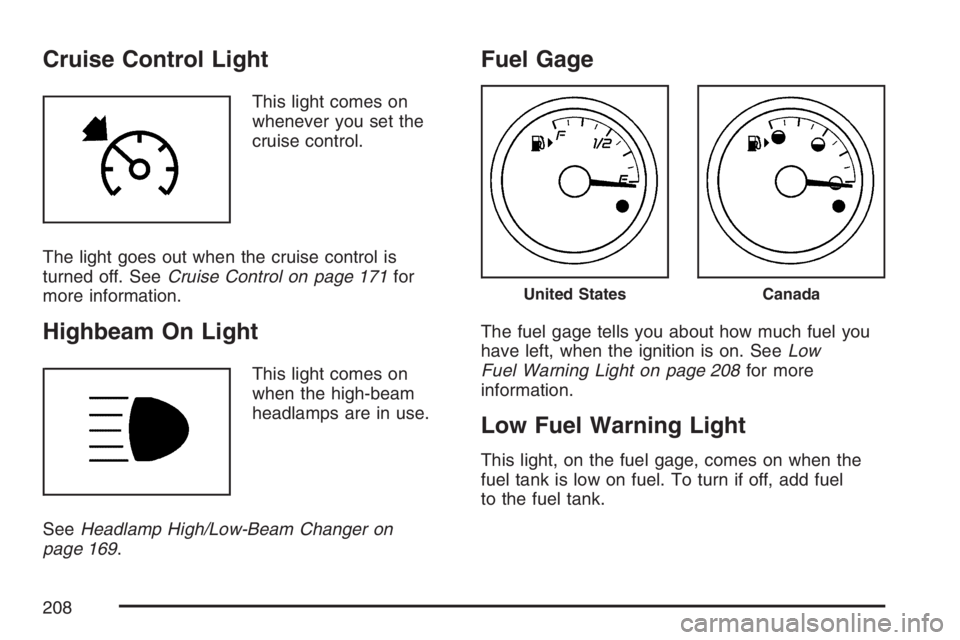
This light comes on
whenever you set the
cruise control.
The light goes out when the cruise control is
turned off. SeeCruise Control on page 171for
more information.
Highbeam On Light
This light comes on
when the high-beam
headlamps are in use.
SeeHeadlamp High/Low-Beam Changer on
page 169.
Fuel Gage
The fuel gage tells you about how much fuel you
have left, when the ignition is on. SeeLow
Fuel Warning Light on page 208for more
information.
Low Fuel Warning Light
This light, on the fuel gage, comes on when the
fuel tank is low on fuel. To turn if off, add fuel
to the fuel tank.
United StatesCanada
208
Page 262 of 486

Traction Control System (TCS)
Your vehicle may have a Traction Control System
(TCS) that limits wheel spin. This is especially
useful in slippery road conditions. The system
operates only if it senses that one or both of the
front wheels are spinning or beginning to lose
traction. When this happens, the system reduces
engine power and may also upshift the transaxle
to limit wheel spin. Also, the traction control system
activates the appropriate corner brakes to gain
even quicker control to limit wheel spin.
This light, located on the
instrument panel, will
come on when your
Traction Control System
is limiting wheel spin.
You may feel or hear the system working, but this
is normal.
If your vehicle is in cruise control when the
traction control system begins to limit wheel spin,
the cruise control will automatically disengage.When road conditions allow you to safely use it
again, you may re-engage the cruise control. See
Cruise Control on page 171.
The Traction Control System operates in all
transaxle shift lever positions except park or
neutral. But the system can upshift the transaxle
only as high as the shift lever position you’ve
chosen, so you should use the lower gears only
when necessary. SeeAutomatic Transaxle
Operation on page 129.
This light is located on
the instrument panel
cluster.
When the system is on, this light will come on to let
you know if there’s a problem, or if the system has
been turned off.
When this warning light is on, the system will not
limit wheel spin. Adjust your driving accordingly.
262
Page 264 of 486
If your vehicle is in cruise control when the
enhanced traction system begins to limit wheel
spin, the cruise control will automatically
disengage. When road conditions allow you to
safely use it again, you may re-engage the cruise
control. SeeCruise Control on page 171.
The Enhanced Traction System operates in all
transaxle shift lever positions except park, neutral
or reverse. But the system can upshift the
transaxle only as high as the shift lever position
you’ve chosen, so you should use the lower gears
only when necessary. SeeAutomatic Transaxle
Operation on page 129.
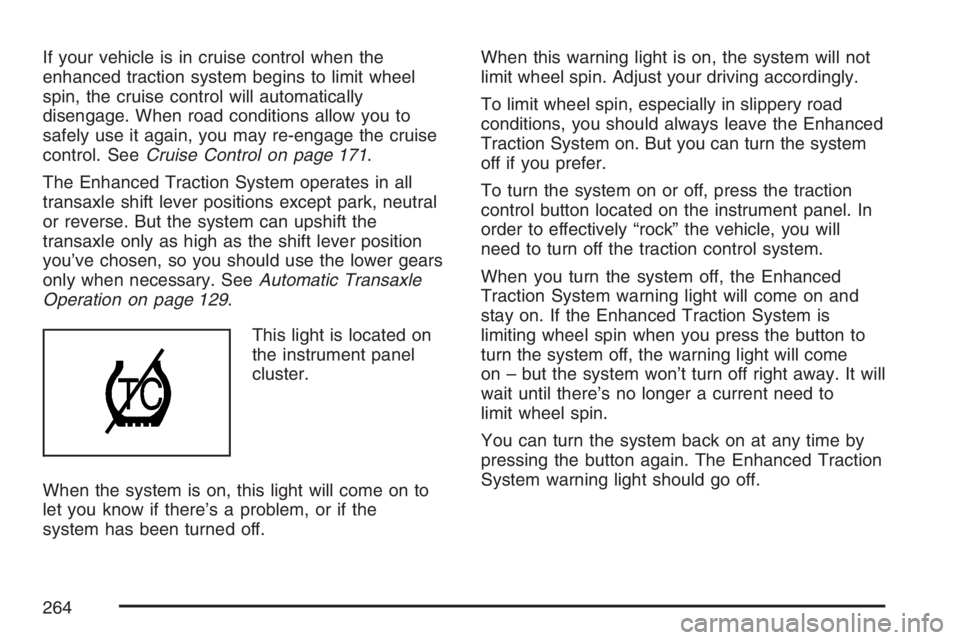
This light is located on
the instrument panel
cluster.
When the system is on, this light will come on to
let you know if there’s a problem, or if the
system has been turned off.When this warning light is on, the system will not
limit wheel spin. Adjust your driving accordingly.
To limit wheel spin, especially in slippery road
conditions, you should always leave the Enhanced
Traction System on. But you can turn the system
off if you prefer.
To turn the system on or off, press the traction
control button located on the instrument panel. In
order to effectively “rock” the vehicle, you will
need to turn off the traction control system.
When you turn the system off, the Enhanced
Traction System warning light will come on and
stay on. If the Enhanced Traction System is
limiting wheel spin when you press the button to
turn the system off, the warning light will come
on – but the system won’t turn off right away. It will
wait until there’s no longer a current need to
limit wheel spin.
You can turn the system back on at any time by
pressing the button again. The Enhanced Traction
System warning light should go off.
264