instrument cluster PONTIAC G6 2008 User Guide
[x] Cancel search | Manufacturer: PONTIAC, Model Year: 2008, Model line: G6, Model: PONTIAC G6 2008Pages: 408, PDF Size: 5.61 MB
Page 160 of 408

Instrument Panel Cluster
The instrument panel cluster is designed to let you know at a glance how your vehicle is running. You will know how
fast you are going, how much fuel you have, and many other things you will need to drive safely and economically.
United States 2.4L and 3.6L Engines shown, Canada, 3.5L and 3.9L Engines similar
3-28
Page 161 of 408
Speedometer and Odometer
The speedometer lets you see your speed in both miles
per hour (mph) and kilometers per hour (km/h).
The odometer shows how far your vehicle has been
driven, in either miles (used in the United States)
or kilometers (used in Canada).
When in manual shift mode, the odometer will change
from the vehicle’s mileage to the letter M, for manual
mode, and a number indicating the requested gear
range when moving the shift lever forward or rearward.
For more information seeAutomatic Transmission
Operation on page 2-27.
Your vehicle has a tamper resistant odometer.
Repair or replacement of your instrument panel cluster
should only be performed by your dealer/retailer.
Trip Odometer
The trip odometer can display how far you have driven
since you last reset it.
For more information seeDIC Operation and Displays
on page 3-43.
Tachometer
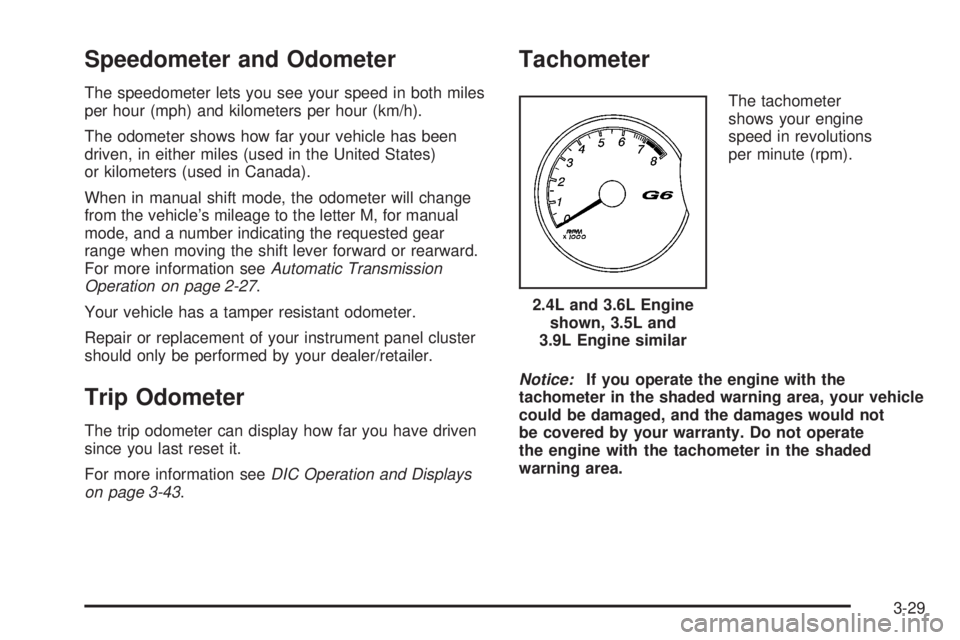
The tachometer
shows your engine
speed in revolutions
per minute (rpm).
Notice:If you operate the engine with the
tachometer in the shaded warning area, your vehicle
could be damaged, and the damages would not
be covered by your warranty. Do not operate
the engine with the tachometer in the shaded
warning area.2.4L and 3.6L Engine
shown, 3.5L and
3.9L Engine similar
3-29
Page 162 of 408

Safety Belt Reminders
Safety Belt Reminder Light
When the engine is started, a chime will come on for
several seconds to remind people to fasten their safety
belts, unless the driver’s safety belt is already buckled.
The safety belt light will
also come on and stay
on for several seconds,
then it will ash for
several more.
This chime and light is repeated if the driver remains
unbuckled and the vehicle is in motion. If the driver’s belt
is already buckled, neither the chime nor the light will
come on.
Passenger Safety Belt Reminder Light
Several seconds after the engine is started, a chime
will sound for several seconds to remind the front
passenger to buckle their safety belt. This would only
occur if the passenger airbag is enabled. SeePassenger
Sensing System on page 1-68for more information.The passenger safety belt light, located on the
instrument panel, will come on and stay on for
several seconds and then ash for several more.
This chime and light are
repeated if the passenger
remains unbuckled and
the vehicle is in motion.
If the passenger’s safety belt is buckled, neither the
chime nor the light will come on.
Airbag Readiness Light
There is an airbag readiness light on the instrument
panel cluster, which shows the airbag symbol. The
system checks the airbag’s electrical system for
malfunctions. The light tells you if there is an electrical
problem. The system check includes the airbag
sensor, the pretensioners, the airbag modules, the
wiring and the crash sensing and diagnostic module.
For more information on the airbag system, seeAirbag
System on page 1-59.
3-30
Page 165 of 408

If, after several seconds, both status indicator lights
remain on, or if there are no lights at all, there may be a
problem with the lights or the passenger sensing
system. See your dealer/retailer for service.
{CAUTION:
If the airbag readiness light in the instrument
panel cluster ever comes on and stays on, it
means that something may be wrong with the
airbag system. If this ever happens, have the
vehicle serviced promptly, because an
adult-size person sitting in the right front
passenger’s seat may not have the protection
of the airbag(s). SeeAirbag Readiness Light
on page 3-30for more on this, including
important safety information.
Charging System Light
This light will come on
briey when you turn on
the ignition, but the engine
is not running, as a
check to show you it is
working.
It should go out once the engine is running. If it stays
on, or comes on while you are driving, you may have a
problem with the charging system. A charging system
Driver Information Center (DIC) message may also
appear. SeeDIC Warnings and Messages on page 3-46
for more information. This light could indicate that you
have problems with a generator drive belt, or another
electrical problem. Have it checked right away. If
you must drive a short distance with the light on, be
certain to turn off all your accessories, such as the radio
and air conditioner.
3-33
Page 178 of 408
Exterior Perimeter Lighting During Remote Keyless
Entry Unlock
Select Language: (English, French, Spanish or
German)
When the desired option is reached, press the enter
button to toggle between the modes of that option. To
make a selection, press the MENU button again.
If no selection is made within 10 seconds, the display
reverts back to the previous information displayed.
The MENU mode is exited when the information button
is pressed, a 10 second time period has elapsed,
the ignition is turned off, or the end of the MENU list is
reached.
SeeDIC Vehicle Personalization on page 3-50for more
information on the personalization options.
Enter
ENTER/r(Enter):Press this button to reset certain
functions and to turn off or acknowledge messages
on the DIC display. This button also toggles through the
options available in each personalization menu.
DIC Warnings and Messages
These messages appear if there is a problem detected
in one of your vehicle’s systems.
A message clears when the vehicle’s condition is no
longer present. To acknowledge a message and clear it
from the display, press and hold any of the DIC
buttons. If the condition is still present, the warning
message comes back on the next time the vehicle is
turned off and back on. With most messages, a warning
chime sounds when the message displays. Your
vehicle may have other warning messages.
AUTO (Automatic) LIGHTS OFF
This message displays if the automatic headlamp
system is disabled with the headlamp switch.
AUTO (Automatic) LIGHTS ON
This message displays if the automatic headlamp
system is enabled with the headlamp switch.
BRAKE FLUID
This message displays, while the ignition is on, when
the brake uid level is low. The brake system warning
light on the instrument panel cluster also comes on. See
Brake System Warning Light on page 3-34for more
information. Have the brake system serviced by
your dealer/retailer as soon as possible.
3-46
Page 180 of 408
acceleration and speed may be reduced. Anytime this
message stays on, the vehicle should be taken to
your dealer/retailer for service as soon as possible.
ICE POSSIBLE
This message displays when the outside air temperature
is cold enough to create icy road conditions. Adjust
your driving accordingly.
KEY FOB BATT (Battery) LOW
This message displays if the Remote Keyless Entry
(RKE) transmitter battery is low. Replace the battery in
the transmitter. See “Battery Replacement” under
Remote Keyless Entry (RKE) System Operation on
page 2-4.
LEARN COMPLETE
On vehicles without the Remote Keyless Entry (RKE)
system, this message displays when the Tire Pressure
Monitor System (TPMS) has completed the tire
learning process. SeeTire Pressure Monitor System on
page 5-70for more information.
LOW FUEL
This message displays along with a low fuel warning
light on the instrument panel cluster when your vehicle is
low on fuel. Rell the fuel tank as soon as possible.
SeeLow Fuel Warning Light on page 3-42,Fuel
on page 5-6, andFilling the Tank on page 5-9.
LOW WASHER FLUID
This message displays when the vehicle’s windshield
washer uid is low. Fill the windshield washer uid
reservoir to the proper level as soon as possible. See
Windshield Washer Fluid on page 5-41.
PARKING BRAKE
This message displays if the parking brake is left
engaged and you try to drive away. SeeParking Brake
on page 2-31for more information.
POWER STEERING
This message displays if a problem has been detected
with the electric power steering, if your vehicle has
this feature. Have your vehicle serviced immediately by
your dealer/retailer.
SERVICE AIR BAG
This message displays when there is a problem with the
airbag system. Have your vehicle serviced by your
dealer/retailer immediately.
SVC (Service) TIRE MONITOR
This message displays if a part on the Tire Pressure
Monitor System (TPMS) is not working properly. The tire
pressure light also ashes and then remains on during
the same ignition cycle. SeeTire Pressure Light on
page 3-37. Several conditions may cause this message
3-48
Page 208 of 408

This light is located on the
instrument panel cluster.
When the system is on, this light will come on to let you
know if there’s a problem, or if the system has been
turned off.
When this warning light is on, the system will not limit
wheel spin. Adjust your driving accordingly.
To limit wheel spin, especially in slippery road
conditions, you should always leave the Traction
Control System on. But you can turn the system off if
you prefer.
To turn the system on or off, press the traction control
button (TC) located under the climate controls. In
order to effectively “rock” the vehicle, you will need to
turn off TCS.
If you press the TC button once, the traction control
system will turn off and the traction control system
warning light will come on. The StabiliTrak
®system will
stay on. Press the TC button again to turn the system
back on. The traction control system warning light will go
off. If you press and hold the TC button, the StabiliTrak
®
system and the traction control system will turn off.
Press the TC button again to turn StabiliTrak®and the
traction control system back on. For more information,
seeStabiliTrak
®System on page 4-6.
When you turn the system off, the Traction Control
System warning light will come on and stay on. If the
Traction Control System is limiting wheel spin when you
press the button to turn the system off, the warning
light will come on and the system will stop limiting wheel
spin. The system will not provide traction assistance
until the system is turned back on.
Adding non-dealer/non-retailer accessories can affect
your vehicle’s performance. SeeAccessories and
Modifications on page 5-4for more information.
StabiliTrak®System
Your vehicle may be equipped with a vehicle stability
enhancement system called StabiliTrak®.Itisan
advanced computer controlled system that assists you
with directional control of the vehicle in difficult
driving conditions.
StabiliTrak
®activates when the computer senses a
discrepancy between your intended path and the
direction the vehicle is actually traveling. StabiliTrak
®
selectively applies braking pressure at any one of
the vehicle’s brakes to help steer the vehicle in the
direction which you are steering.
4-6
Page 209 of 408
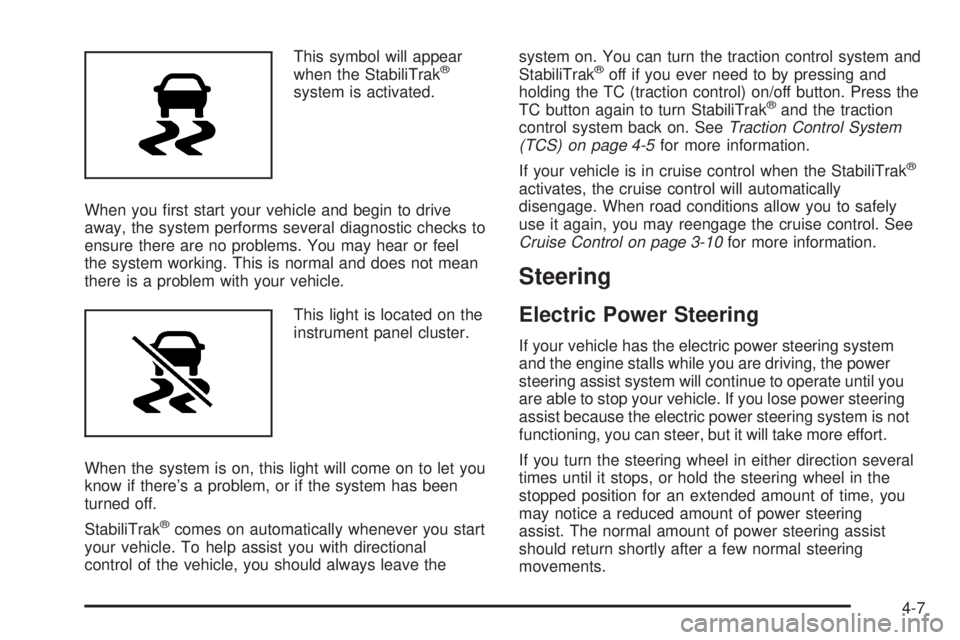
This symbol will appear
when the StabiliTrak®
system is activated.
When you rst start your vehicle and begin to drive
away, the system performs several diagnostic checks to
ensure there are no problems. You may hear or feel
the system working. This is normal and does not mean
there is a problem with your vehicle.
This light is located on the
instrument panel cluster.
When the system is on, this light will come on to let you
know if there’s a problem, or if the system has been
turned off.
StabiliTrak
®comes on automatically whenever you start
your vehicle. To help assist you with directional
control of the vehicle, you should always leave thesystem on. You can turn the traction control system and
StabiliTrak
®off if you ever need to by pressing and
holding the TC (traction control) on/off button. Press the
TC button again to turn StabiliTrak
®and the traction
control system back on. SeeTraction Control System
(TCS) on page 4-5for more information.
If your vehicle is in cruise control when the StabiliTrak
®
activates, the cruise control will automatically
disengage. When road conditions allow you to safely
use it again, you may reengage the cruise control. See
Cruise Control on page 3-10for more information.
Steering
Electric Power Steering
If your vehicle has the electric power steering system
and the engine stalls while you are driving, the power
steering assist system will continue to operate until you
are able to stop your vehicle. If you lose power steering
assist because the electric power steering system is not
functioning, you can steer, but it will take more effort.
If you turn the steering wheel in either direction several
times until it stops, or hold the steering wheel in the
stopped position for an extended amount of time, you
may notice a reduced amount of power steering
assist. The normal amount of power steering assist
should return shortly after a few normal steering
movements.
4-7
Page 308 of 408
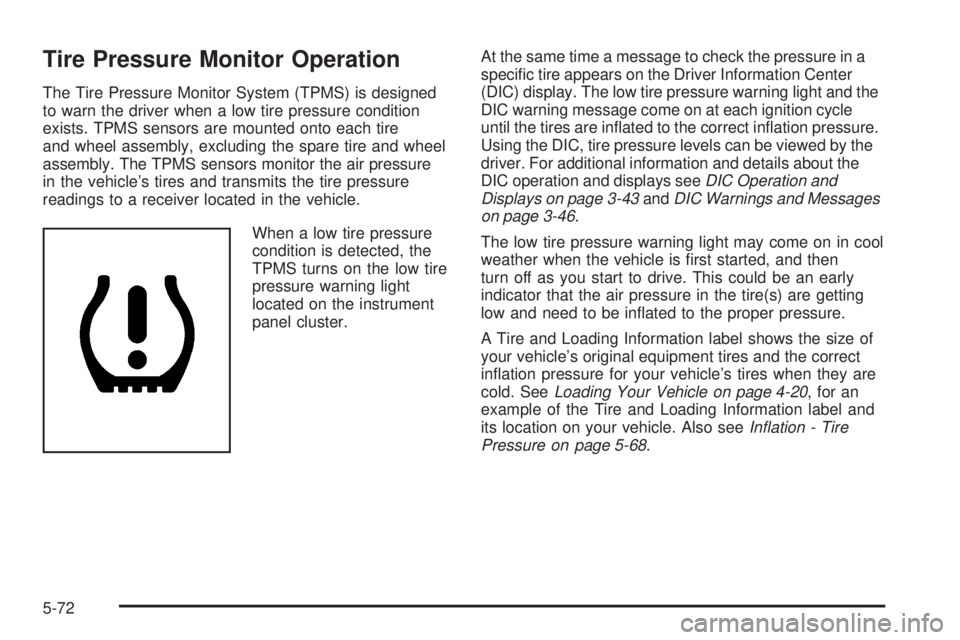
Tire Pressure Monitor Operation
The Tire Pressure Monitor System (TPMS) is designed
to warn the driver when a low tire pressure condition
exists. TPMS sensors are mounted onto each tire
and wheel assembly, excluding the spare tire and wheel
assembly. The TPMS sensors monitor the air pressure
in the vehicle’s tires and transmits the tire pressure
readings to a receiver located in the vehicle.
When a low tire pressure
condition is detected, the
TPMS turns on the low tire
pressure warning light
located on the instrument
panel cluster.At the same time a message to check the pressure in a
specic tire appears on the Driver Information Center
(DIC) display. The low tire pressure warning light and the
DIC warning message come on at each ignition cycle
until the tires are inated to the correct ination pressure.
Using the DIC, tire pressure levels can be viewed by the
driver. For additional information and details about the
DIC operation and displays seeDIC Operation and
Displays on page 3-43andDIC Warnings and Messages
on page 3-46.
The low tire pressure warning light may come on in cool
weather when the vehicle is rst started, and then
turn off as you start to drive. This could be an early
indicator that the air pressure in the tire(s) are getting
low and need to be inated to the proper pressure.
A Tire and Loading Information label shows the size of
your vehicle’s original equipment tires and the correct
ination pressure for your vehicle’s tires when they are
cold. SeeLoading Your Vehicle on page 4-20, for an
example of the Tire and Loading Information label and
its location on your vehicle. Also seeInflation - Tire
Pressure on page 5-68.
5-72
Page 347 of 408

Fuses Usage
POWER
MIRRORSPower Mirrors
EPS Electric Power Steering
RUN/CRANKCruise Control Switch, Passenger
Airbag Status Indicator, DSC SwitchFuses Usage
HVAC BLOWER
HIGHHeating Ventilation Air Conditioning
Blower - High Speed Relay
CLUSTER/
THEFTInstrument Panel Cluster, Theft
Deterrent System
ONSTAR OnStar
®
5-111