service PONTIAC G6 2008 Owner's Guide
[x] Cancel search | Manufacturer: PONTIAC, Model Year: 2008, Model line: G6, Model: PONTIAC G6 2008Pages: 408, PDF Size: 5.61 MB
Page 191 of 408

can be displayed by pressing the MSG button. The last
message can be viewed until a new message or the
radio is turned to a different station.
When a message is not available from a station, NO
MESSAGE displays.
MSG or TRAF (Traffic):If TRAFFIC displays, the
tuned station broadcasts traffic announcements.
If the current tuned station does not broadcast traffic
announcements, press and hold this button for
two seconds and the radio seeks to a station that does.
When a station that broadcasts traffic announcements
is found, the radio stops seeking and TRAF in brackets
displays. When a traffic announcement broadcasts
on the tuned radio station, you will hear it. If no station
is found that broadcasts traffic announcements, NO
TRAFFIC INFO displays.
If TRAF is on the display, press and hold the MSG or
TRAF button for two seconds to turn off the traffic
announcements.
The radio plays the traffic announcement even if the
volume is low. The radio interrupts the play of a CD if
the last tuned station broadcasts traffic announcements.
This function does not apply to XM™ Satellite Radio
Service.Radio Messages
CALIBRATE:The audio system has been calibrated for
your vehicle from the factory. If CALIBRATE displays,
it means that the radio has not been congured properly
for your vehicle and it must be returned to your
dealer/retailer for service.
LOCKED:This message displays when the
THEFTLOCK
®system has locked up. Take your
vehicle to your dealer/retailer for service.
If any error occurs repeatedly or if an error cannot be
corrected, contact your dealer/retailer.
XM™ Satellite Radio Service
XM™ is a satellite radio service that is based in the
48 contiguous United States and 10 Canadian
provinces. XM Satellite Radio has a wide variety of
programming and commercial-free music,
coast-to-coast, and in digital-quality sound. During your
trial or when you subscribe, you will get unlimited
access to XM Radio Online for when you are not in your
vehicle. A service fee is required to receive the XM
service. For more information, contact XM at
www.xmradio.com or call 1-800-929-2100 in the U.S.
and www.xmradio.ca or call 1-877-438-9677 in Canada.
3-59
Page 198 of 408
SRCE (Source):Press to play a CD while a portable
audio device is playing. Press again and the system
begins playing audio from the connected portable audio
player. If a portable audio player is not connected,
No Aux Input Device Found may display.
XM Radio Messages
XL (Explicit Language Channels):These channels, or
any others, can be blocked at a customer’s request,
by calling 1-800-852-XMXM (9696).
Updating:The encryption code in the receiver is being
updated, and no action is required. This process
should take no longer than 30 seconds.
No Signal:The system is functioning correctly, but
the vehicle is in a location that is blocking the XM™
signal. When the vehicle is moved into an open area, the
signal should return.
Loading XM:The audio system is acquiring and
processing audio and text data. No action is needed.
This message should disappear shortly.
CH Off Air:This channel is not currently in service.
Tune to another channel.
CH Unavail:This previously assigned channel is no
longer assigned. Tune to another station. If this stationwas one of the presets, choose another station for that
preset button.
No Info:No artist, song title, category, or text
information is available at this time on this channel.
The system is working properly.
No Info:No text or informational messages are
available at this time on this channel. The system is
working properly.
Not Found:There are no channels available for the
selected category. The system is working properly.
XM Locked:The XM™ receiver in your vehicle may
have previously been in another vehicle. For security
purposes, XM™ receivers cannot be swapped between
vehicles. If this message is received after having
your vehicle serviced, check with your dealer/retailer.
Radio ID:If tuned to channel 0, this message alternates
with the XM™ Radio eight digit radio ID label. This
label is needed to activate the service.
Unknown:If this message is received when tuned to
channel 0, there may be a receiver fault. Consult
with your dealer/retailer.
Chk XMRcvr:If this message does not clear within a
short period of time, the receiver may have a fault.
Consult with your dealer/retailer.
3-66
Page 200 of 408

Radio Reception
Frequency interference and static during normal radio
reception can occur if items such as cellphone chargers,
vehicle convenience accessories, and external
electronic devices are plugged into the accessory power
outlet. If there is interference or static, unplug the
item from the accessory power outlet.
AM
The range for most AM stations is greater than for FM,
especially at night. The longer range can cause
station frequencies to interfere with each other. For
better radio reception, most AM radio stations boost the
power levels during the day, and then reduce these
levels during the night. Static can also occur when things
like storms and power lines interfere with radio
reception. When this happens, try reducing the treble on
your radio.
FM Stereo
FM stereo gives the best sound, but FM signals reach
only about 10 to 40 miles (16 to 65 km). Tall buildings or
hills can interfere with FM signals, causing the sound
to fade in and out.
XM™ Satellite Radio Service
XM™ Satellite Radio Service gives digital radio
reception from coast-to-coast in the 48 contiguous
United States, and in Canada. Just as with FM,
tall buildings or hills can interfere with satellite radio
signals, causing the sound to fade in and out. In
addition, traveling or standing under heavy foliage,
bridges, garages, or tunnels may cause loss of the XM™
signal for a period of time. The radio may display NO
SIGNAL to indicate interference.
Fixed Mast Antenna
The xed mast antenna can withstand most car washes
without being damaged. If the mast should ever
become slightly bent, straighten it out by hand. If the
mast is badly bent, replace it.
Check occasionally to make sure the mast is still
tightened to the antenna base located on the roof of the
vehicle. If tightening is required, tighten by hand.
3-68
Page 210 of 408
The electric power steering system does not require
regular maintenance. If you suspect steering system
problems, contact your dealer/retailer for service repairs.
SeeDIC Warnings and Messages on page 3-46.
Hydraulic Power Steering
If your vehicle has the hydraulic power steering system
and you lose power steering assist because the engine
stops or the power steering system is not functioning, you
can steer, but it will take much more effort.
Steering Tips
It is important to take curves at a reasonable speed.
A lot of the “driver lost control” accidents mentioned on
the news happen on curves. Here is why:
Experienced driver or beginner, each of us is subject to
the same laws of physics when driving on curves.
The traction of the tires against the road surface makes
it possible for the vehicle to change its path when
you turn the front wheels. If there is no traction, inertia
will keep the vehicle going in the same direction. If
you have ever tried to steer a vehicle on wet ice, you
will understand this.
The traction you can get in a curve depends on the
condition of the tires and the road surface, the angle at
which the curve is banked, and your speed. While you
are in a curve, speed is the one factor you can control.Suppose you are steering through a sharp curve.
Then you suddenly apply the brakes. Both control
systems — steering and braking — have to do their
work where the tires meet the road. Unless you have
antilock brakes, adding the hard braking can demand
too much of those places. You can lose control.
The same thing can happen if you are steering through
a sharp curve and you suddenly accelerate. Those
two control systems — steering and acceleration — can
overwhelm those places where the tires meet the
road and make you lose control. SeeTraction Control
System (TCS) on page 4-5andStabiliTrak
®System
on page 4-6.
What should you do if this ever happens? Ease up on
the brake or accelerator pedal, steer the vehicle the way
you want it to go, and slow down.
Speed limit signs near curves warn that you should
adjust your speed. Of course, the posted speeds
are based on good weather and road conditions. Under
less favorable conditions you will want to go slower.
If you need to reduce your speed as you approach
a curve, do it before you enter the curve, while the front
wheels are straight ahead.
Try to adjust your speed so you can drive through the
curve. Maintain a reasonable, steady speed. Wait
to accelerate until you are out of the curve, and then
accelerate gently into the straightaway.
4-8
Page 215 of 408

CAUTION: (Continued)
Flowing or rushing water creates strong
forces. Driving through owing water could
cause your vehicle to be carried away. If this
happens, you and other vehicle occupants
could drown. Do not ignore police warnings
and be very cautious about trying to drive
through owing water.
Hydroplaning
Hydroplaning is dangerous. Water can build up under
your vehicle’s tires so they actually ride on the
water. This can happen if the road is wet enough and
you are going fast enough. When your vehicle is
hydroplaning, it has little or no contact with the road.
There is no hard and fast rule about hydroplaning. The
best advice is to slow down when the road is wet.
Other Rainy Weather Tips
Besides slowing down, other wet weather driving tips
include:
Allow extra following distance.
Pass with caution.
Keep windshield wiping equipment in good shape.
Keep the windshield washer uid reservoir lled.
Have good tires with proper tread depth. SeeTires
on page 5-60.
Before Leaving on a Long Trip
To prepare your vehicle for a long trip, consider having
it serviced by your dealer/retailer before departing.
Things to check on your own include:
Windshield Washer Fluid:Reservoir full? Windows
clean — inside and outside?
Wiper Blades:In good shape?
Fuel, Engine Oil, Other Fluids:All levels checked?
Lamps:Do they all work and are lenses clean?
Tires:Are treads good? Are tires inated to
recommended pressure?
Weather and Maps:Safe to travel?
Have up-to-date maps?
4-13
Page 216 of 408
Highway Hypnosis
Always be alert and pay attention to your surroundings
while driving. If you become tired or sleepy, nd a
safe place to park your vehicle and rest.
Other driving tips include:
Keep the vehicle well ventilated.
Keep interior temperature cool.
Keep your eyes moving — scan the road ahead
and to the sides.
Check the rearview mirror and vehicle
instruments often.
Hill and Mountain Roads
Driving on steep hills or through mountains is different
than driving on at or rolling terrain. Tips for driving
in these conditions include:
Keep your vehicle serviced and in good shape.
Check all uid levels and brakes, tires, cooling
system, and transmission.
Going down steep or long hills, shift to a
lower gear.
{CAUTION:
If you do not shift down, the brakes could get
so hot that they would not work well. You
would then have poor braking or even none
going down a hill. You could crash. Shift down
to let the engine assist the brakes on a steep
downhill slope.
4-14
Page 227 of 408
If you put things inside your vehicle — like
suitcases, tools, packages, or anything
else — they will go as fast as the vehicle goes. If
you have to stop or turn quickly, or if there is
a crash, they will keep going.
{CAUTION:
Things you put inside your vehicle can
strike and injure people in a sudden stop
or turn, or in a crash.
Put things in the trunk or rear area of
your vehicle. In a trunk, put them as
far forward as you can. Try to spread
the weight evenly. If you have
fold-down rear seats, you will nd four
anchors on the back wall of your
trunk. You can use these anchors to
tie down lighter loads. They are not
strong enough for heavy things,
however, so put them as far forward
as you can in the trunk or rear area.
CAUTION: (Continued)
CAUTION: (Continued)
Never stack heavier things, like
suitcases, inside the vehicle so that
some of them are above the tops of
the seats.
Do not leave an unsecured child
restraint in your vehicle.
When you carry something inside the
vehicle, secure it whenever you can.
Do not leave a seat folded down
unless you need to.
Towing
Towing Your Vehicle
Consult your dealer/retailer or a professional towing
service if you need to have your disabled vehicle towed.
SeeRoadside Assistance Program on page 7-6.
If you want to tow your vehicle behind another vehicle
for recreational purposes (such as behind a motorhome),
see “Recreational Vehicle Towing” following.
4-25
Page 236 of 408
When You Are Ready to Leave After
Parking on a Hill
1. Apply your regular brakes and hold the pedal down
while you:
start your engine,
shift into a gear, and
release the parking brake.
2. Let up on the brake pedal.
3. Drive slowly until the trailer is clear of the chocks.
4. Stop and have someone pick up and store the
chocks.
Maintenance When Trailer Towing
Your vehicle will need service more often when you are
pulling a trailer. See the Maintenance Schedule for
more on this. Things that are especially important in
trailer operation are automatic transmission uid (do not
overll), engine oil, drive belt, cooling system and
brake system. Each of these is covered in this manual,
and the Index will help you nd them quickly. If you
are trailering, it is a good idea to review this information
before you start your trip.
Check periodically to see that all hitch nuts and bolts
are tight.
Engine Cooling When Trailer Towing
Your cooling system may temporarily overheat during
severe operating conditions. SeeEngine Overheating on
page 5-33.
4-34
Page 237 of 408
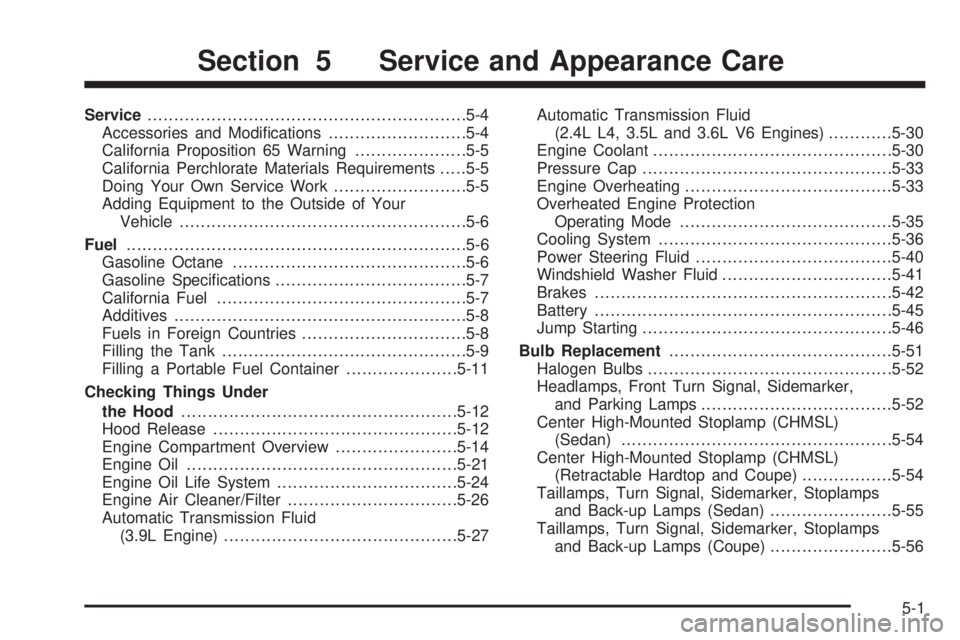
Service............................................................5-4
Accessories and Modications..........................5-4
California Proposition 65 Warning.....................5-5
California Perchlorate Materials Requirements.....5-5
Doing Your Own Service Work.........................5-5
Adding Equipment to the Outside of Your
Vehicle......................................................5-6
Fuel................................................................5-6
Gasoline Octane............................................5-6
Gasoline Specications....................................5-7
California Fuel...............................................5-7
Additives.......................................................5-8
Fuels in Foreign Countries...............................5-8
Filling the Tank..............................................5-9
Filling a Portable Fuel Container.....................5-11
Checking Things Under
the Hood....................................................5-12
Hood Release..............................................5-12
Engine Compartment Overview.......................5-14
Engine Oil...................................................5-21
Engine Oil Life System..................................5-24
Engine Air Cleaner/Filter................................5-26
Automatic Transmission Fluid
(3.9L Engine)............................................5-27Automatic Transmission Fluid
(2.4L L4, 3.5L and 3.6L V6 Engines)............5-30
Engine Coolant.............................................5-30
Pressure Cap...............................................5-33
Engine Overheating.......................................5-33
Overheated Engine Protection
Operating Mode........................................5-35
Cooling System............................................5-36
Power Steering Fluid.....................................5-40
Windshield Washer Fluid................................5-41
Brakes........................................................5-42
Battery........................................................5-45
Jump Starting...............................................5-46
Bulb Replacement..........................................5-51
Halogen Bulbs..............................................5-52
Headlamps, Front Turn Signal, Sidemarker,
and Parking Lamps....................................5-52
Center High-Mounted Stoplamp (CHMSL)
(Sedan)...................................................5-54
Center High-Mounted Stoplamp (CHMSL)
(Retractable Hardtop and Coupe).................5-54
Taillamps, Turn Signal, Sidemarker, Stoplamps
and Back-up Lamps (Sedan).......................5-55
Taillamps, Turn Signal, Sidemarker, Stoplamps
and Back-up Lamps (Coupe).......................5-56
Section 5 Service and Appearance Care
5-1
Page 238 of 408
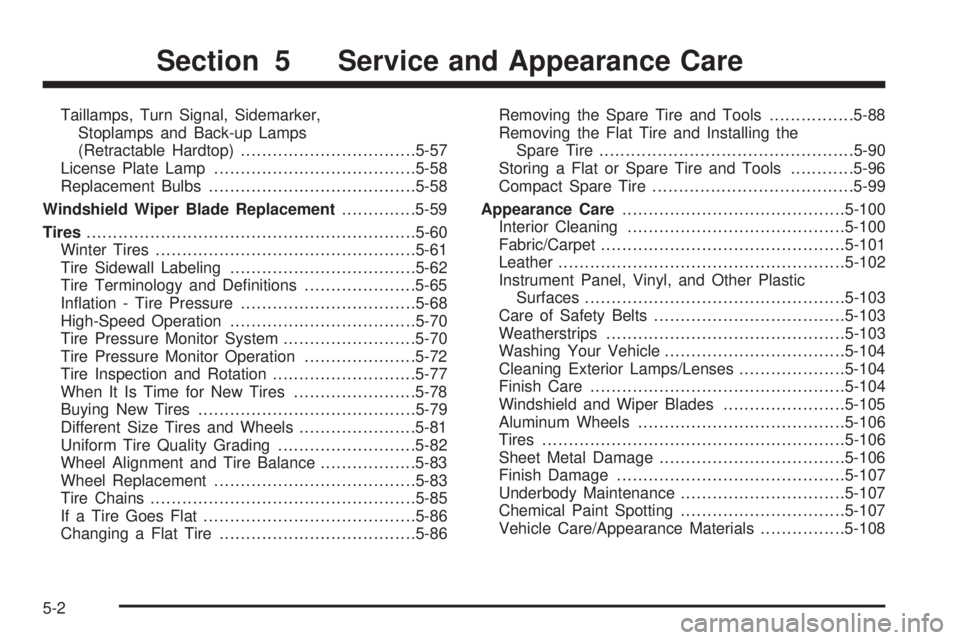
Taillamps, Turn Signal, Sidemarker,
Stoplamps and Back-up Lamps
(Retractable Hardtop).................................5-57
License Plate Lamp......................................5-58
Replacement Bulbs.......................................5-58
Windshield Wiper Blade Replacement..............5-59
Tires..............................................................5-60
Winter Tires.................................................5-61
Tire Sidewall Labeling...................................5-62
Tire Terminology and Denitions.....................5-65
Ination - Tire Pressure.................................5-68
High-Speed Operation...................................5-70
Tire Pressure Monitor System.........................5-70
Tire Pressure Monitor Operation.....................5-72
Tire Inspection and Rotation...........................5-77
When It Is Time for New Tires.......................5-78
Buying New Tires.........................................5-79
Different Size Tires and Wheels......................5-81
Uniform Tire Quality Grading..........................5-82
Wheel Alignment and Tire Balance..................5-83
Wheel Replacement......................................5-83
Tire Chains..................................................5-85
If a Tire Goes Flat........................................5-86
Changing a Flat Tire.....................................5-86Removing the Spare Tire and Tools................5-88
Removing the Flat Tire and Installing the
Spare Tire................................................5-90
Storing a Flat or Spare Tire and Tools............5-96
Compact Spare Tire......................................5-99
Appearance Care..........................................5-100
Interior Cleaning.........................................5-100
Fabric/Carpet..............................................5-101
Leather......................................................5-102
Instrument Panel, Vinyl, and Other Plastic
Surfaces.................................................5-103
Care of Safety Belts....................................5-103
Weatherstrips............................................
.5-103
Washing Your Vehicle..................................5-104
Cleaning Exterior Lamps/Lenses....................5-104
Finish Care................................................5-104
Windshield and Wiper Blades.......................5-105
Aluminum Wheels.......................................5-106
Tires.........................................................5-106
Sheet Metal Damage...................................5-106
Finish Damage...........................................5-107
Underbody Maintenance...............................5-107
Chemical Paint Spotting...............................5-107
Vehicle Care/Appearance Materials................5-108
Section 5 Service and Appearance Care
5-2