warning light PONTIAC G6 2009 Owner's Manual
[x] Cancel search | Manufacturer: PONTIAC, Model Year: 2009, Model line: G6, Model: PONTIAC G6 2009Pages: 410, PDF Size: 2.33 MB
Page 210 of 410

This light is located on the
instrument panel cluster.
This light comes on if there is a problem, or if the
system has been turned off.
When this warning light is on, the system will not limit
wheel spin. Adjust your driving accordingly.
TCS automatically comes on whenever the vehicle is
started. To limit wheel spin, especially in slippery
road conditions, always leave the system turned on.
TCS can be turned off if needed.
To turn the system on or
off, press the TCS button
located under the
climate controls.
It is recommended to leave the system on for normal
driving conditions, but it may be necessary to turn
the system off if the vehicle is stuck in sand, mud, ice orsnow, and you want to “rock” the vehicle to attempt to
free it. SeeIf Your Vehicle is Stuck in Sand, Mud, Ice, or
Snow on page 4-19.
If the TCS button is pressed once, the traction control
system will turn off and the traction control system
warning light comes on. The StabiliTrak system will stay
on. Press the TCS button again to turn the system
back on. The traction control system warning light will
go off. Press and hold the TCS button and the
StabiliTrak system and the traction control system will
turn off. Press the TCS button again to turn StabiliTrak
and the traction control system back on. For more
information, seeStabiliTrak
®System on page 4-6.
When the system is off, the Traction Control System
warning light will come on and stay on. If the Traction
Control System is limiting wheel spin and the button
is pressed to turn the system off, the warning light will
come on and the system will stop limiting wheel
spin. The system will not provide traction assistance
until the system is turned back on.
Adding non-dealer/non-retailer accessories can affect
the vehicle’s performance. SeeAccessories and
Modifications on page 5-4for more information.
4-8
Page 216 of 410
Driving in Rain and on Wet Roads
Rain and wet roads can reduce vehicle traction
and affect your ability to stop and accelerate. Always
drive slower in these types of driving conditions
and avoid driving through large puddles and
deep-standing or owing water.
{CAUTION:
Wet brakes can cause crashes. They might not
work as well in a quick stop and could cause pulling
to one side. You could lose control of the vehicle.
After driving through a large puddle of water or a
car/vehicle wash, lightly apply the brake pedal until
the brakes work normally.
Flowing or rushing water creates strong forces.
Driving through owing water could cause your
vehicle to be carried away. If this happens, you and
other vehicle occupants could drown. Do not ignore
police warnings and be very cautious about trying to
drive through owing water.
Hydroplaning
Hydroplaning is dangerous. Water can build up under
your vehicle’s tires so they actually ride on the water. This
can happen if the road is wet enough and you are going
fast enough. When your vehicle is hydroplaning, it has
little or no contact with the road.
There is no hard and fast rule about hydroplaning. The
best advice is to slow down when the road is wet.
Other Rainy Weather Tips
Besides slowing down, other wet weather driving tips
include:
Allow extra following distance.
Pass with caution.
Keep windshield wiping equipment in good shape.
Keep the windshield washer uid reservoir lled.
Have good tires with proper tread depth. SeeTires
on page 5-59.
Turn off cruise control.
4-14
Page 249 of 410

{CAUTION:
Fuel can spray out on you if you open the fuel cap
too quickly. If you spill fuel and then something
ignites it, you could be badly burned. This spray
can happen if the tank is nearly full, and is more
likely in hot weather. Open the fuel cap slowly and
wait for any hiss noise to stop. Then unscrew the
cap all the way.
Be careful not to spill fuel. Do not top off or overll the
tank, and wait a few seconds after you have nished
pumping before removing the nozzle. Clean fuel
from painted surfaces as soon as possible. See
Washing Your Vehicle on page 5-105.
When replacing the fuel cap, turn it clockwise until it
clicks. Make sure the cap is fully installed. The diagnostic
system can determine if the fuel cap has been left off or
improperly installed. This would let fuel evaporate into
the atmosphere. SeeMalfunction Indicator Lamp on
page 3-38.The CHECK GAS CAP message displays on the Driver
Information Center (DIC) if the fuel cap is not properly
installed. SeeDIC Warnings and Messages on
page 3-46for more information.
{CAUTION:
If a re starts while you are refueling, do not
remove the nozzle. Shut off the ow of fuel by
shutting off the pump or by notifying the station
attendant. Leave the area immediately.
Notice:If you need a new fuel cap, be sure to get
the right type. Your dealer/retailer can get one
for you. If you get the wrong type, it may not t
properly. This may cause the malfunction indicator
lamp to light and may damage the fuel tank and
emissions system. SeeMalfunction Indicator Lamp
on page 3-38.
5-11
Page 282 of 410

Brake Wear
This vehicle has disc brakes. Disc brake pads have
built-in wear indicators that make a high-pitched warning
sound when the brake pads are worn and new pads are
needed. The sound can come and go or be heard all the
time the vehicle is moving, except when applying the
brake pedal rmly.
{CAUTION:
The brake wear warning sound means that soon
the brakes will not work well. That could lead to an
accident. When the brake wear warning sound is
heard, have the vehicle serviced.Notice:Continuing to drive with worn-out brake
pads could result in costly brake repair.
Some driving conditions or climates can cause a brake
squeal when the brakes are rst applied or lightly applied.
This does not mean something is wrong with the brakes.
Properly torqued wheel nuts are necessary to help
prevent brake pulsation. When tires are rotated, inspect
brake pads for wear and evenly tighten wheel nuts in
the proper sequence to torque specications in
Capacities and Specifications on page 5-118.
Brake linings should always be replaced as complete
axle sets.
5-44
Page 309 of 410
Tire Pressure Monitor Operation
This vehicle may have a Tire Pressure Monitor System
(TPMS). The TPMS is designed to warn the driver when
a low tire pressure condition exists. TPMS sensors are
mounted onto each tire and wheel assembly, excluding
the spare tire and wheel assembly. The TPMS sensors
monitor the air pressure in the vehicle’s tires and
transmits the tire pressure readings to a receiver
located in the vehicle.
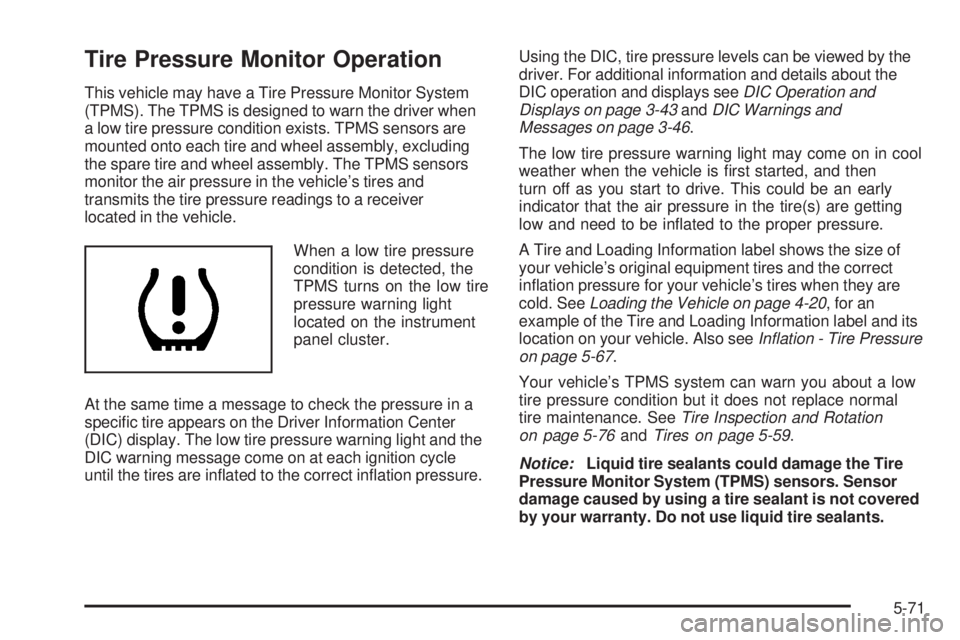
When a low tire pressure
condition is detected, the
TPMS turns on the low tire
pressure warning light
located on the instrument
panel cluster.
At the same time a message to check the pressure in a
specic tire appears on the Driver Information Center
(DIC) display. The low tire pressure warning light and the
DIC warning message come on at each ignition cycle
until the tires are inated to the correct ination pressure.Using the DIC, tire pressure levels can be viewed by the
driver. For additional information and details about the
DIC operation and displays seeDIC Operation and
Displays on page 3-43andDIC Warnings and
Messages on page 3-46.
The low tire pressure warning light may come on in cool
weather when the vehicle is rst started, and then
turn off as you start to drive. This could be an early
indicator that the air pressure in the tire(s) are getting
low and need to be inated to the proper pressure.
A Tire and Loading Information label shows the size of
your vehicle’s original equipment tires and the correct
ination pressure for your vehicle’s tires when they are
cold. SeeLoading the Vehicle on page 4-20, for an
example of the Tire and Loading Information label and its
location on your vehicle. Also seeInflation - Tire Pressure
on page 5-67.
Your vehicle’s TPMS system can warn you about a low
tire pressure condition but it does not replace normal
tire maintenance. SeeTire Inspection and Rotation
on page 5-76andTires on page 5-59.
Notice:Liquid tire sealants could damage the Tire
Pressure Monitor System (TPMS) sensors. Sensor
damage caused by using a tire sealant is not covered
by your warranty. Do not use liquid tire sealants.
5-71
Page 310 of 410
TPMS Malfunction Light and Message
The TPMS will not function properly if one or more of the
TPMS sensors are missing or inoperable. When the
system detects a malfunction, the low tire warning light
ashes for about one minute and then stays on for the
remainder of the ignition cycle. A DIC warning message
is also displayed. The low tire warning light and DIC
warning message come on at each ignition cycle until the
problem is corrected. Some of the conditions that can
cause the malfunction light and DIC message to come
on are:
One of the road tires has been replaced with the
spare tire. The spare tire does not have a TPMS
sensor. The TPMS malfunction light and DIC
message should go off once you re-install the
road tire containing the TPMS sensor.
The TPMS sensor matching process was started but
not completed or not completed successfully after
rotating the vehicle’s tires. The DIC message and
TPMS malfunction light should go off once the TPMS
sensor matching process is performed successfully.
See “TPMS Sensor Matching Process” later in this
section.
One or more TPMS sensors are missing or
damaged. The DIC message and the TPMS
malfunction light should go off when the TPMS
sensors are installed and the sensor matching
process is performed successfully. See your
dealer/retailer for service.
Replacement tires or wheels do not match your
vehicle’s original equipment tires or wheels. Tires
and wheels other than those recommended for your
vehicle could prevent the TPMS from functioning
properly. SeeBuying New Tires on page 5-78.
Operating electronic devices or being near facilities
using radio wave frequencies similar to the TPMS
could cause the TPMS sensors to malfunction.
If the TPMS is not functioning it cannot detect or
signal a low tire condition. See your dealer/retailer for
service if the TPMS malfunction light and DIC message
comes on and stays on.
5-72
Page 319 of 410
While the tires available on General Motors
passenger cars and light trucks may vary with
respect to these grades, they must also conform
to federal safety requirements and additional
General Motors Tire Performance Criteria (TPC)
standards.
Treadwear
The treadwear grade is a comparative rating based
on the wear rate of the tire when tested under
controlled conditions on a specied government
test course. For example, a tire graded 150 would
wear one and a half (1.5) times as well on the
government course as a tire graded 100. The
relative performance of tires depends upon the
actual conditions of their use, however, and may
depart signicantly from the norm due to variations
in driving habits, service practices, and differences
in road characteristics and climate.
Traction – AA, A, B, C
The traction grades, from highest to lowest, are AA,
A, B, and C. Those grades represent the tire’s
ability to stop on wet pavement as measured under
controlled conditions on specied government test
surfaces of asphalt and concrete. A tire marked C
may have poor traction performance.
{WARNING:
The traction grade assigned to this tire is
based on straight-ahead braking traction tests,
and does not include acceleration, cornering,
hydroplaning, or peak traction characteristics.
5-81
Page 397 of 410

A
Accessories and Modications............................ 5-4
Accessory Power Outlets.................................3-19
Adding Equipment to Your Airbag-Equipped
Vehicle.......................................................1-75
Additives, Fuel................................................. 5-8
Add-On Electrical Equipment...........................5-109
Air Cleaner/Filter, Engine.........................5-26, 5-27
Air Conditioning......................................3-20, 3-24
Airbag
Passenger Status Indicator...........................3-33
Readiness Light..........................................3-32
Airbag System................................................1-61
Adding Equipment to Your Airbag-Equipped
Vehicle...................................................1-75
How Does an Airbag Restrain?......................1-67
Passenger Sensing System...........................1-69
Servicing Your Airbag-Equipped Vehicle..........1-74
What Makes an Airbag Inate?......................1-67
What Will You See After an Airbag Inates?....1-68
When Should an Airbag Inate?....................1-66
Where Are the Airbags?...............................1-63
Antenna, Backglass.........................................3-70
Antenna, Fixed Mast.......................................3-69
Antenna, XM™ Satellite Radio Antenna
System......................................................3-70Antilock Brake System (ABS)............................. 4-5
Antilock Brake, System Warning Light................3-35
Appearance Care
Aluminum Wheels......................................5-107
Care of Safety Belts...................................5-104
Chemical Paint Spotting..............................5-108
Cleaning Exterior Lamps/Lenses..................5-105
Fabric/Carpet............................................5-103
Finish Care...............................................5-106
Finish Damage..........................................5-107
Instrument Panel, Vinyl, and Other Plastic
Surfaces...............................................5-104
Interior Cleaning........................................5-102
Leather....................................................
5-104
Sheet Metal Damage..................................5-107
Tires........................................................5-107
Underbody Maintenance.............................5-108
Washing Your Vehicle.................................5-105
Weatherstrips............................................5-105
Windshield and Wiper Blades......................5-106
Appointments, Scheduling Service.....................7-10
Audio System.................................................3-52
Audio Steering Wheel Controls......................3-68
Backglass Antenna......................................3-70
1
Page 398 of 410
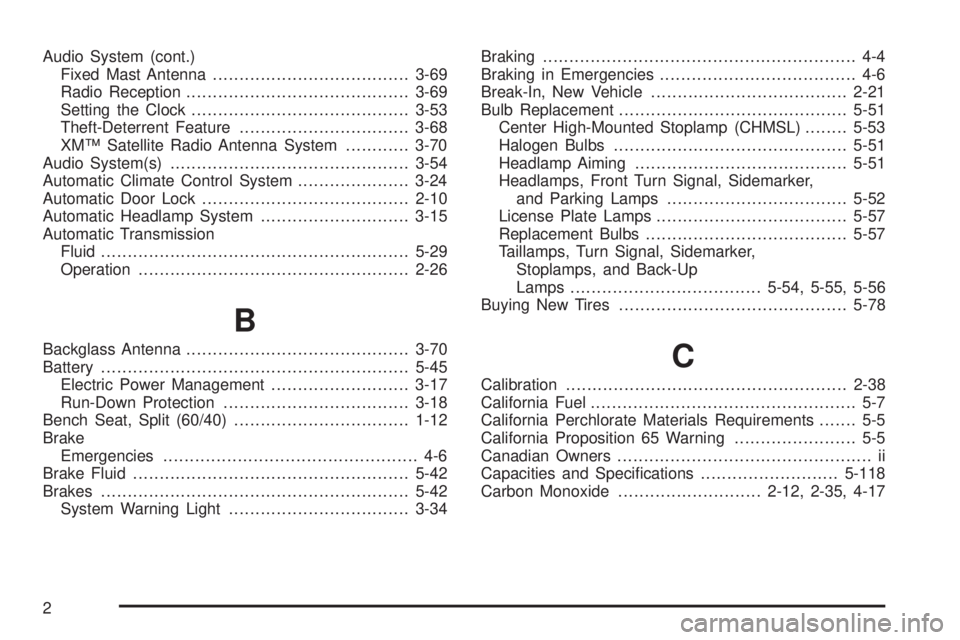
Audio System (cont.)
Fixed Mast Antenna.....................................3-69
Radio Reception..........................................3-69
Setting the Clock.........................................3-53
Theft-Deterrent Feature................................3-68
XM™ Satellite Radio Antenna System............3-70
Audio System(s).............................................3-54
Automatic Climate Control System.....................3-24
Automatic Door Lock.......................................2-10
Automatic Headlamp System............................3-15
Automatic Transmission
Fluid..........................................................5-29
Operation...................................................2-26
B
Backglass Antenna..........................................3-70
Battery..........................................................5-45
Electric Power Management..........................3-17
Run-Down Protection...................................3-18
Bench Seat, Split (60/40).................................1-12
Brake
Emergencies................................................ 4-6
Brake Fluid....................................................5-42
Brakes..........................................................5-42
System Warning Light..................................3-34Braking........................................................... 4-4
Braking in Emergencies..................................... 4-6
Break-In, New Vehicle.....................................2-21
Bulb Replacement...........................................5-51
Center High-Mounted Stoplamp (CHMSL)........5-53
Halogen Bulbs............................................5-51
Headlamp Aiming........................................5-51
Headlamps, Front Turn Signal, Sidemarker,
and Parking Lamps..................................5-52
License Plate Lamps....................................5-57
Replacement Bulbs......................................5-57
Taillamps, Turn Signal, Sidemarker,
Stoplamps, and Back-Up
Lamps ....................................5-54, 5-55, 5-56
Buying New Tires...........................................5-78C
Calibration.....................................................2-38
California Fuel.................................................. 5-7
California Perchlorate Materials Requirements....... 5-5
California Proposition 65 Warning....................... 5-5
Canadian Owners................................................ ii
Capacities and Specications..........................5-118
Carbon Monoxide...........................2-12, 2-35, 4-17
2
Page 401 of 410

E
Easy Entry Seat.............................................1-10
EDR .............................................................7-16
Electrical System
Add-On Equipment.....................................5-109
Engine Compartment Fuse Block.................5-112
Fuses......................................................5-110
Instrument Panel Fuse Block.......................5-110
Power Windows and Other Power Options....5-110
Rear Compartment Fuse Block....................5-115
Windshield Wiper Fuses.............................5-109
Electronic Immobilizer
PASS-Key
®III+...........................................2-19
Electronic Immobilizer Operation
PASS-Key
®III+...........................................2-19
Engine
Air Cleaner/Filter.................................5-26, 5-27
Check and Service Engine Soon Lamp...........3-38
Coolant......................................................5-33
Coolant Heater............................................2-25
Coolant Temperature Gage...........................3-37
Drive Belt Routing.......................................6-15
Engine Compartment Overview......................5-14
Exhaust.....................................................2-35
Oil .............................................................5-21Engine (cont.)
Oil Life System...........................................5-24
Overheated Protection Operating Mode...........5-39
Overheating................................................5-37
Starting......................................................2-23
Entry/Exit Lighting...........................................3-16
Event Data Recorders.....................................7-17
Extender, Safety Belt.......................................1-35
F
Filter
Engine Air Cleaner..............................5-26, 5-27
Finish Damage.............................................5-107
Fixed Mast Antenna........................................3-69
Flashers, Hazard Warning.................................. 3-6
Flash-to-Pass................................................... 3-8
Flat Tire........................................................5-85
Flat Tire, Changing.........................................5-86
Flat Tire, Storing.............................................5-94
Fluid
Automatic Transmission................................5-29
Power Steering...........................................5-39
Windshield Washer......................................5-40
5