lights PONTIAC G8 2008 User Guide
[x] Cancel search | Manufacturer: PONTIAC, Model Year: 2008, Model line: G8, Model: PONTIAC G8 2008Pages: 334, PDF Size: 2.99 MB
Page 122 of 334
3. Press the MENU knob to enter
the Seek Sens setting.
4. Turn the MENU knob and
highlight either Local, Distance,
or Auto.
5. Select the BACK option or wait
eight seconds to exit the menu.
Setting Preset Stations
Up to 30 stations (six FM1, six FM2,
six AM, six FM ASM, and six AM
ASM), can be programmed.
1. Press BAND to select FM1, FM2,
or AM.
2. Tune to a station.
3. For the radio with a single CD
player, press and hold one of
the six numbered pushbuttons
until the selected station displays
and a beep sounds.
4. For the radio with a six-disc CD
player, press and hold one of
the six softkeys until the selected
preset number displays and a
beep sounds.5. Repeat the steps to store the
other presets.
6. Repeat the steps for the other
radio bands.
ASM (Automatic Station Memory):
ASM searches and stores six FM
and six AM stations with the
strongest signal. To use ASM:
1. Press BAND to select FM or AM.
2. Press ASM for at least
two seconds until a beep sounds.
SEARCH displays on the radio,
followed by the number of
stations found.
3. The radio will automatically store
the six strongest stations found
as ASM presets.
Press the ASM button to alternate
between the ASM radio stations and
preset radio stations.
ASM displays on the radio when
using the ASM presets.
ASM does not delete previously
stored stations in FM1, FM2, or AM.
Setting the Tone (Bass/Treble)
The tone can be set independently
for each source: FM, AM, and
CD. The source must be active to
set the tone.
Bass and Treble can be adjusted
between−6 through +6.
To adjust the bass and treble on the
radio with a single CD player:
1. Press the volume knob to enter
the Option Menu, AUDIO is
highlighted.
2. Press the volume knob to enter
the AUDIO Menu.
3. Turn the volume knob until BASS
or TREBLE highlights.
4. Press the volume knob to enter
the BASS or TREBLE settings.
5. Turn the volume knob to adjust
the BASS or TREBLE setting.
6. Press the volume knob to save
and exit the setting.
7. Select the BACK option or wait
eight seconds to exit the menu.
6-6 Infotainment
2008 - Pontiac G8 Owner Manual
Page 123 of 334
To adjust the bass and treble on the
radio with a six-disc CD player:
1. Press the MENU knob to enter
the Option Menu, Audio is
highlighted.
2. Press the MENU knob to enter
the Audio menu.
3. Turn the MENU knob until Bass
or Treble highlights.
4. Press the MENU knob to enter
the Bass or Treble settings.
5. Turn the MENU knob to adjust
the Bass or Treble setting.
6. Press the MENU knob to save
and exit the setting.
7. Select the Back option or wait
eight seconds to exit the menu.
The Bass and Treble cannot
be adjusted while the Equalizer is
being used.Loudness Contour Circuit:
The Loudness Contour Circuit
automatically boosts the bass and
treble response at low volume
levels.
The Loudness Contour Circuit
cannot be adjusted on the base
radio.
To adjust the Loudness Contour
Circuit on the radio with a six-disc
CD player:
1. Press the MENU knob to enter
the Option Menu, Audio is
highlighted.
2. Press the MENU knob to enter
the Audio menu.
3. Turn the MENU knob until
Loudness highlights.
4. Press the MENU knob to enter
the Loudness settings.
5. Turn the MENU knob to turn the
Loudness setting On or Off.6. Press the MENU knob to save
and exit the setting.
7. Select the Back option or wait
eight seconds to exit the menu.
Adjusting the Speakers
(Balance/Fade)
Balance can be adjusted from
L6 (left) to R6 (right)
Fade can be adjusted from
F6 (front) to R6 (rear)
To adjust the balance and fade on
the radio with a single CD player:
1. Press the volume knob to enter
the Option Menu, AUDIO is
highlighted.
2. Press the volume knob to enter
the AUDIO Menu.
3. Turn the volume knob until
BALANCE or FADE highlights.
4. Press the volume knob to enter
the BALANCE or FADE settings.
Infotainment 6-7
2008 - Pontiac G8 Owner Manual
Page 124 of 334
5. Turn the volume knob to adjust
the BALANCE or FADE setting.
6. Press the volume knob to save
and exit the setting.
7. Select the BACK option or wait
eight seconds to exit the menu.
To adjust the balance and fade on
the radio with a six-disc CD player:
1. Press the MENU knob to enter
the Option Menu, Audio is
highlighted.
2. Press the MENU knob to enter
the Audio menu.
3. Turn the MENU knob until
Balance or Fader highlights.
4. Press the MENU knob to enter
the Balance or Fader settings.
5. Turn the MENU knob to adjust
the Balance or Fader setting.
6. Press the MENU knob to save
and exit the setting.
7. Select the Back option or wait
eight seconds to exit the menu.EQ (Equalizer):Radios with the
equalizer feature have ve
preprogrammed equalizer curves.
Press the EQ button to select
between: Rock, Classical, Pop,
Vocal, Jazz and Off.
To adjust the Equalizer setting on
the radio with a six-disc CD
player using the menu:
1. Press the MENU knob to enter
the Option Menu, Audio is
highlighted.
2. Press the MENU knob to enter
the Audio menu.
3. Turn the MENU knob until
Equalizer highlights.
4. Press the MENU knob to enter
the Equalizer settings.
5. Turn the MENU knob to adjust
the Equalizer setting.
6. Press the MENU knob to save
and exit the setting.
7. Select the Back option or wait
eight seconds to exit the menu.Eq Boost can be changed from
−2 to +2 on the radio with a
six-disc CD player only.
To adjust the amount of boost for
each EQ setting on the radio with a
six-disc CD player:
1. Press the MENU knob to enter
the Option Menu, Audio is
highlighted.
2. Press the MENU knob to enter
the Audio menu.
3. Turn the MENU knob until
Eq Boost highlights.
4. Press the MENU knob to enter
the Eq Boost settings.
5. Turn the MENU knob to adjust
the Eq Boost setting.
6. Press the MENU knob to save
and exit the setting.
7. Select the Back option or wait
eight seconds to exit the menu.
6-8 Infotainment
2008 - Pontiac G8 Owner Manual
Page 130 of 334
The rear auxiliary input connector is
located on the back of the radio.
See your dealer/retailer for
more information about this feature.
To disable the rear auxiliary input
on the radio with a single CD player:
1. Press the volume knob to
enter the Option Menu, AUDIO is
highlighted.
2. Turn the volume knob until
REAR AUX highlights.
3. Press the volume knob to enter
the REAR AUX setting.
4. Turn the volume knob to turn the
rear auxiliary input ON or OFF.
5. Press the volume knob to save
and exit the setting.
6. Select the BACK option or wait
eight seconds to exit the menu.To disable the rear auxiliary input on
the radio with a six-disc CD player:
1. Press the MENU knob to enter
the Option Menu, Audio is
highlighted.
2. Turn the MENU knob until Rear
AUX highlights.
3. Press the MENU knob to enter
the Rear AUX setting.
4. Turn the MENU knob to turn the
rear auxiliary input On or Off.
5. Press the MENU knob to save
and exit the setting.
6. Select the Back option or wait
eight seconds to exit the menu.AUX (Auxiliary):Press AUX to
switch between the front and
rear AUX input jack.
Press the AUX button to start audio
playback from the portable audio
player that is connected to the front
AUX input jack, if this was the
last source.
Volume:Turn to increase or
decrease the volume of the portable
player. Additional volume
adjustments to the portable device
may be needed.
BAND:Press to listen to the radio
when a portable audio device is
playing.
6-14 Infotainment
2008 - Pontiac G8 Owner Manual
Page 131 of 334
Additional Features
Help Prompts:Allows help
information to be displayed for
eight seconds after the request for
that button or feature has been
made. To enable or disable help
prompts:
1. Press the MENU knob to enter
the Options Menu.
2. Turn the MENU knob until Help
Prompts highlights.
3. Press the MENU knob to access
the Help Prompts menu.
4. Turn the MENU knob to turn
change the setting to On or Off.
5. Press the MENU knob to save
the setting.
6. Select the BACK option or wait
eight seconds to exit the menu.
|(Help):Press to receive
information about how the radio
functions.To use help for a radio button on
the radio with a single CD player:
1. Press
|to enter the help menu.
2. Press the volume knob to
highlight the menu item.
3. Press any of the radio buttons to
display the help text.
4. Press
|again to go back
one level.
To use help for a radio button on
the radio with a six-disc CD player:
1. Press
|to enter the help menu.
2. Turn the MENU knob until “What
does each button do?” highlights,
and press the MENU knob.
3. Press any of the radio buttons to
display its help text. To go back
one level, press
|again.To use help for a radio function on
the radio with a single CD player:
1. Press
|to enter the help menu.
2. Press the volume knob to
highlight the menu item.
3. Turn the volume knob to highlight
a desired help topic to display
the help text.
4. Press
|again to go back
one level.
To use help for a radio function on
the radio with a six-disc CD player:
1. Press
|to enter the help menu.
2. Turn the MENU knob until
“Help Topics” highlights,
and press the MENU knob.
3. Turn the MENU knob to highlight
a desired help topic to display its
help text. To go back one level,
press
|again.
Infotainment 6-15
2008 - Pontiac G8 Owner Manual
Page 132 of 334
Startup Screen:To enable or
disable the startup screen on the
radio with a six-disc CD player:
1. Press the MENU knob to enter
the Options Menu.
2. Turn the MENU knob until
Welcome highlights.
3. Press the MENU knob to access
the Welcome menu.
4. Turn the MENU knob to change
the setting to On or Off.
5. Press the MENU knob to save
the setting.
6. Select the BACK option or wait
eight seconds to exit the menu.
Display Settings:The display
brightness and illumination can only
be adjusted while the radio is on.
The brightness adjustment range is
from−5 to +5 and the illumination
adjustment range is from STD
(standard) to−5.To change the brightness and
illumination settings on the radio
with a single CD player:
1. Press the volume knob to enter
the Options Menu.
2. Turn the volume knob until DISP
SETUP (display setup) highlights.
3. Press the volume enter the DISP
SETUP menu.
4. Turn the volume knob until either
ILLN MODE (illumination mode)
or BRIGHTNESS highlights.
5. Press the volume knob to enter
either setting.
6. Turn the volume knob to change
the setting.
7. Press the volume knob to save
and exit the setting.
8. Select the BACK option or wait
eight seconds to exit the menu.To change the brightness and
illumination settings on the radio
with a six-disc CD player:
1. Press the MENU knob to enter
the Options Menu.
2. Turn the MENU knob until
Display highlights.
3. Press the MENU knob to access
the Display setup menu and the
option for Brightness highlights.
4. Turn the MENU knob to change
the setting.
5. Press the MENU knob to save
the setting.
6. Select the BACK option or wait
eight seconds to exit the menu.
6-16 Infotainment
2008 - Pontiac G8 Owner Manual
Page 133 of 334
Speed Dependent Volume (SDV):
The SDV system automatically
adjusts the radio volume to
compensate for driving noise.
The SDV system can only be
adjusted while the radio is on.
As the speed of the vehicle
increases or decreases, the radio
volume increases or decreases.
The SDV adjustment range for the
radio with a single CD player is
between OFF and CUR 6, and the
adjustment range for the radio
with a six-disc CD player is
between 0 and 5.
To adjust the SDV setting on the
radio with a single CD player:
1. Press the volume knob to enter
the Options Menu.
2. Turn the volume knob until AUD
SETUP (audio setup) highlights.
3. Press the volume knob to enter
the AUD SETUP menu.4. Turn the volume knob until SD
VOLUME (speed dependent
volume) highlights.
5. Press the volume knob to enter
the SD VOLUME settings.
6. Turn the volume knob to adjust
the SD VOLUME setting.
7. Press the volume knob to save
and exit the setting.
8. Select the BACK option or wait
eight seconds to exit the menu.
To adjust the SDV setting on
the radio with a six-disc CD player:
1. Press the MENU knob to
enter the Options Menu.
2. Turn the MENU knob until Audio
Setup highlights.
3. Press the MENU knob to enter
the Audio Setup menu.
4. Turn the MENU knob until Speed
Vol (speed volume) highlights.
5. Press the MENU knob to enter
the Speed Vol settings.6. Turn the MENU knob to adjust
the Speed Vol setting.
7. Press the MENU knob to save
and exit the setting.
8. Select the BACK option or wait
eight seconds to exit the menu.
Dynamic Distortion Limiter (DDL):
The DDL system limits the amount
of audio distortion that can be heard.
The DDL system can only be
adjusted while the radio is on.
When the distortion level reaches a
preset limit, the radio automatically
reduces the volume until the
distortion is reduced. The DDL
adjustment range is between OFF
and CUR 3.
To adjust the DDL setting on the
radio with a single CD player:
1. Press the volume knob to enter
the Options Menu and the
option for AUDIO highlights.
2. Turn the volume knob until AUD
SETUP highlights.
Infotainment 6-17
2008 - Pontiac G8 Owner Manual
Page 134 of 334
3. Press the volume knob to enter
the AUD SETUP menu.
4. Turn the volume knob until DDL
highlights.
5. Press the volume knob to enter
the DDL setting.
6. Turn the volume knob to adjust
the DDL setting.
7. Press the volume knob to save
and exit the setting.
8. Select the BACK option or wait
eight seconds to exit the menu.
To adjust the DDL setting on
the radio with a six-disc CD player:
1. Press the MENU knob to
enter the Options Menu.
2. Turn the MENU knob until Audio
Setup highlights.
3. Press the MENU knob to enter
the Audio Setup menu.
4. Turn the MENU knob until DDL
highlights.5. Press the MENU knob to enter
the DDL setting.
6. Turn the MENU knob to change
the DDL setting.
7. Press the MENU knob to save
and exit the setting.
8. Select the BACK option or wait
eight seconds to exit the menu.
Conrmation Beeps:Conrmation
beeps are used to indicate various
actions by the radio. The beeps can
only be turned on or off on the
radio with a six-disc CD player while
it is on. The conrmation beep
options are:
On:The radio beeps when storing
radio a station, inserting or to
removing a CD, or when the LOAD
ALL or the EJECT ALL functions
have started.
CD Only:The radio beeps when
inserting or removing a CD.
Off:The radio does not beep.To change the options for the beeps:
1. Press the MENU knob to enter
the Options Menu.
2. Turn the MENU knob until Audio
Setup highlights.
3. Press the MENU knob to enter
the Audio Setup menu.
4. Turn the MENU knob until Beeps
highlights.
5. Press the MENU knob to enter
the Beeps setting.
6. Turn the MENU knob to change
the Beeps setting.
7. Press the MENU knob to save
and exit the setting.
8. Select the BACK option or wait
eight seconds to exit the menu.
6-18 Infotainment
2008 - Pontiac G8 Owner Manual
Page 151 of 334
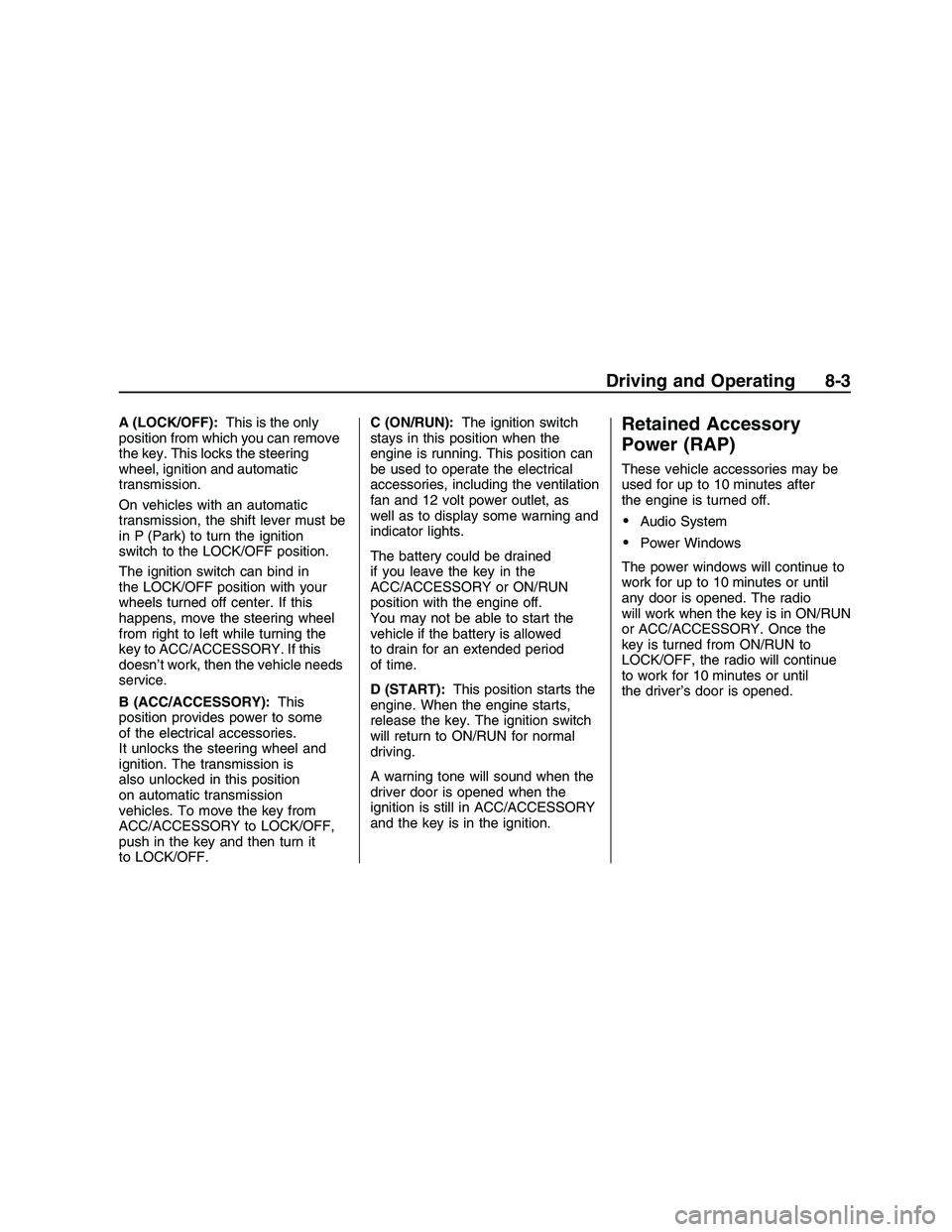
A (LOCK/OFF):This is the only
position from which you can remove
the key. This locks the steering
wheel, ignition and automatic
transmission.
On vehicles with an automatic
transmission, the shift lever must be
in P (Park) to turn the ignition
switch to the LOCK/OFF position.
The ignition switch can bind in
the LOCK/OFF position with your
wheels turned off center. If this
happens, move the steering wheel
from right to left while turning the
key to ACC/ACCESSORY. If this
doesn’t work, then the vehicle needs
service.
B (ACC/ACCESSORY):This
position provides power to some
of the electrical accessories.
It unlocks the steering wheel and
ignition. The transmission is
also unlocked in this position
on automatic transmission
vehicles. To move the key from
ACC/ACCESSORY to LOCK/OFF,
push in the key and then turn it
to LOCK/OFF.C (ON/RUN):The ignition switch
stays in this position when the
engine is running. This position can
be used to operate the electrical
accessories, including the ventilation
fan and 12 volt power outlet, as
well as to display some warning and
indicator lights.
The battery could be drained
if you leave the key in the
ACC/ACCESSORY or ON/RUN
position with the engine off.
You may not be able to start the
vehicle if the battery is allowed
to drain for an extended period
of time.
D (START):This position starts the
engine. When the engine starts,
release the key. The ignition switch
will return to ON/RUN for normal
driving.
A warning tone will sound when the
driver door is opened when the
ignition is still in ACC/ACCESSORY
and the key is in the ignition.Retained Accessory
Power (RAP)
These vehicle accessories may be
used for up to 10 minutes after
the engine is turned off.
Audio System
Power Windows
The power windows will continue to
work for up to 10 minutes or until
any door is opened. The radio
will work when the key is in ON/RUN
or ACC/ACCESSORY. Once the
key is turned from ON/RUN to
LOCK/OFF, the radio will continue
to work for 10 minutes or until
the driver’s door is opened.
Driving and Operating 8-3
2008 - Pontiac G8 Owner Manual
Page 166 of 334

When this light and the STABILITY
CTRL OFF message is on briey
and the ESP OFF message is
displayed at the bottom of the DIC,
the system will not limit wheel spin.
If the ESP OFF message is
always displayed at the bottom of
the DIC when the button is pressed
to turn the system on or off, the
system needs repair. Contact your
dealer/retailer.
The system is on when this light
and the STABILITY CTRL ON
message is displayed briey on
the DIC.
ESP Operation
ESP limits wheel spin by reducing
engine power to the wheels and
by applying brakes to each
individual wheel as necessary.
The ESP system is enabled
automatically when you start your
vehicle, and it will activate the
STABILITY CONTROL
ASSISTANCE light and the ESP
CTRL message on the DIC if
it senses that any of the wheels are
spinning or beginning to lose
traction while driving.
Notice:If you allow the wheel(s)
of one axle to spin excessively
while the ESC/TCS, ABS and
Brake warning lights and
the SERVICE ESC and/or
SERVICE TRACTION messages
are displayed, you could damagethe differential. The repairs would
not be covered by your warranty.
Reduce engine power and do
not spin the wheel(s) excessively
while these lights and this
message are displayed.
The traction control system may
activate on dry or rough roads
or under conditions such as heavy
acceleration while turning or
abrupt upshifts/downshifts of the
transmission. When this happens,
you may notice a reduction in
acceleration, or may hear a noise or
vibration. This is normal.
Adding non-dealer/non-retailer
accessories can affect your vehicle’s
performance. SeeAccessories
and Modifications on page 9-3for
more information.
8-18 Driving and Operating
2008 - Pontiac G8 Owner Manual