ECU PONTIAC GRAND-AM 1993 User Guide
[x] Cancel search | Manufacturer: PONTIAC, Model Year: 1993, Model line: GRAND-AM, Model: PONTIAC GRAND-AM 1993Pages: 306, PDF Size: 15.39 MB
Page 48 of 306
9
I
I
..
I
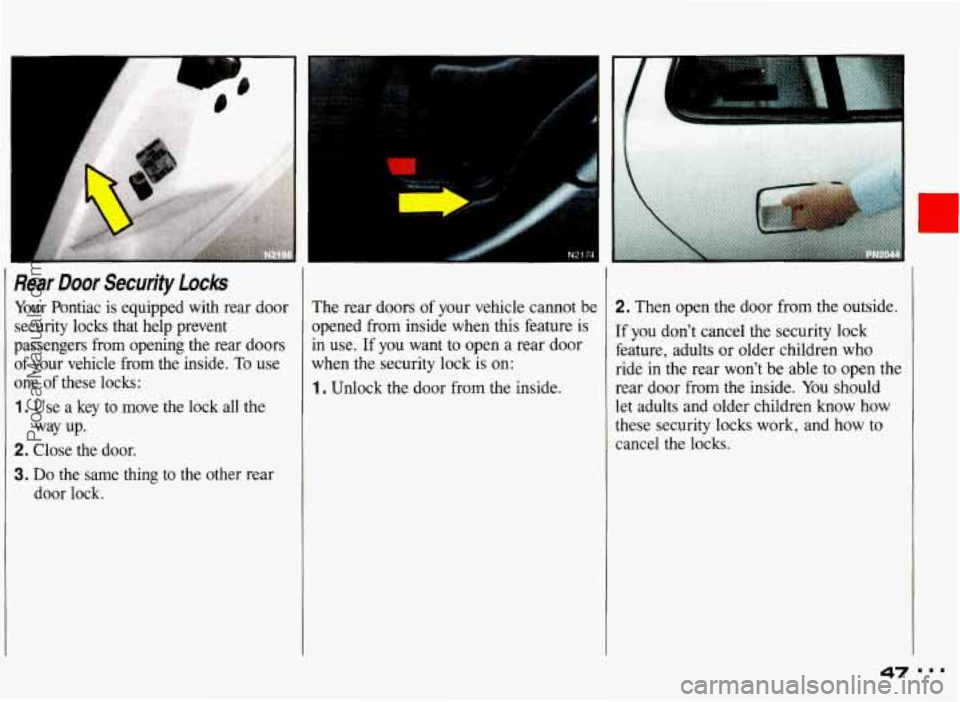
Rear Door Security locks
Your Pontiac is equipped with rear door
security locks that help prevent
passengers from opening the rear doors
of your vehicle from the inside. To use
one of these locks:
1. Use a key to move the lock all the
2. Close the door.
3. Do the same thing to the other rear
door lock.
way up. The
rear doors of your vehicle cannot bt
opened from inside when this feature is
in use.
If you want to open a rear door
when the security lock is
on:
1. Unlock the door from the inside.
2. Then open the door from the outside.
If you don’t cancel the security lock
feature, adults or older children who
ride in the rear won’t be able to open the
rear door from the inside. You should
let adults and older children know how
these security locks work, and how to
cancel the locks.
47
ProCarManuals.com
Page 49 of 306
Features & Controls
‘1
Rear Door Security Locks (CONT.)
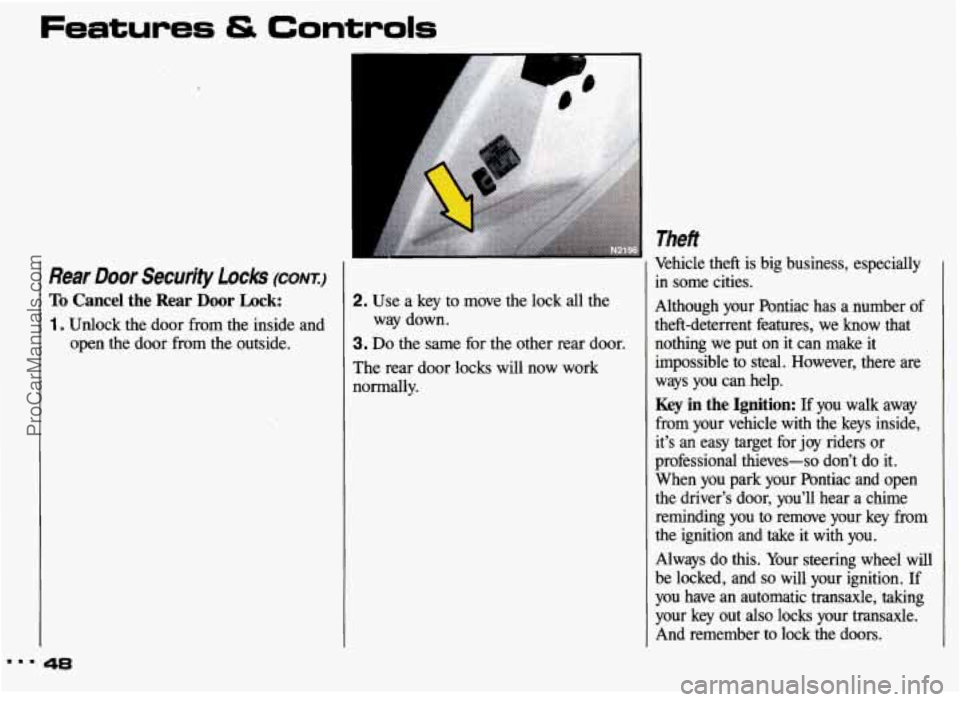
To Cancel the Rear Door Lock:
1 . Unlock the door from the inside and open the door from the outside.
48
2. Use a key to move the lock all the
3. Do the same for the other rear door.
The rear door locks will now work
normally. way
down.
Theft
Vehicle theft is big business, especially
in some cities.
Although your Pontiac has a number of
theft-deterrent features, we know that nothing we put on it can make it
impossible
to steal. However, there are
ways you can help.
Key in the Ignition: If you walk away
from your vehicle with the keys inside,
it’s an easy target for
joy riders or
professional thieves-so don’t do it.
When you park your Pontiac and open
the driver’s door, you’ll hear a chime
reminding you to remove your key from
the ignition and take it with you.
Always do
this. Your steering wheel will
be locked, and
so will your ignition. If
you have an automatic transaxle, taking
your key out
also locks your transaxle.
And remember to lock the doors.
ProCarManuals.com
Page 117 of 306
...
Comfort Controls & Audio Systems
CD Player Anti-Theft Feature
Delco LOC II@ is an anti-theft feature
for the compact disc player. It can be
used or ignored. If ignored, the system
plays normally. If it is used, your player won’t be usable if it is ever stolen,
because it will go to
LOC mode any
time battery power is removed. It will also go to LOC mode any time power
from the battery is turned
off by the
Battery Rundown Protection feature (see
the
Index under Battery Rundown
Protection). Until an unLOC code is
entered, it will not turn on.
The instructions below tell you how to
enter a secret code into the system. If
your vehicle loses battery power for any reason, you must unlock the system with
the secret code before your audio system
will
turn on.
To Set the Anti-Theft System:
1 . Write down any six-digit number and
keep it in a safe place. This is your
secret code.
2. Turn the ignition to the Accessory or
Run position.
3. Press the PWR button to turn the
radio off.
116
4. Press station preset buttons 1 and 4
at the same time and hold until
“---” appears on the display.
NOTE: You now have only 15 seconds
between each of the following steps.
5. Press SET, and 000 will appear on
the display.
6. Press the SEEK, button until the
first digit of your code appears.
7. Rotate the lower knob right or left
until the second and third digits of
your code appear.
8. Press the lower knob (000 will
appear again on the display).
9. Press the SEEK, button until the
fourth digit of your code appears.
1 0. Rotate the lower knob right or left
until the
fifth and sixth digits of
your code appear.
1 1 . Press the lower knob (rEP will
appear for five seconds, then
000).
12. Repeat steps 6-11. This time SEC
will appear, indicating that Delco
LOC II@ is set, and your audio
system is secure.
To Disable the Anti-Theft System:
Enter your secret code by following
these steps (you will have only
15
seconds between each step).
1 . Turn the ignition to the Accessory or
Run position, and turn the radio off.
2. Press station preset buttons 1 and 4 at
the same time.
SEC will appear on
the display, indicating the audio system is secure.
3. Press SET, and 000 will appear on
the display.
4. Press the SEEK, button until the first digit of your code appears.
5. Rotate the lower knob right or left
until the second and third digits of
your code appear.
ProCarManuals.com
Page 118 of 306
6. Press the lower knob (000 will
appear again on the display).
7. Press the SEEK, button until the
fourth digit of your code appears.
8. Rotate the lower knob right or left
until the fifth and sixth digits
of your
code appear.
9. Press the lower knob. If the display
shows
"---", the disabling sequence
was successful (the numbers matched
the user-selected code or
the factory
back-up code) and the audio system is in the
UNSECURED mode. If the
display shows
SEC, the disabling
sequence was unsuccessful and the
numbers did not match either
of the
codes. In this case, the audio system
will remain in the
SECURED mode.
To Unlock the System After a Power
Loss:
When battery power is reapplied to a
secured audio system after a loss of
power, the audio system will not turn on
and
LOC will appear on the digital
display. You will need to unlock the
Delco LOC
II@ system.
1 . Turn the ignition to the Accessory or
Run position, and turn the radio off.
2. Press SET, and 000 will appear on
the display.
3. Follow steps 4-8 for disabling your
anti-theft system.
4. Press the lower knob. The time will
appear on the digital display if you
are successful. If
SEC appears,
however, the numbers did not match
and your audio system is still locked.
Understanding Radio Reception
FM Stereo
FM stereo will give you the best sound,
but FM signals will reach only about
10 to 40 miles (16 to 65 km). Tall
buildings or hills can interfere with FM
signals, causing the sound to come and
go.
AM
The range for most AM stations is
greater than for FM, especially at night.
The longer range, however, can cause
stations to interfere with each other. AM
can also pick up noise from things like
storms and power lines.
To lower this
noise, try reducing the treble level.
AM Stereo
Your Delco@ system may be able to
receive C-Quam@ stereo broadcasts.
Many AM stations around the country
use C-Quam@ to produce stereo, though
some do not. C-Quam@ is a registered
trademark of Motorola, Inc. If your
Delco@ system can get C-Quam@
signals, your stereo indicator light will
come on when you are receiving it.
117 I..
ProCarManuals.com
Page 157 of 306
Your Driving and the Road
Winter Driving
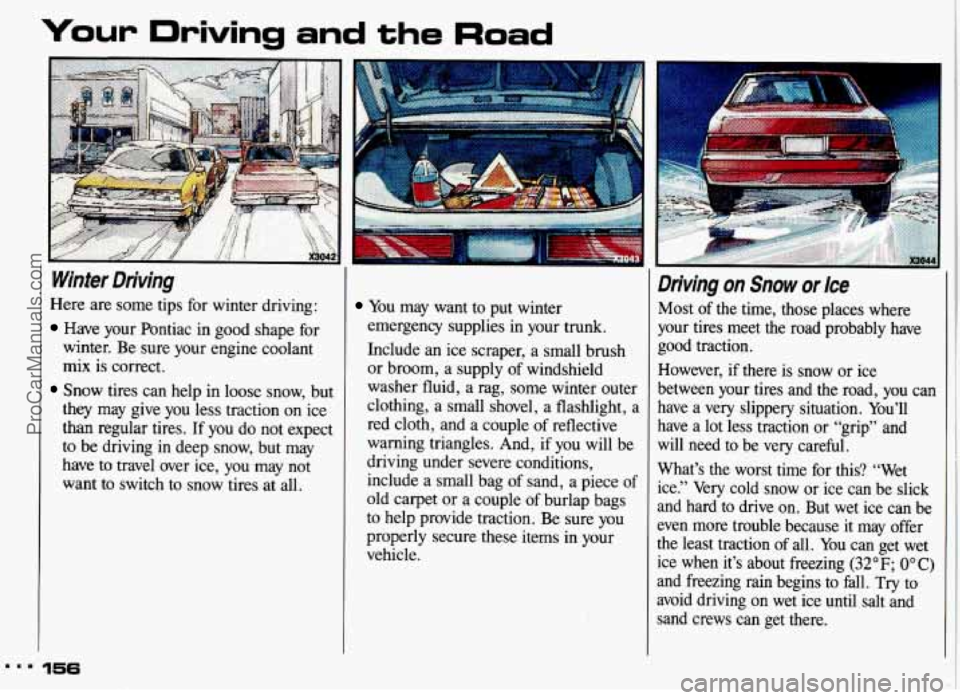
Here are some tips for winter driving:
Have your Pontiac in good shape for
winter. Be sure your engine coolant
mix is correct.
Snow tires can help in loose snow, but
they may give you less traction on ice
than regular tires. If you do not expect
to be driving in deep snow, but may
have to travel over ice, you may not
want to switch to snow tires at all.
.a. 156
You may want to put winter
emergency supplies in your trunk.
Include an ice scraper, a small brush
or broom, a supply of windshield
washer fluid, a rag, some winter outer
clothing, a small shovel, a flashlight, a
red cloth, and a couple of reflective
warning triangles. And, if
you will be
driving under severe conditions,
include a small bag of sand, a piece of
old carpet or a couple of burlap bags
to help provide traction. Be sure you
properly secure these items in your
vehicle.
Driving on Snow or Ice
Most of the time, those places where
your tires meet the road probably have
good traction.
However, if there is snow or ice
between your tires and
the road, you can
have a very slippery situation. You’ll
have a lot less traction
or “grip” and
will need to be very careful.
What’s the
worst time for this? “Wet
ice.” Very cold snow or ice can be slick
and hard to drive on. But wet ice can be
even more trouble because it may offer
the least traction of all. You can get wet
ice when it’s about freezing
(32°F; OOC)
and freezing rain begins to fall. Try to
avoid driving on wet ice until salt and
sand crews can get there.
ProCarManuals.com
Page 165 of 306
Your Driving and the Road
Driving with a lbiler
Towing a trailer requires a certain
amount of experience. Before setting out
for the open road, you’ll want to get to
know your rig. Acquaint yourself with
the feel of handling and braking with the
added weight of the trailer. And always
keep
in mind that the vehicle you are
driving is now a good deal longer and
not nearly
so responsive as your vehicle
is by itself.
Before you start, check the trailer hitch
and platform, safety chains, electrical
connector, lights, tires and mirror
adjustment.
If the trailer has electric
brakes, start your vehicle and trailer
moving and then apply the trailer brake
controller by
hand to be sure the brakes
are working.
This lets you check your
electrical connection at the same time.
164
During your trip, check occasionally to
be sure that the load is secure, and that
the lights and any trailer brakes are still
working.
Following Distance
Stay at least twice as far behind the
vehicle ahead as you would when
driving your vehicle without a trailer.
This can help you avoid situations that
require heavy braking and sudden
turns.
Passing
You’ll need more passing distance up
ahead when you’re towing a trailer.
And, because you’re a good deal longer,
you’ll need to go much farther beyond
the passed vehicle before you can return
to your lane.
Backing Up
Hold the bottom of the steering wheel
with one hand. Then, to move the trailer
to the left, just move that hand to the
left.
To move the trailer to the right,
move your hand to the right. Always
back up slowly and,
if possible, have
someone guide you.
Making Turns
When you’re turning with a trailer,
make wider turns than normal.
Do this
so your trailer won’t strike soft
shoulders, curbs, road signs, trees, or
other objects. Avoid jerky
or sudden
maneuvers. Signal well in advance.
ProCarManuals.com
Page 177 of 306
Problems on the Road
Towing Your Pontiac (CONT.:)
A others:
To help avoid injury to you or
0 Never let passengers ride in a
vehicle that is being towed.
Never tow faster than safe or
0 Never tow with damaged parts I
posted speeds.
0 Always use separate safety
chains on each side when towing
a vehicle.
hooks instead.
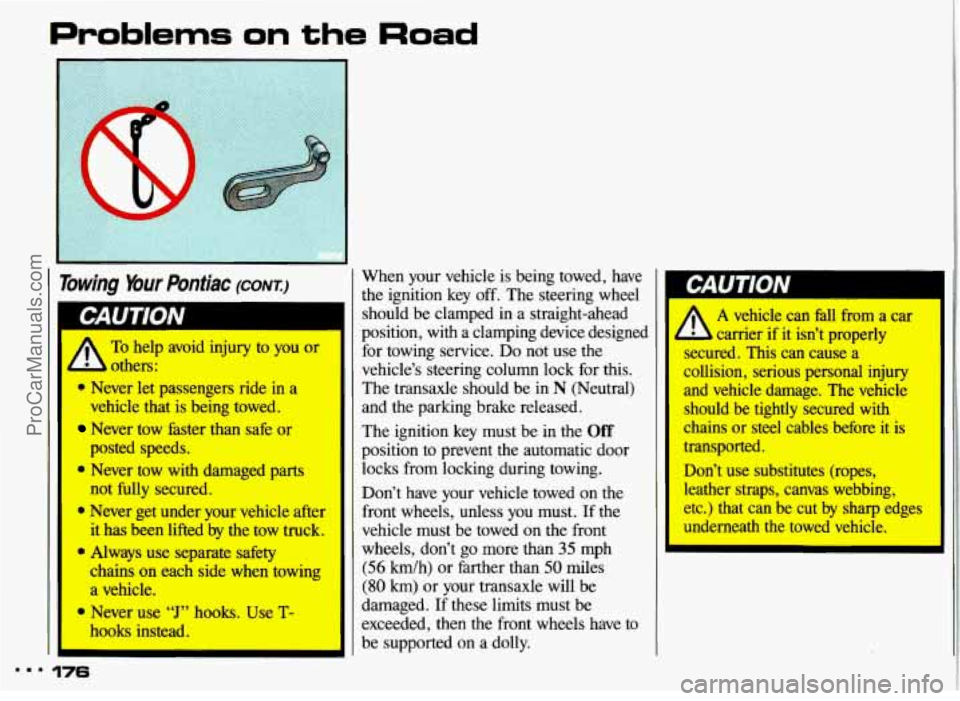
9 Never use “J” hooks. Use T-
... 176
When your vehicle is being towed, have
the ignition key off. The steering wheel
should be clamped
in a straight-ahead
position, with a clamping device designed for towing service.
Do not use the
vehicle’s steering column lock for this.
The transaxle should be
in N (Neutral)
and the parking brake released.
The ignition key must be in the
Off
position to prevent the automatic door
locks from locking during towing.
--
not fully secured. Don’t have your vehicle towed on the
Never get under your vehicle after front wheels, unless you must. If the
it has been lifted by the tow truck. vehicle must be towed on the front
wheels, don’t go more than
35 mph
(56 km/h) or farther than 50 miles
(80 km) or your transaxle will be
damaged. If these limits must be
exceeded, then the front wheels have to
be supported
on a dolly.
‘I
I‘
W
I A vehicle can fall from a car
b carrier if it isn’t properly
secured. This can cause a
collision, serious personal injury
I and vehicle damage. The vehicle
should be tightly secured with
chains or steel cables before it is
transported.
Don’t use substitutes (ropes, leather straps, canvas webbing,
etc.) that can be cut by sharp edges
underneath the towed vehicle.
ProCarManuals.com
Page 188 of 306
The following steps will tell you how to
use the jack and change a tire.
The equipment you’ll need is in the
trunk.
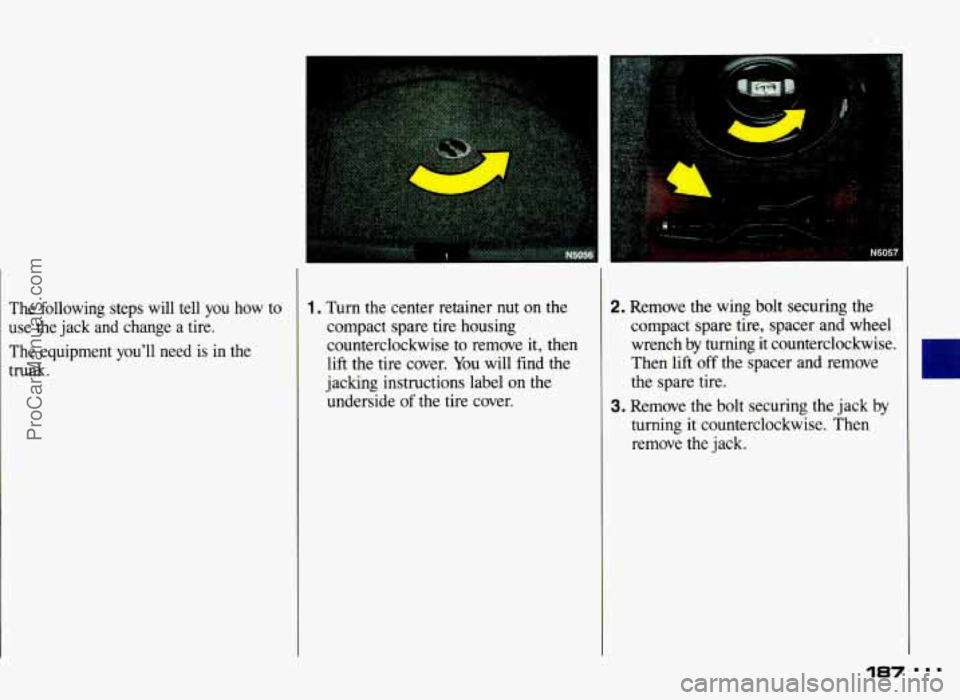
1. Turn the center retainer nut on the
compact spare tire housing
counterclockwise to remove it, then
lift the tire cover. You will find the
jaclung instructions label on the
underside
of the tire cover.
I
2. Remove the wing bolt securing the
compact spare tire, spacer and wheel
wrench by turning it counterclockwise.
Then lift
off the spacer and remove
the spare tire.
3. Remove the bolt securing the jack by
turning it counterclockwise. Then
remove the jack.
187
ProCarManuals.com
Page 193 of 306
Changing a Flat Tire (corvr)
14. Store the flat tire in the compact
spare
tire compartment, and secure
with the
wing bolt and extension.
Store the jack and wheel wrench in
their compartment, also.
I A Storing a jack, a tire, or other
- equipment in the passenger
ompartment
of the vehicle could I
cause injury. In a sudden stop or
collision, loose equipment could strike someone. Store all these in
the proper place.
i
Compact Spare Tire
Although the compact spare was fully
inflated when your vehicle was new, it can lose air after a time. Check the
inflation pressure regularly. It should be
60 psi (420 Wa). The compact spare is
made to go up to
3,000 miles (5 O00 km),
so you can finish your trip and have
your full-size tire repaired or replaced
where you want.
Of course, it’s best to
replace your spare with a full-size tire as
soon
as you can. Your spare will last
longer and be in good shape
in case you
need it again.
Your anti-lock brake system warning
light may come on when you are driving
with a compact spare. See the
Idex
under Anti-Lock Brake System Warning
Light.
192
Don’t take your compact spare
through
an automatic vehicle wash I
with guide rails. The compact spare can get caught on the rails.
That can damage the tire and
wheel, and maybe other parts
of
your vehicle.
)on? use your compact spare on some
)ther vehicle.
ind don’t
mix your compact spare or
vheel with other wheels or tires. They
von’t
fit. Keep your spare and its wheel
ogether.
ProCarManuals.com
Page 231 of 306
Service & Appearance Care
Windshield Wiper Blade
Replacement
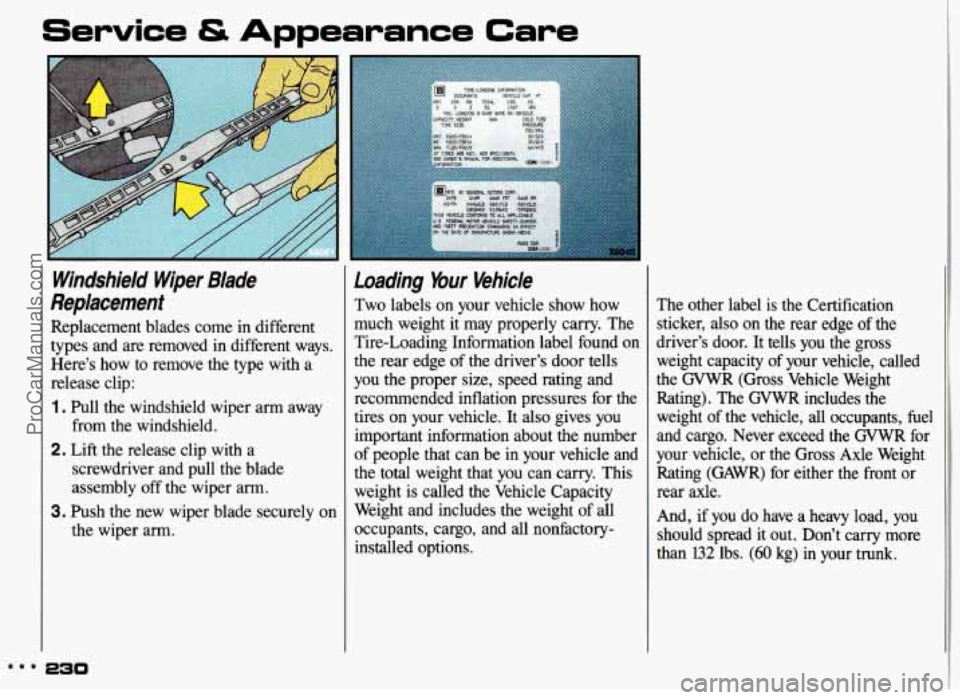
Replacement blades come in different
types and are removed in different ways.
Here’s how to remove the type with a
release clip:
1 . Pull the windshield wiper arm away
2. Lift the release clip with a
from the windshield.
screwdriver and pull the blade
assembly off the wiper arm.
the wiper arm.
3. Push the new wiper blade securely on
Loading bur Vehicle
Two labels on your vehicle show how
much weight it may properly carry. The
Tire-Loading Information label found on
the rear edge of the driver’s door tells
you the proper size, speed rating and recommended inflation pressures for the
tires on your vehicle. It also gives
you
important information about the number
of people that can be in your vehicle and
the total weight that you can carry. This
weight is called the Vehicle Capacity
Weight and includes the weight of all
occupants, cargo, and all nonfactory- installed options. The other label is the Certification
sticker, also on the rear edge of the
driver’s door. It
tells you the gross
weight capacity of your vehicle, called
the GVWR (Gross Vehicle Weight
Rating). The GVWR includes the
weight of the vehicle, all occupants, fuel
and cargo. Never exceed the GVWR for
your vehicle, or the Gross Axle Weight Rating (GAWR) for either the front or
rear axle.
And, if you do have a heavy load, you
should spread it out. Don’t carry more
than
132 lbs. (60 kg) in your trunk.
ProCarManuals.com