reset PONTIAC GRAND-AM 1994 Owners Manual
[x] Cancel search | Manufacturer: PONTIAC, Model Year: 1994, Model line: GRAND-AM, Model: PONTIAC GRAND-AM 1994Pages: 274, PDF Size: 15.01 MB
Page 81 of 274
Features & Controls
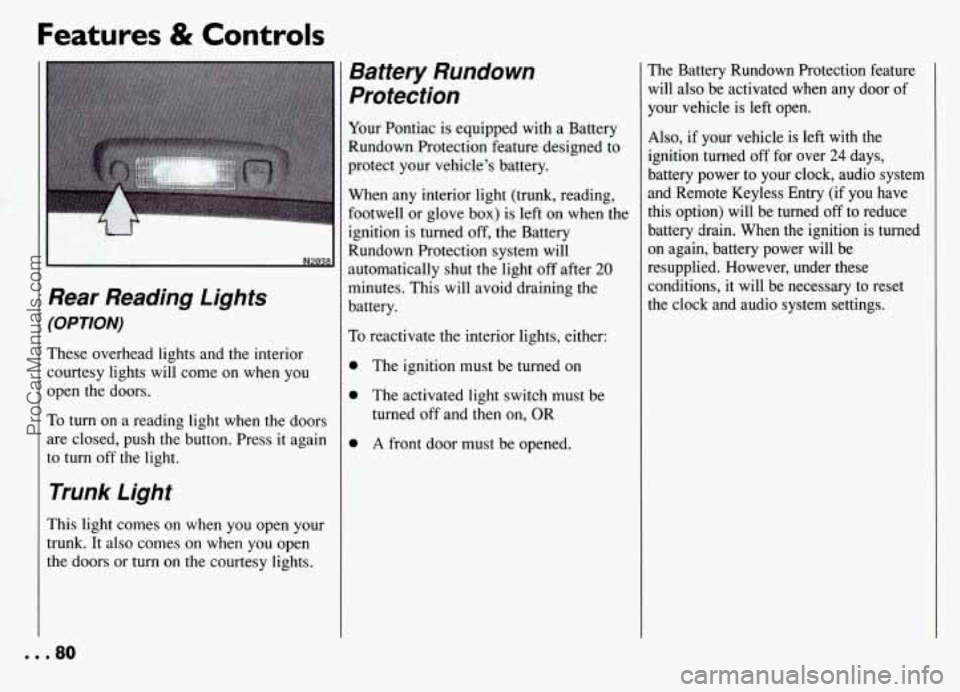
Rear Reading Lights
(OPTION)
These overhead lights and the interior courtesy lights will come on when you
open the doors.
To turn on a reading light when the doors
are closed, push the button. Press it again
to turn
off the light.
Trunk Light
This light comes on when you open your
trunk. It also comes on when you open
the doors or
turn on the courtesy lights.
Battery Rundown
Protection
Your Pontiac is equipped with a Battery
Rundown Protection feature designed to
protect your vehicle's battery.
When any interior light (trunk, reading,
footwell or glove
box) is left on when the
ignition is turned
off, the Battery
Rundown Protection system will
automatically shut the light
off after 20
minutes. This will avoid draining the
battery.
To reactivate the interior lights, either:
0 The ignition must be turned on
0 The activated light switch must be
turned off and then on, OR
0 A front door must be opened.
The Battery Rundown Protection feature
will also be activated when any door of
your vehicle is left open.
Also, if your vehicle is left with the
ignition turned
off for over 24 days,
battery power to your clock, audio system
and Remote Keyless Entry (if you have
this option) will be turned
off to reduce
battery drain. When
the ignition is turned
on again, battery power will be
resupplied. However, under these
conditions, it will be necessary to reset
the clock and audio system settings.
... 80
ProCarManuals.com
Page 93 of 274
Features & Controls
Speedometer and
Odometer
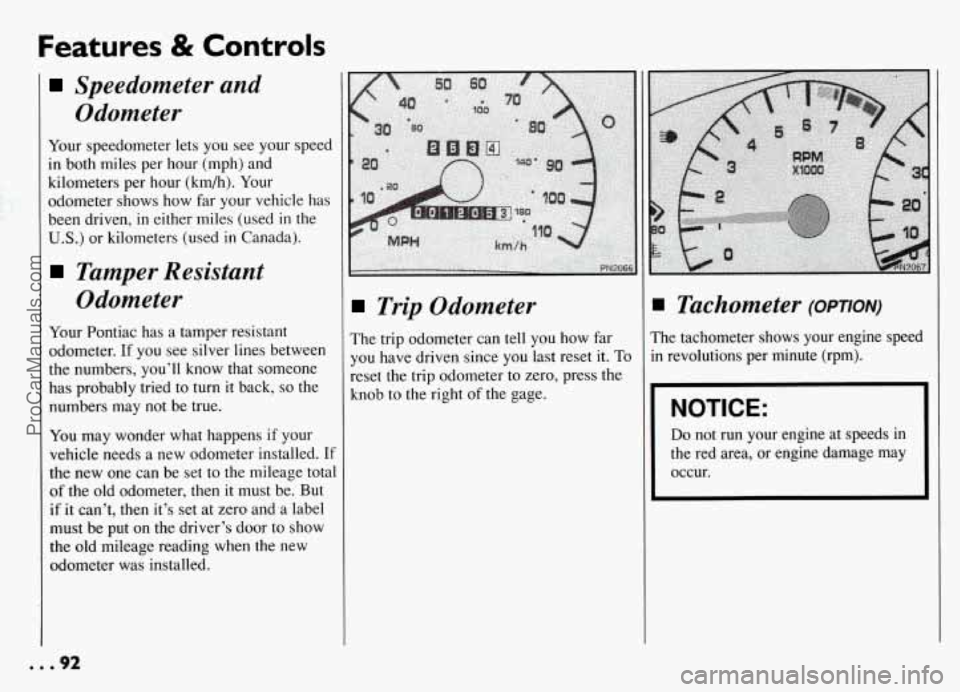
Your speedometer lets you see your speed
in both miles per hour (mph) and
kilometers per hour (km/h). Your
odometer shows how far your vehicle has
been driven, in either miles (used in the
U.S.) or kilometers (used in Canada).
Tamper Resistant
Odometer
Your Pontiac has a tamper resistant
odometer.
If you see silver lines between
the numbers, you’ll know that someone
has probably tried to turn it back,
so the
numbers may not be true.
You may wonder what happens if your
vehicle needs a new odometer installed.
If
the new one can be set to the mileage total
of the old odometer, then it must be. But
if
it can’t, then it’s set at zero and a label
must be put
on the driver’s door to show
the old mileage reading when the new
odometer was installed.
Trip Odometer
The trip odometer can tell you how far
you have driven since you last reset it.
To
reset the trip odometer to zero, press the
knob to the right of the gage.
Tachometer (OPTION)
The tachometer shows your engine speed
in revolutions per minute (rpm).
I NOTICE:
I
Do not run your engine at speeds in
the red area, or engine damage may
I
I Occur.
... 92
ProCarManuals.com
Page 100 of 274
anti-Lock Brake System
Naming Light
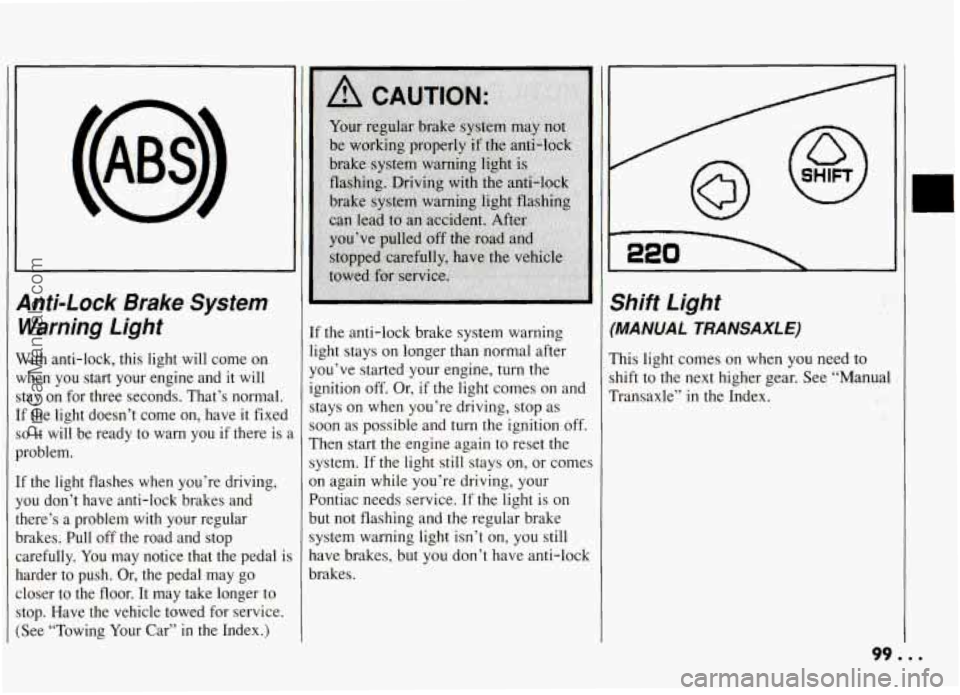
Vith anti-lock, this light will come on
{hen you start your engine and it will
tay on for three seconds. That’s normal.
F the light doesn’t come on, have it fixed
D it will be ready to warn you if there is 2
roblem.
1 the light flashes when you’re driving,
ou don’t have anti-lock brakes and
lere’s a problem with your regular
rakes. Pull off the road and stop arefully. You may notice that the pedal
is
arder to push. Or, the pedal may go
loser to the floor. It may take longer to
:op. Have the vehicle towed for service.
See “Towing Your Car”
in the Index.)
If the anti-lock brake system warning
light stays on longer than normal after
you’ve started your engine, turn the
ignition
off. Or, if the light comes on and
stays on when you’re driving, stop as
soon as possible and turn the ignition off.
Then start the engine again to reset the
system.
If the light still stays on, or comes
3n again while you’re driving, your
Pontiac needs service.
If the light is on
but not flashing and the regular brake
system warning light isn’t on, you still
nave brakes, but you don’t have anti-lock
xakes.
Shift Light
(MANUAL TRA NSAXL E)
This light comes on when you need to
shift to the next higher gear. See “Manual
Transaxle”
in the Index.
99. ..
ProCarManuals.com
Page 109 of 274
Comfort Controls & Audio Systems
AM/FM Stereo Radio
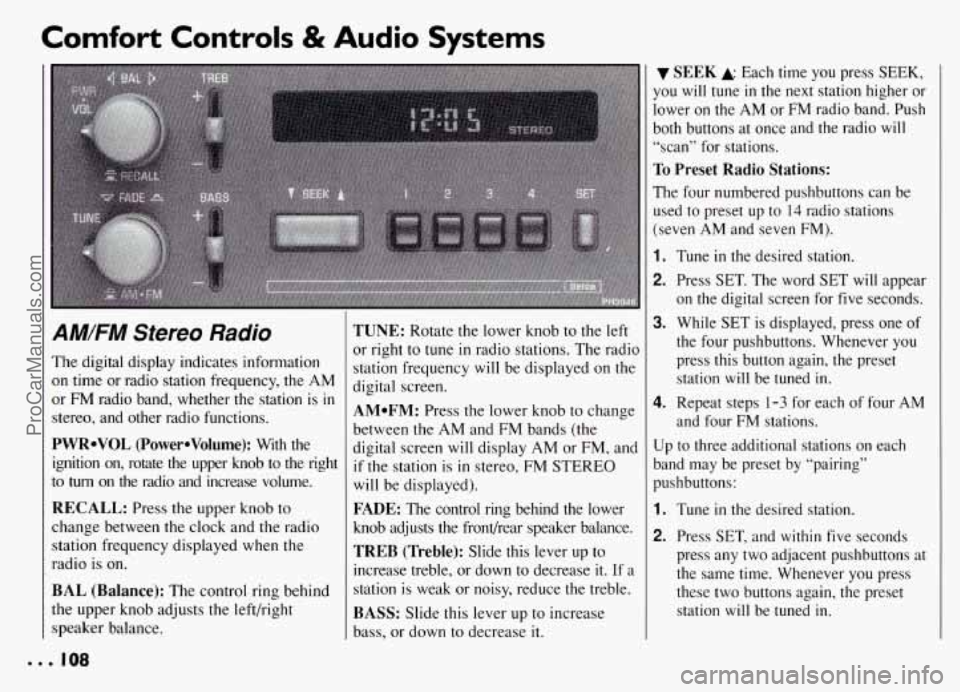
The digital display indicates information
on time or radio station frequency, the AM
or FM radio band, whether the station is
in
stereo, and other radio functions.
PWRoVOL (PowerOVolume): With the
ignition on, rotate the upper knob to the right
to
turn on the radio and increase volume.
RECALL: Press the upper knob to
change between the clock and the radio
station frequency displayed when the
radio is on.
BAL (Balance): The control ring behind
the upper knob adjusts the left/right
speaker balance.
TUNE: Rotate the lower knob to the left
or right to
tune in radio stations. The radio
station frequency will be displayed
on the
digital screen.
AMoFM: Press the lower knob to change
between the AM and FM bands (the
digital screen will display AM or FM, and
if the station is in stereo, FM STEREO
will be displayed).
FADE: The control ring behind the lower
knob adjusts the frondrear speaker balance.
TREB (Treble): Slide this lever up to
increase treble, or down to decrease it. If a
station is weak or noisy, reduce the treble.
BASS: Slide this lever up to increase
bass, or down to decrease it.
SEEK A Each time you press SEEK,
you
will tune in the next station higher or
lower on the AM or
FM radio band. Push
both buttons at once and the radio
will
“scan” for stations.
To Preset Radio Stations:
The four numbered pushbuttons can be
used to preset up to
14 radio stations
(seven AM and seven FM).
1.
2.
3.
4.
Tune in the desired station.
Press SET. The word SET will appear
on the digital screen for five seconds.
While
SET is displayed, press one of
the four pushbuttons. Whenever you press this button again, the preset station will be tuned in.
Repeat steps 1-3 for each of four AM
and four FM stations.
Up to three additional stations on each
band may be preset by “pairing”
pushbuttons:
1.
2.
Tune in the desired station.
Press SET, and within five seconds
press any two adjacent pushbuttons at
the same time. Whenever you press
these two buttons again, the preset station
will be tuned in.
ProCarManuals.com
Page 110 of 274
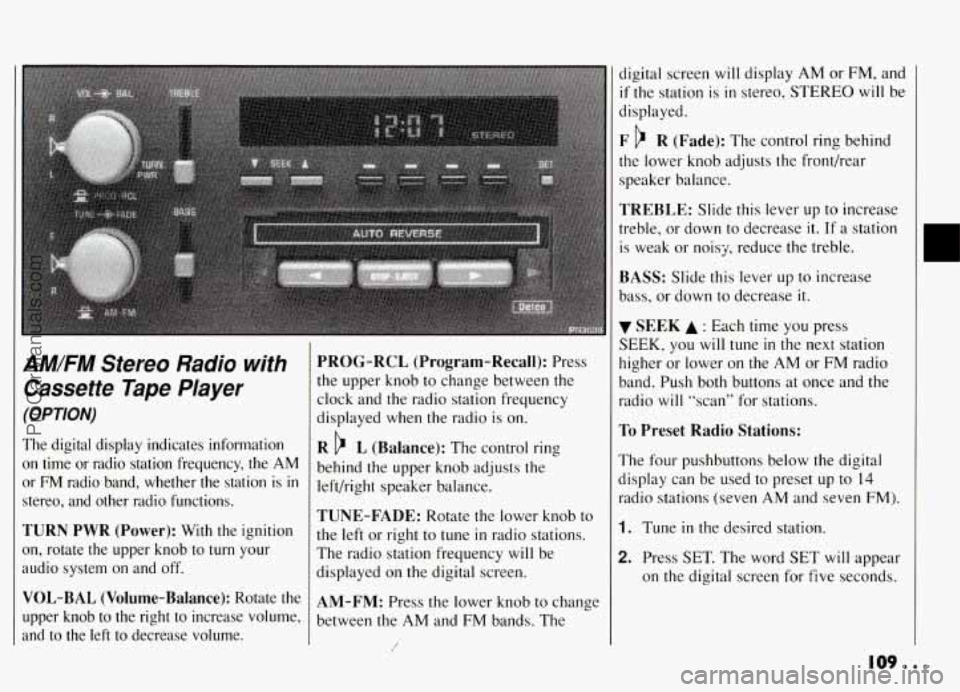
AM/FM Stereo Radio with
Cassette Tape Player
(OPTION)
The digital display indicates information
on time or radio station frequency, the AM
or FM radio band, whether the station is in
stereo, and other radio functions.
TURN PWR (Power): With the ignition
on, rotate the upper knob to
turn your
audio system on and off.
VOL-BAL (Volume-Balance): Rotate the
upper knob to the right to increase volume,
and to the left to decrease volume.
PROG-RCL (Program-Recall): Press
the upper knob to change between the
clock and the radio station frequency
displayed when the radio is on.
R b L (Balance): The control ring
behind the upper knob adjusts the
left/right speaker balance.
TUNE-FADE: Rotate the lower knob to
the left or right to tune
in radio stations.
The radio station frequency
will be
displayed on the digital screen.
AM-FM: Press the lower knob to change
between the AM and FM bands. The
/
digital screen will display AM or FM, and
if the station is in stereo, STEREO will be
displayed.
F b R (Fade): The control ring behind
the lower knob adjusts the fronthear
speaker balance.
TREBLE: Slide this lever up to increase
treble, or down to decrease
it. If a station
is weak or noisy, reduce the treble.
BASS: Slide this lever up to increase
bass, or down to decrease it.
SEEK A : Each time you press
SEEK, you will tune in the next station
higher or lower on the AM or FM radio
band. Push both buttons at once and the
radio
will “scan” for stations.
To Preset Radio Stations:
The four pushbuttons below the digital
display can be used to preset up to
14
radio stations (seven AM and seven FM).
1. Tune in the desired station.
2. Press SET. The word SET will appear
on the digital screen for five seconds.
109...
ProCarManuals.com
Page 111 of 274
Comfort Controls & Audio Systems
AM/FM Stereo Radio with
Cassette Tape Player
(OPTION) (CONT)
3. While SET is displayed, press one of
the four pushbuttons. Whenever you press this button again, the preset
station will be tuned in.
4. Repeat steps 1-3 for each of four AM
and four FM stations.
Up to three additional stations on each
band may be preset by “pairing”
pushbuttons:
1. Tune in the desired station.
2. Press SET, and within five seconds
press any two adjacent pushbuttons at
the same time. Whenever
you press
these two buttons again, the preset
station will be tuned
in.
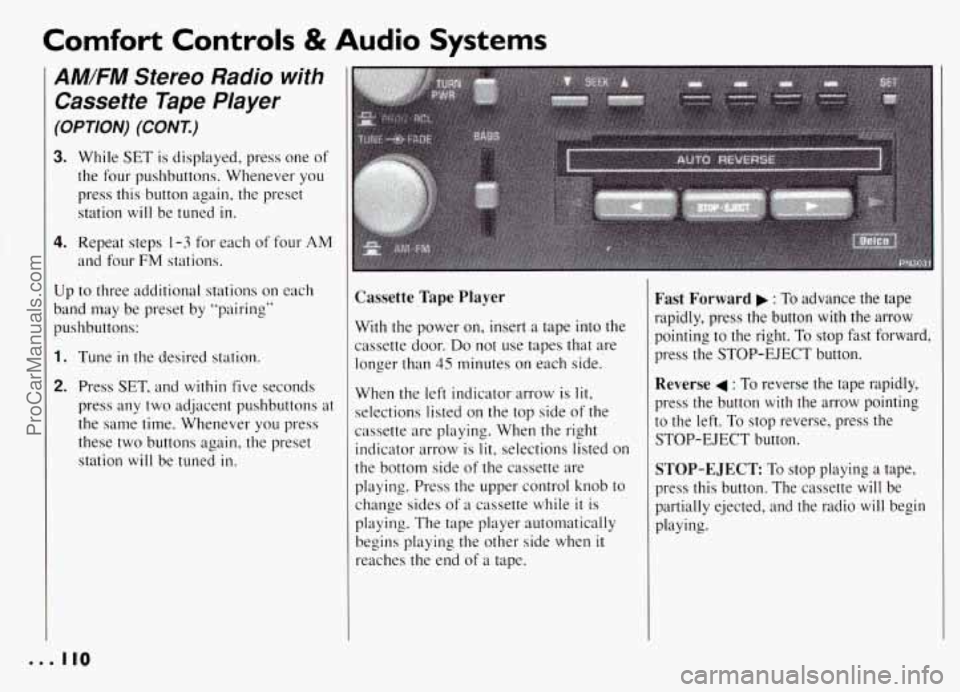
Cassette Tape Player
With the power on, insert a tape into the
cassette door.
Do not use tapes that are
longer than 45 minutes on each side.
When the left indicator arrow is lit,
selections listed on the top side of the
cassette are playing. When the right
indicator arrow is
lit, selections listed on
the bottom side
of the cassette are
playing. Press the upper control knob to
change sides
of a cassette while it is
playing. The tape player automatically
begins playing the other side when
it
reaches the end of a tape.
Fast Forward : To advance the tape
rapidly, press the button with the arrow
pointing to the right. To stop fast forward,
press the STOP-EJECT button.
Reverse 4 : To reverse the tape rapidly,
press the button with the arrow pointing
to the left. To stop reverse, press the
STOP-EJECT button.
STOP-EJECT: To stop playing a tape,
press this button. The cassette
will be
partially ejected, and the radio
will begin
playing.
0.. 110
ProCarManuals.com
Page 113 of 274
Comfort Controls & Audio Systems
AM/FM Stereo Radio with
Cassette Tape Player and
Graphic Equalizer
(OPTION)
(CONI)
To Preset Radio Stations:
The four pushbuttons below the digital
display can be used to preset up to 14
radio stations (seven AM and seven FM).
1. Tune in the desired station.
2. Press SET. The word SET will appear
on the digital screen for five seconds.
3. While SET is displayed, press one of
the four pushbuttons. Whenever you
press this button again, the preset
station will be tuned
in.
4. Repeat steps 1-3 for each of four AM
and four FM stations.
Up to three additional stations on each
band may be preset by “pairing”
pushbuttons:
1. Tune in the desired station.
2. Press SET, and within five seconds
press any two adjacent pushbuttons at
the same time. Whenever you press
these two buttons again, the preset
station will be tuned in.
Cassette Tape Player
With the power on, insert a tape into the
cassette door.
Do not use tapes that are
longer than
45 minutes on each side.
When the indicator arrow pointing up is
lit, selections listed on the top side of the
cassette are playing. When the indicator
arrow pointing down is
lit, selections
listed on the bottom side of the cassette
are playing. Press the upper control knob
to change sides of a cassette while it is
playing; The tape player automatically
begins playing the other side when
it
reaches the end of a tape.
FWD (Fast Forward): Press to advance
the tape rapidly. Press again to play the
tape.
REV (Reverse): Press to reverse the tape
rapidly. Press again
to play the tape.
SEARCH: Move this switch to the ight
and the FWD and
REV buttons w ir I1
function as a “music search”, stopping the
cassette at the next selection on the tape.
(There must be at least a three second gap
between selections on the tape for this
function to work.) The
ON light will
come on to indicate the music search is
in
progress.
EJECT To stop playing a tape, press this
button. The cassette
will be partially
ejected, and the radio will begin playing.
CrO 2: This button sets tape bias. When
playing high bias chrome or metal tapes,
press CrO
2 to turn the button light on.
When playing standard tapes, press again
to turn the button light off.
ProCarManuals.com
Page 115 of 274
Comfort Controls & Audio Systems
AM/FM Stereo with
Compact Disc Player
(OPTION) (CONT.)
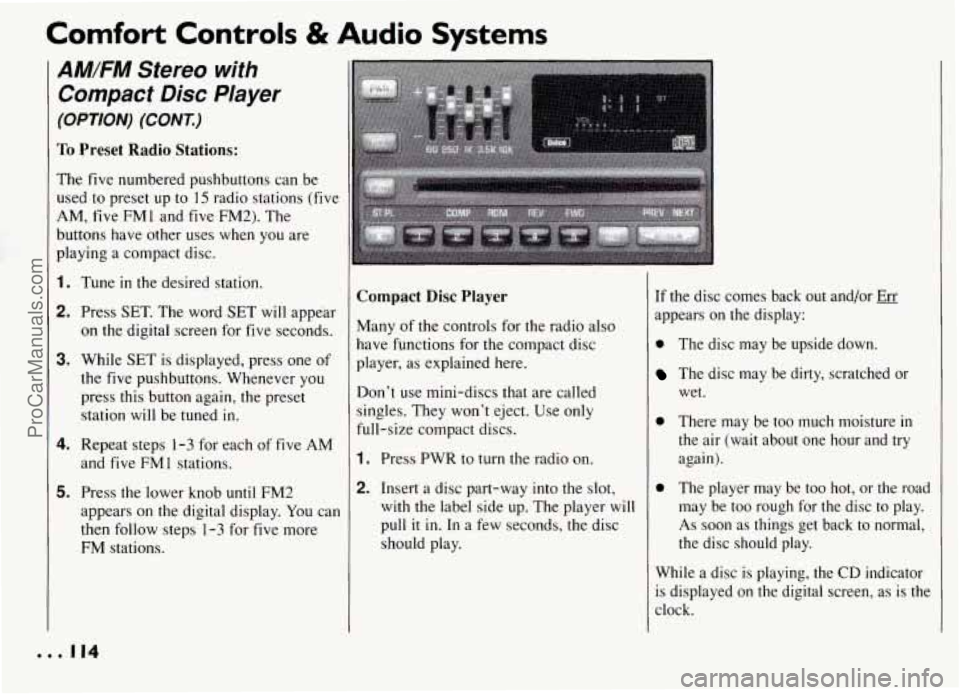
To Preset Radio Stations:
The five numbered pushbuttons can be
used to preset up to 15 radio stations (five
AM, five FM1 and five FM2). The
buttons have other uses when you are
playing a compact disc.
1. Tune in the desired station.
2. Press SET. The word SET will appear
on the digital screen for five seconds.
3. While SET is displayed, press one of
the five pushbuttons. Whenever you
press this button again, the preset
station will be tuned
in.
4. Repeat steps 1-3 for each of five AM
and five FMl stations.
5. Press the lower knob until FM2
appears on the digital display. You can
then follow steps
1-3 for five more
FM stations.
... 114
Compact Disc Player
Many of the controls for the radio also
have functions for the compact disc
player, as explained here.
Don’t use mini-discs that are called
singles. They won’t eject. Use only
full-size compact discs.
1. Press PWR to turn the radio on.
2. Insert a disc part-way into the slot,
with the label side up. The player will
pull
it in. In a few seconds, the disc
should play.
If the disc comes back out and/or Err
appears on the display:
0 The disc may be upside down.
The disc may be dirty, scratched or
wet.
0 There may be too much moisture in
the air (wait about one hour and try
again).
0 The player may be too hot, or the road
may be too rough for the disc to play.
As soon as things get back to normal,
the disc should play.
While a disc is playing, the CD indicator
is displayed on the digital screen, as is the
clock.
ProCarManuals.com
Page 117 of 274
Comfort Controls & Audio Systems
CD Player Anti-Theft
Feature
(CONT.)-
3. Press the PWR button to turn the radio
off.
4. Press station preset buttons 1 and 4 at
the same time and hold until
"---"
appears on the display.
NOTE: You now have only 15 seconds
between each of the following steps.
5. Press SET and 000 will appear on the
display.
6. Press the SEEK button until the first
digit of your code appears.
7. Rotate the lower knob right or left
until the second or third digit of your
code appears.
8. Press the lower knob (000 will appear
again on the display).
9. Press the SEEK button until the
fourth digit of your code appears.
1O.Rotate the lower knob right or left
until the fifth and sixth digits of your
code appear.
11. Press the lower knob (rEP will appear
for five seconds, then 000).
12.Repeat steps 6- 11. This time SEC will
appear, indicating that Delco LOC 11'
is set, and your audio system is secure.
To Disable the Anti-Theft System:
Enter your secret code by following these
steps. You will have only
15 seconds
between each step.
1. Turn the ignition to the ACCESSORY
or RUN position, and turn the radio
off.
2. Press station preset buttons 1 and 4 at
the same time. SEC
will appear on the
display, indicating the audio system
is
secure.
3. Press SET, and 000 will appear on the
display.
4. Press the SEEK button until the first
digit of your code appears.
5. Rotate the lower knob right or left
until the second and third digits of
your code appear.
6. Press the lower knob (000 will appear
again on the display).
7. Press the SEEK button until the
fourth digit of your code appears.
8. Rotate the lower knob right or left
until the fifth and sixth digits of your
code appear.
9. Press the lower knob. If the display
shows "---", the disabling sequence
was successful (the numbers matched
the user-selected code or the factory back-up code) and the audio system is
in the UNSECURED mode. If the
display shows SEC, the disabling sequence was unsuccessful and the
numbers did not match either of the
codes. In this case, the audio system
will remain in the SECURED mode.
... 116
ProCarManuals.com
Page 191 of 274
Service & Appearance Care
V
P
I
E
b
S’
C
C.
P
A
I Surge Tank Pressure
Cap
NOTICE:
Your pressure cap is an 18 psi
( 124 kPa) pressure-type cap and
must be tightly installed to prevent
coolant
loss and possible engine
damage from overheating.
irhen you replace your surge tank
ressure cap, a GM cap is recommended.
I Thermostat
lngine coolant temperature is controlled
y a thermostat in the engine coolant
ystem. The thermostat stops the flow
of
oolant through the radiator until the
oolant reaches a preset temperature.
Jhen you replace your thermostat, an
.C@ thermostat is recommended.
Power Steering Fluid
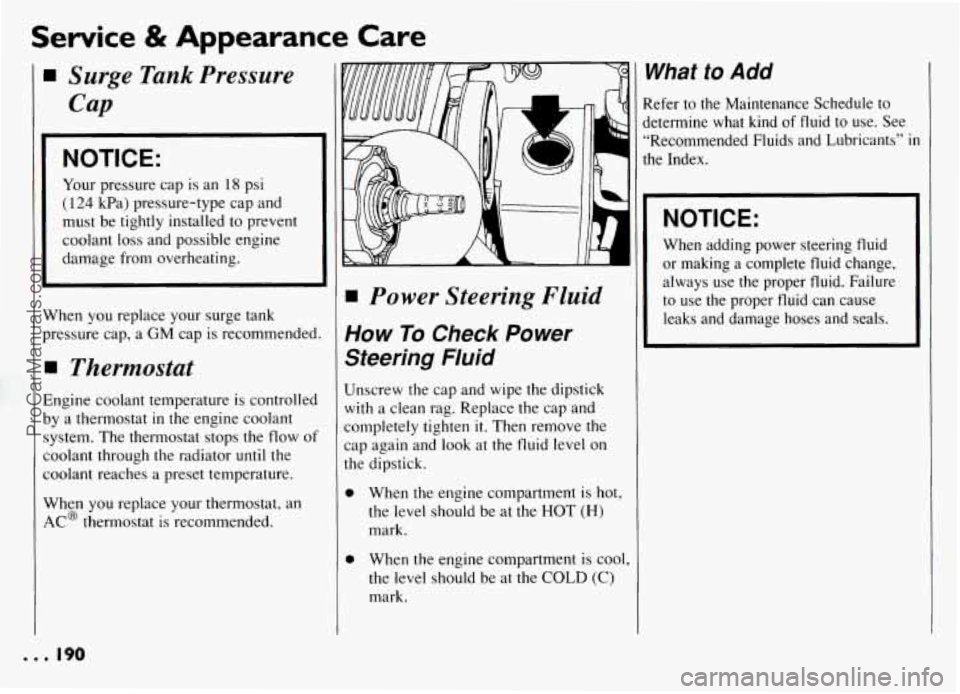
How To Check Power
Steering Fluid
Unscrew the cap and wipe the dipstick
with a clean rag. Replace the cap and
completely tighten
it. Then remove the
cap again and
look at the fluid level on
the dipstick.
0
0
When the engine compartment is hot,
the level should be at the HOT
(H)
mark.
When the engine compartment is cool,
the level should be at the
COLD (C)
mark.
1
I
1
What to Add
Refer to the Maintenance Schedule to
jetermine what kind
of fluid to use. See
“Recommended Fluids and Lubricants”
in
the Index.
NOTICE:
When adding power steering fluid
or making a complete fluid change,
always use the proper fluid. Failure
to use the proper fluid can cause
leaks and damage hoses and seals.
... 190
ProCarManuals.com