display PONTIAC GRAND-AM 1995 User Guide
[x] Cancel search | Manufacturer: PONTIAC, Model Year: 1995, Model line: GRAND-AM, Model: PONTIAC GRAND-AM 1995Pages: 354, PDF Size: 17.81 MB
Page 137 of 354
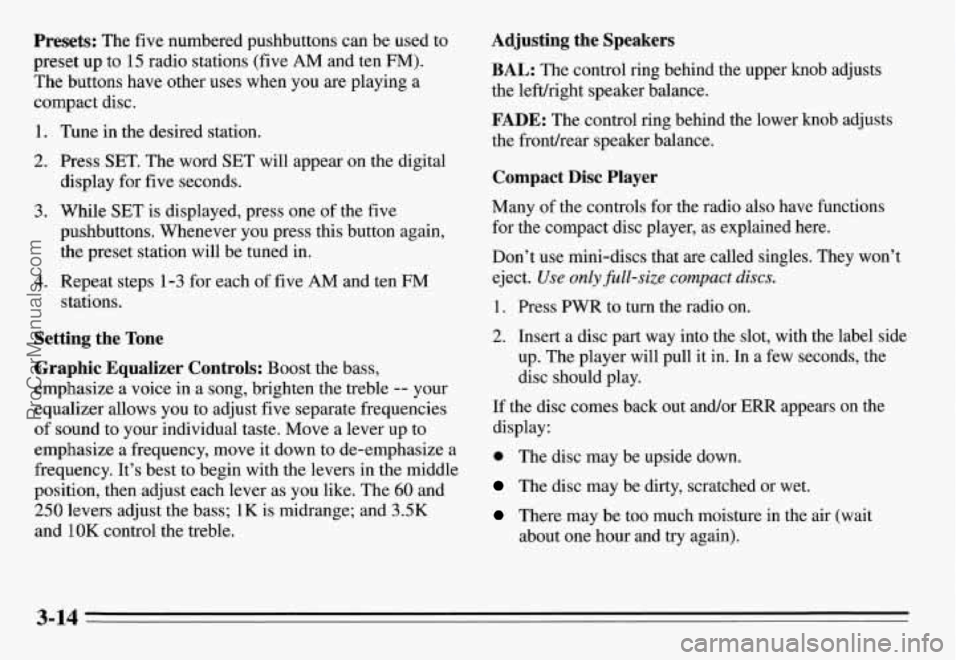
Presets: The five numbered pushbuttons can be used to
preset up to
15 radio stations (five AM and ten FM).
The buttons have other uses when you are playing a
compact disc.
1. Tune in the desired station.
2. Press SET. The word SET will appear on the digital
display for five seconds.
3. While SET is displayed, press one of the five
pushbuttons. Whenever you press this button again,
the preset station will be tuned in.
4. Repeat steps 1-3 for each of five AM and ten FM
stations.
Setting the Tone
Graphic Equalizer Controls: Boost the bass,
emphasize a voice in a song, brighten the treble
-- your
equalizer allows you
to adjust five separate frequencies
of sound to your individual taste. Move a lever up to
emphasize a frequency, move it down to de-emphasize a
frequency. It’s best to begin with the levers in the middle\
position, then adjust each lever as you like. The
60 and
250 levers adjust the bass; 1K is midrange; and 3.5K
and
1 OK control the treble.
Adjusting the Speakers
BAL: The control ring behind the upper knob adjusts
the lefuright speaker balance.
FADE: The control ring behind the lower knob adjusts
the fronthear speaker balance.
Compact Disc Player
Many of the controls for the radio also have functions
for the compact disc player, as explained here.
Don’t use mini-discs that
are called singles. They won’t
eject.
Use only @&size compact discs.
1. Press PWR to turn the radio on.
2. Insert a disc part way into the slot, with the label side
up, The player will pull it in. In a few seconds, the
disc should play.
If the disc comes back out and/or ERR appears on the
display:
0 The disc may be upside down.
The disc may be dirty, scratched or wet.
There may be too much moisture in the air (wait
about one hour and try again).
3-14
ProCarManuals.com
Page 138 of 354
The player may be too hot, too cold or the road may
be too rough for the disc to play. As soon as things
get back to normal, the disc should play.
While a disc is playing, the CD indicator is displayed on
the digital display, as is the clock.
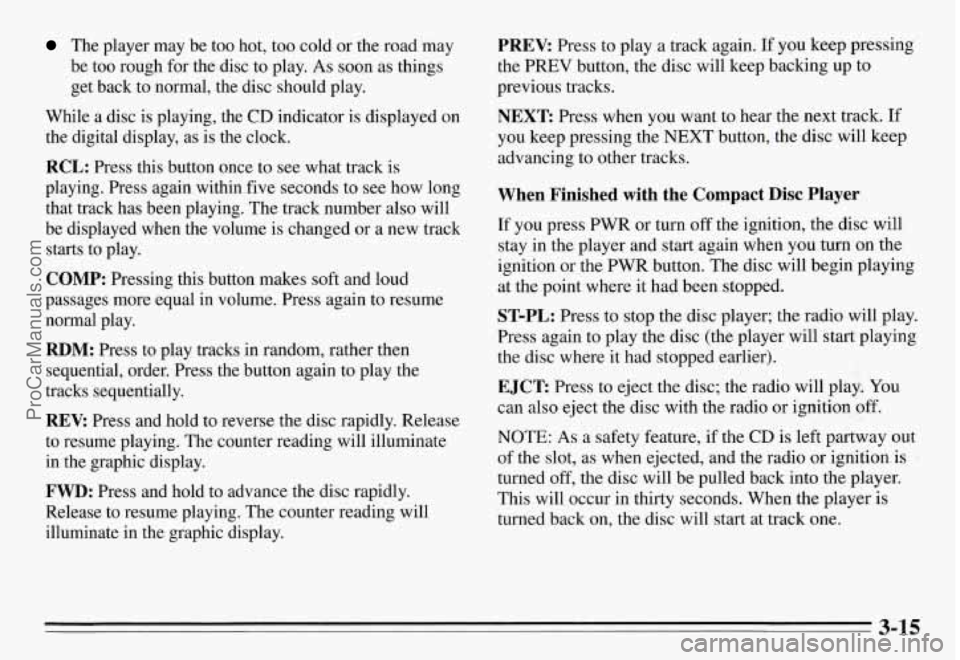
RCL: Press this button once to see what track is
playing. Press again within five seconds to see how long
that track has been playing. The track number also will
be displayed when the volume is changed or a new track
starts to play.
COMP: Pressing this button makes soft and loud
passages more equal in volume. Press again to resume
normal play.
RDM: Press to play tracks in random, rather then
sequential, order. Press the button again to play the
tracks sequentially.
REV: Press and hold to reverse the disc rapidly. Release
to resume playing. The counter reading will illuminate
in the graphic display.
FWD: Press and hold to advance the disc rapidly.
Release to resume playing. The counter reading will
illuminate in the graphic display.
PREV: Press to play a track again. If you keep pressing
the
PREV button, the disc will keep backing up to
previous tracks.
NEXT: Press when you want to hear the next track. If
you keep pressing the
NEXT button, the disc will keep
advancing to other tracks.
When Finished with the Compact Disc Player
If you press PWR or turn off the ignition, the disc will
stay in the player and start again when you turn on the
ignition or the PWR button. The disc will begin playing
at the point where it had been stopped.
ST-PL: Press to stop the disc player; the radio will play.
Press again to play the disc (the player will start playing
the disc where it had stopped earlier).
EJCT Press to eject the disc; the radio will play. You
can also eject the disc with the radio
or ignition off.
NOTE: As a safety feature, if the CD is left partway out
of the slot, as when ejected, and the radio
or ignition is
turned
off, the disc will be pulled back into the player.
This will occur in thirty seconds. When the player is
turned back on, the disc will start at track one.
3-15
ProCarManuals.com
Page 139 of 354
CD Player Theft Deterrent Feature
Delco LOC II@ is an anti-theft feature for the compact
disc player. It can be used or ignored. If ignored, the
system plays normally. If it is used, your player won’t be
usable
if it is ever stolen because it will go to LOC mode
any time battery power is removed. It will also go to
LOC mode any time power from the battery is turned
off
by the Battery Protection feature (see “Battery Rundown
Protection” in the Index). Until an unlock code is
entered,
it will not turn on.
The instructions below tell you how to enter a secret
code into the system. If your vehicle loses battery power
for any reason, you must unlock the system with the
secret code before the radio will turn on.
Setting the Anti-Theft System
1. Write down any six-digit number and keep it in a
safe place. This is your secret code.
2. Turn the ignition to the ACC or RUN position.
3. Press the PWR button to turn the radio off.
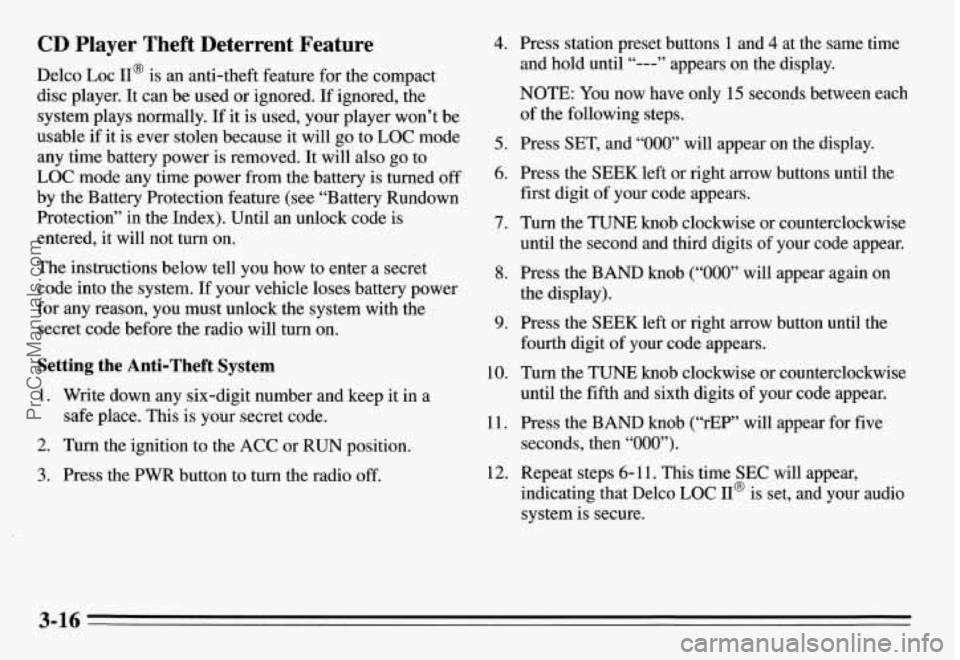
4. Press station preset buttons 1 and 4 at the same time
and hold until “---” appears on the display.
NOTE:
You now have only 15 seconds between each
of the following steps.
5. Press SET, and “000” will appear on the display.
6. Press the SEEK left or right arrow buttons until the
first digit of your code appears.
7. Turn the TUNE knob clockwise or counterclockwise
until the second and third digits
of your code appear.
8. Press the BAND knob (“000” will appear again on
the display).
9. Press the SEEK left or right arrow button until the
fourth digit of your code appears.
10. Turn the TUNE knob clockwise or counterclockwise
until the fifth and sixth digits of your code appear.
11. Press the BAND knob (“rEP” will appear for five
seconds, then “000”).
indicating that Delco LOC II@ is set, and your audio
system is secure.
12. Repeat steps 6- 11. This time SEC will appear,
3-16
ProCarManuals.com
Page 140 of 354
Disabling the Anti-Theft System
Enter your secret code by following these steps (you
will have only
15 seconds between each step).
1.
2.
3.
4.
5.
6.
7.
8.
Turn the ignition to the ACC or RUN position, and
turn the radio off.
Press station preset buttons 1 and 4 at the same time
for five seconds. SEC will appear on the display,
indicating the audio system is secure.
Press SET, and “000’ will appear on the display.
Press the SEEK left or right arrow button until the
first digit of your code appears.
Turn the TUNE knob clockwise or counterclockwise
until the second and third digits of your code appear.
Press the BAND knob
(“000” will appear again on
the display).
Press the SEEK left or right arrow button until the
fourth digit of your code appears.
Turn the TUNE knob clockwise or counterclockwise
until the fifth
and sixth digits of your code appear.
9. Press the BAND knob. If the display shows “---,”
the disabling sequence was successful. The numbers
matched the user-selected code or the factory
back-up code and the audio system is in the
unsecured mode.
If the display shows SEC, the
disabling sequence was unsuccessful. The numbers
did not match either of the codes and the audio
system will remain in the secured mode.
To Unlock the System After a Power Loss
When battery power is reapplied to a secured audio
system after a loss of power, the audio system will not
turn on and LOC will appear on the digital display.
You
will need to unlock the Delco LOC 11” system.
1. Turn the ignition to the ACC or RUN position, and
2. Press SET, and “000” will appear on the display.
3. Follow steps 4-8 for disabling your anti-theft
4. Press the BAND knob. The time will appear on the
turn the radio off.
system.
digital display if you are successful. If SEC appears,
however, the numbers did not match, and your audio
system is still locked.
3-17
ProCarManuals.com
Page 264 of 354
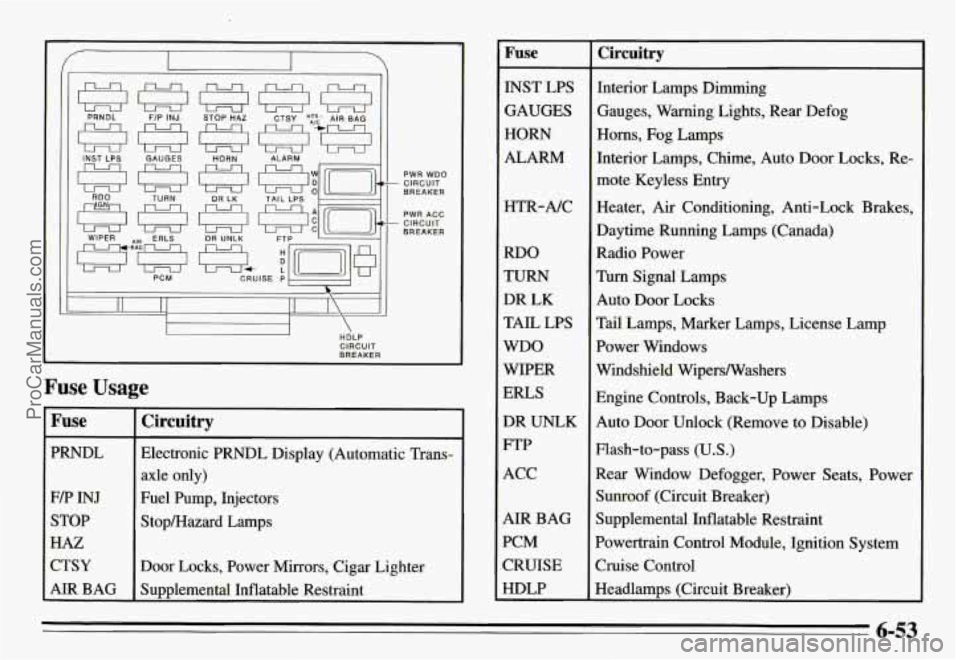
I Fuse
PRNDL
F/P INJ
STOP
HAZ
CTSY
AIR BAG
- CIRCUIT PWR WDO
BREAKER
PWR ACC
BREAKER - CIRCUIT
Circuitry
Electronic PRNDL Display (Automatic Trans-
axle only)
Fuel Pump, Injectors
Stop/Hazard Lamps
Door Locks, Power Mirrors, Cigar Lighter
Sumlemental Inflatable Restraint
Fuse - ~~
INST LPS
GAUGES
HORN
ALARM
HTR-A/C
RDO
TURN
DR LK
TAIL LPS
WDO
WIPER
ERLS
DR UNLK
FTP
ACC
AIR BAG
PCM
CRUISE
HDLP
Circuitry
Interior Lamps Dimming
Gauges, Warning Lights, Rear Defog
Horns, Fog Lamps
Interior Lamps, Chime,
Auto Door Locks, Re-
mote Keyless Entry
Heater,
Air Conditioning, Anti-Lock Brakes,
Daytime Running Lamps (Canada)
Radio Power
Turn Signal Lamps
Auto Door Locks
Tail Lamps, Marker Lamps, License Lamp
Power Windows
Windshield Wipers/Washers
Engine Controls, Back-up Lamps
Auto Door Unlock (Remove to Disable)
Flash-to-pass
(U.S.)
Rear Window Defogger, Power Seats, Power
Sunroof (Circuit Breaker)
Supplemental Inflatable Restraint
Powertrain Control Module, Ignition System
Cruise Control
Headlamps (Circuit Breaker)
6-53
ProCarManuals.com