instrument cluster PONTIAC GRAND AM 2005 Owners Manual
[x] Cancel search | Manufacturer: PONTIAC, Model Year: 2005, Model line: GRAND AM, Model: PONTIAC GRAND AM 2005Pages: 334, PDF Size: 2.27 MB
Page 95 of 334
Instrument Panel Overview...............................3-4
Hazard Warning Flashers................................3-6
Other Warning Devices...................................3-7
Horn.............................................................3-7
Tilt Wheel.....................................................3-7
Turn Signal/Multifunction Lever.........................3-8
Turn and Lane-Change Signals........................3-8
Headlamp High/Low-Beam Changer..................3-9
Flash-to-Pass.................................................3-9
Windshield Washer.........................................3-9
Windshield Wiper Lever.................................3-10
Cruise Control..............................................3-11
Headlamps..................................................3-14
Headlamps Off in PARK (P)...........................3-14
Delayed Headlamps......................................3-15
Daytime Running Lamps (DRL).......................3-15
Automatic Headlamp System..........................3-15
Fog Lamps..................................................3-16
Instrument Panel Brightness...........................3-17
Dome Lamp.................................................3-17
Entry/Exit Lighting.........................................3-17
Trunk Lamp.................................................3-18
Battery Run-Down Protection..........................3-18
Ashtrays and Cigarette Lighter........................3-18Climate Controls............................................3-19
Climate Control System.................................3-19
Outlet Adjustment.........................................3-21
Warning Lights, Gages, and Indicators............3-22
Instrument Panel Cluster................................3-22
Speedometer and Odometer...........................3-24
Trip Odometer..............................................3-24
Tachometer.................................................3-24
Safety Belt Reminder Light.............................3-25
Airbag Readiness Light..................................3-25
Charging System Light..................................3-26
Brake System Warning Light..........................3-27
Anti-Lock Brake System Warning Light.............3-28
Enhanced Traction System Warning Light.........3-28
Enhanced Traction System Active Light............3-29
Engine Coolant Temperature Gage..................3-29
Low Coolant Warning Light............................3-30
Malfunction Indicator Lamp.............................3-30
Oil Pressure Light.........................................3-34
Change Engine Oil Light................................3-34
Security Light...............................................3-35
Highbeam On Light.......................................3-35
Low Washer Fluid Warning Light.....................3-35
Service Vehicle Soon Light............................3-35
Fuel Gage...................................................3-36
Section 3 Instrument Panel
3-1
Page 99 of 334

The main components of your instrument panel are the following:
A. Fog Lamp Button. SeeFog Lamps on page 3-16.
B. Instrument Panel Brightness Thumbwheel. See
Instrument Panel Brightness on page 3-17.
C. Turn Signal/Multifunction Lever. SeeTurn
Signal/Multifunction Lever on page 3-8.
D. Horn. SeeHorn on page 3-7.
E. Instrument Panel Cluster. SeeInstrument Panel
Cluster on page 3-22.
F. Windshield Wiper/Washer Lever. SeeWindshield
Wiper Lever on page 3-10.
G. Ignition Switch. SeeIgnition Positions on page 2-16.
H. Enhanced Traction System Button (If Equipped).
SeeEnhanced Traction System (ETS) on page 4-8.
I. Hazard Warning Flashers Button. SeeHazard
Warning Flashers on page 3-6.
J. Instrument Panel Fuse Blocks. SeeFuses and
Circuit Breakers on page 5-80.K. Hood Release Handle. SeeHood Release on
page 5-10.
L. Tilt Wheel Lever. SeeTilt Wheel on page 3-7.
M. Audio System Steering Wheel Controls (If Equipped).
SeeAudio Steering Wheel Controls on page 3-68.
N. Cruise Control Buttons. SeeCruise Control on
page 3-11.
O. Shift Lever. SeeAutomatic Transaxle Operation on
page 2-20.
P. Cigarette Lighter (If Equipped). SeeAshtrays and
Cigarette Lighter on page 3-18.
Q. Climate Control System. SeeClimate Control
System on page 3-19.
R. Audio System. SeeAudio System(s) on page 3-37.
3-5
Page 102 of 334

Turn Signal/Multifunction Lever
The lever on the left side of the steering column
includes the following:
•Turn and Lane-Change Signals
•Headlamp High/Low-Beam Changer
•Flash-to-Pass
•Exterior Lamps Control
Turn and Lane-Change Signals
The turn signal has two upward (for right) and
two downward (for left) positions. These positions allow
you to signal a turn or a lane change.
To signal a turn, move the lever all the way up or down.
When the turn is finished, the lever will return
automatically.
An arrow on the instrument
panel cluster will flash in
the direction of the
turn or lane change.
To signal a lane change, just raise or lower the lever
until the arrow starts to flash. Hold it there until you
complete your lane change. The lever will return by itself
when you release it.
As you signal a turn or a lane change, if the arrows
flash rapidly, a signal bulb may be burned out and other
drivers won’t see your turn signal.
If a bulb is burned out, replace it to help avoid an
accident. If the arrows don’t go on at all when you signal
a turn, check for burned-out bulbs and then check the
fuse. SeeFuses and Circuit Breakers on page 5-80.
3-8
Page 103 of 334

Headlamp High/Low-Beam Changer
To change the headlamps from low beam to high beam,
push the turn signal/multifunction lever away from you.
When the high beams are
on, a light on the
instrument panel cluster
also will be on if the
ignition is in ON.
To change the headlamps from high beam to low beam,
pull the turn signal lever toward you.
Flash-to-Pass
This feature lets you use your high-beam headlamps to
signal a driver in front of you that you want to pass.
To use it, pull the turn signal/multifunction lever toward
you until the high-beam headlamps come on, then
release the lever to turn them off.
Windshield Washer
To wash your windshield, press the button at the end of
the lever until the washers begin.
{CAUTION:
In freezing weather, do not use your washer
until the windshield is warmed. Otherwise the
washer uid can form ice on the windshield,
blocking your vision.
When you release the button, the washers will stop, but
the wipers will continue to wipe for about three times
or will resume the speed you were using before.
3-9
Page 110 of 334

The DRL and automatic headlamp systems will only be
affected when the light sensor sees a change in
lighting lasting longer than this delay.
If you start your vehicle in a dark garage, the automatic
headlamp system will come on immediately. Once
you leave the garage, it will take approximately
one minute for the automatic headlamp system to
change to DRL if it is light outside. During that delay,
your instrument panel cluster may not be as bright
as usual. Make sure your instrument panel brightness
control is in the full bright position. See “Instrument
Panel Brightness Control” underInstrument Panel
Brightness on page 3-17.
To idle your vehicle with the automatic headlamp
system off, set the parking brake while the ignition is off.
Then start the vehicle. The automatic headlamp
system will stay off until you release the parking brake.
As with any vehicle, you should turn on the regular
headlamps when you need them.Fog Lamps
The button to turn your fog
lamps on and off is located
on the instrument panel,
to the left of the steering
wheel, beside the
instrument panel
brightness thumbwheel.
When using the fog lamps, the ignition must be on as
well as the parking lamps or the low-beam headlamps.
Press the button to turn the fog lamps on and off.
An indicator light on the button will glow while the fog
lamps are on. The fog lamps will turn off while the
high-beam headlamps are turned on.
3-16
Page 116 of 334
Warning Lights, Gages, and
Indicators
This part describes the warning lights and gages that may
be on your vehicle. The pictures will help you locate them.
Warning lights and gages can signal that something is
wrong before it becomes serious enough to cause
an expensive repair or replacement. Paying attention to
your warning lights and gages could also save you
or others from injury.
Warning lights come on when there may be or is a
problem with one of your vehicle’s functions. As you will
see in the details on the next few pages, some
warning lights come on briefly when you start the
engine just to let you know they are working. If you are
familiar with this section, you should not be alarmed
when this happens.Gages can indicate when there may be or is a problem
with one of your vehicle’s functions. Often gages
and warning lights work together to let you know when
there is a problem with your vehicle.
When one of the warning lights comes on and stays on
when you are driving, or when one of the gages shows
there may be a problem, check the section that tells you
what to do about it. Please follow this manual’s advice.
Waiting to do repairs can be costly — and even
dangerous. So please get to know your warning lights
and gages. They are a big help.
Instrument Panel Cluster
Your instrument panel cluster is designed to let you
know at a glance how your vehicle is running. You’ll
know how fast you’re going, how much fuel you have,
and many other things you’ll need to drive safely
and economically.
3-22
Page 118 of 334
Speedometer and Odometer
Your speedometer lets you see your speed in both
miles per hour (mph) and kilometers per hour (km/h).
Your odometer shows how far your vehicle has
been driven, in either miles (used in the United States)
or kilometers (used in Canada).
Your vehicle has a tamper resistant odometer. The
digital odometer will read 999,999 if someone tries to
turn it back.
Repair or replacement of your instrument panel cluster
should only be performed by a qualified GM service
center.
Trip Odometer
The trip odometer can tell you how far you have driven
since you last reset it.
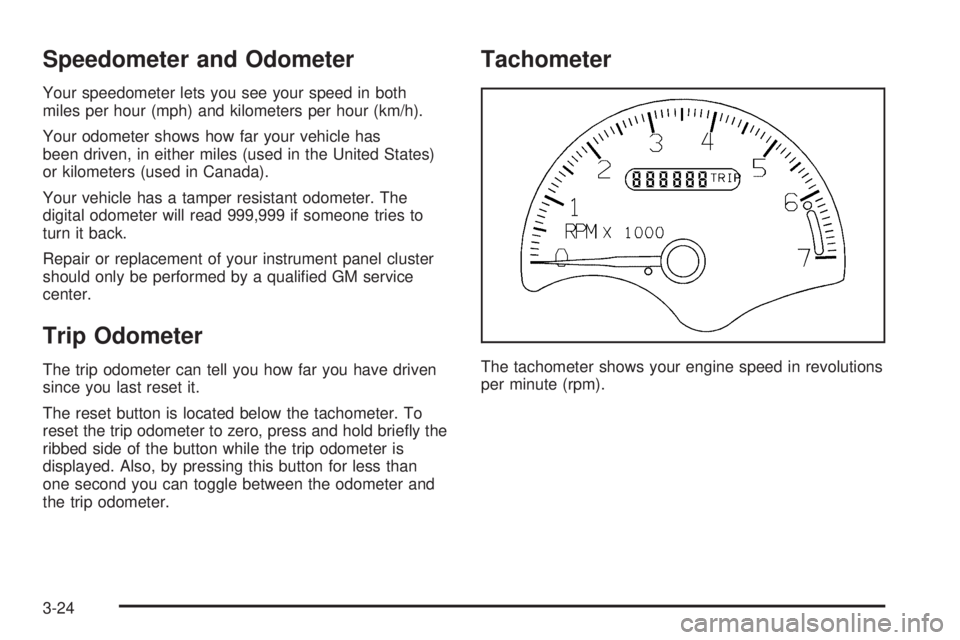
The reset button is located below the tachometer. To
reset the trip odometer to zero, press and hold briefly the
ribbed side of the button while the trip odometer is
displayed. Also, by pressing this button for less than
one second you can toggle between the odometer and
the trip odometer.
Tachometer
The tachometer shows your engine speed in revolutions
per minute (rpm).
3-24
Page 173 of 334
This light, located on the
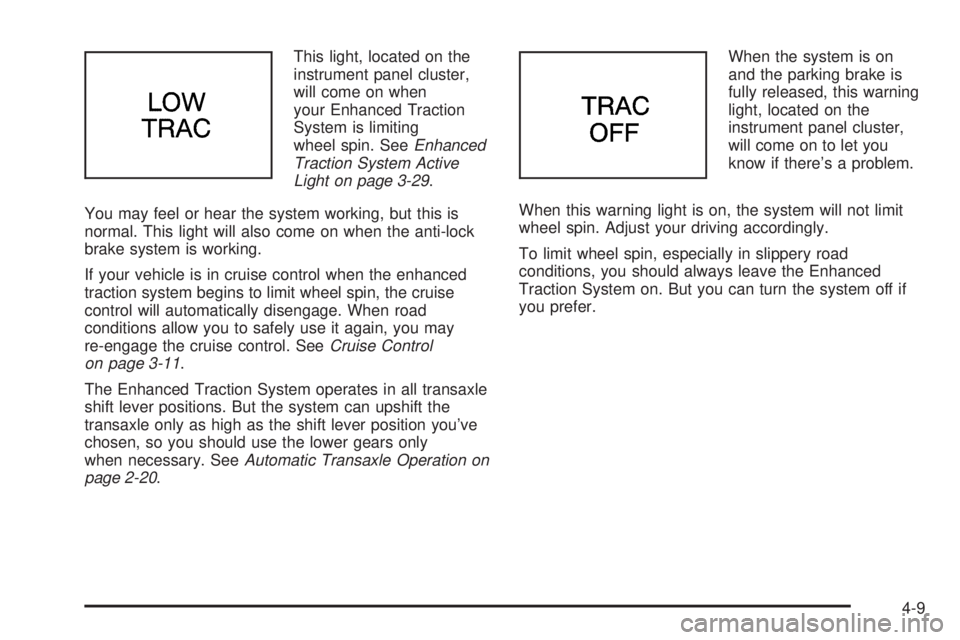
instrument panel cluster,
will come on when
your Enhanced Traction
System is limiting
wheel spin. SeeEnhanced
Traction System Active
Light on page 3-29.
You may feel or hear the system working, but this is
normal. This light will also come on when the anti-lock
brake system is working.
If your vehicle is in cruise control when the enhanced
traction system begins to limit wheel spin, the cruise
control will automatically disengage. When road
conditions allow you to safely use it again, you may
re-engage the cruise control. SeeCruise Control
on page 3-11.
The Enhanced Traction System operates in all transaxle
shift lever positions. But the system can upshift the
transaxle only as high as the shift lever position you’ve
chosen, so you should use the lower gears only
when necessary. SeeAutomatic Transaxle Operation on
page 2-20.When the system is on
and the parking brake is
fully released, this warning
light, located on the
instrument panel cluster,
will come on to let you
know if there’s a problem.
When this warning light is on, the system will not limit
wheel spin. Adjust your driving accordingly.
To limit wheel spin, especially in slippery road
conditions, you should always leave the Enhanced
Traction System on. But you can turn the system off if
you prefer.
4-9
Page 240 of 334
Windshield Washer Fluid
What to Use
When you need windshield washer fluid, be sure to read
the manufacturer’s instructions before use. If you will
be operating your vehicle in an area where the
temperature may fall below freezing, use a fluid that has
sufficient protection against freezing.
Adding Washer Fluid
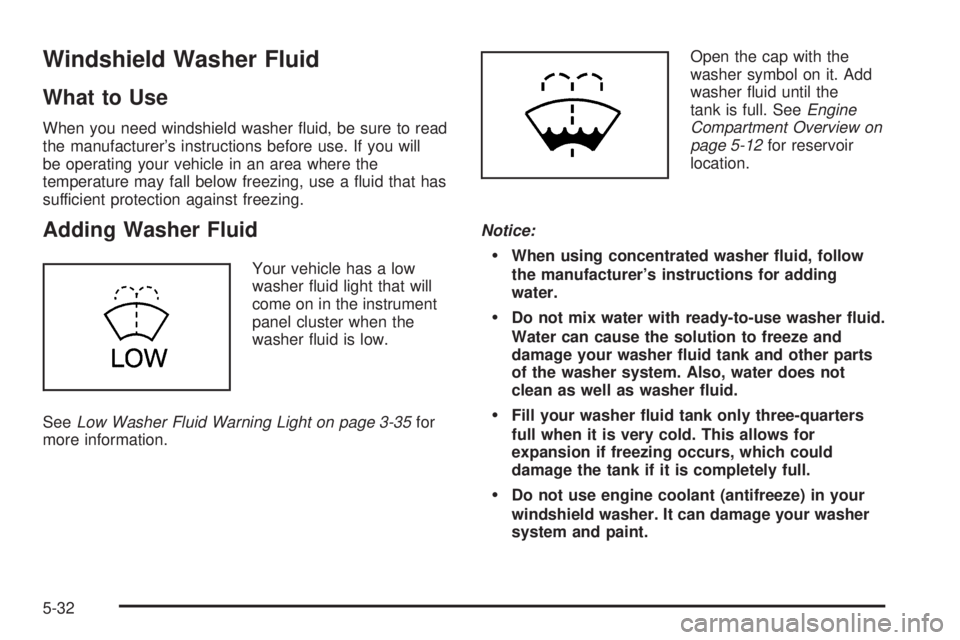
Your vehicle has a low
washer fluid light that will
come on in the instrument
panel cluster when the
washer fluid is low.
SeeLow Washer Fluid Warning Light on page 3-35for
more information.Open the cap with the
washer symbol on it. Add
washer fluid until the
tank is full. SeeEngine
Compartment Overview on
page 5-12for reservoir
location.
Notice:When using concentrated washer uid, follow
the manufacturer’s instructions for adding
water.
Do not mix water with ready-to-use washer uid.
Water can cause the solution to freeze and
damage your washer uid tank and other parts
of the washer system. Also, water does not
clean as well as washer uid.
Fill your washer uid tank only three-quarters
full when it is very cold. This allows for
expansion if freezing occurs, which could
damage the tank if it is completely full.
Do not use engine coolant (antifreeze) in your
windshield washer. It can damage your washer
system and paint.
5-32
Page 289 of 334
Instrument Panel Fuse Block
Driver’s Side
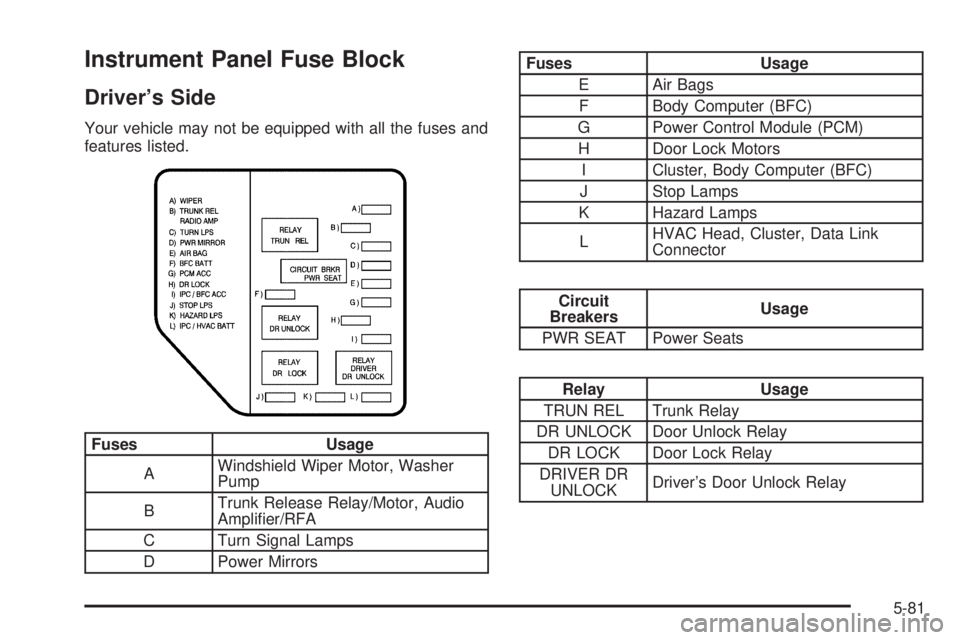
Your vehicle may not be equipped with all the fuses and
features listed.
Fuses Usage
AWindshield Wiper Motor, Washer
Pump
BTrunk Release Relay/Motor, Audio
Amplifier/RFA
C Turn Signal Lamps
D Power Mirrors
Fuses Usage
E Air Bags
F Body Computer (BFC)
G Power Control Module (PCM)
H Door Lock Motors
I Cluster, Body Computer (BFC)
J Stop Lamps
K Hazard Lamps
LHVAC Head, Cluster, Data Link
Connector
Circuit
BreakersUsage
PWR SEAT Power Seats
Relay Usage
TRUN REL Trunk Relay
DR UNLOCK Door Unlock Relay
DR LOCK Door Lock Relay
DRIVER DR
UNLOCKDriver’s Door Unlock Relay
5-81