steering PONTIAC GRAND-PRIX 1993 Owners Manual
[x] Cancel search | Manufacturer: PONTIAC, Model Year: 1993, Model line: GRAND-PRIX, Model: PONTIAC GRAND-PRIX 1993Pages: 338, PDF Size: 17.3 MB
Page 49 of 338
Features & Controls
f
t
k
t
I
t
r
t.
C
C
3
I
1
3attery Replacement
Jnder normal use, the batteries in your
:ey chain transmitter should last about
wo years.
r‘ou can tell the batteries are weak if the
ransmitter won’t work at the normal
ange in any location. If you have to get
‘lose to your vehicle before the
ransmitter works, it’s probably time to
hange the batteries.
?o Replace Batteries in the Remote
mck Control:
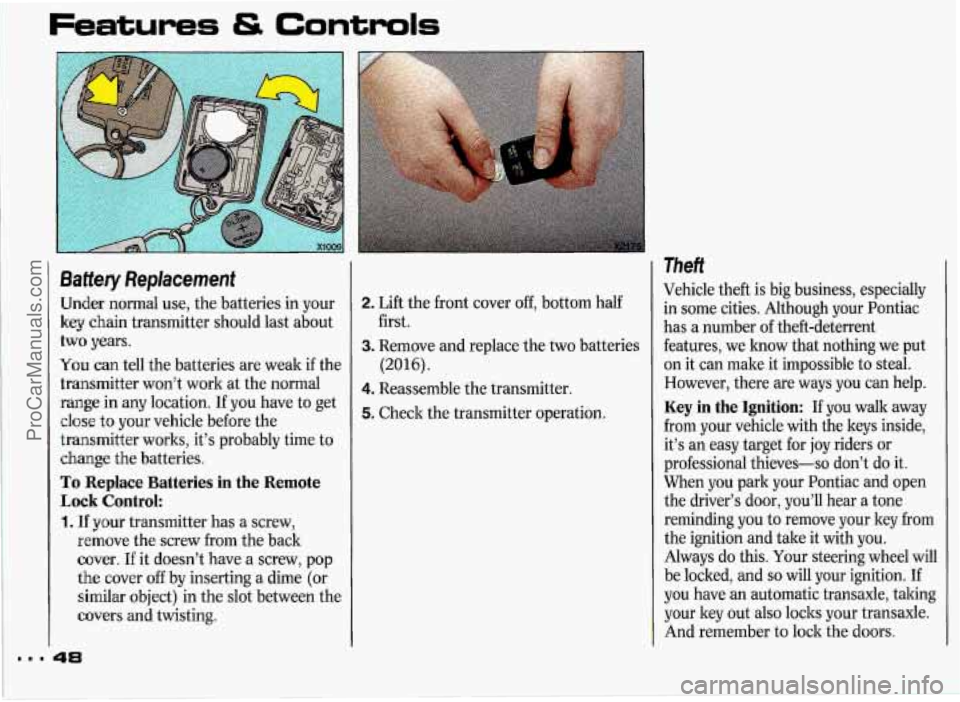
. If your transmitter has a screw,
remove the screw from the back
cover. If it doesn’t have a screw, pop
the cover off by inserting
a dime (or
similar object) in the slot between the
covers and twisting.
2. Lift the front cover off, bottom half
3. Remove and replace the two batteries
4. Reassemble the transmitter.
5. Check the transmitter operation.
first.
(2016).
Theft
Vehicle theft
is big business, especially
in some cities. Although your Pontiac
has a number of theft-deterrent
features, we know that nothing we put
on it can male it impossible to steal.
However, there are ways you can help.
Key in the Ignition: If you walk away
from your vehicle with the keys inside,
it’s an easy target for
joy riders or
professional thieves-so don’t do it.
When you park your Pontiac and open
the driver’s door, you’ll hear a tone
reminding you to remove your ley from
the ignition and take it with you.
Always do this. Your steering wheel will
be locked, and
so will your ignition. If
you have an automatic transaxle, taking
your ley out also
locks your transaxle.
And remember to lock the doors.
ProCarManuals.com
Page 53 of 338
Features & Controls
Qnifion Switch
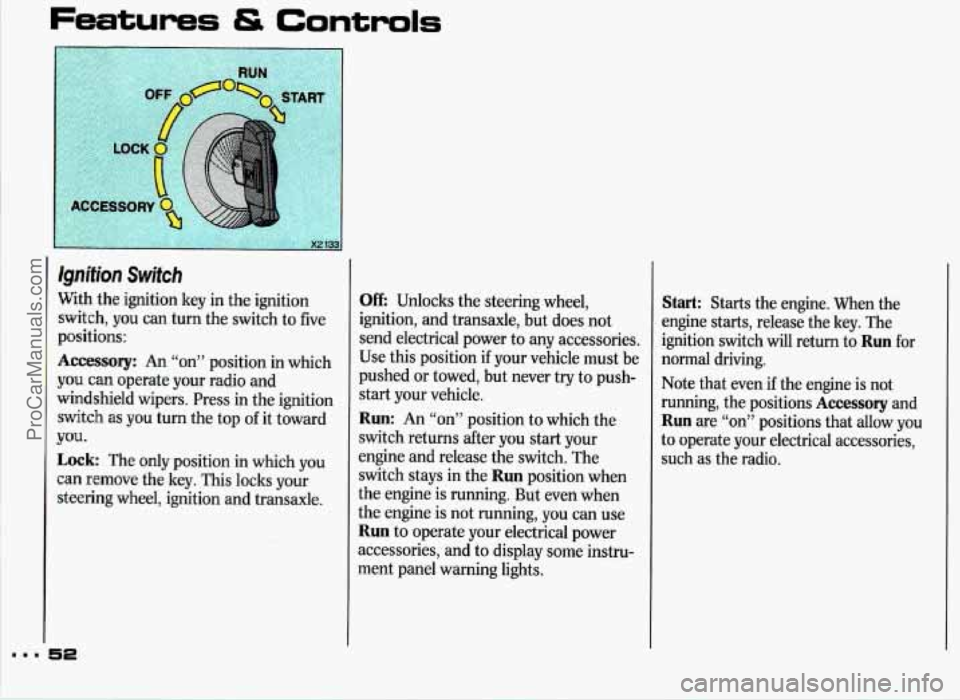
Nith the ignition key in the ignition
;witch, you can turn the switch to five
~ositions:
kccessory: An “on” position in which
rou can operate your radio and
vindshield wipers. Press in the ignition
;witch as you turn the top of it toward
Lock: The only position in which you
:an remove the key. This locks your
;teering wheel, ignition and transaxle.
TOU.
Off: Unlocks the steering wheel,
ignition, and transaxle, but does not
send electrical power to any accessories,
Use this position if your vehicle must
be
pushed or towed, but never try to push-
start your vehicle.
Run: An “on” position to which the
switch returns after you start your
engine and release the switch. The
switch stays in the
Run position when
the engine is running. But even when
the engine is not running, you can use
Run to operate your electrical power
accessories, and to display some instru-
ment panel warning lights.
Start: Starts the engine. When the
engine starts, release the key. The
ignition switch will return to
Run for
normal driving.
Note that even
if the engine is not
running, the positions
Accessory and
Run are “on” positions that allow you
to operate your electrical accessories,
such
as the radio.
ProCarManuals.com
Page 54 of 338
CAUTION I
A
Lock
On manual transaxle
vehicles, turning the key to
will lock the steering column I
and result in a loss of ability to
steer the vehicle. This could cause a
collision.
If you need to turn the
engine
off while the vehicle is
moving, turn the key only to
Off.
Don’t press the key release button
while the vehicle is moving.
I NOTICE
key only with your hand. Using a
tool to force it could break the key
or the ignition switch. If none of
this works, then your vehicle need
service.
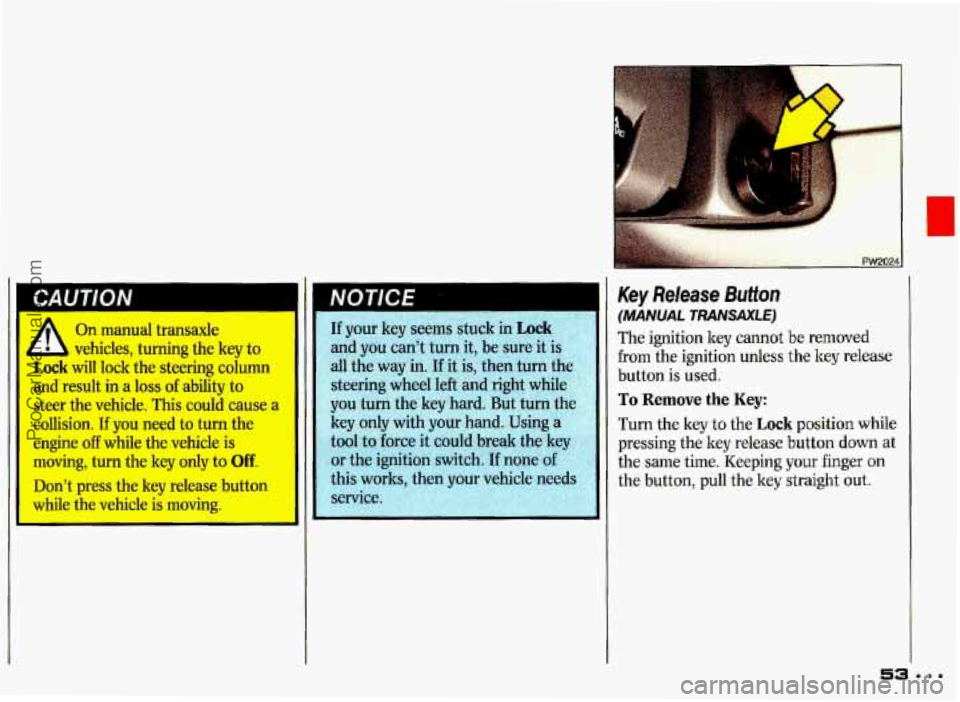
Key Release Button
(MANUAL TRANSAXLE)
The ignition ley cannot be removed
from the ignition unless the key release
button is used.
To Remove the Key:
Turn the key to the Lock position while
pressing the key release button
down at
the same time. Keeping your finger on
the button, pull the key straight out.
53 =.=
ProCarManuals.com
Page 58 of 338
$;. +..* s.:
P-
::
. PW~Oil ..
. Shi ng the Automatic
Transale
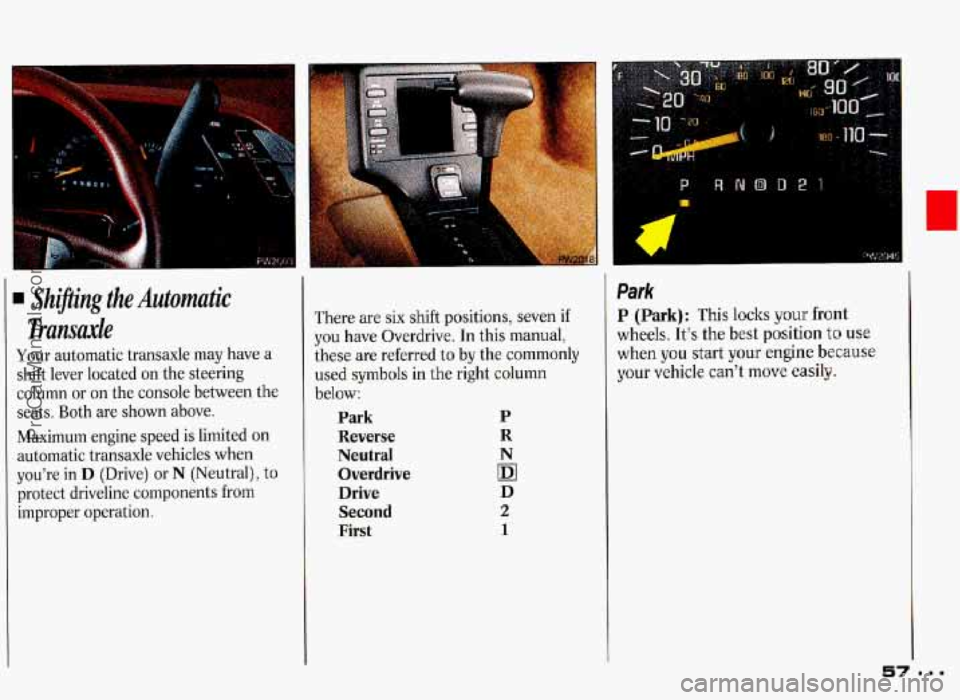
Your automatic transaxle may have a
shift lever located on the steering
column or on the console between the
seats. Both are shown above.
Maximum engine speed
is limited on
automatic transaxle vehicles when
you’re
in D (Drive) or N (Neutral), to
protect driveline components from
improper operation.
h
There are six shift positions, seven if
you have Overdrive. In this manual,
these are referred to by the commonly
used symbols in the right column
below:
Park P
Reverse R
Neutral N
Overdrive (DI
Drive D
Second 2
First 1
Park
P (Park): This locks your front
wheels. It’s the best position to use
when you start your engine because
your vehicle can’t move
easily.
ProCarManuals.com
Page 70 of 338
(Continued)
is not hlly in P (Park) with the
parking brake firmly set. Your
vehicle can roll. Don’t leave pur
vehicle when the engine is running
unless you have to. If you’ve left
the engine running, the vehicle can
move suddenly. You or others
could be injured. To be sure your
vehicle
won’t move, even when
you’re on fairly level ground, always
set your parking brake and move
the
shift lever to P (Park).
If you are parking on a hill, or if
you’re pulling a trailer, also see the
In&x under Parking on Hills or
Towing a Tnzileu.
.- i ,- - . I.
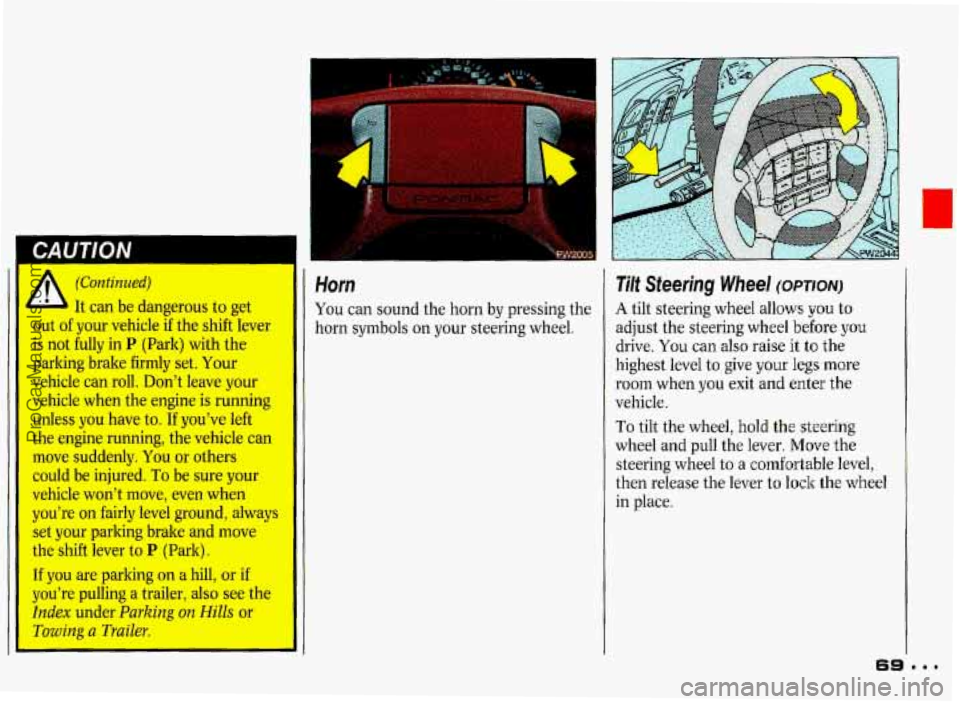
Horn
You can sound the horn by pressing the
horn symbols on your steering wheel.
Tilt Steering Wheel (omow
A tilt steering wheel allows you to
adjust the steering wheel before
you
drive. You can also raise it to the
highest level
to give your legs more
room when you exit and enter the
vehicle.
To tilt the wheel, hold the steering
wheel and pull the lever.
Move the
steering wheel to
a comfortable level,
then release the lever to
lock the wheel
in place.
ProCarManuals.com
Page 71 of 338
Features tS Controls
m..
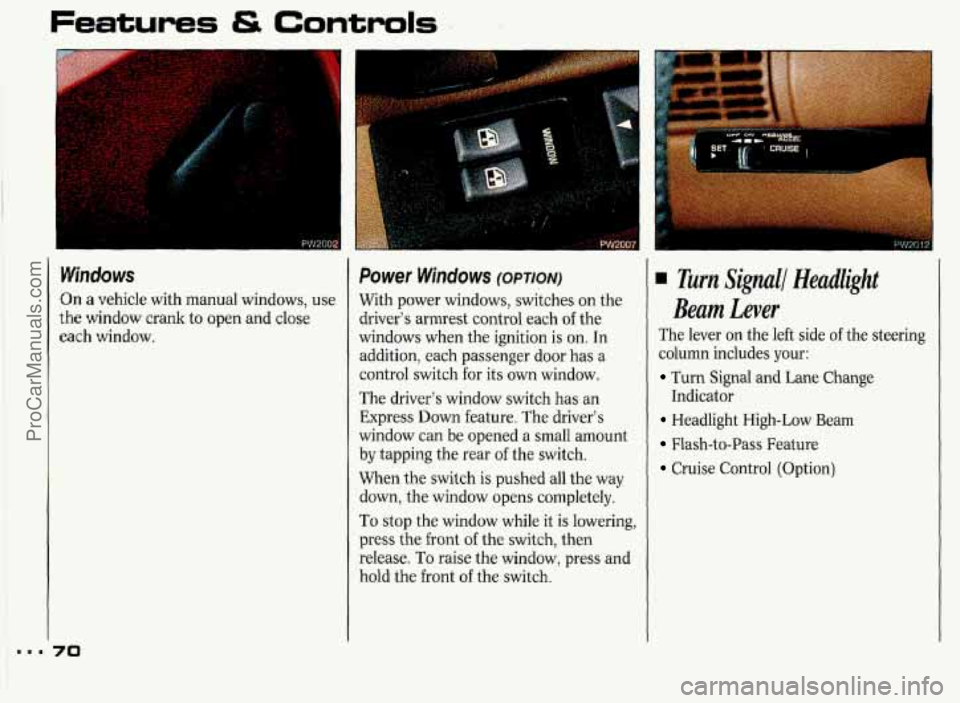
Windows
On a vehicle with manual windows, use
the window crank to open and close
each window.
70
Power Windows (OPTION)
With power windows, switches on the
rlriver’s armrest control each
of the
windows when the ignition is on.
In
addition, each passenger door has a
control switch for its own window.
The driver’s window switch has an
Express Down feature. The driver’s
window can be opened
a small amount
by tapping the rear of the switch.
When the switch is pushed all the way
down, the window opens completely.
To stop the window while it is lowering,
press the front of the switch, then
release. To raise the window, press and
hold the front of the switch.
Turn Signall Headlight
Beam Lever
The lever on the left side of the steering
column includes your:
Turn Signal and Lane Change
Headlight High-Low Beam
Flash-to-Pass Feature
Cruise Control (Option)
Indicator
ProCarManuals.com
Page 94 of 338
The Instrument Panel-
Your Information System
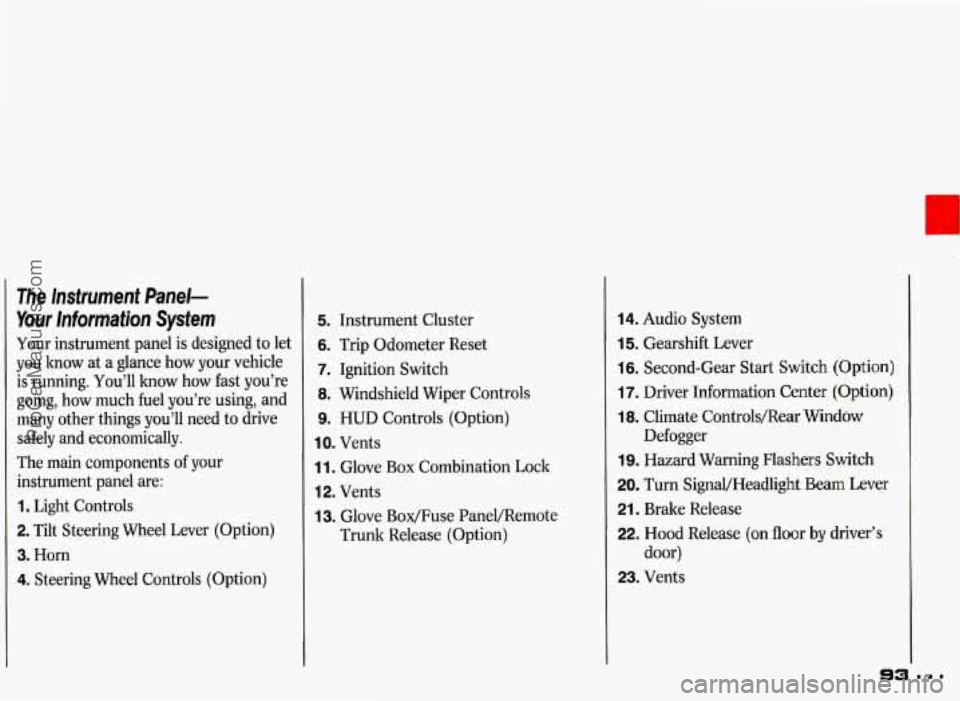
Your instrument panel is designed to let
you know at
a glance how your vehicle
is running. You’ll how how fast you’re
going, how much fuel you’re using, and
many other things you’ll need to drive
safely and economically.
The main components of your
instrument panel are:
1. Light Controls
2. Tilt Steering Wheel Lever (Option)
3. Horn
4. Steering Wheel Controls (Option)
5. Instrument Cluster
6. Trip Odometer Reset
7. Ignition Switch
8. Windshield Wiper Controls
9. HUD Controls (Option)
IO. Vents
1 1. Glove Box Combination Lock
12. Vents
13. Glove Box/Fuse PaneVRemote
Trunk Release (Option)
14. Audio System
15. Gearshift Lever
16. Second-Gear Start Switch (Option)
17. Driver Information Center (Option)
18. Climate Controls/Rear Window
19. Hazard Warning Flashers Switch
20. Turn SignaVHeadlight Beam Lever
21. Brake Release
22. Hood Release (on floor by driver’s
door)
23. Vents Defogger
ProCarManuals.com
Page 112 of 338
_1
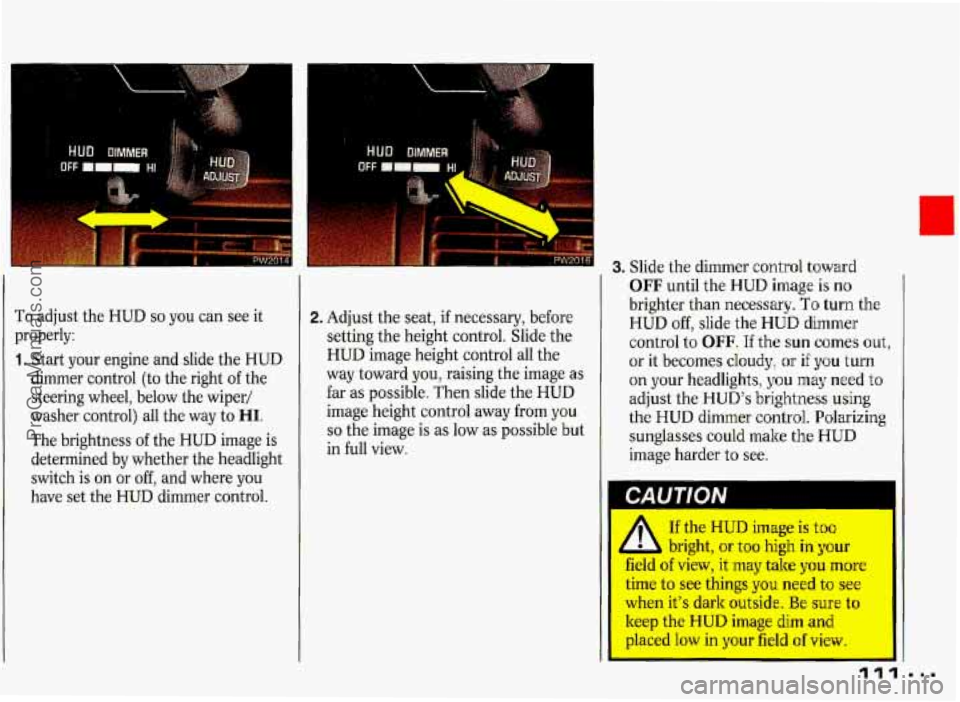
To adjust the HUD so you can see it
properly:
1. Start your engine and slide the HUD
dimmer control (to the right
of the
steering wheel, below the wiper/
washer control) all the way to
HI.
The brightness of the HUD image is
determined
by whether the headlight
switch is on or off, and where you
have set the HUD dimmer control.
2. Adjust the seat, if necessary, before
setting the height control. Slide the
HUD image height control all the
way toward you, raising the image as
far as possible, Then slide the HUD
image height control away from you
so the image is as low as possible but
in full view.
3. Slide the dimmer control toward
OFF until the HUD image is no
brighter than necessary. To turn the
HUD off, slide the HUD dimmer
control to OFF. If the
sun comes out,
or it becomes cloudy,
or if you turn
on your headlights,
you may need to
adjust the HUD’s brightness
using
the HUD dimmer control. Polarizing
sunglasses could make
the HUD
image harder to see.
If the HUD image is too
1 L bright, or too high in your
field of view, it may take you more
time to see things you need to see
when it’s dark outside. Be sure to
keep the HUD image dim and
placed low in your field of view.
ProCarManuals.com
Page 116 of 338
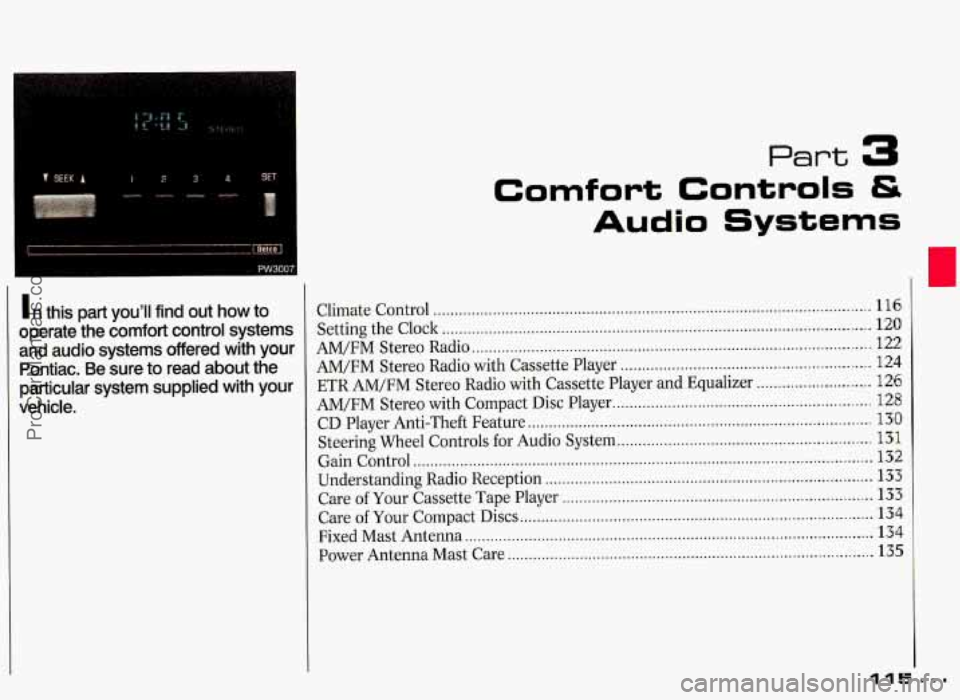
Part 3
Comfort Controls &
Audio Systems
1 n this part you'll find out how to
operate the comfort control systems
and audio systems offered with your Pontiac
. Be sure to read about the
particular system supplied with your
vehicle
.
Climate Control ........................................................................\
............................... 116
Setting the Clock ........................................................................\
............................. 120
AM/FM Stereo Radio ........................................................................\
...................... 122
AM/FM Stereo Radio with Cassette Player ........................................................... 124
ETR AM/FM Stereo Radio with Cassette Player and Equalizer ........................... 126
AM/FM Stereo with Compact Disc Player ............................................................. 128
Steering Wheel Controls for Audio System ............................................................ 131
Understanding Radio Reception ........................................................................\
..... 133
Care of Your Cassette Tape Player ........................................................................\
. 133
Fixed Mast Antenna 134
Power Antenna Mast Care 135
CD Player Anti-Theft
Feature
........................................................................\
......... 130
Gain Control ........................................................................\
.................................... 132
Care of Your Compact Discs ........................................................................\
........... 134
........................................................................\
........................
........................................................................\
..............
115
ProCarManuals.com
Page 132 of 338
To Disable the Anti-Theft System:
Enter your secret code by following
these steps (you will have only
15
seconds between each step).
1. Turn the ignition on and the radio
off, then press the PREV and FF
buttons of the station presets. SEC
will appear, showing the radio is
secure.
2. Press SET and 000 appears on the
display.
3. Depress SEEK until the first digit of
your secret code appears.
4. Depress SCAN until the second and
third digits of your code appear.
5. Press AM-FM (000 will appear on
the display).
6. Depress SEEK until the fourth digit
of your code appears.
7. Depress SCAN until the fifth and
sixth digits
of your code appear.
8. Press AM-FM. If the display shows
will play again. If the display shows
SEC, the steps were not successful
and the numbers did not match the
secret code.
If you lose or forget your code, see your
dealer.
If
you lose battery power, when the
battery
is reconnected, the radio will
not turn on and LOC will appear.
Follow steps 1-8 for disabling your
system, but the time will appear if
you
are successful. If SEC appears, the
numbers did not match and your unit is
still locked.
ii " the radio is unsecured and ---
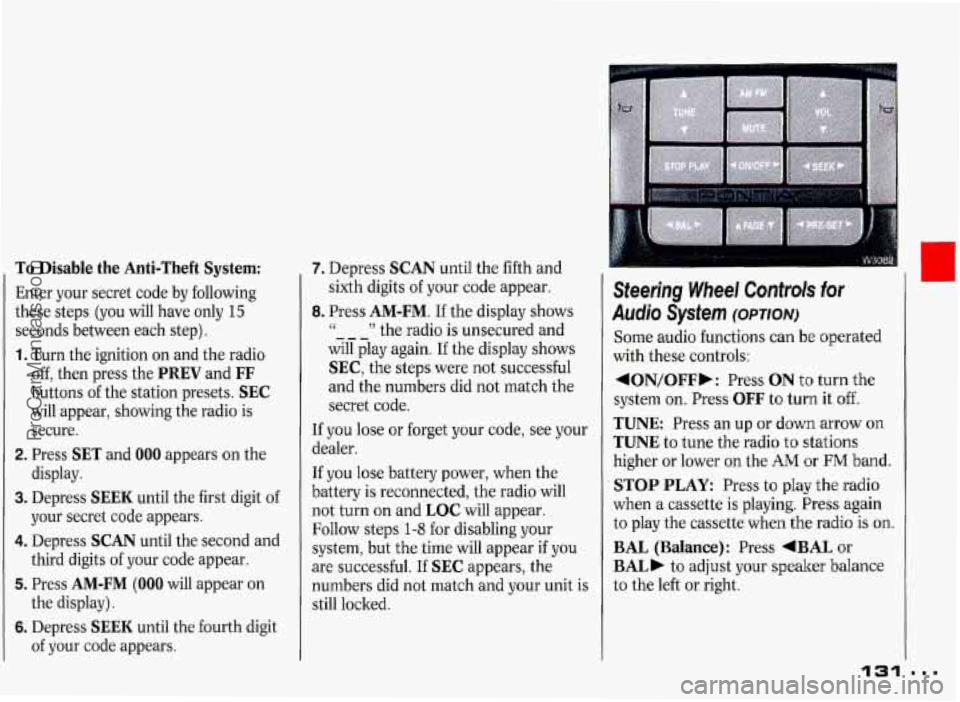
Steering Wheel Controk for
Audio System (omow
Some audio functions can be operated
with these controls:
4ON/OFFb: Press ON t'o turn the
system
on. Press OFF to turn it off.
TUNE Press an up or down arrow on
TUNE to tune the radio to stations
higher or lower
on the AM or FM band.
STOP PLAY: Press to play the radio
when a cassette is playing. Press again
to play the cassette
when the radio is on.
BAL (Balance): Press +BAL or
BAL) to adjust your speaker balance
to the left or right.
131
I
...
I
ProCarManuals.com