stop start PONTIAC GRAND-PRIX 1993 Owners Manual
[x] Cancel search | Manufacturer: PONTIAC, Model Year: 1993, Model line: GRAND-PRIX, Model: PONTIAC GRAND-PRIX 1993Pages: 338, PDF Size: 17.3 MB
Page 51 of 338
Features & Controls
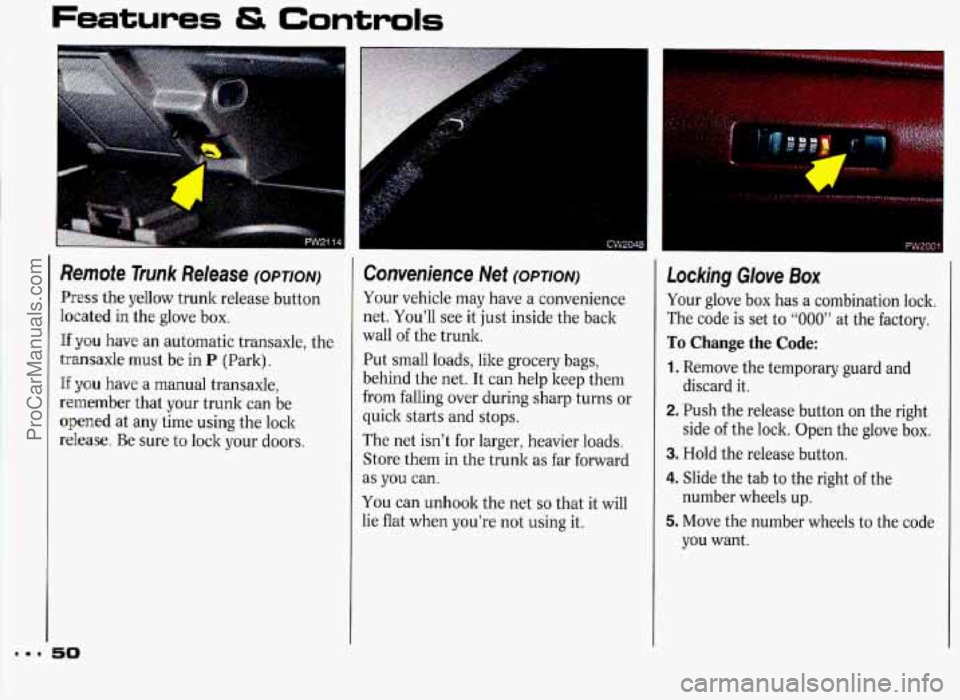
Remote Trunk Release (OPTION)
Press the yellow trunk release button
heated in the glove box.
Hf you have an automatic transaxle, the
transaxle must be in
P (Park).
If y0.u have a manual transaxle,
remember that your trunk can be
opened at any time using the lock
release. Be sure to lock your doors.
50
Convenience Net (OPTION)
Your vehicle may have a convenience
net. You’ll see it just inside the back
wall
of the trunk.
Put small loads, like grocery bags,
behind the net. It can help keep them
from falling over during sharp turns or
quick starts and stops.
The net isn’t for larger, heavier loads.
Store them in the trunk as far forward
as
you can.
You can unhook the net
so that it will
lie flat when you’re not using it.
Locking Glove Box
Your glove box has a combination lock.
The code is set to
“000” at the factory.
To Change the Code:
1. Remove the temporary guard and
discard it.
2. Push the release button on the right
side
of the lock. Open the glove box.
3. Hold the release button.
4. Slide the tab to the right of the
5. Move the number wheels to the code
number wheels up.
you want.
ProCarManuals.com
Page 52 of 338
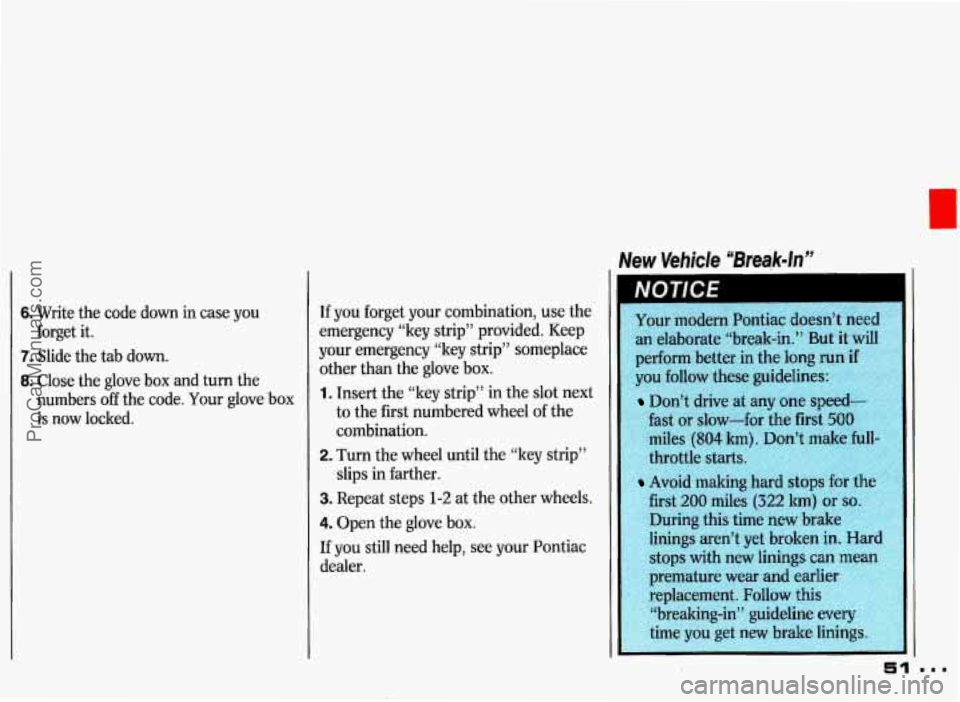
New Vehicle “Break-In”
6. Write the code down in case you
7. Slide the tab down.
8. Close the glove box and turn the
forget
it.
numbers
off the code. Your glove box
is now locked. If
you forget your combination, use the
emergency “key strip” provided. Keep
your emergency “key strip” someplace
other than the glove box. 1. Insert the “ley strip” in the slot next
to the first numbered wheel
of the
combination.
2. Turn the wheel until the “key strip”
slips in farther.
3. Repeat steps 1-2 at the other wheels.
4. Open the glove box.
If you still need help, see your Pontiac
dealer.
an elaborate “break-in.” But it will
perform better in the long run
if
you follow these guidelines:
Don’t drive at any one speed-
fast or slow-for the first
500
miles (804 km). Don’t make hll-
throttle starts.
Avoid making
first
200 miles (322 lun) or so.
During this time new brake
linings aren’t yet broken
in. Hard
stops with new linings
can mean
premature wear and earlier
;8r:li .4.,Y ‘‘;-:A replacement. Follow this
$j “breaking-in” guideline every
51
ProCarManuals.com
Page 55 of 338
Features Controls
. Starting Your Engine
Vehicles with automatic and manual
transaxles start differently. Follow the
proper steps
to start your vehicle.
Automatic Transaxle
1. Move your shift lever to P (Park) or
N (Neutral). Your engine won’t start
in any other position-that’s a safety
feature.
To restart when you’re
already moving, use
N (Neutral)
only.
Don’t
try to shift to P (Park) if
your Pontiac is
moving. If you do,
you could damage the transaxle.
Shift to
P (Park) only whe
vehicle is stopped.
Manual Transaxle
1. Shift your gear selector to
N (Neutral) and hold the clutch pedal
to the floor while starting the engine.
Your vehicle won’t start if the clutch
pedal is
not all the way down-that’s
a safety feature.
ProCarManuals.com
Page 56 of 338
Both Transaxles
2. Don’t push the accelerator pedal
before starting your engine. In some
other vehicles you might need to do
this, but because of your vehicle’s
computer systems, you don’t.
3. Turn the ignition to Start. When the
engine starts, let go of the key. The
idle speed will go down as your
engine gets warm.
4. If your engine won’t start (or starts
but then stops), it could be flooded
with too much gasoline. Try pushing
your accelerator pedal all the way to
the floor and holding it there as you
hold the key in
Start for about three
seconds. If the vehicle starts briefly
but then stops again, do the same
thing, but this time keep the pedal
down for five or six seconds. This
clears the extra gasoline from the
engine.
ProCarManuals.com
Page 63 of 338
Features & Controls
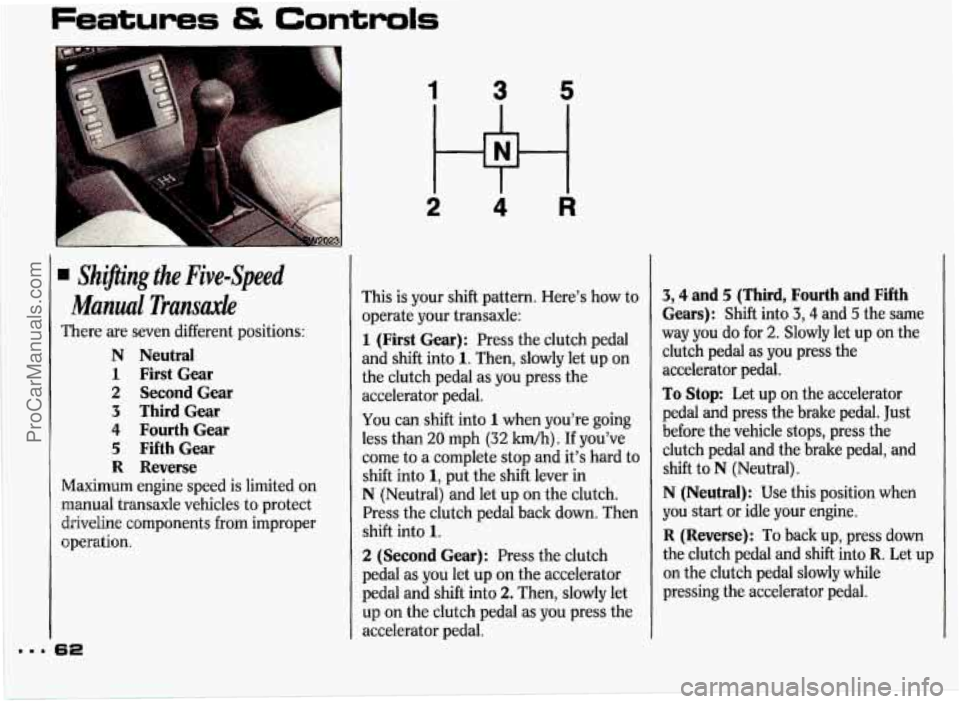
. Shzpng the Five-Speed
Manual Transaxle
There are seven different positions:
N Neutral
1 First Gear
2 Second Gear
3 ThirdGear
4 Fourth Gear
5 FifthGear
R Reverse
Maximum engine speed is limited on
manual transaxle vehicles to protect
driveline components from improper
operation.
1 3 5
2 4 R
This is your shift pattern. Here's how to
operate your transaxle:
1 (First Gear): Press the clutch pedal
and shift into
1. Then, slowly let up on
the clutch pedal as you press the
accelerator pedal.
You can shift into 1 when you're going
less than
20 mph (32 km/h). If you've
come to a complete stop and it's hard to
shift into
1, put the shift lever in
N (Neutral) and let up on the clutch.
Press the clutch pedal back down. Then
shift into
1.
2 (Second Gear): Press the clutch
pedal as you let up on the accelerator
pedal and shift into
2. Then, slowly let
up on the clutch pedal as you press the
accelerator pedal.
3,4 and 5 (Third, Fourth and Fifth
Gears): Shift into 3,4 and 5 the same
way you do for
2. Slowly let up on the
clutch pedal as you press the
accelerator pedal.
To Stop: Let up on the accelerator
pedal and press the brake pedal. Just
before the vehicle stops, press the
clutch pedai and the brake pedal, and
shift to
N (Neutral).
N (Neutral): Use this position when
you start
or idle your engine.
R (Reverse): To back up, press down
the clutch pedal and
shift into R. Let up
on the clutch pedal slowly while
pressing the accelerator pedal.
ProCarManuals.com
Page 77 of 338
Features & Controls
I
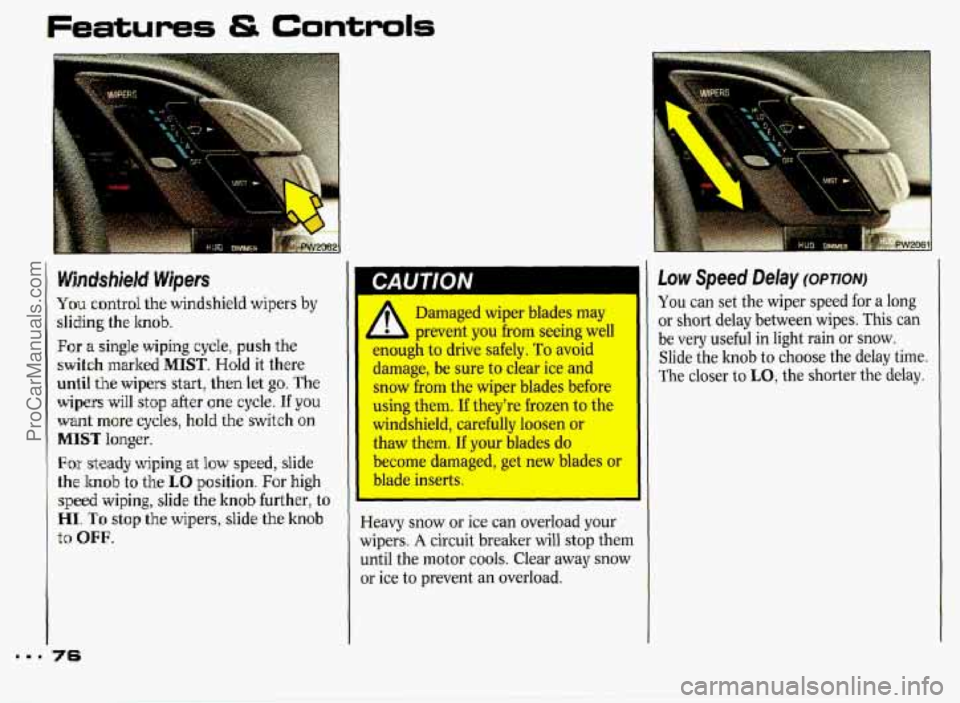
Wjndshiield Wipers
You control the windshield wipers by
sliding the hob.
Far a single wiping cycle, push the
switch marked MIST. Hold it there
until the
wipers start, then let go. The
wipers will stop .after one cycle. If you
want more cycle.s, hold the switch on
MISIT longer.
Far skady wiping at low speed, slide
the
hob to the LO position. For high
speed wiping, slide the knob further, to
HI.. 'To stop the wipers, slide the knob
to OFF.
716
I
i
Damaged wiper blades may
prevent
you from seeing well
enough
to drive safely. To avoid
damage,
be sure to clear ice and
snow
from the wiper blades before I
using them. If they're frozen to the
windshield, carefully loosen or
thaw them.
If your blades do
become damaged, get new blades or
blade inserts.
I
Heavy snow or ice can overload your
wipers. A circuit breaker will stop them
until the motor
cools. Clear away snow
or ice
to prevent an overload.
You can set the wiper speed for a long
or short delay between wipes. This can
be very useful in light rain
or snow.
Slide the hob to choose the delay time.
The closer to
LO, the shorter the delay.
ProCarManuals.com
Page 101 of 338
mmm
Features & Controls
I
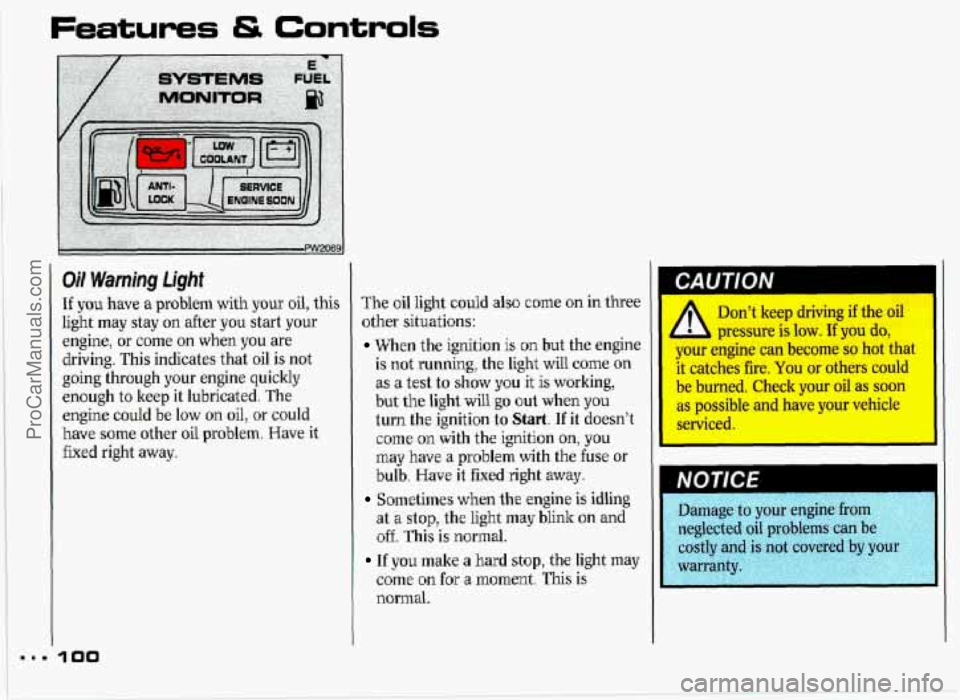
Oil Warning Light
If you have a problem with your oil, this
light may stay on after you start
your
engine, or come on when you are
driving. This indicates that oil
is not
going through your engine quickly
enough to
keep it lubricated. The
engine
could be low on oil, or could
have some other oil problem. Have it
fixed right away.
3 00
The oil light could also come on in three
other situations:
When the ignition is but the engine
is not running, the light will come on
as a test to show you it is working,
but the light
will go out when you
turn the ignition to Start. If it doesn’t
come on with the ignition on, you
may have a problem with the fuse or
bulb.
Have it fixed right away.
Sometimes when the engine is idling
at
a stop, the light may blink on and
off. This is normal.
If you make a hard stop, the light may
come on for ‘a moment. This is
normal.
Don’t keep driving if the oil
pressure is low. If you do,
your engine can become so hot that
it catches he. You or others could
be burned. Check your oil as soon
as possible and have yaw vehicle
NOTICE
ProCarManuals.com
Page 103 of 338
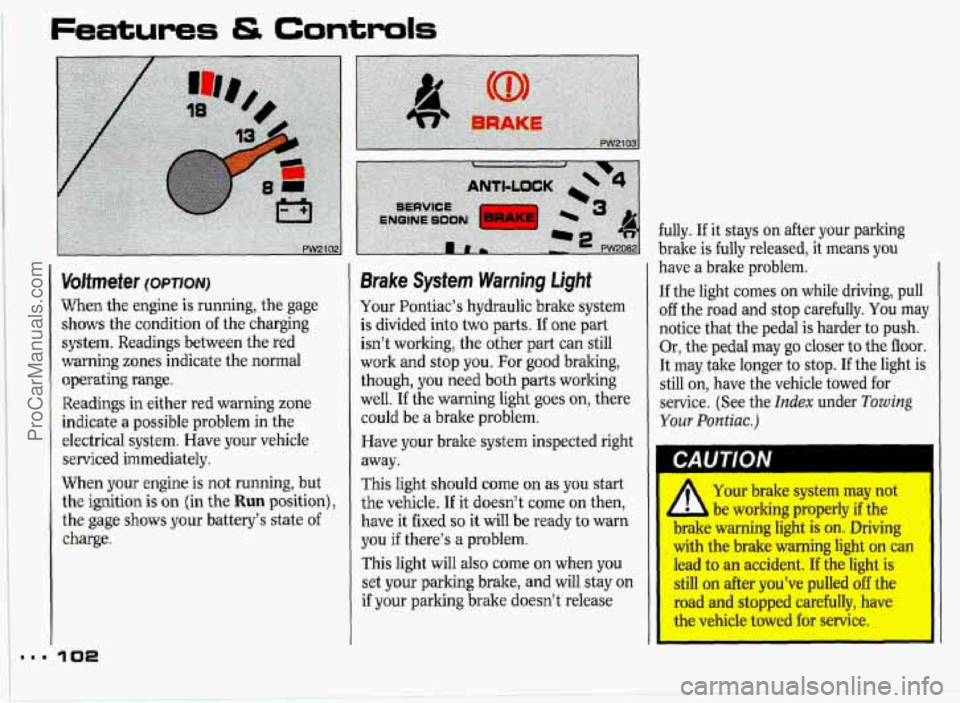
Voltmeter (OPTION)
When the engine is running, the gage
shows the condition
of the charging
system. Readings between the red
warning zones indicate the normal
operating range.
Readings in either red warning zone
indicate a possible problem in the
electrical system. Have your vehicle
serviced immediately.
When your engine
is not running, but
the ignition is
on (in the Run position),
the gage shows your battery’s state
of
charge.
Brake System Warning Light
Your Pontiac’s hydraulic brake system
is divided into two parts. If one part
isn’t working, the other part can still
work and stop you. For good bralung,
though, you need both parts working
well.
If the warning light goes on, there
could be a brake problem.
Have your brake system inspected right
away.
This light should come on as you start
the vehicle.
If it doesn’t come on then,
have it fixed
so it will be ready to warn
you
if there’s a problem.
This light will also come on when you
set your
parking brake, and will stay on
if your parking brake doesn’t release fully.
If it stays on after your parking
brake is fully released, it means you
have a brake problem.
If the light comes on while driving, pull
off the road and stop carefully. You maJ
notice that the pedal is harder to push.
Or, the pedal may
go closer to the floor.
It may take longer to stop.
If the light is
still on, have the vehicle towed for
service. (See the
Index under Towing
Your Pontiac.)
1 CAUTION
Your brake system may not
be working properly if the .
WIMC warning light is on. Driving
with the brake warning light ora can
lead to an accident. If the light is
still on after you’ve pulled off the
road and stopped carefully, have
I the vehicle towed €or senrice.
ProCarManuals.com
Page 104 of 338
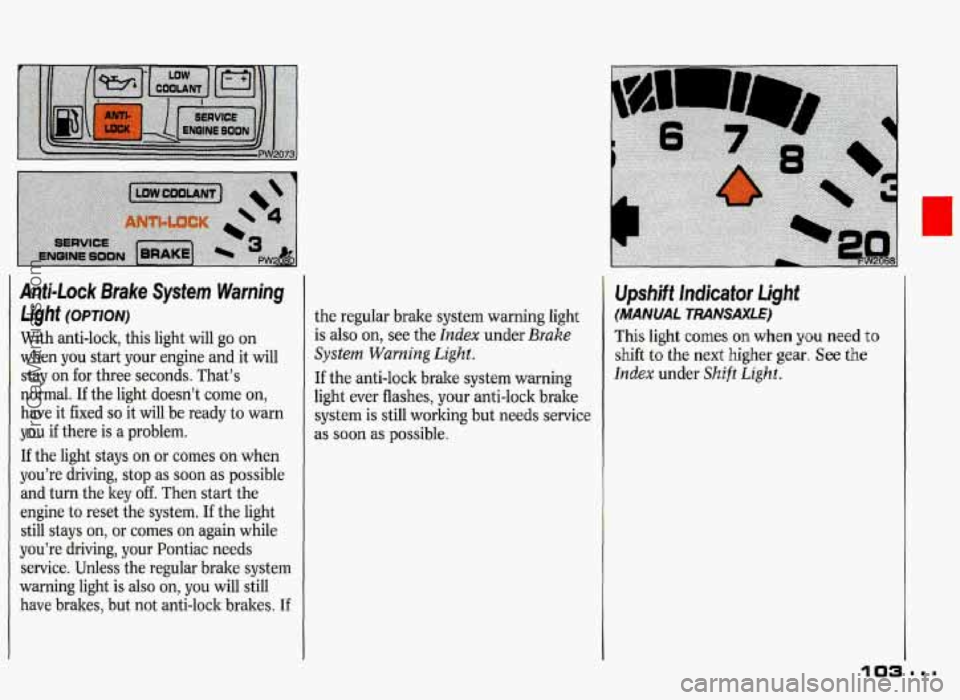
Anti-Lock Brake System Warning
Light (OPTION)
With anti-lock, this light will go on
when you start your engine and it will
stay on for three seconds. That’s
normal.
If the light doesn’t come on,
have it fixed
so it will be ready to warn
you if there is a problem.
If the light stays on or comes on when
you’re driving,
stop as soon as possible
and turn the key off. Then start the
engine to reset the system. If the light
still stays
on, or comes on again while
you’re driving, your Pontiac needs
service. Unless the regular brake system
warning light
is also on, you will still
have brakes, but not anti-lock brakes.
If
the regular brake system warning light
is also on, see the Index under Brake
System Warning Light.
If the anti-lock brake system warning
light ever flashes, your anti-lock brake
system is still working but needs service
as soon as possible.
1
ProCarManuals.com
Page 131 of 338
Comfort Controls & Audio Systems
AM/FM Stereo with Compact Disc
Player
(COIVT.)
When Finished with the Compact Disc Player:
If you press PWR or turn off the
ignition, the disc will stay in the player
and start again when you turn on the
ignition or power switch. The disc will
begin playing at the point where it had
been stopped.
ST/PL (Stop/Play): Press to stop the
disc player; the radio will play. Press
again to play the disc (the player will
start playing the disc where it was
stopped earlier).
CD Player Anti-Theft Feature
Delco LOC IP is a security feature that
can be used or ignored. If you ignore it,
the radio will play normally.
If you use
it, your radio cannot be turned on
if it is
stolen. These instructions will tell you
how
to enter a secret code into the
radio. Then,
if battery power is lost for
any reason, the secret code must be
entered again before the radio can be
turned on.
To Set:
1. Write down any 6-digit number and
keep it in a safe place. This is your
secret code.
2. Turn the ignition on.
3. Press the PWR button to turn the
4. Press the PREV and FF buttons at
radio off.
the same time and hold until
You now have only 15 seconds
between each of the following steps.
(6 '' shows on the display. ---
5. Press SET and 000 appears on the
display.
6. Depress SEEK until the first digit of
your code appears.
7. Depress SCAN until the second and
third digits of your code appear.
8. Press AM-FM (000 appears).
9. Depress SEEK until the fourth digit
of your code appears.
10. Depress SCAN until the fifth and
sixth digits of your code appear.
11. Press AM-FM (rEP will appear for
five seconds, then
000).
12. Repeat steps 6 through 10. Then
press the
AM-FM button again.
SEC will appear, indicating that
Delco
LOC IP is set, and your
radio is secure.
If " " appears,
the steps were not successful and
you must repeat the entire
procedure. ---
ProCarManuals.com