fuse PONTIAC GRAND PRIX 1998 Owners Manual
[x] Cancel search | Manufacturer: PONTIAC, Model Year: 1998, Model line: GRAND PRIX, Model: PONTIAC GRAND PRIX 1998Pages: 402, PDF Size: 17.96 MB
Page 6 of 402
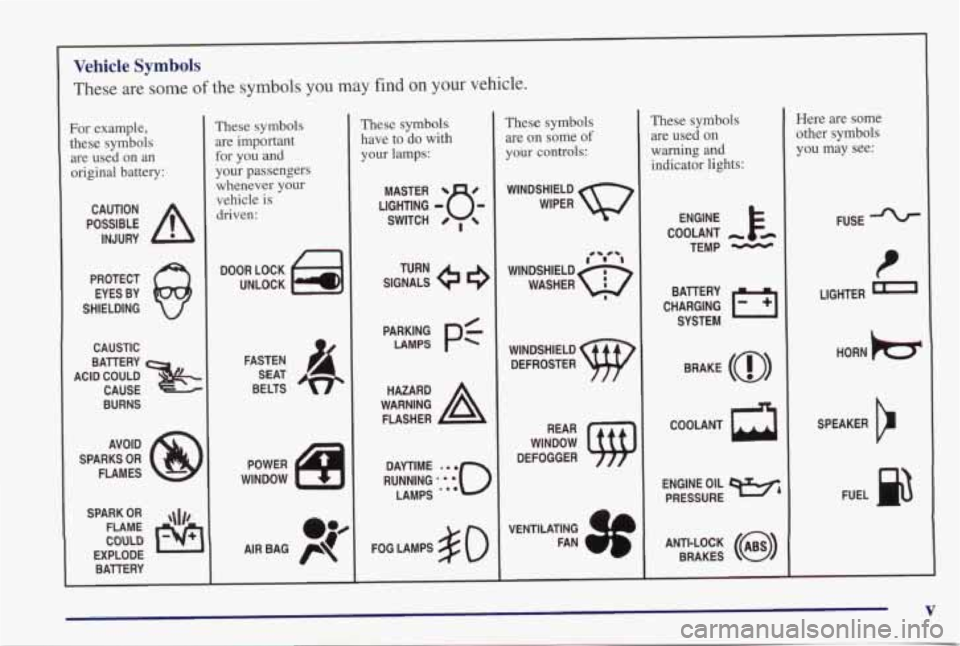
Vehicle Symbols
These are some of the symbols you may find on your vehicle.
For example,
these symbols are used on an
original battery:
POSSIBLE A
CAUTION
INJURY
PROTECT EYES BY
SHIELDING
CAUSTIC
I
BURNS I
AVOID
SPARKS
OR
FLAMES
SPARK
OR ,\I/,
COULD
FLAME
EXPLODE BAllERY
These symbols are important for you and
your passengers
whenever your
vehicle is
driven:
n
UNLOCK Fol
FASTEN
SEAT
BELTS
op
AIR BAG p
These symbols
have to do with
your lamps:
SIGNALS 6
TURN
PARKING
p$ LAMPS
FOG LAMPS
$0
These symbols are
on some of
your controls:
WINDSHIELD
WIPER
WINDSHIELD DEFROSTER
VENTILATING
1
These symbols are used on
warning and
indicator lights:
COOLANT
TEMP
-
CHARGING I-1
BAllERY
SYSTEM
BRAKE
(0)
h
ENGINE OIL
PRESSURE
Here are some
other symbols
you may see:
FUSE
LIGHTER
m
HORN tcr
SPEAKER
b
FUEL e3
V
Page 9 of 402
Seats and Seat Controls
This section tells you how to adjust the seats and
explains
reclining seatbacks and head restraints.
2-Way Manu4 Drive-Tassenger Seat
I A CAUTION:
You can lose control of the vehicle if you try to
adjust a manual driver’s seat while the vehicle is
moving. The sudden movement could startle and
confuse you, or make you push a pedal when you
don’t want
to. Adjust the driver’s seat only when
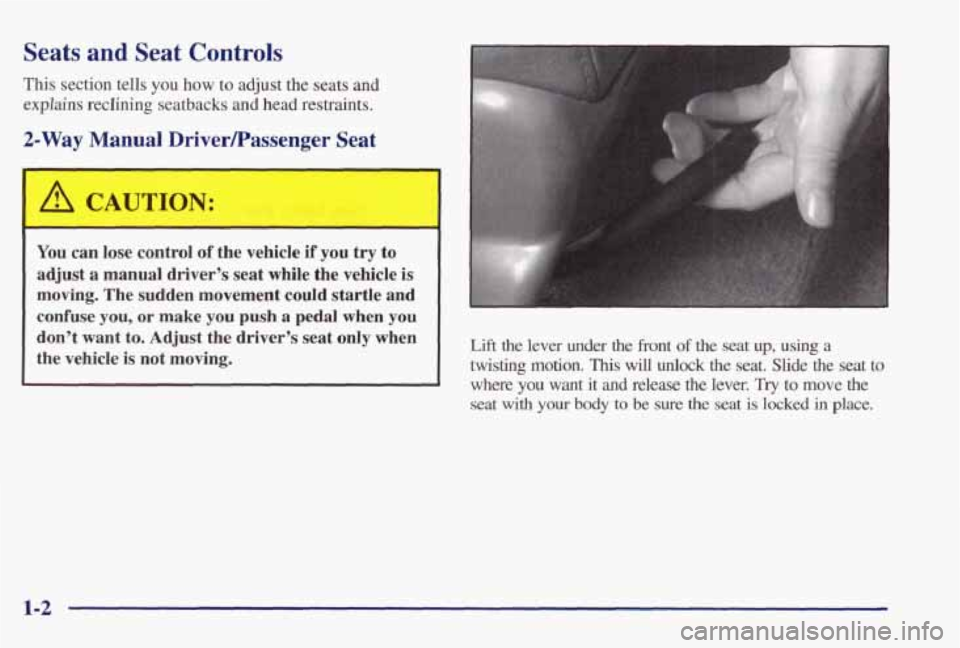
the vehicle is not moving. Lift the lever under the front of the seat up, using a
twisting motion. This will unlock the seat. Slide the seat to
where
you want it and release the lever. Try to move the
seat with your body to be sure the seat is locked in place.
1-2
Page 110 of 402
firn Signal and Lane Change Indicator
The turn signal has two upward (for right) and two
downward (for left) positions. These positions allow you
to signal a turn or a lane change.
To signal a turn, move the lever all the way up or
down. When the turn is finished, the lever will
return automatically.
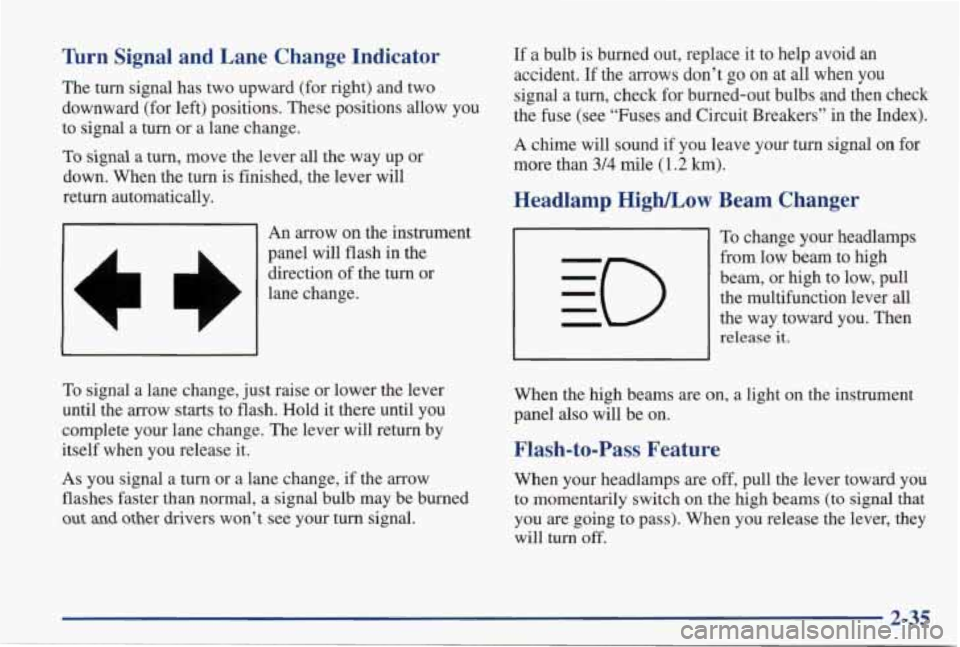
An arrow
on the instrument
panel will flash in the
direction of the turn or
lane change.
7 I
A
To signal a lane change, just raise or lower the lever
until the arrow starts to flash. Hold it there until you
complete your lane change. The lever will return by
itself when you release it.
As you signal a turn or a lane change, if the arrow
flashes faster than normal,
a signal bulb may be burned
out and other drivers won’t see your turn signal. If
a bulb is burned out, replace it to help avoid an
accident.
If the arrows don’t go on at all when you
signal a turn, check for burned-out bulbs and then check
the fuse (see “Fuses and Circuit Breakers” in the Index).
A chime will sound if you leave your turn
signal on for
more than
3/4 mile (1.2 km).
Headlamp High/Low Beam Changer
To change your headlamps
from low
beam to high
beam, or high to low, pull the multifunction lever
all
the way toward you. Then
release it.
When the high beams are on, a light on the instrument
panel also will be on.
Flash-to-Pass Feature
When your headlamps are off, pull the lever toward you
to momentarily switch on the high beams (to signal
that
you are going to pass). When you release the lever, they
will turn
off.
2-35
Page 121 of 402
Entering Prograwng Mode
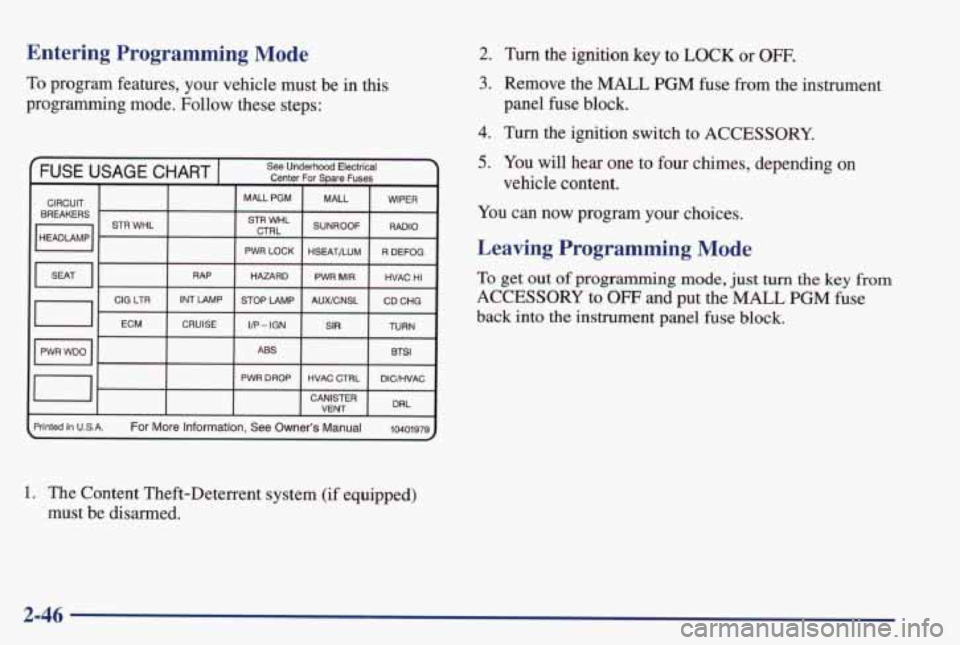
To program features, your vehicle must be in this
programming mode. Follow these steps:
1. The Content Theft-Deterrent system (if equipped)
must be disarmed.
2.
3.
4.
5.
Turn the ignition key to LOCK or OFF.
Remove the MALL PGM fuse from the instrument
panel
fuse block.
Turn the ignition switch to ACCESSORY.
You
will hear one to four chimes, depending on
vehicle content.
You can now program your choices.
Leaving Programming Mode
To get out of programming mode, just turn the key from
ACCESSORY to OFF and put the MALL PGM fuse
back into the instrument panel fuse block.
2-46
Page 146 of 402
If so, be sure to fuel your vehicle with quality fuel (see
“Fuel” in the Index). Poor fuel
quality will cause your
engine not to
run as efficiently as designed. You may
notice
this as stalling after start-up, stalling when you
put the vehicle into gear, misfiring, hesitation on
acceleration or stumbling on acceleration. (These
conditions may go away once the engine is warmed up.)
This will be detected by the system and cause the light
to
turn on.
If you experience one or more of these conditions,
change the fuel brand you use. It will require at least one
full tank of the proper fuel to
turn the light off.
If none of the above steps have made the light turn off,
have your dealer or qualified service center check the
vehicle. Your dealer has the proper test equipment and
diagnostic
tools to fix any mechanical or electrical
problems that may have developed.
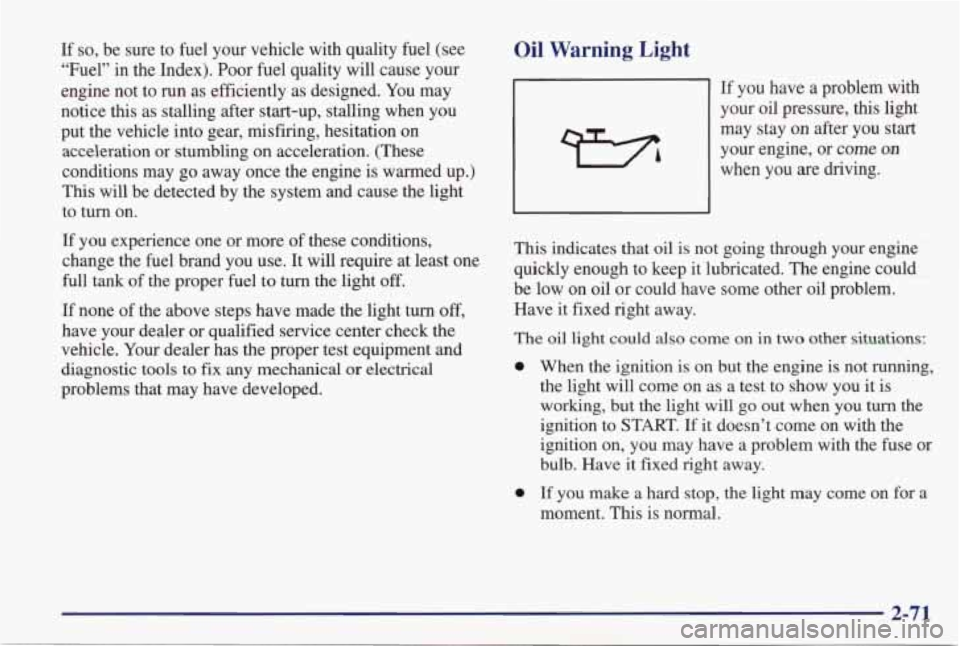
Oil Warning Light
If you have a problem with
your oil pressure, this light
may stay
on after you start
your engine, or come
on
when you are driving.
This indicates that oil is not going through your engine
quickly enough to keep it lubricated. The engine could
be low on oil or could have some other oil problem.
Have it fixed right away.
The
oil light could also come on in two other situations:
0
0
When the ignition is on but the engine is not running,
the light will come on
as a test to show you it is
working, but the light
will go out when you turn the
ignition to START.
If it doesn’t come on with the
ignition on, you may have a problem with the fuse or
bulb. Have
it fixed right away.
If you make
a hard stop, the light may come on for a
moment. This is normal.
2-71
Page 159 of 402
If You Can’t See the HUD Image When the Ignition
Is On
0 Is anything covering the HUD unit?
0 Is the HUD dimmer setting bright enough?
Is the HUD image adjusted to the proper height?
Still no HUD image? Check the fuse in the I/P
Electronics position in the instrument panel fuse
block. See “Fuses and Circuit Breakers” in
the Index.
If the HUD Image Is Not Clear
Is the HUD image too bright?
Are the windshield and HUD lens clean?
Your windshield is part of the HUD system. If you ever
have to have a new windshield, be sure to get one
designed for
HUD. If you don’t, the HUD image may
look blurred and out
of focus.
Power Drop Feature
Your vehicle is equipped with auxiliary power leads.
These leads can be used to power aftermarket electrical
equipment added
to your vehicle. They are located on
the passenger’s side of the vehicle, below the glove box.
For additional information on accessing these leads and
electrical hookup, please refer
to your service manual.
2-84
Page 278 of 402
A CAUTION:
You can be injured and your vehicle c!!!d be
damaged
if you try to do service work on a
vehicle without knowing enough about it.
Be sure you have sufficient knowledge,
experience, the proper replacement parts
and tools before you attempt any vehicle
maintenance task.
Be sure to use the proper nuts, bolts and
other fasteners. “English” and “metric”
fasteners can be easily confused.
If you use
the wrong fasteners,
parts can later break
or fall
off. You could be hurt.
Adding Equipment to the
Outside
of Your Vehicle
Things you might add to the outside of your vehicle can
affect the airflow around
it. This may cause wind noise
and affect windshield washer performance. Check with
your dealer before adding equipment to the outside of
your vehicle.
Fuel
The 8th digit of your vehicle identification number
(VIN) shows the code letter for your engine. You will
find the VIN at the top
left of your instrument panel.
(See “Vehicle Identification Number” in the Index.)
If you have the 3100 engine (VIN Code M) or 3800
engine (VIN Code K), use regular unleaded gasoline
rated at
87 octane or higher. If you’re using fuel rated at
the recommended octane or higher and you hear heavy
knocking, your engine needs service. But don’t worry
if
you hear a little pinging noise when you’re accelerating
or driving up a hill. That’s
normal, and you don’t have
to buy a higher octane
fuel to get rid of pinging. It’s the
heavy, constant knock
that means you have a problem.
6-3
Page 337 of 402
Electrical System
kdd-On Electrical Equipment
NOTICE:
Don’t add anything electrical to your vehicle
unless you check with your dealer
first. Some
electrical equipment can damage your vehicle
and
the damage wouldn’t be covered by your
warranty.
Some add-on electrical equipment
can keep other components from working as
they should.
Your vehicle has an air bag system. Before attempting to
add anything electrical to your vehicle, see “Servicing
Your
Air Bag-Equipped Vehicle” in the Index.
Fuses and Circuit Breakers
The wiring circuits in your vehicle are protected
from short circuits by a combination of fuses, circuit
breakers, and fusible thermal links in the wiring itself.
This greatly reduces the chance of fires caused by
electrical problems.
Look at the silver-colored band inside the fuse. If the
band is broken or melted, replace the fuse. Be sure you
replace a bad fuse with a new one
of the identical size
and rating. Spare fuses are located
in the instrument
panel. See “Underhood Electrical Center” in the Index.
Headlamp Wiring
The headlamp wiring is protected by a circuit breaker in
the underhood electrical center. An electrical overload will cause the lamps
to go on and off, or in some cases
to remain off. If
this happens, have your headlamp
system checked right away.
6-62
Page 338 of 402

Windshield Wipers
The windshield wiper motor is protected by a circuit
breaker and a fuse.
If the motor overheats due to heavy
snow, etc., the wiper will stop until the motor cools.
If
the overload is caused by some electrical problem, have
it fixed.
Power Windows and Other Power Options
Circuit breakers in the fuse panel protect the power
windows and other power accessories. When the current
load is too heavy, the circuit breaker opens and closes,
protecting the circuit until the problem is fixed.
Instrument Panel Fuse Block
Some fuses are in a fuse block located inside of the glove
box behind a
small bin, on the right side. To open, pull on
the plastic strap
and pull the cover out. The fuse block is
inside.
On the back edge of this cover is a fuse puller and
a fuse usage chart. To use the fuse puller, place the wide
end
of the fuse puller over the plastic end of the fuse.
Squeeze the ends over the fuse and pull it out.
To reinstall the bin, position the lower end and turn
the top into position. Press on the sides until
it snaps
into place.
6-63
Page 339 of 402
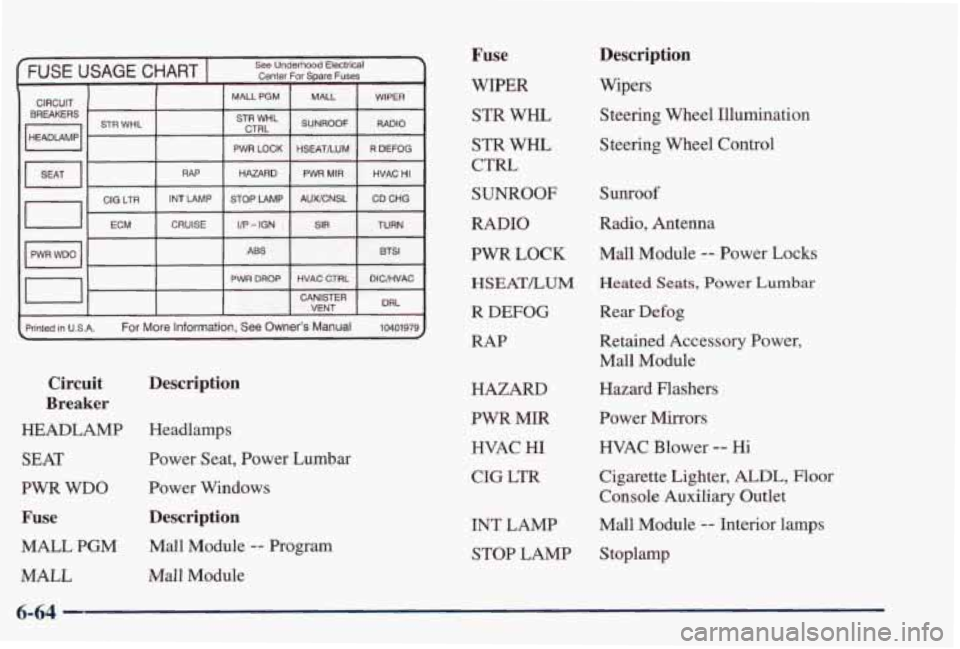
FUSE USAGE CHART I See Underhood Electrical
Center For Spare Fuses I I I I
CIRCUIT BREAKERS
I HEADLAMP I
I I MAUPGM
STR WHL STR WHL
CTRL
I
I I PWR LOCK I I
RAP HAZARD ~
GIG LTR
I/P - IGN
CRUISE
ECM STOP LAMP
INT LAMP
ABS
PWR DROP MALL
WIPER
SUNROOF
CD CHG
AUWCNSL HVAC
HI PWR MIR
R DEFOG
HSEATILUM
RADIO
SIR TURN
BTSl
HVAC CTRL DlCRlVAC
I I I I CANISTER DRL VENT
rinted in USA.
For More Information, See Owner’s Manual 10401979)
Description
Circuit
Breaker
HEADLAMP
Headlamps
SEAT Power Seat, Power Lumbar
PWR WDO Power Windows
Fuse Description
MALL PGM Mall Module -- Program
MALL Mall Module
Fuse
WIPER
STR WHL
STR WHL
CTRL
SUNROOF
RADIO
PWR LOCK
HSEATLUM
R DEFOG
RAP
HAZARD
PWR MIR HVAC
HI
CIG LTR
INT LAMP STOP LAMP
Description
Wipers
Steering Wheel Illumination
Steering Wheel Control
Sunroof
Radio, Antenna
Mall Module
-- Power Locks
Heated Seats, Power Lumbar
Rear Defog
Retained Accessory Power, Mall Module
Hazard Flashers
Power Mirrors
HVAC Blower -- Hi
Cigarette Lighter,
ALDL, Floor
Console Auxiliary Outlet
Mall Module
-- Interior lamps
S toplamp
6-64