lock PONTIAC GRAND PRIX 2003 Workshop Manual
[x] Cancel search | Manufacturer: PONTIAC, Model Year: 2003, Model line: GRAND PRIX, Model: PONTIAC GRAND PRIX 2003Pages: 378, PDF Size: 17.64 MB
Page 120 of 378
Mode 3: Standard Arming and Disarming
e
e
0
The content theft-deterrent system will arm when
you lock the doors using either power door lock
switch while any door is open and the key is
removed from the ignition.
The content theft-deterrent system will arm when
you lock the doors with your remote keyless
entry transmitter. The key must be removed from
the ignition when you lock the doors or the content
theft-deterrent system will not arm.
The content theft-deterrent system will disarm when
you unlock the doors with the key or the remote
keyless entry transmitter.
Before your vehicle was shipped from the factory,
it was
programmed to Mode
1. The mode to which your
vehicle was programmed may have been changed since
it left the factory. To determine the mode to which
your vehicle is programmed or to program your vehicle
to a different mode, do the following:
1. Follow the instructions for Entering Programming
Mode on page
2-44.
2. Insert a second ignition key fully into any door key
cylinder and turn it to the unlock position.
This step
is necessary to prevent accidental
programming of this feature to Mode
2.
3.
4.
5.
6.
7,
Do not program this feature to Mode 2 without first
reading the note contained in the description for
that mode. The door key lock cylinder must remain
in the unlock position during Steps 2 through 4.
Press the horn symb~l on the remote keyless entry
transmitter.
Count the number of chimes you hear. The number
of chimes tells you which mode the vehicle is set
for.
If you do not wish to change the current mode,
you can either exit the programming mode by
following the instructions later in this section or
program the next feature available on your vehicle.
Press the horn symbol on the remote keyless entry
transmitter again to change the current mode.
Repeat Step 5 until you hear the number
of chimes
that matches the mode you want.
Remove the key from the door key cylinder.
The mode you selected is now set. You can either exit the
programming mode by following the instructions at the
end of this section or program the next feature available
on your vehicle. See “Exit Programming Mode” following.
Exiting Programming Mode
To exit programming mode, turn the key from
ACCESSORY to
OFF and put the MALL PGM fuse
back into the instrument panel fuse block.
2-53
Page 122 of 378

Section 3 Instrument Panel
Instrument Panel Overview .......................... -3-2
Hazard Warning Flashers
-3-3
Other Warning Devices ................................... 3.4
Horn
............................................................. 3.4
Tilt Wheel
..................................................... 3.4
Turn Signal/Multifunction Lever
......................... 3.5
Exterior Lamps
............................................. 3.10
Interior Lamps
.............................................. 3.12
Head-Up Display (HUD)
................................. 3-15
Accessory Power Outlets
............................... 3.18
Auxiliary Power Connection (Power Drop)
......... 3.19
Ashtrays and Cigarette Lighter
........................ 3-19
Climate Controls ............................................ 3.20
Dual Climate Control System
.......................... 3.20
Outlet Adjustment
......................................... 3.22
Warning Lights, Gages and Indicators ............. 3.23
Instrument Panel Cluster
................................ 3.24
Speedometer and Odometer
........................... 3.25
Tachometer
................................................. 3.25
Safety Belt Reminder Light
............................. 3.26
Air Bag Readiness Light
................................ 3-26
Charging System Light
.................................. 3.27
Brake System Warning Light
......................... -3-28
Anti-Lock Brake System Warning Light
............. 3.29
Traction Control System (TCS) Warning Light
...... 3.29
Enhanced Traction System Warning Light
........ -3-30
.. ...............................
Low Traction Light ....................................... -3-30
Engine Coolant Temperature Gage
.................. 3-31
Malfunction Indicator Lamp
............................ -3-32
Oil Pressure Light
........................................ -3-35
Security Light
............................................... 3-36
Fuel Gage
................................................... 3-37
Low Fuel Warning Light
................................. 3-37
Driver Information Center (DE) ....................... 3-38
Trip Computer ................................... ..... 3-40
Control Buttons
............................................ 3-42
Functions
.................................................... 3-42
Audio System(s) ............................................. 3-44
Setting the Time
........................................... 3-44
Radio with Cassette
...................................... 3-45
Radio with CD (Base Level)
........................... 3-48
Radio with CD
(Up Level) .............................. 3-51
Theft-Deterrent Feature
.................................. 3-54
Engine
Coolant Temperature 'Warning Light
...... 3.31
Low Oil Level Light ....................................... 3-36
Audio Steering Wheel Controls
....................... 3-56
Understanding Radio Reception
...................... 3-57
Care of Your Cassette Tape Player
................. 3-58
Care
of Your CDs ......................................... 3-59
Care of Your CD Player
................................ 3-59
Backglass Antenna
....................................... 3-59
3-
1
Page 124 of 378
The main components of the instrument panel are
the following:
A. Side Window Defogger Outlets
B. Fog Lamps Switch
C. Turn SignaVMultifunction Lever
D. Instrument Panel Cluster
E. Hazard Warning Button
F. Horn
G. Trip Computer (If Equipped) and/or Driver
Information Center (DIC)
H. Instrument Panel Outlets
I. Interior Lamps Control
J. Exterior Lamps Control
K. Tilt Steering Wheel Control
L. Audio Steering Controls
(If Equipped)
M. Head Up Display (HUD) Controls (Option)
N. Climate Controls
0. Ashtray and Cigarette Lighter
P. Audio System
Q. Glove Box
R. Instrument Panel Fuse Block
Hazard Warning Flashers
Your hazard warning flashers let you warn others. They
also let police know you have a problem. Your front
and rear turn signa! !amps
will flash or! and off.
The hazard warning
flasher button is
located on top of the
steering column.
The hazard warning flashers work no matter what
position your key is in, and even
if the key isn’t in.
Press the button to make your front and rear turn signal
lamps flash on and
off. Press the button again to turn
the flashers
off.
When the hazard warning flashers are on, your turn
signals and brake lamps won’t work.
3-3
Page 125 of 378
Other Warning Devices
If you carry reflective triangles, you can set one up
at the side of the road about
300 feet (I00 m) behind
your vehicle.
Horn
Press near or on the horn symbols on your steering
wheel pad to sound the horn.
Tilt Wheel
A tilt steering wheel allows you to adjust the steering
wheel before you drive. You can raise it to the highest
level to give your legs more room when you exit and
enter the vehicle, or you can lower
it so that you’re more
comfortable while driving. The lever
to adjust it
is located on the left side of the
steering column, below the turn signaVmultifunction
lever.
To tilt the wheel, hold the
steering wheel and pull the
lever. Move the steering
wheel to a comfortable
level, then release
the lever to
lock the
wheel in place.
3-4
Page 128 of 378
Windshield Wipers
To operate the windshield wipers, turn the band marked
WIPER located on the multifunction lever, upward or
downward.
MIST: Turn the band to MIST for a single wiping cycle.
Hold it there until the windshield wipers start, then let
it go. The windshield wipers will stop after one cycle.
For more cycles, hold the band on MIST longer.
OFF: Turn the band to OFF to turn the windshield
wipers
off.
DELAY (Delayed Wiping): Turn the band upward to
choose one of the five delay settings. For longer periods
of time between wiper blade cycles, select a low
setting. For shorter periods of time between wiper blade
cycles, select a higher setting. The further the band
is turned upward, the longer the delay between
wiper cycles.
LOW: Turn the band to LOW for steady wiping at a
low speed.
HIGH: Turn the band to HIGH for steady wiping at a
high speed. Be sure to clear ice and snow
from the wiper blades
before using them.
If they’re frozen to the windshield,
carefully loosen or thaw them.
If the blades do become
damaged, get new blades or blade inserts.
Heavy snow or ice can overioad the wipers.
A circuit
breaker will stop them until the motor cools. Clear away
snow or ice to prevent an overload.
Windshield Washer
0 PUSH: Press the paddle with the word PUSH and
the washer symbol on
it, located on top of the
multifunction lever, to spray washer fluid on the
windshield. The wipers will clear the windshield ana
then either stop or return to the se’ -peed.
In freezing weather, don’t use your washer
until the windshield is warmed. Otherwise the
washer fluid can form ice on the windshield,
blocking your vision.
3-7
Page 131 of 378
Ending Cruise Control
There are two ways to turn off the cruise control:
Step lightly on the brake pedal,
or move the cruise switch to OFF.
Erasing Speed Memory
When you turn off the cruise control or the ignition,
or shift into PARK
(P) or NEUTRAL (N), the cruise
control set speed memory is erased.
Exterior Lamps
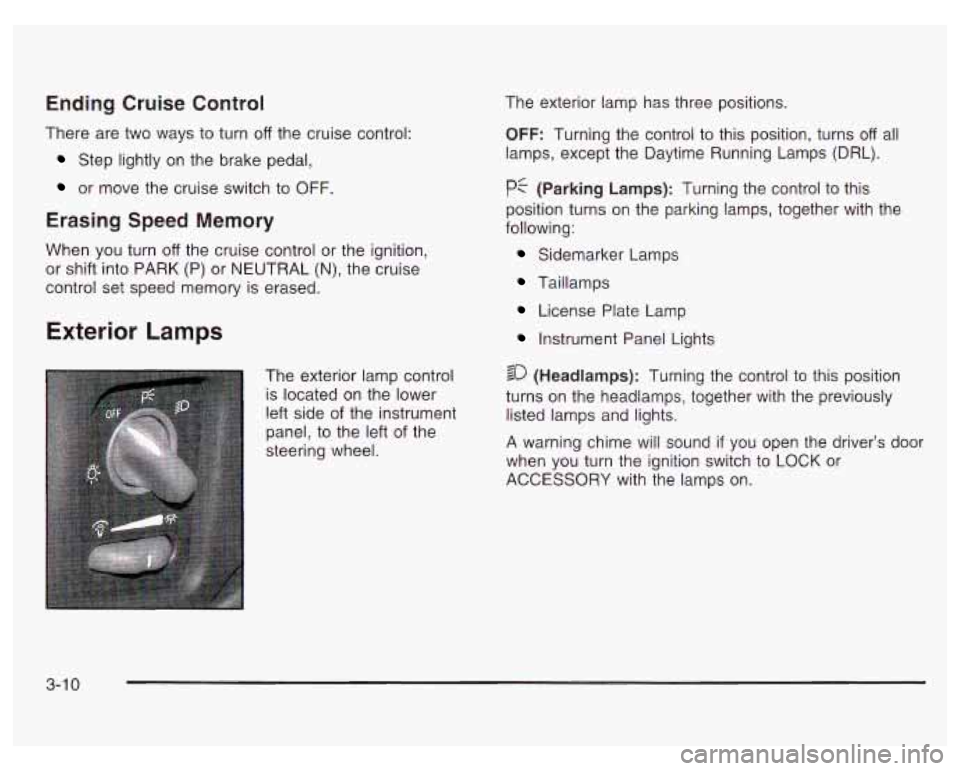
The exterior lamp control
is located on the lower
left side of the instrument
panel, to the left of the
steering wheel. The
exterior lamp has three positions.
OFF: Turning the control to this position, turns off all
lamps, except the Daytime Running Lamps (DRL).
pf (Parking Lamps): Turning the control to this
position turns on the parking lamps, together with the
following:
Sidemarker Lamps
Taillamps
License Plate Lamp
Instrument Panel Lights
4 20 (Headlamps): Turning the control to this position
turns on the headlamps, together with the previously
listed lamps and lights.
A warning chime will sound
if you open the driver’s door
when you turn the ignition switch to LOCK or
ACCESSORY with the lamps on.
3-1 0
Page 132 of 378
Daytime Running Lamps (DRL) /
Automatic Headlamp System
Daytime Running Lamps (BRL) can make it easier for
others
to see the front of y~ur vehicle during the
day. DRL can be helpful in many different driving
conditions, but they can be especially helpful in the short
periods after dawn and before sunset. Fully functional
daytime running lamps are required on all vehicles
first sold in Canada.
A light sensor on top of the instrument panel makes the
DRL work,
so be sure it isn’t covered.
The DRL system will make your low-beam headlamps
come on at a reduced brightness when the following
conditions are met:
The ignition is on,
0 the exterior lamps control is off,
0 the transaxle is not in PARK (P) and
the parking brake is released. When
the DRL are on, only your low-beam headlamps,
at a reduced brightness, will be on. The taillamps,
sidemarker and other lamps won’t be on. Your
instrument panel won’t be lit up either.
When it’s dark enough outside, your headlamps
will
change to full brightness. The other lamps that come on
with your headlamps will also come on.
When it’s bright enough outside, the headlamps will go
out, and your low-beam headlamps will change to
the reduced brightness of DRL.
To idle your vehicle with the DRL off, set the parking
brake while the ignition is in OFF or LOCK. Then
start your vehicle. The DRL will stay
off until you shift
out of PARK (P) and release the parking brake.
As with any vehicle, you should turn on the regular
headlamps system when you need
it.
3-1 1
Page 134 of 378
Courtesy Lamps
When a door is open, the courtesy lamps will
automatically come on. You can also turn these lamps
on by manually turning the interior lamps thumbwheel
all the way to the right.
Entry Lighting
The entry lighting feature illuminates the interior of the
vehicle before you enter. The interior lamps will come on
for
40 seconds when you unlock the doors using the
remote keyless entry transmitter (if equipped) and
the ignition is in LOCK or
OFF. After 40 seconds have
elapsed, the interior lamps will slowly fade out. The
lamps will fade out before
40 seconds have elapsed if
you do the following:
Lock all doors using the remote keyless entry
Lock the doors using the power door lock switch.
transmitter (if equipped).
When any door is opened, entry lighting is canceled.
The interior lamps will stay on while any door is opened
and slowly fade out when all doors are closed. The interior lamps may
stay on for up to
25 seconds
after all doors have been closed
if they have not been
locked. See Delayed lllumination and Exit Lighting
on page
2-44.
Delayed Lighting
The delayed lighting feature will continue to illuminate
the interior of the vehicle for 25 seconds after all
the doors have been closed
so that you can find the
ignition and buckle the seat belt at night. Delayed
lighting will not occur while the ignition is
in RUN or
ACCESSORY. After 25 seconds have elapsed,
the interior lamps will slowly fade out. The lamps will
fade out before the 25 seconds have elapsed
if you do
any of the following:
@ Turn the ignition to RUN or ACCESSORY.
@ Lock all doors using the remote keyless entry
transmitter
(if equipped).
@ Lock the doors using the power door lock switch.
To turn delayed lighting feature
off or on, see Vehicle
Personalization
on page 2-43.
3-1 3
Page 135 of 378
Delayed Exit Lighting
For exiting the vehicle at night, the vehicle is equipped
with the delayed exit lighting feature. The interior
lamps will illuminate for up to
25 seconds when you
remove the key from the ignition. After
25 seconds have
elapsed, the interior lamps will slowly fade out. The
lamps will fade out before the
25 seconds have elapsed
if you do any of the following:
Insert the key and turn the ignition to RUN or
ACCESSORY.
Lock all doors using the remote keyless entry
Lock the doors using the power door lock switch.
transmitter
(if equipped).
When any door is opened, delayed exit lighting is
canceled. The interior lamps will stay on while any door
is opened and will slowly fade out when all the doors
are closed. The interior lamps may stay on for up
to
25 seconds after all the doors have been closed if
they have not been locked. See Delayed Illumination
and Exit lighting on page
2-44.
Overhead Console Reading Lamps
Your vehicle may have reading lamps on the overhead
console. These lamps will turn on when you open
the doors. When the doors are closed, push the button
next to each lamp
to turn them on and off. The
overhead console also contains an open storage bin.
Front Reading Lamps
If the vehicle has the optional sunroof, you will have
reading lamps in front of the sunroof switch located on
the headliner. These lamps will come on when you
open the doors. The lamps can be turned on and
off
manually by pressing the button behind each reading
lamp when the doors are closed.
Rear Assist Handle Reading Lamps
Your vehicle may have reading lamps on each
rear assist handle. Press the reading lamp
to turn it on.
Press it again to turn it
off.
To turn the delayed exit lighting feature off or on,
see Vehicle Personalization on page
2-43.
3-1 4
Page 136 of 378
Battery Run-Down Protection
Your vehicle has a feature to help prevent you from
draining the battery in case you accidentally leave the
interior, trunk or underhood lamps
on. If you leave any of
these lamps on while the ignition is in LOCK or OFF,
they will automatically turn off after 10 minutes. The
lamps won’t come back
on again until you do one of
the following:
Turn the ignition to RUN or ACCESSORY.
Turn the interior lamps thumbwheel completely to
the right, then back slightly to the left.
Open (or close and reopen) a door that is closed.
If the vehicle has less than 15 miles (25 km) on
the odometer, the battery saver will turn
off the lamps
after only three minutes.
Head-Up Display (HUD)
.. :he HUD imag- .s too bri, It o DO high in
your field
of view, it may take you more time to
see things you need to see when it’s dark
outside. Be sure to keep the HUD image dim
and placed
low in your field of view.
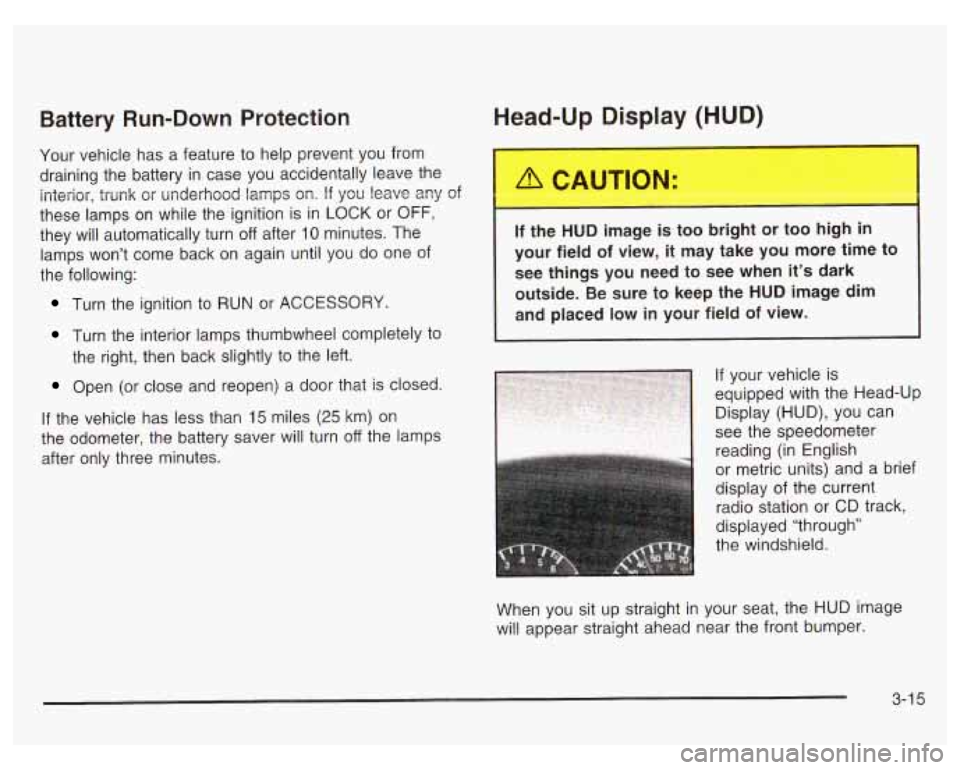
If your vehicle is
equipped with the Head-Up
Display (HUD), you can
1 see the speedometer
reading (in English
or metric units) and a brief
display of the current
radio station or CD track,
displayed “through”
the windshield.
When you sit up straight in your seat, the HUD image
will appear straight ahead near the front bumper.
3-1 5