mirror PONTIAC GRAND PRIX 2003 Owners Manual
[x] Cancel search | Manufacturer: PONTIAC, Model Year: 2003, Model line: GRAND PRIX, Model: PONTIAC GRAND PRIX 2003Pages: 378, PDF Size: 17.64 MB
Page 2 of 378
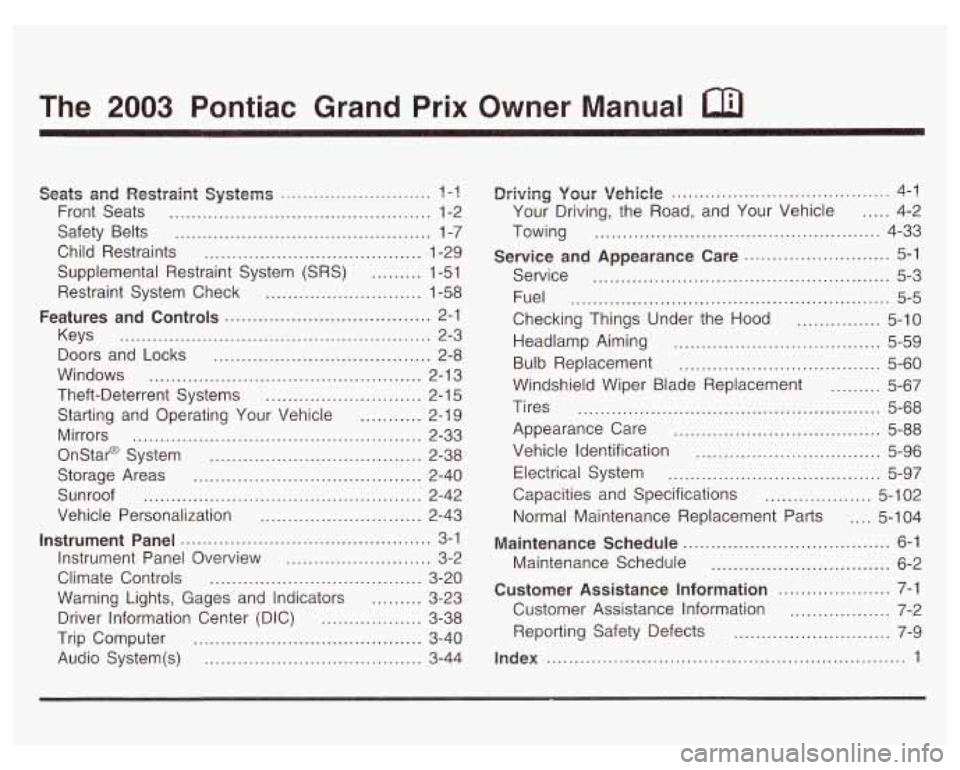
The 2003 Pontiac Grand Prix Owner Manual a
Seats and Restpaint Systems ........................... ? -1
Front Seats ............................................... 1-2
Safety Belts
.............................................. 1-7
Child Restraints
....................................... 1-29
Supplemental Restraint System
(SRS) ......... 1-51
Restraint System Check
............................ 1-58
Keys
........................................................ 2-3
Doors and Locks
....................................... 2-8
Windows
................................................. 2-1 3
Theft-Deterrent Systems
............................ 2-1 5
Starting and Operating Your Vehicle
........... 2-19
Mirrors
.................................................... 2-33
Onstar@ System
...................................... 2-38
Storage Areas
......................................... 2-40
Sunroof
.................................................. 2-42
Vehicle Personalization
............................. 2-43
Instrument Panel Overview
.......................... 3-2
Climate Controls
...................................... 3-20
Warning Lights, Gages and Indicators
......... 3-23
Driver Information Center (DIC)
.................. 3-38
Trip Computer
......................................... 3-40
Audio System(s)
....................................... 3-44
Features and Controls ..................................... 2-1
Instrument Panel ............................................. 3-1
~rivingi yoerr Vehicle ....................................... 4-1
Your Driving, the Road, and Your Vehicle
..... 4-2
Towing
................................................... 4-33
Service
..................................................... 5-3
Fuel
......................................................... 5-5
Checking Things Under the Hood
............... 5-10
Headlamp Aiming
..................................... 5-59
Bulb Replacement
.................................... 5-60
Windshield Wiper Blade Replacement
......... 5-67
Tires
...................................................... 5-68
Appearance Care
..................................... 5-88
Vehicle Identification
................................. 5-96
Electrical System
...................................... 5-97
Capacities and Specifications
................... 5-1 02
Normal Maintenance Replacement Parts .... 5-1 04
Maintenance Schedule ........................... ,6-1 ..
Maintenance Schedule ................................ 6-2
Customer Assistance Information .................... 7-1
Customer Assistance Information
.................. 7-2
Service and Appearance Care .......................... 5-1
Reporting Safety Defects
......................... 7-9
Index ........................................ ..... 1
Page 68 of 378

Section 2 Features and Controls
Keys ............................................................... 2.3
Remote Keyless Entry System
......................... 2.4
Remote Keyless Entry System Operation ........... 2.5
Doors and Locks ............................................. 2-8
Door Locks
.................................................... 2-8
Power Door Locks
.......................................... 2-9
Last Door Closed Locking
................................ 2-9
Programmable Automatic Door Locks
.............. 2-10
Lockout Protection
........................................ 2-10
Leaving Your Vehicle
.................................... 2-1 1
Trunk
.......................................................... 2-1 1
Windows ........................................................ 2.13
Power Windows
............................................ 2-14
Sun Visors
................................................... 2.14
Theft-Deterrent Systems .................................. 2.15
Content Theft-Deterrent
................................. 2.15
PASS-Key@
Ill .......................................... 2.16
PASS-Key@
Ill Operation ........................... 2-17
Starting and Operating Your Vehicle ............... -2-1 9
New Vehicle Break-In
.................................... 2-19
Ignition Positions
.......................................... 2.19
Starting Your Engine
..................................... 2-20
Engine Coolant Heater
.................................. 2-23
Automatic Transaxle Operation
....................... 2.24 Shifting Into
Park
(P) ..................................... 2-28
Parking Over Things That Burn
....................... 2-30
Shifting
Out
of Park (PI ................................. 2-30
Engine Exhaust ............................................ 2-31
Running Your Engine While You Are Parked
.... 2-32
Mirrors ........................................................... 2-33
Manual Rearview Mirror
................................ -2-33
Automatic Dimming Rearview Mirror with
Onstar@, Compass and Temperature
Automatic Dimming Rearview Mirror with
Compass and Temperature Display
.............. 2-34
Outside Power Mirrors
................................... 2-37
Outside Convex Mirror
................................... 2-37
OnStar@ System ............................................. 2-38
Storage Areas .... -2-40
Glove Box
................................................... 2-40
Overhead Console
........................................ 2-40
Center Console Storage Area
......................... 2-40
Assist Handles
............................................. 2-41
Purse or Litter Bag Holder
............................. 2-41
Rear Storage Area
........................................ 2-41
Convenience Net
.......................................... 2-41
Trunk Access Panel
...................................... 2-41
Display
.................................................... 2-33
....................................
Parking Brake .............................................. 2-27 Sunroof .................. ........... ............. 2.42
2-1
Page 81 of 378
Power Windows
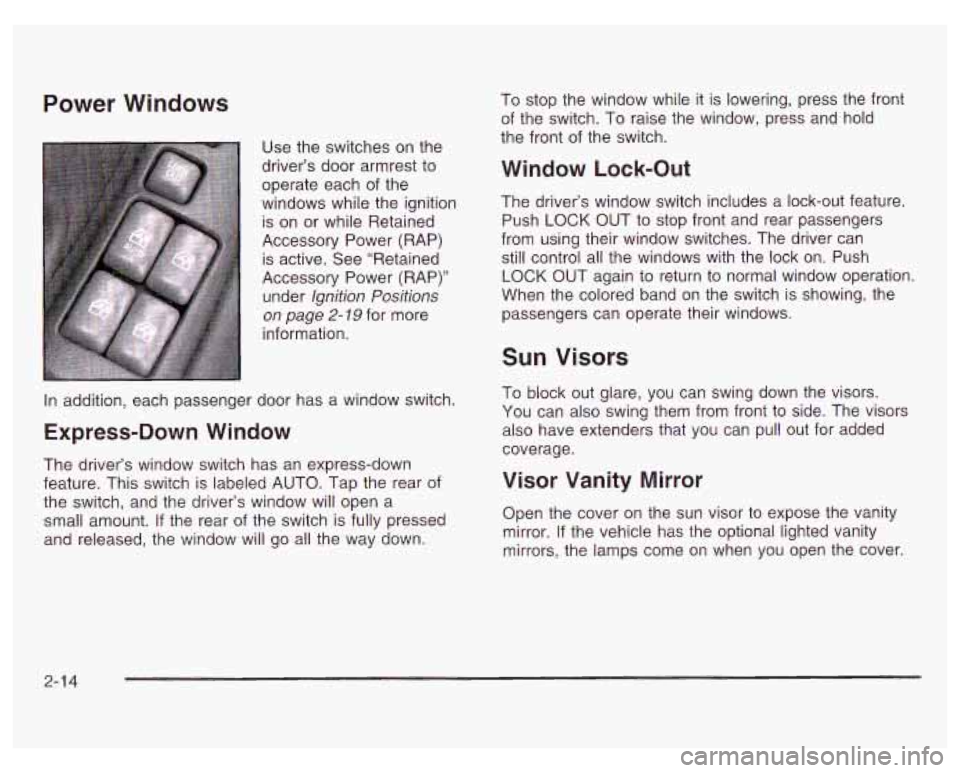
Use the switches on the
driver’s door armrest to
operate each of the
windows while the ignition
is on or while Retained
Accessory Power (RAP) is active. See “Retained
Accessory Power (RAP)”
under Ignition Positions
on page 2- 79 for more
information. To
stop the window while it is lowering, press the front
of the switch. To raise the window, press and hold
the front of the switch.
Window Lock-Out
The driver’s window switch includes a lock-out feature.
Push
LOCK OUT to stop front and rear passengers
from using their window switches. The driver can
still control all the windows with the lock on. Push
LOCK OUT again to return to normal window operation.
When the colored band on the switch is showing, the
passengers can operate their windows.
In addition, each passenger door has a window switch.
Express-Down Window
The driver’s window switch has an express-down
feature. This switch is labeled AUTO. Tap the rear of
the switch, and the driver’s window will open a
small amount.
If the rear of the switch is fully pressed
and released, the window will go all the way down.
Sun Visors
To block out glare, you can swing down the visors.
You can also swing them from front
to side. The visors
also have extenders that you can pull out for added
coverage.
Visor Vanity Mirror
Open the cover on the sun visor to expose the vanity
mirror. If the vehicle has the optional lighted vanity
mirrors, the lamps come on when you open the cover.
2-1 4
Page 100 of 378
Mirrors
Manual Rearview Mirror
To reduce glare from lamps behind you, pull the lever
located in the center of the bottom of the mirror
toward you to the night position. To return the mirror
back
to the day position, push the lever away from you. The mirror also has an eight-point compass and
temperature display in the
upper right corner on the
mirror face and a three-button Onstar@ system.
When the automatic dimming feature is turned on,
the mirror automatically changes
to reduce glare from
headlamps behind you. A photocell
on the mirror senses
when it is becoming dark outside. Another photocell
built into the mirror face senses when headlamps
are behind you.
Automatic Dimming Rearview
Mirror with Onstar@, Compass and
a few seconds. The mirror will return to its clear,
Temperature Display
At night, when the glare is too bright, the mirror will
gradually darken to reduce glare. This change may take
daytime state when the glare is reduced.
Mirror Operation
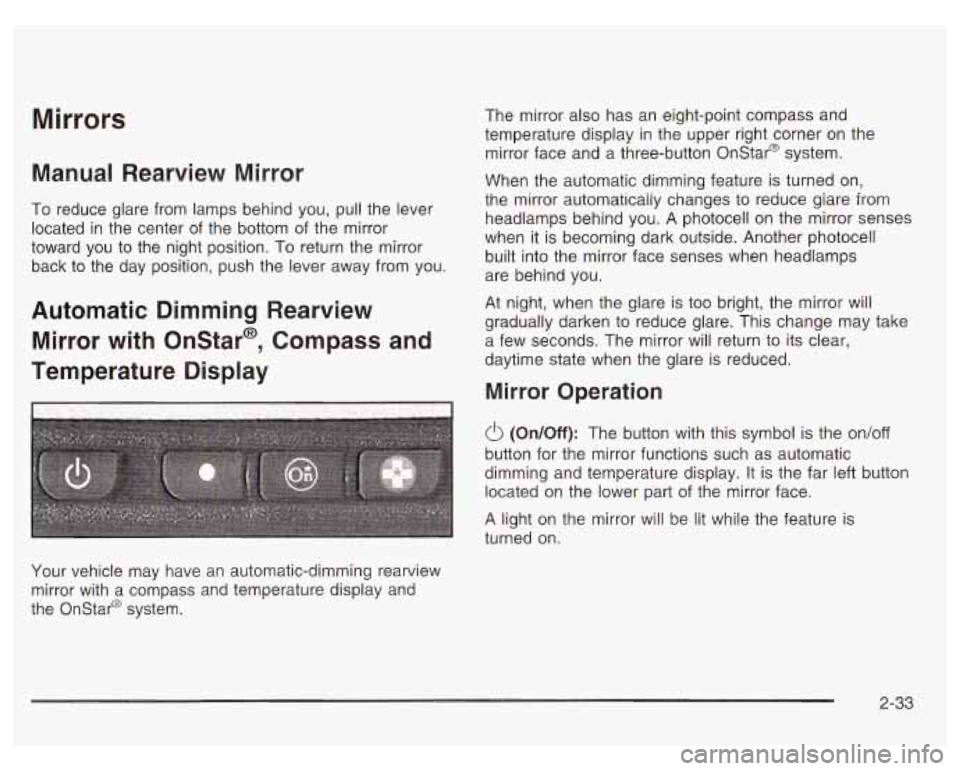
(On/Off): The button with this symbol is the on/off
button for the mirror functions such as automatic
dimming and temperature display. It is the far left button
located on the lower part of the mirror face.
A light on the mirror will be lit while the feature is
turned on.
Your vehicle may have an automatic-dimming rearview
mirror with a compass and temperature display and
the Onstar@ system.
2-33
Page 101 of 378
Temperature Display
Press the on/off button to change the temperature
display. You can select
OF, "C, or turn the display off.
Compass Operation
There is a compass display in the window in the
upper right corner of the mirror face. The compass
displays a maximum of two characters. For example,
NE is displayed for north-east.
The compass may need to be calibrated. See
"Compass Calibration" under Automatic Dimming
Rearview Mirror with Compass and Temperature
Display on page
2-34 for more information.
The other three buttons are for the Onstar@ system.
See your dealer for more information on the system and
how to subscribe to Onstar@. See Onstar@ System
on page 2-38 for more information about the services
Onstar@ provides.
Automatic Dimming Rearview Mirror
with Compass and Temperature Display
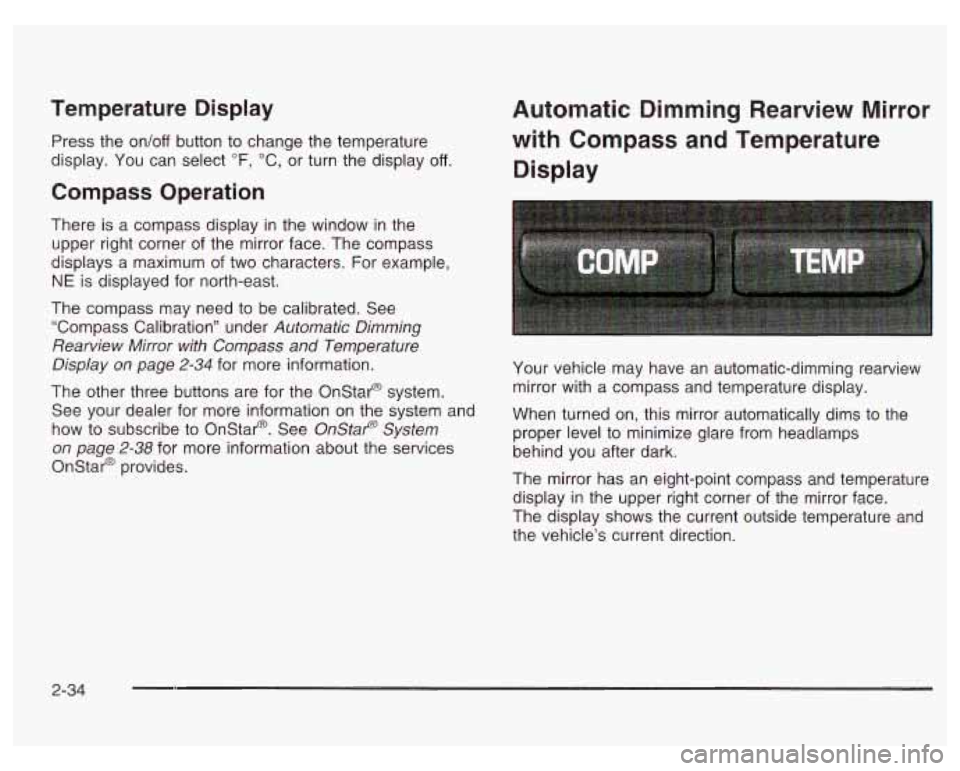
Your vehicle may have an automatic-dimming rearview
mirror with a compass and temperature display.
When turned on, this mirror automatically dims to the
proper level to minimize glare from headlamps
behind you after dark.
The mirror has an eight-point compass and temperature
display in the upper right corner of the mirror face.
The display shows the current outside temperature and
the vehicle's current direction.
2-34
Page 102 of 378
Mirror Operation
The automatic dimming feature is turned on or off by
briefly pressing the COMP button located on the bottom
of the mirror face. A light on the mirror will be lit
while the feature is turned on. It will go out while the
feature is turned
off.
Temperature Display
The TEMP button located on the bottom of the mirror
face changes the temperature display. You can
select
OF, "C, or turn the display off.
Compass Variance
Press the COMP button once briefly to turn the
compass on or
off. When on, the display will show the
compass direction, with a maximum of two characters.
For example,
NE is displayed for north-east.
Compass Calibration
Press and hold the COMP button down for six seconds
to activate the compass calibration mode.
If your
vehicle has the optional mirror with the compass,
temperature display and OnStar system, press the
on/off button for nine seconds.
CAL will be displayed in the compass/temperature
window on the mirror.
The mirror can be calibrated in one of two ways:
Drive the vehicle ir! circles at 5 mph (8 km/h)
or less until CAL is no longer displayed in the
compass window.
0 Drive the vehicle on your everyday routine.
(This method may take longer to calibrate).
Compass Variation
Compass variance is the difference between earth's
magnetic north and true geographic north. If not
adjusted to account for compass variance, your
compass could give false readings. The mirror is set to
zone eight upon leaving the factory.
It will be necessary
to adjust the compass to compensate for compass
variance
if you live outside zone eight. Under certain
circumstances, such as during a long distance
cross-country trip, it will be necessary to adjust for
compass variance.
2-35
Page 103 of 378
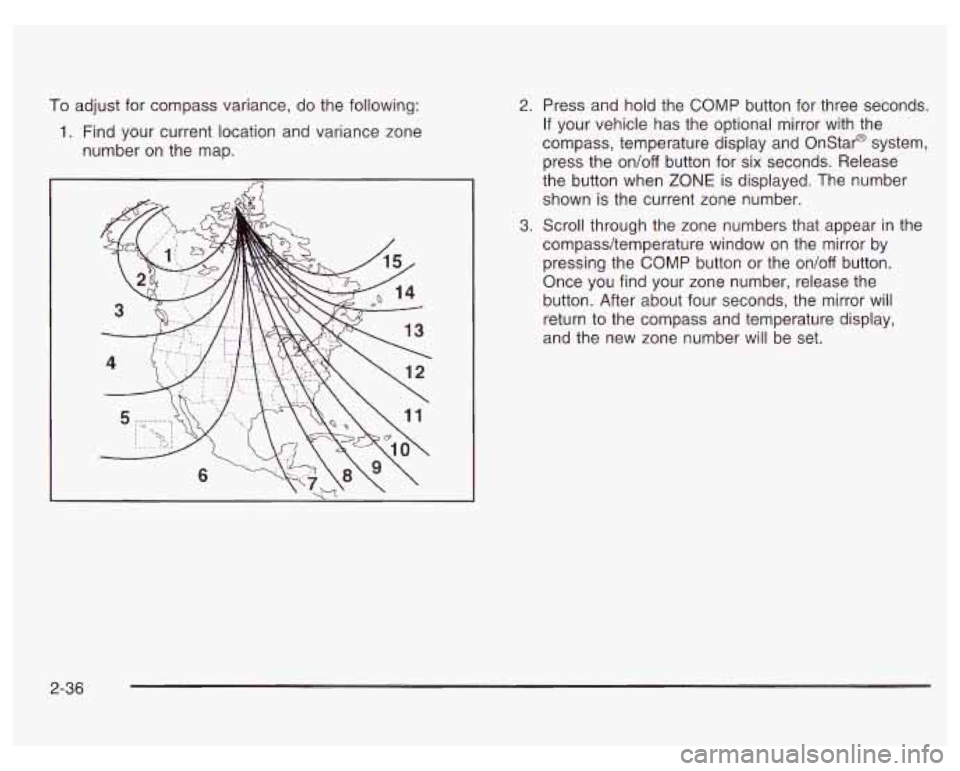
To adjust for compass variance, do the following:
1. Find your current location and variance zone
number on the map.
2. Press and hold the COMP button for three seconds.
If your vehicle has the optional mirror with the
compass, temperature display and Onstar@ system,
press the on/off button for six seconds. Release
the button when
ZONE is displayed. The number
shown is the current zone number.
3. Scroll through the zone numbers that appear in the
compass/temperature window on the mirror by
pressing the COMP button or the on/off button.
Once you find your zone number, release the
button. After about four seconds, the mirror will
return
to the compass and temperature display,
and the new zone number will be set.
2-36
Page 104 of 378
Outside Power Mirrors Outside Convex Mirror
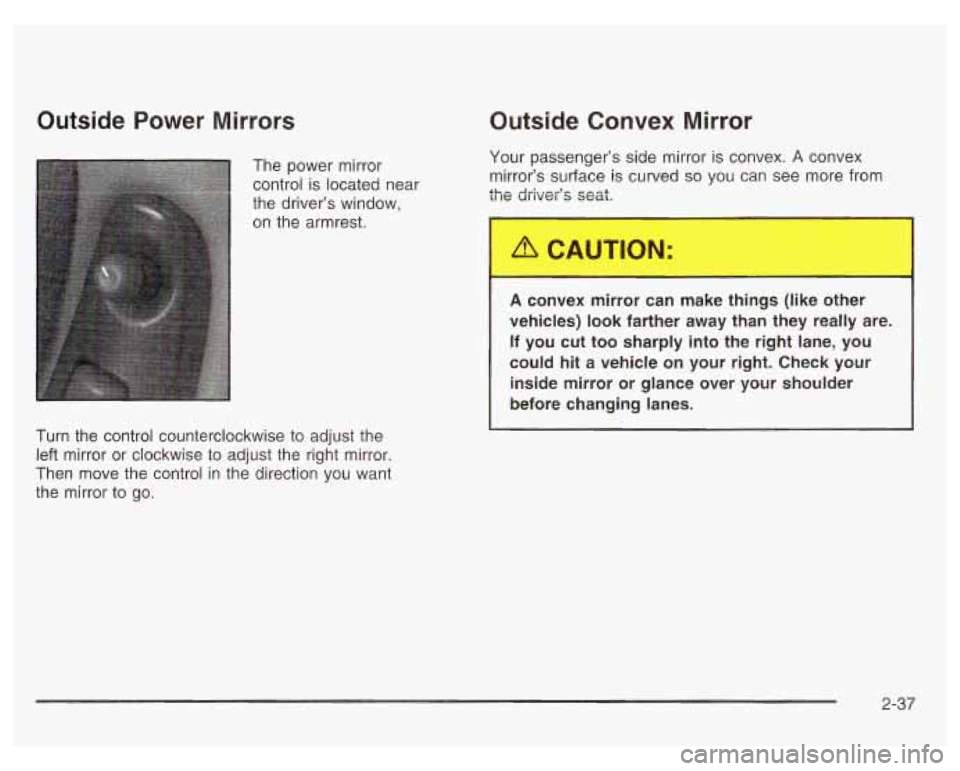
The power mirror
control is located near
the driver’s window,
on the armrest.
Turn the control counterclockwise to adjust the
left mirror or clockwise to adjust the right mirror.
Then move the control in the direction you want
the mirror to go. Your
passenger’s side mirror is convex. A convex
mirror’s surface is curved
so you can see more from
the driver’s seat.
A convex mirror can make things (like other
vehicles)
look farther away than they really are.
If you cut too sharply into the right lane, you
could hit a vehicle on your right. Check your
inside mirror or glance over your shoulder
before changing lanes.
2-37
Page 197 of 378
Do not get too close to the vehicle you want to
pass while you’re awaiting an opportunity.
For one thing, following too closely reduces your
area of vision, especially
if you’re following a larger
vehicle. Also, you won’t have adequate space
if
the vehicle ahead suddenly slows or stops.
Keep back a reasonable distance.
When it looks like a chance to pass is coming up,
start to accelerate but stay in the right lane and don’t
get too close. Time your move
so you will be
increasing speed as the time comes to move into the
other lane.
If the way is clear to pass, you will have a
“running start” that more than makes up for the
distance you would lose by dropping back. And
if
something happens to cause you to cancel your
pass, you need only slow down and drop back again
and wait for another opportunity.
If other vehicles are lined up to pass a slow vehicle,
wait your turn. But take care that someone isn’t trying
to pass you as you pull out to pass the slow vehicle.
Remember to glance over your shoulder and check
the blind spot.
Check your mirrors, glance over your shoulder, and
start your left lane change signal before moving out
of the right lane to pass. When you are far enough
ahead of the passed vehicle to see its front in your inside mirror, activate
your right lane change signal
and move back into the right lane. (Remember that
your right outside mirror
is convex. The vehicle you
just passed may seem to be farther away from you
than it really is.)
Try not to pass more than one vehicle at a time on
two-lane roads. Reconsider before passing the next
vehicle.
Don’t overtake a slowly moving vehicle too rapidly.
Even though the brake lamps are not flashing, it may
be slowing down or starting to turn.
If you’re being passed, make it easy for the following
driver to get ahead of you. Perhaps you can ease
a
little to the right.
Loss of Control
Let’s review what driving experts say about what happens
when the three control systems (brakes, steering and
acceleration) don’t have enough friction where the tires
meet the road to do what the driver has asked.
In any emergency, don’t give up. Keep trying to steer
and constantly seek an escape route or area of
less danger.
4-1 6
Page 198 of 378
Skidding
In a skid, a driver can lose control of the vehicle.
Defensive drivers avoid most skids by taking reasonable
care suited to existing conditions, and by not “overdriving”
those conditions. But skids are always possible.
The three types of skids correspond to your vehicle’s
three control systems. In the braking skid, your wheels
aren’t rolling. In the steering or cornering skid, too much
speed or steering in a curve causes tires to slip and lose
cornering force. And
in the acceleration skid, too much
throttle causes the driving wheels to spin.
A cornering skid is best handled by easing your foot
off
the accelerator pedal.
If you do not have the Enhanced Traction System or the
Traction Control System, or
if the system is off, then
an acceleration skid is also best handled by easing your
foot
off the accelerator pedal.
If your vehicle starts to slide, ease your foot off the
accelerator pedal and quickly steer the way you want
the vehicle to go.
If you start steering quickly enough,
your vehicle may straighten out. Always be ready
for a second skid
if it occurs. Of
course, traction is reduced when water, snow,
ice, gravel or other material is on the road. For safety,
you’ll want to slow down and adjust your driving to these
conditions. It is important to slow down on slippery
surfaces because stopping distance will be longer and
vehicle control more limited.
While driving on
a surface with reduced traction,
try your best to avoid sudden steering, acceleration or
braking (including engine braking by shifting to a
lower gear). Any sudden changes could cause the tires
to slide. You may not realize the surface is slippery
until your vehicle is skidding. Learn to recognize warning
clues
- such as enough water, ice or packed snow
on the road to make a “mirrored surface”
- and slow
down when you have any doubt.
If you have the anti-lock braking system, remember:
It helps avoid only the braking skid.
If you do not have
anti-lock, then in a braking skid (where the wheels
are no longer rolling), release enough pressure on the
brakes to get the wheels rolling again. This restores
steering control. Push the brake pedal down steadily
when you have to stop suddenly. As long as the wheels
are rolling, you will have steering control.
4-1 7