display PONTIAC GRAND PRIX 2004 Owners Manual
[x] Cancel search | Manufacturer: PONTIAC, Model Year: 2004, Model line: GRAND PRIX, Model: PONTIAC GRAND PRIX 2004Pages: 432, PDF Size: 2.99 MB
Page 235 of 432
The broken tape detection feature of your cassette tape
player may identify the cleaning cassette as a damaged
tape, in error. To prevent the cleaning cassette from
being ejected, use the following steps:
1. Turn the ignition on.
2. Turn the radio off.
3. Press and hold the CD TAPE button for ®ve
seconds. READY will appear on the display for
®ve seconds.
4. Insert the scrubbing action cleaning cassette.
5. Eject the cleaning cassette after the manufacturer's
recommended cleaning time.
After the cleaning cassette is ejected, the broken tape
detection feature will be active again.
You may also choose a non-scrubbing action, wet-type
cleaner which uses a cassette with a fabric belt to
clean the tape head. This type of cleaning cassette will
not eject on its own. A non-scrubbing action cleaner
may not clean as thoroughly as the scrubbing type
cleaner. The use of a non-scrubbing action, dry-type
cleaning cassette is not recommended.After you clean the player, press and hold the eject
button for ®ve seconds to reset the CLEAN PLAYER
indicator. The radio will display CLEANED to show the
indicator was reset.
Cassettes are subject to wear and the sound quality
may degrade over time. Always make sure the cassette
tape is in good condition before you have your tape
player serviced.
Care of Your CDs
Handle discs carefully. Store them in their original cases
or other protective cases and away from direct sunlight
and dust. If the surface of a disc is soiled, dampen
a clean, soft cloth in a mild, neutral detergent solution
and clean it, wiping from the center to the edge.
Be sure never to touch the side without writing when
handling discs. Pick up discs by grasping the outer
edges or the edge of the hole and the outer edge.
Care of Your CD Player
The use of CD lens cleaner discs is not advised, due to
the risk of contaminating the lens of the CD optics
with lubricants internal to the CD mechanism.
3-131
Page 246 of 432
Traction Control System (TCS)
If your vehicle has the 3800 supercharged V6 engine
it has a traction control system that limits wheel
spin. This is especially useful in slippery road conditions.
The system operates only if it senses that one or both
of the front wheels are spinning or beginning to lose
traction. When this happens, the system works the front
brakes and reduces engine power to limit wheel spin.
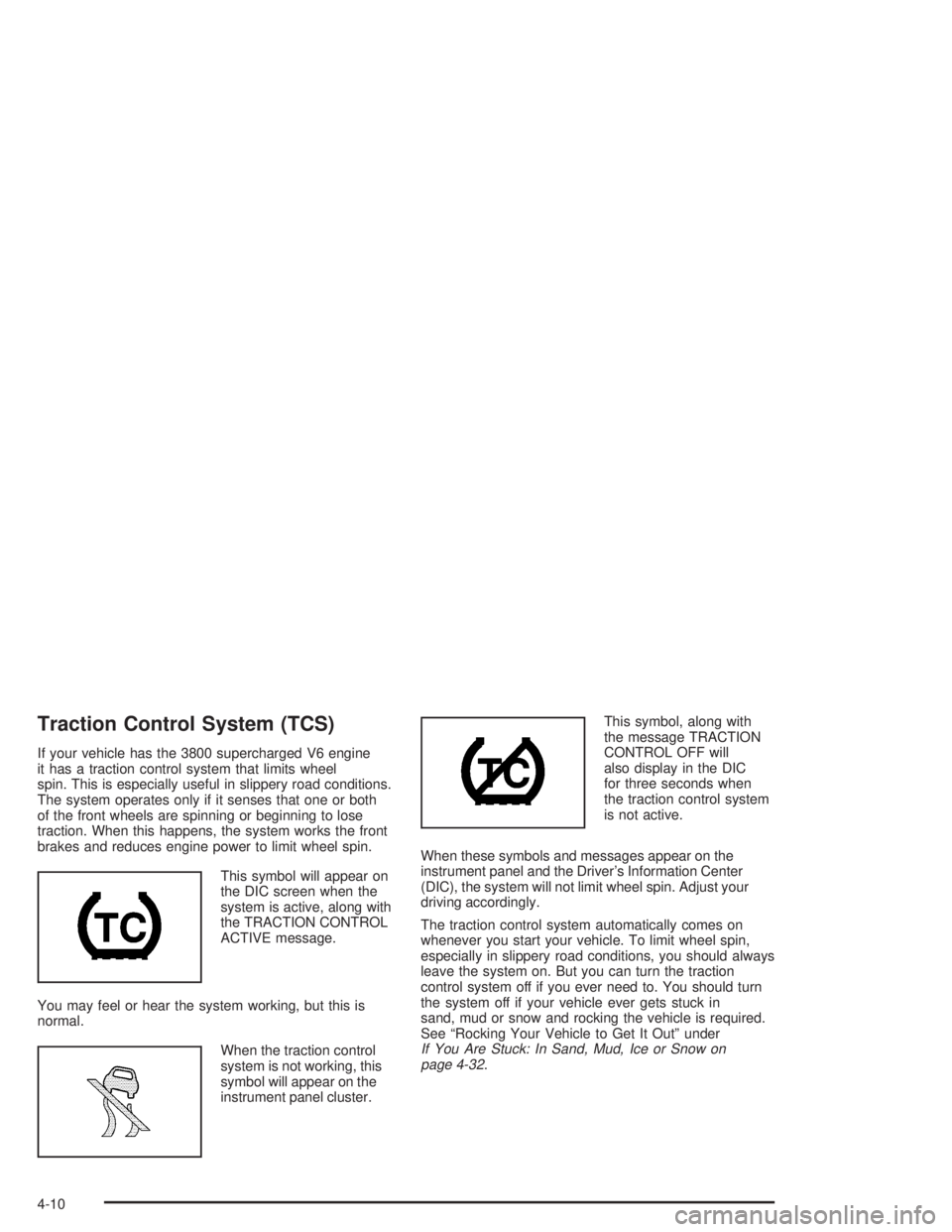
This symbol will appear on
the DIC screen when the
system is active, along with
the TRACTION CONTROL
ACTIVE message.
You may feel or hear the system working, but this is
normal.
When the traction control
system is not working, this
symbol will appear on the
instrument panel cluster.This symbol, along with
the message TRACTION
CONTROL OFF will
also display in the DIC
for three seconds when
the traction control system
is not active.
When these symbols and messages appear on the
instrument panel and the Driver's Information Center
(DIC), the system will not limit wheel spin. Adjust your
driving accordingly.
The traction control system automatically comes on
whenever you start your vehicle. To limit wheel spin,
especially in slippery road conditions, you should always
leave the system on. But you can turn the traction
control system off if you ever need to. You should turn
the system off if your vehicle ever gets stuck in
sand, mud or snow and rocking the vehicle is required.
See ªRocking Your Vehicle to Get It Outº under
If You Are Stuck: In Sand, Mud, Ice or Snow on
page 4-32.
4-10
Page 248 of 432
The Enhanced Traction System operates in all transaxle
shift lever positions. But the system can upshift the
transaxle only as high as the shift lever position you've
chosen, so you should use the lower gears only when
necessary. See
Automatic Transaxle Operation on
page 2-22.
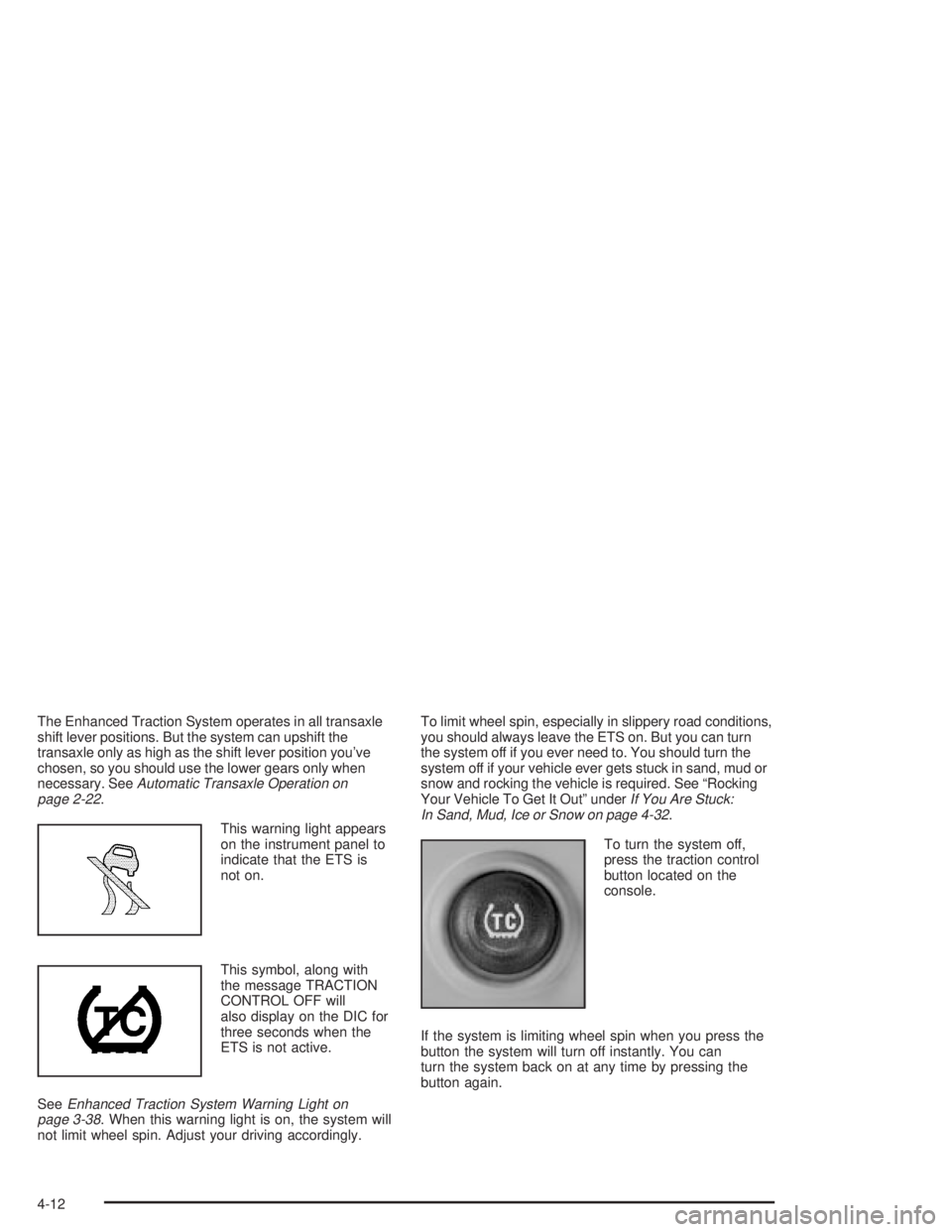
This warning light appears
on the instrument panel to
indicate that the ETS is
not on.
This symbol, along with
the message TRACTION
CONTROL OFF will
also display on the DIC for
three seconds when the
ETS is not active.
See
Enhanced Traction System Warning Light on
page 3-38. When this warning light is on, the system will
not limit wheel spin. Adjust your driving accordingly.To limit wheel spin, especially in slippery road conditions,
you should always leave the ETS on. But you can turn
the system off if you ever need to. You should turn the
system off if your vehicle ever gets stuck in sand, mud or
snow and rocking the vehicle is required. See ªRocking
Your Vehicle To Get It Outº under
If You Are Stuck:
In Sand, Mud, Ice or Snow on page 4-32.
To turn the system off,
press the traction control
button located on the
console.
If the system is limiting wheel spin when you press the
button the system will turn off instantly. You can
turn the system back on at any time by pressing the
button again.
4-12
Page 249 of 432
StabilitrakžPlus System
Your vehicle may be equipped with a vehicle stability
enhancement system called StabilitrakžPlus. It is
an advanced computer controlled system that assists
you with directional control of the vehicle in difficult
driving conditions.
Stabilitrak
žPlus comes on whenever the vehicle is
started. It activates when the computer senses a
discrepancy between your intended path and the
direction the vehicle is actually traveling. Stabilitrak
ž
Plus selectively applies braking pressure at any one of
the vehicle's brakes to help steer the vehicle in the
direction which you are steering.
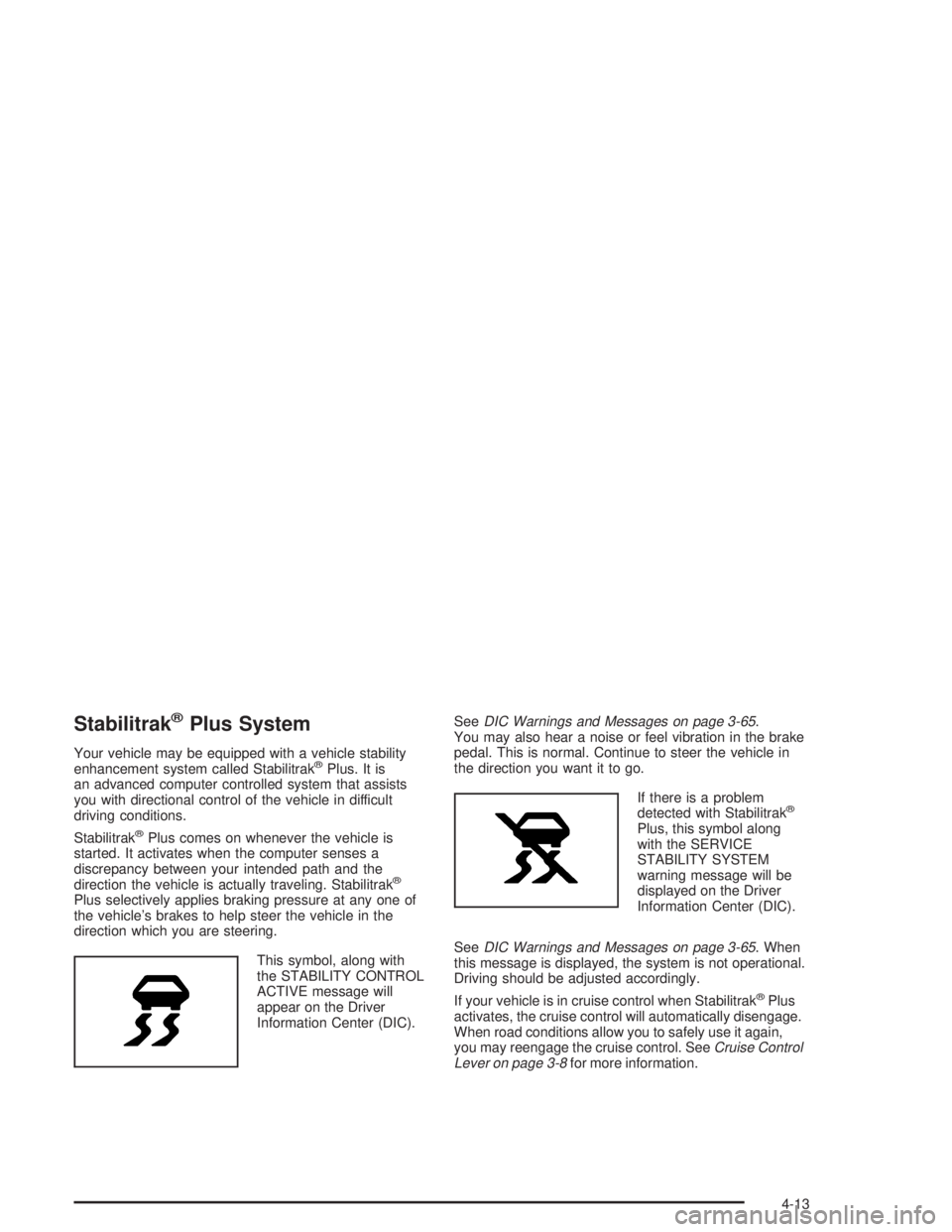
This symbol, along with
the STABILITY CONTROL
ACTIVE message will
appear on the Driver
Information Center (DIC).See
DIC Warnings and Messages on page 3-65.
You may also hear a noise or feel vibration in the brake
pedal. This is normal. Continue to steer the vehicle in
the direction you want it to go.
If there is a problem
detected with Stabilitrak
ž
Plus, this symbol along
with the SERVICE
STABILITY SYSTEM
warning message will be
displayed on the Driver
Information Center (DIC).
See
DIC Warnings and Messages on page 3-65. When
this message is displayed, the system is not operational.
Driving should be adjusted accordingly.
If your vehicle is in cruise control when Stabilitrak
žPlus
activates, the cruise control will automatically disengage.
When road conditions allow you to safely use it again,
you may reengage the cruise control. See
Cruise Control
Lever on page 3-8for more information.
4-13
Page 308 of 432
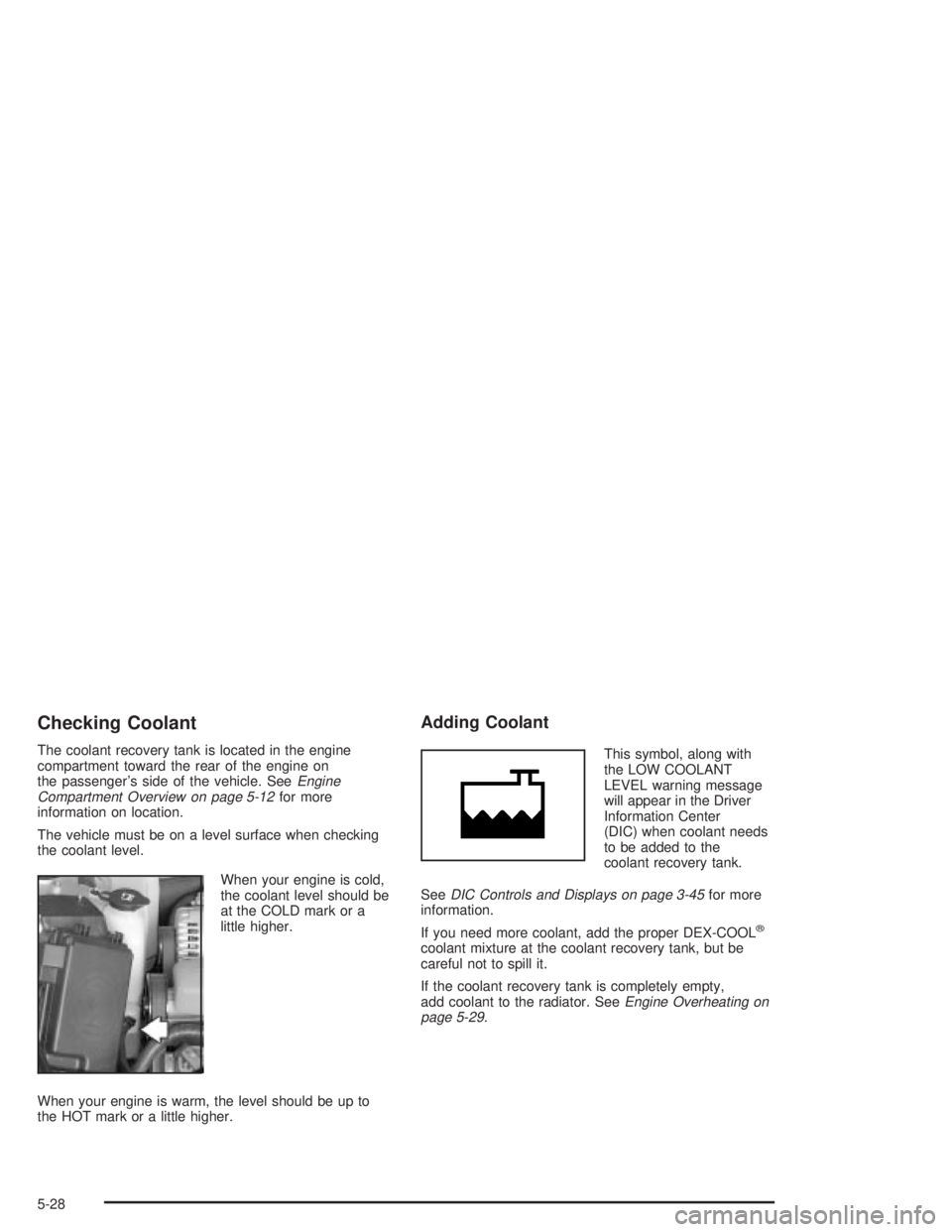
Checking Coolant
The coolant recovery tank is located in the engine
compartment toward the rear of the engine on
the passenger's side of the vehicle. See
Engine
Compartment Overview on page 5-12for more
information on location.
The vehicle must be on a level surface when checking
the coolant level.
When your engine is cold,
the coolant level should be
at the COLD mark or a
little higher.
When your engine is warm, the level should be up to
the HOT mark or a little higher.
Adding Coolant
This symbol, along with
the LOW COOLANT
LEVEL warning message
will appear in the Driver
Information Center
(DIC) when coolant needs
to be added to the
coolant recovery tank.
See
DIC Controls and Displays on page 3-45for more
information.
If you need more coolant, add the proper DEX-COOL
ž
coolant mixture at the coolant recovery tank, but be
careful not to spill it.
If the coolant recovery tank is completely empty,
add coolant to the radiator. See
Engine Overheating on
page 5-29.
5-28
Page 350 of 432
Tire Pressure Monitor System
This vehicle has the tire in¯ation monitor system, it can
alert you to a large change in the pressure of one
tire. The system ªlearnsº the pressure at each tire
throughout the operating speed range of your vehicle.
The system normally takes between 45 and 90 minutes
of driving to learn the tire pressures. This time may
be longer depending on your individual driving habits.
Learning need not be accumulated during a single
trip. Once learned, the system will remember the tire
pressures until the system is recalibrated.
See
DIC Warnings and Messages on page 3-65for
more information.
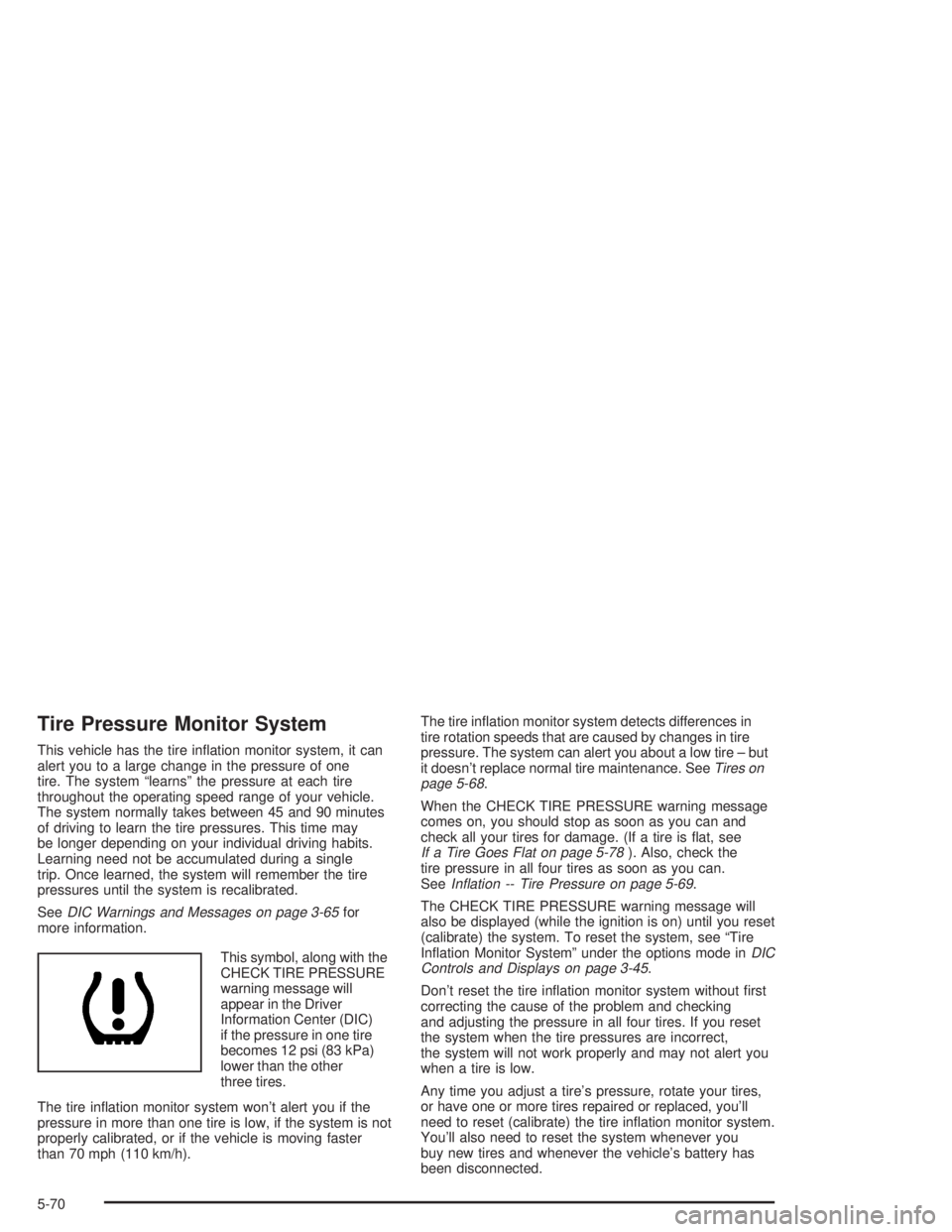
This symbol, along with the
CHECK TIRE PRESSURE
warning message will
appear in the Driver
Information Center (DIC)
if the pressure in one tire
becomes 12 psi (83 kPa)
lower than the other
three tires.
The tire in¯ation monitor system won't alert you if the
pressure in more than one tire is low, if the system is not
properly calibrated, or if the vehicle is moving faster
than 70 mph (110 km/h).The tire in¯ation monitor system detects differences in
tire rotation speeds that are caused by changes in tire
pressure. The system can alert you about a low tire ± but
it doesn't replace normal tire maintenance. See
Tires on
page 5-68.
When the CHECK TIRE PRESSURE warning message
comes on, you should stop as soon as you can and
check all your tires for damage. (If a tire is ¯at, see
If a Tire Goes Flat on page 5-78). Also, check the
tire pressure in all four tires as soon as you can.
See
In¯ation -- Tire Pressure on page 5-69.
The CHECK TIRE PRESSURE warning message will
also be displayed (while the ignition is on) until you reset
(calibrate) the system. To reset the system, see ªTire
In¯ation Monitor Systemº under the options mode in
DIC
Controls and Displays on page 3-45.
Don't reset the tire in¯ation monitor system without ®rst
correcting the cause of the problem and checking
and adjusting the pressure in all four tires. If you reset
the system when the tire pressures are incorrect,
the system will not work properly and may not alert you
when a tire is low.
Any time you adjust a tire's pressure, rotate your tires,
or have one or more tires repaired or replaced, you'll
need to reset (calibrate) the tire in¯ation monitor system.
You'll also need to reset the system whenever you
buy new tires and whenever the vehicle's battery has
been disconnected.
5-70
Page 381 of 432
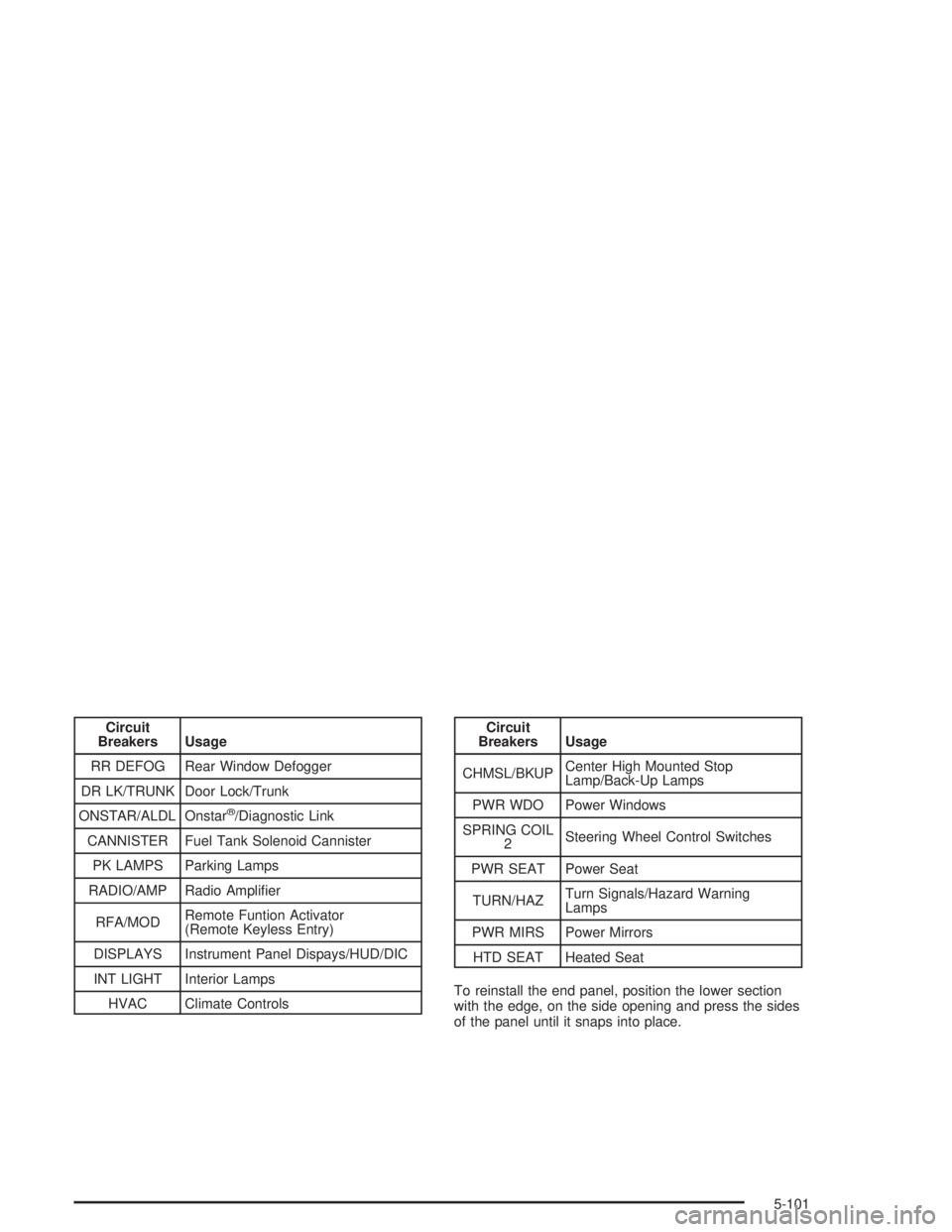
Circuit
Breakers Usage
RR DEFOG Rear Window Defogger
DR LK/TRUNK Door Lock/Trunk
ONSTAR/ALDL Onstar
ž/Diagnostic Link
CANNISTER Fuel Tank Solenoid Cannister
PK LAMPS Parking Lamps
RADIO/AMP Radio Ampli®er
RFA/MODRemote Funtion Activator
(Remote Keyless Entry)
DISPLAYS Instrument Panel Dispays/HUD/DIC
INT LIGHT Interior Lamps
HVAC Climate Controls
Circuit
Breakers Usage
CHMSL/BKUPCenter High Mounted Stop
Lamp/Back-Up Lamps
PWR WDO Power Windows
SPRING COIL
2Steering Wheel Control Switches
PWR SEAT Power Seat
TURN/HAZTurn Signals/Hazard Warning
Lamps
PWR MIRS Power Mirrors
HTD SEAT Heated Seat
To reinstall the end panel, position the lower section
with the edge, on the side opening and press the sides
of the panel until it snaps into place.
5-101
Page 383 of 432
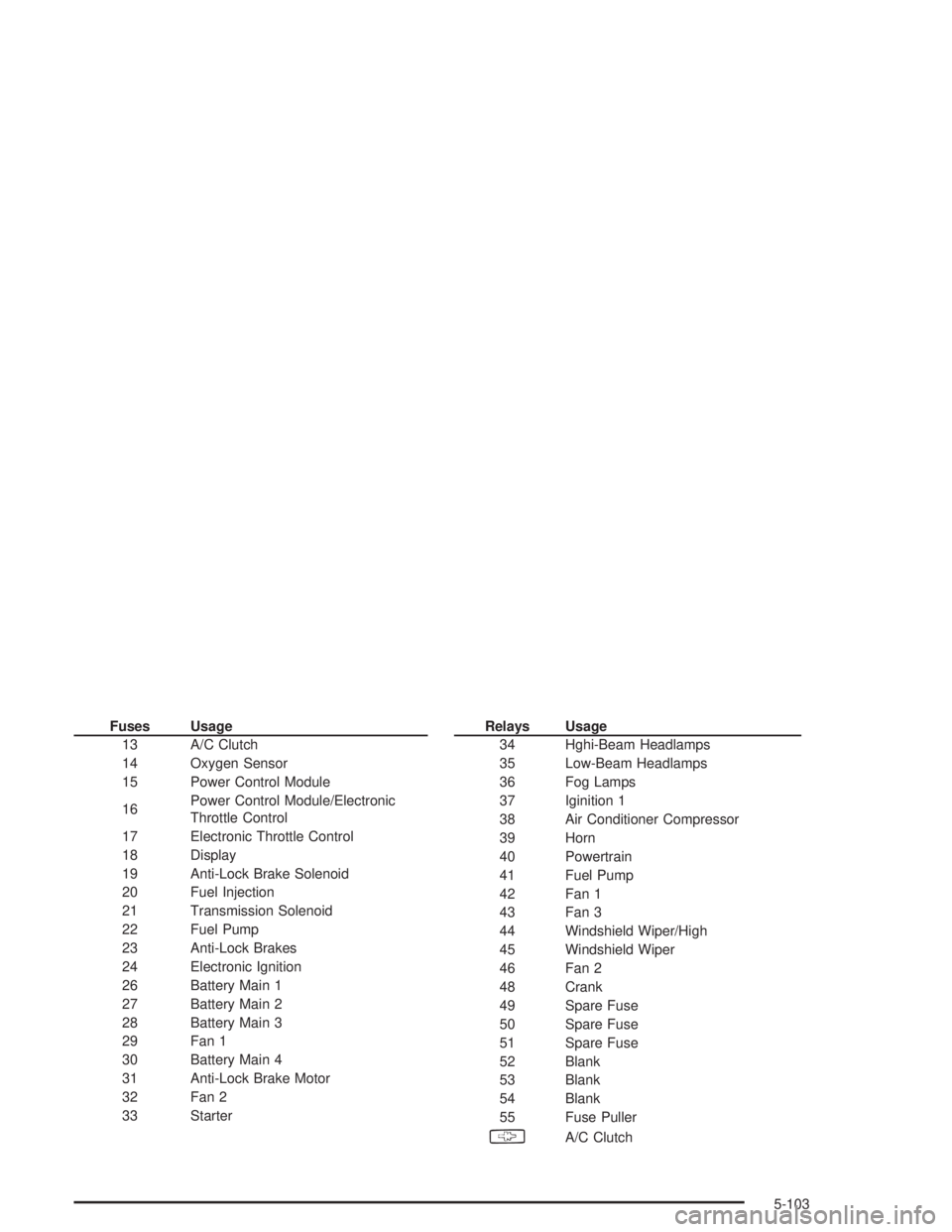
Fuses Usage
13 A/C Clutch
14 Oxygen Sensor
15 Power Control Module
16Power Control Module/Electronic
Throttle Control
17 Electronic Throttle Control
18 Display
19 Anti-Lock Brake Solenoid
20 Fuel Injection
21 Transmission Solenoid
22 Fuel Pump
23 Anti-Lock Brakes
24 Electronic Ignition
26 Battery Main 1
27 Battery Main 2
28 Battery Main 3
29 Fan 1
30 Battery Main 4
31 Anti-Lock Brake Motor
32 Fan 2
33 StarterRelays Usage
34 Hghi-Beam Headlamps
35 Low-Beam Headlamps
36 Fog Lamps
37 Iginition 1
38 Air Conditioner Compressor
39 Horn
40 Powertrain
41 Fuel Pump
42 Fan 1
43 Fan 3
44 Windshield Wiper/High
45 Windshield Wiper
46 Fan 2
48 Crank
49 Spare Fuse
50 Spare Fuse
51 Spare Fuse
52 Blank
53 Blank
54 Blank
55 Fuse Puller
§A/C Clutch
5-103
Page 402 of 432
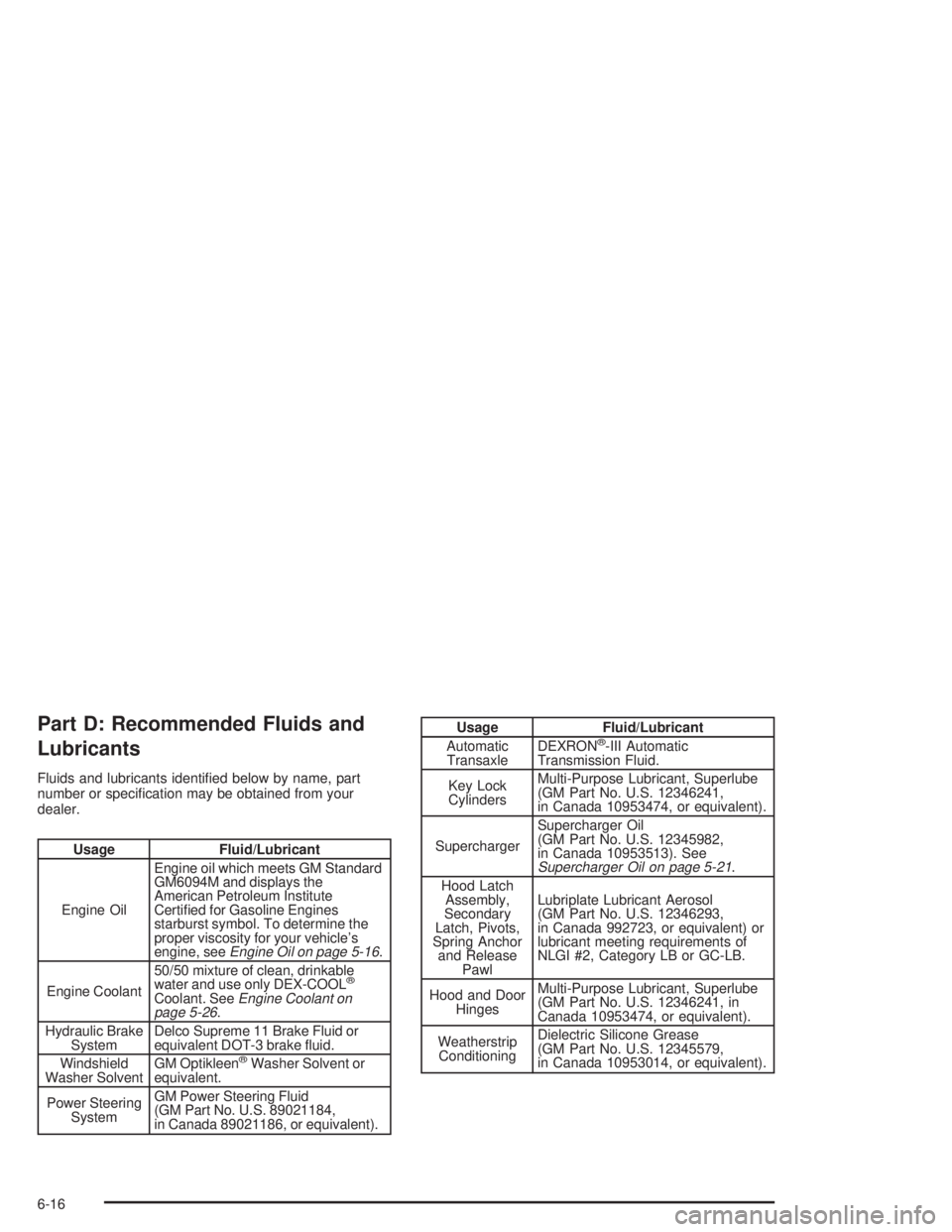
Part D: Recommended Fluids and
Lubricants
Fluids and lubricants identi®ed below by name, part
number or speci®cation may be obtained from your
dealer.
Usage Fluid/Lubricant
Engine OilEngine oil which meets GM Standard
GM6094M and displays the
American Petroleum Institute
Certi®ed for Gasoline Engines
starburst symbol. To determine the
proper viscosity for your vehicle's
engine, see
Engine Oil on page 5-16.
Engine Coolant50/50 mixture of clean, drinkable
water and use only DEX-COOL
ž
Coolant. SeeEngine Coolant on
page 5-26.
Hydraulic Brake
SystemDelco Supreme 11 Brake Fluid or
equivalent DOT-3 brake ¯uid.
Windshield
Washer SolventGM Optikleen
žWasher Solvent or
equivalent.
Power Steering
SystemGM Power Steering Fluid
(GM Part No. U.S. 89021184,
in Canada 89021186, or equivalent).
Usage Fluid/Lubricant
Automatic
TransaxleDEXRONž-III Automatic
Transmission Fluid.
Key Lock
CylindersMulti-Purpose Lubricant, Superlube
(GM Part No. U.S. 12346241,
in Canada 10953474, or equivalent).
SuperchargerSupercharger Oil
(GM Part No. U.S. 12345982,
in Canada 10953513). See
Supercharger Oil on page 5-21.
Hood Latch
Assembly,
Secondary
Latch, Pivots,
Spring Anchor
and Release
PawlLubriplate Lubricant Aerosol
(GM Part No. U.S. 12346293,
in Canada 992723, or equivalent) or
lubricant meeting requirements of
NLGI #2, Category LB or GC-LB.
Hood and Door
HingesMulti-Purpose Lubricant, Superlube
(GM Part No. U.S. 12346241, in
Canada 10953474, or equivalent).
Weatherstrip
ConditioningDielectric Silicone Grease
(GM Part No. U.S. 12345579,
in Canada 10953014, or equivalent).
6-16
Page 420 of 432
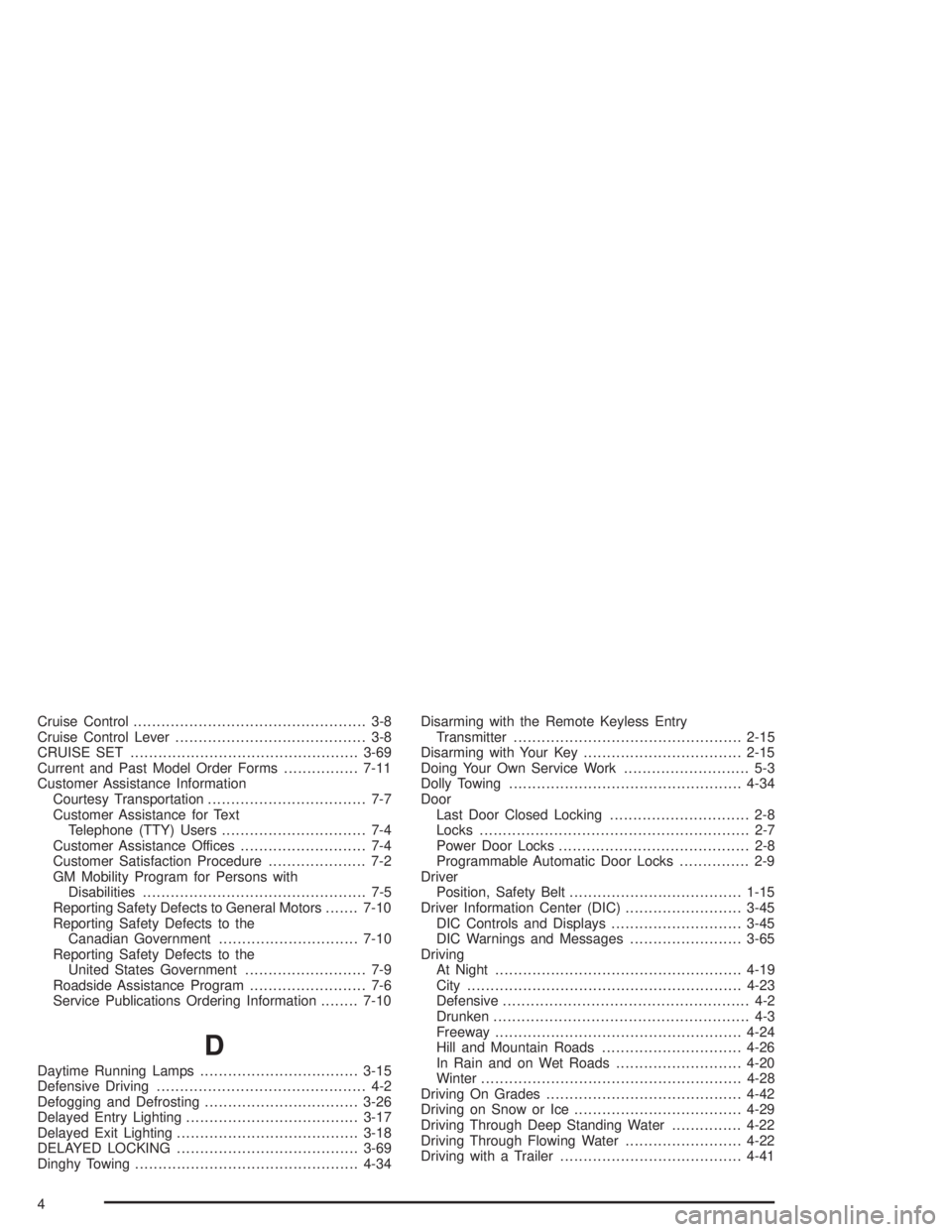
Cruise Control.................................................. 3-8
Cruise Control Lever......................................... 3-8
CRUISE SET.................................................3-69
Current and Past Model Order Forms................7-11
Customer Assistance Information
Courtesy Transportation.................................. 7-7
Customer Assistance for Text
Telephone (TTY) Users............................... 7-4
Customer Assistance Offices........................... 7-4
Customer Satisfaction Procedure..................... 7-2
GM Mobility Program for Persons with
Disabilities................................................ 7-5
Reporting Safety Defects to General Motors.......7-10
Reporting Safety Defects to the
Canadian Government..............................7-10
Reporting Safety Defects to the
United States Government.......................... 7-9
Roadside Assistance Program......................... 7-6
Service Publications Ordering Information........7-10
D
Daytime Running Lamps..................................3-15
Defensive Driving............................................. 4-2
Defogging and Defrosting.................................3-26
Delayed Entry Lighting.....................................3-17
Delayed Exit Lighting.......................................3-18
DELAYED LOCKING.......................................3-69
Dinghy Towing................................................4-34Disarming with the Remote Keyless Entry
Transmitter.................................................2-15
Disarming with Your Key..................................2-15
Doing Your Own Service Work........................... 5-3
Dolly Towing..................................................4-34
Door
Last Door Closed Locking.............................. 2-8
Locks.......................................................... 2-7
Power Door Locks......................................... 2-8
Programmable Automatic Door Locks............... 2-9
Driver
Position, Safety Belt.....................................1-15
Driver Information Center (DIC).........................3-45
DIC Controls and Displays............................3-45
DIC Warnings and Messages........................3-65
Driving
At Night.....................................................4-19
City...........................................................4-23
Defensive..................................................... 4-2
Drunken....................................................... 4-3
Freeway.....................................................4-24
Hill and Mountain Roads..............................4-26
In Rain and on Wet Roads...........................4-20
Winter........................................................4-28
Driving On Grades..........................................4-42
Driving on Snow or Ice....................................4-29
Driving Through Deep Standing Water...............4-22
Driving Through Flowing Water.........................4-22
Driving with a Trailer.......................................4-41
4