trip computer PONTIAC GRAND PRIX 2005 User Guide
[x] Cancel search | Manufacturer: PONTIAC, Model Year: 2005, Model line: GRAND PRIX, Model: PONTIAC GRAND PRIX 2005Pages: 444, PDF Size: 2.6 MB
Page 163 of 444
REMOTE START:If your vehicle has the remote start
feature, this screen allows this feature to be turned
OFF or ON. The remote start feature allows you to start
the engine from outside of the vehicle using your
remote keyless entry transmitter. See “Remote Vehicle
Start” underRemote Keyless Entry System Operation
on page 2-5for more information.
If OFF is selected, the remote start feature will be
disabled.
If ON is selected, the remote start feature will be
enabled.
To program this mode, use the following procedure:
1. Press the set/reset button to scroll to OFF or ON.
2. Press the options button again to advance to
the next screen.
PROGRAMMING FINISHED will appear on the next
screen. This conrms that the personal options
programming is complete.
DISPLAY OFF will appear on the next screen. The
screen will count down and then go blank. Press the
options button to advance to a new screen.DIC Controls and Displays
(Uplevel DIC with Trip Computer)
The Driver Information Center (DIC) control buttons and
the message display screen are located above the
radio. The DIC gives important safety and maintenance
facts concerning the vehicle. The status of many of
the vehicle’s systems along with driver personalization
menus and warning messages about the vehicle’s
systems may display on the DIC screen.
The outside temperature automatically appears on the
bottom right corner of the DIC display screen. If the
outside temperature is below 38°F (3°C), the temperature
reading will toggle between displaying the outside
temperature and the word ICE for two minutes. If there is
a problem with the system that controls the temperature
display, the letters OC (Open Circuit) or SC (Short
Circuit) will appear on the display. If this occurs, have the
vehicle serviced by your GM dealer.
The vehicle’s transaxle position and the direction the
vehicle is traveling will also appear on the DIC screen.
3-57
Page 164 of 444
The compass is self-calibrating, which eliminates the
need to manually set the compass. However, under
certain circumstances, such as during a long distance
cross-country trip, it will be necessary to compensate for
compass variance and reset the zone through the
DIC. See “Setting the Compass” later in this section for
more information.
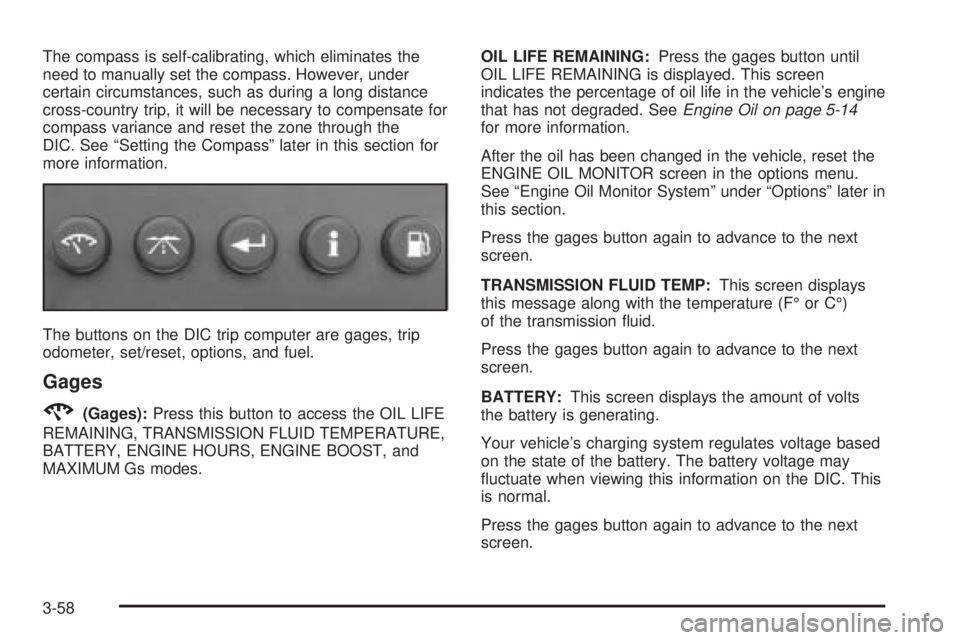
The buttons on the DIC trip computer are gages, trip
odometer, set/reset, options, and fuel.
Gages
2(Gages):Press this button to access the OIL LIFE
REMAINING, TRANSMISSION FLUID TEMPERATURE,
BATTERY, ENGINE HOURS, ENGINE BOOST, and
MAXIMUM Gs modes.OIL LIFE REMAINING:Press the gages button until
OIL LIFE REMAINING is displayed. This screen
indicates the percentage of oil life in the vehicle’s engine
that has not degraded. SeeEngine Oil on page 5-14
for more information.
After the oil has been changed in the vehicle, reset the
ENGINE OIL MONITOR screen in the options menu.
See “Engine Oil Monitor System” under “Options” later in
this section.
Press the gages button again to advance to the next
screen.
TRANSMISSION FLUID TEMP:This screen displays
this message along with the temperature (F° or C°)
of the transmission uid.
Press the gages button again to advance to the next
screen.
BATTERY:This screen displays the amount of volts
the battery is generating.
Your vehicle’s charging system regulates voltage based
on the state of the battery. The battery voltage may
uctuate when viewing this information on the DIC. This
is normal.
Press the gages button again to advance to the next
screen.
3-58
Page 175 of 444
DIC Warnings and Messages
These messages will appear if there is a problem in
one of the vehicle’s systems. They will override
any other mode or screen the DIC may be in.
Some messages can be cleared from the Driver
Information Center (DIC) screen. In order to do this
the message must be acknowledged. To acknowledge
or clear the message from the screen, press the
set/reset button on the DIC. SeeDIC Controls and
Displays (Base Level DIC) on page 3-49orDIC Controls
and Displays (Uplevel DIC with Trip Computer) on
page 3-57for DIC button descriptions.
Other warning messages are not allowed to be cleared
until the problem indicated by the warning message
is taken care of. When the problem indicated by
the message is resolved, it can be acknowledged and
the screen can be reset.
Be sure to take any message that appears on the
DIC screen seriously and remember that clearing the
messages that are able to be acknowledged, will
only make the message disappear, not the problem.
A/C OFF FOR ENGINE PROTECTION
This warning message comes on when the engine
coolant becomes hotter than the normal operating
temperature. To avoid added strain on a hot engine,
the air conditioning compressor is automatically turned
off. When the coolant temperature returns to normal,
the air conditioning compressor will turn back on.
The vehicle can then continue to be driven.
This message comes on while the ignition is in RUN.
A chime will sound for two seconds when this message
is displayed. Press the set/reset button to acknowledge
this warning message and to clear it from the screen.
This message will continue to display for three seconds
if it has not been acknowledged when the engine is
turned off. It will also re-display for three seconds if the
message has been acknowledged, but the condition
still exists when the engine is turned off.
If the condition still exists, the message will re-appear
when the engine is turned on.
3-69
Page 177 of 444
This warning message indicates that service is required
for the vehicle. See your GM dealer. SeeEngine Oil
on page 5-14andScheduled Maintenance on page 6-4
for more information.
The CHANGE OIL SOON message is reset by
acknowledging the message. The ENGINE OIL
MONITOR SYSTEM screen under the options menu on
the DIC must also be reset. See “Engine Oil Monitor
System” in options underDIC Controls and Displays
(Base Level DIC) on page 3-49orDIC Controls
and Displays (Uplevel DIC with Trip Computer) on
page 3-57for more information.
This message will display while the ignition is in RUN.
Press the set/reset button to acknowledge this message
and to clear it from the screen.
This message will continue to display for three seconds
if it has not been acknowledged when the engine is
turned off. It will also re-display for three seconds if the
message has been acknowledged, but the condition
still exists when the engine is turned off.
If the condition still exists, the message will re-appear
when the engine is turned on.CHARGING SYSTEM FAILURE
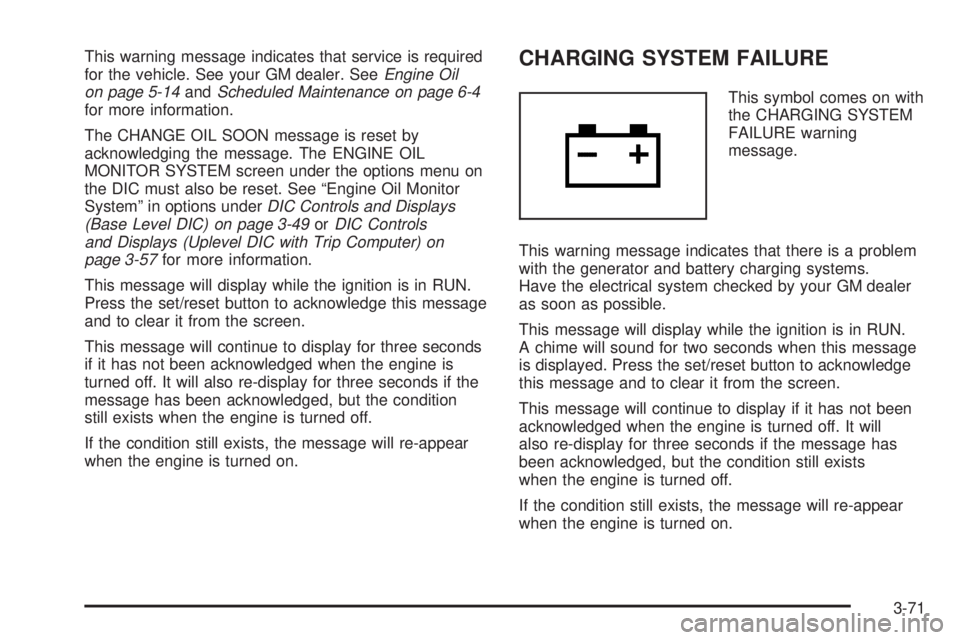
This symbol comes on with
the CHARGING SYSTEM
FAILURE warning
message.
This warning message indicates that there is a problem
with the generator and battery charging systems.
Have the electrical system checked by your GM dealer
as soon as possible.
This message will display while the ignition is in RUN.
A chime will sound for two seconds when this message
is displayed. Press the set/reset button to acknowledge
this message and to clear it from the screen.
This message will continue to display if it has not been
acknowledged when the engine is turned off. It will
also re-display for three seconds if the message has
been acknowledged, but the condition still exists
when the engine is turned off.
If the condition still exists, the message will re-appear
when the engine is turned on.
3-71
Page 178 of 444
CHECK GAS CAP
This warning message comes on when the gas cap is
not on, or is not fully tightened. Check the gas cap
to ensure it is on and properly tightened.
This message will display while the ignition is in RUN.
A chime will sound for two seconds when this message
is displayed and then the message continues to
display. Press the set/reset button to acknowledge this
message and to clear it from the screen.
This message will continue to display for three seconds
if it has not been acknowledged when the engine is
turned off. It will also re-display for three seconds if the
message has been acknowledged, but the condition
still exists when the engine is turned off.
If the condition still exists, the message will re-appear
when the engine is turned on.
CHECK TIRE PRESSURE
This symbol comes on
with the CHECK TIRE
PRESSURE warning
message.
If the vehicle has ABS brakes, this warning message
will appear when the air pressure in one of the tires
is too low or too high. Check the vehicle’s tire pressure
as soon as possible, and ll or deate the affected
tire to the appropriate level. The correct tire ination
pressure should be set to those shown on the
tire-loading information label on the vehicle. See
Loading Your Vehicle on page 4-33for more information.
The CHECK TIRE PRESSURE screen is reset when
it is acknowledged. However, the TIRE INFLATION
MONITOR SYSTEM screen, located under the option
menu in the DIC, must also be reset. See “Tire Ination
Monitor System” in the options section underDIC
Controls and Displays (Base Level DIC) on page 3-49
orDIC Controls and Displays (Uplevel DIC with Trip
Computer) on page 3-57for more information.
3-72
Page 180 of 444

DELAYED LOCKING
This message comes on when the doors of the vehicle
are closed and the delayed locking feature has been
programmed through the DIC. See “Delayed Locking”
in the options menu underDIC Controls and Displays
(Base Level DIC) on page 3-49orDIC Controls
and Displays (Uplevel DIC with Trip Computer) on
page 3-57for more information.
This message will appear when the ignition is in OFF.
A chime will sound for two seconds when this message
is displayed.
This message cannot be acknowledged.
HEADLAMPS SUGGESTED
This message comes on when the amount of available
light outside the vehicle is low and the exterior lamps
control is off. This message informs the driver that it has
become dark enough outside to require the headlamps
and/or other exterior lamps to be turned on, even
though the Daytime Running Lamps (DRL) are still
illuminated.This message will display while the ignition is in RUN.
A chime will sound for two seconds when this message
is displayed. Press the set/reset button to acknowledge
this warning message and to clear it from the screen.
This message will continue to display if it has not been
acknowledged when the engine is turned off. It will
also re-display for three seconds if the message has
been acknowledged, but the condition still exists
when the engine is turned off.
If the condition still exists, the message will re-appear
when the engine is turned on.
HOT COOLANT
Notice:If the HOT COOLANT warning message
appears on the DIC display, stop the vehicle as soon
as possible. Do not increase the engine speed
above normal idling speed. Severe engine damage
can result from driving a vehicle with an overheated
engine. SeeEngine Overheating on page 5-27for
more information.
3-74
Page 182 of 444
HOT TRANS FLUID
This symbol comes on with
the HOT TRANS FLUID
warning message.
This warning message will appear when the transaxle
uid in the vehicle is too hot. Stop the vehicle and allow
it to idle until it cools down. If the warning message
continues to display, have the vehicle serviced by your
GM dealer as soon as possible.
If the vehicle has the Uplevel Trip Computer DIC, you
can determine the actual temperature of the transaxle
uid using the vehicle’s gages button. SeeDIC Controls
and Displays (Base Level DIC) on page 3-49orDIC
Controls and Displays (Uplevel DIC with Trip Computer)
on page 3-57for more information.
This message will display while the ignition is in RUN.
A chime will sound for two seconds when this message
is displayed. Press the set/reset button to acknowledge
this message and to clear it from the screen.This message will continue to display if it has not been
acknowledged when the engine is turned off. It will
also re-display for three seconds if the message has
been acknowledged, but the condition still exists
when the engine is turned off.
If the condition still exists, the message will re-appear
when the engine is turned on.
KEY FOB BATTERY LOW
This symbol comes on with
the KEY FOB BATTERY
LOW warning message.
This warning message will appear when the battery in
the remote keyless entry transmitter needs to be
replaced. SeeRemote Keyless Entry System Operation
on page 2-5for more information.
This message will display while the ignition is in RUN.
A chime will sound for two seconds when this message
is displayed. Press the set/reset button to acknowledge
this message and to clear it from the screen.
3-76
Page 188 of 444
REDUCED ENGINE POWER
This symbol comes on with
the REDUCED ENGINE
POWER warning message.
This warning message appears when the vehicle’s
engine power is reduced. This happens when driving
conditions, such as climbing a steep hill, make the
transaxle overwork in a gear that may cause damage
to the vehicle’s engine or transaxle. Reduced engine
power can affect the vehicle’s ability to accelerate.
This message will display only when the ignition is in
RUN. A chime will sound for two seconds while
this message is displayed. Press the set/reset button
to acknowledge this message and to clear it from
the screen.
This message will continue to display if it has not been
acknowledged when the engine is turned off. It will
also re-display for three seconds if the message has
been acknowledged, but the condition still exists
when the engine is turned off.
If the condition still exists, the message will re-appear
when the engine is turned on.
REMOTE START ACTIVE PRESS
HAZARD SWITCH TO CANCEL
This warning message will come on when a remote
start is initiated. If you would like to cancel the remote
start, turn on the hazard warning ashers. See
Hazard Warning Flashers on page 3-5.
REMOTE START DISABLED
This warning message will come on if a remote start
attempt is unsuccessful. This may be caused by any of
the following conditions:
The remote start system is disabled through
the DIC.
The key is in the ignition.
The hood or the doors are not closed.
There is an emission control system malfunction.
The engine coolant temperature is too high.
The oil pressure is low.
See “REMOTE START” underDIC Controls and
Displays (Base Level DIC) on page 3-49orDIC Controls
and Displays (Uplevel DIC with Trip Computer) on
page 3-57and “Remote Vehicle Start” underRemote
Keyless Entry System Operation on page 2-5for
more information.
3-82
Page 196 of 444
STARTING DISABLED DUE TO
ELECTRONIC THROTTLE CONTROL
This warning message comes on when there is a
malfunction with the electronic throttle control which
prevents the vehicle from starting. Have the vehicle
serviced by your GM dealer.
This message will only appear while the ignition is in
RUN, and will not disappear until the problem is
resolved. A chime will sound for two seconds. This
message cannot be acknowledged.
STARTING DISABLED DUE TO
THEFT SYSTEM
This warning message comes on when the system
detects a malfunction in the content theft-deterrent
system and prevents the vehicle from starting.
This message will only appear while the ignition is
in RUN, and will not disappear until the problem
is resolved. A chime will sound for two seconds.
This message cannot be acknowledged.
THEFT SYSTEM NOT PROGRAMMED
This warning message comes on if the theft-deterrent
system has not been programmed through the DIC.
See “Personal Programming” under the options mode
inDIC Controls and Displays (Base Level DIC) on
page 3-49orDIC Controls and Displays (Uplevel DIC
with Trip Computer) on page 3-57for information on how
to set the theft-deterrent system.
This message will display only while the ignition is in
RUN. A chime will sound for two seconds while
this message is displayed. Press the set/reset button
to acknowledge this message and to clear it from
the screen.
This message will continue to display if it has not been
acknowledged when the engine is turned off. It will
also re-display for three seconds if the message has
been acknowledged, but the condition still exists
when the engine is turned off.
If the condition still exists, the message will re-appear
when the engine is turned on.
3-90
Page 308 of 444
Engine Oil Life System
When to Change Engine Oil
Your vehicle has a computer system that lets you
know when to change the engine oil and lter. This is
based on engine revolutions and engine temperature,
and not on mileage. Based on driving conditions,
the mileage at which an oil change will be indicated
can vary considerably. For the oil life system to
work properly, you must reset the system every time
the oil is changed.
When the system has calculated that oil life has been
diminished, it will indicate that an oil change is
necessary. A CHANGE OIL SOON message will come
on. SeeDIC Warnings and Messages on page 3-69.
Change your oil as soon as possible within the next
600 miles (1 000 km). It is possible that, if you are
driving under the best conditions, the oil life system may
not indicate that an oil change is necessary for over a
year. However, your engine oil and lter must be
changed at least once a year and at this time the system
must be reset. Your dealer has GM-trained service
people who will perform this work using genuine GM
parts and reset the system. It is also important to check
your oil regularly and keep it at the proper level.If the system is ever reset accidentally, you must
change your oil at 3,000 miles (5 000 km) since your
last oil change. Remember to reset the oil life system
whenever the oil is changed.How to Reset the Engine Oil Life
System
The Engine Oil Life System calculates when to
change your engine oil and lter based on vehicle use.
Anytime your oil is changed, reset the system so it
can calculate when the next oil change is required. If a
situation occurs where you change your oil prior to a
CHANGE OIL SOON message appearing on the
DIC, reset the system.
To reset the oil life system, after the oil has been
changed, use the following procedure:
1. Press the options button on the DIC until ENGINE
OIL MONITOR appears on the DIC screen.
2. Press the set/reset button to reset the system.
The next screen indicates that the engine oil
monitor system has been reset.
If the vehicle is equipped with the trip computer
DIC, when the gage button is pressed and the OIL
LIFE REMAINING mode appears, it should read
100 percent OIL LIFE REMAINING.
3. Turn the key to OFF.
5-18