display PONTIAC GRAND PRIX 2005 Owner's Manual
[x] Cancel search | Manufacturer: PONTIAC, Model Year: 2005, Model line: GRAND PRIX, Model: PONTIAC GRAND PRIX 2005Pages: 444, PDF Size: 2.6 MB
Page 129 of 444
Format Three:This display includes all the
information in Format One, but turns the instrument
cluster lighting off. Format Three will also show
the turn-by turn navigation information. It will display
the next turn, direction, street name, and distance
to the selected destination. When you near your
destination, the HUD will display a distance bar that
will ll in the closer you get to your destination.
All navigation information is provided to the HUD by
the navigation radio.
The warning indicators still appear on the instrument
panel when required. The HUD will display Stealth
Mode On.
Format Three is only available at night.
The HUD will store the last display format selected.
If the last format displayed was Format One or Format
Three, then Format One will be displayed when the
vehicle is started.
If the last format was Format Two, then Format Two will
be displayed.The HUD image displayed on the windshield will
automatically dim and brighten to compensate for
outside lighting.
The HUD image can temporarily light up depending
on the angle and position of the sunlight on the
HUD display. This is normal and will change when the
angle of the sunlight on the HUD display changes.
Polarized sunglasses could make the HUD image harder
to see.
Care of the HUD
Clean the inside of the windshield as needed to remove
any dirt or lm that could reduce the sharpness or
clarity of the HUD image.
To clean the HUD lens, use a soft, clean cloth that
has household glass cleaner sprayed on it. Wipe the
HUD lens gently, then dry it. Do not spray cleaner
directly on the lens because the cleaner could leak into
the unit.
3-23
Page 136 of 444
2. Press the PASS. button to turn the passenger
climate control system on and off. When the
passenger system is off, the driver’s temperature
setting is also used for the passenger and the
passenger display is off.
In cold weather, the system will start at reduced fan
speeds to avoid blowing cold air into your vehicle
until warmer air is available. The system will
start out blowing air at the oor but may change
modes automatically as the vehicle warms up
to maintain the chosen temperature setting. The
length of time needed for warm up will depend on
the outside temperature and the length of time
that has elapsed since your vehicle was last driven.
3. Wait for the system to regulate. This may take from
10 to 30 minutes. Then adjust the temperature, if
necessary.
Do not cover the solar sensor located in the center of
the instrument panel, near the windshield. For more
information on the solar sensor, see “Sensors” later in
this section.Manual Operation
xw
(Temperature):To manually adjust the
temperature inside the vehicle, press the up arrow on
the temperature control to raise the temperature
and press the down arrow to lower the temperature.
The display will show your selection.
When one temperature is displayed, the driver
temperature is set. When both temperatures are
displayed, the temperature for both the driver and
passenger are set. Pressing PASS. will turn the
passenger temperature setting on and off. If only the
driver temperature is set, the driver temperature is used
for the passenger and the passenger display is off.
9(Fan):Turn the fan knob clockwise to increase the
fan speed and counterclockwise to decrease the fan
speed. Turning the fan knob cancels the automatic fan
operation and places the system in manual. Turn the
knob to AUTO to return to automatic fan operation. If the
airow seems low when the fan is at the highest setting,
the passenger compartment air lter, if equipped, may
need to be replaced. SeePassenger Compartment Air
Filter on page 3-33for additional information.
9(Off):Turning the fan knob off will turn the
controller completely off. Only the rear defog and heated
seats will function when the fan knob is off.
3-30
Page 143 of 444
Speedometer and Odometer
The speedometer shows the vehicle’s speed in both
miles per hour (mph) and kilometers per hour (km/h).
The odometer, located on the Driver Information Center
(DIC) display, shows how far the vehicle has been
driven, in either miles or kilometers. SeeDIC Controls
and Displays (Base Level DIC) on page 3-49orDIC
Controls and Displays (Uplevel DIC with Trip Computer)
on page 3-57for more information.
If the vehicle has the Head-Up Display (HUD) the speed
will also be displayed on the HUD screen.
If a vehicle has to have a new odometer installed, a
new one can be set to the mileage total of the old
odometer, if that can be done. If it cannot, than it will be
set at zero and a label must be put on the driver’s
door to show the old mileage reading when the new
odometer was installed.
Trip Odometer
The trip odometer, located in the Driver Information
Center (DIC), tells how far the vehicle has driven since it
was last reset. The miles (kilometers) for two different
trips can be viewed. SeeDIC Controls and Displays
(Base Level DIC) on page 3-49orDIC Controls and
Displays (Uplevel DIC with Trip Computer) on page 3-57
for more information on setting the trip odometer.
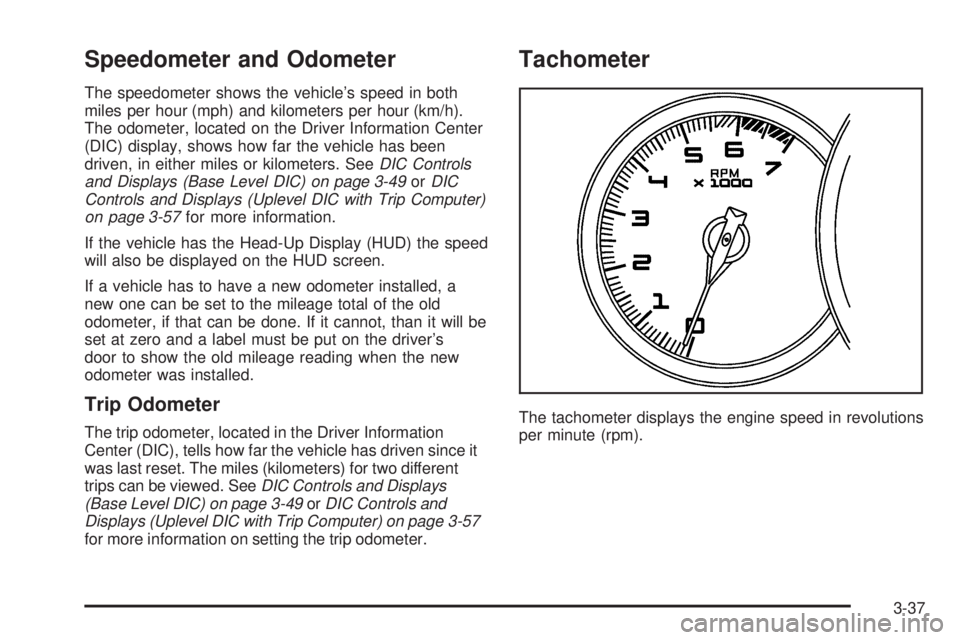
Tachometer
The tachometer displays the engine speed in revolutions
per minute (rpm).
3-37
Page 145 of 444
{CAUTION:
If the airbag readiness light stays on after you
start your vehicle, it means the airbag system
may not be working properly. The airbags in
your vehicle may not inate in a crash, or they
could even inate without a crash. To help avoid
injury to yourself or others, have your vehicle
serviced right away if the airbag readiness light
stays on after you start your vehicle.
The airbag readiness light should ash for a
few seconds when the ignition key is turned to RUN.
If the light does not come on then, have it xed so it
will be ready to warn you if there is a problem.
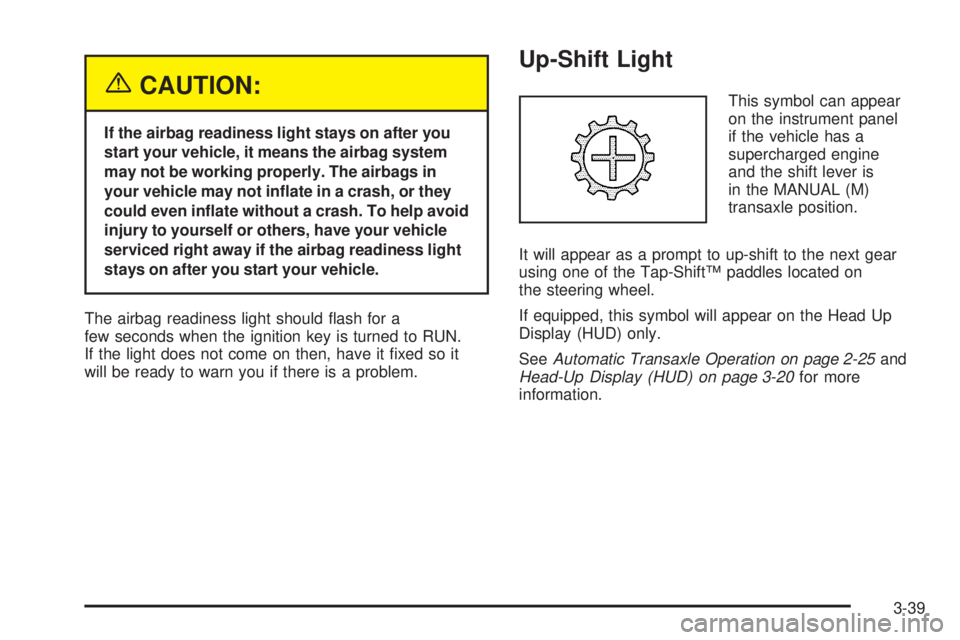
Up-Shift Light
This symbol can appear
on the instrument panel
if the vehicle has a
supercharged engine
and the shift lever is
in the MANUAL (M)
transaxle position.
It will appear as a prompt to up-shift to the next gear
using one of the Tap-Shift™ paddles located on
the steering wheel.
If equipped, this symbol will appear on the Head Up
Display (HUD) only.
SeeAutomatic Transaxle Operation on page 2-25and
Head-Up Display (HUD) on page 3-20for more
information.
3-39
Page 155 of 444
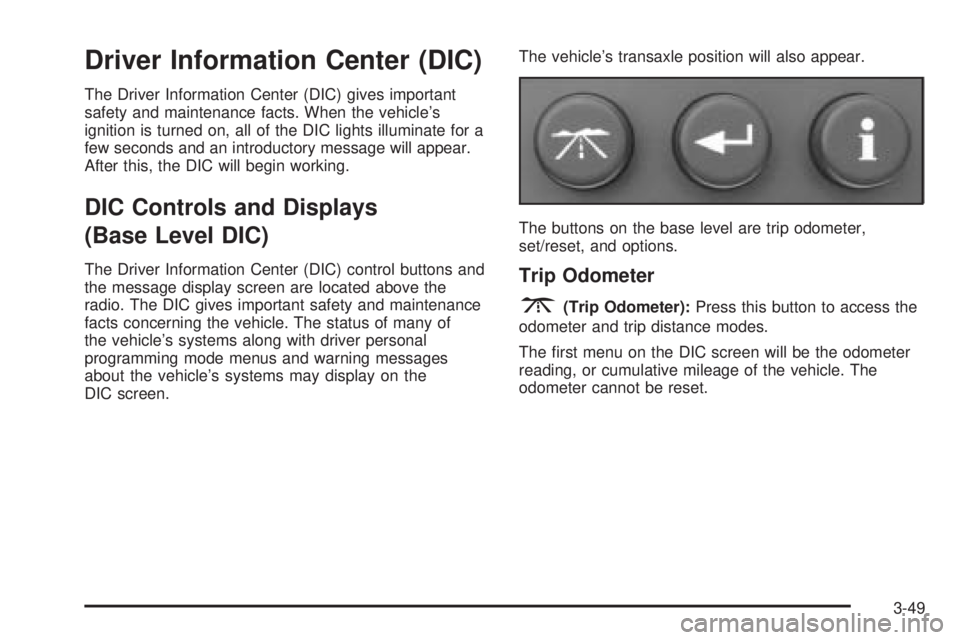
Driver Information Center (DIC)
The Driver Information Center (DIC) gives important
safety and maintenance facts. When the vehicle’s
ignition is turned on, all of the DIC lights illuminate for a
few seconds and an introductory message will appear.
After this, the DIC will begin working.
DIC Controls and Displays
(Base Level DIC)
The Driver Information Center (DIC) control buttons and
the message display screen are located above the
radio. The DIC gives important safety and maintenance
facts concerning the vehicle. The status of many of
the vehicle’s systems along with driver personal
programming mode menus and warning messages
about the vehicle’s systems may display on the
DIC screen.The vehicle’s transaxle position will also appear.
The buttons on the base level are trip odometer,
set/reset, and options.Trip Odometer
3(Trip Odometer):Press this button to access the
odometer and trip distance modes.
The rst menu on the DIC screen will be the odometer
reading, or cumulative mileage of the vehicle. The
odometer cannot be reset.
3-49
Page 156 of 444
Press the trip odometer button to advance to the
next menu.
Trip Distances:This menu shows the distances that
the vehicle has driven between specic points. The
trip odometer will record the number of miles up
to 9,999.9 miles or 9 999.9 km travelled for up to
two trips. When 9,999.9 miles or 9 999.9 km is reached
for either trip, the odometer for that trip will go back
to zero.
Press the trip odometer button again to access
TRIP A. Press the trip odometer button again to
access TRIP B. To reset the trip odometer(s) back to
zero miles or kilometers, access the trip to reset
and press the set/reset button.
The trip odometer has a feature called the retro-active
reset. This can be used to set the trip odometer to
the number of miles or kilometers driven since
the ignition was last turned on. This can be used if
the trip odometer was not reset at the beginning of
the trip.To use the retro-active reset feature, press and hold the
set/reset button for at least three seconds. The trip
odometer will display the number of miles or kilometers
driven since the ignition was last turned on and the
vehicle began moving. Once the vehicle has begun
moving, the trip odometer will accumulate mileage. For
example, if the vehicle was driven 5.0 miles (8.0 km)
before the vehicle is started again, and then the
retro-active reset feature is activated, the display will
show 5.0 miles (8.0 km). As the vehicle begins moving,
the display will increase to 5.1 miles (8.2 km),
5.2 miles (8.4 km), etc.
If the retro-active reset feature is activated after the
vehicle is started, but before it begins moving, the
display will show the number of miles or kilometers that
were driven during the last ignition cycle.
Press the trip odometer button again to access the
odometer.
Set/Reset
r(Set/Reset):Press this button to set or reset a
menu item when using the trip odometer or options
buttons.
3-50
Page 157 of 444
Options
4(Options):Press this button to access the Date,
Language, Display Units, Daytime Display
Enhancements, Engine Oil Monitor System,
Tire Ination Monitor System, and Personal
Programming modes.
Date:This menu sets the date.
The time is set through the radio. SeeSetting the Time
on page 3-93for more information.
To set the date, use the following procedure:
1. Press the options button until the date is displayed
on the DIC.
2. Press the set/reset button to access the RESET
YEAR screen. The second position in the year
will be selected. Press and hold the set/reset button
to scroll through the available digits. Release the
button when the correct digit appears.
3. Press the options button to advance to the rst
position in the year. Press and hold the set/reset
button to scroll through the available digits. Release
the button when the correct digit appears.
4. Press the options button to advance to the months
of the year.5. Press the set/reset button to scroll through the
months of the year, releasing the button when
the correct month appears.
6. Press the options button to advance to the
days of the month.
7. Press the set/reset button to scroll through the
days of the month, releasing the button when
the correct day appears.
8. Press the options button again to advance to the
main date screen. The screen will now display the
new date.
Language:This menu allows the selection of the
language in which the DIC messages will appear. The
DIC can be programmed to one of three languages:
English, French or Spanish. The message on the HUD,
if equipped, will also appear in the language selected.
To change the language, use the following procedure:
1. Press the options button to enter the language
screen.
2. Press the set/reset button to scroll through and
set the language choice.
3. Press the options button again to advance to the
next screen.
3-51
Page 158 of 444

Display Units:This menu allows selection of
measurements to be displayed in English or metric
units. The messages on the HUD, if equipped, and the
instrument panel cluster will also appear with the
type of measurement selected.
To set the measurement when Display Units is shown,
use the following procedure:
1. Press the set/reset button to select ENGLISH or
METRIC.
2. Press the options button again to advance to the
next screen.
DAYTIME DISPLAY ENHANCEMENTS:This menu
allows selection of the color of the display message.
When ON is selected for the daytime enhancement,
the messages will appear black on a red screen. This
combination makes it easier to see the DIC messages
during the daytime. When OFF is selected, or when
the headlamps are on, the messages will appear red
on a black background.
To set the daytime display enhancements, use the
following procedure:
1. Press the set/reset button to select OFF or ON.
2. Press the options button again to advance to
the next screen.ENGINE OIL MONITOR SYSTEM:This menu allows
the engine oil monitor system to be reset. See
Engine Oil Life System on page 5-18.
To reset the engine oil monitor system, use the following
procedure:
1. Press the set/reset button after an oil change to
reset the engine oil monitor system. The
conrmation, ENGINE OIL MONITOR SYSTEM
HAS BEEN RESET, will appear on the screen and
a chime will sound.
2. Press the options button again to advance to the
next screen.
Tire Ination Monitor System:If the vehicle has ABS,
this menu sets the tire ination monitor system. See “Tire
Ination Monitor System” underInation - Tire Pressure
on page 5-64for more information.
To set or reset the tire ination monitor system, use the
following procedure:
1. Press the set/reset button to reset the tire ination
monitor system. The message, TIRE INFLATION
HAS BEEN SET, will appear on the screen if
the Check Tire Pressure message, indicating
an irregularity in the pressure of one of the
tires, had previously appeared on the DIC.
3-52
Page 159 of 444

If the Check Tire Pressure message did not appear
and the set/reset button is pressed, the system
will reset, but no acknowledgement message
will appear on the screen.
2. Press the options button again to advance to the
next screen.
Select the set/reset button to return to the main (date)
screen.
PERSONAL PROGRAMMING MODE:This menu
allows you to customize several features on your
vehicle. These adjustments can only be made while the
vehicle is in PARK (P). Press the set/reset button to
display the rst screen.
Personal Programming Mode Screens
Press the options button to access these modes:
EXTERIOR LIGHTING DELAY:This screen allows this
feature to be turned off or allows the selection of the
number of seconds the headlamps, sidelamps, taillamps,
fog lamps, and back-up lamps are turned on after the
key is removed from the ignition, or the vehicle is
unlocked using the remote keyless entry transmitter.
If OFF is selected, the exterior lamps will not turn on.If a time delay is chosen, the lamps will turn on for the
selected time. The time delay will be cancelled and
the exterior lamps will turn on automatically when the
key is removed from the ignition, or the vehicle is
unlocked using the remote keyless entry transmitter.
To program this mode, use the following procedure:
1. Press and release the set/reset button to scroll to
the selection to be programmed. Choose from
OFF, 15, 30, 60, or 90 seconds.
2. Press the options button again to advance to the
next screen.
INTERIOR LIGHTS WHEN DOOR CLOSED:This
screen allows this feature to be turned OFF or ON.
If OFF is selected, the interior lamps will turn off
immediately when the ignition is turned off and the last
door is closed.
If ON is selected, the interior lamps will stay on for
about 25 seconds after the vehicle’s ignition is turned off
and the last door is closed.
To program this mode, use the following procedure:
1. Press and release the set/reset button to scroll to
either OFF or ON.
2. Press the options button again to advance to the
next screen.
3-53
Page 161 of 444
If KEY-OUT is selected, the auto door unlock will function
when the key is taken out of the ignition.
If PARK is selected, the auto door unlock will function
when the transaxle is shifted into PARK (P).
To program this mode, use the following procedure:
1. Press and release the set/reset button to scroll to
either KEY-OUT or PARK.
2. Press the options button again to advance to the
next screen.
DELAYED LOCKING:This screen allows this feature
to be turned OFF or ON. The key must be out of
the ignition for this feature to work.
If OFF is selected, there will be no delayed locking of
the vehicle’s doors.
If ON is selected, the locking of the vehicle’s doors will
be delayed by ve seconds after a power door lock
switch is pressed when a door is open, or the LOCK
button on the remote keyless entry transmitter is
pressed while a door is open.
To program this mode, use the following procedure:
1. Press and release the set/reset button to scroll to
either OFF or ON.
2. Press the options button again to advance to the
next screen.REMOTE LOCKS FEEDBACK:This screen allows
selection for this option to be turned OFF, or gives the
choice of two methods of verication; LIGHTS or
LIGHTS and HORN; that indicate the vehicle’s doors
are locked when the LOCK button on the remote keyless
entry transmitter is pressed.
If OFF is selected, this feature will not be programmed.
If LIGHTS is selected, the exterior lamps will ash
when the LOCK button on the remote keyless entry
transmitter is pressed.
If LIGHTS and HORN are selected, the exterior lamps
will ash when the LOCK button on the remote
keyless entry transmitter is pressed and the horn will
sound when the LOCK button on the remote keyless
entry transmitter is pressed again within ve seconds of
the previous command.
To program this mode, use the following procedure:
1. Press the set/reset button to scroll to OFF, LIGHTS,
or LIGHTS and HORN.
2. Press the options button again to advance to the
next screen.
If the vehicle does not have a content theft-deterrent
system, the next screens with PROGRAMMING
FINISHED and DISPLAY OFF will appear.
If the vehicle does have a content theft-deterrent
system, the next screen will appear.
3-55