warning PONTIAC GRAND PRIX 2005 Owner's Manual
[x] Cancel search | Manufacturer: PONTIAC, Model Year: 2005, Model line: GRAND PRIX, Model: PONTIAC GRAND PRIX 2005Pages: 444, PDF Size: 2.6 MB
Page 146 of 444
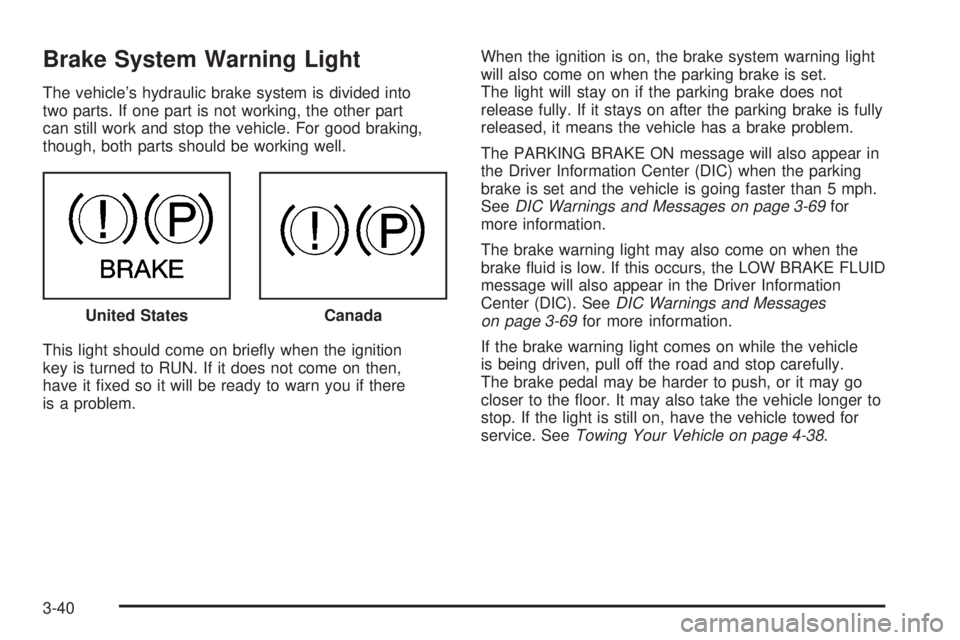
Brake System Warning Light
The vehicle’s hydraulic brake system is divided into
two parts. If one part is not working, the other part
can still work and stop the vehicle. For good braking,
though, both parts should be working well.
This light should come on briey when the ignition
key is turned to RUN. If it does not come on then,
have it xed so it will be ready to warn you if there
is a problem.When the ignition is on, the brake system warning light
will also come on when the parking brake is set.
The light will stay on if the parking brake does not
release fully. If it stays on after the parking brake is fully
released, it means the vehicle has a brake problem.
The PARKING BRAKE ON message will also appear in
the Driver Information Center (DIC) when the parking
brake is set and the vehicle is going faster than 5 mph.
SeeDIC Warnings and Messages on page 3-69for
more information.
The brake warning light may also come on when the
brake uid is low. If this occurs, the LOW BRAKE FLUID
message will also appear in the Driver Information
Center (DIC). SeeDIC Warnings and Messages
on page 3-69for more information.
If the brake warning light comes on while the vehicle
is being driven, pull off the road and stop carefully.
The brake pedal may be harder to push, or it may go
closer to the oor. It may also take the vehicle longer to
stop. If the light is still on, have the vehicle towed for
service. SeeTowing Your Vehicle on page 4-38. United States
Canada
3-40
Page 147 of 444
{CAUTION:
Your brake system may not be working properly
if the brake system warning light is on. Driving
with the brake system warning light on can lead
to an accident. If the light is still on after you
have pulled off the road and stopped carefully,
have the vehicle towed for service.
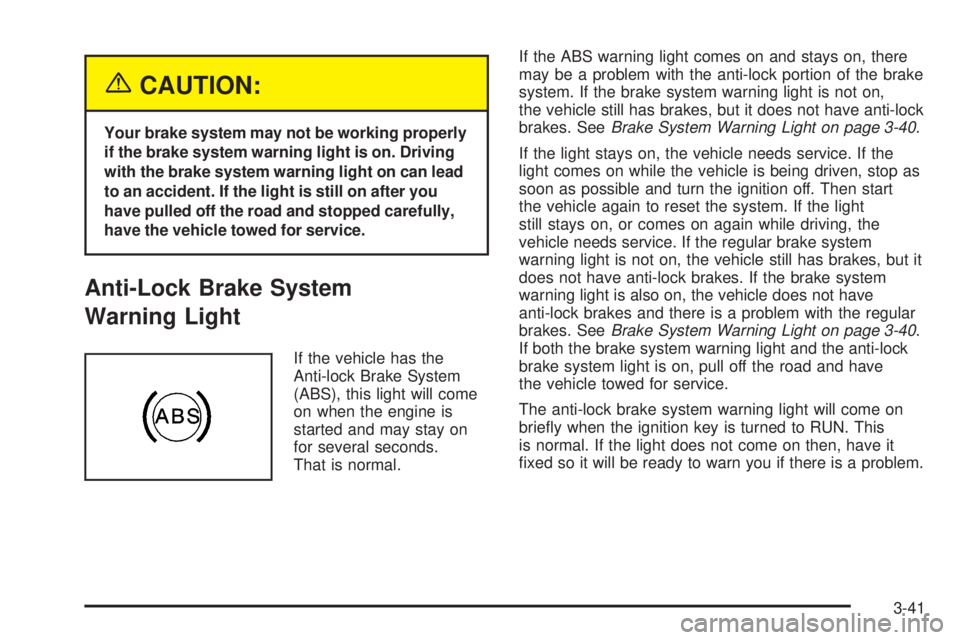
Anti-Lock Brake System
Warning Light
If the vehicle has the
Anti-lock Brake System
(ABS), this light will come
on when the engine is
started and may stay on
for several seconds.
That is normal.If the ABS warning light comes on and stays on, there
may be a problem with the anti-lock portion of the brake
system. If the brake system warning light is not on,
the vehicle still has brakes, but it does not have anti-lock
brakes. SeeBrake System Warning Light on page 3-40.
If the light stays on, the vehicle needs service. If the
light comes on while the vehicle is being driven, stop as
soon as possible and turn the ignition off. Then start
the vehicle again to reset the system. If the light
still stays on, or comes on again while driving, the
vehicle needs service. If the regular brake system
warning light is not on, the vehicle still has brakes, but it
does not have anti-lock brakes. If the brake system
warning light is also on, the vehicle does not have
anti-lock brakes and there is a problem with the regular
brakes. SeeBrake System Warning Light on page 3-40.
If both the brake system warning light and the anti-lock
brake system light is on, pull off the road and have
the vehicle towed for service.
The anti-lock brake system warning light will come on
briey when the ignition key is turned to RUN. This
is normal. If the light does not come on then, have it
xed so it will be ready to warn you if there is a problem.
3-41
Page 148 of 444
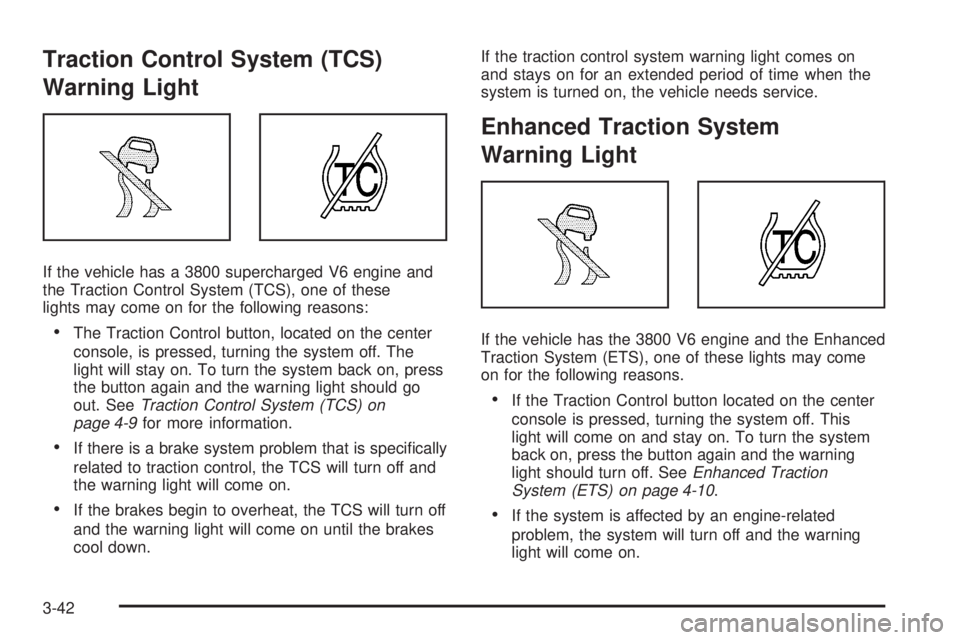
Traction Control System (TCS)
Warning Light
If the vehicle has a 3800 supercharged V6 engine and
the Traction Control System (TCS), one of these
lights may come on for the following reasons:
The Traction Control button, located on the center
console, is pressed, turning the system off. The
light will stay on. To turn the system back on, press
the button again and the warning light should go
out. SeeTraction Control System (TCS) on
page 4-9for more information.
If there is a brake system problem that is specically
related to traction control, the TCS will turn off and
the warning light will come on.
If the brakes begin to overheat, the TCS will turn off
and the warning light will come on until the brakes
cool down.If the traction control system warning light comes on
and stays on for an extended period of time when the
system is turned on, the vehicle needs service.
Enhanced Traction System
Warning Light
If the vehicle has the 3800 V6 engine and the Enhanced
Traction System (ETS), one of these lights may come
on for the following reasons.
If the Traction Control button located on the center
console is pressed, turning the system off. This
light will come on and stay on. To turn the system
back on, press the button again and the warning
light should turn off. SeeEnhanced Traction
System (ETS) on page 4-10.
If the system is affected by an engine-related
problem, the system will turn off and the warning
light will come on.
3-42
Page 149 of 444
If the light comes on and stays on for an extended
period of time when the system is turned on, the vehicle
needs service.
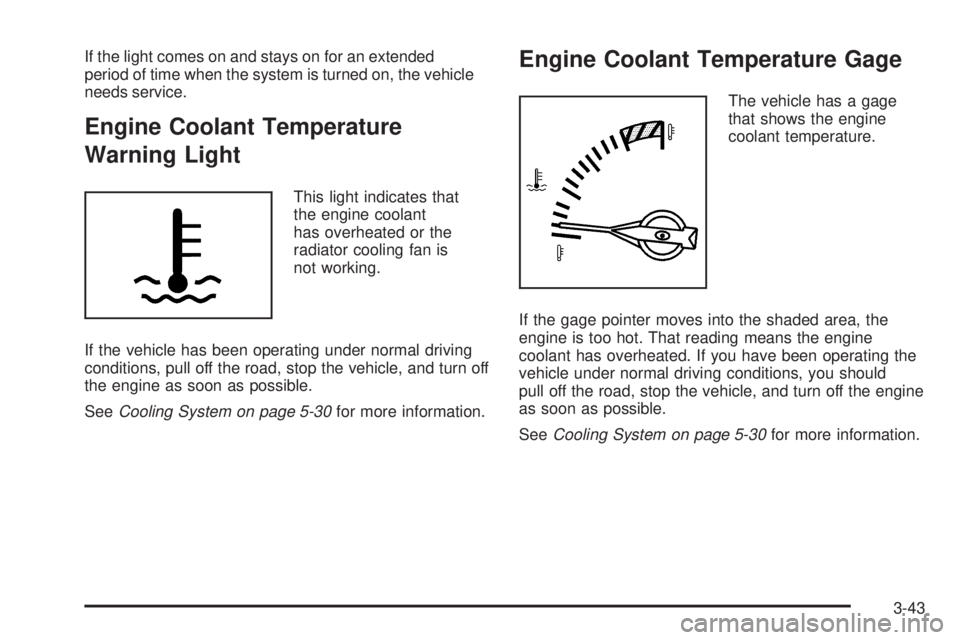
Engine Coolant Temperature
Warning Light
This light indicates that
the engine coolant
has overheated or the
radiator cooling fan is
not working.
If the vehicle has been operating under normal driving
conditions, pull off the road, stop the vehicle, and turn off
the engine as soon as possible.
SeeCooling System on page 5-30for more information.
Engine Coolant Temperature Gage
The vehicle has a gage
that shows the engine
coolant temperature.
If the gage pointer moves into the shaded area, the
engine is too hot. That reading means the engine
coolant has overheated. If you have been operating the
vehicle under normal driving conditions, you should
pull off the road, stop the vehicle, and turn off the engine
as soon as possible.
SeeCooling System on page 5-30for more information.
3-43
Page 155 of 444
Driver Information Center (DIC)
The Driver Information Center (DIC) gives important
safety and maintenance facts. When the vehicle’s
ignition is turned on, all of the DIC lights illuminate for a
few seconds and an introductory message will appear.
After this, the DIC will begin working.
DIC Controls and Displays
(Base Level DIC)
The Driver Information Center (DIC) control buttons and
the message display screen are located above the
radio. The DIC gives important safety and maintenance
facts concerning the vehicle. The status of many of
the vehicle’s systems along with driver personal
programming mode menus and warning messages
about the vehicle’s systems may display on the
DIC screen.The vehicle’s transaxle position will also appear.
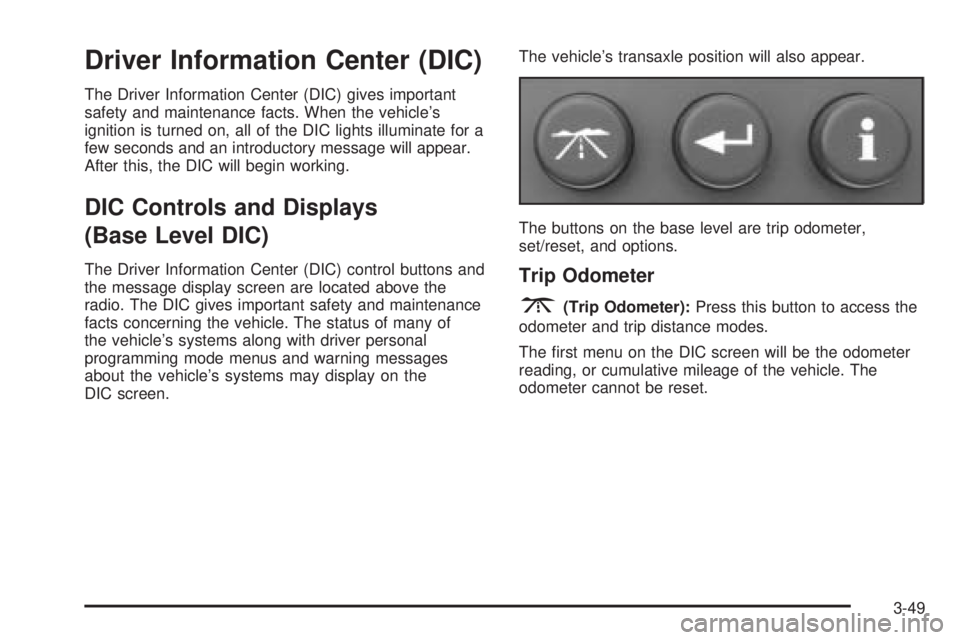
The buttons on the base level are trip odometer,
set/reset, and options.Trip Odometer
3(Trip Odometer):Press this button to access the
odometer and trip distance modes.
The rst menu on the DIC screen will be the odometer
reading, or cumulative mileage of the vehicle. The
odometer cannot be reset.
3-49
Page 163 of 444
REMOTE START:If your vehicle has the remote start
feature, this screen allows this feature to be turned
OFF or ON. The remote start feature allows you to start
the engine from outside of the vehicle using your
remote keyless entry transmitter. See “Remote Vehicle
Start” underRemote Keyless Entry System Operation
on page 2-5for more information.
If OFF is selected, the remote start feature will be
disabled.
If ON is selected, the remote start feature will be
enabled.
To program this mode, use the following procedure:
1. Press the set/reset button to scroll to OFF or ON.
2. Press the options button again to advance to
the next screen.
PROGRAMMING FINISHED will appear on the next
screen. This conrms that the personal options
programming is complete.
DISPLAY OFF will appear on the next screen. The
screen will count down and then go blank. Press the
options button to advance to a new screen.DIC Controls and Displays
(Uplevel DIC with Trip Computer)
The Driver Information Center (DIC) control buttons and
the message display screen are located above the
radio. The DIC gives important safety and maintenance
facts concerning the vehicle. The status of many of
the vehicle’s systems along with driver personalization
menus and warning messages about the vehicle’s
systems may display on the DIC screen.
The outside temperature automatically appears on the
bottom right corner of the DIC display screen. If the
outside temperature is below 38°F (3°C), the temperature
reading will toggle between displaying the outside
temperature and the word ICE for two minutes. If there is
a problem with the system that controls the temperature
display, the letters OC (Open Circuit) or SC (Short
Circuit) will appear on the display. If this occurs, have the
vehicle serviced by your GM dealer.
The vehicle’s transaxle position and the direction the
vehicle is traveling will also appear on the DIC screen.
3-57
Page 174 of 444
To program this mode, use the following procedure:
1. Press the set/reset button to scroll to OFF or ON.
2. Press the options button again to advance to
the next screen.
PROGRAMMING FINISHED will appear on the next
screen. This conrms that the personal options
programming is complete.
DISPLAY OFF will appear on the next screen. This
screen will count down and then go blank. Press
the options button to advance to a new screen.
Fuel
.(Fuel):Press this button to access the Average
Fuel Economy, Instantaneous Fuel Economy, and Fuel
Range modes.
AVG ECONOMY (Average Fuel Economy):This
screen will display the approximate average miles per
gallon (mpg) or liters per 100 kilometers (L/100 km).
This number is calculated based on the number of
mpg (L/100 km) recorded since the last time this
menu item was reset.
To reset the average fuel economy for the vehicle,
follow this procedure:
1. Press the set/reset button to reset to zero.
2. Press the fuel button again to advance to the
next screen.INST ECONOMY (Instantaneous Fuel Economy):This
screen displays the current fuel economy at a particular
moment and will change frequently as driving
conditions change. Unlike average fuel economy, this
screen cannot be reset.
Press the fuel button again to advance to the next screen.
RANGE:This screen displays the approximate number
of remaining miles or kilometers the vehicle can be
driven without refueling. This estimate is based on the
average fuel economy for the amount of fuel remaining
in the fuel tank and the current driving conditions.
This estimate will change if driving conditions change.
For example, if driving in traffic and making frequent
stops, the display may read one number, but if the
vehicle is driven on a freeway the number may change
even though the same amount of fuel is in the fuel
tank. This is because different driving conditions produce
different fuel economies. Generally, freeway driving
produces better fuel economy than city driving.
If the fuel tank contains less than 2 gallons (7.6 L), the
LOW FUEL message will appear on the DIC screen.
Fill the fuel tank as soon as possible to avoid running
out of fuel. See “Low Fuel” underDIC Warnings
and Messages on page 3-69.
3-68
Page 175 of 444
DIC Warnings and Messages
These messages will appear if there is a problem in
one of the vehicle’s systems. They will override
any other mode or screen the DIC may be in.
Some messages can be cleared from the Driver
Information Center (DIC) screen. In order to do this
the message must be acknowledged. To acknowledge
or clear the message from the screen, press the
set/reset button on the DIC. SeeDIC Controls and
Displays (Base Level DIC) on page 3-49orDIC Controls
and Displays (Uplevel DIC with Trip Computer) on
page 3-57for DIC button descriptions.
Other warning messages are not allowed to be cleared
until the problem indicated by the warning message
is taken care of. When the problem indicated by
the message is resolved, it can be acknowledged and
the screen can be reset.
Be sure to take any message that appears on the
DIC screen seriously and remember that clearing the
messages that are able to be acknowledged, will
only make the message disappear, not the problem.
A/C OFF FOR ENGINE PROTECTION
This warning message comes on when the engine
coolant becomes hotter than the normal operating
temperature. To avoid added strain on a hot engine,
the air conditioning compressor is automatically turned
off. When the coolant temperature returns to normal,
the air conditioning compressor will turn back on.
The vehicle can then continue to be driven.
This message comes on while the ignition is in RUN.
A chime will sound for two seconds when this message
is displayed. Press the set/reset button to acknowledge
this warning message and to clear it from the screen.
This message will continue to display for three seconds
if it has not been acknowledged when the engine is
turned off. It will also re-display for three seconds if the
message has been acknowledged, but the condition
still exists when the engine is turned off.
If the condition still exists, the message will re-appear
when the engine is turned on.
3-69
Page 176 of 444
AJAR
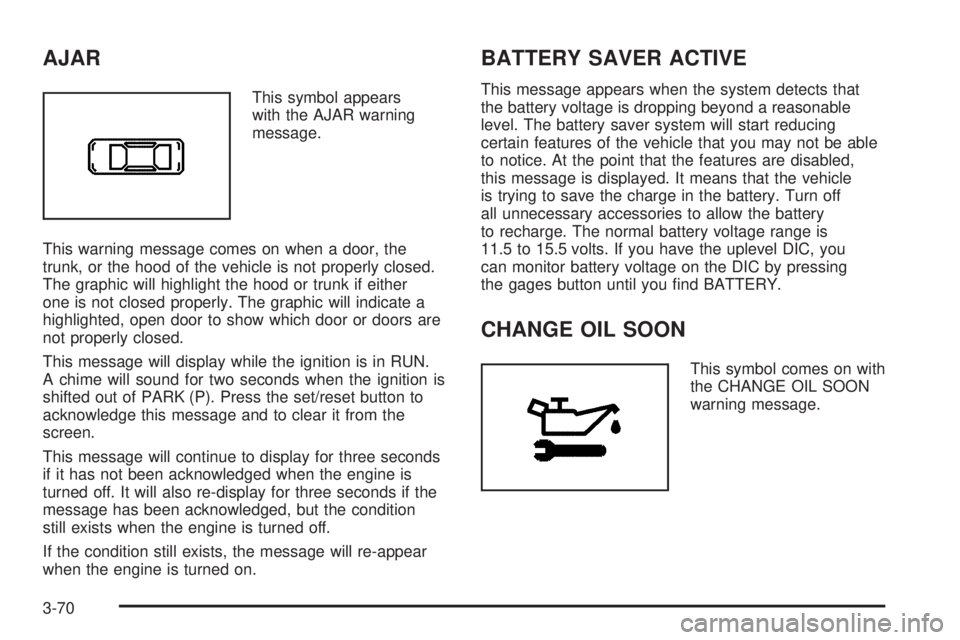
This symbol appears
with the AJAR warning
message.
This warning message comes on when a door, the
trunk, or the hood of the vehicle is not properly closed.
The graphic will highlight the hood or trunk if either
one is not closed properly. The graphic will indicate a
highlighted, open door to show which door or doors are
not properly closed.
This message will display while the ignition is in RUN.
A chime will sound for two seconds when the ignition is
shifted out of PARK (P). Press the set/reset button to
acknowledge this message and to clear it from the
screen.
This message will continue to display for three seconds
if it has not been acknowledged when the engine is
turned off. It will also re-display for three seconds if the
message has been acknowledged, but the condition
still exists when the engine is turned off.
If the condition still exists, the message will re-appear
when the engine is turned on.
BATTERY SAVER ACTIVE
This message appears when the system detects that
the battery voltage is dropping beyond a reasonable
level. The battery saver system will start reducing
certain features of the vehicle that you may not be able
to notice. At the point that the features are disabled,
this message is displayed. It means that the vehicle
is trying to save the charge in the battery. Turn off
all unnecessary accessories to allow the battery
to recharge. The normal battery voltage range is
11.5 to 15.5 volts. If you have the uplevel DIC, you
can monitor battery voltage on the DIC by pressing
the gages button until you nd BATTERY.
CHANGE OIL SOON
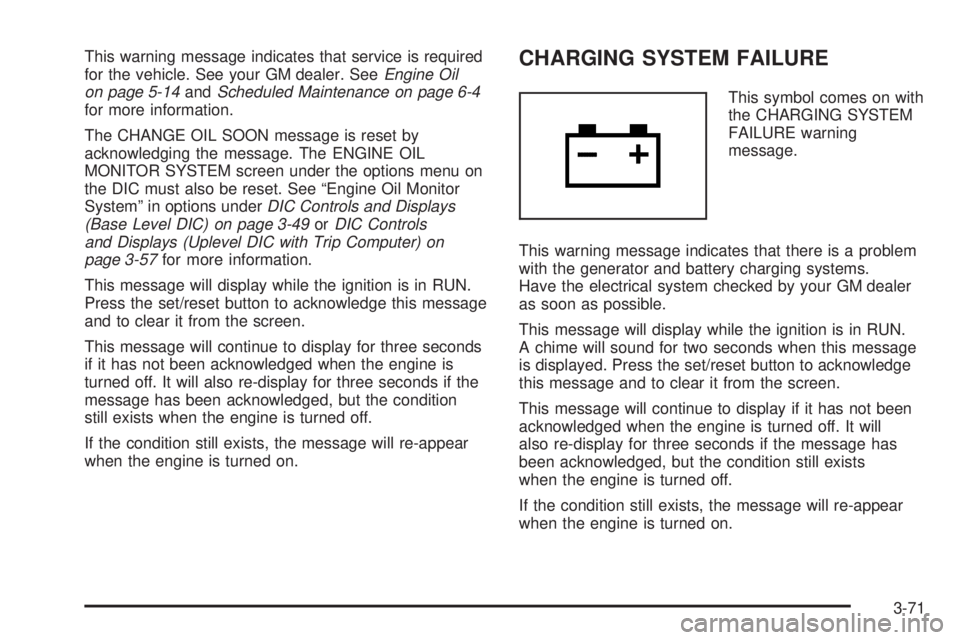
This symbol comes on with
the CHANGE OIL SOON
warning message.
3-70
Page 177 of 444
This warning message indicates that service is required
for the vehicle. See your GM dealer. SeeEngine Oil
on page 5-14andScheduled Maintenance on page 6-4
for more information.
The CHANGE OIL SOON message is reset by
acknowledging the message. The ENGINE OIL
MONITOR SYSTEM screen under the options menu on
the DIC must also be reset. See “Engine Oil Monitor
System” in options underDIC Controls and Displays
(Base Level DIC) on page 3-49orDIC Controls
and Displays (Uplevel DIC with Trip Computer) on
page 3-57for more information.
This message will display while the ignition is in RUN.
Press the set/reset button to acknowledge this message
and to clear it from the screen.
This message will continue to display for three seconds
if it has not been acknowledged when the engine is
turned off. It will also re-display for three seconds if the
message has been acknowledged, but the condition
still exists when the engine is turned off.
If the condition still exists, the message will re-appear
when the engine is turned on.CHARGING SYSTEM FAILURE
This symbol comes on with
the CHARGING SYSTEM
FAILURE warning
message.
This warning message indicates that there is a problem
with the generator and battery charging systems.
Have the electrical system checked by your GM dealer
as soon as possible.
This message will display while the ignition is in RUN.
A chime will sound for two seconds when this message
is displayed. Press the set/reset button to acknowledge
this message and to clear it from the screen.
This message will continue to display if it has not been
acknowledged when the engine is turned off. It will
also re-display for three seconds if the message has
been acknowledged, but the condition still exists
when the engine is turned off.
If the condition still exists, the message will re-appear
when the engine is turned on.
3-71