automatic PONTIAC GRAND PRIX 2005 Owners Manual
[x] Cancel search | Manufacturer: PONTIAC, Model Year: 2005, Model line: GRAND PRIX, Model: PONTIAC GRAND PRIX 2005Pages: 444, PDF Size: 2.6 MB
Page 65 of 444
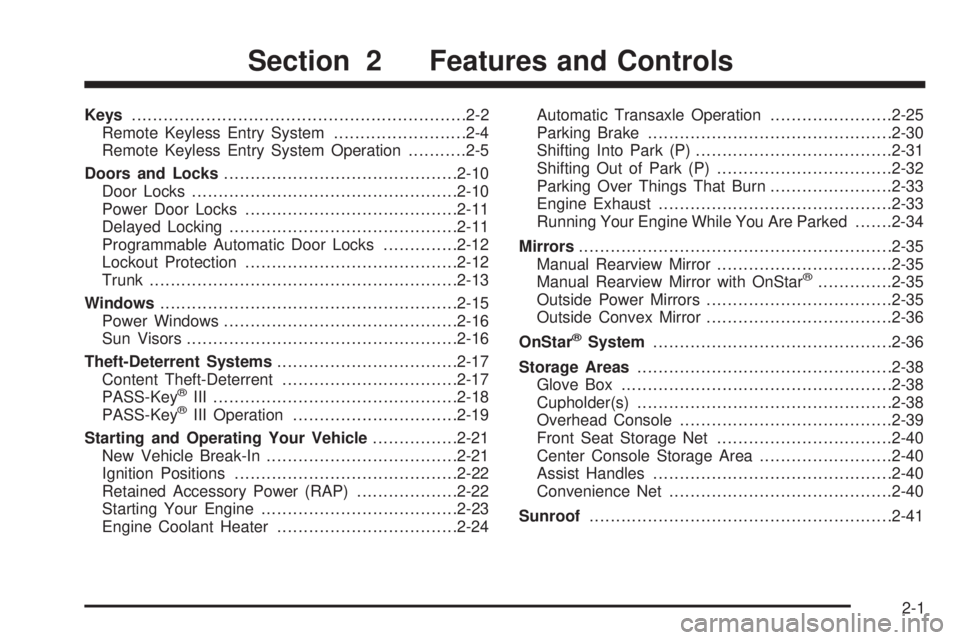
Keys...............................................................2-2
Remote Keyless Entry System.........................2-4
Remote Keyless Entry System Operation...........2-5
Doors and Locks............................................2-10
Door Locks..................................................2-10
Power Door Locks........................................2-11
Delayed Locking...........................................2-11
Programmable Automatic Door Locks..............2-12
Lockout Protection........................................2-12
Trunk..........................................................2-13
Windows........................................................2-15
Power Windows............................................2-16
Sun Visors...................................................2-16
Theft-Deterrent Systems..................................2-17
Content Theft-Deterrent.................................2-17
PASS-Key
®III ..............................................2-18
PASS-Key®III Operation...............................2-19
Starting and Operating Your Vehicle................2-21
New Vehicle Break-In....................................2-21
Ignition Positions..........................................2-22
Retained Accessory Power (RAP)...................2-22
Starting Your Engine.....................................2-23
Engine Coolant Heater..................................2-24Automatic Transaxle Operation.......................2-25
Parking Brake..............................................2-30
Shifting Into Park (P).....................................2-31
Shifting Out of Park (P).................................2-32
Parking Over Things That Burn.......................2-33
Engine Exhaust............................................2-33
Running Your Engine While You Are Parked.......2-34
Mirrors...........................................................2-35
Manual Rearview Mirror.................................2-35
Manual Rearview Mirror with OnStar
®..............2-35
Outside Power Mirrors...................................2-35
Outside Convex Mirror...................................2-36
OnStar
®System.............................................2-36
Storage Areas................................................2-38
Glove Box...................................................2-38
Cupholder(s)................................................2-38
Overhead Console........................................2-39
Front Seat Storage Net.................................2-40
Center Console Storage Area.........................2-40
Assist Handles.............................................2-40
Convenience Net..........................................2-40
Sunroof.........................................................2-41
Section 2 Features and Controls
2-1
Page 72 of 444
Remote Vehicle Start
Your vehicle may have a remote starting feature. This
feature allows you to start the engine from outside of the
vehicle. It also starts up the vehicle’s heating or air
conditioning systems and rear window defogger. When
the remote start system is active and the vehicle
has an automatic climate control system, it will
automatically regulate the inside temperature. Normal
operation of the system will return after the key is turned
to the on position.
Laws in some communities may restrict the use of
remote starters, for example, requiring a person using
remote start to have the vehicle in view when doing so.
Check local regulations for any requirements on
remote starting of vehicles.
Do not use the remote start feature if your vehicle is
low on fuel. Your vehicle may run out of fuel.
/(Remote Start):Press the lock button and then
press this button to use the remote start feature.
To start the vehicle using the remote start feature,
do the following:
1. Aim the transmitter at the vehicle.
2. Press the transmitter’s lock button, release it and
then immediately press and hold the transmitter’s
remote start button until the vehicle’s turn signal
lights ash or for at least four seconds. The
vehicle’s doors will be locked.
3. When the vehicle starts, the parking lamps will turn
on and remain on while the vehicle is running, and
the DIC will display REMOTE START ACTIVE
PRESS HAZARD SWITCH TO CANCEL when the
vehicle starts.
4. If it is your rst remote start since last driving,
repeat these steps while the engine is still
running for a 10 minute time extension.
When you enter the vehicle during a remote start, and
the engine is still running, turn the key to the RUN
position to drive the vehicle.
2-8
Page 73 of 444
If the vehicle is left running it will automatically shut off
after 10 minutes unless a time extension has been
done. To manually shut off a remote start, do any of
the following:
Aim the remote keyless entry transmitter at the
vehicle and press the remote start button until
the parking lamps turn off.
Turn on the hazards warning ashers.
Turn the ignition switch on and then off.
The remote start feature provides two separate starts,
each with 10 minutes of engine running, or it provides
one start with 10 minutes of engine running which may
be extended by 10 more minutes. If you press and
release the transmitter lock button and then press and
hold the remote start button, on the keyless entry
transmitter, again before the rst 10 minutes of the
engine running time has expired, 10 minutes are added
to the remaining minutes. For example, if the lock
and then the remote start buttons are pressed again
after ve minutes of the engine run time, 10 minutes
are added and you now have 15 minutes of the
engine running. The added 10 minutes is considered
a second start. Once two remote starts or a single start
with a time extension have been provided, the vehicle
must be started normally with the ignition key to
get more remote starts.The remote start feature will not operate if the key is in
the ignition, a door is open or the hood is not closed.
The remote start feature will not operate if there is
an emission control system malfunction. Also, the engine
will turn off during a remote vehicle start if the coolant
temperature gets too high or the oil pressure gets low.
If a remote start is attempted and unsuccessful, the
Driver Information Center (DIC) will display REMOTE
START DISABLED.
2-9
Page 76 of 444
Programmable Automatic
Door Locks
The vehicle’s doors are programmed from the factory to
lock when the shift lever is moved out of PARK (P),
except in REVERSE (R), and to unlock while the shift
lever is moved into PARK (P).
If someone needs to get in or out of the vehicle after
the doors have been locked, place the shift lever
into PARK (P). You may also unlock all doors using the
power door lock switch or unlock one door using the
inside manual door lock.
To program other door locking/unlocking combinations,
see “Personal Programming Mode Screens” under
DIC Controls and Displays (Base Level DIC) on
page 3-49orDIC Controls and Displays (Uplevel DIC
with Trip Computer) on page 3-57.
Lockout Protection
The lockout protection feature makes it more difficult
to lock the key in the vehicle. If the driver’s door is
open while the key is in the ignition, the door cannot be
locked with the power door lock switch.
This feature cannot guarantee that you will never be
locked out of the vehicle. If the key is not left in
the ignition, or, if the manual door lock pin is used, the
key could still be locked inside the vehicle. Always
remember to take the key with you.
To turn this feature on or off see “Personal Programming
Mode Screens” underDIC Controls and Displays
(Base Level DIC) on page 3-49orDIC Controls and
Displays (Uplevel DIC with Trip Computer) on
page 3-57.
2-12
Page 89 of 444
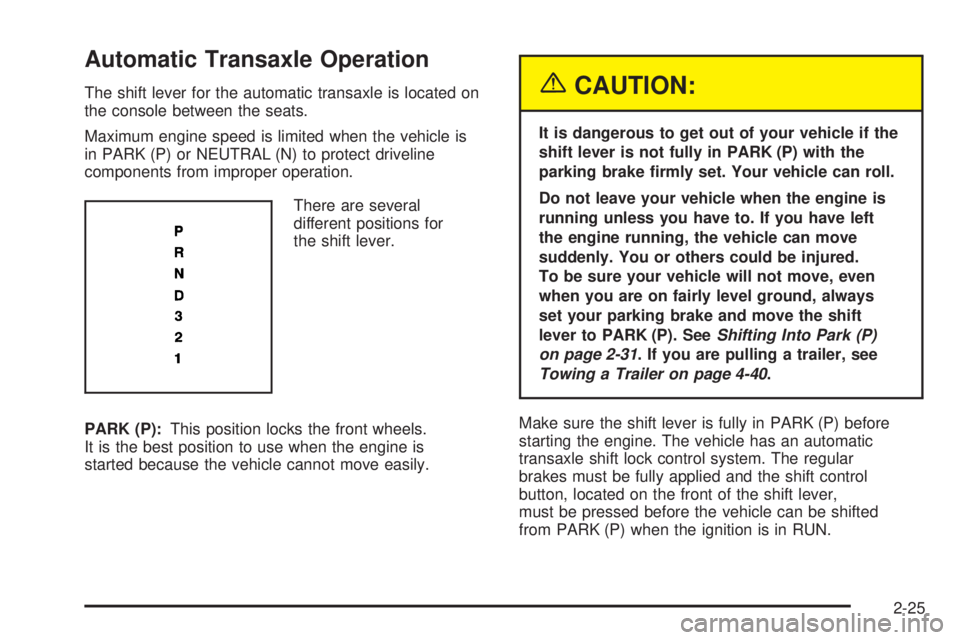
Automatic Transaxle Operation
The shift lever for the automatic transaxle is located on
the console between the seats.
Maximum engine speed is limited when the vehicle is
in PARK (P) or NEUTRAL (N) to protect driveline
components from improper operation.
There are several
different positions for
the shift lever.
PARK (P):This position locks the front wheels.
It is the best position to use when the engine is
started because the vehicle cannot move easily.{CAUTION:
It is dangerous to get out of your vehicle if the
shift lever is not fully in PARK (P) with the
parking brake rmly set. Your vehicle can roll.
Do not leave your vehicle when the engine is
running unless you have to. If you have left
the engine running, the vehicle can move
suddenly. You or others could be injured.
To be sure your vehicle will not move, even
when you are on fairly level ground, always
set your parking brake and move the shift
lever to PARK (P). SeeShifting Into Park (P)
on page 2-31. If you are pulling a trailer, see
Towing a Trailer on page 4-40.
Make sure the shift lever is fully in PARK (P) before
starting the engine. The vehicle has an automatic
transaxle shift lock control system. The regular
brakes must be fully applied and the shift control
button, located on the front of the shift lever,
must be pressed before the vehicle can be shifted
from PARK (P) when the ignition is in RUN.
2-25
Page 90 of 444
If the vehicle cannot be shifted out of PARK (P), ease
pressure on the shift lever by pushing it all the way into
PARK (P) while keeping the brake pedal pushed
down. Release the shift lever button. Then move the
shift lever out of PARK (P), being sure to press the shift
lever button. SeeShifting Out of Park (P) on page 2-32.
REVERSE (R):Use this gear to back up.
Notice:Shifting to REVERSE (R) while your vehicle
is moving forward could damage the transaxle.
The repairs would not be covered by your warranty.
Shift to REVERSE (R) only after your vehicle is
stopped.
To rock the vehicle back and forth to get out of snow,
ice or sand without damaging the transaxle, seeIf
You Are Stuck: In Sand, Mud, Ice or Snow on
page 4-32.
NEUTRAL (N):In this position, the engine does not
connect with the wheels. To restart when the vehicle
is already moving, use NEUTRAL (N) only. Also,
use NEUTRAL (N) when the vehicle is being towed.
{CAUTION:
Shifting into a drive gear while your engine is
running at high speed is dangerous. Unless
your foot is rmly on the brake pedal, your
vehicle could move very rapidly. You could
lose control and hit people or objects. Do not
shift into a drive gear while your engine is
running at high speed.
Notice:Shifting out of PARK (P) or NEUTRAL (N)
with the engine racing may damage the transaxle.
The repairs would not be covered by your warranty.
Be sure the engine is not racing when shifting
your vehicle.
AUTOMATIC OVERDRIVE (D):This position is for
normal driving. If the vehicle needs more power
for passing, and it is:
Going less than 35 mph (55 km/h), push the
accelerator pedal about halfway down.
Going about 35 mph (55 km/h) or more, push
the accelerator pedal all the way down.
2-26
Page 91 of 444
The vehicle will shift down to the next gear and have
more power.
Notice:If your vehicle seems to start up rather
slowly or not shift gears when you go faster, and
you continue to drive your vehicle that way, you
could damage the transaxle. Have your vehicle
serviced right away. You can drive in SECOND (2)
when you are driving less than 35 mph (55 km/h)
and AUTOMATIC OVERDRIVE (D) for higher speeds
until then.
THIRD (3):This position is also used for normal driving,
but it offers more power and lower fuel economy than
AUTOMATIC OVERDRIVE (D).
Here are some times THIRD (3) could be used instead
of AUTOMATIC OVERDRIVE (D):
When driving on hilly, winding roads.
When towing a trailer, so there is less shifting
between gears.
When going down a steep hill.
When driving in non-highway scenarios
(i.e. city streets, etc.).SECOND (2):This position gives the vehicle more
power but lower fuel economy than THIRD (3).
SECOND (2) can be used on hills. It can help control
the vehicle’s speed as it goes down steep mountain
roads, but then you would also want to use the brakes
off and on.
Notice:Driving in SECOND (2) for more than
25 miles (40 km) or at speeds over 55 mph (90 km/h)
may damage the transaxle. Also, shifting into
SECOND (2) at speeds above 65 mph (105 km/h) can
cause damage. Drive in THIRD (3) or AUTOMATIC
OVERDRIVE (D) instead of SECOND (2).
FIRST (1):This position gives the vehicle even more
power but lower fuel economy than SECOND (2). It can
be used on very steep hills, or in deep snow or mud.
If the shift lever is moved to FIRST (1), the transaxle will
not shift into rst gear until the vehicle is going slowly
enough.
Notice:Spinning the tires or holding the vehicle
in one place on a hill using only the accelerator
pedal may damage the transaxle. If you are stuck,
do not spin the tires. When stopping on a hill,
use the brakes to hold the vehicle in place.
2-27
Page 92 of 444
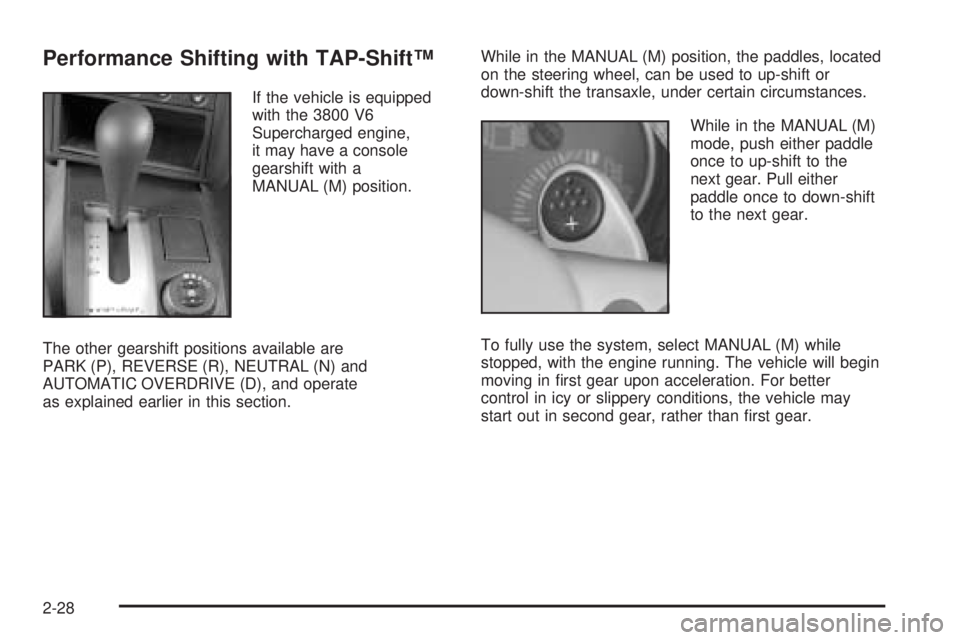
Performance Shifting with TAP-Shift™
If the vehicle is equipped
with the 3800 V6
Supercharged engine,
it may have a console
gearshift with a
MANUAL (M) position.
The other gearshift positions available are
PARK (P), REVERSE (R), NEUTRAL (N) and
AUTOMATIC OVERDRIVE (D), and operate
as explained earlier in this section.While in the MANUAL (M) position, the paddles, located
on the steering wheel, can be used to up-shift or
down-shift the transaxle, under certain circumstances.
While in the MANUAL (M)
mode, push either paddle
once to up-shift to the
next gear. Pull either
paddle once to down-shift
to the next gear.
To fully use the system, select MANUAL (M) while
stopped, with the engine running. The vehicle will begin
moving in rst gear upon acceleration. For better
control in icy or slippery conditions, the vehicle may
start out in second gear, rather than rst gear.
2-28
Page 93 of 444
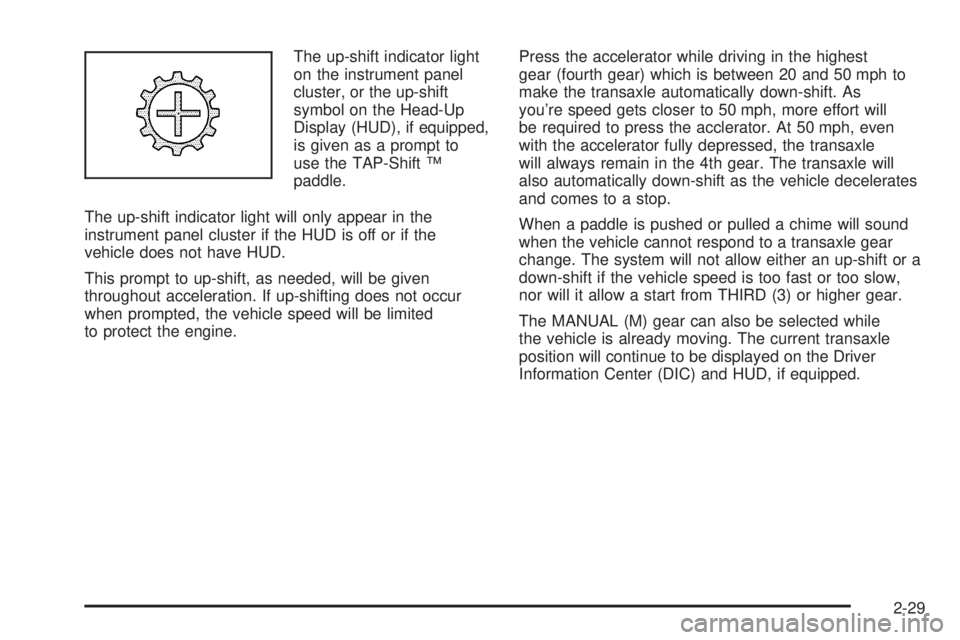
The up-shift indicator light
on the instrument panel
cluster, or the up-shift
symbol on the Head-Up
Display (HUD), if equipped,
is given as a prompt to
use the TAP-Shift ™
paddle.
The up-shift indicator light will only appear in the
instrument panel cluster if the HUD is off or if the
vehicle does not have HUD.
This prompt to up-shift, as needed, will be given
throughout acceleration. If up-shifting does not occur
when prompted, the vehicle speed will be limited
to protect the engine.Press the accelerator while driving in the highest
gear (fourth gear) which is between 20 and 50 mph to
make the transaxle automatically down-shift. As
you’re speed gets closer to 50 mph, more effort will
be required to press the acclerator. At 50 mph, even
with the accelerator fully depressed, the transaxle
will always remain in the 4th gear. The transaxle will
also automatically down-shift as the vehicle decelerates
and comes to a stop.
When a paddle is pushed or pulled a chime will sound
when the vehicle cannot respond to a transaxle gear
change. The system will not allow either an up-shift or a
down-shift if the vehicle speed is too fast or too slow,
nor will it allow a start from THIRD (3) or higher gear.
The MANUAL (M) gear can also be selected while
the vehicle is already moving. The current transaxle
position will continue to be displayed on the Driver
Information Center (DIC) and HUD, if equipped.
2-29
Page 96 of 444
Torque Lock
If you are parking on a hill and you do not shift your
transaxle into PARK (P) properly, the weight of the
vehicle may put too much force on the parking pawl in
the transaxle. You may nd it difficult to pull the shift
lever out of PARK (P). This is called “torque lock.”
To prevent torque lock, set the parking brake and then
shift into PARK (P) properly before you leave the
driver’s seat. To nd out how, seeShifting Into Park (P)
on page 2-31.
When you are ready to drive, move the shift lever out of
PARK (P)beforeyou release the parking brake.
If torque lock does occur, you may need to have another
vehicle push your vehicle a little uphill to take some of
the pressure from the parking pawl in the transaxle,
so you can pull the shift lever out of PARK (P).
Shifting Out of Park (P)
The vehicle has an automatic transaxle shift lock control
system which locks the shift lever in PARK (P) when
the ignition is in OFF. In addition, the regular brakes
must be fully applied before shifting from PARK (P) while
the ignition is in RUN. SeeAutomatic Transaxle
Operation on page 2-25.
If the vehicle cannot be shifted out of PARK (P), ease
pressure on the shift lever and push the shift lever
all the way up into PARK (P) as brake application
is maintained. Then move the shift lever into the
desired gear.
If the brake pedal is held down but the vehicle still
cannot be shifted out of PARK (P), try this:
1. Turn the key to ACC. There is no shift interlock in
this key position.
2. Apply and hold the brake until the end of Step 4.
3. Shift the transaxle to NEUTRAL (N).
4. Start the vehicle and then shift to the desired
transaxle gear.
5. Have the system xed as soon as possible.
2-32