tire pressure PONTIAC GRAND PRIX 2005 Owners Manual
[x] Cancel search | Manufacturer: PONTIAC, Model Year: 2005, Model line: GRAND PRIX, Model: PONTIAC GRAND PRIX 2005Pages: 444, PDF Size: 2.6 MB
Page 158 of 444

Display Units:This menu allows selection of
measurements to be displayed in English or metric
units. The messages on the HUD, if equipped, and the
instrument panel cluster will also appear with the
type of measurement selected.
To set the measurement when Display Units is shown,
use the following procedure:
1. Press the set/reset button to select ENGLISH or
METRIC.
2. Press the options button again to advance to the
next screen.
DAYTIME DISPLAY ENHANCEMENTS:This menu
allows selection of the color of the display message.
When ON is selected for the daytime enhancement,
the messages will appear black on a red screen. This
combination makes it easier to see the DIC messages
during the daytime. When OFF is selected, or when
the headlamps are on, the messages will appear red
on a black background.
To set the daytime display enhancements, use the
following procedure:
1. Press the set/reset button to select OFF or ON.
2. Press the options button again to advance to
the next screen.ENGINE OIL MONITOR SYSTEM:This menu allows
the engine oil monitor system to be reset. See
Engine Oil Life System on page 5-18.
To reset the engine oil monitor system, use the following
procedure:
1. Press the set/reset button after an oil change to
reset the engine oil monitor system. The
conrmation, ENGINE OIL MONITOR SYSTEM
HAS BEEN RESET, will appear on the screen and
a chime will sound.
2. Press the options button again to advance to the
next screen.
Tire Ination Monitor System:If the vehicle has ABS,
this menu sets the tire ination monitor system. See “Tire
Ination Monitor System” underInation - Tire Pressure
on page 5-64for more information.
To set or reset the tire ination monitor system, use the
following procedure:
1. Press the set/reset button to reset the tire ination
monitor system. The message, TIRE INFLATION
HAS BEEN SET, will appear on the screen if
the Check Tire Pressure message, indicating
an irregularity in the pressure of one of the
tires, had previously appeared on the DIC.
3-52
Page 159 of 444

If the Check Tire Pressure message did not appear
and the set/reset button is pressed, the system
will reset, but no acknowledgement message
will appear on the screen.
2. Press the options button again to advance to the
next screen.
Select the set/reset button to return to the main (date)
screen.
PERSONAL PROGRAMMING MODE:This menu
allows you to customize several features on your
vehicle. These adjustments can only be made while the
vehicle is in PARK (P). Press the set/reset button to
display the rst screen.
Personal Programming Mode Screens
Press the options button to access these modes:
EXTERIOR LIGHTING DELAY:This screen allows this
feature to be turned off or allows the selection of the
number of seconds the headlamps, sidelamps, taillamps,
fog lamps, and back-up lamps are turned on after the
key is removed from the ignition, or the vehicle is
unlocked using the remote keyless entry transmitter.
If OFF is selected, the exterior lamps will not turn on.If a time delay is chosen, the lamps will turn on for the
selected time. The time delay will be cancelled and
the exterior lamps will turn on automatically when the
key is removed from the ignition, or the vehicle is
unlocked using the remote keyless entry transmitter.
To program this mode, use the following procedure:
1. Press and release the set/reset button to scroll to
the selection to be programmed. Choose from
OFF, 15, 30, 60, or 90 seconds.
2. Press the options button again to advance to the
next screen.
INTERIOR LIGHTS WHEN DOOR CLOSED:This
screen allows this feature to be turned OFF or ON.
If OFF is selected, the interior lamps will turn off
immediately when the ignition is turned off and the last
door is closed.
If ON is selected, the interior lamps will stay on for
about 25 seconds after the vehicle’s ignition is turned off
and the last door is closed.
To program this mode, use the following procedure:
1. Press and release the set/reset button to scroll to
either OFF or ON.
2. Press the options button again to advance to the
next screen.
3-53
Page 168 of 444

DAYTIME DISPLAY ENHANCEMENTS:This menu
allows selection of the color of the display message.
When ON is selected for the daytime enhancement,
the messages will appear black on a red screen. This
combination makes it easier to see the DIC messages
during the daytime. When OFF is selected, or when
the headlamps are on, the messages will appear red
on a black background.
To set the daytime display enhancements function,
use the following procedure:
1. Press the set/reset button to select OFF or ON.
2. Press the options button to advance to the
next screen.
ENGINE OIL MONITOR SYSTEM:This menu allows
the engine oil monitor system to be reset. See
Engine Oil Life System on page 5-18.
To reset the engine oil monitor system, use the following
procedure:
1. Press the set/reset button after an oil change to
reset the engine oil monitor system. The
conrmation, ENGINE OIL MONITOR SYSTEM
HAS BEEN RESET, will appear on the screen and
a chime will sound.
2. Press the options button again to advance to the
next screen.Tire Ination Monitor System:If the vehicle has ABS,
this menu allows the tire ination monitor system to
be reset. See “Tire Ination Monitor System” under
Ination - Tire Pressure on page 5-64for more
information.
To set or reset the tire ination monitor system, use the
following procedures:
1. Press the set/reset button to reset the tire ination
monitor system. TIRE INFLATION HAS BEEN SET
will appear on the screen If the “Check Tire
Pressure” message, indicating an irregularity in the
pressure of one of the tires, had previously
appeared on the DIC. If the “Check Tire Pressure”
message did not appear, and the set/reset
button is pressed, the system will reset, but no
acknowledgement message will appear on
the screen.
2. Press the options button again to advance to the
next screen.
Select the set/reset button to return to the main
(date) screen.
COMPASS CALIBRATION MODE:This menu allows
you to adjust for compass variance.
3-62
Page 178 of 444
CHECK GAS CAP
This warning message comes on when the gas cap is
not on, or is not fully tightened. Check the gas cap
to ensure it is on and properly tightened.
This message will display while the ignition is in RUN.
A chime will sound for two seconds when this message
is displayed and then the message continues to
display. Press the set/reset button to acknowledge this
message and to clear it from the screen.
This message will continue to display for three seconds
if it has not been acknowledged when the engine is
turned off. It will also re-display for three seconds if the
message has been acknowledged, but the condition
still exists when the engine is turned off.
If the condition still exists, the message will re-appear
when the engine is turned on.
CHECK TIRE PRESSURE
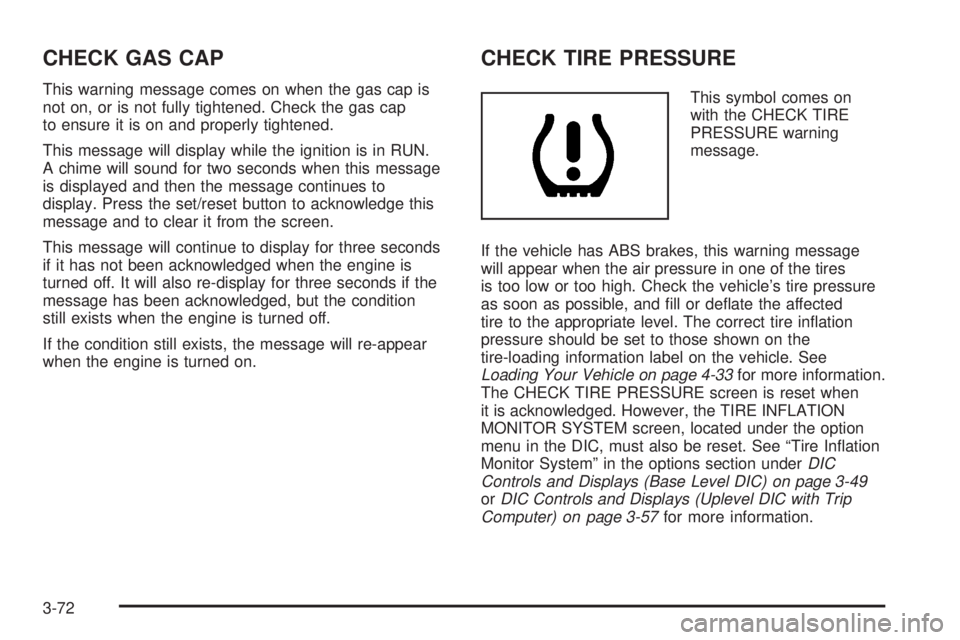
This symbol comes on
with the CHECK TIRE
PRESSURE warning
message.
If the vehicle has ABS brakes, this warning message
will appear when the air pressure in one of the tires
is too low or too high. Check the vehicle’s tire pressure
as soon as possible, and ll or deate the affected
tire to the appropriate level. The correct tire ination
pressure should be set to those shown on the
tire-loading information label on the vehicle. See
Loading Your Vehicle on page 4-33for more information.
The CHECK TIRE PRESSURE screen is reset when
it is acknowledged. However, the TIRE INFLATION
MONITOR SYSTEM screen, located under the option
menu in the DIC, must also be reset. See “Tire Ination
Monitor System” in the options section underDIC
Controls and Displays (Base Level DIC) on page 3-49
orDIC Controls and Displays (Uplevel DIC with Trip
Computer) on page 3-57for more information.
3-72
Page 249 of 444
When you start your engine, or when you begin to drive
away, your anti-lock brake system will check itself.
You may hear a momentary motor or clicking noise while
this test is going on, and you may even notice that
your brake pedal moves or pulses a little. This is normal.
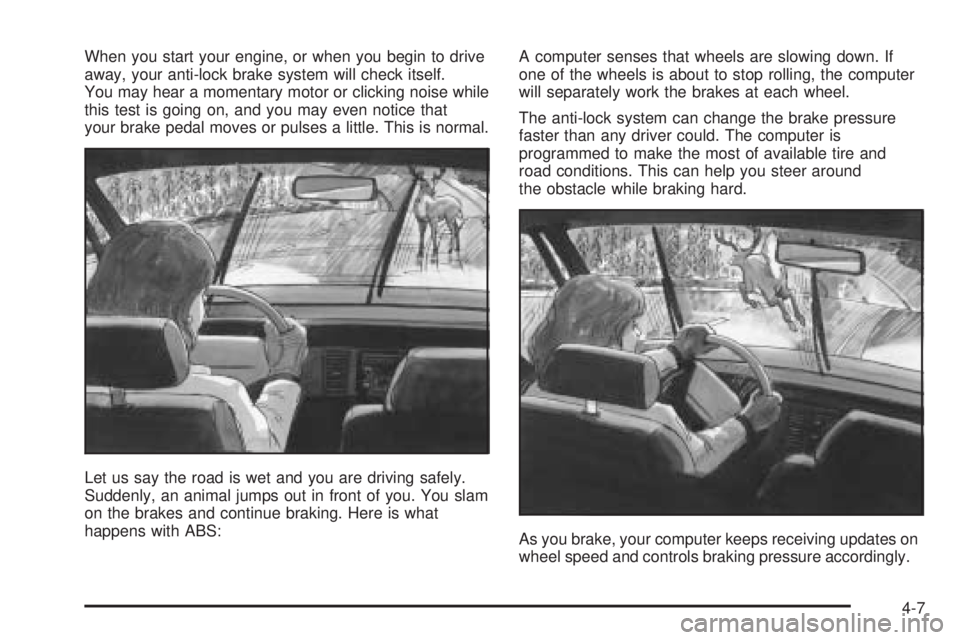
Let us say the road is wet and you are driving safely.
Suddenly, an animal jumps out in front of you. You slam
on the brakes and continue braking. Here is what
happens with ABS:A computer senses that wheels are slowing down. If
one of the wheels is about to stop rolling, the computer
will separately work the brakes at each wheel.
The anti-lock system can change the brake pressure
faster than any driver could. The computer is
programmed to make the most of available tire and
road conditions. This can help you steer around
the obstacle while braking hard.
As you brake, your computer keeps receiving updates on
wheel speed and controls braking pressure accordingly.
4-7
Page 259 of 444
Skidding
In a skid, a driver can lose control of the vehicle.
Defensive drivers avoid most skids by taking reasonable
care suited to existing conditions, and by not overdriving
those conditions. But skids are always possible.
The three types of skids correspond to your vehicle’s
three control systems. In the braking skid, your wheels
are not rolling. In the steering or cornering skid, too
much speed or steering in a curve causes tires to slip
and lose cornering force. And in the acceleration
skid, too much throttle causes the driving wheels
to spin.
A cornering skid is best handled by easing your foot off
the accelerator pedal.
If you do not have the Enhanced Traction System or the
Traction Control System, or if the system is off, then
an acceleration skid is also best handled by easing your
foot off the accelerator pedal.
If your vehicle starts to slide, ease your foot off the
accelerator pedal and quickly steer the way you want
the vehicle to go. If you start steering quickly enough,
your vehicle may straighten out. Always be ready
for a second skid if it occurs.Of course, traction is reduced when water, snow, ice,
gravel, or other material is on the road. For safety, you
will want to slow down and adjust your driving to
these conditions. It is important to slow down on slippery
surfaces because stopping distance will be longer and
vehicle control more limited.
While driving on a surface with reduced traction, try
your best to avoid sudden steering, acceleration,
or braking, including engine braking by shifting to a
lower gear. Any sudden changes could cause the tires
to slide. You may not realize the surface is slippery
until your vehicle is skidding. Learn to recognize warning
clues — such as enough water, ice, or packed snow
on the road to make a mirrored surface — and
slow down when you have any doubt.
If you have the anti-lock braking system, remember: It
helps avoid only the braking skid. If you do not have
anti-lock, then in a braking skid, where the wheels are
no longer rolling, release enough pressure on the brakes
to get the wheels rolling again. This restores steering
control. Push the brake pedal down steadily when
you have to stop suddenly. As long as the wheels are
rolling, you will have steering control.
4-17
Page 262 of 444
The heavier the rain, the harder it is to see. Even if
your windshield wiper blades are in good shape, a heavy
rain can make it harder to see road signs and traffic
signals, pavement markings, the edge of the road, and
even people walking.
It is wise to keep your windshield wiping equipment in
good shape and keep your windshield washer tank
lled with washer uid. Replace your windshield wiper
inserts when they show signs of streaking or missing
areas on the windshield, or when strips of rubber start
to separate from the inserts.
Driving too fast through large water puddles or even
going through some car washes can cause problems,
too. The water may affect your brakes. Try to avoid
puddles. But if you cannot, try to slow down before
you hit them.
{CAUTION:
Wet brakes can cause accidents. They will not
work as well in a quick stop and may cause
pulling to one side. You could lose control of
the vehicle.
After driving through a large puddle of water
or a car wash, apply your brake pedal lightly
until your brakes work normally.
Hydroplaning
Hydroplaning is dangerous. So much water can build
up under your tires that they can actually ride on
the water. This can happen if the road is wet enough
and you are going fast enough. When your vehicle
is hydroplaning, it has little or no contact with the road.
Hydroplaning does not happen often. But it can if
your tires do not have much tread or if the pressure in
one or more is low. It can happen if a lot of water is
standing on the road. If you can see reections
from trees, telephone poles, or other vehicles, and
raindrops dimple the water’s surface, there could be
hydroplaning.
4-20
Page 267 of 444
Tires:They are vitally important to a safe,
trouble-free trip. Is the tread good enough for
long-distance driving? Are the tires all inated
to the recommended pressure?
Weather Forecasts:What is the weather outlook
along your route? Should you delay your trip
a short time to avoid a major storm system?
Maps:Do you have up-to-date maps?
Highway Hypnosis
Is there actually such a condition as highway hypnosis?
Or is it just plain falling asleep at the wheel? Call it
highway hypnosis, lack of awareness, or whatever.
There is something about an easy stretch of road with
the same scenery, along with the hum of the tires on
the road, the drone of the engine, and the rush of
the wind against the vehicle that can make you sleepy.
Do not let it happen to you! If it does, your vehicle
can leave the road in less than a second, and you could
crash and be injured.What can you do about highway hypnosis? First, be
aware that it can happen.
Then here are some tips:
Make sure your vehicle is well ventilated, with a
comfortably cool interior.
Keep your eyes moving. Scan the road ahead and
to the sides. Check your rearview mirrors and your
instruments frequently.
If you get sleepy, pull off the road into a rest,
service, or parking area and take a nap, get some
exercise, or both. For safety, treat drowsiness
on the highway as an emergency.
4-25
Page 276 of 444
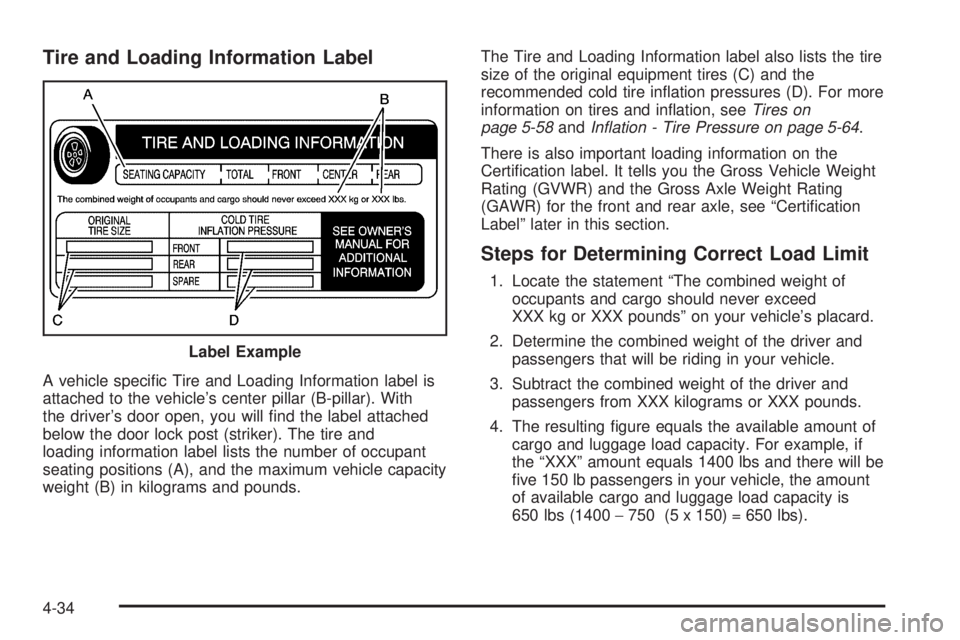
Tire and Loading Information Label
A vehicle specic Tire and Loading Information label is
attached to the vehicle’s center pillar (B-pillar). With
the driver’s door open, you will nd the label attached
below the door lock post (striker). The tire and
loading information label lists the number of occupant
seating positions (A), and the maximum vehicle capacity
weight (B) in kilograms and pounds.The Tire and Loading Information label also lists the tire
size of the original equipment tires (C) and the
recommended cold tire ination pressures (D). For more
information on tires and ination, seeTires on
page 5-58andInation - Tire Pressure on page 5-64.
There is also important loading information on the
Certication label. It tells you the Gross Vehicle Weight
Rating (GVWR) and the Gross Axle Weight Rating
(GAWR) for the front and rear axle, see “Certication
Label” later in this section.
Steps for Determining Correct Load Limit
1. Locate the statement “The combined weight of
occupants and cargo should never exceed
XXX kg or XXX pounds” on your vehicle’s placard.
2. Determine the combined weight of the driver and
passengers that will be riding in your vehicle.
3. Subtract the combined weight of the driver and
passengers from XXX kilograms or XXX pounds.
4. The resulting gure equals the available amount of
cargo and luggage load capacity. For example, if
the “XXX” amount equals 1400 lbs and there will be
ve 150 lb passengers in your vehicle, the amount
of available cargo and luggage load capacity is
650 lbs (1400−750 (5 x 150) = 650 lbs). Label Example
4-34
Page 291 of 444
Service............................................................5-3
Doing Your Own Service Work.........................5-4
Adding Equipment to the Outside
of Your Vehicle...........................................5-5
Fuel................................................................5-5
Gasoline Octane............................................5-5
Gasoline Specications....................................5-5
California Fuel...............................................5-6
Additives.......................................................5-6
Fuels in Foreign Countries...............................5-7
Filling Your Tank............................................5-7
Filling a Portable Fuel Container.......................5-9
Checking Things Under the Hood....................5-10
Hood Release..............................................5-10
Engine Compartment Overview.......................5-12
Engine Oil...................................................5-14
Engine Oil Life System..................................5-18
Supercharger Oil..........................................5-19
Engine Air Cleaner/Filter................................5-20
Automatic Transaxle Fluid..............................5-22
Engine Coolant.............................................5-24
Radiator Pressure Cap..................................5-27
Engine Overheating.......................................5-27Overheated Engine Protection
Operating Mode........................................5-29
Cooling System............................................5-30
Power Steering Fluid.....................................5-38
Windshield Washer Fluid................................5-39
Brakes........................................................5-40
Battery........................................................5-42
Jump Starting...............................................5-43
Headlamp Aiming...........................................5-48
Bulb Replacement..........................................5-50
Halogen Bulbs..............................................5-50
Headlamps and Sidemarker Lamps.................5-51
Front Turn Signal, Parking and Fog Lamps......5-53
Taillamps, Turn Signal, and Stoplamps............5-54
Back-Up Lamps............................................5-55
Replacement Bulbs.......................................5-56
Windshield Wiper Blade Replacement..............5-57
Tires..............................................................5-58
Tire Sidewall Labelling...................................5-59
Tire Terminology and Denitions.....................5-61
Ination - Tire Pressure.................................5-64
Tire Pressure Monitor System.........................5-65
Section 5 Service and Appearance Care
5-1