CD player PONTIAC GRAND PRIX 2006 User Guide
[x] Cancel search | Manufacturer: PONTIAC, Model Year: 2006, Model line: GRAND PRIX, Model: PONTIAC GRAND PRIX 2006Pages: 472, PDF Size: 2.82 MB
Page 252 of 472
To insert multiple CDs, do the following:
1. Turn the ignition on.
2. Press and hold the LOAD button for two seconds.
You will hear a beep and the light, located to the
right of the slot, will begin to ash.
3. Once the light stops ashing and turns green, load
a CD. Insert the CD partway into the slot, label side
up. The player will pull the CD in.
4. Once the CD is loaded, the light will begin ashing
again. Press the LOAD button again. Once the light
turns green, load the next disc. Repeat this
procedure for each CD. The CD player takes up to
six CDs. Do not try to load more than six.
To load more than one CD but less than six, complete
Steps 1 through 3. When nished loading CDs, the
radio will begin to play the last CD loaded.
If more than one CD has been loaded, a number for
each CD will be displayed.Playing a Specic Loaded CD
For every CD loaded, a number will appear on the
display. To play a specic CD, rst press the CD AUX
button, then press the numbered pushbutton that
corresponds to the CD. A small bar will appear under
the CD number that is playing and the track number
will appear.
If an error appears on the display, see “CD Messages”
later in this section.
LOAD CD
Z(Eject):Press the CD eject side of this
button to eject a CD(s). You will hear a beep and the
indicator light will ash to let you know when a CD
is being ejected.
REMOVE CD will appear on the display. The CD can
be removed. If the CD is not removed, after 25 seconds,
the CD will be automatically pulled back into the
player. If the CD is pushed back into the player, before
the 25 second time period is complete, the player
will sense an error and will try to eject the CD several
times before stopping.
3-134
Page 253 of 472
Do not repeatedly press the CD eject button to eject a
CD after trying to push it in manually. The player’s
25-second eject timer will reset at each press of eject,
causing the player to not eject the CD until the
25-second time period has elapsed.
Once the player stops and the CD is ejected, remove
the CD. After removing the CD, push the PWR knob off
and then on again, or wait for the system to reset.
This will clear the CD-sensing feature and enable CDs
to be loaded into the player again.
{REV (Reverse):Press and hold this button to
reverse quickly within a track. You will hear sound
at a reduced volume. Release this button to play the
passage. The elapsed time of the track will appear
on the display.
FWD
|(Forward):Press and hold this button to
advance quickly within a track. You will hear sound
at a reduced volume. Release this button to play
the passage. The elapsed time of the track will
appear on the display.RPT (Repeat):With repeat, one track or an entire CD
can be repeated.
To use repeat, do the following:
To repeat the track you are listening to, press and
release the RPT button. RPT will appear on the
display. Press RPT again to turn off repeat play.
To repeat the CD you are listening to, press and
hold the RPT button for two seconds. RPT will
appear on the display. Press RPT again to turn off
repeat play.
RDM (Random):With random, you can listen to the
tracks in random, rather than sequential, order, on one
CD or on all of the CDs.
To use random, do one of the following:
To play the tracks on the CD you are listening to in
random order, press and release the RDM button.
RANDOM ONE will appear on the display. Press
RDM again to turn off random play.
To play the tracks on all of the CDs that are loaded,
in random order, press and hold RDM for more
than two seconds. You will hear a beep and
RANDOM ALL will appear on the display. Press
RDM again to turn off random play.
3-135
Page 254 of 472
AUTO EQ (Automatic Equalization):Press AUTO EQ
to select the desired equalization setting while playing
a CD. The equalization will be set whenever a CD
is played. For more information on AUTO EQ,
see “AUTO EQ” listed previously in this section.
sSEEKt:Press the left arrow to go to the start of
the current track, if more than ten seconds have played.
Press the right arrow to go to the next track. If either
arrow is held or pressed more than once, the player will
continue moving backward or forward through the CD.
sSCANt:To scan one CD, press and hold either
SCAN arrow for more than two seconds until SCAN
appears on the display and you hear a beep. Use this
feature to listen to 10 seconds of each track of the
currently selected CD. Press either SCAN arrow again,
to stop scanning.To scan all loaded CDs, press and hold either SCAN
arrow for more than four seconds until CD SCAN
appears on the display and you hear a beep. Use this
feature to listen to 10 seconds of the rst track of
each loaded CD. Press either SCAN arrow again, to
stop scanning.
RCL (Recall):Press this knob to see how long the
current track has been playing. To change the default
on the display, track and elapsed time, press the
knob until you see the display you want, then hold the
knob until the display ashes. The selected display
will now be the default.
BAND:Press this button to play the radio when a CD
is playing. The inactive CD(s) will remain safely
inside the radio for future listening.
CD AUX (Auxiliary):Press this button to play a CD
when listening to the radio.
3-136
Page 255 of 472
Using Song List Mode
The six-disc CD changer has a feature called song list.
This feature is capable of saving 20 track selections.
To save tracks into the song list feature, perform
the following steps:
1. Turn the CD player on and load it with at least
one CD. See “LOAD CD” listed previously in this
section for more information.
2. Check to see that the CD changer is not in song list
mode. S-LIST should not appear in the display. If
S-LIST is present, press the SONG LIST button
to turn it off.
3. Select the desired CD by pressing the numbered
pushbutton and then use the SEEK SCAN right
arrow to locate the track to be saved. The track will
begin to play.
4. Press and hold the SONG LIST button to save
the track into memory. When SONG LIST is
pressed, one beep will be heard immediately. After
two seconds of continuously pressing the SONG
LIST button, two beeps will be heard to conrm that
the track has been saved.
5. Repeat Steps 3 and 4 for saving other selections.
S-LIST FULL will appear on the display if you try to save
more than 20 selections.To play the song list, press the SONG LIST button.
One beep will be heard and S-LIST will appear on the
display. The recorded tracks will begin to play in
the order they were saved.
Seek through the song list by using the SEEK SCAN
arrows. Seeking past the last saved track will return the
song list to the rst saved track.
To delete tracks from the song list, perform the
following steps:
1. Turn the CD player on.
2. Press the SONG LIST button to turn song list on.
S-LIST will appear on the display.
3. Press the SEEK SCAN arrows to select the desired
track to be deleted.
4. Press and hold the SONG LIST button for
two seconds. When SONG LIST is pressed,
one beep will be heard immediately. After
two seconds of continuously pressing the SONG
LIST button, two beeps will be heard to conrm that
the track has been deleted.
After a track has been deleted, the remaining tracks are
moved up the list. When another track is added to
the song list, the track will be added to the end of
the list.
3-137
Page 256 of 472
To delete the entire song list, perform the
following steps:
1. Turn the CD player on.
2. Press the SONG LIST button to turn song list on.
S-LIST will appear on the display.
3. Press and hold the SONG LIST button for more
than four seconds. One beep will be heard,
followed by two beeps after two seconds, and a
nal beep will be heard after four seconds. S-LIST
EMPTY will appear on the display indicating the
song list has been deleted.
If a CD is ejected, and the song list contains saved
tracks from that CD, those tracks are automatically
deleted from the song list. Any tracks saved to the song
list again are added to the bottom of the list.
To end song list mode, press the SONG LIST button.
One beep will be heard and S-LIST will be removed from
the display.CD Messages
CHECK CD:If this message appears on the display
and/or the CD comes out, it could be for one of the
following reasons:
It is very hot. When the temperature returns to
normal, the CD should play.
You are driving on a very rough road. When the
road becomes smoother, the CD should play.
The CD is dirty, scratched, wet, or upside down.
The air is very humid. If so, wait about an hour and
try again.
There may have been a problem while burning
the CD.
The label may be caught in the CD player.
If the CD is not playing correctly, for any other reason,
try a known good CD.
If any error occurs repeatedly or if an error cannot be
corrected, contact your GM dealer. If the radio displays
an error message, write it down and provide it to
your GM dealer when reporting the problem.
3-138
Page 258 of 472
When a CD is playing, press either arrow to go to the
previous or next track, if more than eight seconds have
played. If either arrow is held or pressed more than
once, the player will continue moving backward
or forward through the CD.
BAND:Press this button to switch between FM1, FM2,
AM, or XM1 or XM2 (if equipped).
1-6:Press this button to scan the stations that are
programmed on the radio preset pushbuttons. The radio
will go to the next preset station stored on the
pushbuttons, play for a few seconds, then go on to the
next preset station. Press this button again to stop
scanning. The radio will only scan preset stations with a
strong signal that are in the selected band.
$(Mute/OnStar®):Press and release this button to
silence the audio system. Press it again, or any
other radio button to turn the sound on.
If your vehicle is equipped with OnStar, press and hold
this button to interact with the OnStar system. See
theOnStar
®System on page 2-38in this manual for
more information.
r(Play):When listening to the radio, press this
button to play a cassette tape or CD.
wux(Volume):Press the up or down arrow to
increase or decrease the volume.
Radio Reception
You may experience frequency interference and static
during normal radio reception if items such as cellphone
chargers, vehicle convenience accessories, and
external electronic devices are plugged into the
accessory power outlet. If there is interference or static,
unplug the item from the accessory power outlet.
AM
The range for most AM stations is greater than for
FM, especially at night. The longer range can cause
station frequencies to interfere with each other.
For better radio reception, most AM radio stations will
boost the power levels during the day, and then reduce
these levels during the night. Static can also occur
when things like storms and power lines interfere with
radio reception. When this happens, try reducing
the treble on your radio.
FM Stereo
FM stereo will give the best sound, but FM signals will
reach only about 10 to 40 miles (16 to 65 km). Tall
buildings or hills can interfere with FM signals, causing
the sound to fade in and out.
3-140
Page 259 of 472
XM™ Satellite Radio Service
XM™ Satellite Radio Service gives digital radio
reception from coast-to-coast in the 48 contiguous
United States, and in Canada (if available). Just as with
FM, tall buildings or hills can interfere with satellite
radio signals, causing the sound to fade in and out. In
addition, traveling or standing under heavy foliage,
bridges, garages, or tunnels may cause loss of the
XM™ signal for a period of time. The radio may display
NO SIGNAL to indicate interference.
Care of Your CDs
Handle CDs carefully. Store them in their original cases
or other protective cases and away from direct
sunlight and dust. The CD player scans the bottom
surface of the disc. If the surface of a CD is damaged,
such as cracked, broken, or scratched, the CD will
not play properly or not at all. If the surface of a CD is
soiled, take a soft, lint free cloth or dampen a clean, soft
cloth in a mild, neutral detergent solution mixed with
water, and clean it. Make sure the wiping process starts
from the center to the edge.
Do not touch the bottom side of a CD while handling it;
this could damage the surface. Pick up CDs by
grasping the outer edges or the edge of the hole and
the outer edge.
Care of the CD Player
The use of CD lens cleaners for CD players is not
advised, due to the risk of contaminating the internal
lens of the CD optics with lubricants.
Backglass Antenna
The AM-FM antenna is integrated with the rear window
defogger, located in the rear window. Be sure that the
inside surface of the rear window is not scratched and
that the lines on the glass are not damaged. If the inside
surface is damaged, it could interfere with radio
reception. Also, for proper radio reception, the antenna
connector at the top-center of the rear window needs to
be properly attached to the post on the glass.
Notice:Using a razor blade or sharp object to clear
the inside rear window may damage the rear window
antenna and/or the rear window defogger. Repairs
would not be covered by your warranty. Do not clear
the inside rear window with sharp objects.
Notice:Do not apply aftermarket glass tinting with
metallic lm. The metallic lm in some tinting
materials will interfere with or distort the incoming
radio reception. Any damage caused to your
backglass antenna due to metallic tinting materials
will not be covered by your warranty.
3-141
Page 459 of 472
A
Accessories and Modications............................ 5-3
Accessory Power Outlet(s)...............................3-24
Adding Equipment to Your Airbag-Equipped
Vehicle.......................................................1-66
Additives, Fuel................................................. 5-6
Add-On Electrical Equipment...........................5-111
Air Cleaner/Filter, Engine.................................5-21
Air Conditioning......................................3-26, 3-29
Airbag
Passenger Status Indicator...........................3-40
Readiness Light..........................................3-39
Airbag Sensing and Diagnostic Module (SDM)...... 7-9
Airbag System................................................1-52
Adding Equipment to Your Airbag-Equipped
Vehicle...................................................1-66
How Does an Airbag Restrain?......................1-59
Passenger Sensing System...........................1-61
Servicing Your Airbag-Equipped Vehicle..........1-65
What Makes an Airbag Inate?......................1-59
What Will You See After an Airbag Inates?....1-60
When Should an Airbag Inate?....................1-57
Where Are the Airbags?...............................1-55
Antenna, Backglass.......................................3-141
Antenna, XM™ Satellite Radio
Antenna System........................................3-142
Anti-Lock Brake System (ABS)........................... 4-7
Anti-Lock Brake, System Warning Light..............3-44Appearance Care
Aluminum Wheels......................................5-106
Care of Safety Belts...................................5-104
Chemical Paint Spotting..............................5-108
Cleaning Exterior Lamps/Lenses..................5-105
Cleaning the Inside of Your Vehicle................5-99
Fabric/Carpet............................................5-101
Finish Care...............................................5-105
Finish Damage..........................................5-107
Instrument Panel, Vinyl, and Other
Plastic Surfaces.....................................5-104
Leather....................................................5-103
Sheet Metal Damage..................................5-107
Tires........................................................5-107
Ultra Lux Suede........................................5-103
Underbody Maintenance.............................5-108
Vehicle Care/Appearance Materials...............5-109
Washing Your Vehicle.................................5-105
Weatherstrips............................................5-104
Windshield and Wiper Blades......................5-106
Ashtray(s)......................................................3-25
Assist Handles...............................................2-42
Audio System(s).............................................3-94
Audio Steering Wheel Controls....................3-139
Backglass Antenna.....................................3-141
Care of Your CD Player..............................3-141
Care of Your CDs......................................3-141
Chime Level Adjustment.............................3-142
1
Page 460 of 472
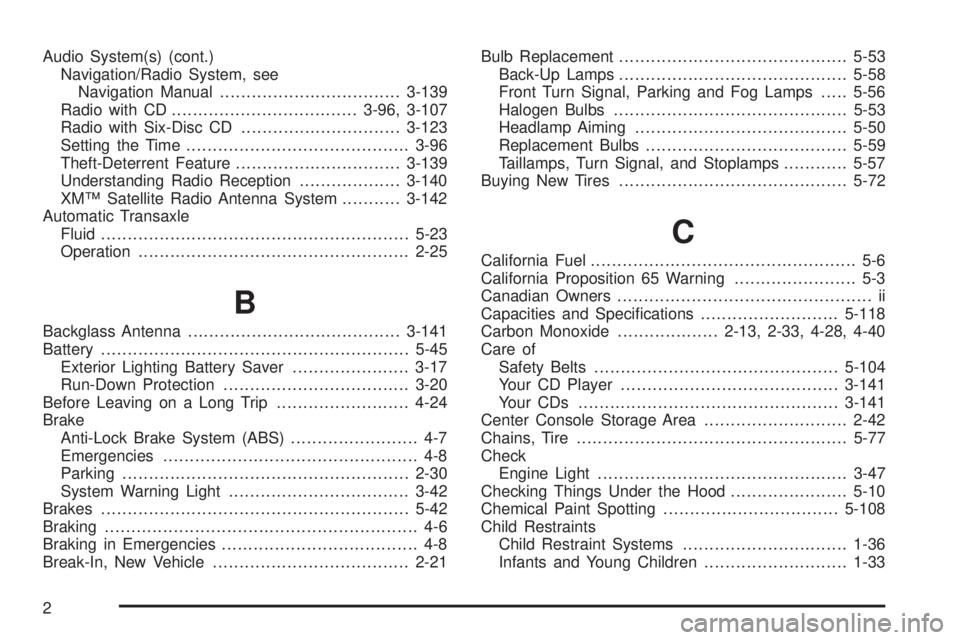
Audio System(s) (cont.)
Navigation/Radio System, see
Navigation Manual..................................3-139
Radio with CD...................................3-96, 3-107
Radio with Six-Disc CD..............................3-123
Setting the Time..........................................3-96
Theft-Deterrent Feature...............................3-139
Understanding Radio Reception...................3-140
XM™ Satellite Radio Antenna System...........3-142
Automatic Transaxle
Fluid..........................................................5-23
Operation...................................................2-25
B
Backglass Antenna........................................3-141
Battery..........................................................5-45
Exterior Lighting Battery Saver......................3-17
Run-Down Protection...................................3-20
Before Leaving on a Long Trip.........................4-24
Brake
Anti-Lock Brake System (ABS)........................ 4-7
Emergencies................................................ 4-8
Parking......................................................2-30
System Warning Light..................................3-42
Brakes..........................................................5-42
Braking........................................................... 4-6
Braking in Emergencies..................................... 4-8
Break-In, New Vehicle.....................................2-21Bulb Replacement...........................................5-53
Back-Up Lamps...........................................5-58
Front Turn Signal, Parking and Fog Lamps.....5-56
Halogen Bulbs............................................5-53
Headlamp Aiming........................................5-50
Replacement Bulbs......................................5-59
Taillamps, Turn Signal, and Stoplamps............5-57
Buying New Tires...........................................5-72
C
California Fuel.................................................. 5-6
California Proposition 65 Warning....................... 5-3
Canadian Owners................................................ ii
Capacities and Specications..........................5-118
Carbon Monoxide...................2-13, 2-33, 4-28, 4-40
Care of
Safety Belts..............................................5-104
Your CD Player.........................................3-141
Your CDs .................................................3-141
Center Console Storage Area...........................2-42
Chains, Tire...................................................5-77
Check
Engine Light...............................................3-47
Checking Things Under the Hood......................5-10
Chemical Paint Spotting.................................5-108
Child Restraints
Child Restraint Systems...............................1-36
Infants and Young Children...........................1-33
2
Page 467 of 472
P
Park (P)
Shifting Into................................................2-31
Shifting Out of............................................2-32
Parking
Brake........................................................2-30
Over Things That Burn.................................2-33
Passenger Airbag Status Indicator.....................3-40
Passenger Compartment Air Filter.....................3-33
Passenger Sensing System..............................1-61
Passing.........................................................4-16
PASS-Key
®III ................................................2-19
PASS-Key®III Operation..................................2-20
Power............................................................. 1-2
Accessory Outlet(s)......................................3-24
Door Locks.................................................2-11
Electrical System.......................................5-111
Lumbar Controls........................................... 1-3
Retained Accessory (RAP)............................2-22
Steering Fluid.............................................5-40
Windows....................................................2-16
Pressure Cap.................................................5-28
Pretensioners, Safety Belt................................1-29
Programmable Automatic Door Locks.................2-12
Q
Questions and Answers About Safety Belts.........1-14
R
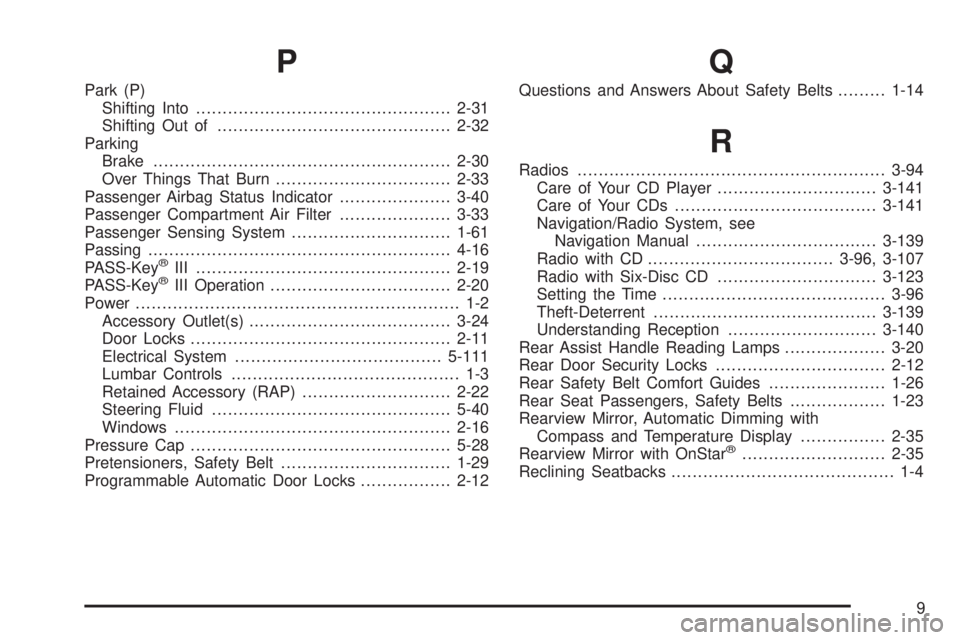
Radios..........................................................3-94
Care of Your CD Player..............................3-141
Care of Your CDs......................................3-141
Navigation/Radio System, see
Navigation Manual..................................3-139
Radio with CD...................................3-96, 3-107
Radio with Six-Disc CD..............................3-123
Setting the Time..........................................3-96
Theft-Deterrent..........................................3-139
Understanding Reception............................3-140
Rear Assist Handle Reading Lamps...................3-20
Rear Door Security Locks................................2-12
Rear Safety Belt Comfort Guides......................1-26
Rear Seat Passengers, Safety Belts..................1-23
Rearview Mirror, Automatic Dimming with
Compass and Temperature Display................2-35
Rearview Mirror with OnStar
®...........................2-35
Reclining Seatbacks.......................................... 1-4
9