warning PONTIAC GRAND PRIX 2006 Workshop Manual
[x] Cancel search | Manufacturer: PONTIAC, Model Year: 2006, Model line: GRAND PRIX, Model: PONTIAC GRAND PRIX 2006Pages: 472, PDF Size: 2.82 MB
Page 267 of 472
Anti-Lock Brake System (ABS)
Your vehicle may have anti-lock brakes. ABS is an
advanced electronic braking system that will help
prevent a braking skid.
If your vehicle has anti-lock
brakes, this warning light
on the instrument panel will
come on briey when
you start your vehicle.
When you start your engine, or when you begin to
drive away, your anti-lock brake system will
check itself. You may hear a momentary motor or
clicking noise while this test is going on, and you may
even notice that your brake pedal moves or
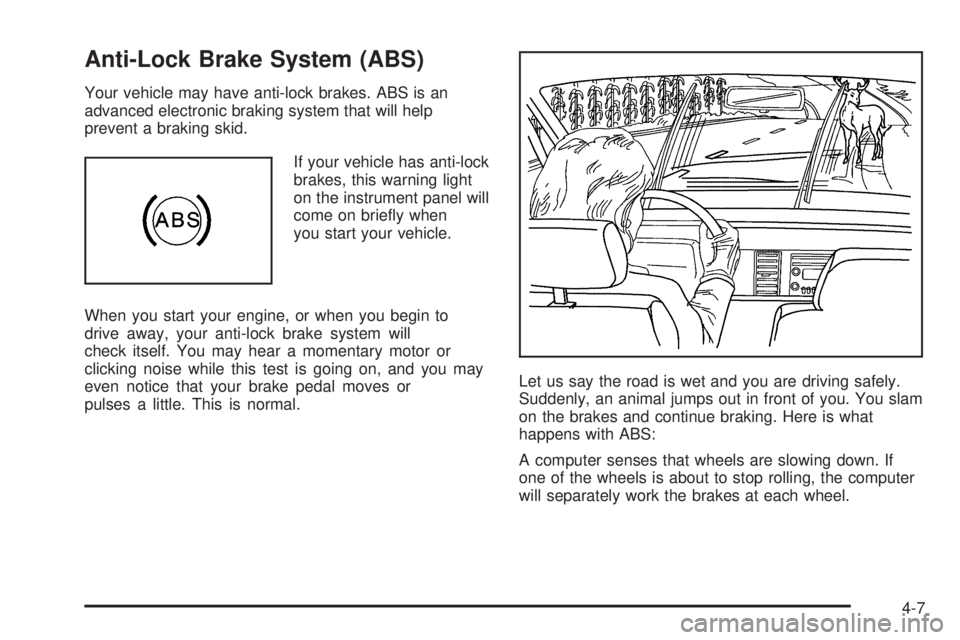
pulses a little. This is normal.Let us say the road is wet and you are driving safely.
Suddenly, an animal jumps out in front of you. You slam
on the brakes and continue braking. Here is what
happens with ABS:
A computer senses that wheels are slowing down. If
one of the wheels is about to stop rolling, the computer
will separately work the brakes at each wheel.
4-7
Page 271 of 472
Enhanced Traction System (ETS)
If the vehicle has the 3800 V6 engine and anti-lock
brakes, it has an Enhanced Traction System (ETS) that
limits wheel spin. This is especially useful in slippery
road conditions. The system operates only if it senses
that one or both of the front wheels are spinning or
beginning to lose traction. When this happens,
the system reduces engine power and may also upshift
the transaxle to limit wheel spin.
This symbol comes on
the Driver Information
Center (DIC) when
the ETS is limiting
wheel spin.
If the vehicle is in cruise control when ETS begins to
limit wheel spin, the cruise control will automatically
disengage. When road conditions allow safe use of it,
the cruise control can be used again. SeeCruise Control
on page 3-11.
ETS operates in all transaxle shift lever positions. But
the system can upshift the transaxle only as high as the
chosen shift lever position, so use the lower gears
only when necessary. SeeAutomatic Transaxle
Operation on page 2-25.One of these lights will appear on the instrument panel
to indicate that the ETS is not on.
This symbol, along with
the message TRACTION
CONTROL OFF will
display on the DIC for
three seconds when the
ETS is not on.
If there is a problem with the system, the service
traction system will also come on in the DIC. See
Enhanced Traction System Warning Light on page 3-45.
When this warning light is on, the system will not limit
wheel spin. Adjust driving accordingly.
4-11
Page 272 of 472
To limit wheel spin, especially in slippery road
conditions, the ETS should always be left on. But the
system can be turned off. The system should be turned
off if the vehicle ever gets stuck in sand, mud, or
snow and rocking the vehicle is required. SeeRocking
Your Vehicle to Get It Out on page 4-33andIf Your
Vehicle is Stuck in Sand, Mud, Ice or Snow on
page 4-32for more information.
Press the traction control
button located on the
console to turn the
system off.
If the system is limiting wheel spin when the button is
pressed, the system will turn off instantly. Press the
traction control button again to turn the system on.StabiliTrak®Plus System
The vehicle may have a vehicle stability enhancement
system called StabiliTrak®Plus. It is an advanced
computer controlled system that assists with directional
control of the vehicle in difficult driving conditions.
StabiliTrak
®Plus comes on whenever the vehicle is
started. It activates when the computer senses a
discrepancy between the intended path and the direction
the vehicle is actually traveling. StabiliTrak
®Plus
selectively applies braking pressure at any one of the
vehicle’s brakes to help control the vehicle in the
steering direction.
This symbol, along with
the STABILITY CONTROL
ACTIVE message comes
on the Driver Information
Center (DIC).
SeeDIC Warnings and Messages on page 3-72. You
may also hear a noise or feel vibration in the brake
pedal. This is normal. Continue to steer the vehicle in
the desired direction.
4-12
Page 273 of 472
If there is a problem
detected with StabiliTrak®
Plus, this symbol along
with the SERVICE
STABILITY SYSTEM
warning message
will come on the DIC.
SeeDIC Warnings and Messages on page 3-72. When
this message is displayed, the system is not operational.
Driving should be adjusted accordingly.
To turn the StabiliTrak
®system off (GXP only), press
and hold the traction control button for more than
ve seconds. A message will appear on the DIC
indicating that StabiliTrak
®has been turned off. You can
turn the system back on at any time by pressing the
button again.
If the vehicle is in cruise control when StabiliTrak
®Plus
activates, the cruise control will automatically
disengage. When road conditions allow safe use of it,
the cruise control can be used again. SeeCruise Control
on page 3-11for more information.
Steering
Power Steering
If you lose power steering assist because the engine
stops or the system is not functioning, you can steer but
it will take much more effort.
Variable Effort Steering
If your vehicle has this steering system, the system
provides less steering effort for parking and when driving
at speeds below 20 mph (32 km/h). Steering effort will
increase at higher speeds for improved road feel.
Steering Tips
It is important to take curves at a reasonable speed.
A lot of the “driver lost control” accidents mentioned on
the news happen on curves. Here is why:
Experienced driver or beginner, each of us is subject to
the same laws of physics when driving on curves.
The traction of the tires against the road surface makes
it possible for the vehicle to change its path when
you turn the front wheels. If there is no traction, inertia
will keep the vehicle going in the same direction. If
you have ever tried to steer a vehicle on wet ice, you
will understand this.
4-13
Page 278 of 472
Loss of Control
Let us review what driving experts say about what
happens when the three control systems — brakes,
steering, and acceleration — do not have enough friction
where the tires meet the road to do what the
driver has asked.
In any emergency, do not give up. Keep trying to
steer and constantly seek an escape route or area
of less danger.
Skidding
In a skid, a driver can lose control of the vehicle.
Defensive drivers avoid most skids by taking reasonable
care suited to existing conditions, and by not overdriving
those conditions. But skids are always possible.
The three types of skids correspond to your vehicle’s
three control systems. In the braking skid, your wheels
are not rolling. In the steering or cornering skid, too much
speed or steering in a curve causes tires to slip and lose
cornering force. And in the acceleration skid, too much
throttle causes the driving wheels to spin.
A cornering skid is best handled by easing your foot off
the accelerator pedal.
If you do not have the Enhanced Traction System (ETS)
or the Traction Control System (TCS), or if the system
is off, then an acceleration skid is also best handled
by easing your foot off the accelerator pedal. See
Enhanced Traction System (ETS) on page 4-11or
Traction Control System (TCS) on page 4-9.If your vehicle starts to slide, ease your foot off the
accelerator pedal and quickly steer the way you want
the vehicle to go. If you start steering quickly enough,
your vehicle may straighten out. Always be ready
for a second skid if it occurs.
Of course, traction is reduced when water, snow, ice,
gravel, or other material is on the road. For safety, you
will want to slow down and adjust your driving to
these conditions. It is important to slow down on slippery
surfaces because stopping distance will be longer and
vehicle control more limited.
While driving on a surface with reduced traction, try
your best to avoid sudden steering, acceleration,
or braking, including engine braking by shifting to a
lower gear. Any sudden changes could cause the tires
to slide. You may not realize the surface is slippery
until your vehicle is skidding. Learn to recognize warning
clues — such as enough water, ice, or packed snow
on the road to make a mirrored surface — and
slow down when you have any doubt.
If you have the Anti-Lock Brake System (ABS),
remember: It helps avoid only the braking skid. If you do
not have ABS, then in a braking skid, where the
wheels are no longer rolling, release enough pressure
on the brakes to get the wheels rolling again. This
restores steering control. Push the brake pedal down
steadily when you have to stop suddenly. As long as the
wheels are rolling, you will have steering control.
4-18
Page 281 of 472
Hydroplaning
Hydroplaning is dangerous. So much water can build up
under your tires that they can actually ride on the
water. This can happen if the road is wet enough and
you are going fast enough. When your vehicle is
hydroplaning, it has little or no contact with the road.
Hydroplaning does not happen often. But it can if your
tires do not have much tread or if the pressure in
one or more is low. It can happen if a lot of water is
standing on the road. If you can see reections
from trees, telephone poles, or other vehicles, and
raindrops dimple the water’s surface, there could
be hydroplaning.
Hydroplaning usually happens at higher speeds. There
just is not a hard and fast rule about hydroplaning.
The best advice is to slow down when it is raining.
Driving Through Deep Standing Water
Notice:If you drive too quickly through deep
puddles or standing water, water can come in
through your engine’s air intake and badly damage
your engine. Never drive through water that is
slightly lower than the underbody of your vehicle. If
you cannot avoid deep puddles or standing water,
drive through them very slowly.
Driving Through Flowing Water
{CAUTION:
Flowing or rushing water creates strong forces.
If you try to drive through owing water, as you
might at a low water crossing, your vehicle can
be carried away. As little as six inches of
owing water can carry away a smaller vehicle.
If this happens, you and other vehicle
occupants could drown. Do not ignore police
warning signs, and otherwise be very cautious
about trying to drive through owing water.
Some Other Rainy Weather Tips
Besides slowing down, allow some extra following
distance. And be especially careful when you
pass another vehicle. Allow yourself more clear
room ahead, and be prepared to have your
view restricted by road spray.
Have good tires with proper tread depth. SeeTires
on page 5-60.
4-21
Page 282 of 472
City Driving
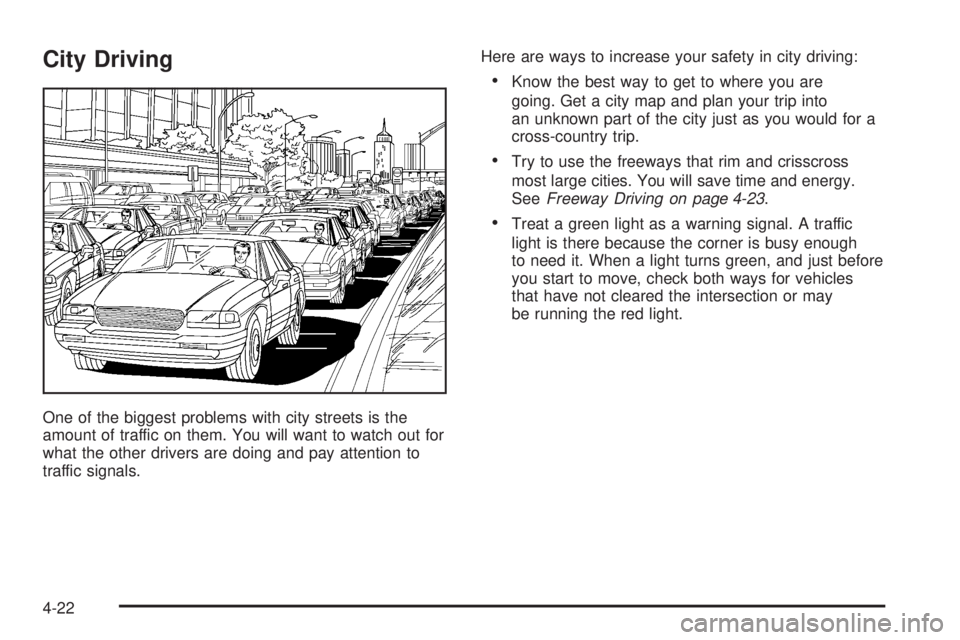
One of the biggest problems with city streets is the
amount of traffic on them. You will want to watch out for
what the other drivers are doing and pay attention to
traffic signals.Here are ways to increase your safety in city driving:
Know the best way to get to where you are
going. Get a city map and plan your trip into
an unknown part of the city just as you would for a
cross-country trip.
Try to use the freeways that rim and crisscross
most large cities. You will save time and energy.
SeeFreeway Driving on page 4-23.
Treat a green light as a warning signal. A traffic
light is there because the corner is busy enough
to need it. When a light turns green, and just before
you start to move, check both ways for vehicles
that have not cleared the intersection or may
be running the red light.
4-22
Page 288 of 472
Winter Driving
Here are some tips for winter driving:
Have your vehicle in good shape for winter.
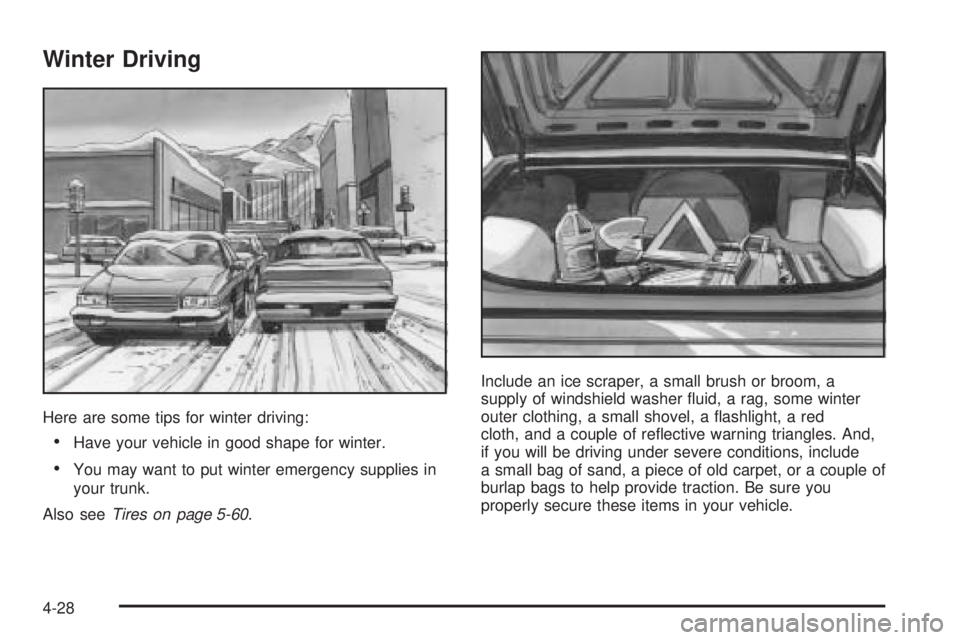
You may want to put winter emergency supplies in
your trunk.
Also seeTires on page 5-60.Include an ice scraper, a small brush or broom, a
supply of windshield washer uid, a rag, some winter
outer clothing, a small shovel, a ashlight, a red
cloth, and a couple of reective warning triangles. And,
if you will be driving under severe conditions, include
a small bag of sand, a piece of old carpet, or a couple of
burlap bags to help provide traction. Be sure you
properly secure these items in your vehicle.
4-28
Page 305 of 472
When towing a trailer, the arrows on the instrument
panel will ash for turns even if the bulbs on the trailer
are burned out. You may think drivers behind you
are seeing the turn signal when they are not. It is
important to check occasionally to be sure the trailer
bulbs are still working.
The vehicle has bulb warning lights. When a trailer
lighting system is plugged into the vehicle’s lighting
system, its bulb warning lights may not indicate if one of
the lamps goes out. So, when a trailer lighting system
is plugged in, be sure to check the vehicle and
trailer lamps from time to time to be sure they are all
working. Once the trailer lamps have been disconnected,
the bulb warning lights can once again indicate if
one of the vehicle lamps is out.
Driving On Grades
Reduce speed and shift to a lower gear before starting
down a long or steep downgrade. If the vehicle is
not shifted down, the brakes may have to be used so
much that they would get hot and no longer work well.
On a long uphill grade, shift down and reduce the
vehicle’s speed to around 45 mph (70 km/h) to reduce
the possibility of engine and transaxle overheating.
If the vehicle has overdrive, it may be driven in
THIRD (3) instead of AUTOMATIC OVERDRIVE (D).
Parking on Hills
{CAUTION:
You really should not park your vehicle, with a
trailer attached, on a hill. If something goes
wrong, your rig could start to move. People
can be injured, and both your vehicle and the
trailer can be damaged.
But if the rig ever has to be parked on a hill, here is
how to do it:
1. Apply the regular brakes, but do not shift into
PARK (P) yet.
2. Have someone place chocks under the
trailer wheels.
3. When the wheel chocks are in place, release the
regular brakes until the chocks absorb the load.
4. Reapply the regular brakes. Then apply the parking
brake, and then shift to PARK (P).
5. Release the regular brakes.
4-45
Page 307 of 472
Service............................................................5-3
Accessories and Modications..........................5-3
California Proposition 65 Warning.....................5-3
Doing Your Own Service Work.........................5-4
Adding Equipment to the Outside of
Your Vehicle..............................................5-5
Fuel................................................................5-5
Gasoline Octane............................................5-5
Gasoline Specications....................................5-5
California Fuel...............................................5-6
Additives.......................................................5-6
Fuels in Foreign Countries...............................5-7
Filling the Tank..............................................5-7
Filling a Portable Fuel Container.......................5-9
Checking Things Under the Hood....................5-10
Hood Release..............................................5-11
Engine Compartment Overview.......................5-12
Engine Oil...................................................5-16
Engine Oil Life System..................................5-19
Supercharger Oil..........................................5-20
Engine Air Cleaner/Filter................................5-21
Automatic Transaxle Fluid..............................5-23
Engine Coolant.............................................5-25
Pressure Cap...............................................5-28
Engine Overheating.......................................5-28Overheated Engine Protection
Operating Mode........................................5-30
Cooling System............................................5-30
Power Steering Fluid.....................................5-40
Windshield Washer Fluid................................5-41
Brakes........................................................5-42
Battery........................................................5-45
Jump Starting...............................................5-46
Headlamp Aiming...........................................5-50
Bulb Replacement..........................................5-53
Halogen Bulbs..............................................5-53
Headlamps and Sidemarker Lamps.................5-54
Front Turn Signal, Parking and Fog Lamps......5-56
Taillamps, Turn Signal, and Stoplamps............5-57
Back-Up Lamps............................................5-58
Replacement Bulbs.......................................5-59
Windshield Replacement.................................5-60
Windshield Wiper Blade Replacement..............5-60
Tires..............................................................5-60
Tire Sidewall Labeling...................................5-62
Tire Terminology and Denitions.....................5-64
Ination - Tire Pressure.................................5-67
Tire Ination Monitor System..........................5-68
Tire Inspection and Rotation...........................5-70
Section 5 Service and Appearance Care
5-1