lights PONTIAC GRAND PRIX 2007 User Guide
[x] Cancel search | Manufacturer: PONTIAC, Model Year: 2007, Model line: GRAND PRIX, Model: PONTIAC GRAND PRIX 2007Pages: 526, PDF Size: 2.92 MB
Page 170 of 526
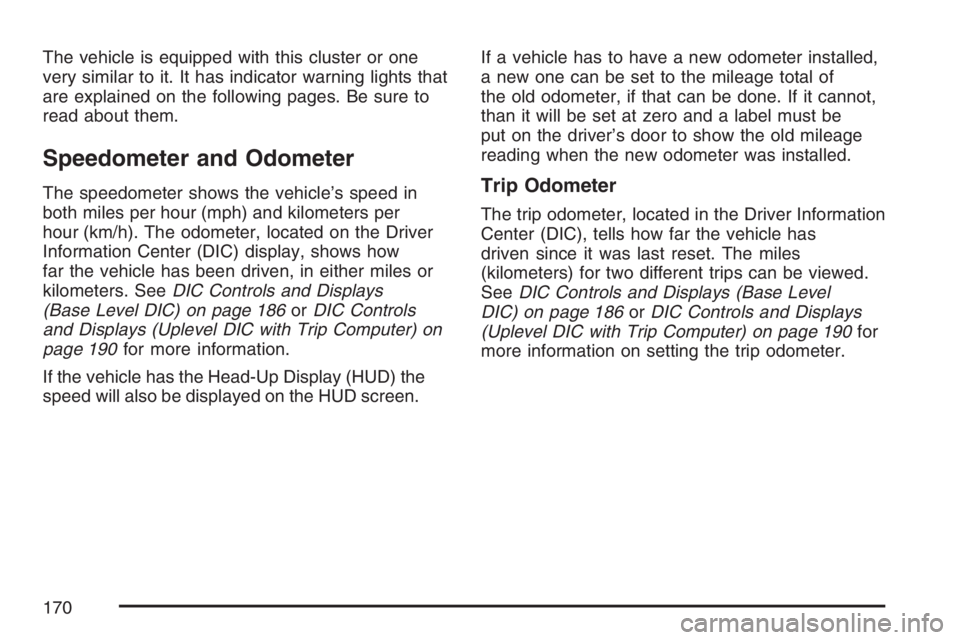
The vehicle is equipped with this cluster or one
very similar to it. It has indicator warning lights that
are explained on the following pages. Be sure to
read about them.
Speedometer and Odometer
The speedometer shows the vehicle’s speed in
both miles per hour (mph) and kilometers per
hour (km/h). The odometer, located on the Driver
Information Center (DIC) display, shows how
far the vehicle has been driven, in either miles or
kilometers. SeeDIC Controls and Displays
(Base Level DIC) on page 186orDIC Controls
and Displays (Uplevel DIC with Trip Computer) on
page 190for more information.
If the vehicle has the Head-Up Display (HUD) the
speed will also be displayed on the HUD screen.If a vehicle has to have a new odometer installed,
a new one can be set to the mileage total of
the old odometer, if that can be done. If it cannot,
than it will be set at zero and a label must be
put on the driver’s door to show the old mileage
reading when the new odometer was installed.Trip Odometer
The trip odometer, located in the Driver Information
Center (DIC), tells how far the vehicle has
driven since it was last reset. The miles
(kilometers) for two different trips can be viewed.
SeeDIC Controls and Displays (Base Level
DIC) on page 186orDIC Controls and Displays
(Uplevel DIC with Trip Computer) on page 190for
more information on setting the trip odometer.
170
Page 175 of 526
If the word OFF or the off symbol is lit on the
airbag status indicator, it means that the
passenger sensing system has turned off the right
front passenger’s frontal airbag. SeePassenger
Sensing System on page 74for more on this,
including important safety information.
If, after several seconds, all status indicator lights
remain on, or if there are no lights at all, there
may be a problem with the lights or the passenger
sensing system. See your dealer for service.
{CAUTION:
If the off indicator and the airbag
readiness light ever come on together, it
means that something may be wrong with
the airbag system. If this ever happens,
have the vehicle serviced promptly,
because an adult-size person sitting in the
right front passenger seat may not have
the protection of the frontal airbag. See
Airbag Readiness Light on page 172.
Up-Shift Light
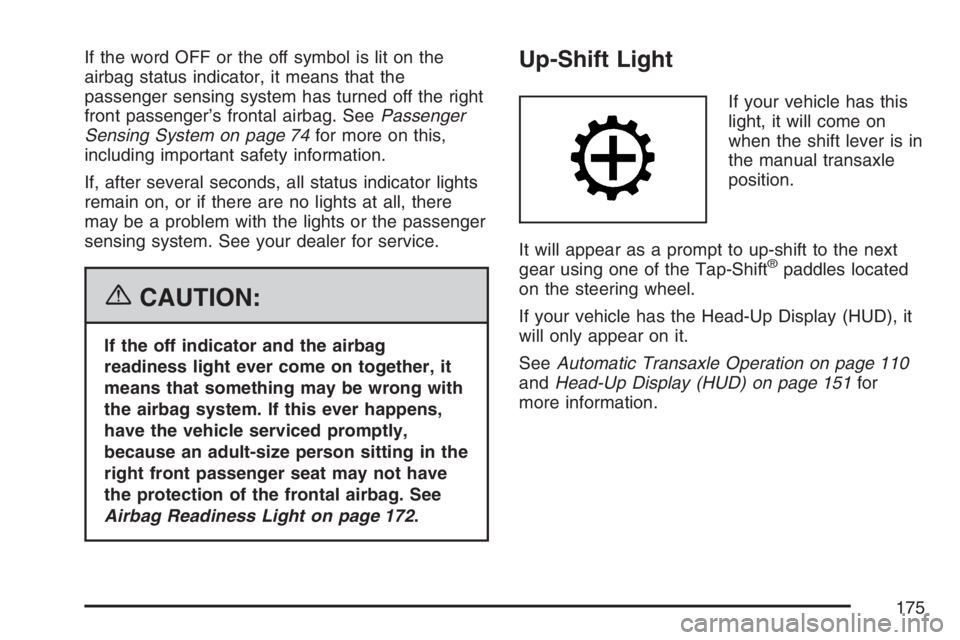
If your vehicle has this
light, it will come on
when the shift lever is in
the manual transaxle
position.
It will appear as a prompt to up-shift to the next
gear using one of the Tap-Shift
®paddles located
on the steering wheel.
If your vehicle has the Head-Up Display (HUD), it
will only appear on it.
SeeAutomatic Transaxle Operation on page 110
andHead-Up Display (HUD) on page 151for
more information.
175
Page 186 of 526
When the indicator nears empty, there is still a
little fuel left, but you should get more soon.
Here are four things owners usually ask about the
fuel gage. All these situations are normal and
do not indicate a problem with the fuel gage:
At the gas station the pump shuts off before
the gage reads full.
It takes more or less fuel to ll up than the
gage indicates. For example, the gage
reads half full, but it took more or less than
half the tank’s capacity to ll it.
The gage pointer may move while cornering,
braking or speeding up.
The gage may not indicate full when the
ignition is turned off.
Driver Information Center (DIC)
The Driver Information Center (DIC) gives
important safety and maintenance facts. When the
vehicle’s ignition is turned on, all of the DIC
lights illuminate for a few seconds and an
introductory message will appear. After this, the
DIC will begin working.
DIC Controls and Displays
(Base Level DIC)
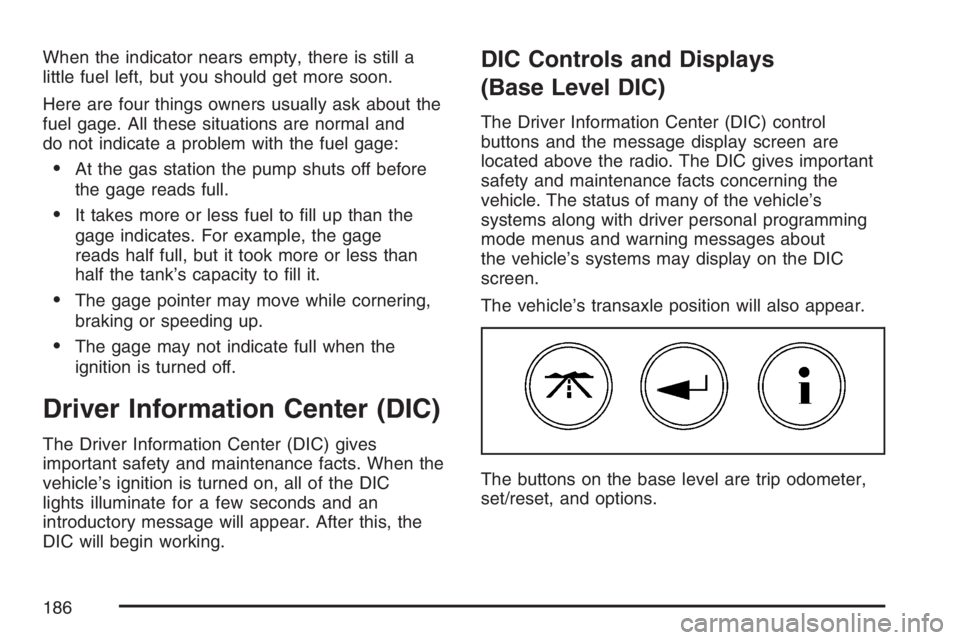
The Driver Information Center (DIC) control
buttons and the message display screen are
located above the radio. The DIC gives important
safety and maintenance facts concerning the
vehicle. The status of many of the vehicle’s
systems along with driver personal programming
mode menus and warning messages about
the vehicle’s systems may display on the DIC
screen.
The vehicle’s transaxle position will also appear.
The buttons on the base level are trip odometer,
set/reset, and options.
186
Page 201 of 526
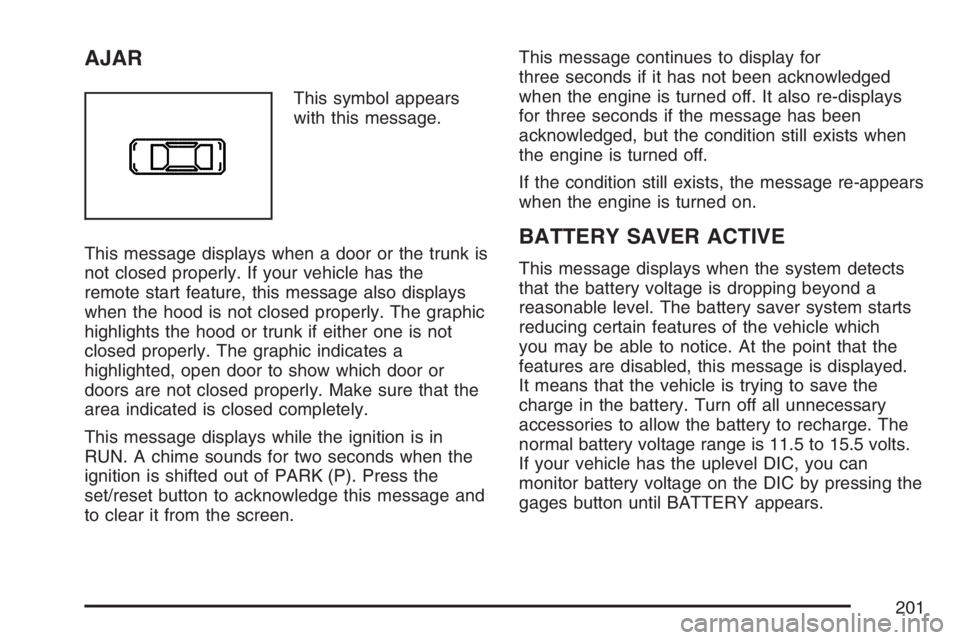
AJAR
This symbol appears
with this message.
This message displays when a door or the trunk is
not closed properly. If your vehicle has the
remote start feature, this message also displays
when the hood is not closed properly. The graphic
highlights the hood or trunk if either one is not
closed properly. The graphic indicates a
highlighted, open door to show which door or
doors are not closed properly. Make sure that the
area indicated is closed completely.
This message displays while the ignition is in
RUN. A chime sounds for two seconds when the
ignition is shifted out of PARK (P). Press the
set/reset button to acknowledge this message and
to clear it from the screen.This message continues to display for
three seconds if it has not been acknowledged
when the engine is turned off. It also re-displays
for three seconds if the message has been
acknowledged, but the condition still exists when
the engine is turned off.
If the condition still exists, the message re-appears
when the engine is turned on.
BATTERY SAVER ACTIVE
This message displays when the system detects
that the battery voltage is dropping beyond a
reasonable level. The battery saver system starts
reducing certain features of the vehicle which
you may be able to notice. At the point that the
features are disabled, this message is displayed.
It means that the vehicle is trying to save the
charge in the battery. Turn off all unnecessary
accessories to allow the battery to recharge. The
normal battery voltage range is 11.5 to 15.5 volts.
If your vehicle has the uplevel DIC, you can
monitor battery voltage on the DIC by pressing the
gages button until BATTERY appears.
201
Page 227 of 526
Entering the Personal Programming Mode
1. Turn the ignition on and make sure the
vehicle is in PARK (P).
To avoid excessive drain on the battery, it is
recommended that the headlamps are
turned off.
2. Press the options button until PERSONAL
PROGRAMMING MODE appears on the DIC.
3. Press the set/reset button to display the rst
screen.
4. Press the options button to access these
modes:
Personal Programming Mode Screens
EXTERIOR LIGHTING DELAY:This screen
allows this feature to be turned off, or allows the
selection of the number of seconds the headlamps,
sidelamps, taillamps, fog lamps, and back-up
lamps are turned on after the key is removed from
the ignition, or the vehicle is unlocked using the
remote keyless entry transmitter.
If OFF is selected, the exterior lamps will not
turn on.If a time delay is chosen, the lamps will turn on for
the selected time. The time delay will be
cancelled and the exterior lamps will turn on
automatically when the key is removed from the
ignition, or the vehicle is unlocked using the
remote keyless entry transmitter.
To program this mode, use the following
procedure:
1. Press and release the set/reset button to
scroll to the selection you want to program.
Choose from OFF, 15, 30, 60, or 90 seconds.
2. Press the options button again to advance to
the next screen.
INTERIOR LIGHTS WHEN DOOR CLOSED:This
screen allows this feature to be turned OFF or ON.
If OFF is selected, the interior lamps will turn off
immediately when the ignition is turned off and the
last open door is closed.
If ON is selected, the interior lamps will stay on for
about 25 seconds after the vehicle’s ignition is
turned off and the last open door is closed.
227
Page 228 of 526
To program this mode, use the following procedure:
1. Press and release the set/reset button to
scroll to either OFF or ON.
2. Press the options button again to advance to
the next screen.
INTERIOR LIGHTS WHEN KEY REMOVED:This
screen allows this feature to be turned OFF or
ON. This feature enables the interior lamps in the
vehicle to turn on for about 25 seconds after
the key is removed from the ignition.
If OFF is selected, removing the key from the
ignition will not cause the interior lamps to turn on.
If ON is selected, removing the key from the
ignition will cause the interior lamps to be turned
on for about 25 seconds.
To program this mode, use the following
procedure:
1. Press and release the set/reset button to
scroll to either OFF or ON.
2. Press the options button again to advance to
the next screen.AUTO DOOR UNLOCK:This screen allows this
feature to be turned off, used for the driver’s
door only, or for all the doors.
If OFF is selected, none of the doors will unlock
when the vehicle’s transaxle is shifted into
PARK (P).
If DRIVER is selected, only the driver’s door will
unlock when the vehicle’s transaxle is shifted
into PARK (P).
If ALL is selected, all the doors will unlock when
the vehicle’s transaxle is shifted into PARK (P).
To program this mode, use the following
procedure:
1. Press and release the set/reset button to
scroll to either OFF, DRIVER, or ALL.
2. Press the options button again to advance to
the next screen.
228
Page 230 of 526
REMOTE LOCKS FEEDBACK:This screen
allows selection for this option to be turned OFF,
or gives the choice of two methods of verication;
LIGHTS or LIGHTS and HORN; that indicate
the vehicle’s doors are locked when the LOCK
button on the remote keyless entry transmitter is
pressed.
If OFF is selected, this feature will not be
programmed.
If LIGHTS is selected, the exterior lamps will ash
when the LOCK button on the remote keyless
entry transmitter is pressed.
If LIGHTS and HORN is selected, the exterior
lamps will ash when the LOCK button on
the remote keyless entry transmitter is pressed,
and the horn will sound when the LOCK button on
the remote keyless entry transmitter is pressed
again within ve seconds of the previous
command.To program this mode, use the following
procedure:
1. Press the set/reset button to scroll to OFF,
LIGHTS, or LIGHTS and HORN.
2. Press the options button again to advance to
the next screen.
If the vehicle does not have a content
theft-deterrent system, the next screens with
PROGRAMMING FINISHED and DISPLAY OFF
will appear.
If the vehicle does have a content theft-deterrent
system, the next screen will appear.
THEFT DETERRENT:The vehicle may have a
content theft-deterrent system. Once it is
turned on, the system will activate if someone tries
to enter the vehicle without using the remote
keyless entry transmitter or the correct key. This
screen allows this feature to be turned OFF or ON.
If OFF is selected, the content theft-deterrent
system will not function.
If ON is selected, the content theft-deterrent
system will be activated.
230
Page 238 of 526
Setting Preset Stations
Up to 30 stations (six FM1, six FM2, and six AM,
six XM1 and six XM2 (if equipped)), can be
programmed on the six numbered pushbuttons, by
performing the following steps:
1. Turn the radio on.
2. Press BAND to select FM1, FM2, AM, or XM1
or XM2.
3. Tune in the desired station.
4. Press EQ to select the equalization.
5. Press and hold one of the six numbered
pushbuttons until a beep sounds. Whenever
that numbered pushbutton is pressed,
the station that was set returns and the
equalization that was selected is stored for
that pushbutton.
6. Repeat the steps for each pushbutton.
Setting the Tone
(Bass/Midrange/Treble)
TONE:Press and release this button until BASS,
MID (midrange), or TREB (treble) displays. The
SELECT LED indicator lights to show that the tone
control can be adjusted. Turn the SELECT knob
to increase or to decrease. If a station is weak
or has static, decrease the treble.
To return all of the tone controls to the middle
position, press and hold the TONE button
until FLAT displays.
EQ (Equalizer):Press this button to select
customized equalization settings.
Up to six customized equalization settings, can be
programmed, by performing the following steps:
1. Turn the radio on.
2. Use the TONE button and the SELECT knob
to create the equalization.
3. Press and hold the EQ button for two seconds.
SELECT EQ # displays and the EQ symbol
ashes.
4. Press EQ or turn the SELECT knob to select
the EQ number.
238
Page 239 of 526
5. Press and hold the EQ button or push the
SELECT knob to store the equalization
setting and the number. EQ SAVED displays
and a beep sounds.
6. Repeat the steps for the other EQ settings
and numbers.
EQ 5 has been programmed at the factory for
use with talk radio, but it can be preset to a
different tone.
Adjusting the Speakers (Balance/Fade)
BAL (Balance):To adjust the balance between
the right and the left speakers, press and release
this button until BAL displays. The SELECT
LED indicator lights to show that the speakers can
be adjusted. Turn the SELECT knob to move
the sound toward the right or the left speakers.
FADE:To adjust the fade between the front and
the rear speakers, press and release this
button until FADE displays. The SELECT LED
indicator lights to show that the speakers can be
adjusted. Turn the SELECT knob to move the
sound toward the front or the rear speakers.
Pressing and holding the BAL FADE button for
two seconds returns all speaker settings to
the middle position.
Finding a Program Type (PTY) Station
(RDS and XM™)
To select and nd a desired PTY perform the
following:
1. Press the PROG TYPE button to activate
program type select mode. PTY displays.
2. Turn the SELECT knob to select a PTY.
3. Once the desired PTY displays, press either
SEEK arrow to select the PTY and take you
to the PTY’s rst station.
4. To go to another station within that PTY, while
the PTY displays, press either SEEK arrow
once. If the PTY is not displayed, press either
SEEK arrow twice to display the PTY and
then to go to another station.
5. Press PROG TYPE to exit program type
select mode.
If PTY times out and is no longer on the
display, go back to Step 1.
If both PTY and TRAF are on, the radio searches
for stations with the selected PTY and traffic
announcements.
239
Page 248 of 526
Setting the Tone
(Bass/Midrange/Treble)
TONE:Press and release this button until BASS,
MID (midrange), or TREB (treble) displays. The
SELECT LED indicator lights to show that the tone
control can be adjusted. Turn the SELECT knob
to increase or to decrease. If a station is weak
or has static, decrease the treble.
Pressing and holding the TONE button until FLAT
displays, returns all of the tone controls to the
middle position.
EQ (Equalizer):Press this button to select
customized bass, midrange, and treble
equalization settings.Up to six customized equalization settings, can be
programmed on the six numbered pushbuttons,
by performing the following steps:
1. Turn the radio on.
2. Use the TONE button and the SELECT knob
to create the desired equalization.
3. Press and hold the EQ button for two seconds.
SELECT EQ # displays and the EQ symbol
ashes.
4. Press EQ or turn the SELECT knob to select
the desired EQ number.
5. Press and hold the EQ button or push the
SELECT knob to store the equalization
setting and the number. A beep sounds and
EQ SAVED displays.
6. Repeat the steps for the other EQ settings
and numbers.
EQ 5 has been programmed at the factory for use
with talk radio, but it can be set to a different tone.
248