change time PONTIAC GRAND PRIX 2007 Owners Manual
[x] Cancel search | Manufacturer: PONTIAC, Model Year: 2007, Model line: GRAND PRIX, Model: PONTIAC GRAND PRIX 2007Pages: 526, PDF Size: 2.92 MB
Page 3 of 526
GENERAL MOTORS, GM, the GM Emblem,
PONTIAC, the PONTIAC Emblem, and the names
GRAND PRIX, GTP, and GXP are registered
trademarks of General Motors Corporation.
This manual includes the latest information at the
time it was printed. We reserve the right to
make changes after that time without notice.
For vehicles rst sold in Canada, substitute the
name “General Motors of Canada Limited”
for Pontiac Division whenever it appears in this
manual.This manual describes features that may be
available in this model, but your vehicle may not
have all of them. For example, more than one
entertainment system may be offered or your
vehicle may have been ordered without a front
passenger or rear seats.
Keep this manual in the vehicle, so it will be there
if it is needed while you are on the road. If the
vehicle is sold, leave this manual in the vehicle.
Canadian Owners
A French language copy of this manual can be
obtained from your dealer or from:
Helm, Incorporated
P.O. Box 07130
Detroit, MI 48207
Litho in U.S.A.
Part No. 15863016 A First Printing
©2006 General Motors Corporation. All Rights Reserved.
3
Page 42 of 526
Infants and Young Children
Everyone in a vehicle needs protection! This
includes infants and all other children. Neither the
distance traveled nor the age and size of the
traveler changes the need, for everyone, to use
safety restraints. In fact, the law in every state
in the United States and in every Canadian
province says children up to some age must be
restrained while in a vehicle.
{CAUTION:
Children can be seriously injured or
strangled if a shoulder belt is wrapped
around their neck and the safety belt
continues to tighten. Never leave children
unattended in a vehicle and never allow
children to play with the safety belts.Every time infants and young children ride in
vehicles, they should have the protection provided
by appropriate restraints. Young children should
not use the vehicle’s adult safety belts alone,
unless there is no other choice. Instead, they need
to use a child restraint.
{CAUTION:
People should never hold a baby in their
arms while riding in a vehicle. A baby
does not weigh much — until a crash.
During a crash a baby will become so
heavy it is not possible to hold it. For
example, in a crash at only 25 mph
(40 km/h), a 12 lb (5.5 kg) baby will
suddenly become a 240 lb (110 kg) force
on a person’s arms. A baby should be
secured in an appropriate restraint.
42
Page 86 of 526
Remote Keyless Entry (RKE)
System
Your Remote Keyless Entry (RKE) system
operates on a radio frequency subject to Federal
Communications Commission (FCC) Rules
and with Industry Canada.
This device complies with Part 15 of the FCC
Rules. Operation is subject to the following
two conditions:
1. This device may not cause interference.
2. This device must accept any interference
received, including interference that may
cause undesired operation of the device.
This device complies with RSS-210 of Industry
Canada. Operation is subject to the following
two conditions:
1. This device may not cause interference.
2. This device must accept any interference
received, including interference that may
cause undesired operation of the device.
Changes or modications to this system by other
than an authorized service facility could void
authorization to use this equipment.At times you may notice a decrease in operating
range. This is normal for any RKE system.
If the transmitter does not work or if you have to
stand closer to your vehicle for the transmitter
to work, try this:
Check the distance. You may be too far from
your vehicle. You may need to stand closer
during rainy or snowy weather.
Check the location. Other vehicles or objects
may be blocking the signal. Take a few steps
to the left or right, hold the transmitter
higher, and try again.
Check to determine if battery replacement is
necessary. See “Battery Replacement”
underRemote Keyless Entry (RKE) System
Operation on page 87.
If you are still having trouble, see your dealer
or a qualied technician for service.
86
Page 89 of 526
Battery Replacement
Under normal use, the battery in the remote keyless
entry transmitter should last about four years.
If the battery is weak the transmitter will not work
within its normal range. It is probably time to
change the battery if you have to be very close to
the vehicle before the transmitter works.
The KEY FOB BATTERY LOW message, in the
vehicle’s DIC, will display, if the remote keyless
entry transmitter battery is low.
Notice:When replacing the battery, use care
not to touch any of the circuitry. Static
from your body transferred to these surfaces
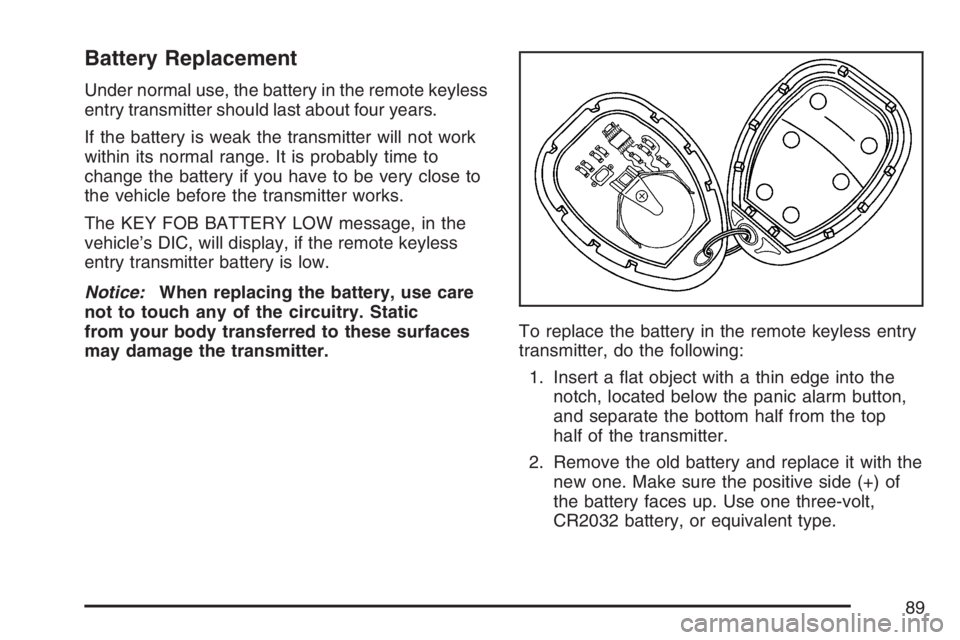
may damage the transmitter.To replace the battery in the remote keyless entry
transmitter, do the following:
1. Insert a at object with a thin edge into the
notch, located below the panic alarm button,
and separate the bottom half from the top
half of the transmitter.
2. Remove the old battery and replace it with the
new one. Make sure the positive side (+) of
the battery faces up. Use one three-volt,
CR2032 battery, or equivalent type.
89
Page 129 of 526
Instrument Panel Overview........................ 132
Hazard Warning Flashers.......................... 134
Other Warning Devices............................. 134
Horn.......................................................... 134
Tilt Wheel.................................................. 135
Turn Signal/Multifunction Lever.................. 135
Turn and Lane-Change Signals................. 136
Headlamp High/Low-Beam Changer.......... 137
Flash-to-Pass............................................ 137
Windshield Wiper Lever............................. 138
Cruise Control........................................... 140
Exterior Lamps.......................................... 144
Headlamps on Reminder........................... 145
Daytime Running Lamps (DRL)................. 145
Fog Lamps................................................ 146
Exterior Lighting Battery Saver.................. 146
Interior Lamps........................................... 146
Instrument Panel Brightness...................... 147
Courtesy Lamps........................................ 147
Dome Lamp.............................................. 147
Entry Lighting............................................ 148
Delayed Entry Lighting.............................. 148
Delayed Exit Lighting................................. 149
Front Reading Lamps................................ 149
Overhead Console Reading Lamps........... 149Rear Assist Handle Reading Lamps.......... 149
Electric Power Management...................... 150
Battery Run-Down Protection..................... 151
Head-Up Display (HUD)............................ 151
Accessory Power Outlet(s)........................ 156
Ashtray(s) and Cigarette Lighter................ 157
Climate Controls......................................... 157
Climate Control System............................. 157
Dual Automatic Climate Control System.... 162
Outlet Adjustment...................................... 166
Passenger Compartment Air Filter............. 166
Warning Lights, Gages, and Indicators..... 168
Instrument Panel Cluster........................... 169
Speedometer and Odometer...................... 170
Tachometer............................................... 171
Safety Belt Reminder Light........................ 171
Passenger Safety Belt Reminder Light....... 172
Airbag Readiness Light............................. 172
Passenger Airbag Status Indicator............. 173
Up-Shift Light............................................ 175
Brake System Warning Light..................... 176
Anti-Lock Brake System Warning Light...... 177
Low Tire Pressure Warning Light.............. 178
Section 3 Instrument Panel
129
Page 137 of 526
Headlamp High/Low-Beam Changer
Push forward on the exterior lamps control
lever to change the headlamps from low to
high-beam. Pull the lever back and then release it
to change from high to low-beam.
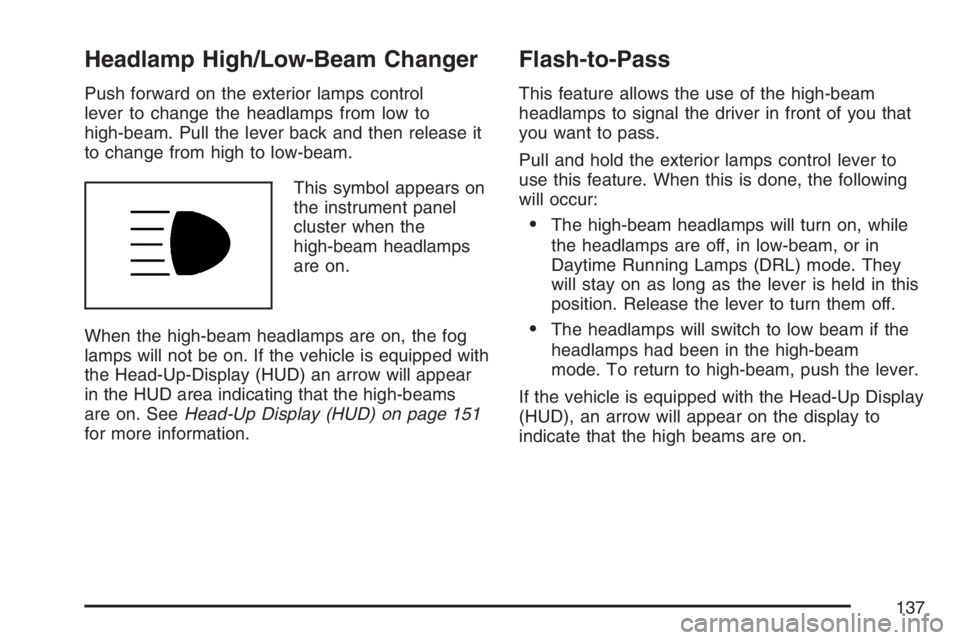
This symbol appears on
the instrument panel
cluster when the
high-beam headlamps
are on.
When the high-beam headlamps are on, the fog
lamps will not be on. If the vehicle is equipped with
the Head-Up-Display (HUD) an arrow will appear
in the HUD area indicating that the high-beams
are on. SeeHead-Up Display (HUD) on page 151
for more information.
Flash-to-Pass
This feature allows the use of the high-beam
headlamps to signal the driver in front of you that
you want to pass.
Pull and hold the exterior lamps control lever to
use this feature. When this is done, the following
will occur:
The high-beam headlamps will turn on, while
the headlamps are off, in low-beam, or in
Daytime Running Lamps (DRL) mode. They
will stay on as long as the lever is held in this
position. Release the lever to turn them off.
The headlamps will switch to low beam if the
headlamps had been in the high-beam
mode. To return to high-beam, push the lever.
If the vehicle is equipped with the Head-Up Display
(HUD), an arrow will appear on the display to
indicate that the high beams are on.
137
Page 152 of 526
The tap shift gear and the upshift symbol will also
appear on the HUD if the vehicle has tap shift
and it is active.
The HUD information can be displayed in one of
three languages, English, French, or Spanish. The
speedometer reading and other numerical values
can be displayed in either English or metric units.
The language selection and the units of
measurement are changed through the trip
computer in the Driver Information Center (DIC).
See “Options” underDIC Controls and Displays
(Base Level DIC) on page 186orDIC Controls and
Displays (Uplevel DIC with Trip Computer) on
page 190.
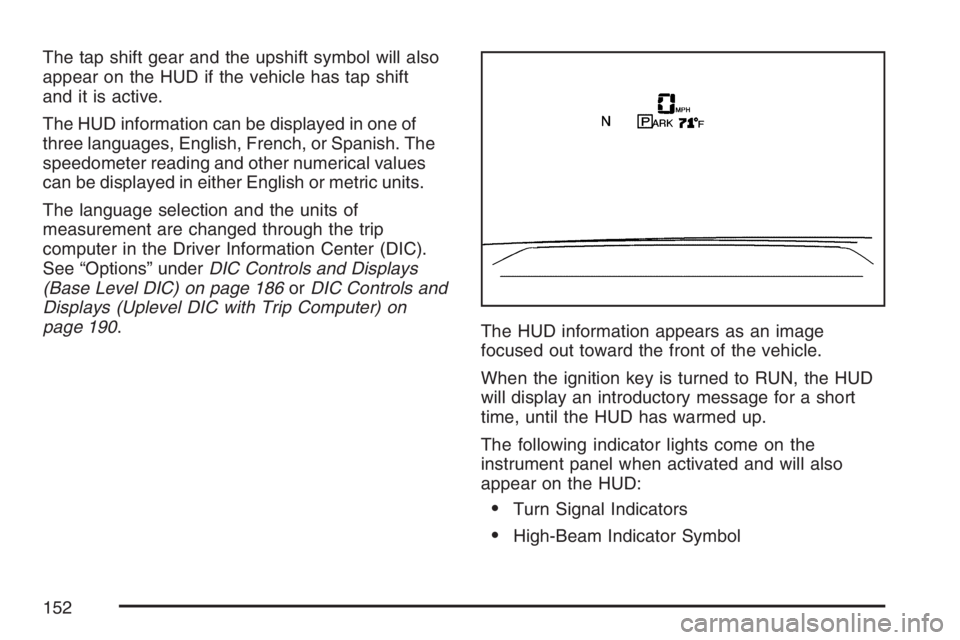
The HUD information appears as an image
focused out toward the front of the vehicle.
When the ignition key is turned to RUN, the HUD
will display an introductory message for a short
time, until the HUD has warmed up.
The following indicator lights come on the
instrument panel when activated and will also
appear on the HUD:
Turn Signal Indicators
High-Beam Indicator Symbol
152
Page 153 of 526
The HUD will temporarily display CHECK TRIP
COMPUTER when there are messages on the DIC
trip computer.
The HUD will also display the following messages
when these systems, if the vehicle has them,
are active:
TRACTION CONTROL ACTIVE
STABILITY CONTROL ACTIVE
The HUD will temporarily display the TRACTION
CONTROL OFF message when the traction
control system is turned off.
The HUD will temporarily display the CRUISE SET
message when cruise control is activated or
cruise speed is increased.
Notice:If you try to use the HUD image as a
parking aid, you may misjudge the distance
and damage your vehicle. Do not use the HUD
image as a parking aid.
When the HUD is on, the speedometer reading
will continually be displayed. The current radio
station or CD track number will display for a short
period of time after the radio or CD track status
changes. This will happen whenever one of
the radio controls is pressed.The speedometer size will be reduced when radio,
CD information, warnings, or turn-by-turn
guidance information are displayed on the HUD.
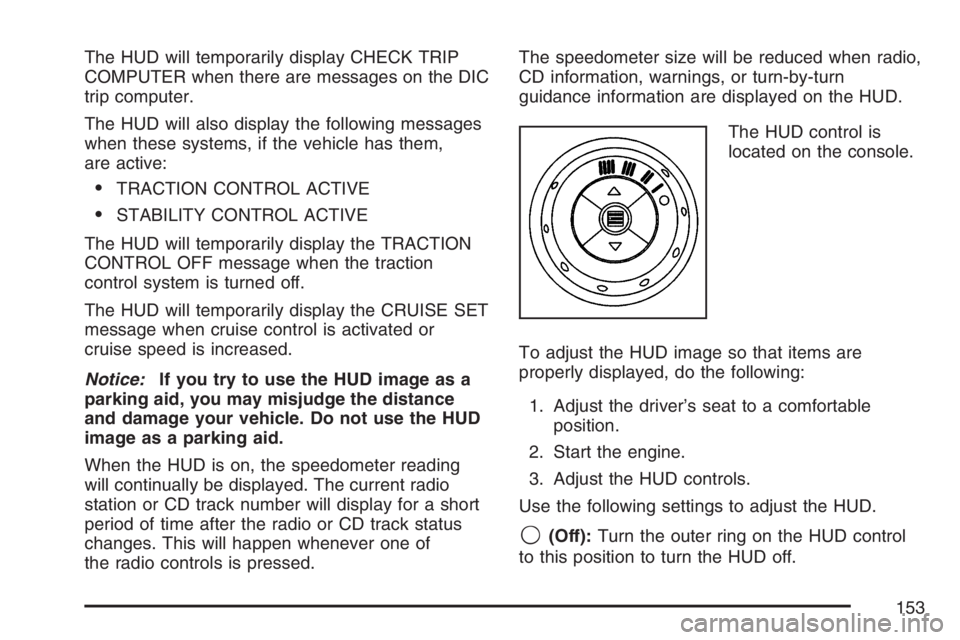
The HUD control is
located on the console.
To adjust the HUD image so that items are
properly displayed, do the following:
1. Adjust the driver’s seat to a comfortable
position.
2. Start the engine.
3. Adjust the HUD controls.
Use the following settings to adjust the HUD.
9(Off):Turn the outer ring on the HUD control
to this position to turn the HUD off.
153
Page 162 of 526
Dual Automatic Climate Control
System
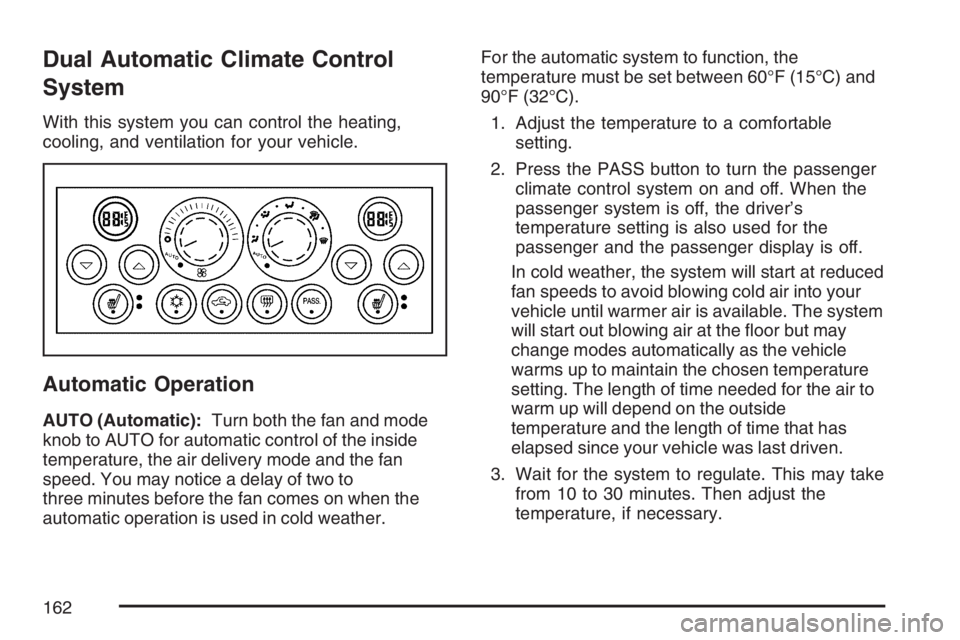
With this system you can control the heating,
cooling, and ventilation for your vehicle.
Automatic Operation
AUTO (Automatic):Turn both the fan and mode
knob to AUTO for automatic control of the inside
temperature, the air delivery mode and the fan
speed. You may notice a delay of two to
three minutes before the fan comes on when the
automatic operation is used in cold weather.For the automatic system to function, the
temperature must be set between 60°F (15°C) and
90°F (32°C).
1. Adjust the temperature to a comfortable
setting.
2. Press the PASS button to turn the passenger
climate control system on and off. When the
passenger system is off, the driver’s
temperature setting is also used for the
passenger and the passenger display is off.
In cold weather, the system will start at reduced
fan speeds to avoid blowing cold air into your
vehicle until warmer air is available. The system
will start out blowing air at the oor but may
change modes automatically as the vehicle
warms up to maintain the chosen temperature
setting. The length of time needed for the air to
warm up will depend on the outside
temperature and the length of time that has
elapsed since your vehicle was last driven.
3. Wait for the system to regulate. This may take
from 10 to 30 minutes. Then adjust the
temperature, if necessary.
162
Page 189 of 526
To change the language, use the following
procedure:
1. Press the options button to enter the language
screen.
2. Press the set/reset button to scroll through
and set the language choice.
3. Press the options button again to advance to
the next screen.
DISPLAY UNITS:This menu allows selection of
measurements to be displayed in English or
metric units. The messages on the HUD, if
equipped, and the instrument panel cluster will
also appear with the type of measurement
selected.
To set the measurement when Display Units is
shown, use the following procedure:
1. Press the set/reset button to select ENGLISH
or METRIC.
2. Press the options button again to advance to
the next screen.DAYTIME DISPLAY ENHANCEMENT:This
menu allows selection of the color of the display
message. When ON is selected for the daytime
enhancement, the messages will appear black on
a red screen. This combination makes it easier
to see the DIC messages during the daytime.
When OFF is selected, or when the headlamps
are on, the messages will appear red on a
black background.
To set the daytime display enhancement, use the
following procedure:
1. Press the set/reset button to select OFF or ON.
2. Press the options button again to advance to
the next screen.
ENGINE OIL MONITOR SYSTEM:This menu
allows the engine oil monitor system to be reset.
To reset the engine oil monitor system, see
Engine Oil Life System on page 353.
PERSONAL PROGRAMMING MODE:This menu
allows you to customize several features on
your vehicle. SeeDIC Vehicle Customization on
page 226for more information.
Press the options button again to advance to the
next screen.
189