language PONTIAC GRAND PRIX 2007 Owners Manual
[x] Cancel search | Manufacturer: PONTIAC, Model Year: 2007, Model line: GRAND PRIX, Model: PONTIAC GRAND PRIX 2007Pages: 526, PDF Size: 2.92 MB
Page 3 of 526
GENERAL MOTORS, GM, the GM Emblem,
PONTIAC, the PONTIAC Emblem, and the names
GRAND PRIX, GTP, and GXP are registered
trademarks of General Motors Corporation.
This manual includes the latest information at the
time it was printed. We reserve the right to
make changes after that time without notice.
For vehicles rst sold in Canada, substitute the
name “General Motors of Canada Limited”
for Pontiac Division whenever it appears in this
manual.This manual describes features that may be
available in this model, but your vehicle may not
have all of them. For example, more than one
entertainment system may be offered or your
vehicle may have been ordered without a front
passenger or rear seats.
Keep this manual in the vehicle, so it will be there
if it is needed while you are on the road. If the
vehicle is sold, leave this manual in the vehicle.
Canadian Owners
A French language copy of this manual can be
obtained from your dealer or from:
Helm, Incorporated
P.O. Box 07130
Detroit, MI 48207
Litho in U.S.A.
Part No. 15863016 A First Printing
©2006 General Motors Corporation. All Rights Reserved.
3
Page 152 of 526
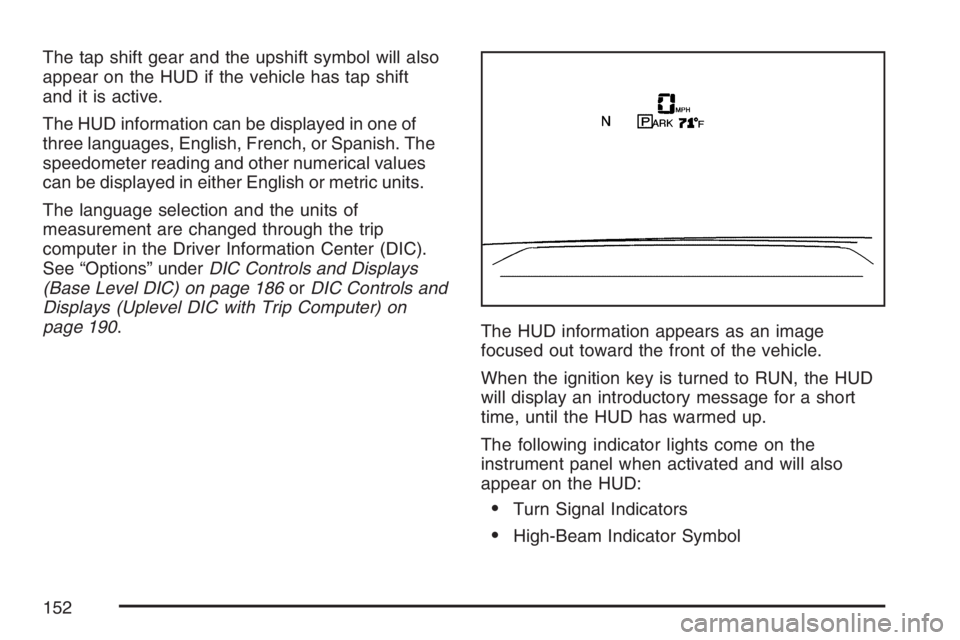
The tap shift gear and the upshift symbol will also
appear on the HUD if the vehicle has tap shift
and it is active.
The HUD information can be displayed in one of
three languages, English, French, or Spanish. The
speedometer reading and other numerical values
can be displayed in either English or metric units.
The language selection and the units of
measurement are changed through the trip
computer in the Driver Information Center (DIC).
See “Options” underDIC Controls and Displays
(Base Level DIC) on page 186orDIC Controls and
Displays (Uplevel DIC with Trip Computer) on
page 190.
The HUD information appears as an image
focused out toward the front of the vehicle.
When the ignition key is turned to RUN, the HUD
will display an introductory message for a short
time, until the HUD has warmed up.
The following indicator lights come on the
instrument panel when activated and will also
appear on the HUD:
Turn Signal Indicators
High-Beam Indicator Symbol
152
Page 188 of 526
Set/Reset
r(Set/Reset):Press this button to set or reset
a menu item when using the trip odometer or
options buttons.
Options
4(Options):Press this button to access the Date,
Language, Display Units, Daytime Display
Enhancement, Engine Oil Monitor System,
Personal Programming modes, and Tire Pressure
readings.
Date:This menu sets the date.
The time is set through the radio. SeeSetting the
Time on page 234for more information.
To set the date, use the following procedure:
1. Press the options button until the date
is displayed on the DIC.
2. Press the set/reset button to access the
RESET YEAR screen. The second position in
the year will be selected. Press and hold
the set/reset button to scroll through the
available digits. Release the button when the
correct digit appears.3. Press the options button to advance to the
rst position in the year. Press and hold the
set/reset button to scroll through the available
digits. Release the button when the correct
digit appears.
4. Press the options button to advance to the
months of the year.
5. Press the set/reset button to scroll through the
months of the year, releasing the button when
the correct month appears.
6. Press the options button to advance to the
days of the month.
7. Press the set/reset button to scroll through the
days of the month, releasing the button when
the correct day appears.
8. Press the options button again to advance to
the main date screen. The screen will now
display the new date.
Language:This menu allows the selection of the
language in which the DIC messages will
appear. The DIC can be programmed to one of
three languages: English, French, or Spanish. The
message on the HUD, if equipped, will also
appear in the language selected. SeeHead-Up
Display (HUD) on page 151.
188
Page 189 of 526
To change the language, use the following
procedure:
1. Press the options button to enter the language
screen.
2. Press the set/reset button to scroll through
and set the language choice.
3. Press the options button again to advance to
the next screen.
DISPLAY UNITS:This menu allows selection of
measurements to be displayed in English or
metric units. The messages on the HUD, if
equipped, and the instrument panel cluster will
also appear with the type of measurement
selected.
To set the measurement when Display Units is
shown, use the following procedure:
1. Press the set/reset button to select ENGLISH
or METRIC.
2. Press the options button again to advance to
the next screen.DAYTIME DISPLAY ENHANCEMENT:This
menu allows selection of the color of the display
message. When ON is selected for the daytime
enhancement, the messages will appear black on
a red screen. This combination makes it easier
to see the DIC messages during the daytime.
When OFF is selected, or when the headlamps
are on, the messages will appear red on a
black background.
To set the daytime display enhancement, use the
following procedure:
1. Press the set/reset button to select OFF or ON.
2. Press the options button again to advance to
the next screen.
ENGINE OIL MONITOR SYSTEM:This menu
allows the engine oil monitor system to be reset.
To reset the engine oil monitor system, see
Engine Oil Life System on page 353.
PERSONAL PROGRAMMING MODE:This menu
allows you to customize several features on
your vehicle. SeeDIC Vehicle Customization on
page 226for more information.
Press the options button again to advance to the
next screen.
189
Page 194 of 526
AVERAGE SPEED:The average speed is
displayed in miles per hour (mph) or kilometers
per hour (km/h). The average speed is calculated
from the various vehicle speeds recorded since
the last reset of this menu item. To reset the
average speed, press the set/reset button. The
display will return to zero.
Press the trip odometer button again to advance
to the next screen.
TIME ELAPSED:This screen can be used as a
stopwatch. The display can show the hours,
minutes and seconds. The elapsed time indicator
will record up to 99 hours, 59 minutes and
59 seconds, then it will reset to zero and continue
counting.
To set the time elapsed function, use the following
procedures:
1. Press the set/reset button for less than
two seconds to start or stop the timer.
2. Press and hold the set/reset button for
more than two seconds to reset the timer back
to zero.
Press the trip odometer button again to advance
to the next screen.Set/Reset
r(Set/Reset):Press this button to set or reset
a mode item when using the trip odometer or
option buttons.
Options
4(Options):Press this button to access the Date,
Language, Display Units, Daytime Display
Enhancement, Engine Oil Monitor System,
Compass Calibration, Personal Programming
modes, and Tire Pressure readings.
Date:This menu sets the date.
The time is set through the radio. SeeSetting the
Time on page 234for more information.
To set the date, use the following procedure:
1. Press the options button until the date
is displayed on the DIC.
2. Press the set/reset button to access the
RESET YEAR screen. The second position in
the year will be selected. Press and hold
the set/reset button to scroll through the
available digits. Release the button when the
correct digit appears.
194
Page 195 of 526
3. Press the options button to advance to the
rst position in the year. Press and hold the
set/reset button to scroll through the available
digits. Release the button when the correct
digit appears.
4. Press the options button to advance to the
months of the year.
5. Press the set/reset button to scroll through the
months of the year, releasing the button when
the correct month appears.
6. Press the options button to advance to the
days of the month.
7. Press the set/reset button to scroll through the
days of the month, releasing the button when
the correct day appears.
8. Press the options button again to advance to
the main date screen. The screen will now
display the new date.
9. Press the options button to advance to the
next screen.Language:This menu allows selection of
the language in which the DIC messages will
appear. The DIC can be programmed in one of
three languages: English, French, or Spanish. The
message on the HUD, if equipped, will also
appear in the language selected. SeeHead-Up
Display (HUD) on page 151.
To change the language, use the following
procedure:
1. Press the options button to enter the language
screen.
2. Press the set/reset button to scroll through
and set the language choice.
3. Press the options button again to advance to
the next screen.
DISPLAY UNITS:This menu allows selection of
measurements to be displayed in English or
metric units. The messages on the HUD, if
equipped, and the instrument panel cluster will
also appear in the type of measurement selected.
195
Page 275 of 526
XM Radio Messages
Radio Display Message Condition Action Required
XL (Explicit Language
Channels)XL on the radio display,
after the channel name,
indicates content with
explicit language.These channels, or any others, can be blocked at a
customer’s request, by calling 1-800-852-XMXM (9696).
Updating Updating encryption code The encryption code in the receiver is being updated, and
no action is required. This process should take no longer
than 30 seconds.
No Signal Loss of signal The system is functioning correctly, but the vehicle is in a
location that is blocking the XM™ signal. When the vehicle
moves into an open area, the signal should return.
Loading XM Acquiring channel audio
(after a four second
delay)The audio system is acquiring and processing audio and
text data. No action is needed. This message should
disappear shortly.
CH Off Air Channel not in service This channel is not currently in service. Tune to another
channel.
CH Unavail Channel no longer
availableThis previously assigned channel is no longer assigned.
Tune to another station. If this station was one of the
presets, choose another station for that preset button.
No Info Artist Name/Feature
not availableNo artist information is available at this time on this channel.
The system is working properly.
No Info Song/Program Title
not availableNo song title information is available at this time on this
channel. The system is working properly.
275