Clock PONTIAC GRAND PRIX 2008 User Guide
[x] Cancel search | Manufacturer: PONTIAC, Model Year: 2008, Model line: GRAND PRIX, Model: PONTIAC GRAND PRIX 2008Pages: 450, PDF Size: 2.64 MB
Page 212 of 450
Radio Data System (RDS)
The audio system has a Radio Data System (RDS).
RDS features are available for use only on FM stations
that broadcast RDS information.
With RDS, the radio can do the following:
Seek to stations broadcasting the selected type of
programming
Receive announcements concerning local and
national emergencies
Display messages from radio stations
Seek to stations with traffic announcements
This system relies upon receiving specic information
from these stations and only works when the information
is available. In rare cases, a radio station may
broadcast incorrect information that causes the radio
features to work improperly. If this happens, contact the
radio station.
While the radio is tuned to an RDS station, the station
name or the call letters appear on the display instead
of the frequency. RDS stations may also provide
the time of day, a program type (PTY) for current
programming, and the name of the program being
broadcast.
XM™ Satellite Radio Service
XM™ is a satellite radio service that is based in the
48 contiguous United States and 10 Canadian provinces.
XM™ Satellite Radio has a wide variety of programming
and commercial-free music, coast-to-coast, and in
digital-quality sound. During your trial or when you
subscribe, you will get unlimited access to XM™ Radio
Online for when you are not in your vehicle. A service
fee is required to receive the XM™ service. For more
information, contact XM™ at www.xmradio.com or
call 1-800-929-2100 in the U.S. and www.xmradio.ca
or call 1-877-438-9677 in Canada.
Playing the Radio
PWR (Power):Push this knob to turn the system
on and off.
VOL (Volume):Turn this knob clockwise or
counterclockwise to increase or to decrease the volume.
RCL (Recall):Push this knob to switch the display
between the radio station frequency and the time.
When the ignition is turned off, push this knob to display
the time.
For RDS, push the RCL knob to change what appears
on the display while using RDS. The display options
are station name, RDS station frequency, PTY, and the
name of the program (if available).
3-96
Page 245 of 450
Try to adjust your speed so you can drive through the
curve. Maintain a reasonable, steady speed. Wait
to accelerate until you are out of the curve, and then
accelerate gently into the straightaway.
Adding non-dealer/non-retailer accessories can affect
your vehicle’s performance. SeeAccessories and
Modifications on page 5-3.
Steering in Emergencies
There are times when steering can be more effective than
braking. For example, you come over a hill and nd a
truck stopped in your lane, or a car suddenly pulls out
from nowhere, or a child darts out from between parked
cars and stops right in front of you. You can avoid these
problems by braking — if you can stop in time. But
sometimes you cannot; there is not room. That is the time
for evasive action — steering around the problem.
Your vehicle can perform very well in emergencies like
these. First apply the brakes. SeeBraking on page 4-3.
It is better to remove as much speed as you can from a
possible collision. Then steer around the problem, to the
left or right depending on the space available.An emergency like this requires close attention and a
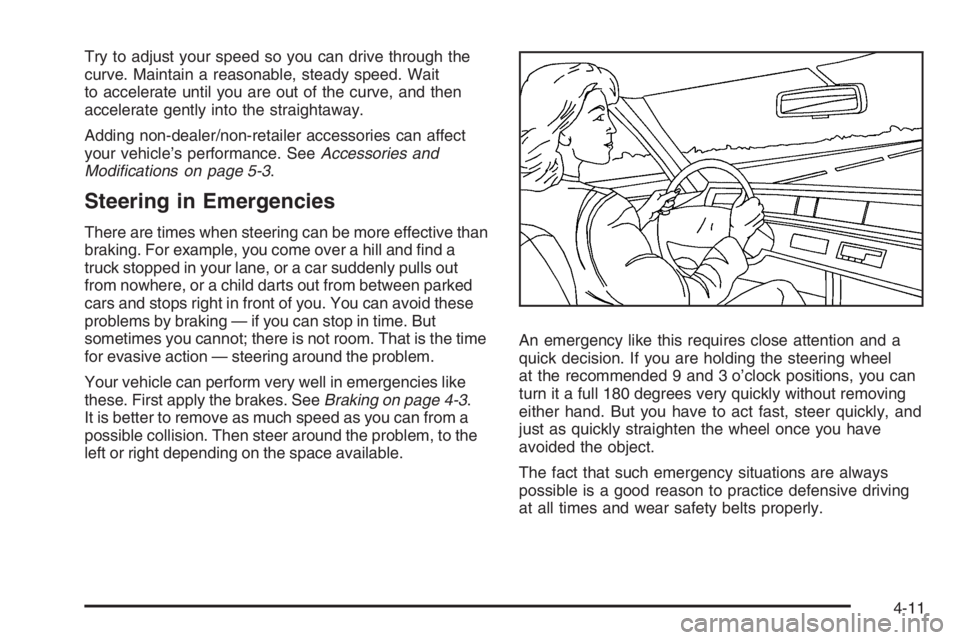
quick decision. If you are holding the steering wheel
at the recommended 9 and 3 o’clock positions, you can
turn it a full 180 degrees very quickly without removing
either hand. But you have to act fast, steer quickly, and
just as quickly straighten the wheel once you have
avoided the object.
The fact that such emergency situations are always
possible is a good reason to practice defensive driving
at all times and wear safety belts properly.
4-11
Page 278 of 450
Filling the Tank
{CAUTION:
Fuel vapor burns violently and a fuel re can
cause bad injuries. To help avoid injuries to
you and others, read and follow all the
instructions on the pump island. Turn off your
engine when you are refueling. Do not smoke
if you are near fuel or refueling your vehicle.
Do not use cellular phones. Keep sparks,
ames, and smoking materials away from fuel.
Do not leave the fuel pump unattended when
refueling your vehicle. This is against the law in
some places. Do not re-enter the vehicle while
pumping fuel. Keep children away from the fuel
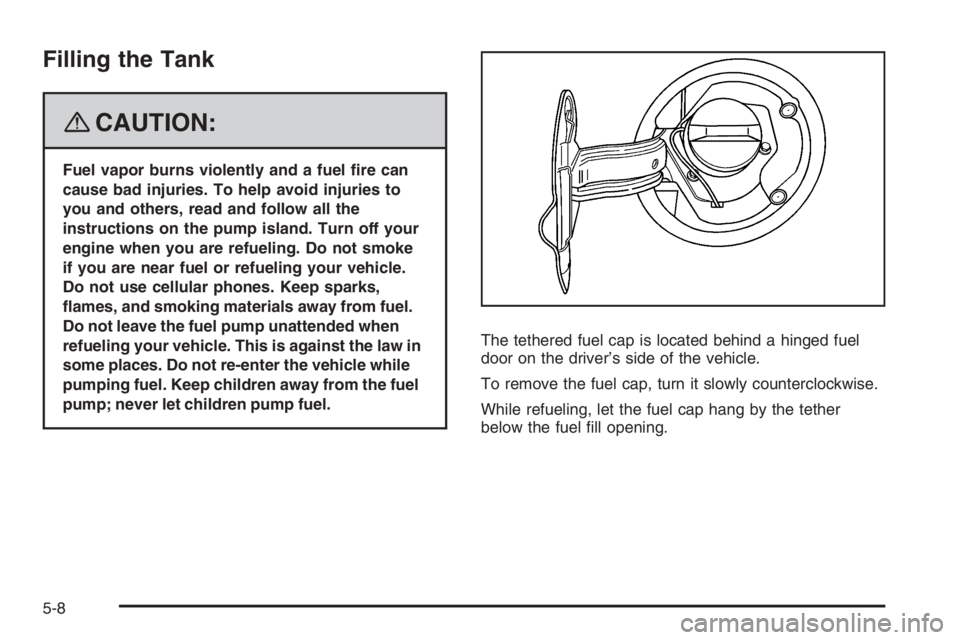
pump; never let children pump fuel.The tethered fuel cap is located behind a hinged fuel
door on the driver’s side of the vehicle.
To remove the fuel cap, turn it slowly counterclockwise.
While refueling, let the fuel cap hang by the tether
below the fuel ll opening.
5-8
Page 279 of 450
{CAUTION:
Fuel can spray out on you if you open the fuel
cap too quickly. If you spill fuel and then
something ignites it, you could be badly burned.
This spray can happen if your tank is nearly full,
and is more likely in hot weather. Open the fuel
cap slowly and wait for any hiss noise to stop.
Then unscrew the cap all the way.
Be careful not to spill fuel. Do not top off or overll the
tank and wait a few seconds after you have nished
pumping before removing the nozzle. Clean fuel from
painted surfaces as soon as possible. SeeWashing Your
Vehicle on page 5-114.
When replacing the fuel cap, turn it clockwise until it
clicks. Make sure the cap is fully installed. The
diagnostic system can determine if the fuel cap has
been left off or improperly installed. This would allow fuel
to evaporate into the atmosphere. SeeMalfunction
Indicator Lamp on page 3-50.The CHECK GAS CAP message will be displayed on
the Driver Information Center (DIC) if the fuel cap is not
properly installed. SeeDIC Warnings and Messages
on page 3-67for more information.
{CAUTION:
If a re starts while you are refueling, do not
remove the nozzle. Shut off the ow of fuel by
shutting off the pump or by notifying the
station attendant. Leave the area immediately.
Notice:If you need a new fuel cap, be sure to get
the right type. Your dealer/retailer can get one for
you. If you get the wrong type, it may not t properly.
This may cause your malfunction indicator lamp to
light and may damage your fuel tank and emissions
system. SeeMalfunction Indicator Lamp on
page 3-50.
5-9
Page 304 of 450
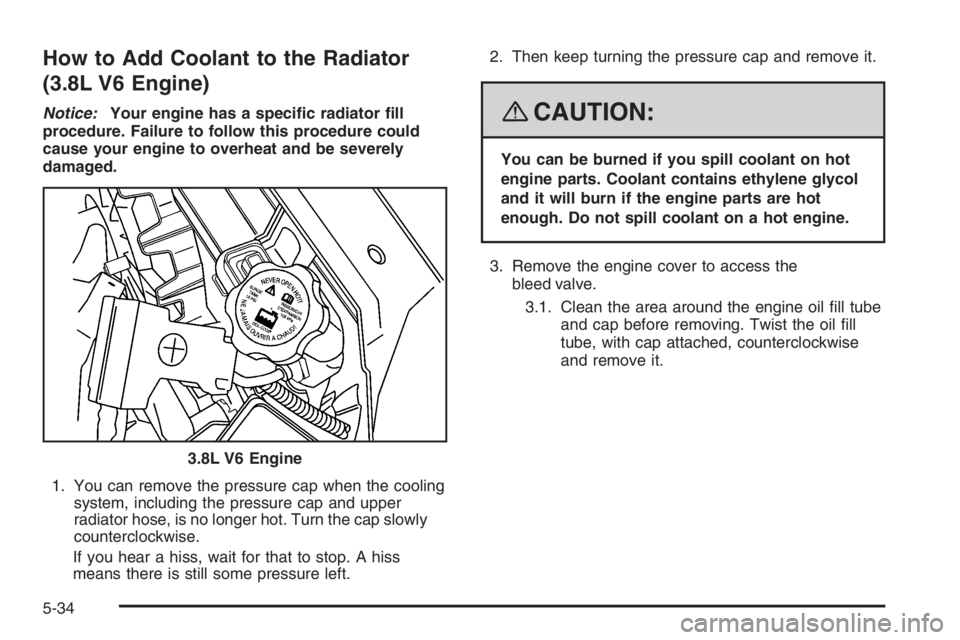
How to Add Coolant to the Radiator
(3.8L V6 Engine)
Notice:Your engine has a specic radiator ll
procedure. Failure to follow this procedure could
cause your engine to overheat and be severely
damaged.
1. You can remove the pressure cap when the cooling
system, including the pressure cap and upper
radiator hose, is no longer hot. Turn the cap slowly
counterclockwise.
If you hear a hiss, wait for that to stop. A hiss
means there is still some pressure left.2. Then keep turning the pressure cap and remove it.{CAUTION:
You can be burned if you spill coolant on hot
engine parts. Coolant contains ethylene glycol
and it will burn if the engine parts are hot
enough. Do not spill coolant on a hot engine.
3. Remove the engine cover to access the
bleed valve.
3.1. Clean the area around the engine oil ll tube
and cap before removing. Twist the oil ll
tube, with cap attached, counterclockwise
and remove it.
3.8L V6 Engine
5-34
Page 306 of 450
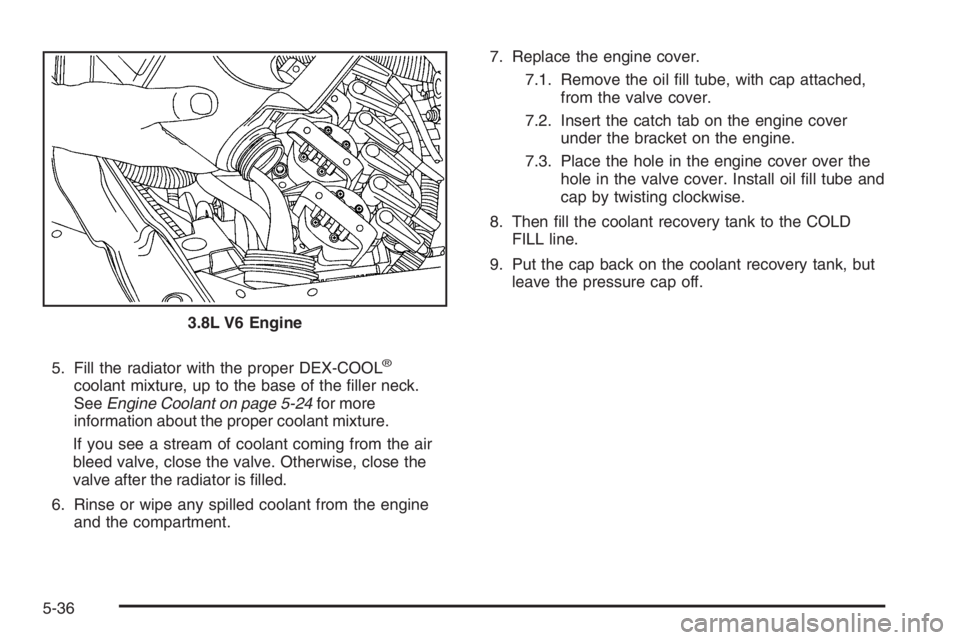
5. Fill the radiator with the proper DEX-COOL®
coolant mixture, up to the base of the ller neck.
SeeEngine Coolant on page 5-24for more
information about the proper coolant mixture.
If you see a stream of coolant coming from the air
bleed valve, close the valve. Otherwise, close the
valve after the radiator is lled.
6. Rinse or wipe any spilled coolant from the engine
and the compartment.7. Replace the engine cover.
7.1. Remove the oil ll tube, with cap attached,
from the valve cover.
7.2. Insert the catch tab on the engine cover
under the bracket on the engine.
7.3. Place the hole in the engine cover over the
hole in the valve cover. Install oil ll tube and
cap by twisting clockwise.
8. Then ll the coolant recovery tank to the COLD
FILL line.
9. Put the cap back on the coolant recovery tank, but
leave the pressure cap off.
3.8L V6 Engine
5-36
Page 308 of 450
How to Add Coolant to the Cooling
System (5.3L V8 Engine)
Notice:The engine has a specic cooling system
drain and ll procedure. Failure to follow this
procedure could cause the engine to overheat and
be severely damaged. If the engine’s cooling system
needs to be drained and re-lled, please see the
dealer/retailer.
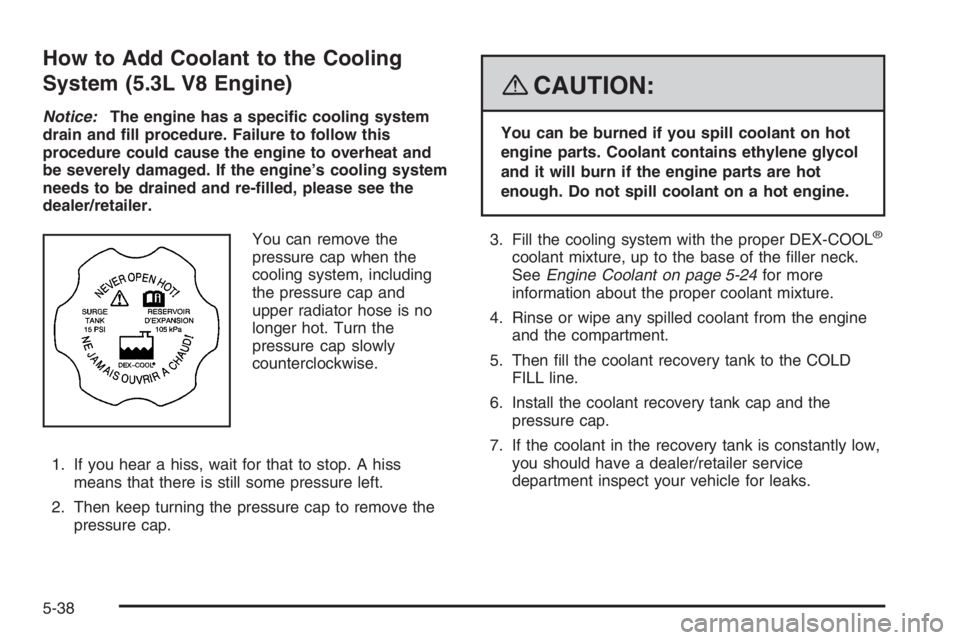
You can remove the
pressure cap when the
cooling system, including
the pressure cap and
upper radiator hose is no
longer hot. Turn the
pressure cap slowly
counterclockwise.
1. If you hear a hiss, wait for that to stop. A hiss
means that there is still some pressure left.
2. Then keep turning the pressure cap to remove the
pressure cap.
{CAUTION:
You can be burned if you spill coolant on hot
engine parts. Coolant contains ethylene glycol
and it will burn if the engine parts are hot
enough. Do not spill coolant on a hot engine.
3. Fill the cooling system with the proper DEX-COOL
®
coolant mixture, up to the base of the ller neck.
SeeEngine Coolant on page 5-24for more
information about the proper coolant mixture.
4. Rinse or wipe any spilled coolant from the engine
and the compartment.
5. Then ll the coolant recovery tank to the COLD
FILL line.
6. Install the coolant recovery tank cap and the
pressure cap.
7. If the coolant in the recovery tank is constantly low,
you should have a dealer/retailer service
department inspect your vehicle for leaks.
5-38
Page 323 of 450
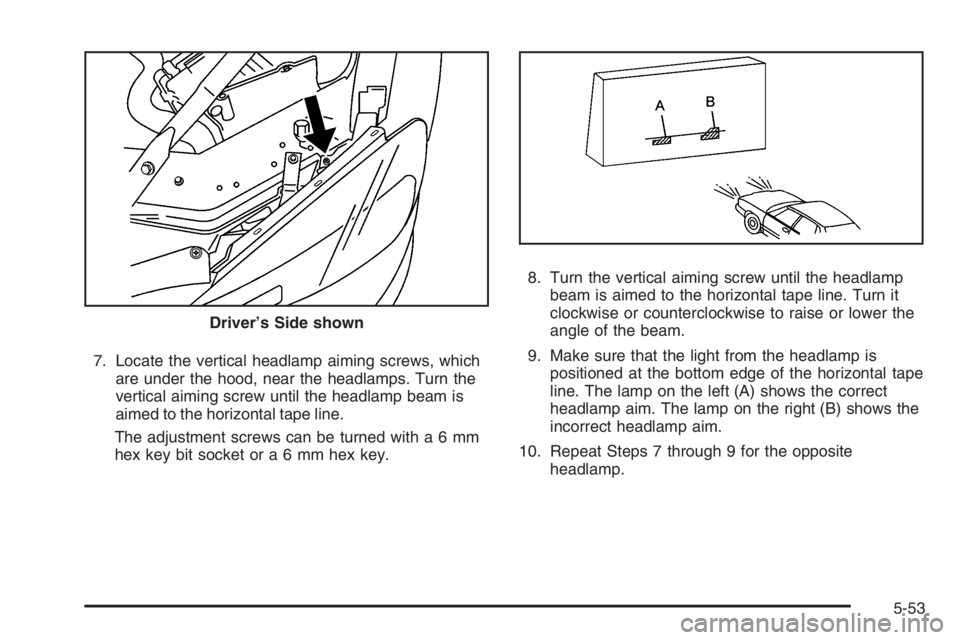
7. Locate the vertical headlamp aiming screws, which
are under the hood, near the headlamps. Turn the
vertical aiming screw until the headlamp beam is
aimed to the horizontal tape line.
The adjustment screws can be turned witha6mm
hex key bit socket ora6mmhexkey.8. Turn the vertical aiming screw until the headlamp
beam is aimed to the horizontal tape line. Turn it
clockwise or counterclockwise to raise or lower the
angle of the beam.
9. Make sure that the light from the headlamp is
positioned at the bottom edge of the horizontal tape
line. The lamp on the left (A) shows the correct
headlamp aim. The lamp on the right (B) shows the
incorrect headlamp aim.
10. Repeat Steps 7 through 9 for the opposite
headlamp. Driver’s Side shown
5-53
Page 326 of 450
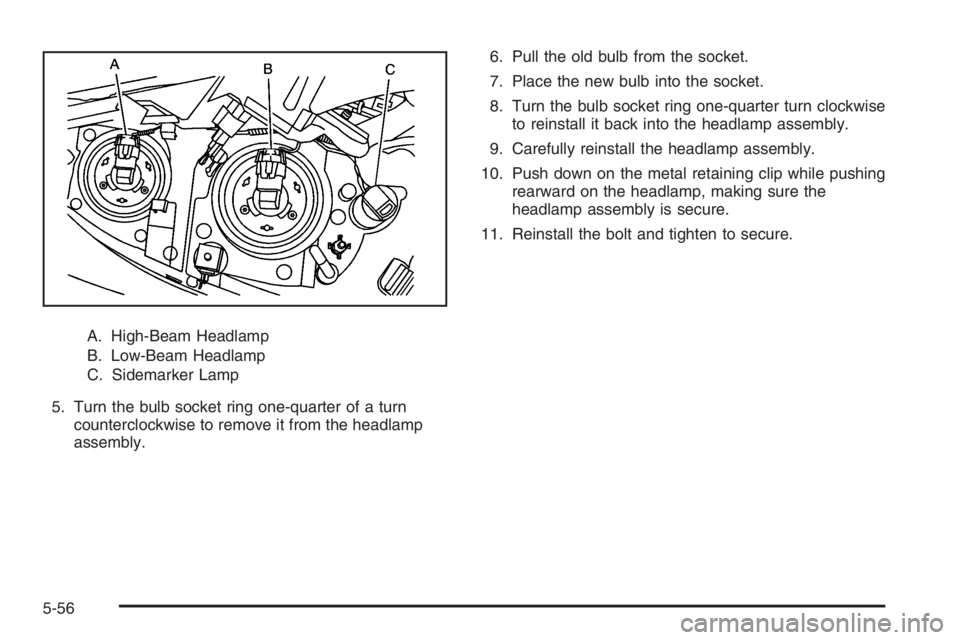
A. High-Beam Headlamp
B. Low-Beam Headlamp
C. Sidemarker Lamp
5. Turn the bulb socket ring one-quarter of a turn
counterclockwise to remove it from the headlamp
assembly.6. Pull the old bulb from the socket.
7. Place the new bulb into the socket.
8. Turn the bulb socket ring one-quarter turn clockwise
to reinstall it back into the headlamp assembly.
9. Carefully reinstall the headlamp assembly.
10. Push down on the metal retaining clip while pushing
rearward on the headlamp, making sure the
headlamp assembly is secure.
11. Reinstall the bolt and tighten to secure.
5-56
Page 327 of 450
Front Turn Signal, Parking and Fog
Lamps
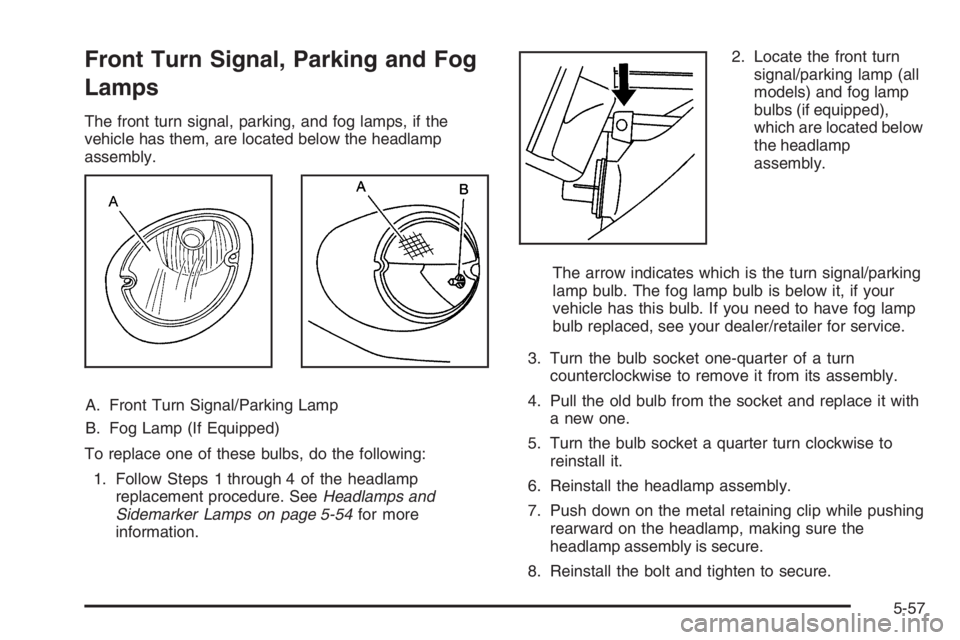
The front turn signal, parking, and fog lamps, if the
vehicle has them, are located below the headlamp
assembly.
A. Front Turn Signal/Parking Lamp
B. Fog Lamp (If Equipped)
To replace one of these bulbs, do the following:
1. Follow Steps 1 through 4 of the headlamp
replacement procedure. SeeHeadlamps and
Sidemarker Lamps on page 5-54for more
information.2. Locate the front turn
signal/parking lamp (all
models) and fog lamp
bulbs (if equipped),
which are located below
the headlamp
assembly.
The arrow indicates which is the turn signal/parking
lamp bulb. The fog lamp bulb is below it, if your
vehicle has this bulb. If you need to have fog lamp
bulb replaced, see your dealer/retailer for service.
3. Turn the bulb socket one-quarter of a turn
counterclockwise to remove it from its assembly.
4. Pull the old bulb from the socket and replace it with
a new one.
5. Turn the bulb socket a quarter turn clockwise to
reinstall it.
6. Reinstall the headlamp assembly.
7. Push down on the metal retaining clip while pushing
rearward on the headlamp, making sure the
headlamp assembly is secure.
8. Reinstall the bolt and tighten to secure.
5-57