check engine PONTIAC GRAND PRIX 2008 User Guide
[x] Cancel search | Manufacturer: PONTIAC, Model Year: 2008, Model line: GRAND PRIX, Model: PONTIAC GRAND PRIX 2008Pages: 450, PDF Size: 2.64 MB
Page 176 of 450
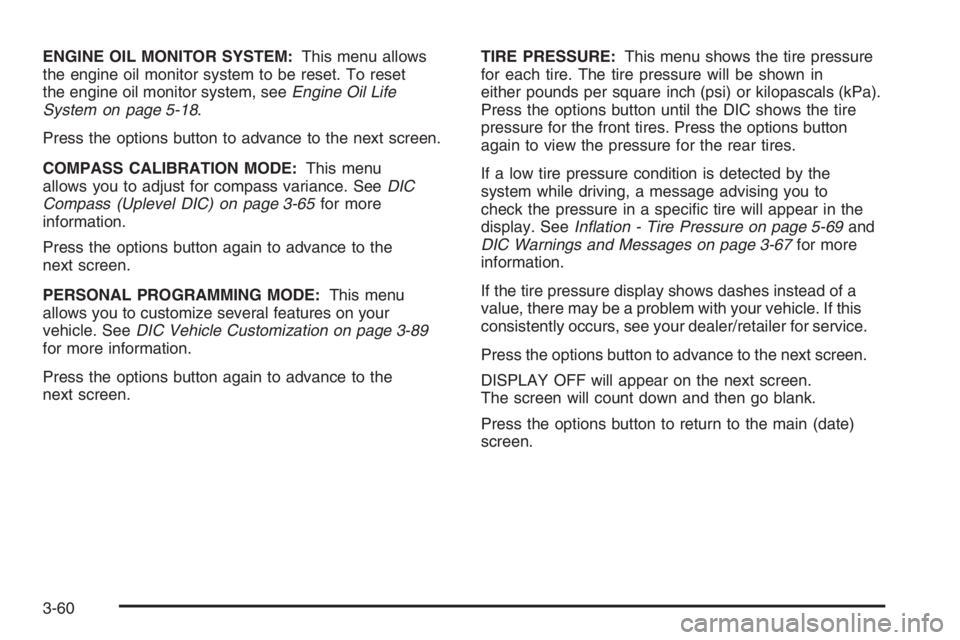
ENGINE OIL MONITOR SYSTEM:This menu allows
the engine oil monitor system to be reset. To reset
the engine oil monitor system, seeEngine Oil Life
System on page 5-18.
Press the options button to advance to the next screen.
COMPASS CALIBRATION MODE:This menu
allows you to adjust for compass variance. SeeDIC
Compass (Uplevel DIC) on page 3-65for more
information.
Press the options button again to advance to the
next screen.
PERSONAL PROGRAMMING MODE:This menu
allows you to customize several features on your
vehicle. SeeDIC Vehicle Customization on page 3-89
for more information.
Press the options button again to advance to the
next screen.TIRE PRESSURE:This menu shows the tire pressure
for each tire. The tire pressure will be shown in
either pounds per square inch (psi) or kilopascals (kPa).
Press the options button until the DIC shows the tire
pressure for the front tires. Press the options button
again to view the pressure for the rear tires.
If a low tire pressure condition is detected by the
system while driving, a message advising you to
check the pressure in a specic tire will appear in the
display. SeeInflation - Tire Pressure on page 5-69and
DIC Warnings and Messages on page 3-67for more
information.
If the tire pressure display shows dashes instead of a
value, there may be a problem with your vehicle. If this
consistently occurs, see your dealer/retailer for service.
Press the options button to advance to the next screen.
DISPLAY OFF will appear on the next screen.
The screen will count down and then go blank.
Press the options button to return to the main (date)
screen.
3-60
Page 181 of 450
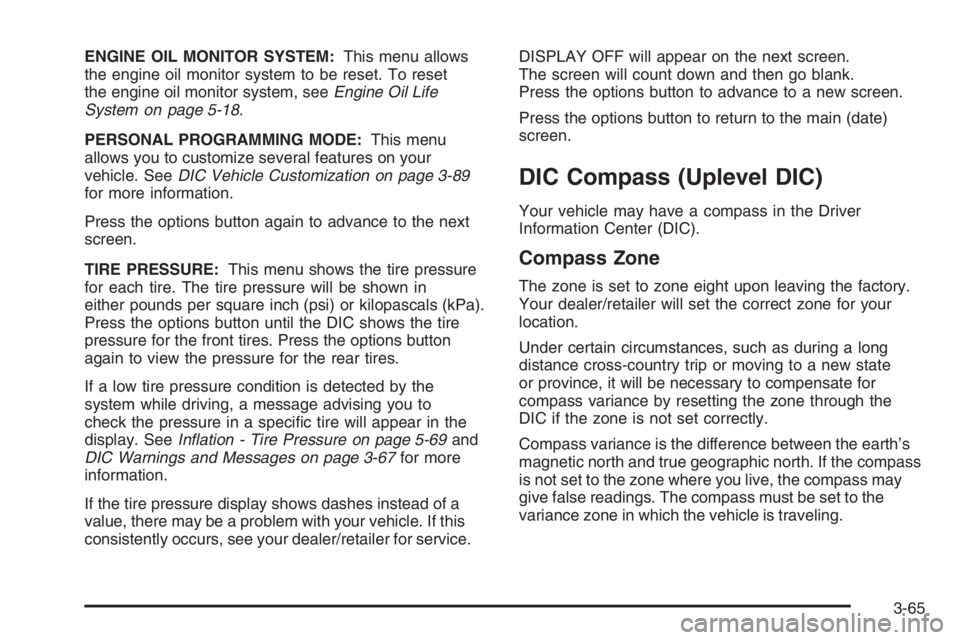
ENGINE OIL MONITOR SYSTEM:This menu allows
the engine oil monitor system to be reset. To reset
the engine oil monitor system, seeEngine Oil Life
System on page 5-18.
PERSONAL PROGRAMMING MODE:This menu
allows you to customize several features on your
vehicle. SeeDIC Vehicle Customization on page 3-89
for more information.
Press the options button again to advance to the next
screen.
TIRE PRESSURE:This menu shows the tire pressure
for each tire. The tire pressure will be shown in
either pounds per square inch (psi) or kilopascals (kPa).
Press the options button until the DIC shows the tire
pressure for the front tires. Press the options button
again to view the pressure for the rear tires.
If a low tire pressure condition is detected by the
system while driving, a message advising you to
check the pressure in a specic tire will appear in the
display. SeeInflation - Tire Pressure on page 5-69and
DIC Warnings and Messages on page 3-67for more
information.
If the tire pressure display shows dashes instead of a
value, there may be a problem with your vehicle. If this
consistently occurs, see your dealer/retailer for service.DISPLAY OFF will appear on the next screen.
The screen will count down and then go blank.
Press the options button to advance to a new screen.
Press the options button to return to the main (date)
screen.
DIC Compass (Uplevel DIC)
Your vehicle may have a compass in the Driver
Information Center (DIC).
Compass Zone
The zone is set to zone eight upon leaving the factory.
Your dealer/retailer will set the correct zone for your
location.
Under certain circumstances, such as during a long
distance cross-country trip or moving to a new state
or province, it will be necessary to compensate for
compass variance by resetting the zone through the
DIC if the zone is not set correctly.
Compass variance is the difference between the earth’s
magnetic north and true geographic north. If the compass
is not set to the zone where you live, the compass may
give false readings. The compass must be set to the
variance zone in which the vehicle is traveling.
3-65
Page 185 of 450
The CHANGE OIL SOON message is reset by
acknowledging the message. The ENGINE OIL
MONITOR SYSTEM screen under the options menu
on the DIC must also be reset. See “Engine Oil Monitor
System” in options underDIC Operation and Displays
(Uplevel DIC with Trip Computer) on page 3-55or
DIC Operation and Displays (Base Level DIC) on
page 3-62for more information.
This message displays while the ignition is in ON/RUN.
Press the set/reset button to acknowledge this
message and to clear it from the screen.
This message continues to display for three seconds
if it has not been acknowledged when the engine
is turned off. It also re-displays for three seconds if the
message has been acknowledged, but the condition
still exists when the engine is turned off.
If the condition still exists, the message re-appears
when the engine is turned on.CHARGING SYSTEM FAILURE
This symbol comes on
with this message.
This message displays when there is a problem with the
generator and battery charging systems. Driving with this
problem could drain the battery. Turn off all unnecessary
accessories. Stop and turn off the vehicle as soon as
it is safe to do so. Have the electrical system checked by
your dealer/retailer as soon as possible.
This message displays while the ignition is in ON/RUN.
A chime sounds for two seconds when this message is
displayed. Press the set/reset button to acknowledge this
message and to clear it from the screen.
This message continues to display if it has not been
acknowledged when the engine is turned off. It also
re-displays for three seconds if the message has been
acknowledged, but the condition still exists when the
engine is turned off.
If the condition still exists, the message re-appears
when the engine is turned on.
3-69
Page 186 of 450
CHECK GAS CAP
This message displays when the fuel cap is not on,
or is not fully tightened. Check the fuel cap to ensure it is
on and properly tightened. The diagnostic system can
determine if the fuel cap has been left off or improperly
installed. A loose or missing fuel cap allows fuel to
evaporate into the atmosphere. A few driving trips with
the cap properly installed should turn this message off.
SeeFilling the Tank on page 5-8for more information.
This message displays while the ignition is in ON/RUN.
A chime sounds for two seconds when this message
is displayed and then the message continues to display.
Press the set/reset button to acknowledge this
message and to clear it from the screen.
This message continues to display for three seconds
if it has not been acknowledged when the engine
is turned off. It also re-displays for three seconds if the
message has been acknowledged, but the condition
still exists when the engine is turned off.
If the condition still exists, the message re-appears
when the engine is turned on.
CHECK TIRE PRESSURE
This message displays when the pressure in one or
more of the vehicle’s tires needs to be checked. This
message also displays LEFT FRONT, RIGHT FRONT,LEFT REAR, or RIGHT REAR to indicate which tire
needs to be checked. You can receive more than one tire
pressure message at a time. To read the other messages
that may have been sent at the same time, press the
set/reset button. If a tire pressure message appears on
the DIC, stop as soon as you can. Have the tire pressures
checked and set to those shown on the Tire Loading
Information label. SeeTires on page 5-62,Loading Your
Vehicle on page 4-22, andInflation - Tire Pressure on
page 5-69. The DIC also shows the tire pressure values.
SeeDIC Operation and Displays (Uplevel DIC with Trip
Computer) on page 3-55orDIC Operation and Displays
(Base Level DIC) on page 3-62. If the tire pressure is low,
the low tire pressure warning light comes on. SeeTire
Pressure Light on page 3-49.
This message displays while the ignition is in ON/RUN.
Press the set/reset button to acknowledge this
message and to clear it from the screen.
This message continues to display for three seconds
if it has not been acknowledged when the engine
is turned off. It also re-displays for three seconds if the
message has been acknowledged, but the condition
still exists when the engine is turned off.
If the condition still exists, the message re-appears
when the engine is turned on.
3-70
Page 210 of 450
Audio System(s)
Determine which radio your vehicle has and then read the
pages following to familiarize yourself with its features.
{CAUTION:
This system provides you with far greater
access to audio stations and song listings.
Giving extended attention to entertainment
tasks while driving can cause a crash and
you or others can be injured or killed. Always
keep your eyes on the road and your mind
on the drive — avoid engaging in extended
searching while driving.
Keeping your mind on the drive is important for
safe driving. SeeDefensive Driving on page 4-2.
Here are some ways in which you can help avoid
distraction while driving.
While your vehicle is parked:
Familiarize yourself with all of its controls.
Familiarize yourself with its operation.
Set up your audio system by presetting your
favorite radio stations, setting the tone, and
adjusting the speakers. Then, when driving
conditions permit, you can tune to your favorite
radio stations using the presets and steering wheel
controls if the vehicle has them.
Notice:Before adding any sound equipment to
your vehicle, such as an audio system, CD player,
CB radio, mobile telephone, or two-way radio, make
sure that it can be added by checking with your
dealer/retailer. Also, check federal rules covering
mobile radio and telephone units. If sound
equipment can be added, it is very important to do
it properly. Added sound equipment may interfere
with the operation of your vehicle’s engine, radio,
or other systems, and even damage them. Your
vehicle’s systems may interfere with the operation
of sound equipment that has been added.
Notice:The chime signals related to safety belts,
parking brake, and other functions of your vehicle
operate through the radio/entertainment system.
If that equipment is replaced or additional equipment
is added to your vehicle, the chimes may not
work. Make sure that replacement or additional
equipment is compatible with your vehicle before
installing it. SeeAccessories and Modifications
on page 5-3.
3-94
Page 238 of 450
Avoid needless heavy braking. Some people drive
in spurts — heavy acceleration followed by heavy
braking — rather than keeping pace with traffic. This
is a mistake. The brakes might not have time to cool
between hard stops. The brakes will wear out much
faster if you do a lot of heavy braking. If you keep pace
with the traffic and allow realistic following distances,
you will eliminate a lot of unnecessary braking. That
means better braking and longer brake life.
If your vehicle’s engine ever stops while you are
driving, brake normally but do not pump the brakes.
If you do, the pedal could get harder to push down.
If the engine stops, you will still have some power
brake assist. But you will use it when you brake.
Once the power assist is used up, it can take longer
to stop and the brake pedal will be harder to push.
Adding non-dealer/non-retailer accessories can
affect your vehicle’s performance. SeeAccessories
and Modifications on page 5-3.Antilock Brake System (ABS)
Your vehicle might have the Antilock Brake
System (ABS), an advanced electronic braking
system that will help prevent a braking skid.
If your vehicle has ABS,
this warning light on
the instrument panel will
come on briey when
you start your vehicle.
When you start the engine, or when you begin to
drive away, ABS will check itself. You might hear a
momentary motor or clicking noise while this test
is going on, and you might even notice that the brake
pedal moves or pulses a little. This is normal.
Let us say the road is wet and you are driving safely.
Suddenly, an animal jumps out in front of you.
You slam on the brakes and continue braking.
Here is what happens with ABS:
A computer senses that wheels are slowing down.
If one of the wheels is about to stop rolling, the computer
will separately work the brakes at each wheel.
4-4
Page 249 of 450
Hydroplaning
Hydroplaning is dangerous. Water can build up
under your vehicle’s tires so they actually ride on the
water. This can happen if the road is wet enough
and you are going fast enough. When your vehicle is
hydroplaning, it has little or no contact with the road.
There is no hard and fast rule about hydroplaning.
The best advice is to slow down when the road is wet.
Other Rainy Weather Tips
Besides slowing down, other wet weather driving
tips include:
Allow extra following distance.
Pass with caution.
Keep windshield wiping equipment in good shape.
Keep the windshield washer uid reservoir lled.
Have good tires with proper tread depth.
SeeTires on page 5-62.
Before Leaving on a Long Trip
To prepare your vehicle for a long trip, consider having
it serviced by your dealer/retailer before departing.
Things to check on your own include:
Windshield Washer Fluid:Reservoir full?
Windows clean — inside and outside?
Wiper Blades:In good shape?
Fuel, Engine Oil, Other Fluids:All levels checked?
Lamps:Do they all work and are lenses clean?
Tires:Are treads good? Are tires inated to
recommended pressure?
Weather and Maps:Safe to travel?
Have up-to-date maps?
4-15
Page 250 of 450
Highway Hypnosis
Always be alert and pay attention to your surroundings
while driving. If you become tired or sleepy, nd a
safe place to park your vehicle and rest.
Other driving tips include:
Keep the vehicle well ventilated.
Keep interior temperature cool.
Keep your eyes moving — scan the road
ahead and to the sides.
Check the rearview mirror and vehicle
instruments often.
Hill and Mountain Roads
Driving on steep hills or through mountains is different
than driving on at or rolling terrain. Tips for driving
in these conditions include:
Keep your vehicle serviced and in good shape.
Check all uid levels and brakes, tires, cooling
system, and transmission.
Going down steep or long hills, shift to a
lower gear.
{CAUTION:
If you do not shift down, the brakes could get
so hot that they would not work well. You
would then have poor braking or even none
going down a hill. You could crash. Shift down
to let the engine assist the brakes on a steep
downhill slope.
4-16
Page 254 of 450
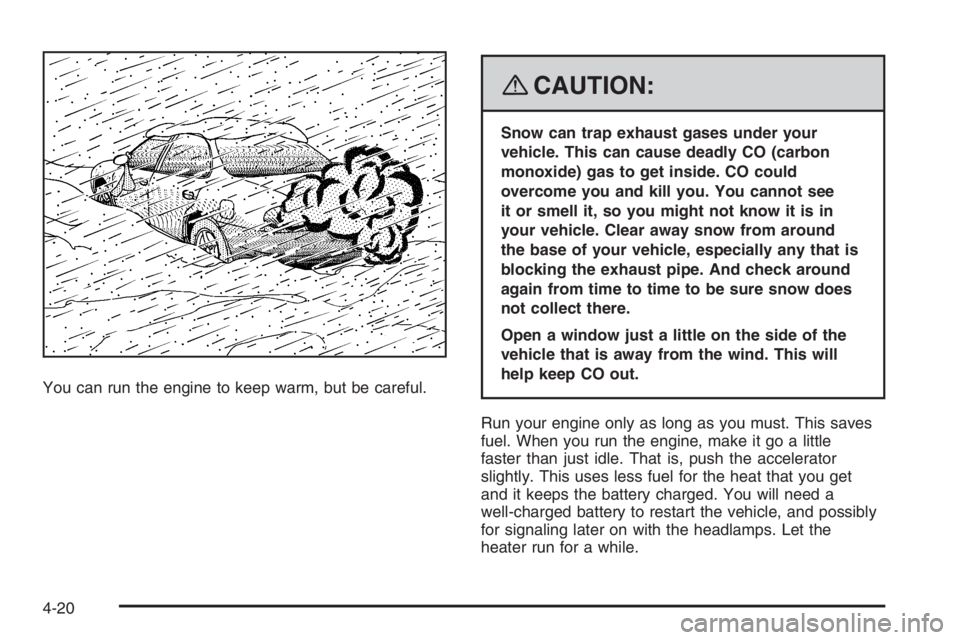
You can run the engine to keep warm, but be careful.
{CAUTION:
Snow can trap exhaust gases under your
vehicle. This can cause deadly CO (carbon
monoxide) gas to get inside. CO could
overcome you and kill you. You cannot see
it or smell it, so you might not know it is in
your vehicle. Clear away snow from around
the base of your vehicle, especially any that is
blocking the exhaust pipe. And check around
again from time to time to be sure snow does
not collect there.
Open a window just a little on the side of the
vehicle that is away from the wind. This will
help keep CO out.
Run your engine only as long as you must. This saves
fuel. When you run the engine, make it go a little
faster than just idle. That is, push the accelerator
slightly. This uses less fuel for the heat that you get
and it keeps the battery charged. You will need a
well-charged battery to restart the vehicle, and possibly
for signaling later on with the headlamps. Let the
heater run for a while.
4-20
Page 269 of 450
The vehicle has bulb warning lights. When a trailer
lighting system is plugged into the vehicle’s lighting
system, its bulb warning lights may not indicate if one of
the lamps goes out. So, when a trailer lighting system
is plugged in, be sure to check the vehicle and
trailer lamps from time to time to be sure they are all
working. Once the trailer lamps have been disconnected,
the bulb warning lights can once again indicate if one
of the vehicle lamps is out.
Driving On Grades
Reduce speed and shift to a lower gear before starting
down a long or steep downgrade. If the vehicle is
not shifted down, the brakes may have to be used so
much that they would get hot and no longer work well.
On a long uphill grade, shift down and reduce the
vehicle’s speed to around 45 mph (70 km/h) to reduce
the possibility of engine and transmission overheating.
If the vehicle has overdrive, it may be driven in
THIRD (3) instead of DRIVE (D).
Parking on Hills
{CAUTION:
You really should not park your vehicle, with
a trailer attached, on a hill. If something goes
wrong, your rig could start to move. People
can be injured, and both your vehicle and the
trailer can be damaged.
But if the rig ever has to be parked on a hill, here is
how to do it:
1. Apply the regular brakes, but do not shift into
PARK (P) yet.
2. Have someone place chocks under the trailer
wheels.
3. When the wheel chocks are in place, release the
regular brakes until the chocks absorb the load.
4. Reapply the regular brakes. Then apply the
parking brake, and then shift to PARK (P).
5. Release the regular brakes.
4-35