audio PONTIAC GTO 2004 User Guide
[x] Cancel search | Manufacturer: PONTIAC, Model Year: 2004, Model line: GTO, Model: PONTIAC GTO 2004Pages: 326, PDF Size: 2.24 MB
Page 141 of 326
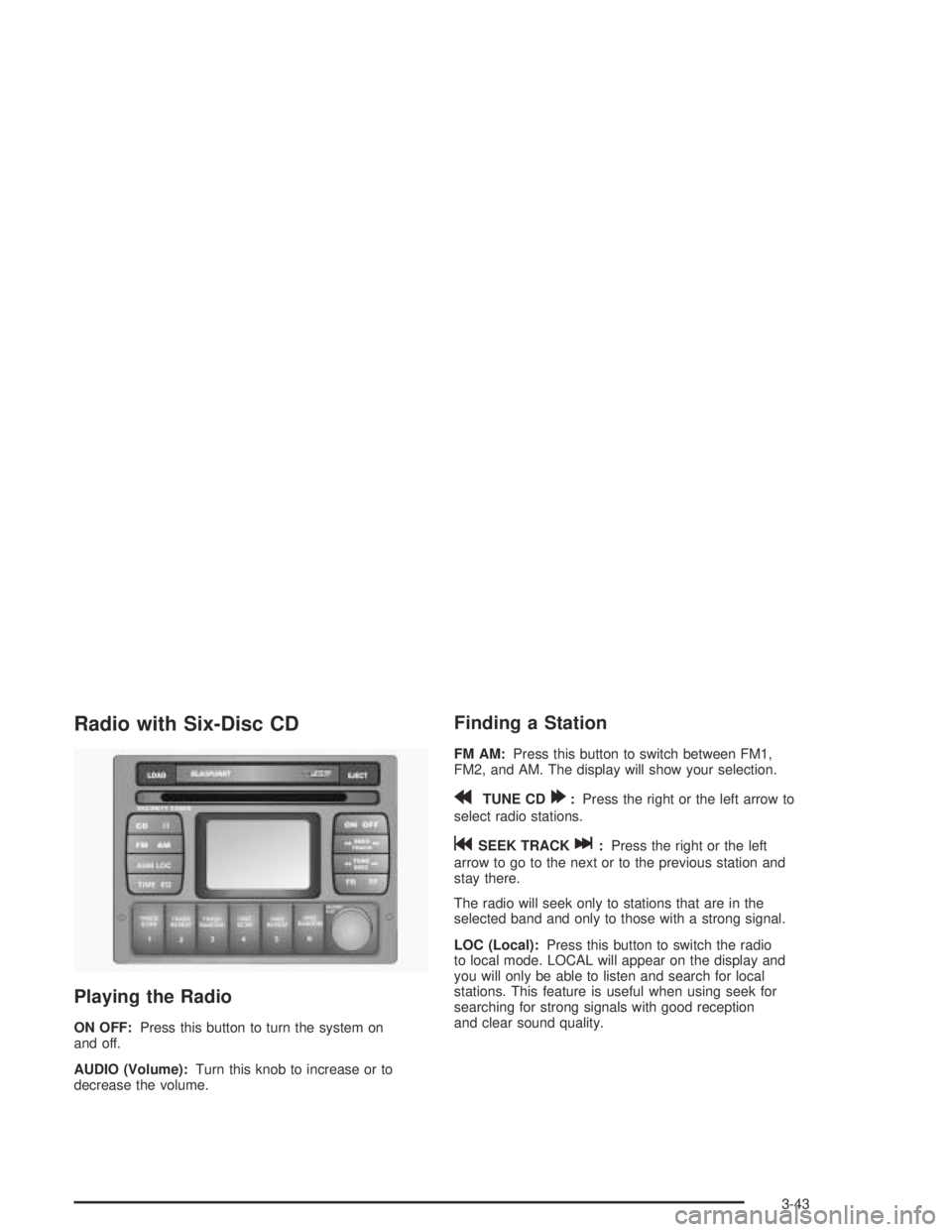
Radio with Six-Disc CD
Playing the Radio
ON OFF:Press this button to turn the system on
and off.
AUDIO (Volume):Turn this knob to increase or to
decrease the volume.
Finding a Station
FM AM:Press this button to switch between FM1,
FM2, and AM. The display will show your selection.
rTUNE CD[:Press the right or the left arrow to
select radio stations.
gSEEK TRACKl:Press the right or the left
arrow to go to the next or to the previous station and
stay there.
The radio will seek only to stations that are in the
selected band and only to those with a strong signal.
LOC (Local):Press this button to switch the radio
to local mode. LOCAL will appear on the display and
you will only be able to listen and search for local
stations. This feature is useful when using seek for
searching for strong signals with good reception
and clear sound quality.
3-43
Page 143 of 326
Setting the Tone (Bass/Treble)
AUDIO:Push the AUDIO knob until BASS or TREBLE
appears on the display. Turn the knob to increase or
to decrease. If a station is weak or noisy, you may want
to decrease the treble.
To adjust bass or treble to the middle position, select
BASS or TREB and push and hold the AUDIO knob.
The radio will produce one beep and adjust the display
level to zero.
To adjust all tone and speaker controls to the middle
position, push and hold the AUDIO knob when no tone
or speaker control is displayed. CENTERED will
appear on the display and you will hear a beep.
EQ (Equalization):Press this button to select
customized equalization settings designed for rock, pop,
jazz, classical, and vocal.
To turn equalization off, press this button until EQ OFF
appears on the display.
To give an equalization setting a boost, push the
AUDIO knob once while in any equalization setting.
BOOST will appear on the display. Turn the AUDIO
knob to select one of the available boost levels. Different
levels of boost can be set for each of the equalization
settings.
Adjusting the Speakers (Balance/Fade)
AUDIO:To adjust the balance between the right
and the left speakers, push the AUDIO knob until
BALANCE appears on the display. Turn the knob to
move the sound toward the left or the right speakers.
To adjust the fade between the front and the rear
speakers, push and hold the AUDIO knob until FADER
appears on the display. Turn the knob to move the
sound toward the front or the rear speakers.
Playing a CD
If playing a CD-R the sound quality may be reduced
due to CD-R quality, the method of recording, the quality
of the music that has been recorded and the way the
CD-R has been handled. You may experience an
increase in skipping, difficulty in finding tracks and/or
difficulty in loading and ejecting. If these problems occur
try a known good CD.
Do not add paper labels to CDs, they could get caught
in the CD player.
Do not play 3 inch (8 cm) CDs without a standard
adapter disc.
If an error appears on the display, see “CD Messages”
later in this section.
3-45
Page 148 of 326

Speed Dependent Volume (SDV)
With SDV, your audio system adjusts automatically to
make up for road or wind noise as you drive.
This feature will never completely compensate for
driving noise. There are other factors such as road
surface, wind noise, windows open, and engine speed
that may alter the interior noise for any given road
speed.
You can select compensation rates between 0 (off) and
5 (maximum compensation) in the options menu.
See “Options Menu Adjustment” later in this section to
adjust SDV.
Dynamic Distortion Limiting (DDL)
Your radio has a feature that limits the amount of
amplifier distortion that you can hear. When this feature
is turned on, it continuously monitors the quality of
the signal to the speakers. When the signal distortion
exceeds the preset limits the radio will automatically limit
or reduce the volume until the distortion is minimized.
Under some circumstances, distortion may be heard for
a very short period of time until the system has taken
the necessary steps to limit it.
The main source of distortion in music is the low
frequency bass caused by drums or large instruments.
Music that features very strong bass may trigger the
distortion limiting system and the system will then
reduce the volume to minimize the distortion.Increasing the bass control or the EQ boost may also
result in a reduced volume level due to the emphasized
bass. See “Setting the Tone (Bass/Treble)” previously
in this section. The DDL can be turned off so that
the radio will deliver a higher volume level, but distortion
will also be increased.
See “Options Menu Adjustment” later in this section to
adjust DDL.
Options Menu Adjustment
Confirmation beeps, SDV, and DDL can all be adjusted
by doing the following:
1. Turn off the radio by pressing the OFF button.
2. Press the ON button and pushbutton 1 at the same
time until Options Menu appears on the display.
3. Push the AUDIO knob until the correct option
appears on the display.
4. Turn the AUDIO knob to adjust the setting of the
option being displayed.
5. Push the AUDIO knob to select another option or
press the OFF button to exit the options menu.
Your selection will be saved.
If no buttons are pressed or turned for eight
seconds, the radio will automatically exit the menu
and the radio will turn on.
3-50
Page 151 of 326
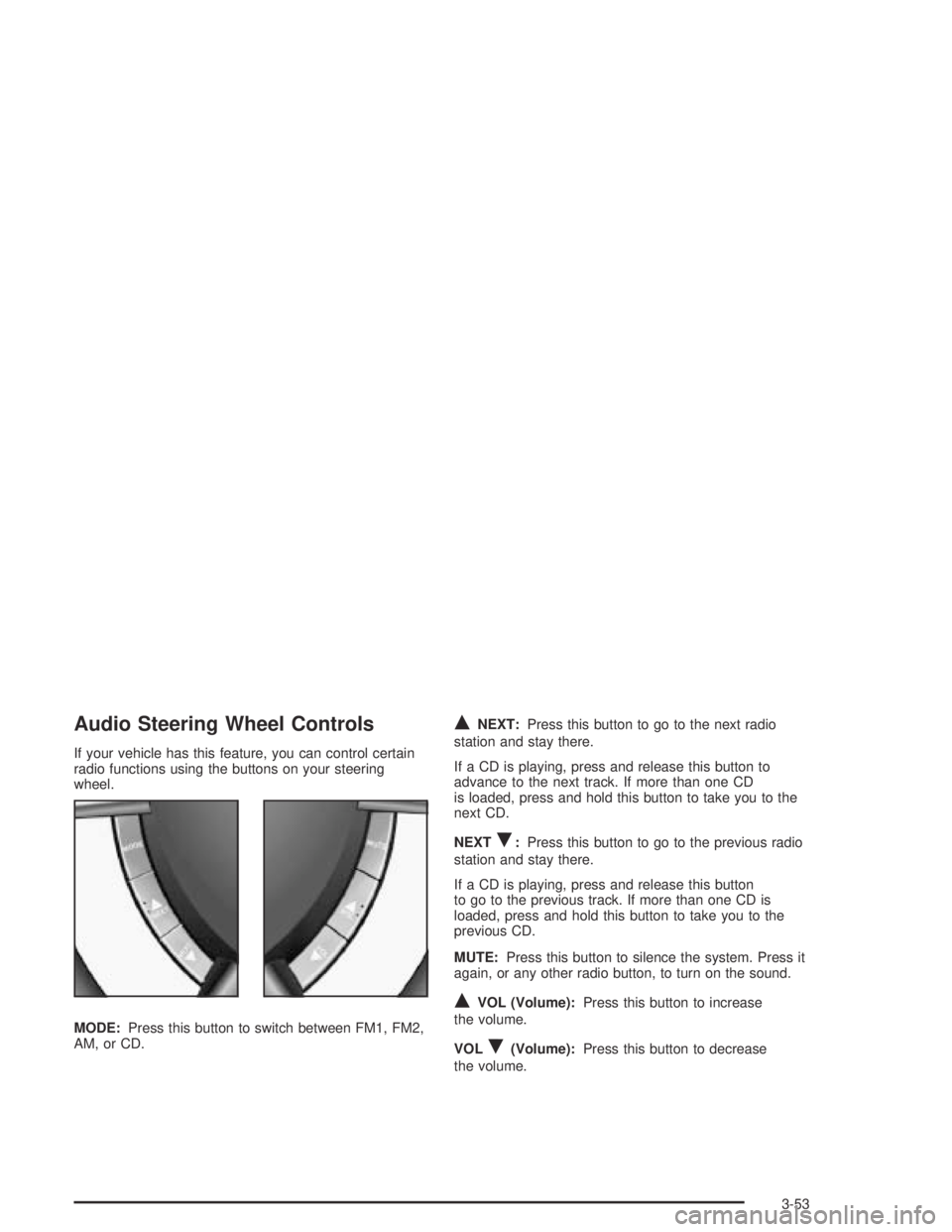
Audio Steering Wheel Controls
If your vehicle has this feature, you can control certain
radio functions using the buttons on your steering
wheel.
MODE:Press this button to switch between FM1, FM2,
AM, or CD.
QNEXT:Press this button to go to the next radio
station and stay there.
If a CD is playing, press and release this button to
advance to the next track. If more than one CD
is loaded, press and hold this button to take you to the
next CD.
NEXT
R:Press this button to go to the previous radio
station and stay there.
If a CD is playing, press and release this button
to go to the previous track. If more than one CD is
loaded, press and hold this button to take you to the
previous CD.
MUTE:Press this button to silence the system. Press it
again, or any other radio button, to turn on the sound.
QVOL (Volume):Press this button to increase
the volume.
VOL
R(Volume):Press this button to decrease
the volume.
3-53
Page 313 of 326
A
Accessory Control...........................................3-16
Accessory Power Outlets.................................3-17
Adding Washer Fluid.......................................5-37
Additional Program Information........................... 7-8
Additives, Fuel................................................. 5-6
Add-On Electrical Equipment............................5-87
Adjusting the Speakers (Balance/Fade)..............3-45
Air Bag
Readiness Light..........................................3-26
Air Bag Systems.............................................1-46
How Does an Air Bag Restrain?....................1-50
Servicing Your Air Bag-Equipped Vehicle.........1-52
What Makes an Air Bag Inflate?....................1-50
What Will You See After an Air Bag
Inflates?..................................................1-50
When Should an Air Bag Inflate?...................1-49
Where Are the Air Bags?..............................1-48
Air Cleaner/Filter, Engine.................................5-18
Airbag Sensing and Diagnostic Module (SDM)...... 7-9
Altering Overspeed Presets..............................3-39
AM ...............................................................3-54
Antenna, Backglass.........................................3-55
Anti-lock Brake System (ABS)............................ 4-6
Anti-Lock Brake, System Warning Light..............3-28Appearance Care............................................5-78
Care of Safety Belts....................................5-81
Chemical Paint Spotting...............................5-84
Cleaning the Inside of Your Vehicle................5-79
Cleaning the Outside of Your Vehicle..............5-82
Finish Damage............................................5-84
Sheet Metal Damage...................................5-84
Underbody Maintenance...............................5-84
Vehicle Care/Appearance Materials................5-85
Weatherstrips..............................................5-81
Arming the System.........................................2-14
ARRIVAL DEFAULT.........................................2-34
Ashtray.........................................................3-18
Ashtrays........................................................3-18
AUDIO DISTORTION LIMITER.........................2-35
Audio System(s).............................................3-42
Audio Steering Wheel Controls......................3-53
Backglass Antenna......................................3-55
Care of Your CD Player...............................3-54
Care of Your CDs........................................3-54
Radio with Six-Disc CD................................3-43
Setting the Time..........................................3-42
Theft-Deterrent Feature................................3-52
Understanding Radio Reception.....................3-54
AUTO HEADLIGHTS SENSITIVITY...................2-36
1
Page 324 of 326
Some Other Rainy Weather Tips.......................4-18
Special Fabric Cleaning Problems.....................5-80
Specifications, Capacities.................................5-92
SPEED DEPENDENT VOLUME........................2-35
Speedometer..................................................3-25
Starting Your Engine.......................................2-17
Steering.......................................................... 4-9
Steering in Emergencies..................................4-10
Steering Tips................................................... 4-9
Steering Wheel Controls, Audio.........................3-53
Steering Wheel, Tilt Wheel................................. 3-5
STOP WATCH ................................................2-34
Stop Watch....................................................3-39
Storage Areas
Center Console Storage Area........................2-31
Cupholder(s)...............................................2-31
Front Storage Area......................................2-31
Glove Box..................................................2-30
Storing the Flat Tire and Tools..........................5-77
Storing the Spare Tire and Tools.......................5-77
Stuck in Sand, Mud, Ice or Snow......................4-28
Sun Visors.....................................................2-12
T
Tachometer....................................................3-25
Telescopic Steering Column............................... 3-5
Theft-Deterrent, Radio.....................................3-52
Theft-Deterrent System....................................2-12Theft-Deterrent Systems
Content Theft-Deterrent................................2-14
Immobilizer.................................................2-12
Immobilizer Operation...................................2-13
Tilt Wheel........................................................ 3-5
TIME TO ARRIVAL.........................................3-37
Tire Inflation Check.........................................6-10
Tire Sidewall Labeling......................................5-52
Tire Size.......................................................5-55
Tire Terminology and Definitions........................5-56
Tires.............................................................5-51
Buying New Tires........................................5-65
Chains.......................................................5-69
Changing a Flat Tire....................................5-71
Compact Spare Tire.....................................5-77
If a Tire Goes Flat.......................................5-70
Inflation - Tire Pressure................................5-58
Inspection and Rotation................................5-62
Uniform Tire Quality Grading.........................5-66
Wheel Alignment and Tire Balance.................5-67
Wheel Replacement.....................................5-68
When It Is Time for New Tires......................5-64
Top Strap......................................................1-36
Top Strap Anchor Location...............................1-37
Torque Lock...................................................2-25
Towing
Recreational Vehicle.....................................4-30
Towing a Trailer..........................................4-35
Your Vehicle...............................................4-29
12