lights PONTIAC GTO 2004 User Guide
[x] Cancel search | Manufacturer: PONTIAC, Model Year: 2004, Model line: GTO, Model: PONTIAC GTO 2004Pages: 326, PDF Size: 2.24 MB
Page 111 of 326

When the DRL system is on, the taillamps, sidemarker
lamps, parking lamps, and instrument panel lights
will not be illuminated unless you have turned the
exterior lamps control to the parking lamp or headlamp
position.
The DRL system will remain off any time your vehicle is
in PARK (P) or the parking brake is engaged the first
time the ignition is turned on.
As with any vehicle, you should turn on the regular
headlamp system when you need it.
Automatic Headlamp System
When it is dark enough outside, your Automatic
Headlamp System will turn on your headlamps at the
normal brightness along with other lamps such as
the taillamps, sidemarker, parking lamps, and the
instrument panel lights. The radio lights will also be dim.
Your vehicle is equipped with a light sensor on the
top of the instrument panel under the defroster
grill. Make sure it is not covered, which will cause the
system to be on whenever the ignition is on.
The system may also be on when driving through a
parking garage, heavy overcast weather, or a tunnel.
This is normal.If you start your vehicle in a dark garage, the automatic
headlamp system will come on immediately.
As with any vehicle, you should turn on the regular
headlamps when you need them.
The headlamps can be set to come on at different
levels. The sensitivity can be adjusted to Early, Normal,
or Late. SeeVehicle Personalization on page 2-32.
Leaving the headlamps and parking lamps on when the
engine is not running will eventually drain the battery.
To prevent the battery from draining, the headlamp and
parking lamps will switch off when the ignition has
been switched off and the driver’s door is opened,
because the vehicle senses that the driver has forgotten
to switch off the lights. The lights stay off until the
ignition is again switched on, or the lights are turned
back on manually by the headlamp switch. The
headlamps can be set to automatically switch off after
you have locked the vehicle and walked away. To set or
adjust the time delay from when the driver’s door is
opened to when the lights automatically switch off, see
Vehicle Personalization on page 2-32. If you wish to
have the lights on when leaving the vehicle, wait
until they have been automatically switched off, then
turn the light switch first to off, then to parking lamps or
headlamps.
3-13
Page 112 of 326

Fog Lamps
The dial to the left of the steering wheel on the
instrument panel also controls the fog lamps.
-(Fog Lamp):When using the fog lamps, the
ignition must be on as well as the parking lamps or the
low-beam headlamps. If the high-beam headlamps
are activated or flashed, the fog lamps will turn off.
Pull the exterior lamp adjuster dial out to turn the fog
lamps on, and push the dial in to turn the fog lamps off.
The indicator light in the knob will come on when the
fog lamps are working.
Headlamps and Dimming Instructions
When the headlamps are switched on, the instrument
panel is automatically illuminated. Once illuminated, you
can adjust their brightness. Some illuminated areas
of the vehicle have been linked to the brightness control,
such as the trip computer, headlamp switch, radio,
etc. This means that the interior lights can be adjusted
to your preference. When the headlamps are turned
off and back on again, the brightness level reverts to the
last adjusted setting. SeeInterior Lamps on page 3-15
for more information.
Headlamps On When Approaching the
Vehicle
Your vehicle is designed to provide additional security,
when returning to the vehicle at night. When the
UNLOCK or LOCK button on the key is used, the car’s
exterior lights will come on for a preset time or until
the car is relocked. This feature only works if the
headlamp control is in the AUTO or headlamp positions.
To set or adjust the time the headlamps stay on after
the UNLOCK button has been pressed, seeVehicle
Personalization on page 2-32.
3-14
Page 114 of 326

Front Reading Lamps
Your vehicle has reading lamps located in the dome
lamp. The lamps can be turned on and off manually by
pressing the side of each reading lamp when the
doors are closed.
Trunk Lamp
The trunk lamp comes on when you open your trunk.
Battery Run-Down Protection
Your vehicle has a battery run-down protection feature
designed to protect your vehicle’s battery.
It will activate when there has been no electrical change
for one hour, nothing has been turned on or off, after
the ignition has been turned to ON or ACCESSORIES.
At this time, all the interior lamps will turn off: dome,
reading, glovebox, trunk.
The system is turned on if a door is opened, the vehicle
is unlocked, or the trunk is opened. Once the system
is turned on, the one hour battery protection time resets
to zero and the interior lamps will continue to operate
for another hour, or until the vehicle is locked.The interior lamp system will shut down 10 seconds
after your vehicle is locked using either the key or the
remote key locking system. However, if an interior lamp,
such as the dome lamp, has been turned on manually
and is on at the time the vehicle is locked, the
system will not shut down after the normal 10 seconds.
The one hour battery protection will be activated
instead.
The vehicle’s hazard lights will continue to operate at
all times.Accessory Control
If you want the accessories to operate once the key has
been removed from the ignition, you must turn the
system on by either manually starting an accessory,
such as turning the radio on again. This will activate a
one hour timer that will operate accessories such as
the radio, accessory power outlet, and windshield wipers
before turning off. These actions will reset the timer to
zero. Likewise, if an accessory such as the radio is
turned on at any time during the one hour period, the
timer is reset to zero and all accessories will continue to
operate for another hour. To enable accessory control
after the system has been reset, you must turn the
ignition on and then off again.
3-16
Page 121 of 326

Warning Lights, Gages, and
Indicators
This part describes the warning lights and gages that
may be on your vehicle. The pictures will help you
locate them.
Warning lights and gages can signal that something is
wrong before it becomes serious enough to cause
an expensive repair or replacement. Paying attention to
your warning lights and gages could also save you
or others from injury.
Warning lights come on when there may be or is a
problem with one of your vehicle’s functions. As you will
see in the details on the next few pages, some
warning lights come on briefly when you start the
engine just to let you know they’re working. If you are
familiar with this section, you should not be alarmed
when this happens.
Gages can indicate when there may be or is a problem
with one of your vehicle’s functions. Often gages
and warning lights work together to let you know when
there’s a problem with your vehicle.When one of the warning lights comes on and stays on
when you are driving, or when one of the gages
shows there may be a problem, check the section that
tells you what to do about it. Please follow this
manual’s advice. Waiting to do repairs can be
costly – and even dangerous. So please get to know
your warning lights and gages. They’re a big help.
Your vehicle also has a trip computer that works along
with the warning lights and gages. The trip computer
display provides visual information. SeeTrip Computer
on page 3-36. The warning message are displayed
through the trip computer or as an illuminated symbol or
sometimes both ways.
If a Service Error Contact Dealer message appears on
the trip computer display while driving, a fault in the
instrument panel is indicated. Contact your dealer
as soon as possible. This message will remain until the
MODE button on the trip computer is pressed.
3-23
Page 138 of 326
Trip A/B
When the Time to Arrival/Distance to Arrival/Fuel
Remaining set of windows are turned on, using vehicle
personalization, and are showing on the display,
hold the MODE button down for two seconds. Now,
instead of the Time to Arrival set of displays, the
trip computer shows Trip B details.
Press the MODE button to view your displays. You now
have two different sets of trip displays counting, your
original set of trip displays (labeled A while B is turned
on) and a new set of trip displays, labelled B. This is
useful on a long trip, as Trip B can be reset at the
beginning of the journey and then locked away
(by pressing the MODE button for two seconds when
Trip B is shown). Time to Arrival/Distance to
Arrival/Remaining Fuel will again be shown on the
display, but Trip B is still counting away in the
background and the original trip display can be used for
short distances during the journey. Trip B can be
viewed at any time by pressing the MODE button for
two seconds when Distance to Arrival is shown.
Trip A/B can also be enabled/disabled in vehicle
personalization, SeeVehicle Personalization on
page 2-32. If the Trip A and B function is selected,
the Average Speed and Average Fuel displays
indicate Trip A.
Trip Computer Notes:
•If the wrong buttons are accidentally pressed,
causing the window to show a display other
than normal, turn the ignition off then on again
when the vehicle is standing still.
•Several warning lights are linked to the trip
computer displays. SeeWarning Lights, Gages, and
Indicators on page 3-23.
•When the overspeed warning symbol is first shown,
the overspeed trip computer display is automatically
shown for 10 seconds. This is to show what your
pre-selected speed is and allow you to adjust
it if required. After 10 seconds, the trip computer
returns to its previous display.
•Some displays change the units of measurement
over time. For example, the Time to Arrival shows
hours only above 99 hours and 59 minutes,
and hours and minutes below. Time to Arrival also
shows 10 minute units above 2 hours, 5 minute
units below 2 hours and 1 minute units below
10 minutes.
•If the X symbol or a Service Error message is
shown in the display, it indicates a fault in the
trip computer and you should see your vehicle
dealer.
3-40
Page 170 of 326
You can be temporarily blinded by approaching
headlamps. It can take a second or two, or even several
seconds, for your eyes to readjust to the dark. When
you are faced with severe glare (as from a driver
who does not lower the high beams, or a vehicle with
misaimed headlamps), slow down a little. Avoid
staring directly into the approaching headlamps.
Keep your windshield and all the glass on your vehicle
clean — inside and out. Glare at night is made much
worse by dirt on the glass. Even the inside of the glass
can build up a film caused by dust. Dirty glass makes
lights dazzle and flash more than clean glass would,
making the pupils of your eyes contract repeatedly.
Remember that your headlamps light up far less of a
roadway when you are in a turn or curve. Keep
your eyes moving; that way, it is easier to pick out dimly
lighted objects. Just as your headlamps should be
checked regularly for proper aim, so should your eyes
be examined regularly. Some drivers suffer from
night blindness — the inability to see in dim light — and
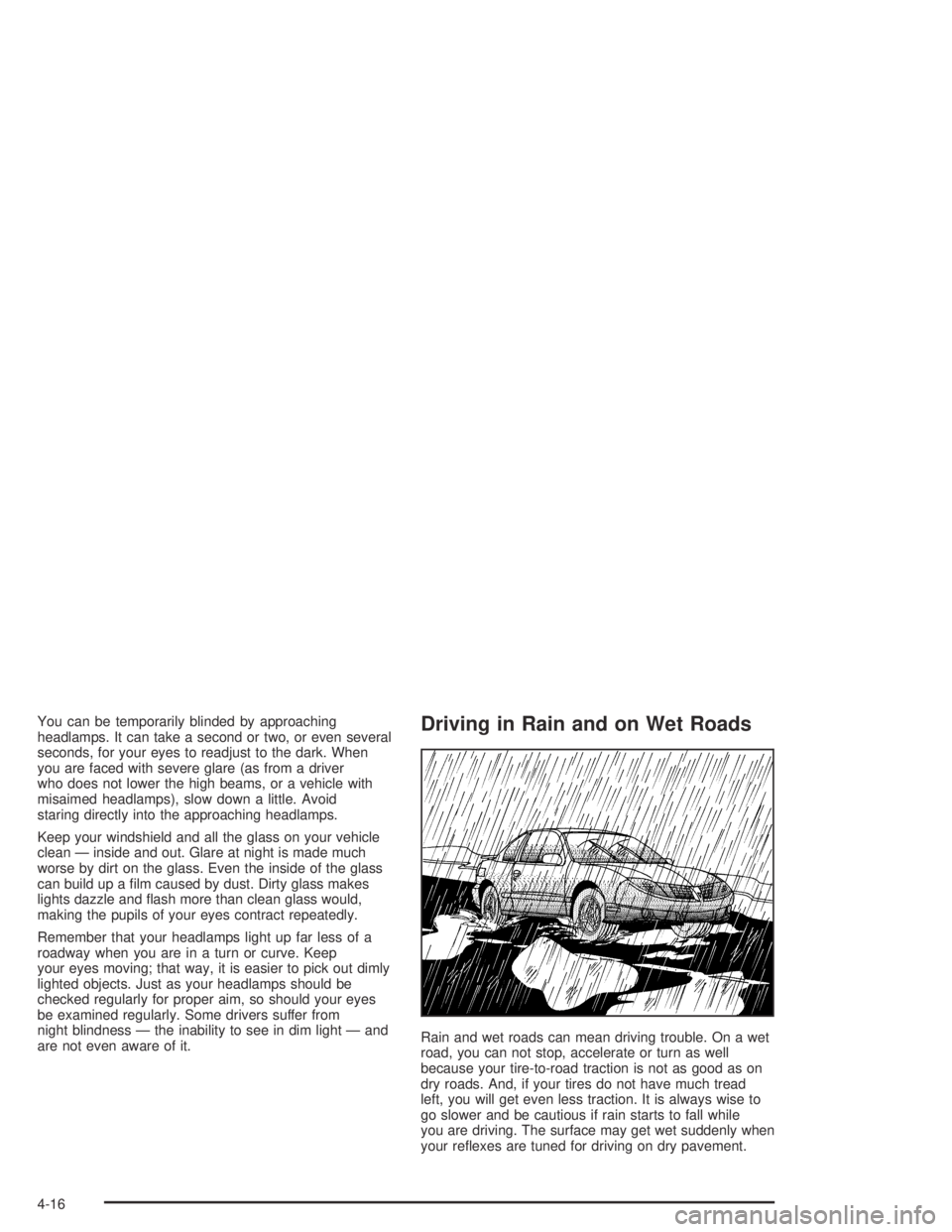
are not even aware of it.Driving in Rain and on Wet Roads
Rain and wet roads can mean driving trouble. On a wet
road, you can not stop, accelerate or turn as well
because your tire-to-road traction is not as good as on
dry roads. And, if your tires do not have much tread
left, you will get even less traction. It is always wise to
go slower and be cautious if rain starts to fall while
you are driving. The surface may get wet suddenly when
your reflexes are tuned for driving on dry pavement.
4-16
Page 215 of 326

Engine Coolant
The cooling system in your vehicle is filled with
DEX-COOL®engine coolant. This coolant is designed
to remain in your vehicle for 5 years or 150,000 miles
(240 000 km), whichever occurs first, if you add
only DEX-COOL
®extended life coolant.
The following explains your cooling system and how to
add coolant when it is low. If you have a problem
with engine overheating, seeEngine Overheating on
page 5-28.A 50/50 mixture of clean, drinkable water and
DEX-COOL
®coolant will do the following:
•Give freezing protection down to−34°F (−37°C)
•Give boiling protection up to 265°F (129°C)
•Protect against rust and corrosion
•Help keep the proper engine temperature
•Let the warning lights and gages work as they
should
Notice:Using coolant other than DEX-COOL
®may
cause premature engine, heater core or radiator
corrosion. In addition, the engine coolant may
require changing sooner, at 30,000 miles (50 000 km)
or 24 months, whichever occurs rst. Any repairs
would not be covered by your warranty. Always use
DEX-COOL
®(silicate-free) coolant in your vehicle.
5-25
Page 313 of 326
A
Accessory Control...........................................3-16
Accessory Power Outlets.................................3-17
Adding Washer Fluid.......................................5-37
Additional Program Information........................... 7-8
Additives, Fuel................................................. 5-6
Add-On Electrical Equipment............................5-87
Adjusting the Speakers (Balance/Fade)..............3-45
Air Bag
Readiness Light..........................................3-26
Air Bag Systems.............................................1-46
How Does an Air Bag Restrain?....................1-50
Servicing Your Air Bag-Equipped Vehicle.........1-52
What Makes an Air Bag Inflate?....................1-50
What Will You See After an Air Bag
Inflates?..................................................1-50
When Should an Air Bag Inflate?...................1-49
Where Are the Air Bags?..............................1-48
Air Cleaner/Filter, Engine.................................5-18
Airbag Sensing and Diagnostic Module (SDM)...... 7-9
Altering Overspeed Presets..............................3-39
AM ...............................................................3-54
Antenna, Backglass.........................................3-55
Anti-lock Brake System (ABS)............................ 4-6
Anti-Lock Brake, System Warning Light..............3-28Appearance Care............................................5-78
Care of Safety Belts....................................5-81
Chemical Paint Spotting...............................5-84
Cleaning the Inside of Your Vehicle................5-79
Cleaning the Outside of Your Vehicle..............5-82
Finish Damage............................................5-84
Sheet Metal Damage...................................5-84
Underbody Maintenance...............................5-84
Vehicle Care/Appearance Materials................5-85
Weatherstrips..............................................5-81
Arming the System.........................................2-14
ARRIVAL DEFAULT.........................................2-34
Ashtray.........................................................3-18
Ashtrays........................................................3-18
AUDIO DISTORTION LIMITER.........................2-35
Audio System(s).............................................3-42
Audio Steering Wheel Controls......................3-53
Backglass Antenna......................................3-55
Care of Your CD Player...............................3-54
Care of Your CDs........................................3-54
Radio with Six-Disc CD................................3-43
Setting the Time..........................................3-42
Theft-Deterrent Feature................................3-52
Understanding Radio Reception.....................3-54
AUTO HEADLIGHTS SENSITIVITY...................2-36
1
Page 318 of 326

Fuel............................................................... 5-5
Additives...................................................... 5-6
California Fuel.............................................. 5-6
Filling a Portable Fuel Container..................... 5-9
Filling Your Tank........................................... 5-7
Fuels in Foreign Countries.............................. 5-7
Gage.........................................................3-35
Gasoline Octane........................................... 5-5
Gasoline Specifications.................................. 5-5
FUEL REMAINING..........................................3-37
FUEL USED..................................................3-37
Fuses
Fuses and Circuit Breakers...........................5-87
G
Gage
Engine Coolant Temperature.........................3-28
Fuel..........................................................3-35
Speedometer..............................................3-25
Tachometer.................................................3-25
Gasoline
Octane........................................................ 5-5
Specifications............................................... 5-5
Glove Box.....................................................2-30
GM Mobility Program for Persons with
Disabilities.................................................... 7-5
H
Hazard Warning Flashers................................... 3-4
Head Restraints............................................... 1-4
Headlamp High/Low-Beam Changer.................... 3-6
Headlamps....................................................5-47
Bulb Replacement.......................................5-47
Front Turn Signal and Parking Lamps.............5-49
Halogen Bulbs............................................5-47
Headlamps and Dimming Instructions.................3-14
Headlamps On When Approaching the
Vehicle.......................................................3-14
HEADLIGHTS APPROACH TIME......................2-36
HEADLIGHTS OFF DELAY TIME......................2-36
High Speed Operation.....................................5-61
Highbeam On Light.........................................3-33
Highway Hypnosis...........................................4-22
Hill and Mountain Roads..................................4-22
Hood
Checking Things Under................................5-10
Release.....................................................5-11
Horn............................................................... 3-4
How to Add Coolant to the Coolant
Surge Tank.................................................5-33
How to Add Fluid....................................5-22, 5-23
How to Check................................5-20, 5-23, 5-60
How to Check and Add Fluid............................5-24
6
Page 326 of 326
W
Warning Lights, Gages and Indicators................3-23
Warnings
Hazard Warning Flashers............................... 3-4
Other Warning Devices.................................. 3-4
Safety and Symbols......................................... iii
Vehicle Damage.............................................. iv
Washing Your Vehicle......................................5-82
What Kind of Engine Oil to Use........................5-14
What to Do with Used Oil................................5-17
What to Use..................................5-26, 5-36, 5-37
Wheels
Alignment and Tire Balance..........................5-67
Replacement...............................................5-68
When to Add Engine Oil..................................5-14
When to Change Engine Oil
(GM Oil Life System)...................................5-16
When to Check......................................5-23, 5-60
When to Check and Change............................5-19When to Check and What to Use.....................5-24
When to Check Power Steering Fluid................5-36
When to Inspect the Engine Air Cleaner/Filter.....5-18
Where to Put the Restraint...............................1-35
Why Safety Belts Work..................................... 1-7
Windows.......................................................2-10
Power........................................................2-11
Windshield Washer........................................... 3-8
Fluid..........................................................5-37
Windshield Wiper
Blade Replacement......................................5-50
Windshield Wipers............................................ 3-7
Winter Driving................................................4-24
Winter Tires...................................................5-52
Y
Your Vehicle and the Environment....................... 6-2
14