wheel PONTIAC GTO 2004 User Guide
[x] Cancel search | Manufacturer: PONTIAC, Model Year: 2004, Model line: GTO, Model: PONTIAC GTO 2004Pages: 326, PDF Size: 2.24 MB
Page 102 of 326

Hazard Warning Flashers
Your hazard warning flashers let you warn others. They
also let police know you have a problem. Your front
and rear turn signal lamps will flash on and off.
The hazard warning
flasher button is located
near the center of the
instrument panel.Your hazard warning flashers work no matter what
position your key is in, and even if the key isn’t in.
Press the button to make the front and rear turn signal
lamps flash on and off. Press the button again to
turn the flashers off.
When the hazard warning flashers are on, your turn
signals won’t work.
Other Warning Devices
If you carry reflective triangles, you can set one up at
the side of the road about 300 feet (100 m) behind your
vehicle.
Horn
You can sound the horn by pressing the horn symbol
anywhere on your steering wheel.
3-4
Page 103 of 326

Tilt Wheel
A tilt wheel allows you to adjust the steering wheel
before you drive. You can raise the steering wheel to
the highest level to give your legs more room when you
enter and exit the vehicle.
The lever that allows you to tilt the steering wheel is
located under the steering column.
To tilt the wheel, pull the lever down. Then move the
wheel to a comfortable position and release the lever to
lock the wheel in place.
Telescopic Steering Column
The steering column also has a telescopic function. This
function allows the wheel to move toward the front of
the vehicle and toward the rear of the vehicle.
Turn Signal/Multifunction Lever
The lever on the left side of the steering column
includes the following:
•Turn and Lane-Change Signals
•Headlamp High/Low-Beam Changer
•Flash-to-Pass
•Cruise Control
For information on the exterior lamps, seeExterior
Lamps on page 3-12.
3-5
Page 107 of 326

Cruise Control
With cruise control, you can maintain a speed without
keeping your foot on the accelerator. This can really help
on long trips. Cruise control does not work unless the
vehicle speed is at least 25 mph (40 km/h).
{CAUTION:
Cruise control can be dangerous where you
can not drive safely at a steady speed. So, do
not use your cruise control on winding roads
or in heavy traffic.
Cruise control can be dangerous on slippery
roads. On such roads, fast changes in tire
traction can cause needless wheel spinning,
and you could lose control. Do not use cruise
control on slippery roads.
3-9
Page 110 of 326

Exterior Lamps
The dial to the left of the
steering wheel on the
instrument panel controls
the following positions:
;(Parking Lamps):Turn the dial to this position to
turn on the parking lamps, together with the taillamps,
sidemarker lamps, license plate lamps, and instrument
panel lights.
2(Headlamps):Turn the dial to this position to turn
on the headlamps, together with the parking lamps,
taillamps, sidemarker lamps, and license plate lamps.AUTO (Automatic Headlamps):Turn the dial to AUTO
to provide for automatic operation of the headlamps,
taillamps, sidemarker lamps, and parking lamps.
For more information see “Automatic Headlamp System”
following.
9(Off):Turn the switch to this position to turn all
lamps off.
Daytime Running Lamps (DRL)
Daytime Running Lamps (DRL) can make it easier for
others to see the front of your vehicle during the
day. DRL can be helpful in many different driving
conditions, but they can be especially helpful in the short
periods after dawn and before sunset.
The DRL system will make your low-beam headlamps
come on at a reduced brightness when the following
conditions are met:
•The ignition is on.
•The exterior lamp control is turned to AUTO and
the light sensor detects daytime light.
•The exterior lamp control is turned to the off
position.
•The parking brake is released.
•For vehicles with automatic transmissions, the shift
lever is not in PARK (P).
3-12
Page 112 of 326

Fog Lamps
The dial to the left of the steering wheel on the
instrument panel also controls the fog lamps.
-(Fog Lamp):When using the fog lamps, the
ignition must be on as well as the parking lamps or the
low-beam headlamps. If the high-beam headlamps
are activated or flashed, the fog lamps will turn off.
Pull the exterior lamp adjuster dial out to turn the fog
lamps on, and push the dial in to turn the fog lamps off.
The indicator light in the knob will come on when the
fog lamps are working.
Headlamps and Dimming Instructions
When the headlamps are switched on, the instrument
panel is automatically illuminated. Once illuminated, you
can adjust their brightness. Some illuminated areas
of the vehicle have been linked to the brightness control,
such as the trip computer, headlamp switch, radio,
etc. This means that the interior lights can be adjusted
to your preference. When the headlamps are turned
off and back on again, the brightness level reverts to the
last adjusted setting. SeeInterior Lamps on page 3-15
for more information.
Headlamps On When Approaching the
Vehicle
Your vehicle is designed to provide additional security,
when returning to the vehicle at night. When the
UNLOCK or LOCK button on the key is used, the car’s
exterior lights will come on for a preset time or until
the car is relocked. This feature only works if the
headlamp control is in the AUTO or headlamp positions.
To set or adjust the time the headlamps stay on after
the UNLOCK button has been pressed, seeVehicle
Personalization on page 2-32.
3-14
Page 120 of 326
Outlet Adjustment
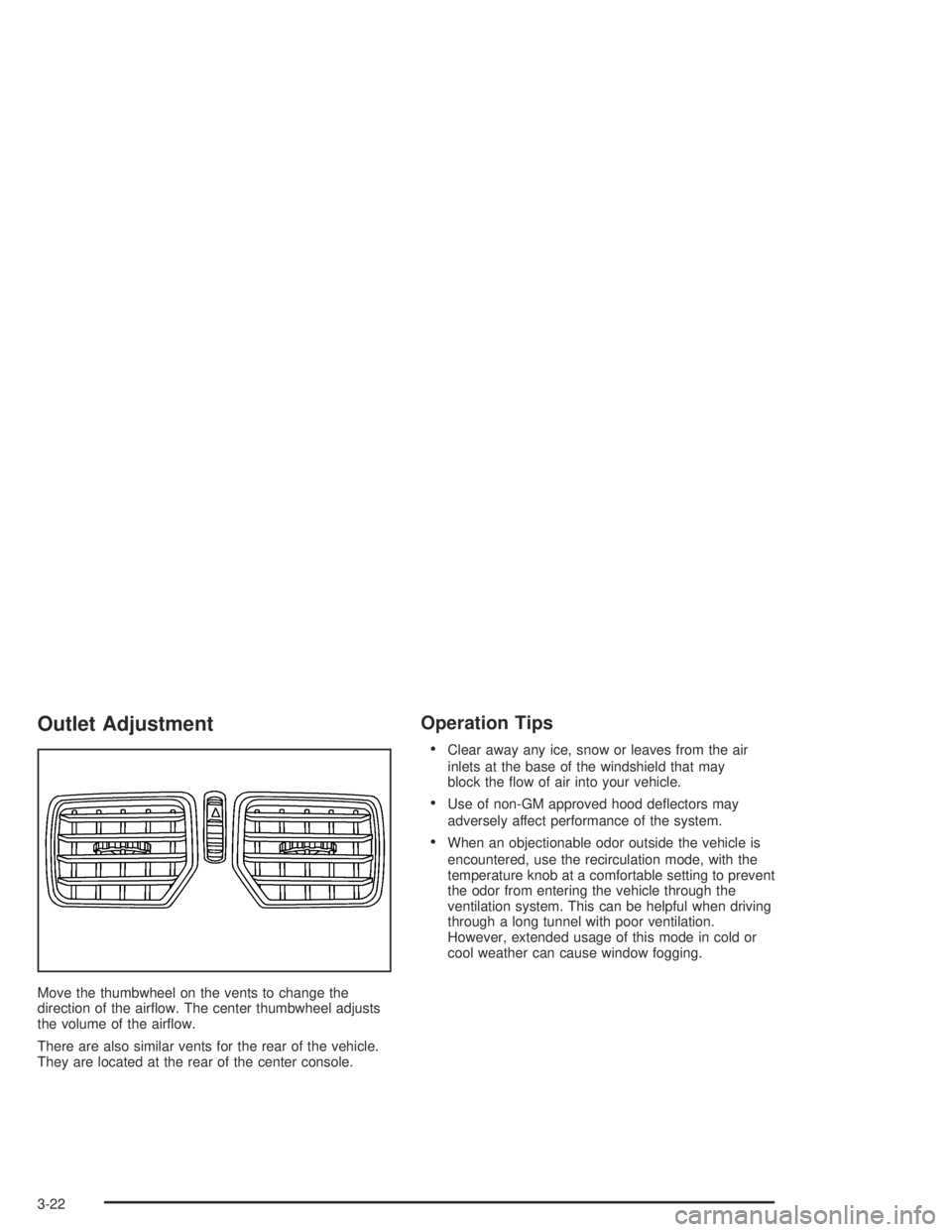
Move the thumbwheel on the vents to change the
direction of the airflow. The center thumbwheel adjusts
the volume of the airflow.
There are also similar vents for the rear of the vehicle.
They are located at the rear of the center console.
Operation Tips
•Clear away any ice, snow or leaves from the air
inlets at the base of the windshield that may
block the flow of air into your vehicle.
•Use of non-GM approved hood deflectors may
adversely affect performance of the system.
•When an objectionable odor outside the vehicle is
encountered, use the recirculation mode, with the
temperature knob at a comfortable setting to prevent
the odor from entering the vehicle through the
ventilation system. This can be helpful when driving
through a long tunnel with poor ventilation.
However, extended usage of this mode in cold or
cool weather can cause window fogging.
3-22
Page 139 of 326
Trip Computer Warning Messages
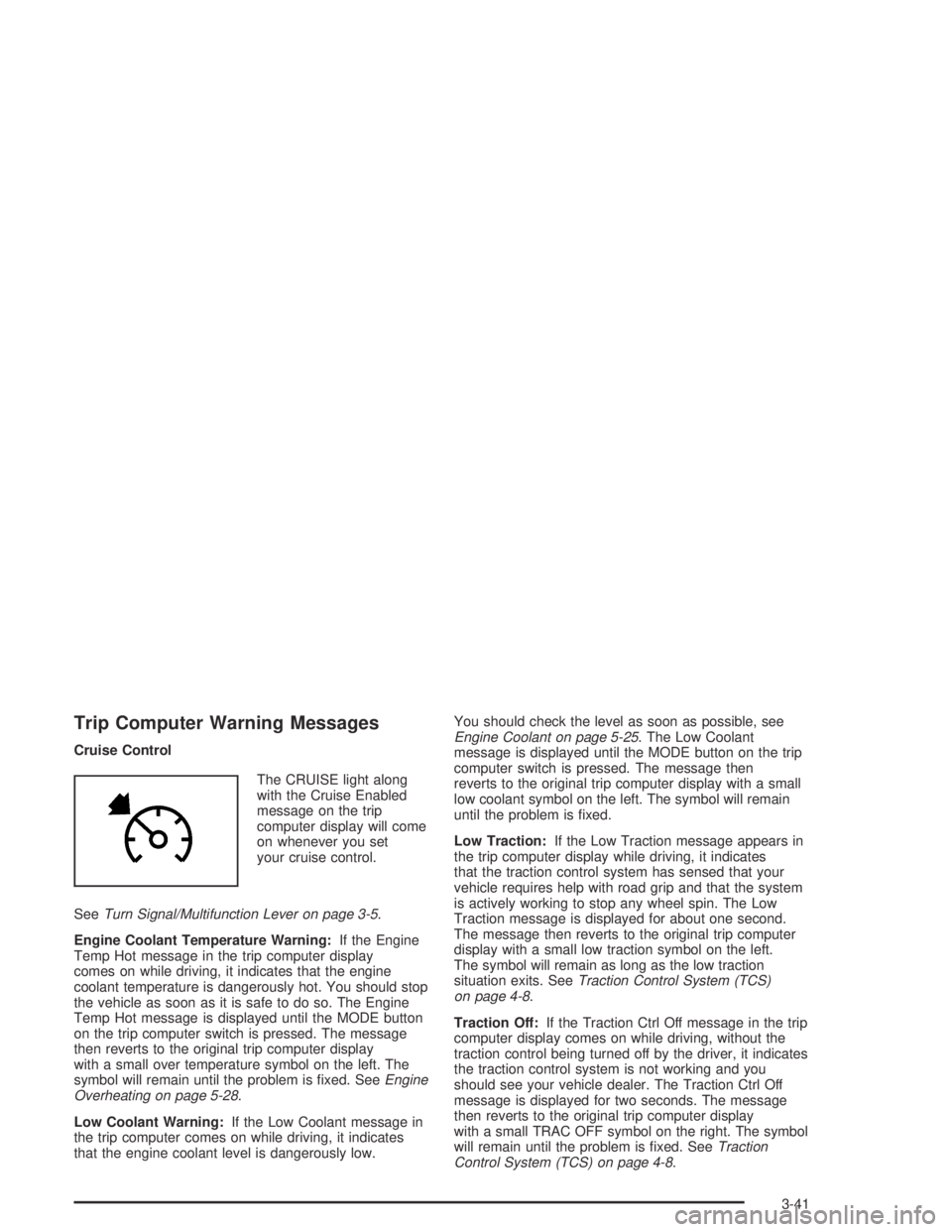
Cruise Control
The CRUISE light along
with the Cruise Enabled
message on the trip
computer display will come
on whenever you set
your cruise control.
SeeTurn Signal/Multifunction Lever on page 3-5.
Engine Coolant Temperature Warning:If the Engine
Temp Hot message in the trip computer display
comes on while driving, it indicates that the engine
coolant temperature is dangerously hot. You should stop
the vehicle as soon as it is safe to do so. The Engine
Temp Hot message is displayed until the MODE button
on the trip computer switch is pressed. The message
then reverts to the original trip computer display
with a small over temperature symbol on the left. The
symbol will remain until the problem is fixed. SeeEngine
Overheating on page 5-28.
Low Coolant Warning:If the Low Coolant message in
the trip computer comes on while driving, it indicates
that the engine coolant level is dangerously low.You should check the level as soon as possible, see
Engine Coolant on page 5-25. The Low Coolant
message is displayed until the MODE button on the trip
computer switch is pressed. The message then
reverts to the original trip computer display with a small
low coolant symbol on the left. The symbol will remain
until the problem is fixed.
Low Traction:If the Low Traction message appears in
the trip computer display while driving, it indicates
that the traction control system has sensed that your
vehicle requires help with road grip and that the system
is actively working to stop any wheel spin. The Low
Traction message is displayed for about one second.
The message then reverts to the original trip computer
display with a small low traction symbol on the left.
The symbol will remain as long as the low traction
situation exits. SeeTraction Control System (TCS)
on page 4-8.
Traction Off:If the Traction Ctrl Off message in the trip
computer display comes on while driving, without the
traction control being turned off by the driver, it indicates
the traction control system is not working and you
should see your vehicle dealer. The Traction Ctrl Off
message is displayed for two seconds. The message
then reverts to the original trip computer display
with a small TRAC OFF symbol on the right. The symbol
will remain until the problem is fixed. SeeTraction
Control System (TCS) on page 4-8.
3-41
Page 151 of 326
Audio Steering Wheel Controls
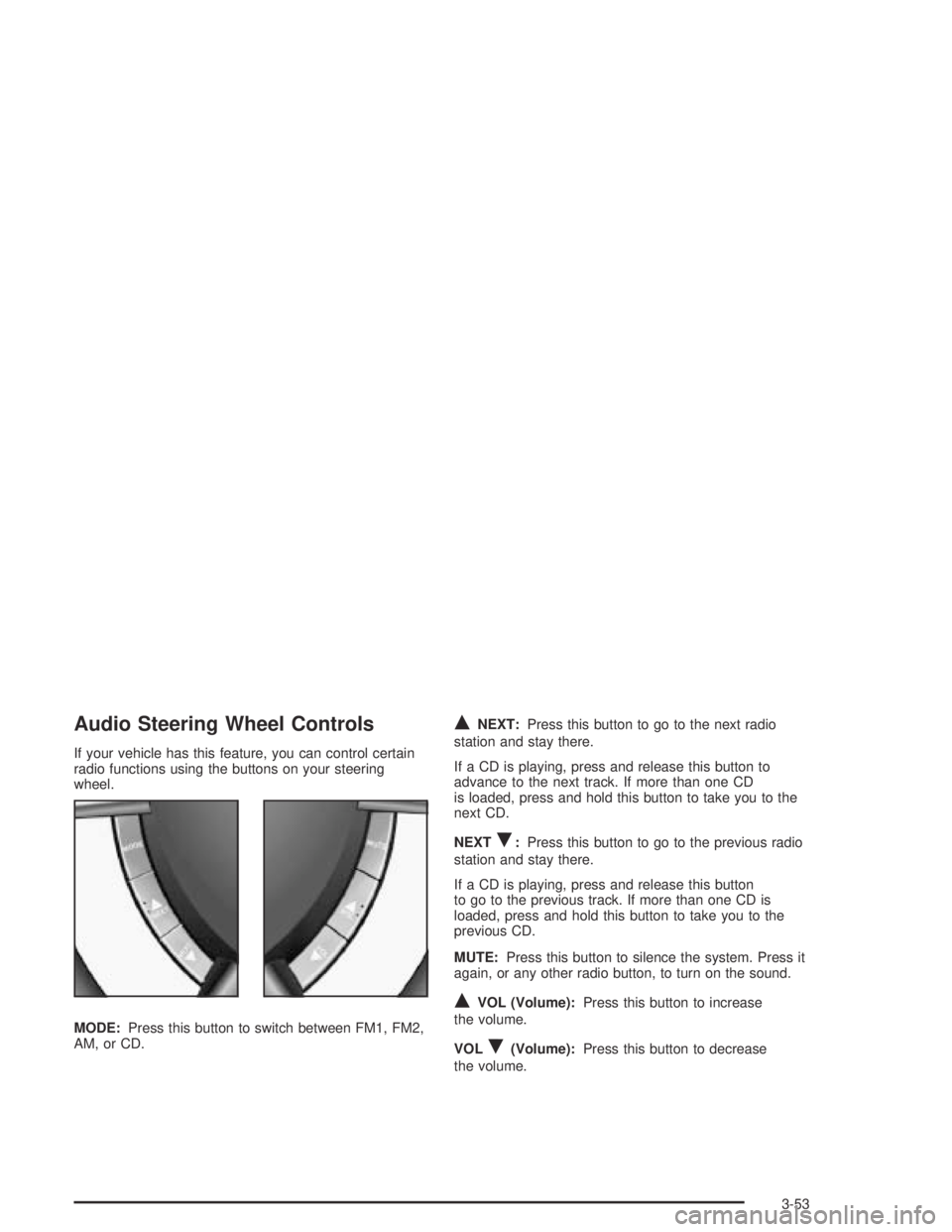
If your vehicle has this feature, you can control certain
radio functions using the buttons on your steering
wheel.
MODE:Press this button to switch between FM1, FM2,
AM, or CD.
QNEXT:Press this button to go to the next radio
station and stay there.
If a CD is playing, press and release this button to
advance to the next track. If more than one CD
is loaded, press and hold this button to take you to the
next CD.
NEXT
R:Press this button to go to the previous radio
station and stay there.
If a CD is playing, press and release this button
to go to the previous track. If more than one CD is
loaded, press and hold this button to take you to the
previous CD.
MUTE:Press this button to silence the system. Press it
again, or any other radio button, to turn on the sound.
QVOL (Volume):Press this button to increase
the volume.
VOL
R(Volume):Press this button to decrease
the volume.
3-53
Page 161 of 326
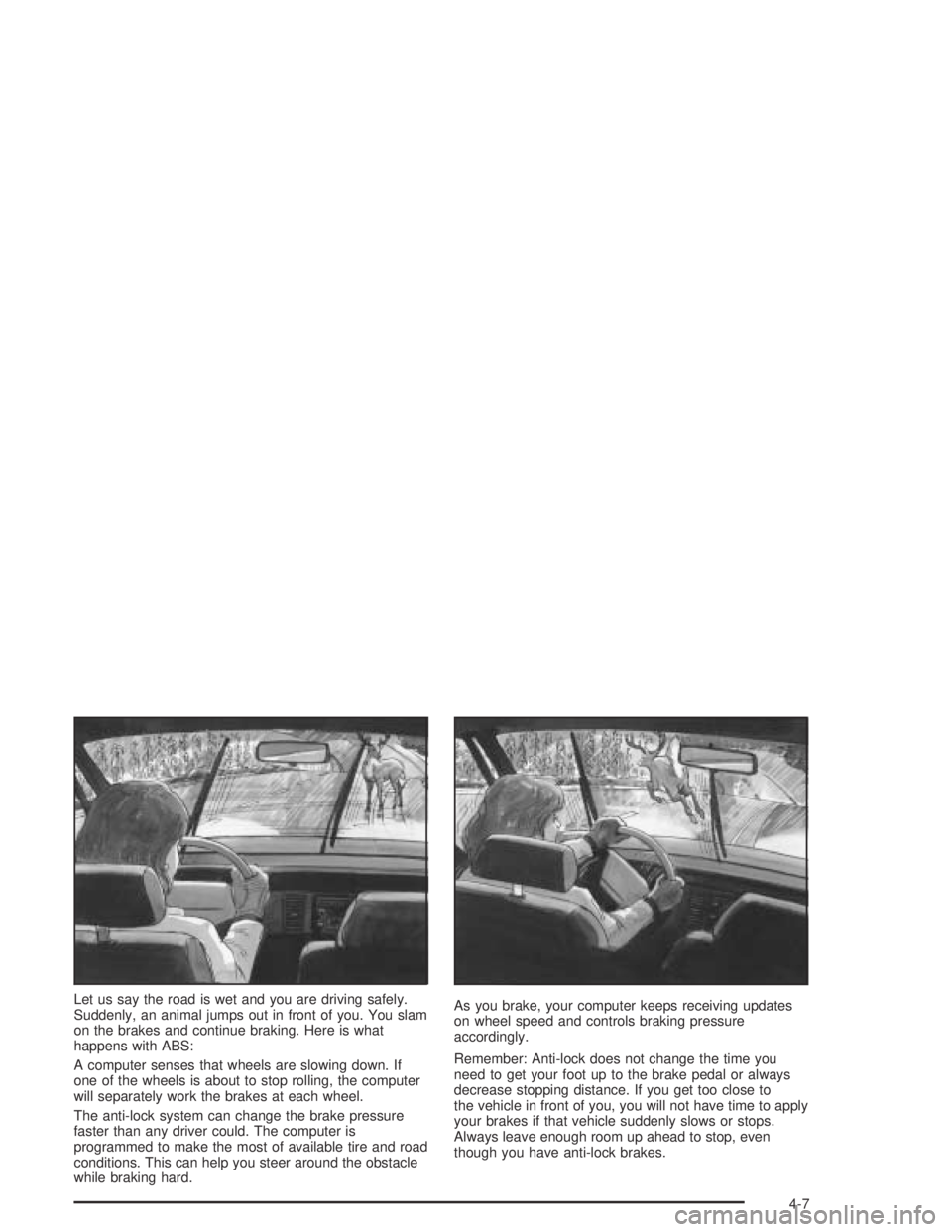
Let us say the road is wet and you are driving safely.
Suddenly, an animal jumps out in front of you. You slam
on the brakes and continue braking. Here is what
happens with ABS:
A computer senses that wheels are slowing down. If
one of the wheels is about to stop rolling, the computer
will separately work the brakes at each wheel.
The anti-lock system can change the brake pressure
faster than any driver could. The computer is
programmed to make the most of available tire and road
conditions. This can help you steer around the obstacle
while braking hard.As you brake, your computer keeps receiving updates
on wheel speed and controls braking pressure
accordingly.
Remember: Anti-lock does not change the time you
need to get your foot up to the brake pedal or always
decrease stopping distance. If you get too close to
the vehicle in front of you, you will not have time to apply
your brakes if that vehicle suddenly slows or stops.
Always leave enough room up ahead to stop, even
though you have anti-lock brakes.
4-7
Page 162 of 326

Using Anti-Lock
Do not pump the brakes. Just hold the brake pedal
down firmly and let anti-lock work for you. You may hear
the anti-lock pump or motor operate, and feel the
brake pedal pulsate, but this is normal.
Braking in Emergencies
With anti-lock, you can steer and brake at the same
time. In many emergencies, steering can help you more
than even the very best braking.
Traction Control System (TCS)
Your vehicle has a Traction Control System (TCS) that
limits wheel spin. This is especially useful in slippery
road conditions. The system operates only if it senses
that one or both of the rear wheels are spinning or
beginning to lose traction. When this happens,
the system reduces engine power and applies the
brakes, as necessary.
Traction control helps you to keep control of the vehicle
and reminds you to match your speed to the road
conditions. In addition, traction control when activated,
provides feedback to the driver by pulsing the
accelerator pedal.You may feel or hear the system working, but this is
normal. The TCS is automatically turned on whenever
the ignition is turned from off to on. A Low Traction
message is displayed on the trip computer, indicating
traction control is limiting wheel spin, until the MODE
button on the trip computer is pressed. The message
then goes back to the original trip computer display with
a small low traction symbol on the left. The symbol
will remain as long as the low traction situation exists.
To limit wheel spin, especially in slippery road
conditions, you should always leave the TCS on.
But you can turn the system off if you prefer.
To turn the system off,
press the T/C button.
On manual transmission
vehicles the button is
located on the driver’s side
of the center console.
On automatic transmission
vehicles the button is
located on the passenger’s
side of the shift lever.
4-8