trip computer PONTIAC GTO 2004 Owner's Manual
[x] Cancel search | Manufacturer: PONTIAC, Model Year: 2004, Model line: GTO, Model: PONTIAC GTO 2004Pages: 326, PDF Size: 2.24 MB
Page 138 of 326
Trip A/B
When the Time to Arrival/Distance to Arrival/Fuel
Remaining set of windows are turned on, using vehicle
personalization, and are showing on the display,
hold the MODE button down for two seconds. Now,
instead of the Time to Arrival set of displays, the
trip computer shows Trip B details.
Press the MODE button to view your displays. You now
have two different sets of trip displays counting, your
original set of trip displays (labeled A while B is turned
on) and a new set of trip displays, labelled B. This is
useful on a long trip, as Trip B can be reset at the
beginning of the journey and then locked away
(by pressing the MODE button for two seconds when
Trip B is shown). Time to Arrival/Distance to
Arrival/Remaining Fuel will again be shown on the
display, but Trip B is still counting away in the
background and the original trip display can be used for
short distances during the journey. Trip B can be
viewed at any time by pressing the MODE button for
two seconds when Distance to Arrival is shown.
Trip A/B can also be enabled/disabled in vehicle
personalization, SeeVehicle Personalization on
page 2-32. If the Trip A and B function is selected,
the Average Speed and Average Fuel displays
indicate Trip A.
Trip Computer Notes:
•If the wrong buttons are accidentally pressed,
causing the window to show a display other
than normal, turn the ignition off then on again
when the vehicle is standing still.
•Several warning lights are linked to the trip
computer displays. SeeWarning Lights, Gages, and
Indicators on page 3-23.
•When the overspeed warning symbol is first shown,
the overspeed trip computer display is automatically
shown for 10 seconds. This is to show what your
pre-selected speed is and allow you to adjust
it if required. After 10 seconds, the trip computer
returns to its previous display.
•Some displays change the units of measurement
over time. For example, the Time to Arrival shows
hours only above 99 hours and 59 minutes,
and hours and minutes below. Time to Arrival also
shows 10 minute units above 2 hours, 5 minute
units below 2 hours and 1 minute units below
10 minutes.
•If the X symbol or a Service Error message is
shown in the display, it indicates a fault in the
trip computer and you should see your vehicle
dealer.
3-40
Page 139 of 326
Trip Computer Warning Messages
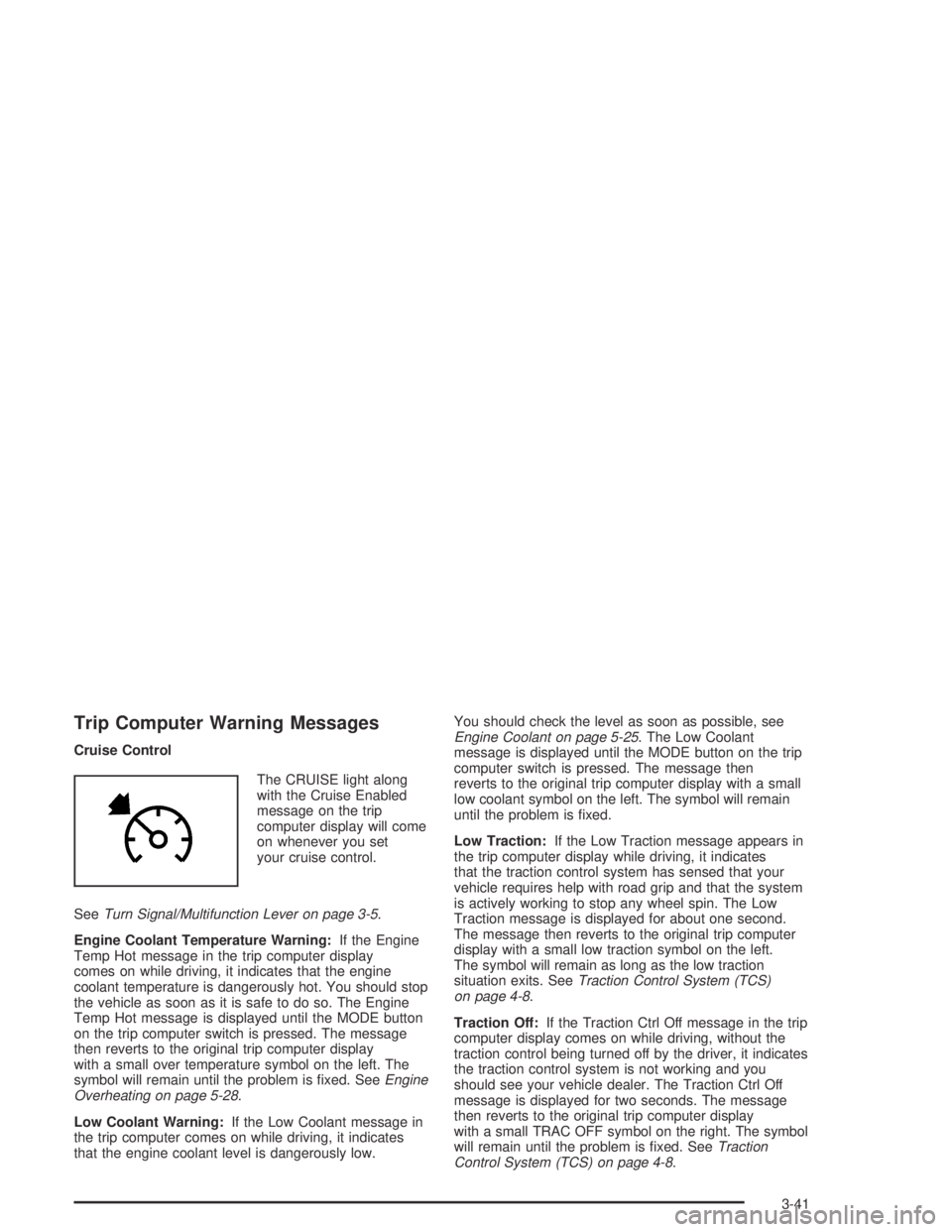
Cruise Control
The CRUISE light along
with the Cruise Enabled
message on the trip
computer display will come
on whenever you set
your cruise control.
SeeTurn Signal/Multifunction Lever on page 3-5.
Engine Coolant Temperature Warning:If the Engine
Temp Hot message in the trip computer display
comes on while driving, it indicates that the engine
coolant temperature is dangerously hot. You should stop
the vehicle as soon as it is safe to do so. The Engine
Temp Hot message is displayed until the MODE button
on the trip computer switch is pressed. The message
then reverts to the original trip computer display
with a small over temperature symbol on the left. The
symbol will remain until the problem is fixed. SeeEngine
Overheating on page 5-28.
Low Coolant Warning:If the Low Coolant message in
the trip computer comes on while driving, it indicates
that the engine coolant level is dangerously low.You should check the level as soon as possible, see
Engine Coolant on page 5-25. The Low Coolant
message is displayed until the MODE button on the trip
computer switch is pressed. The message then
reverts to the original trip computer display with a small
low coolant symbol on the left. The symbol will remain
until the problem is fixed.
Low Traction:If the Low Traction message appears in
the trip computer display while driving, it indicates
that the traction control system has sensed that your
vehicle requires help with road grip and that the system
is actively working to stop any wheel spin. The Low
Traction message is displayed for about one second.
The message then reverts to the original trip computer
display with a small low traction symbol on the left.
The symbol will remain as long as the low traction
situation exits. SeeTraction Control System (TCS)
on page 4-8.
Traction Off:If the Traction Ctrl Off message in the trip
computer display comes on while driving, without the
traction control being turned off by the driver, it indicates
the traction control system is not working and you
should see your vehicle dealer. The Traction Ctrl Off
message is displayed for two seconds. The message
then reverts to the original trip computer display
with a small TRAC OFF symbol on the right. The symbol
will remain until the problem is fixed. SeeTraction
Control System (TCS) on page 4-8.
3-41
Page 147 of 326
CD Messages
CD ERROR PLAY:The CD cannot be read. The CD is
dirty, scratched, wet, or upside down.
CD ERROR MECH (Mechanism):If this message
appears on the display, it could be for one of the
following reasons:
•The CD is stuck in the player and cannot be
played, loaded, or ejected.
•It is very hot. When the temperature returns to
normal, the CD should play.
•You are driving on a very rough road. When the
road becomes smoother, the CD should play.
•The air is very humid. If so, wait about an hour and
try again.
•There may have been a problem while burning
the CD.
•The label may be caught in the CD player.
If the CD is not playing correctly for any other reason,
try a known good CD.
If any error occurs repeatedly or if an error cannot be
corrected, contact your dealer. If your radio displays an
error message, write it down and provide it to your
dealer when reporting the problem.
Options Menu
The following features can be adjusted through the
vehicle’s options menu located in the instrument panel
cluster in the trip computer display window.
Conrmation Beeps
Beeps are used to confirm various actions of the radio
such as storing a preset. The beeps can be turned
on or off using the options menu. See “Options Menu
Adjustment” later in this section to adjust the
confirmation beeps.
All Beeps On:The radio will make a beep sound when
storing radio stations, when it is time to insert or
remove a CD from the CD changer, or to confirm that
the LOAD ALL or EJECT ALL functions have started.
CD Beeps Only:The radio will make a beep sound
when it is time to insert or remove a CD from the CD
changer or to confirm that the LOAD ALL or EJECT ALL
functions have started.
Beeps Off:The radio will not produce any beeps.
3-49
Page 162 of 326

Using Anti-Lock
Do not pump the brakes. Just hold the brake pedal
down firmly and let anti-lock work for you. You may hear
the anti-lock pump or motor operate, and feel the
brake pedal pulsate, but this is normal.
Braking in Emergencies
With anti-lock, you can steer and brake at the same
time. In many emergencies, steering can help you more
than even the very best braking.
Traction Control System (TCS)
Your vehicle has a Traction Control System (TCS) that
limits wheel spin. This is especially useful in slippery
road conditions. The system operates only if it senses
that one or both of the rear wheels are spinning or
beginning to lose traction. When this happens,
the system reduces engine power and applies the
brakes, as necessary.
Traction control helps you to keep control of the vehicle
and reminds you to match your speed to the road
conditions. In addition, traction control when activated,
provides feedback to the driver by pulsing the
accelerator pedal.You may feel or hear the system working, but this is
normal. The TCS is automatically turned on whenever
the ignition is turned from off to on. A Low Traction
message is displayed on the trip computer, indicating
traction control is limiting wheel spin, until the MODE
button on the trip computer is pressed. The message
then goes back to the original trip computer display with
a small low traction symbol on the left. The symbol
will remain as long as the low traction situation exists.
To limit wheel spin, especially in slippery road
conditions, you should always leave the TCS on.
But you can turn the system off if you prefer.
To turn the system off,
press the T/C button.
On manual transmission
vehicles the button is
located on the driver’s side
of the center console.
On automatic transmission
vehicles the button is
located on the passenger’s
side of the shift lever.
4-8
Page 163 of 326

When you turn the system off, a Traction Ctrl Off
message is displayed on the trip computer. After
two seconds, the display goes back to the original
trip computer display with a small TRAC OFF icon
on the right.
If the Traction Ctrl Off message does not display when
the button is pressed, or if it comes on during driving,
a problem is indicated in the system and traction control
is no longer operational. You should contact your
dealer for service.
Pressing the T/C button again or the next time the
ignition is turned on, will turn the system back on.
The Traction Ctrl On message is displayed on the trip
computer. After two seconds, the display goes back
to the original trip computer display.
Steering
Power Steering
If you lose power steering assist because the engine
stops or the system is not functioning, you can steer but
it will take much more effort.
Steering Tips
Driving on Curves
It is important to take curves at a reasonable speed.
A lot of the “driver lost control” accidents mentioned on
the news happen on curves. Here is why:
Experienced driver or beginner, each of us is subject to
the same laws of physics when driving on curves.
The traction of the tires against the road surface makes
it possible for the vehicle to change its path when
you turn the front wheels. If there is no traction, inertia
will keep the vehicle going in the same direction. If
you have ever tried to steer a vehicle on wet ice, you
will understand this.
The traction you can get in a curve depends on the
condition of your tires and the road surface, the angle at
which the curve is banked, and your speed. While
you are in a curve, speed is the one factor you
can control.
Suppose you are steering through a sharp curve.
Then you suddenly apply the brakes. Both control
systems — steering and braking — have to do their
work where the tires meet the road. Unless you
have four-wheel anti-lock brakes, adding the hard
braking can demand too much of those places.
You can lose control.
4-9
Page 203 of 326

A. Engine Compartment Fuse Block. See “Engine
Compartment Fuse Block” underFuses and Circuit
Breakers on page 5-87.
B. Windshield Washer Fluid Reservoir. SeeWindshield
Washer Fluid on page 5-37.
C. Battery. SeeBattery on page 5-41.
D. Engine Oil Dipstick. SeeEngine Oil on page 5-13.
E. Engine Oil Fill Cap. SeeEngine Oil on page 5-13.
F. Automatic Transmission Dipstick (If Equipped).
SeeAutomatic Transmission Fluid on page 5-19.
G. Power Steering Fluid Reservoir. SeePower Steering
Fluid on page 5-36.
H. Brake Fluid Reservoir. SeeBrakes on page 5-38.
I. Hydraulic Clutch Fluid Reservoir (If Equipped). See
Hydraulic Clutch on page 5-24.
J. Engine Coolant Reservoir. SeeEngine Coolant on
page 5-25.
K. Engine Air Cleaner/Filter. SeeEngine Air
Cleaner/Filter on page 5-18.Engine Oil
If the Check Oil message appears on the trip computer
display, it means you need to check your engine oil
level right away.
For more information, seeOil Pressure Light on
page 3-32.
You should check your engine oil level regularly; this is
an added reminder.
Checking Engine Oil
It is a good idea to check your engine oil every time you
get fuel. In order to get an accurate reading, the oil
must be warm and the vehicle must be on level ground.
The engine oil dipstick handle is a yellow loop. See
Engine Compartment Overview on page 5-12for
the location of the engine oil dipstick.
Turn off the engine and give the oil several minutes to
drain back into the oil pan. If you don’t, the oil
dipstick might not show the actual level.
Pull out the dipstick and clean it with a paper towel or
cloth, then push it back in all the way. Remove it again,
keeping the tip down, and check the level.
5-13
Page 217 of 326
Checking Coolant
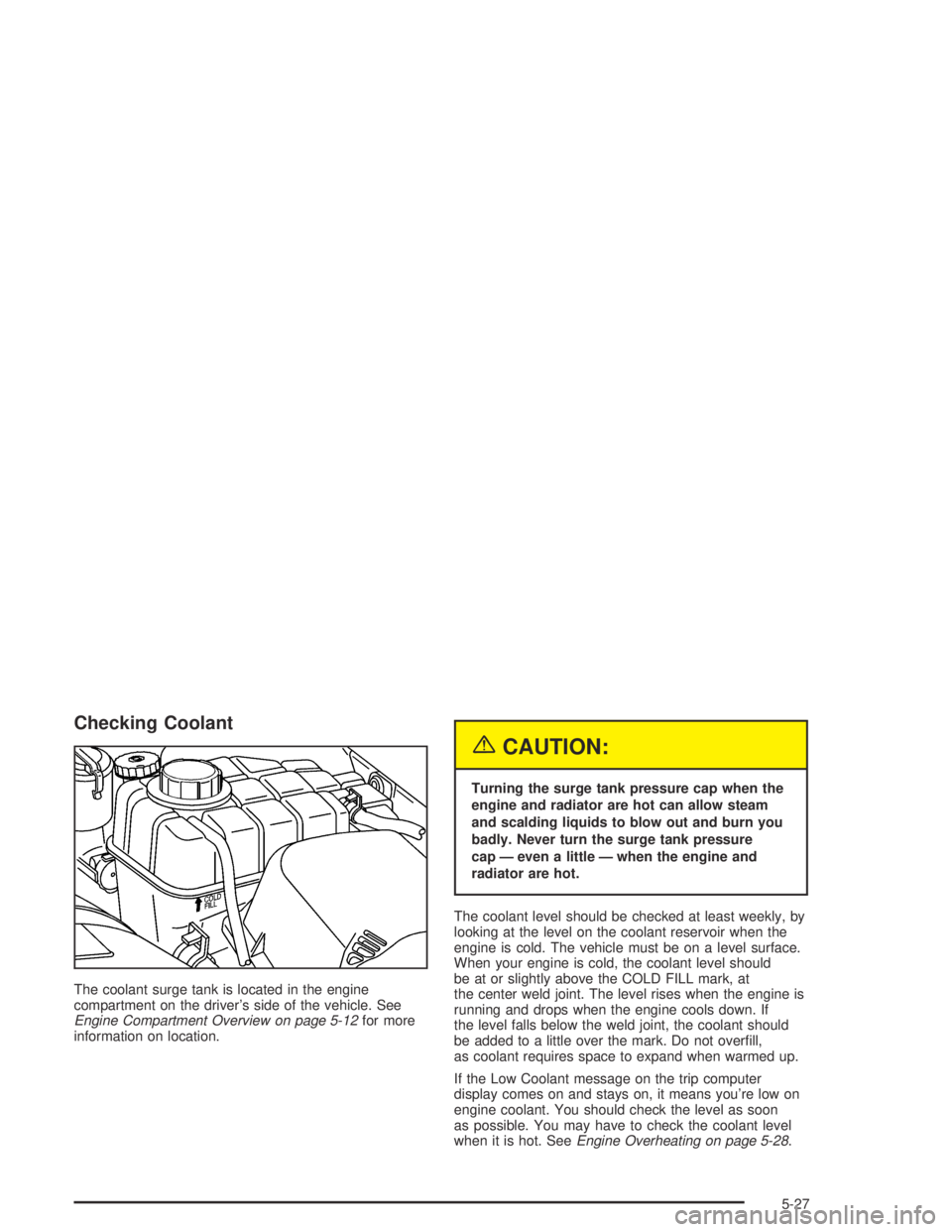
The coolant surge tank is located in the engine
compartment on the driver’s side of the vehicle. See
Engine Compartment Overview on page 5-12for more
information on location.
{CAUTION:
Turning the surge tank pressure cap when the
engine and radiator are hot can allow steam
and scalding liquids to blow out and burn you
badly. Never turn the surge tank pressure
cap — even a little — when the engine and
radiator are hot.
The coolant level should be checked at least weekly, by
looking at the level on the coolant reservoir when the
engine is cold. The vehicle must be on a level surface.
When your engine is cold, the coolant level should
be at or slightly above the COLD FILL mark, at
the center weld joint. The level rises when the engine is
running and drops when the engine cools down. If
the level falls below the weld joint, the coolant should
be added to a little over the mark. Do not overfill,
as coolant requires space to expand when warmed up.
If the Low Coolant message on the trip computer
display comes on and stays on, it means you’re low on
engine coolant. You should check the level as soon
as possible. You may have to check the coolant level
when it is hot. SeeEngine Overheating on page 5-28.
5-27
Page 218 of 326

Adding Coolant
If you need more coolant, add the proper DEX-COOL®
coolant mixtureat the surge tank, but only when the
engine is cool.
{CAUTION:
You can be burned if you spill coolant on hot
engine parts. Coolant contains ethylene glycol,
and it will burn if the engine parts are hot
enough. Do not spill coolant on a hot engine.
When the level is correct, replace the cap and turn
clockwise until secure.
Engine Overheating
Immediate action is required if your engine overheats.
This is indicated by the coolant temperature gage
and the Engine Temp Hot message on the trip computer
display.Engine Coolant Temperature Gage on
page 3-28.
If Steam Is Coming From Your Engine
5-28
Page 279 of 326

Fuses Usage
ACC HTR
CONT INST.
TRIP COMPHeater Controls, Trip Computer
CIGAR
LIGHTERCigarette Lighter
CRUISE CONT.
PWR STEER,
MIRRORSCruise Control System, Power
Steering, Power Mirrors
RADIO,
CELLPHONERadio System, Cellphone
ACC SOCKET Accessory Power Outlet
FRONT WIPER Front Windshield Wipers
SPARE Spare
PWR DOOR
LOCKS, ANT.
& WINDOWSPower Door Locks, Antenna, Power
Windows
INSTRUMENTS
THEFT HORNTheft System, Horn
HEATED REAR
WINDOWRear Window Defogger
RADIO Radio SystemFuses Usage
SUB WOOFER
& AMPLIFIERSub Woofer and Amplifier
SPARE Spare
AIRBAG Airbag
ABS Anti-Lock Brake System
SPARE Spare
SPARE Spare
SPARE Spare
Relays Usage
ACC RELAY Accessory Power Outlet
IGNITION
RELAYIgnition Switch
POWER
WINDOW
RELAYPower Windows
BLOWER
INHIBIT RELAYBlower
PARK LAMPS
RELAYParking Lamps
INTERIOR
ILLUM RELAYInterior Light Controls
5-89
Page 325 of 326

Traction
Control System (TCS).................................... 4-8
Transmission
Fluid, Automatic...........................................5-19
Fluid, Manual..............................................5-23
Transmission Operation, Automatic....................2-18
Transmission Operation, Manual........................2-21
Transmission, Transaxle, Transfer Case Unit
Repair Manual............................................7-11
Transportation Options...................................... 7-7
Trip A/B .........................................................3-40
Trip Computer................................................3-36
TRIP COMPUTER A & B.................................2-34
Trip Computer Notes:......................................3-40
Trip Computer Warning Messages.....................3-41
Trip Distance..................................................3-37
TRIP TIME....................................................3-37
Trunk.............................................................. 2-8
Trunk Lamp...................................................3-16
Trunk Lock...................................................... 2-8
Turn and Lane-Change Signals.......................... 3-6
Turn Signal/Multifunction Lever........................... 3-5
TWO STAGE UNLOCK....................................2-36U
UNDERSPEED CHIME....................................2-34
Underspeed Chime.........................................3-38
Understanding Radio Reception........................3-54
Uniform Tire Quality Grading............................5-66
United States – Customer Assistance.................. 7-4
Used Replacement Wheels..............................5-69
Using Cleaner on Fabric..................................5-79
V
Vehicle
Control........................................................ 4-5
Damage Warnings........................................... iv
Loading......................................................4-30
Parking Your...............................................2-26
Service Soon Light......................................3-34
Symbols......................................................... iv
Vehicle Data Collection and Event Data
Recorders.................................................... 7-9
Vehicle Identification
Number (VIN).............................................5-86
Service Parts Identification Label...................5-86
Vehicle Personalization....................................2-32
Vehicle Storage..............................................5-41
Ventilation Adjustment......................................3-22
Visors...........................................................2-12
13