lock PONTIAC GTO 2004 Service Manual
[x] Cancel search | Manufacturer: PONTIAC, Model Year: 2004, Model line: GTO, Model: PONTIAC GTO 2004Pages: 326, PDF Size: 2.24 MB
Page 117 of 326

Climate Controls
Climate Control System
With this system you can control the heating, cooling
and ventilation for your vehicle.
Operation
To change the current mode, turn the right dial to select
one of the following:
Y(Vent):This mode directs air to the instrument
panel outlets.
%(Bi-Level):This mode directs the air to the
instrument panel outlets and the floor outlets. This
position can be used for most winter driving.
[(Floor):This mode directs the air to the floor
outlets.
The right dial can also be used to select defog or
defrost modes. Information on defogging and defrosting
can be found later in this section.
9(Fan):Turn the left dial clockwise or
counterclockwise to increase or decrease the fan speed.
The fan must be on to run the air-conditioning
compressor.
3-19
Page 118 of 326

>(Recirculation):This mode keeps outside air from
coming into the vehicle. It can be used to prevent
outside air and odors from entering your vehicle or to
help heat or cool the air inside your vehicle more quickly.
Move the right dial to this position to turn recirculation
on. Turn the air conditioning on when using recirculation.
Recirculation is not recommended for use over long
periods of time.
Temperature Control:Turn the center dial clockwise
or counterclockwise to increase or decrease the
temperature inside your vehicle.
A/C (Air Conditioning):Press this button on the left
dial to turn the air-conditioning system on or off.
When A/C is pressed, an indicator light in the button will
come on to let you know that air conditioning is
activated.
On hot days, open the windows to let hot inside air
escape; then close them. This helps to reduce the time
it takes for your vehicle to cool down. It also helps
the system to operate more efficiently.For quick cool down on hot days, do the following:
1. Select the vent mode.
2. Select the highest fan speed.
3. Select A/C.
4. Select the coolest temperature.
The air-conditioning system removes moisture from the
air, so you may sometimes notice a small amount of
water dripping underneath your vehicle while idling
or after turning off the engine. This is normal.
Defogging and Defrosting
Fog on the inside of windows is a result of high humidity
(moisture) condensing on the cool window glass. This
can be minimized if the climate control system is
used properly. There are two modes to choose from to
clear fog or frost from your windshield. Use the
defog mode to clear the windows of fog or moisture and
warm the passengers. Use the defrost mode to
remove fog or frost from the windshield more quickly.
Turn the right dial to select the defog or defrost modes.
3-20
Page 120 of 326
Outlet Adjustment
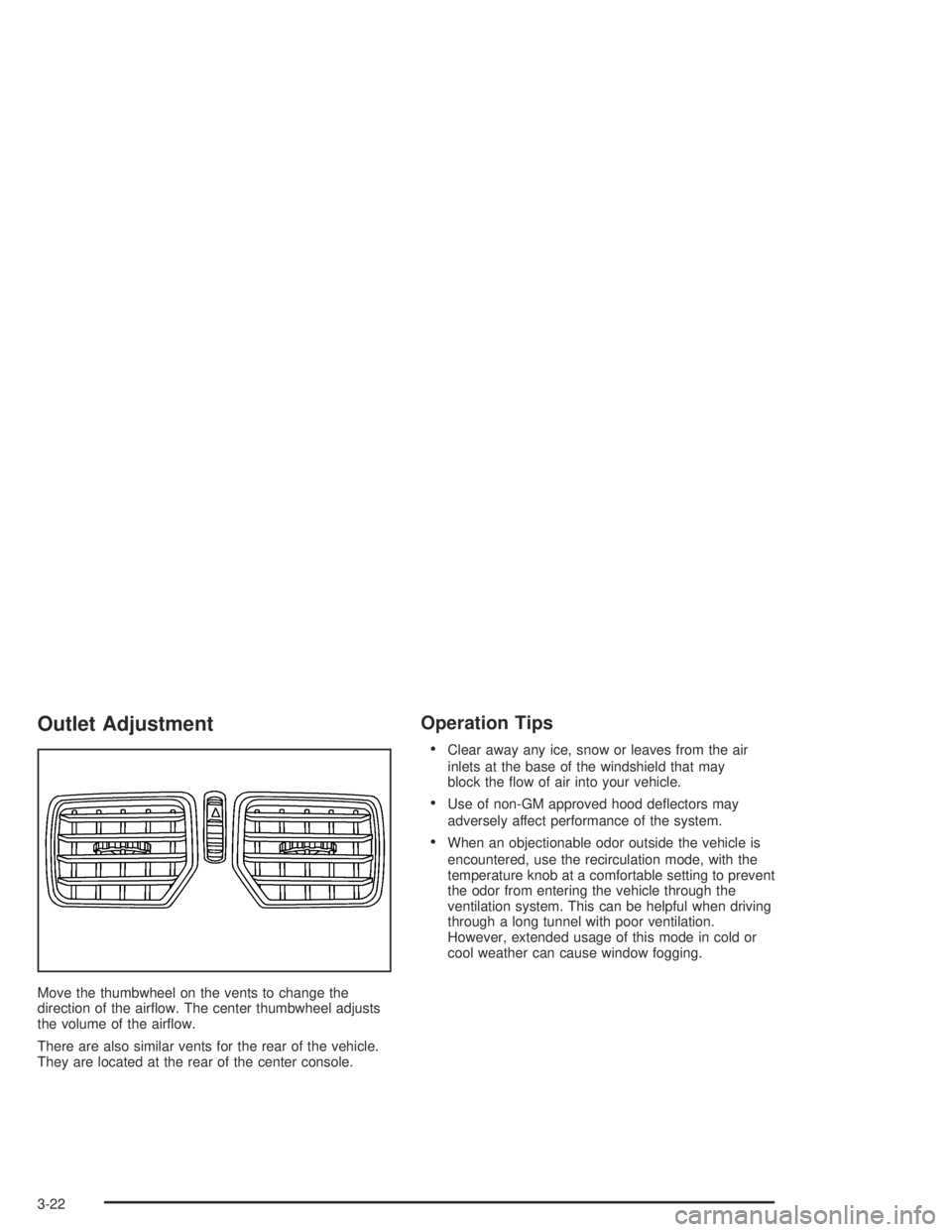
Move the thumbwheel on the vents to change the
direction of the airflow. The center thumbwheel adjusts
the volume of the airflow.
There are also similar vents for the rear of the vehicle.
They are located at the rear of the center console.
Operation Tips
•Clear away any ice, snow or leaves from the air
inlets at the base of the windshield that may
block the flow of air into your vehicle.
•Use of non-GM approved hood deflectors may
adversely affect performance of the system.
•When an objectionable odor outside the vehicle is
encountered, use the recirculation mode, with the
temperature knob at a comfortable setting to prevent
the odor from entering the vehicle through the
ventilation system. This can be helpful when driving
through a long tunnel with poor ventilation.
However, extended usage of this mode in cold or
cool weather can cause window fogging.
3-22
Page 126 of 326

Anti-Lock Brake System
Warning Light
To ensure that the warning
light is working, the symbol
is displayed for a short
time when the ignition is
turned to ON.
If the light doesn’t come on then, have it fixed so it will
be ready to warn you if there is a problem.
If there is a malfunction of the anti-lock brake system,
the symbol will illuminate and ABS Fault will appear
on the trip computer display. See your dealer for service.
The car’s brake system will still operate conventionally,
only the anti-lock operation is impaired.
The ABS Fault message will remain until the MODE
button on the trip computer is pressed, but the symbol
will remain until the problem is fixed.
Engine Coolant Temperature Gage
The temperature gage
shows the engine coolant
temperature when the
ignition is on.
If the gage pointer moves into the red area, the light
comes on and you hear a chime, your engine is too hot!
It means that your engine coolant has overheated.
If you have been operating your vehicle under normal
driving conditions, you should pull off the road, stop your
vehicle and turn off the engine as soon as possible.
3-28
Page 138 of 326
Trip A/B
When the Time to Arrival/Distance to Arrival/Fuel
Remaining set of windows are turned on, using vehicle
personalization, and are showing on the display,
hold the MODE button down for two seconds. Now,
instead of the Time to Arrival set of displays, the
trip computer shows Trip B details.
Press the MODE button to view your displays. You now
have two different sets of trip displays counting, your
original set of trip displays (labeled A while B is turned
on) and a new set of trip displays, labelled B. This is
useful on a long trip, as Trip B can be reset at the
beginning of the journey and then locked away
(by pressing the MODE button for two seconds when
Trip B is shown). Time to Arrival/Distance to
Arrival/Remaining Fuel will again be shown on the
display, but Trip B is still counting away in the
background and the original trip display can be used for
short distances during the journey. Trip B can be
viewed at any time by pressing the MODE button for
two seconds when Distance to Arrival is shown.
Trip A/B can also be enabled/disabled in vehicle
personalization, SeeVehicle Personalization on
page 2-32. If the Trip A and B function is selected,
the Average Speed and Average Fuel displays
indicate Trip A.
Trip Computer Notes:
•If the wrong buttons are accidentally pressed,
causing the window to show a display other
than normal, turn the ignition off then on again
when the vehicle is standing still.
•Several warning lights are linked to the trip
computer displays. SeeWarning Lights, Gages, and
Indicators on page 3-23.
•When the overspeed warning symbol is first shown,
the overspeed trip computer display is automatically
shown for 10 seconds. This is to show what your
pre-selected speed is and allow you to adjust
it if required. After 10 seconds, the trip computer
returns to its previous display.
•Some displays change the units of measurement
over time. For example, the Time to Arrival shows
hours only above 99 hours and 59 minutes,
and hours and minutes below. Time to Arrival also
shows 10 minute units above 2 hours, 5 minute
units below 2 hours and 1 minute units below
10 minutes.
•If the X symbol or a Service Error message is
shown in the display, it indicates a fault in the
trip computer and you should see your vehicle
dealer.
3-40
Page 150 of 326

Theft-Deterrent Feature
Your radio has an electronically coded security system.
The system recognizes the vehicle which your radio
has been installed. If the radio is kept in the vehicle, the
PIN should not be required, even if the battery or the
radio has been removed and reinstalled.
If the link between your vehicle and the radio is
disrupted, the radio will prompt you for a 4-digit PIN
code to be entered.
The PIN is supplied on your security card. As the pin is
the only means of enabling operation of the radio,
place the security card in a safe place. Do not leave the
security card in your glovebox. The PIN should also
be written down and kept with other important
documents.
If your security card is lost and the PIN is not recorded,
the PIN can be requested from your dealer, after
supplying proof of ownership. There may be a charge
for this service.
When the radio and vehicle are turned off, the blinking
red light indicates that your radio is armed.
Security Release Procedure
To type in your PIN code, do the following:
1. Turn the ignition to ACCESSORY.
2. Turn the radio on. CODE____will appear on the
display.
3. Use the preset buttons to enter the PIN code.
If the wrong PIN code is entered, the radio will display
CODE ERR WAIT.
After a few seconds, the radio will display
CODE 2____,indicating that this is the second
attempt. The correct code should now be entered.
After three attempts, the radio will display
LOCK OUT 1 HR. After 1 hour, the radio will allow
another three attempts to enter the PIN.
3-52
Page 160 of 326

Avoid needless heavy braking. Some people drive
in spurts — heavy acceleration followed by heavy
braking — rather than keeping pace with traffic. This is
a mistake. Your brakes may not have time to cool
between hard stops. Your brakes will wear out much
faster if you do a lot of heavy braking. If you keep pace
with the traffic and allow realistic following distances,
you will eliminate a lot of unnecessary braking.
That means better braking and longer brake life.
If your engine ever stops while you are driving, brake
normally but do not pump your brakes. If you do,
the pedal may get harder to push down. If your engine
stops, you will still have some power brake assist.
But you will use it when you brake. Once the power
assist is used up, it may take longer to stop and
the brake pedal will be harder to push.Anti-lock Brake System (ABS)
Your vehicle has anti-lock brakes. ABS is an advanced
electronic braking system that will help prevent a
braking skid.
When you start your engine and begin to drive away,
your anti-lock brake system will check itself. You
may hear a momentary motor or clicking noise while
this test is going on, and you may even notice that your
brake pedal moves a little. This is normal.
If there is a problem with
the anti-lock brake system,
this warning light will
stay on. SeeAnti-Lock
Brake System Warning
Light on page 3-28.
4-6
Page 161 of 326
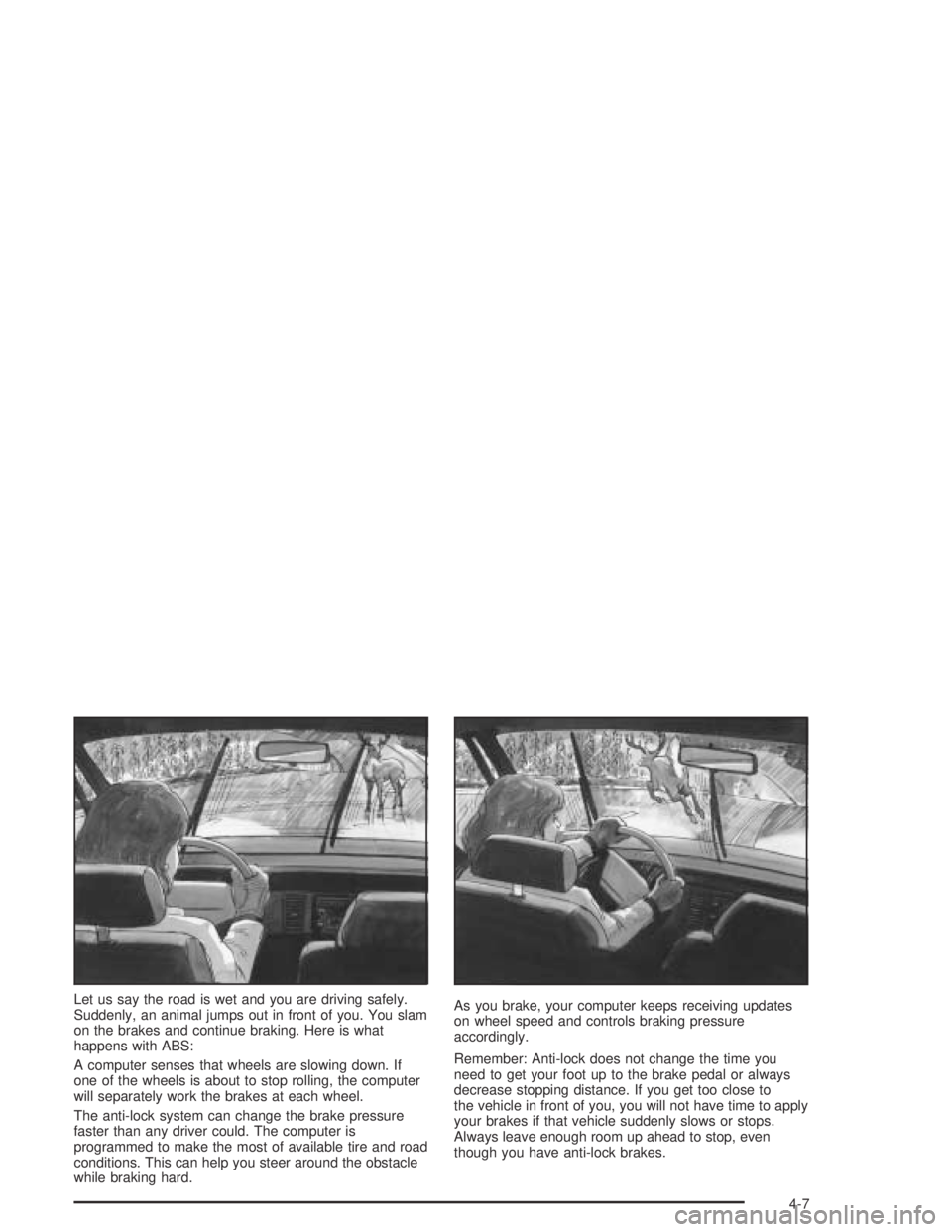
Let us say the road is wet and you are driving safely.
Suddenly, an animal jumps out in front of you. You slam
on the brakes and continue braking. Here is what
happens with ABS:
A computer senses that wheels are slowing down. If
one of the wheels is about to stop rolling, the computer
will separately work the brakes at each wheel.
The anti-lock system can change the brake pressure
faster than any driver could. The computer is
programmed to make the most of available tire and road
conditions. This can help you steer around the obstacle
while braking hard.As you brake, your computer keeps receiving updates
on wheel speed and controls braking pressure
accordingly.
Remember: Anti-lock does not change the time you
need to get your foot up to the brake pedal or always
decrease stopping distance. If you get too close to
the vehicle in front of you, you will not have time to apply
your brakes if that vehicle suddenly slows or stops.
Always leave enough room up ahead to stop, even
though you have anti-lock brakes.
4-7
Page 162 of 326

Using Anti-Lock
Do not pump the brakes. Just hold the brake pedal
down firmly and let anti-lock work for you. You may hear
the anti-lock pump or motor operate, and feel the
brake pedal pulsate, but this is normal.
Braking in Emergencies
With anti-lock, you can steer and brake at the same
time. In many emergencies, steering can help you more
than even the very best braking.
Traction Control System (TCS)
Your vehicle has a Traction Control System (TCS) that
limits wheel spin. This is especially useful in slippery
road conditions. The system operates only if it senses
that one or both of the rear wheels are spinning or
beginning to lose traction. When this happens,
the system reduces engine power and applies the
brakes, as necessary.
Traction control helps you to keep control of the vehicle
and reminds you to match your speed to the road
conditions. In addition, traction control when activated,
provides feedback to the driver by pulsing the
accelerator pedal.You may feel or hear the system working, but this is
normal. The TCS is automatically turned on whenever
the ignition is turned from off to on. A Low Traction
message is displayed on the trip computer, indicating
traction control is limiting wheel spin, until the MODE
button on the trip computer is pressed. The message
then goes back to the original trip computer display with
a small low traction symbol on the left. The symbol
will remain as long as the low traction situation exists.
To limit wheel spin, especially in slippery road
conditions, you should always leave the TCS on.
But you can turn the system off if you prefer.
To turn the system off,
press the T/C button.
On manual transmission
vehicles the button is
located on the driver’s side
of the center console.
On automatic transmission
vehicles the button is
located on the passenger’s
side of the shift lever.
4-8
Page 163 of 326

When you turn the system off, a Traction Ctrl Off
message is displayed on the trip computer. After
two seconds, the display goes back to the original
trip computer display with a small TRAC OFF icon
on the right.
If the Traction Ctrl Off message does not display when
the button is pressed, or if it comes on during driving,
a problem is indicated in the system and traction control
is no longer operational. You should contact your
dealer for service.
Pressing the T/C button again or the next time the
ignition is turned on, will turn the system back on.
The Traction Ctrl On message is displayed on the trip
computer. After two seconds, the display goes back
to the original trip computer display.
Steering
Power Steering
If you lose power steering assist because the engine
stops or the system is not functioning, you can steer but
it will take much more effort.
Steering Tips
Driving on Curves
It is important to take curves at a reasonable speed.
A lot of the “driver lost control” accidents mentioned on
the news happen on curves. Here is why:
Experienced driver or beginner, each of us is subject to
the same laws of physics when driving on curves.
The traction of the tires against the road surface makes
it possible for the vehicle to change its path when
you turn the front wheels. If there is no traction, inertia
will keep the vehicle going in the same direction. If
you have ever tried to steer a vehicle on wet ice, you
will understand this.
The traction you can get in a curve depends on the
condition of your tires and the road surface, the angle at
which the curve is banked, and your speed. While
you are in a curve, speed is the one factor you
can control.
Suppose you are steering through a sharp curve.
Then you suddenly apply the brakes. Both control
systems — steering and braking — have to do their
work where the tires meet the road. Unless you
have four-wheel anti-lock brakes, adding the hard
braking can demand too much of those places.
You can lose control.
4-9