brakes PONTIAC GTO 2004 Owners Manual
[x] Cancel search | Manufacturer: PONTIAC, Model Year: 2004, Model line: GTO, Model: PONTIAC GTO 2004Pages: 326, PDF Size: 2.24 MB
Page 79 of 326

Ensure the shift lever is fully in PARK (P) before starting
the engine. Your vehicle has an automatic transmission
shift lock control system. You must have your foot
on the regular brakes before you can shift from
PARK (P) when the ignition key is in ON. The vehicle
will not shift from PARK (P) if the button is pressed
before the brake is applied. If you cannot shift out
of PARK (P), ease pressure on the shift lever, push the
shift lever all the way into PARK (P), and release the
shift lever button as you maintain brake application.
Then press the shift lever button and move the
shift lever into the desired gear. SeeShifting Out of
Park (P) on page 2-26.
REVERSE (R):Use this gear to back up. Never select
REVERSE (R) while your vehicle is still moving.
Reverse lights will operate when this position is selected
and the ignition is on. After reversing, make sure the
vehicle has fully stopped before selecting another gear
position. After selecting this position, pause for a
moment before accelerating to allow the transmission to
engage reverse gear.
Notice:Shifting to REVERSE (R) while your vehicle
is moving forward could damage the transmission.
The repairs would not be covered by your warranty.
Shift to REVERSE (R) only after your vehicle is
stopped.To rock your vehicle back and forth to get out of snow,
ice or sand without damaging your transmission,
see If You Are Stuck: In Sand, Mud, Ice or Snow on
page 4-28.
NEUTRAL (N):In this position, your engine doesn’t
connect with the wheels. To restart when you’re already
moving, use NEUTRAL (N) only. Also, use
NEUTRAL (N) when your vehicle is being towed. This is
the out-of-gear position. You may then start a stalled
engine while the vehicle is still moving or stopped.
{CAUTION:
Shifting into a drive gear while your engine is
running at high speed is dangerous. Unless
your foot is rmly on the brake pedal, your
vehicle could move very rapidly. You could
lose control and hit people or objects. Do not
shift into a drive gear while your engine is
running at high speed.
Notice:Shifting out of PARK (P) or NEUTRAL (N)
with the engine running at high speed may damage
the transmission. The repairs would not be
covered by your warranty. Be sure the engine is not
running at high speed when shifting your vehicle.
2-19
Page 80 of 326
DRIVE (D):This is the most effective position for
normal or freeway driving. This position gives maximum
fuel efficiency, as the transmission can choose the
appropriate gear (1 through 4) for the existing load and
driving conditions.
After selecting DRIVE (D) from PARK (P) or
NEUTRAL (N), pause for a moment before accelerating,
to allow the transmission to engage the forward gear.
Use this position when towing.
THIRD (3):This position is also used for normal driving.
However, it offers more power and lower fuel economy
than DRIVE (D). Here are some times you might choose
THIRD (3) instead of DRIVE (D):
•When driving on hilly, winding roads.
•When towing a trailer, so there is less shifting
between gears.
•When going down a steep hill.SECOND (2):This position gives you more power but
lower fuel economy than THIRD (3). You can use
SECOND (2) on hills. It can help control your speed as
you go down steep mountain roads, but then you
would also want to use your brakes off and on.
FIRST (1):This position gives you even more power
but lower fuel economy than SECOND (2). You can use
it on very steep hills, or in deep snow or mud. If the
shift lever is put in FIRST (1), the transmission
won’t shift into first gear until the vehicle is going slowly
enough.
Remember to move the shift lever back to DRIVE(D) so
that the transmission again upshifts into higher gears.
Even though the shift lever may be in FIRST (1),
the transmission does not select first gear until vehicle
speed is less that 35 mph (56 km/h).
2-20
Page 86 of 326

Shifting Out of Park (P)
Your vehicle has an automatic transmission shift lock
control system. You must fully apply your regular brakes
before you can press the button on the shift lever to
shift from PARK (P) while the ignition is in ON.
SeeAutomatic Transmission Operation on page 2-18.
If you cannot shift out of PARK (P), ease pressure
on the shift lever by pushing it all the way into PARK (P)
while keeping the brake pedal down. Release the shift
lever button. Then move the shift lever out of PARK (P),
being sure to press the shift lever button.
Shift Lock Release
If you ever hold the brake pedal down but still cannot
shift out of PARK (P), try this:
1. Turn the ignition to OFF and remove the key.
2. Unclip the console cap and remove the screw
slightly to the right of the front center.
3. Remove console cap to expose the yellow
release lever.
4. Push the release lever forward and press the button
on the shift lever to move lever out of park.
5. Replace the console cap.
6. Have the vehicle fixed as soon as possible.
Parking Your Vehicle/Key Removal
Before leaving a manual transmission vehicle, fully press
the clutch pedal in, move the shift lever into
REVERSE (R), and firmly apply the parking brake. Once
the shift lever has been placed in REVERSE (R) with
the clutch pedal pressed in, you can turn the ignition key
to LOCK, remove the key, and release the clutch.
2-26
Page 125 of 326

Charging System Light
The charging system light
will come on when you
turn on the ignition,
until the engine is started,
as a check to show
you it is working.
When the engine is running, the light should go out.
If the light illuminates and the Check Alternator message
on the trip computer stays on, or comes on while you
are driving you may have a problem with the electrical
charging system. It could indicate that you have a loose
generator drive belt or another electrical problem.
Have it checked right away. Driving while this light is on
could drain your battery.
If you must drive a short distance with the light on, be
certain to turn off all your accessories, such as the radio
and air conditioner.
The Check Alternator message will remain until the
MODE button on the trip computer is pressed, but the
symbol will remain until the problem is fixed.
Brake System Warning Light
To check that the light is
working, the symbol is
displayed when the ignition
is first turned ON and
the park brake applied.
If the symbol illuminates and the Brake message
appears on the trip computer display while driving and
the park brake is released, a fault with the brakes is
indicated. You should immediately stop the car on the
side of the road as carefully as possible. Do not proceed
until satisfied that braking is possible or that the
cause of the problem has been fixed.
A warning will chime if you attempt to drive off without
releasing the park brake.
The Brake message will remain until the MODE button
on the trip computer is pressed, but the symbol will
remain until the problem is fixed.
3-27
Page 159 of 326

Control of a Vehicle
You have three systems that make your vehicle go
where you want it to go. They are the brakes, the steering
and the accelerator. All three systems have to do their
work at the places where the tires meet the road.
Sometimes, as when you are driving on snow or ice, it
is easy to ask more of those control systems than
the tires and road can provide. That means you can lose
control of your vehicle. Also seeTraction Control
System (TCS) on page 4-8.
Braking
Braking action involvesperception timeand
reaction time.
First, you have to decide to push on the brake pedal.
That isperception time.Then you have to bring up your
foot and do it. That isreaction time.
Averagereaction timeis about 3/4 of a second. But that
is only an average. It might be less with one driver
and as long as two or three seconds or more with
another. Age, physical condition, alertness, coordination
and eyesight all play a part. So do alcohol, drugs and
frustration. But even in 3/4 of a second, a vehicle moving
at 60 mph (100 km/h) travels 66 feet (20 m). That
could be a lot of distance in an emergency, so keeping
enough space between your vehicle and others is
important.
And, of course, actual stopping distances vary greatly
with the surface of the road (whether it is pavement
or gravel); the condition of the road (wet, dry, icy); tire
tread; the condition of your brakes; the weight of
the vehicle and the amount of brake force applied.
4-5
Page 160 of 326

Avoid needless heavy braking. Some people drive
in spurts — heavy acceleration followed by heavy
braking — rather than keeping pace with traffic. This is
a mistake. Your brakes may not have time to cool
between hard stops. Your brakes will wear out much
faster if you do a lot of heavy braking. If you keep pace
with the traffic and allow realistic following distances,
you will eliminate a lot of unnecessary braking.
That means better braking and longer brake life.
If your engine ever stops while you are driving, brake
normally but do not pump your brakes. If you do,
the pedal may get harder to push down. If your engine
stops, you will still have some power brake assist.
But you will use it when you brake. Once the power
assist is used up, it may take longer to stop and
the brake pedal will be harder to push.Anti-lock Brake System (ABS)
Your vehicle has anti-lock brakes. ABS is an advanced
electronic braking system that will help prevent a
braking skid.
When you start your engine and begin to drive away,
your anti-lock brake system will check itself. You
may hear a momentary motor or clicking noise while
this test is going on, and you may even notice that your
brake pedal moves a little. This is normal.
If there is a problem with
the anti-lock brake system,
this warning light will
stay on. SeeAnti-Lock
Brake System Warning
Light on page 3-28.
4-6
Page 161 of 326
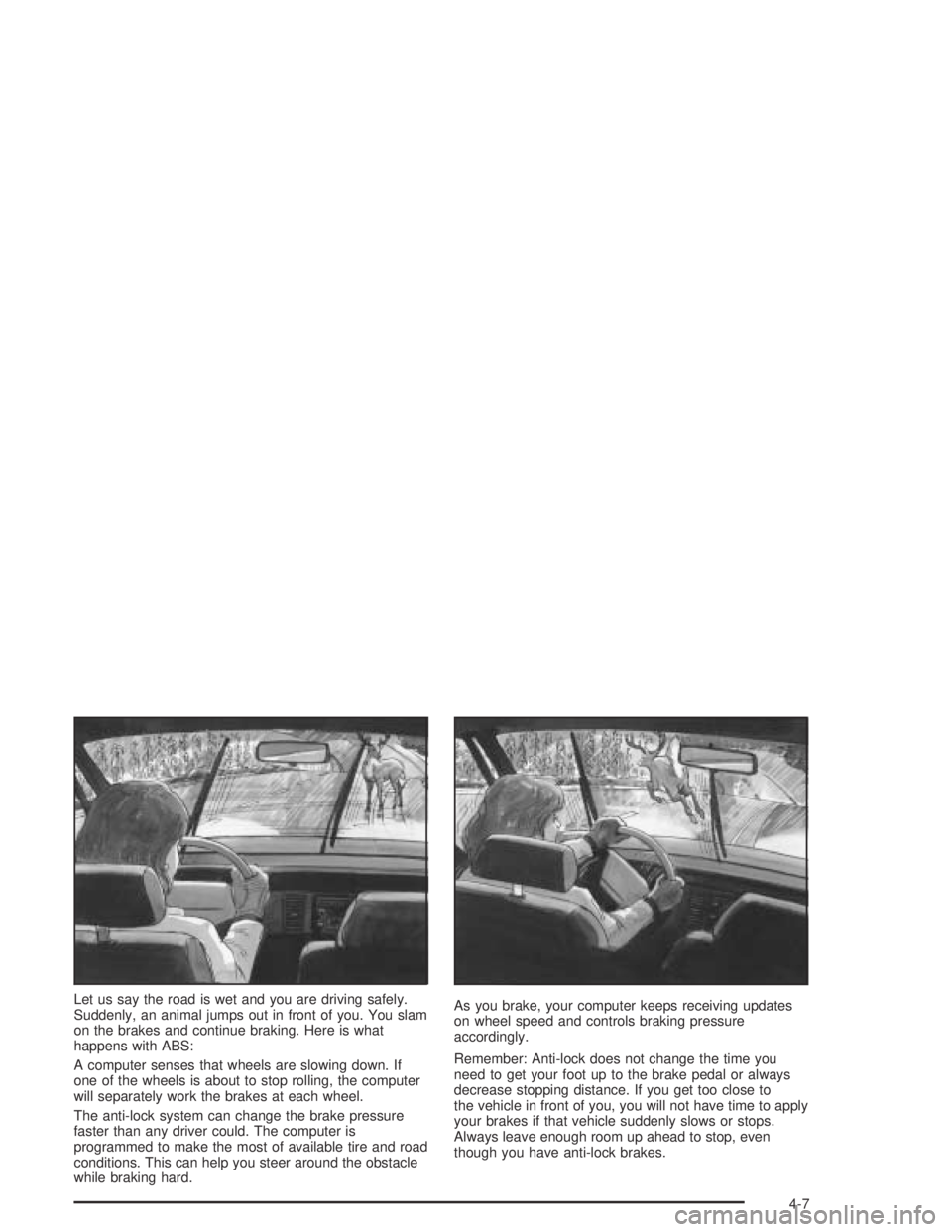
Let us say the road is wet and you are driving safely.
Suddenly, an animal jumps out in front of you. You slam
on the brakes and continue braking. Here is what
happens with ABS:
A computer senses that wheels are slowing down. If
one of the wheels is about to stop rolling, the computer
will separately work the brakes at each wheel.
The anti-lock system can change the brake pressure
faster than any driver could. The computer is
programmed to make the most of available tire and road
conditions. This can help you steer around the obstacle
while braking hard.As you brake, your computer keeps receiving updates
on wheel speed and controls braking pressure
accordingly.
Remember: Anti-lock does not change the time you
need to get your foot up to the brake pedal or always
decrease stopping distance. If you get too close to
the vehicle in front of you, you will not have time to apply
your brakes if that vehicle suddenly slows or stops.
Always leave enough room up ahead to stop, even
though you have anti-lock brakes.
4-7
Page 162 of 326

Using Anti-Lock
Do not pump the brakes. Just hold the brake pedal
down firmly and let anti-lock work for you. You may hear
the anti-lock pump or motor operate, and feel the
brake pedal pulsate, but this is normal.
Braking in Emergencies
With anti-lock, you can steer and brake at the same
time. In many emergencies, steering can help you more
than even the very best braking.
Traction Control System (TCS)
Your vehicle has a Traction Control System (TCS) that
limits wheel spin. This is especially useful in slippery
road conditions. The system operates only if it senses
that one or both of the rear wheels are spinning or
beginning to lose traction. When this happens,
the system reduces engine power and applies the
brakes, as necessary.
Traction control helps you to keep control of the vehicle
and reminds you to match your speed to the road
conditions. In addition, traction control when activated,
provides feedback to the driver by pulsing the
accelerator pedal.You may feel or hear the system working, but this is
normal. The TCS is automatically turned on whenever
the ignition is turned from off to on. A Low Traction
message is displayed on the trip computer, indicating
traction control is limiting wheel spin, until the MODE
button on the trip computer is pressed. The message
then goes back to the original trip computer display with
a small low traction symbol on the left. The symbol
will remain as long as the low traction situation exists.
To limit wheel spin, especially in slippery road
conditions, you should always leave the TCS on.
But you can turn the system off if you prefer.
To turn the system off,
press the T/C button.
On manual transmission
vehicles the button is
located on the driver’s side
of the center console.
On automatic transmission
vehicles the button is
located on the passenger’s
side of the shift lever.
4-8
Page 163 of 326

When you turn the system off, a Traction Ctrl Off
message is displayed on the trip computer. After
two seconds, the display goes back to the original
trip computer display with a small TRAC OFF icon
on the right.
If the Traction Ctrl Off message does not display when
the button is pressed, or if it comes on during driving,
a problem is indicated in the system and traction control
is no longer operational. You should contact your
dealer for service.
Pressing the T/C button again or the next time the
ignition is turned on, will turn the system back on.
The Traction Ctrl On message is displayed on the trip
computer. After two seconds, the display goes back
to the original trip computer display.
Steering
Power Steering
If you lose power steering assist because the engine
stops or the system is not functioning, you can steer but
it will take much more effort.
Steering Tips
Driving on Curves
It is important to take curves at a reasonable speed.
A lot of the “driver lost control” accidents mentioned on
the news happen on curves. Here is why:
Experienced driver or beginner, each of us is subject to
the same laws of physics when driving on curves.
The traction of the tires against the road surface makes
it possible for the vehicle to change its path when
you turn the front wheels. If there is no traction, inertia
will keep the vehicle going in the same direction. If
you have ever tried to steer a vehicle on wet ice, you
will understand this.
The traction you can get in a curve depends on the
condition of your tires and the road surface, the angle at
which the curve is banked, and your speed. While
you are in a curve, speed is the one factor you
can control.
Suppose you are steering through a sharp curve.
Then you suddenly apply the brakes. Both control
systems — steering and braking — have to do their
work where the tires meet the road. Unless you
have four-wheel anti-lock brakes, adding the hard
braking can demand too much of those places.
You can lose control.
4-9
Page 164 of 326

The same thing can happen if you are steering through
a sharp curve and you suddenly accelerate. Those
two control systems — steering and acceleration — can
overwhelm those places where the tires meet the
road and make you lose control. SeeTraction Control
System (TCS) on page 4-8.
What should you do if this ever happens? Ease up on
the brake or accelerator pedal, steer the vehicle the way
you want it to go, and slow down.
Speed limit signs near curves warn that you should
adjust your speed. Of course, the posted speeds
are based on good weather and road conditions. Under
less favorable conditions you will want to go slower.
If you need to reduce your speed as you approach
a curve, do it before you enter the curve, while your front
wheels are straight ahead.
Try to adjust your speed so you can “drive” through the
curve. Maintain a reasonable, steady speed. Wait to
accelerate until you are out of the curve, and then
accelerate gently into the straightaway.Steering in Emergencies
There are times when steering can be more effective
than braking. For example, you come over a hill and find
a truck stopped in your lane, or a car suddenly pulls
out from nowhere, or a child darts out from between
parked cars and stops right in front of you. You
can avoid these problems by braking — if you can stop
in time. But sometimes you can not; there is not
room. That is the time for evasive action — steering
around the problem.
Your vehicle can perform very well in emergencies like
these. First apply your brakes — but, unless you
have anti-lock, not enough to lock your wheels.
SeeBraking on page 4-5. It is better to remove as much
speed as you can from a possible collision. Then
steer around the problem, to the left or right depending
on the space available.
4-10