trunk PONTIAC GTO 2005 User Guide
[x] Cancel search | Manufacturer: PONTIAC, Model Year: 2005, Model line: GTO, Model: PONTIAC GTO 2005Pages: 318, PDF Size: 2.06 MB
Page 111 of 318

The system is turned on if a door is opened, the vehicle
is unlocked, or the trunk is opened. Once the system
is turned on, the one hour battery protection time resets
to zero and the interior lamps will continue to operate
for another hour, or until the vehicle is locked.
The interior lamp system will shut down 10 seconds
after your vehicle is locked using either the key or the
remote key locking system. However, if an interior lamp,
such as the dome lamp, has been turned on manually
and is on at the time the vehicle is locked, the system will
not shut down after the normal 10 seconds. The one hour
battery protection will be activated instead.
The vehicle’s hazard lights will continue to operate at
all times.
Accessory Control
If you want the accessories to operate once the key has
been removed from the ignition, you must turn the
system on by either manually starting an accessory,
such as turning the radio on again. This will activate a
one hour timer that will operate accessories such as
the radio, accessory power outlet, and windshield wipers
before turning off. These actions will reset the timer to
zero. Likewise, if an accessory such as the radio is
turned on at any time during the one hour period, the
timer is reset to zero and all accessories will continue to
operate for another hour. To enable accessory control
after the system has been reset, you must turn the
ignition on and then off again.
Accessory Power Outlets
The vehicle has an
accessory power outlet
which can be used to plug
in electrical equipment.
The accessory power outlet is located inside the center
console. The power outlet is operational when the
ignition is turned to ON, LOCK, or when Retained
Accessories Power is in operation. SeeRetained
Accessory Power (RAP) on page 2-17.
Remove the tethered cap to use the outlet. When
not using the outlet, be sure to cover it with the
protective cap.
Notice:Leaving electrical equipment on for
extended periods will drain the battery. Always turn
off electrical equipment when not in use and do
not plug in equipment that exceeds the maximum
amperage rating.
3-17
Page 132 of 318
Trip Computer Warning Messages
The following messages may appear on the center trip
computer display located on the instrument panel
cluster. If a message is active, it will appear on the
display for 10 seconds, unless the trip computer MODE
button is pressed. Pressing the MODE button will
acknowledge and clear messages from the display.
ABS (Anti-Lock Brake System) Fault
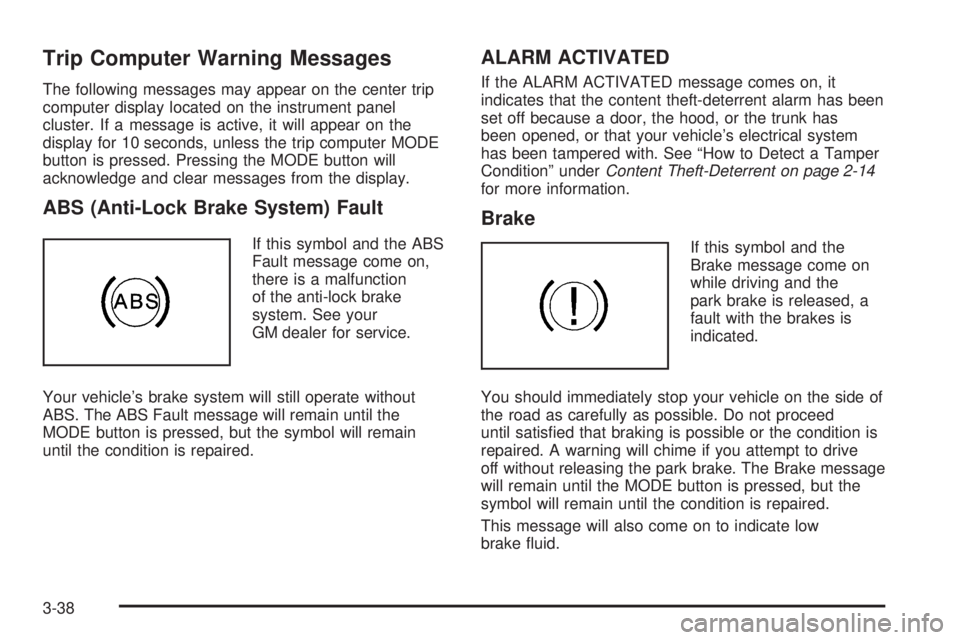
If this symbol and the ABS
Fault message come on,
there is a malfunction
of the anti-lock brake
system. See your
GM dealer for service.
Your vehicle’s brake system will still operate without
ABS. The ABS Fault message will remain until the
MODE button is pressed, but the symbol will remain
until the condition is repaired.
ALARM ACTIVATED
If the ALARM ACTIVATED message comes on, it
indicates that the content theft-deterrent alarm has been
set off because a door, the hood, or the trunk has
been opened, or that your vehicle’s electrical system
has been tampered with. See “How to Detect a Tamper
Condition” underContent Theft-Deterrent on page 2-14
for more information.
Brake
If this symbol and the
Brake message come on
while driving and the
park brake is released, a
fault with the brakes is
indicated.
You should immediately stop your vehicle on the side of
the road as carefully as possible. Do not proceed
until satisfied that braking is possible or the condition is
repaired. A warning will chime if you attempt to drive
off without releasing the park brake. The Brake message
will remain until the MODE button is pressed, but the
symbol will remain until the condition is repaired.
This message will also come on to indicate low
brake fluid.
3-38
Page 176 of 318

Winter Driving
Here are some tips for winter driving:
•Have your vehicle in good shape for winter.
•You may want to put winter emergency supplies in
your trunk.
Also seeTires on page 5-52.Include an ice scraper, a small brush or broom, a
supply of windshield washer fluid, a rag, some winter
outer clothing, a small shovel, a flashlight, a red
cloth, and a couple of reflective warning triangles. And,
if you will be driving under severe conditions, include
a small bag of sand, a piece of old carpet, or a couple of
burlap bags to help provide traction. Be sure you
properly secure these items in your vehicle.
4-24
Page 185 of 318
And, if you do have a heavy load, you should spread
it out.
{CAUTION:
Do not load your vehicle any heavier than the
Gross Vehicle Weight Rating (GVWR), or either
the maximum front or rear Gross Axle Weight
Rating (GAWR). If you do, parts on your
vehicle can break, and it can change the way
your vehicle handles. These could cause you
to lose control and crash. Also, overloading
can shorten the life of your vehicle.
If you put things inside your vehicle — like suitcases,
tools, packages, or anything else — they will go as fast
as the vehicle goes. If you have to stop or turn
quickly, or if there is a crash, they will keep going.
{CAUTION:
Things you put inside your vehicle can strike
and injure people in a sudden stop or turn, or
in a crash.
Put things in the rear area of your vehicle.
Try to spread the weight evenly. If you
have fold-down rear seats, you will nd
four anchors on the back wall of your
trunk. You can use these anchors to tie
down lighter loads. They are not strong
enough for heavy things, however, so put
them as far forward as you can in the
trunk or rear area.
Never stack heavier things, like suitcases,
inside the vehicle so that some of them
are above the tops of the seats.
Do not leave an unsecured child restraint
in your vehicle.
When you carry something inside the
vehicle, secure it whenever you can.
Do not leave a seat folded down unless
you need to.
4-33
Page 196 of 318
Filling a Portable Fuel Container
{CAUTION:
Never ll a portable fuel container while it is in
your vehicle. Static electricity discharge from
the container can ignite the gasoline vapor.
You can be badly burned and your vehicle
damaged if this occurs. To help avoid injury to
you and others:
Dispense gasoline only into approved
containers.
Do not ll a container while it is inside a
vehicle, in a vehicle’s trunk, pickup bed, or
on any surface other than the ground.
Bring the ll nozzle in contact with the
inside of the ll opening before operating
the nozzle. Contact should be maintained
until the lling is complete.
Do not smoke while pumping gasoline.
Checking Things Under
the Hood
{CAUTION:
An electric fan under the hood can start up
and injure you even when the engine is not
running. Keep hands, clothing and tools away
from any underhood electric fan.
{CAUTION:
Things that burn can get on hot engine parts
and start a re. These include liquids like fuel,
oil, coolant, brake uid, windshield washer and
other uids, and plastic or rubber. You or
others could be burned. Be careful not to drop
or spill things that will burn onto a hot engine.
5-10
Page 236 of 318

Taillamps, Turn Signal, Stoplamps
and Back-up Lamps
A. Stoplamp/Taillamp
B. Back-up Lamp
C. Turn Signal Lamp
To replace one of these bulbs, do the following:
1. Open the trunk. SeeTrunk on page 2-8for more
information.2. Remove the two screws that attach the taillamp
assembly to the vehicle.
3. Pull the assembly sideways out from the panel so
that the locating pegs on the side of the lamp
assembly snap free from the clips.
5-50
Page 256 of 318

Removing the Spare Tire and Tools
The equipment you will need is located in the trunk.
The compact spare tire is stored in a compartment,
in the trunk.
1. Open the trunk. SeeTrunk on page 2-8for more
information.
2. Lift the cover to access the compact spare tire
and tools.3. Turn the wing nut on the compact spare tire
counterclockwise and remove it. Then lift the
compact spare tire out of the vehicle. SeeCompact
Spare Tire on page 5-76for more information.
4. Remove the jack, wheel wrench, and nut cap
removal tool from storage. They are stored in a
container in the trunk, under the compact spare tire.
5-70
Page 260 of 318

12. Lower the vehicle by turning the wheel wrench
counterclockwise. Lower the jack completely.
{CAUTION:
Incorrect wheel nuts or improperly tightened
wheel nuts can cause the wheel to come loose
and even come off. This could lead to an
accident. Be sure to use the correct wheel
nuts. If you have to replace them, be sure to
get new GM original equipment wheel nuts.
Stop somewhere as soon as you can and have
the nuts tightened with a torque wrench to the
proper torque specication. SeeCapacities
and Specifications on page 5-90for wheel nut
torque specication.
Notice:Improperly tightened wheel nuts can lead
to brake pulsation and rotor damage. To avoid
expensive brake repairs, evenly tighten the wheel
nuts in the proper sequence and to the proper
torque specication. SeeCapacities and
Specifications on page 5-90for the wheel nut
torque specication.13. Tighten the wheel nuts
firmly in a crisscross
sequence, as shown.
Notice:Wheel covers will not t on your compact
spare. If you try to put a wheel cover on the compact
spare, you could damage the cover or the spare.
Do not try to put a wheel cover on your compact spare
tire. It will not fit. Store a wheel cover in the trunk
until you have the flat tire repaired or replaced.
5-74
Page 261 of 318

Storing a Flat or Spare Tire
and Tools
{CAUTION:
Storing a jack, a tire, or other equipment in the
passenger compartment of the vehicle could
cause injury. In a sudden stop or collision,
loose equipment could strike someone. Store
all these in the proper place.
Store the tools as shown. Place the flat tire in the
compact spare tire well in the compartment in the trunk
floor. Then place the compact spare tire cover over
the flat tire.
The compact spare is for temporary use only. Replace
the compact spare tire with a full-size tire as soon
as you can. SeeCompact Spare Tire on page 5-76.
See the storage instructions label to replace your
compact spare into your trunk properly.
5-75
Page 283 of 318
Maintenance Footnotes
(a)Visually inspect brake lines and hoses for proper
hook-up, binding, leaks, cracks, chafing, etc. Inspect
disc brake pads for wear and rotors for surface
condition. Inspect other brake parts, including calipers,
parking brake, etc.
(b)Visually inspect front and rear suspension and
steering system for damaged, loose, or missing parts or
signs of wear. Inspect power steering lines and hoses
for proper hook-up, binding, leaks, cracks, chafing, etc.
(c)Visually inspect hoses and have them replaced if
they are cracked, swollen, or deteriorated. Inspect
all pipes, fittings and clamps; replace with genuine
GM parts as needed. To help ensure proper operation,
a pressure test of the cooling system and pressure
cap and cleaning the outside of the radiator and
air conditioning condenser is recommended at least
once a year.
(d)Visually inspect wiper blades for wear or cracking.
Replace blade inserts that appear worn or damaged
or that streak or miss areas of the windshield.(e)Make sure the safety belt reminder light and all your
belts, buckles, latch plates, retractors, and anchorages
are working properly. Look for any other loose or
damaged safety belt system parts. If you see anything
that might keep a safety belt system from doing its
job, have it repaired. Have any torn or frayed safety belts
replaced. Also look for any opened or broken airbag
coverings, and have them repaired or replaced.
The airbag system does not need regular maintenance.
(f)Lubricate all key lock cylinders, door hinges and
latches, hood hinges and latches, and trunk lid hinges
and latches. More frequent lubrication may be required
when exposed to a corrosive environment. Applying
silicone grease on weatherstrips with a clean cloth will
make them last longer, seal better, and not stick or
squeak.
6-7