wheel PONTIAC GTO 2005 User Guide
[x] Cancel search | Manufacturer: PONTIAC, Model Year: 2005, Model line: GTO, Model: PONTIAC GTO 2005Pages: 318, PDF Size: 2.06 MB
Page 99 of 318
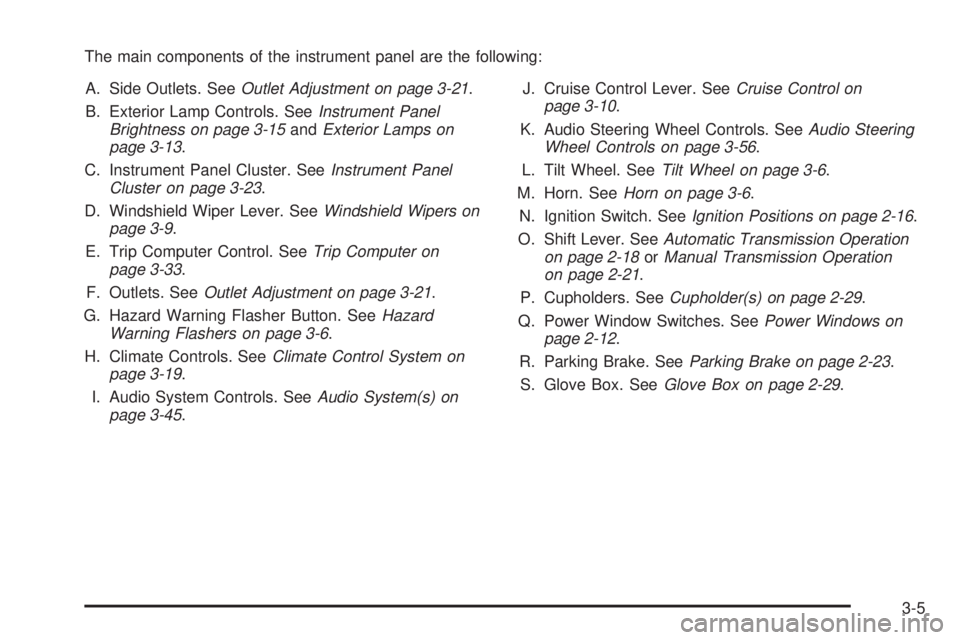
The main components of the instrument panel are the following:
A. Side Outlets. SeeOutlet Adjustment on page 3-21.
B. Exterior Lamp Controls. SeeInstrument Panel
Brightness on page 3-15andExterior Lamps on
page 3-13.
C. Instrument Panel Cluster. SeeInstrument Panel
Cluster on page 3-23.
D. Windshield Wiper Lever. SeeWindshield Wipers on
page 3-9.
E. Trip Computer Control. SeeTrip Computer on
page 3-33.
F. Outlets. SeeOutlet Adjustment on page 3-21.
G. Hazard Warning Flasher Button. SeeHazard
Warning Flashers on page 3-6.
H. Climate Controls. SeeClimate Control System on
page 3-19.
I. Audio System Controls. SeeAudio System(s) on
page 3-45.J. Cruise Control Lever. SeeCruise Control on
page 3-10.
K. Audio Steering Wheel Controls. SeeAudio Steering
Wheel Controls on page 3-56.
L. Tilt Wheel. SeeTilt Wheel on page 3-6.
M. Horn. SeeHorn on page 3-6.
N. Ignition Switch. SeeIgnition Positions on page 2-16.
O. Shift Lever. SeeAutomatic Transmission Operation
on page 2-18orManual Transmission Operation
on page 2-21.
P. Cupholders. SeeCupholder(s) on page 2-29.
Q. Power Window Switches. SeePower Windows on
page 2-12.
R. Parking Brake. SeeParking Brake on page 2-23.
S. Glove Box. SeeGlove Box on page 2-29.
3-5
Page 100 of 318

Hazard Warning Flashers
Your hazard warning flashers let you warn others. They
also let police know you have a problem. Your front
and rear turn signal lamps will flash on and off.
The hazard warning
flasher button is located
near the center of the
instrument panel.
Your hazard warning flashers work no matter what
position your key is in, and even if the key is not in.
Press the button to make the front and rear turn signal
lamps flash on and off. Press the button again to
turn the flashers off.
When the hazard warning flashers are on, your turn
signals will not work.
Other Warning Devices
If you carry reflective triangles, you can set them up at
the side of the road about 300 feet (100 m) behind
your vehicle.
Horn
Press near or on the horn symbols on your steering
wheel pad to sound the horn.
Tilt Wheel
A tilt wheel allows you to adjust the steering wheel
before you drive. You can raise the steering wheel to
the highest level to give your legs more room when you
enter and exit the vehicle.
The lever that allows you to tilt the steering wheel is
located under the steering column.
3-6
Page 101 of 318

To tilt the wheel, pull the lever down. Then move the
wheel to a comfortable position and release the lever to
lock the wheel in place.
Telescopic Steering Column
The steering column also has a telescopic function
which allows the steering wheel to move closer or further
away from the driver.
Turn Signal/Multifunction Lever
The lever on the left side of the steering column
includes the following:
•Turn and Lane-Change Signals. SeeTurn
Signal/Multifunction Lever on page 3-7.
•Headlamp High/Low-Beam Changer. SeeHeadlamp
High/Low-Beam Changer on page 3-8.
•Flash-to-Pass. SeeFlash-to-Pass on page 3-9.
•Cruise Control. SeeCruise Control on page 3-10.
3-7
Page 105 of 318

{CAUTION:
Cruise control can be dangerous where you
cannot drive safely at a steady speed. So, do
not use your cruise control on winding roads
or in heavy traffic.
Cruise control can be dangerous on slippery
roads. On such roads, fast changes in tire
traction can cause needless wheel spinning,
and you could lose control. Do not use cruise
control on slippery roads.
Setting Cruise Control
{CAUTION:
If you leave your cruise control on when you
are not using cruise, you might hit a button
and go into cruise when you do not want to.
You could be startled and even lose control.
Keep the cruise control switch off until you
want to use cruise control.The cruise control lever is on the left side of the
steering column. The ON-OFF/CANCEL switch is at the
end of the lever and is activated by pushing in towards
the direction of the steering column.
To set cruise control, do the following:
1. Turn on the ignition.
2. Press the ON-OFF/CANCEL switch. The CRUISE
message appears on the trip computer.
3. Get up to the speed you want.
4. Rotate the lever down to SET-DECEL. The CRUISE
ACTIVE message appears on the trip computer.
5. Take your foot off the accelerator pedal and release
the cruise control lever.
Adjusting Speed While Using Cruise
Control
You may do one of the following:
•Turn the lever down to SET-DECEL until the car
slows down to the desired speed, then release it.
•Turn the lever up to RES-ACCEL until the car
accelerates up to the desired speed, then release it.
Minor changes in speed can be achieved by
momentarily turning the lever up or down. When
reducing speed, remember that the cruise control is not
designed to operate under 25 mph (40 km/h).
3-11
Page 107 of 318

Exterior Lamps
The switch to the left of
the steering wheel on the
instrument panel controls
the following:
;(Parking Lamps):Turn the switch to this position
to turn on the parking lamps, together with the
taillamps, sidemarker lamps, license plate lamps, and
instrument panel lights.
2(Headlamps):Turn the switch to this position to
turn on the headlamps, together with the parking lamps,
taillamps, sidemarker lamps, and license plate lamps.AUTO (Automatic Headlamps):Turn the switch to
AUTO to provide for automatic operation of the
headlamps, taillamps, sidemarker lamps, and parking
lamps. For more information seeAutomatic Headlamp
System on page 3-14.
9(Off):Turn the switch to this position to turn all
lamps off.
Headlamps
When the headlamps are switched on, the instrument
panel is automatically illuminated. Once illuminated, you
can adjust their brightness. Some illuminated areas
of the vehicle have been linked to the brightness control,
such as the trip computer, headlamp switch, radio,
etc. This means that the interior lights can be adjusted
to your preference. When the headlamps are turned
off and back on again, the brightness level reverts to the
last adjusted setting.
Your vehicle is designed to provide additional security,
when returning to the vehicle at night. When the
UNLOCK or LOCK button on the key is used, the car’s
exterior lights will come on for a preset time or until
the car is relocked. This feature only works if the
headlamp control is in the AUTO or headlamp positions.
To set or adjust the time the headlamps stay on after
the UNLOCK button has been pressed, seeVehicle
Personalization on page 2-30.
3-13
Page 109 of 318

To prevent the battery from draining, the headlamp and
parking lamps will turn off when the ignition has been
turned off and the driver’s door is opened, because the
vehicle senses that the driver has forgotten to turn
off the lights. The lights stay off until the ignition is again
turned on, or the lights are turned back on manually
by the headlamp switch. The headlamps can be set to
automatically turn off after you have locked the
vehicle and walked away. To set or adjust the time
delay from when the driver’s door is opened to when the
lights automatically turn off, seeVehicle Personalization
on page 2-30. If you wish to have the lights on when
leaving the vehicle, wait until they have been
automatically turned off, then turn the light control first
to off, then to parking lamps or headlamps.
Fog Lamps
The control to the left of the steering wheel on the
instrument panel also controls the fog lamps.
-(Fog Lamp):When using the fog lamps, the
ignition must be on and the parking lamps or the
low-beam headlamps. If the high-beam headlamps are
activated or flashed, the fog lamps will turn off.
Pull the exterior lamp adjuster control out to turn the fog
lamps on, and push the control in to turn the fog
lamps off. The indicator light in the knob will come on
when the fog lamps are working.
Instrument Panel Brightness
Slide the control to
increase or decrease
the instrument
panel brightness.
Courtesy Lamps
When a door is open, the courtesy lamps will
automatically come on.
3-15
Page 115 of 318
1(Defrost):This mode directs the air to the
windshield. When you select this mode, the system
turns off recirculation automatically. The recirculation
mode cannot be selected while in the defrost mode. Do
not drive the vehicle until the windscreen is clear
To help clear the windscreen quickly, do the following:
1. Select the defrost mode.
2. Select the highest temperature.
3. Select the highest fan speed.
4. Select A/C.
Rear Window Defogger
The rear window defogger uses a warming grid to
remove fog or frost from the rear window.
<(Rear Defogger):Press this button on the right
dial to turn the rear window defogger on or off. An
indicator light in the button will come on to let your know
that the rear window defogger is activated. Be sure to
clear as much snow from the rear window as possible.
The rear window defogger will turn off about 15 minutes
after the button is pressed. The defogger can also
be turned off by pressing the button again or by turning
off the engine.Notice:Do not use anything sharp on the inside of
the rear window. If you do, you could cut or
damage the warming grid, and the repairs would not
be covered by your warranty. Do not attach a
temporary vehicle license, tape, a decal or anything
similar to the defogger grid.
Outlet Adjustment
Move the thumbwheel on the vents to change the
direction of the airflow. The center thumbwheel adjusts
the volume of the airflow.
There are also similar vents for the rear of the vehicle.
They are located at the rear of the center console.
Operation Tips
•Clear away any ice, snow or leaves from the air
inlets at the base of the windshield that may
block the flow of air into your vehicle.
•Use of non-GM approved hood deflectors may
adversely affect performance of the system.
•When an objectionable odor outside the vehicle is
encountered, use the recirculation mode, with the
temperature knob at a comfortable setting to prevent
the odor from entering the vehicle through the
ventilation system. This can be helpful when driving
through a long tunnel with poor ventilation.
However, extended usage of this mode in cold or
cool weather can cause window fogging.
3-21
Page 135 of 318

The display then returns to
the original trip computer
display with a small
low fuel symbol on the left.
The symbol will remain until the fuel tank is filled above
the low fuel level.
Low Traction
If this symbol and the Low
Traction message come on
while driving, the traction
control system is
limiting wheel spin.
The Low Traction message displays as long as a low
traction event is occurring. If the MODE button is
pressed while the message is still displayed, then the
message returns to the original trip computer display
with a small low traction symbol on the left. The symbol
will remain as long as the low traction situation exits.
SeeTraction Control System (TCS) on page 4-8.
O/Speed (Overspeed)
When your vehicle’s speed exceeds the pre-selected
overspeed setting, the overspeed warning message and
an audible chime warn you that you are speeding.
If the overspeed is maintained for longer than
10 seconds, but is less than 9 mph (15 km/h) over the
set overspeed value, the overspeed returns to the
original trip computer display with an O/SPEED
message on the left.
If the overspeed is maintained for longer than
10 seconds and is more than 9 mph (15 km/h) over the
set overspeed value, the overspeed returns to a
flashing O/SPEED message.
See “O/SPEED (Overspeed)” earlier in this section for
more information.
3-41
Page 150 of 318

Audio Steering Wheel Controls
If your vehicle has this feature, some audio controls can
be adjusted at the steering wheel. They include the
following:
MODE:Press this button to switch between FM1, FM2,
AM, or CD.
QNEXT:Press this button to go to the next radio
station and stay there. The radio will only seek stations
with a strong signal that are in the selected band.
When a CD is playing, press and release this button to
go to the next track. Press and hold this button to
go to the next CD, if multiple CDs are loaded.
NEXT
R:Press this button to go to the previous
radio station and stay there. The radio will only seek
stations with a strong signal that are in the
selected band.
When a CD is playing, press and release this button to
go to the previous track. Press and hold this button
to go to the previous CD, if multiple CDs are loaded.
MUTE:Press this button to silence the system. Press it
again, or any other radio button, to turn on the sound.
QVOL (Volume):Press this button to increase
the volume.
VOL
R(Volume):Press this button to decrease
the volume.
3-56
Page 159 of 318
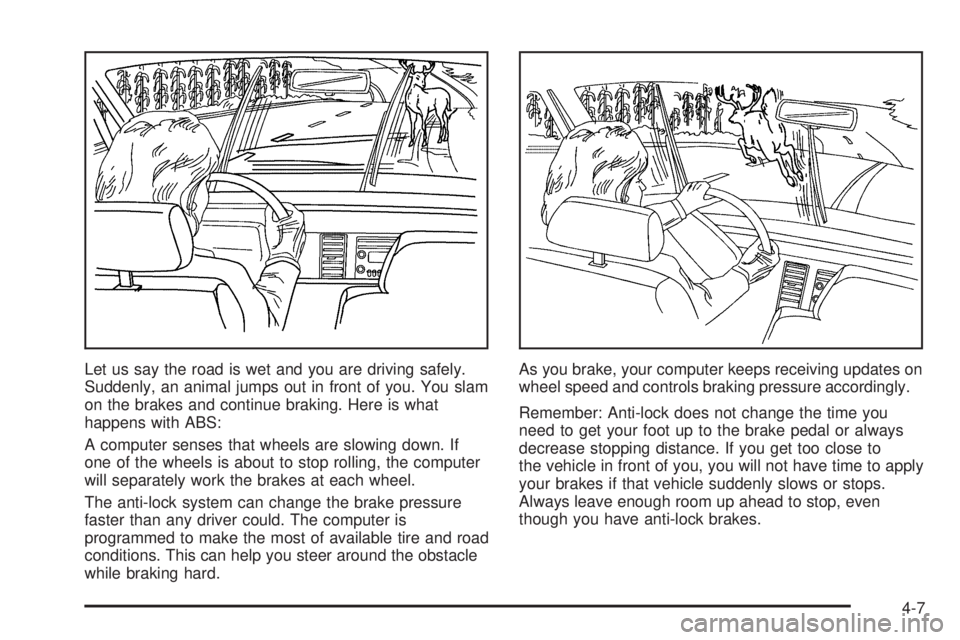
Let us say the road is wet and you are driving safely.
Suddenly, an animal jumps out in front of you. You slam
on the brakes and continue braking. Here is what
happens with ABS:
A computer senses that wheels are slowing down. If
one of the wheels is about to stop rolling, the computer
will separately work the brakes at each wheel.
The anti-lock system can change the brake pressure
faster than any driver could. The computer is
programmed to make the most of available tire and road
conditions. This can help you steer around the obstacle
while braking hard.As you brake, your computer keeps receiving updates on
wheel speed and controls braking pressure accordingly.
Remember: Anti-lock does not change the time you
need to get your foot up to the brake pedal or always
decrease stopping distance. If you get too close to
the vehicle in front of you, you will not have time to apply
your brakes if that vehicle suddenly slows or stops.
Always leave enough room up ahead to stop, even
though you have anti-lock brakes.
4-7