center console PONTIAC GTO 2005 Owners Manual
[x] Cancel search | Manufacturer: PONTIAC, Model Year: 2005, Model line: GTO, Model: PONTIAC GTO 2005Pages: 318, PDF Size: 2.06 MB
Page 59 of 318
Keys...............................................................2-2
Remote Keyless Entry System.........................2-4
Remote Keyless Entry System Operation...........2-5
Doors and Locks.............................................2-7
Door Locks....................................................2-7
Programmable Automatic Door Locks................2-8
Trunk............................................................2-8
Windows........................................................2-11
Power Windows............................................2-12
Sun Visors...................................................2-12
Theft-Deterrent Systems..................................2-13
Immobilizer..................................................2-13
Immobilizer Operation....................................2-13
Content Theft-Deterrent.................................2-14
Starting and Operating Your Vehicle................2-15
New Vehicle Break-In....................................2-15
Ignition Positions..........................................2-16
Retained Accessory Power (RAP)...................2-17
Starting the Engine.......................................2-17
Racing or Other Competitive Driving................2-18Automatic Transmission Operation...................2-18
Manual Transmission Operation......................2-21
Parking Brake..............................................2-23
Shifting Into Park (P)
(Automatic Transmission)............................2-24
Shifting Out of Park (P)
(Automatic Transmission)............................2-25
Parking Over Things That Burn.......................2-26
Engine Exhaust............................................2-26
Running the Engine While Parked...................2-27
Mirrors...........................................................2-28
Manual Rearview Mirror.................................2-28
Outside Power Mirrors...................................2-28
Outside Convex Mirror...................................2-28
Storage Areas................................................2-29
Glove Box...................................................2-29
Cupholder(s)................................................2-29
Front Storage Area.......................................2-29
Center Console Storage Area.........................2-29
Vehicle Personalization...................................2-30
Section 2 Features and Controls
2-1
Page 83 of 318

Torque Lock (Automatic Transmission)
If you are parking on a hill and you do not shift your
transmission into PARK (P) properly, the weight of the
vehicle may put too much force on the parking pawl
in the transmission. You may find it difficult to move
the shift lever out of PARK (P). This is called torque lock.
To prevent torque lock, set the parking brake and
then shift into PARK (P) properly before you leave the
driver’s seat. To find out how, seeShifting Into Park (P)
(Automatic Transmission) on page 2-24.
When you are ready to drive, move the shift lever out of
PARK (P) before you release the parking brake.
If torque lock does occur, you may need to have another
vehicle push your vehicle uphill. This should take some of
the pressure from the parking pawl in the transmission,
so you can move the shift lever out of PARK (P).
Shifting Out of Park (P)
(Automatic Transmission)
Your vehicle has an automatic transmission shift lock
control system. You must fully apply your regular brakes
before you can press the button on the shift lever to
shift from PARK (P) while the ignition is ON. See
Automatic Transmission Operation on page 2-18.If you cannot shift out of PARK (P), ease pressure on
the shift lever by pushing it all the way into PARK (P)
while keeping the brake pedal down. Release the
shift lever button. Then move the shift lever out of
PARK (P), being sure to press the shift lever button.
Shift Lock Release
If you ever hold the brake pedal down but still cannot
shift out of PARK (P), try this:
1. Turn the ignition to LOCK to remove the key.
2. Remove the front console rubber insert, located in
front of the shift lever, by lifting upwards.
3. Remove the screw slightly to the right of the
front center.
4. Open the console storage compartment and pry
the console cover assembly from the console.
The cover is attached in six places.
5. Insert a tool into the opening in front of the shift
lever and move the yellow release lever forward.
6. Press the button on the shift lever to move lever out
of park.
7. Replace the console cap.
8. Have the vehicle fixed as soon as possible.
2-25
Page 87 of 318

Storage Areas
Glove Box
Use the glovebox key to lock and unlock the glovebox.
For security, the master key is designed not to
operate the glovebox lock. SeeKeys on page 2-2.
To lock, insert the key, turn clockwise and then remove.
To unlock, insert the key and turn counterclockwise
and remove.
To open, pull the handle to the left and pull the glove
box door down until it stops and is fully open.
Cupholder(s)
The two cupholders are located in front of the center
console storage area.
Front Storage Area
There is one storage compartment located under the
audio system and one located in the rear of the center
console. Push the cover once to open them.
An open bin is also provided under the front storage
compartment.
Center Console Storage Area
Your vehicle has a center console storage area.
To open the storage area, pull up on the latch at the
front edge of the cover.
2-29
Page 111 of 318

The system is turned on if a door is opened, the vehicle
is unlocked, or the trunk is opened. Once the system
is turned on, the one hour battery protection time resets
to zero and the interior lamps will continue to operate
for another hour, or until the vehicle is locked.
The interior lamp system will shut down 10 seconds
after your vehicle is locked using either the key or the
remote key locking system. However, if an interior lamp,
such as the dome lamp, has been turned on manually
and is on at the time the vehicle is locked, the system will
not shut down after the normal 10 seconds. The one hour
battery protection will be activated instead.
The vehicle’s hazard lights will continue to operate at
all times.
Accessory Control
If you want the accessories to operate once the key has
been removed from the ignition, you must turn the
system on by either manually starting an accessory,
such as turning the radio on again. This will activate a
one hour timer that will operate accessories such as
the radio, accessory power outlet, and windshield wipers
before turning off. These actions will reset the timer to
zero. Likewise, if an accessory such as the radio is
turned on at any time during the one hour period, the
timer is reset to zero and all accessories will continue to
operate for another hour. To enable accessory control
after the system has been reset, you must turn the
ignition on and then off again.
Accessory Power Outlets
The vehicle has an
accessory power outlet
which can be used to plug
in electrical equipment.
The accessory power outlet is located inside the center
console. The power outlet is operational when the
ignition is turned to ON, LOCK, or when Retained
Accessories Power is in operation. SeeRetained
Accessory Power (RAP) on page 2-17.
Remove the tethered cap to use the outlet. When
not using the outlet, be sure to cover it with the
protective cap.
Notice:Leaving electrical equipment on for
extended periods will drain the battery. Always turn
off electrical equipment when not in use and do
not plug in equipment that exceeds the maximum
amperage rating.
3-17
Page 112 of 318

Certain electrical accessories may not be compatible
with the accessory power outlet and could result
in blown vehicle or adapter fuses. If you experience a
problem, see your dealer for additional information
on accessory power outlets.
Notice:Adding any electrical equipment to your
vehicle may damage it or keep other components
from working as they should. The repairs would not
be covered by your warranty. Check with your
dealer before adding electrical equipment.
When adding electrical equipment, be sure to follow the
proper installation instructions included with the
electrical equipment you install.
Notice:Improper use of the power outlet can cause
damage not covered by your warranty. Do not
hang any type of accessory or accessory bracket
from the plug because the power outlets are
designed for accessory power plugs only.
Ashtrays and Cigarette Lighter
Notice:If you put papers, pins, or other ammable
items in the ashtray, hot cigarettes or other
smoking materials could ignite them and possibly
damage your vehicle. Never put ammable items in
the ashtray.
Ashtray
If your vehicle has this accessory, the front ashtray is
located in the center of the instrument panel under
the audio controls. The rear ashtray is located at the rear
of the center console. To use the ashtray, push the
cover inwards and the ashtray will slide open.
To empty the ashtray, open it and grip it at the
depressions located on each side. Then pull the
ashtray out.
Cigarette Lighter
Notice:Holding a cigarette lighter in while it is
heating will not allow the lighter to back away from
the heating element when it is hot. Damage from
overheating may occur to the lighter or heating
element, or a fuse could be blown. Do not hold a
cigarette lighter in while it is heating.
If your vehicle has this accessory, the cigarette lighter is
located inside the ashtray and can be operated
whenever the ignition is turned on.
Press the lighter all the way in and release it. It will pop
back out once the element is ready for use.
The cigarette lighter should not be used as an accessory
power outlet. Use the accessory power outlet provided
in the center console.
3-18
Page 115 of 318
1(Defrost):This mode directs the air to the
windshield. When you select this mode, the system
turns off recirculation automatically. The recirculation
mode cannot be selected while in the defrost mode. Do
not drive the vehicle until the windscreen is clear
To help clear the windscreen quickly, do the following:
1. Select the defrost mode.
2. Select the highest temperature.
3. Select the highest fan speed.
4. Select A/C.
Rear Window Defogger
The rear window defogger uses a warming grid to
remove fog or frost from the rear window.
<(Rear Defogger):Press this button on the right
dial to turn the rear window defogger on or off. An
indicator light in the button will come on to let your know
that the rear window defogger is activated. Be sure to
clear as much snow from the rear window as possible.
The rear window defogger will turn off about 15 minutes
after the button is pressed. The defogger can also
be turned off by pressing the button again or by turning
off the engine.Notice:Do not use anything sharp on the inside of
the rear window. If you do, you could cut or
damage the warming grid, and the repairs would not
be covered by your warranty. Do not attach a
temporary vehicle license, tape, a decal or anything
similar to the defogger grid.
Outlet Adjustment
Move the thumbwheel on the vents to change the
direction of the airflow. The center thumbwheel adjusts
the volume of the airflow.
There are also similar vents for the rear of the vehicle.
They are located at the rear of the center console.
Operation Tips
•Clear away any ice, snow or leaves from the air
inlets at the base of the windshield that may
block the flow of air into your vehicle.
•Use of non-GM approved hood deflectors may
adversely affect performance of the system.
•When an objectionable odor outside the vehicle is
encountered, use the recirculation mode, with the
temperature knob at a comfortable setting to prevent
the odor from entering the vehicle through the
ventilation system. This can be helpful when driving
through a long tunnel with poor ventilation.
However, extended usage of this mode in cold or
cool weather can cause window fogging.
3-21
Page 161 of 318
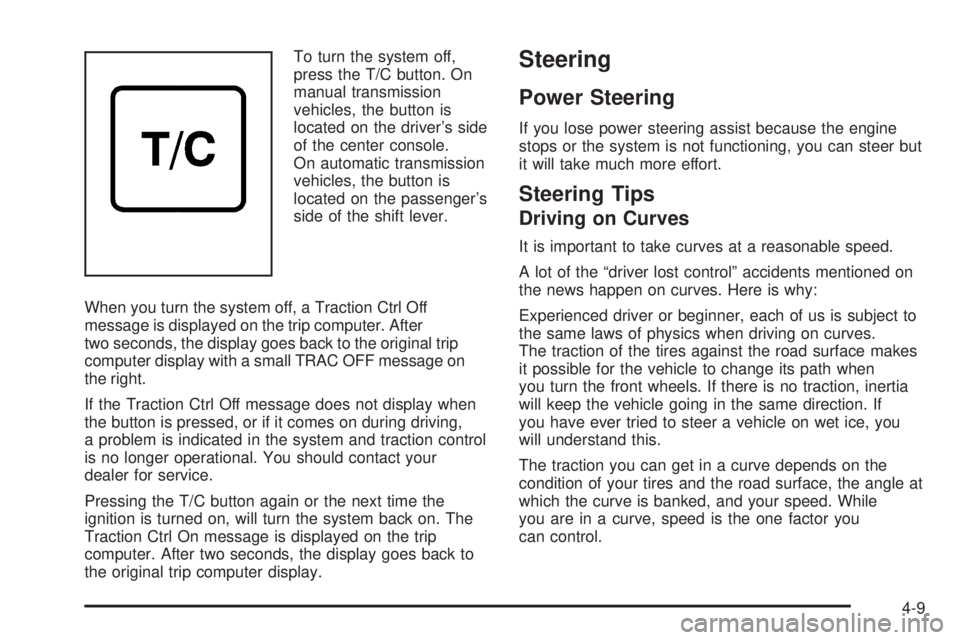
To turn the system off,
press the T/C button. On
manual transmission
vehicles, the button is
located on the driver’s side
of the center console.
On automatic transmission
vehicles, the button is
located on the passenger’s
side of the shift lever.
When you turn the system off, a Traction Ctrl Off
message is displayed on the trip computer. After
two seconds, the display goes back to the original trip
computer display with a small TRAC OFF message on
the right.
If the Traction Ctrl Off message does not display when
the button is pressed, or if it comes on during driving,
a problem is indicated in the system and traction control
is no longer operational. You should contact your
dealer for service.
Pressing the T/C button again or the next time the
ignition is turned on, will turn the system back on. The
Traction Ctrl On message is displayed on the trip
computer. After two seconds, the display goes back to
the original trip computer display.Steering
Power Steering
If you lose power steering assist because the engine
stops or the system is not functioning, you can steer but
it will take much more effort.
Steering Tips
Driving on Curves
It is important to take curves at a reasonable speed.
A lot of the “driver lost control” accidents mentioned on
the news happen on curves. Here is why:
Experienced driver or beginner, each of us is subject to
the same laws of physics when driving on curves.
The traction of the tires against the road surface makes
it possible for the vehicle to change its path when
you turn the front wheels. If there is no traction, inertia
will keep the vehicle going in the same direction. If
you have ever tried to steer a vehicle on wet ice, you
will understand this.
The traction you can get in a curve depends on the
condition of your tires and the road surface, the angle at
which the curve is banked, and your speed. While
you are in a curve, speed is the one factor you
can control.
4-9
Page 308 of 318

B
Backglass Antenna..........................................3-58
Battery..........................................................5-39
Run-Down Protection...................................3-16
Before Leaving on a Long Trip.........................4-20
Brake
Anti-Lock Brake System (ABS)........................ 4-6
Emergencies................................................ 4-8
Parking......................................................2-23
System Warning Light..................................3-27
Brakes..........................................................5-36
Braking........................................................... 4-5
Braking in Emergencies..................................... 4-8
Break-In, New Vehicle.....................................2-15
Bulb Replacement...........................................5-47
Front Turn Signal and Parking Lamps.............5-49
Halogen Bulbs............................................5-47
Headlamp Aiming........................................5-45
Headlamps.................................................5-47
Replacement Bulbs......................................5-51
Taillamps, Turn Signal, Stoplamps and
Back-up Lamps........................................5-50
Buying New Tires...........................................5-64
C
California Fuel.................................................. 5-6
Capacities and Specifications............................5-90
Carbon Monoxide.....................2-8, 2-26, 4-24, 4-34
Care of
Safety Belts................................................5-79
Your CD Player...........................................3-57
Your CDs ...................................................3-57
Center Console Storage Area...........................2-29
Chains, Tire...................................................5-67
Charging System Light....................................3-26
Check
Engine Light...............................................3-28
Checking Things Under the Hood......................5-10
Chemical Paint Spotting...................................5-83
Child Restraints
Child Restraint Systems...............................1-31
Infants and Young Children...........................1-28
Lower Anchorages and Top Tethers for
Children (LATCH System)..........................1-37
Older Children.............................................1-25
Securing a Child Restraint Designed for the
LATCH System........................................1-39
2
Page 316 of 318

Service (cont.)
Engine Soon Light.......................................3-28
Publications Ordering Information...................7-11
Servicing Your Airbag-Equipped Vehicle..............1-50
Setting the Time.............................................3-45
Sheet Metal Damage.......................................5-82
Shifting Into Park (P).......................................2-24
Shifting Out of Park (P)...................................2-25
Shoulder Belt Height Adjuster...........................1-18
Signals, Turn and Lane-Change.......................... 3-8
Spare Tire
Compact....................................................5-76
Installing....................................................5-71
Removing...................................................5-70
Storing.......................................................5-75
Specifications, Capacities.................................5-90
Speedometer..................................................3-24
Starting Your Engine.......................................2-17
Steering.......................................................... 4-9
Steering Wheel Controls, Audio.........................3-56
Steering Wheel, Tilt Wheel................................. 3-6
Storage Areas
Center Console Storage Area........................2-29
Cupholder(s)...............................................2-29
Front Storage Area......................................2-29
Glove Box..................................................2-29
Stuck in Sand, Mud, Ice or Snow......................4-28
Sun Visors.....................................................2-12T
Tachometer....................................................3-24
Taillamps
Turn Signal, Stoplamps and Back-up Lamps....5-50
Theft-Deterrent, Radio.....................................3-55
Theft-Deterrent Systems...................................2-13
Content Theft-Deterrent................................2-14
Immobilizer.................................................2-13
Immobilizer Operation...................................2-13
Tilt Wheel........................................................ 3-6
Tires.............................................................5-52
Aluminum Wheels, Cleaning..........................5-81
Buying New Tires........................................5-64
Chains.......................................................5-67
Changing a Flat Tire....................................5-68
Cleaning....................................................5-82
Compact Spare Tire.....................................5-76
If a Tire Goes Flat.......................................5-68
Inflation -- Tire Pressure...............................5-59
Inspection and Rotation................................5-62
Installing the Spare Tire................................5-71
Removing the Flat Tire.................................5-71
Removing the Spare Tire and Tools...............5-70
Storing a Flat or Spare Tire and Tools............5-75
Tire Sidewall Labelling..................................5-54
Tire Terminology and Definitions....................5-56
Uniform Tire Quality Grading.........................5-64
10