service schedule PONTIAC GTO 2005 Owners Manual
[x] Cancel search | Manufacturer: PONTIAC, Model Year: 2005, Model line: GTO, Model: PONTIAC GTO 2005Pages: 318, PDF Size: 2.06 MB
Page 1 of 318
Seats and Restraint Systems........................... 1-1
Front Seats
............................................... 1-2
Safety Belts
.............................................. 1-6
Child Restraints
.......................................1-25
Airbag System
.........................................1-44
Restraint System Check
............................1-50
Features and Controls..................................... 2-1
Keys
........................................................ 2-2
Doors and Locks
....................................... 2-7
Windows
.................................................2-11
Theft-Deterrent Systems
............................2-13
Starting and Operating Your Vehicle
...........2-15
Mirrors
....................................................2-28
Storage Areas
.........................................2-29
Vehicle Personalization
.............................2-30
Instrument Panel............................................. 3-1
Instrument Panel Overview
.......................... 3-4
Climate Controls
......................................3-19
Warning Lights, Gages, and Indicators
........3-22
Trip Computer
.........................................3-33
Audio System(s)
.......................................3-45Driving Your Vehicle....................................... 4-1
Your Driving, the Road, and Your Vehicle
..... 4-2
Towing
...................................................4-34
Service and Appearance Care.......................... 5-1
Service
..................................................... 5-3
Fuel
......................................................... 5-5
Checking Things Under the Hood
...............5-10
Headlamp Aiming
.....................................5-45
Bulb Replacement
....................................5-47
Windshield Wiper Blade Replacement
.........5-52
Tires
......................................................5-52
Appearance Care
.....................................5-76
Vehicle Identification
.................................5-85
Electrical System
......................................5-85
Capacities and Specifications
.....................5-90
Maintenance Schedule..................................... 6-1
Maintenance Schedule
................................ 6-2
Customer Assistance and Information.............. 7-1
Customer Assistance and Information
........... 7-2
Reporting Safety Defects
...........................7-10
Index................................................................ 1
2005 Pontiac GTO Owner ManualM
Page 133 of 318
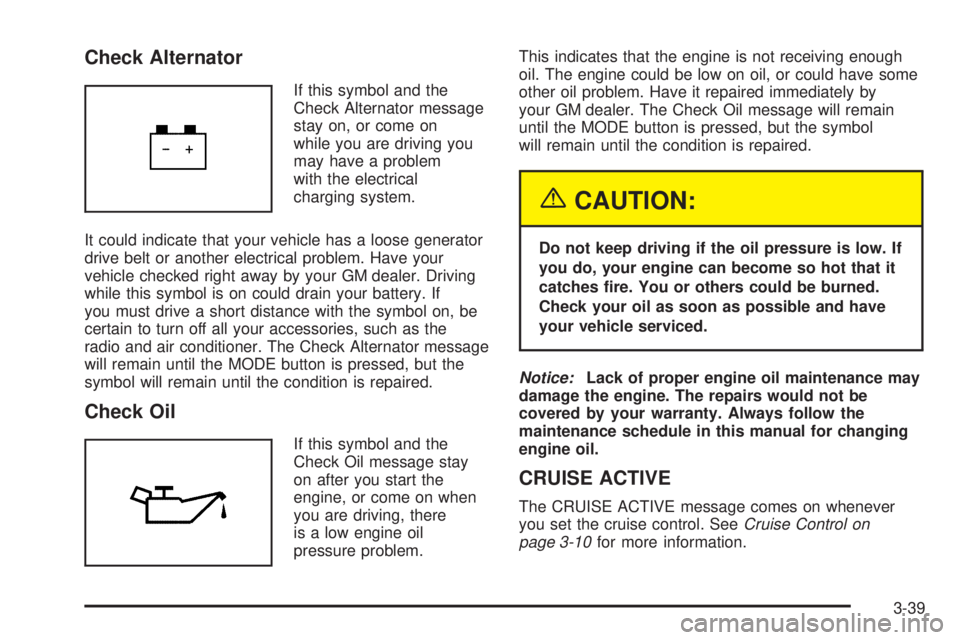
Check Alternator
If this symbol and the
Check Alternator message
stay on, or come on
while you are driving you
may have a problem
with the electrical
charging system.
It could indicate that your vehicle has a loose generator
drive belt or another electrical problem. Have your
vehicle checked right away by your GM dealer. Driving
while this symbol is on could drain your battery. If
you must drive a short distance with the symbol on, be
certain to turn off all your accessories, such as the
radio and air conditioner. The Check Alternator message
will remain until the MODE button is pressed, but the
symbol will remain until the condition is repaired.
Check Oil
If this symbol and the
Check Oil message stay
on after you start the
engine, or come on when
you are driving, there
is a low engine oil
pressure problem.This indicates that the engine is not receiving enough
oil. The engine could be low on oil, or could have some
other oil problem. Have it repaired immediately by
your GM dealer. The Check Oil message will remain
until the MODE button is pressed, but the symbol
will remain until the condition is repaired.
{CAUTION:
Do not keep driving if the oil pressure is low. If
you do, your engine can become so hot that it
catches re. You or others could be burned.
Check your oil as soon as possible and have
your vehicle serviced.
Notice:Lack of proper engine oil maintenance may
damage the engine. The repairs would not be
covered by your warranty. Always follow the
maintenance schedule in this manual for changing
engine oil.
CRUISE ACTIVE
The CRUISE ACTIVE message comes on whenever
you set the cruise control. SeeCruise Control on
page 3-10for more information.
3-39
Page 136 of 318

Rest Reminder
This symbol and message
alert you when you may
have been travelling for too
long without a break.
After the ignition is turned to ON, a timer will start. After
two hours of continuous driving, the trip computer
automatically shows the rest reminder display. See
“REST REMINDER” underVehicle Personalization on
page 2-30for more information.
Service Engine Oil
If this symbol and the
Service Engine Oil
message come on after
you start the engine,
it means that service is
required for your vehicle.
See your GM dealer.
SeeScheduled Maintenance on page 6-4andEngine
Oil on page 5-13for more information.
Service Error (X Symbol)
If the Service Error message or the X symbol comes on,
it indicates a fault in the trip computer. See your
GM dealer for service.
Service Vehicle Soon
This symbol and the
Service Vehicle Soon
message will come on and
a chime will sound if
there is a problem with
your vehicle.
When this message displays, see your GM dealer as
soon as possible.
The Service Vehicle Soon message will display until the
MODE button is pressed. The message then returns
to the original trip computer display with a small
SVS message on the right. The SVS message will
remain until the condition is repaired.
3-42
Page 208 of 318
How to Add Fluid
Here is how to add fluid. Refer to the Maintenance
Schedule to determine what kind of fluid to use. See
Recommended Fluids and Lubricants on page 6-12.
1. Remove the reverse light switch.
2. Add fluid at the switch hole. Add only enough
fluid to bring the fluid level up to the bottom of
the switch hole.
3. Install the reverse light switch. Be sure the switch is
fully seated.
Hydraulic Clutch
The clutch fluid level should be checked weekly. A fluid
loss in this system could indicate a problem. If the
clutch fluid requires constant filling it could indicate a
leak. Have the system inspected and repaired by
your dealer. Adding fluid will not correct a leak.
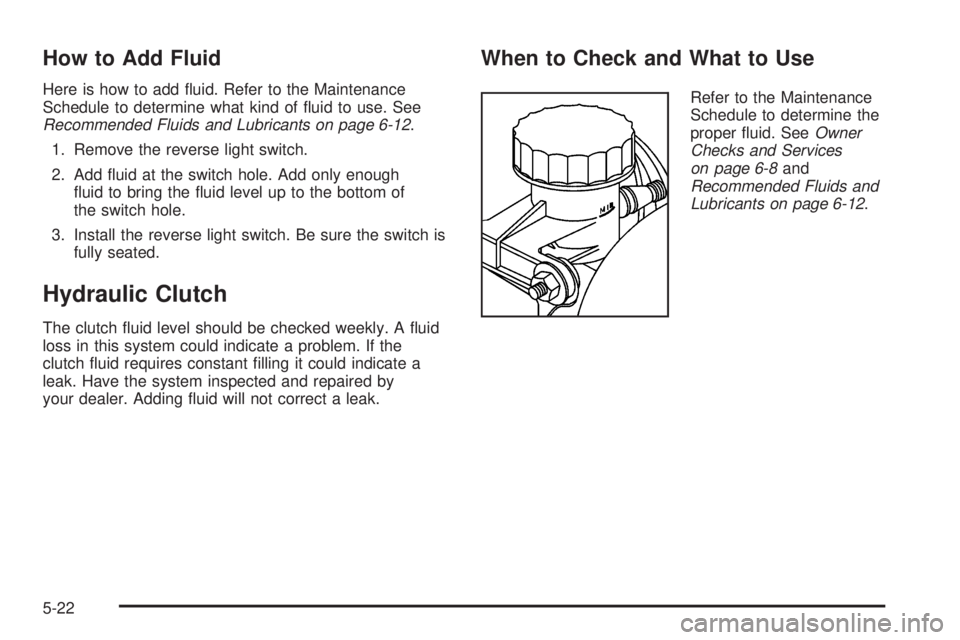
When to Check and What to Use
Refer to the Maintenance
Schedule to determine the
proper fluid. SeeOwner
Checks and Services
on page 6-8and
Recommended Fluids and
Lubricants on page 6-12.
5-22
Page 216 of 318
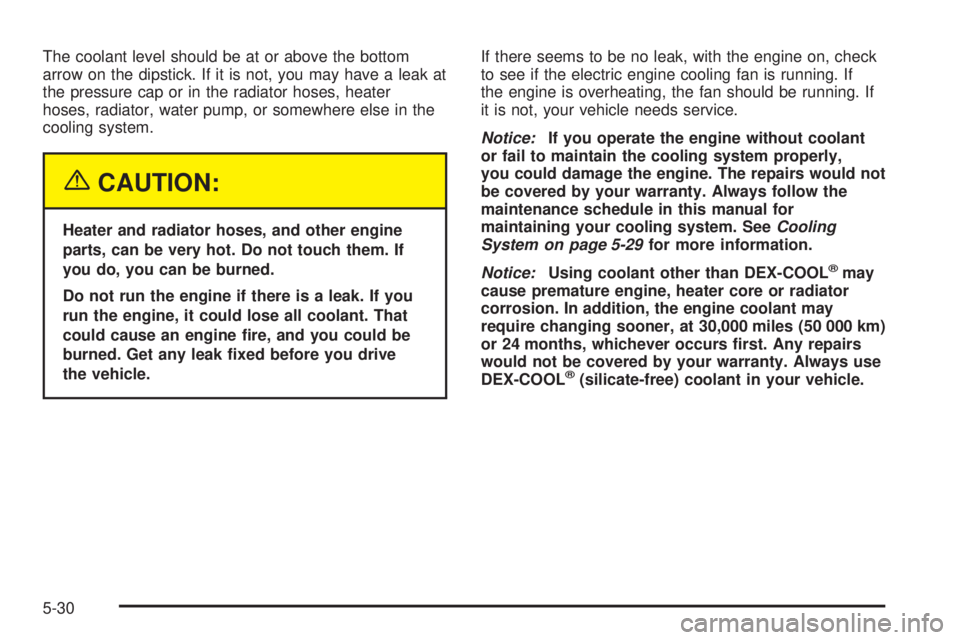
The coolant level should be at or above the bottom
arrow on the dipstick. If it is not, you may have a leak at
the pressure cap or in the radiator hoses, heater
hoses, radiator, water pump, or somewhere else in the
cooling system.
{CAUTION:
Heater and radiator hoses, and other engine
parts, can be very hot. Do not touch them. If
you do, you can be burned.
Do not run the engine if there is a leak. If you
run the engine, it could lose all coolant. That
could cause an engine re, and you could be
burned. Get any leak xed before you drive
the vehicle.If there seems to be no leak, with the engine on, check
to see if the electric engine cooling fan is running. If
the engine is overheating, the fan should be running. If
it is not, your vehicle needs service.
Notice:If you operate the engine without coolant
or fail to maintain the cooling system properly,
you could damage the engine. The repairs would not
be covered by your warranty. Always follow the
maintenance schedule in this manual for
maintaining your cooling system. SeeCooling
System on page 5-29for more information.
Notice:Using coolant other than DEX-COOL
®may
cause premature engine, heater core or radiator
corrosion. In addition, the engine coolant may
require changing sooner, at 30,000 miles (50 000 km)
or 24 months, whichever occurs rst. Any repairs
would not be covered by your warranty. Always use
DEX-COOL
®(silicate-free) coolant in your vehicle.
5-30
Page 277 of 318

Maintenance Schedule......................................6-2
Introduction...................................................6-2
Maintenance Requirements..............................6-2
Your Vehicle and the Environment....................6-2
Using the Maintenance Schedule......................6-2
Scheduled Maintenance...................................6-4
Additional Required Services............................6-6
Maintenance Footnotes...................................6-7Owner Checks and Services............................6-8
At Each Fuel Fill............................................6-8
At Least Once a Month...................................6-9
At Least Once a Year.....................................6-9
Recommended Fluids and Lubricants...............6-12
Normal Maintenance Replacement Parts..........6-14
Maintenance Record.....................................6-15
Section 6 Maintenance Schedule
6-1
Page 279 of 318

This schedule is for vehicles that:
•carry passengers and cargo within recommended
limits. You will find these limits on the tire and
loading information label. SeeLoading Your Vehicle
on page 4-29.
•are driven on reasonable road surfaces within legal
driving limits.
•use the recommended fuel. SeeGasoline Octane
on page 5-5.
The services inScheduled Maintenance on page 6-4
should be performed when indicated. SeeAdditional
Required Services on page 6-6andMaintenance
Footnotes on page 6-7for further information.
{CAUTION:
Performing maintenance work on a vehicle can
be dangerous. In trying to do some jobs, you
can be seriously injured. Do your own
maintenance work only if you have the
required know-how and the proper tools and
equipment for the job. If you have any doubt,
see your GM Goodwrench
®dealer to have a
qualied technician do the work.Some maintenance services can be complex.
So, unless you are technically qualified and have
the necessary equipment, you should have your
GM Goodwrench
®dealer do these jobs.
When you go to your GM Goodwrench
®dealer for your
service needs, you will know that GM-trained and
supported service technicians will perform the work
using genuine GM parts.
If you want to purchase service information, seeService
Publications Ordering Information on page 7-11.
Owner Checks and Services on page 6-8tells you what
should be checked, when to check it and what you
can easily do to help keep your vehicle in good
condition.
The proper replacement parts, fluids and lubricants to
use are listed inRecommended Fluids and Lubricants
on page 6-12andNormal Maintenance Replacement
Parts on page 6-14. When your vehicle is serviced,
make sure these are used. All parts should be replaced
and all necessary repairs done before you or anyone
else drives the vehicle. We recommend the use of
genuine GM parts.
6-3
Page 280 of 318

Scheduled Maintenance
When the Service Engine Oil light on the trip computer
display comes on, it means that service is required
for your vehicle. SeeTrip Computer on page 3-33. Have
your vehicle serviced as soon as possible within the
next 600 miles (1 000 km). It is possible that, if you are
driving under the best conditions, the engine oil life
system may not indicate that vehicle service is
necessary for over a year. However, the engine oil
and filter must be changed at least once a year and
at this time the system must be reset. Your
GM Goodwrench
®dealer has GM-trained service
technicians who will perform this work using genuine
GM parts and reset the system.
If the engine oil life system is ever reset accidentally,
you must service your vehicle within 3,000 miles
(5 000 km) since your last service. Remember to reset
the oil life system whenever the oil is changed. See
Engine Oil Life System on page 5-16for information on
the Engine Oil Life System and resetting the system.When the Service Engine Oil light appears, certain
services, checks, and inspections are required. Required
services are described in the following for
“MaintenanceI” and “MaintenanceII.” Generally, it is
recommended that your first service be MaintenanceI,
your second service be MaintenanceII, and that you
alternate MaintenanceIand MaintenanceIIthereafter.
However, in some cases, MaintenanceIImay be
required more often.
MaintenanceI— Use MaintenanceIif the light comes
on within 10 months since the vehicle was purchased
or MaintenanceIIwas performed.
MaintenanceII— Use MaintenanceIIif the previous
service performed was MaintenanceI. Always use
MaintenanceIIwhenever the light comes on 10 months
or more since the last service or if the light has not
come on at all for one year.
6-4
Page 281 of 318
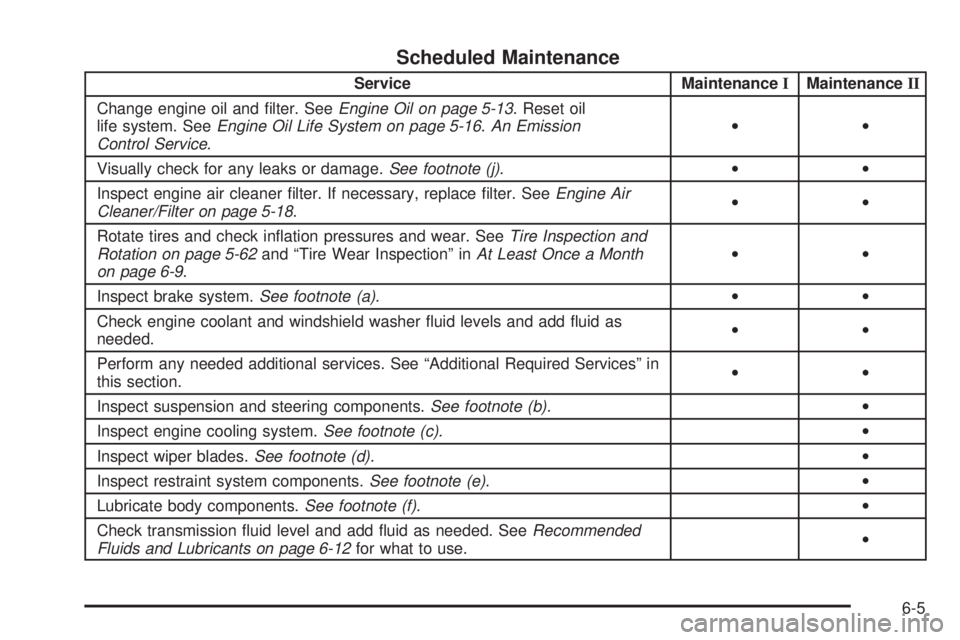
Scheduled Maintenance
Service MaintenanceIMaintenanceII
Change engine oil and filter. SeeEngine Oil on page 5-13. Reset oil
life system. SeeEngine Oil Life System on page 5-16.An Emission
Control Service.••
Visually check for any leaks or damage.See footnote (j).••
Inspect engine air cleaner filter. If necessary, replace filter. SeeEngine Air
Cleaner/Filter on page 5-18.••
Rotate tires and check inflation pressures and wear. SeeTire Inspection and
Rotation on page 5-62and “Tire Wear Inspection” inAt Least Once a Month
on page 6-9.••
Inspect brake system.See footnote (a).••
Check engine coolant and windshield washer fluid levels and add fluid as
needed.••
Perform any needed additional services. See “Additional Required Services” in
this section.••
Inspect suspension and steering components.See footnote (b).•
Inspect engine cooling system.See footnote (c).•
Inspect wiper blades.See footnote (d).•
Inspect restraint system components.See footnote (e).•
Lubricate body components.See footnote (f).•
Check transmission fluid level and add fluid as needed. SeeRecommended
Fluids and Lubricants on page 6-12for what to use.•
6-5
Page 291 of 318

Maintenance Record
After the scheduled services are performed, record the date, odometer reading, who performed the service and the
type of services performed in the boxes provided. SeeMaintenance Requirements on page 6-2. Any additional
information fromOwner Checks and Services on page 6-8can be added on the following record pages. You should
retain all maintenance receipts.
Maintenance Record
DateOdometer
ReadingServiced ByMaintenanceIor
MaintenanceIIServices Performed
6-15