lights PONTIAC GTO 2006 User Guide
[x] Cancel search | Manufacturer: PONTIAC, Model Year: 2006, Model line: GTO, Model: PONTIAC GTO 2006Pages: 326, PDF Size: 1.62 MB
Page 113 of 326
The lights stay off until the ignition is again turned on, or
the lights are turned back on manually by the headlamp
switch. The headlamps can be set to automatically
turn off after you have locked the vehicle and walked
away. To set or adjust the time delay from when
the driver's door is opened to when the lights
automatically turn off, see
Vehicle Personalization on
page 2-31. If you wish to have the lights on when leaving
the vehicle, wait until they have been automatically
turned off, then turn the light control ®rst to off, then to
parking lamps or headlamps.
Fog Lamps
The control to the left of the steering wheel on the
instrument panel also controls the fog lamps.
-(Fog Lamp):When using the fog lamps, the
ignition must be on and the parking lamps or the
low-beam headlamps. If the high-beam headlamps are
activated or ¯ashed, the fog lamps will turn off.
Pull the exterior lamp adjuster control out to turn the fog
lamps on, and push the control in to turn the fog
lamps off. The indicator light in the knob will come on
when the fog lamps are working.
Some localities have laws that require the headlamps to
be on along with the fog lamps.
Instrument Panel Brightness
Slide the control to
increase or decrease the
instrument panel
brightness.
Courtesy Lamps
When a door is open, the courtesy lamps will
automatically come on.
3-15
2006 - Pontiac GTO Owner Manual
Page 114 of 326
Dome Lamp
The dome lamp has three positions.
ON:In this position, the dome lamp is always on.
DOOR:In this position, the light automatically comes
on when a door is opened. It will turn off 30 seconds
after the last door is closed. If the ignition is turned on,
the light turns off immediately unless a door is open.
OFF:In this position, the dome lamp is always off, even
when a door is opened.
The dome lamp can be set to remain on for a preset
amount of time after the ignition has been turned
off. See
Vehicle Personalization on page 2-31.
Entry Lighting
The entry lighting feature illuminates the interior of the
vehicle before you enter. The interior lamps will come on
for 40 seconds when you unlock the doors using the
remote key buttons. After 40 seconds have elapsed, the
interior lamps will turn off. The lamps will turn off
before 40 seconds have elapsed if you do either of the
following:
·Lock all doors using the remote key buttons.
·Lock the doors manually using the lock knob.Entry lighting is canceled when any door is opened, but
the interior lights will stay on until all doors are closed.
The interior lamps may stay on for up to 25 seconds after
all doors have been closed if they have not been locked.
Front Reading Lamps
Your vehicle has reading lamps located in the dome
lamp. The lamps can be turned on and off manually by
pressing the side of each reading lamp.
Trunk Lamp
The trunk lamp comes on when you open your trunk.
Battery Run-Down Protection
Your vehicle has a battery run-down protection feature
designed to protect your vehicle's battery.
It will activate when there has been no electrical change
for one hour, nothing has been turned on or off, after
the ignition has been turned to ON or LOCK.
Once activated, all the interior lamps will turn off
including dome, reading, glovebox, trunk.
3-16
2006 - Pontiac GTO Owner Manual
Page 115 of 326
The system is turned on if a door is opened, the vehicle
is unlocked, or the trunk is opened. Once the system
is turned on, the one hour battery protection time resets
to zero and the interior lamps will continue to operate
for another hour, or until the vehicle is locked.
The interior lamp system will shut down 10 seconds after
your vehicle is locked using either the key or the remote
key locking system. However, if an interior lamp, such as
the dome lamp, has been turned on manually and is on at
the time the vehicle is locked, the system will not shut
down after the normal 10 seconds. The one hour battery
protection will be activated instead.
The vehicle's hazard lights will continue to operate at
all times.
Accessory Control
If you want the accessories to operate once the key has
been removed from the ignition, you must turn the
system on by either manually starting an accessory,
such as turning the radio on again. This will activate a
one hour timer that will operate accessories such as
the radio, accessory power outlet, and windshield wipers
before turning off. These actions will reset the timer to
zero. Likewise, if an accessory such as the radio is
turned on at any time during the one hour period, the
timer is reset to zero and all accessories will continue to
operate for another hour. To enable accessory control
after the system has been reset, you must turn the
ignition on and then off again.
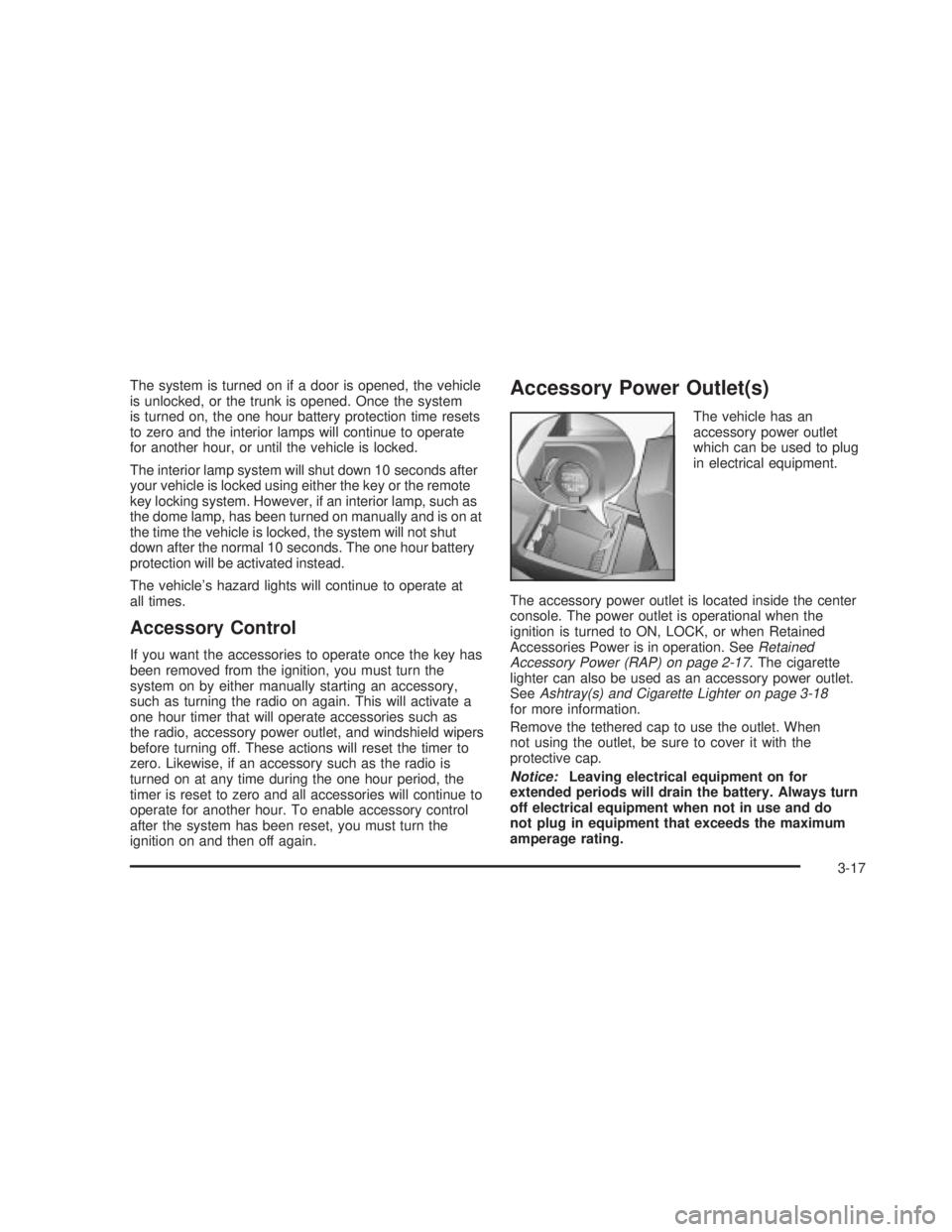
Accessory Power Outlet(s)
The vehicle has an
accessory power outlet
which can be used to plug
in electrical equipment.
The accessory power outlet is located inside the center
console. The power outlet is operational when the
ignition is turned to ON, LOCK, or when Retained
Accessories Power is in operation. See
Retained
Accessory Power (RAP) on page 2-17. The cigarette
lighter can also be used as an accessory power outlet.
See
Ashtray(s) and Cigarette Lighter on page 3-18for more information.
Remove the tethered cap to use the outlet. When
not using the outlet, be sure to cover it with the
protective cap.
Notice:Leaving electrical equipment on for
extended periods will drain the battery. Always turn
off electrical equipment when not in use and do
not plug in equipment that exceeds the maximum
amperage rating.
3-17
2006 - Pontiac GTO Owner Manual
Page 120 of 326

Warning Lights, Gages, and
Indicators
This part describes the warning lights and gages that
may be on your vehicle. The pictures will help you
locate them.
Warning lights and gages can signal that something is
wrong before it becomes serious enough to cause
an expensive repair or replacement. Paying attention to
your warning lights and gages could also save you
or others from injury.
Warning lights come on when there may be or is a
problem with one of your vehicle's functions. As you will
see in the details on the next few pages, some
warning lights come on brie¯y when you start the
engine just to let you know they're working. If you are
familiar with this section, you should not be alarmed
when this happens.
Gages can indicate when there may be or is a problem
with one of your vehicle's functions. Often gages
and warning lights work together to let you know when
there's a problem with your vehicle.When one of the warning lights comes on and stays on
when you are driving, or when one of the gages shows
there may be a problem, check the section that tells you
what to do about it. Please follow this manual's advice.
Waiting to do repairs can be costly ± and even
dangerous. So please get to know your warning lights
and gages. They're a big help.
Your vehicle also has a trip computer that works along
with the warning lights and gages. The trip computer
display provides visual information. See
Trip Computer
on page 3-33. The warning message are displayed
through the trip computer or as an illuminated symbol or
sometimes both ways.
If a Service Error Contact Dealer message appears on
the trip computer display while driving, a fault in the
instrument panel is indicated. Contact your dealer
as soon as possible. This message will remain until the
MODE button on the trip computer is pressed.
3-22
2006 - Pontiac GTO Owner Manual
Page 135 of 326

Trip A/B
When the Time to Arrival/Distance to Arrival/Fuel
Remaining set of displays are turned on, using vehicle
personalization, and are showing on the display,
hold the MODE button down for two seconds. Now,
instead of the Time to Arrival set of displays, the
trip computer shows Trip B details.
Press the MODE button to view your displays. You now
have two different sets of trip displays counting, your
original set of trip displays Ð labelled A while B is turned
on Ð and a new set of trip displays, labelled B. This
is useful on a long trip, as Trip B can be reset at
the beginning of the journey and then locked away by
pressing the MODE button for two seconds when Trip B
is shown. Time to Arrival/Distance to Arrival/Fuel
Remaining will again be shown on the display, but Trip B
is still counting away in the background and the
original trip display can be used for short distances
during the journey. Trip B can be viewed at any time by
pressing the MODE button for two seconds when
Distance to Arrival is shown.
Trip A/B can also be enabled/disabled in vehicle
personalization. See
Vehicle Personalization on
page 2-31. If the Trip A and B function is selected,
the Average Speed and Average Fuel displays
indicate Trip A.
Trip Computer Notes:
·If the wrong buttons are accidentally pressed,
causing the display to show a display other
than normal, turn the ignition off and then on again
when the vehicle is stopped.
·Several warning lights are linked to the trip
computer displays. See
Warning Lights, Gages, and
Indicators on page 3-22.
·When the overspeed warning symbol is ®rst shown,
the overspeed trip computer display is automatically
shown for 10 seconds. This is to show what your
pre-selected speed is and allow you to adjust
it if desired. After 10 seconds, the trip computer
returns to its previous display.
·Some displays change the units of measurement
over time. For example, the Time to Arrival shows
hours only above 99 hours and 59 minutes, and
hours and minutes below. Time to Arrival also
shows 10 minute units above 2 hours, 5 minute
units below 2 hours and 1 minute units below
10 minutes.
3-37
2006 - Pontiac GTO Owner Manual
Page 172 of 326

Driving at Night
Night driving is more dangerous than day driving.
One reason is that some drivers are likely to be
impaired Ð by alcohol or drugs, with night vision
problems, or by fatigue.
Here are some tips on night driving.
·Drive defensively.
·Do not drink and drive.
·Adjust the inside rearview mirror to reduce the
glare from headlamps behind you.
·Since you cannot see as well, you may need to
slow down and keep more space between you
and other vehicles.
·Slow down, especially on higher speed roads. Your
vehicle's headlamps can light up only so much
road ahead.
·In remote areas, watch for animals.
·If you are tired, pull off the road in a safe place
and rest.
No one can see as well at night as in the daytime. But
as we get older these differences increase. A
50-year-old driver may require at least twice as much
light to see the same thing at night as a 20-year-old.What you do in the daytime can also affect your night
vision. For example, if you spend the day in bright
sunshine you are wise to wear sunglasses. Your eyes
will have less trouble adjusting to night. But if you
are driving, do not wear sunglasses at night. They may
cut down on glare from headlamps, but they also
make a lot of things invisible.
You can be temporarily blinded by approaching
headlamps. It can take a second or two, or even several
seconds, for your eyes to re-adjust to the dark. When
you are faced with severe glare, as from a driver
who does not lower the high beams, or a vehicle with
misaimed headlamps, slow down a little. Avoid
staring directly into the approaching headlamps.
Keep the windshield and all the glass on your vehicle
clean Ð inside and out. Glare at night is made much
worse by dirt on the glass. Even the inside of the glass
can build up a ®lm caused by dust. Dirty glass makes
lights dazzle and ¯ash more than clean glass would,
making the pupils of your eyes contract repeatedly.
Remember that the headlamps light up far less of a
roadway when you are in a turn or curve. Keep
your eyes moving; that way, it is easier to pick out dimly
lighted objects. Just as the headlamps should be
checked regularly for proper aim, so should your eyes
be examined regularly. Some drivers suffer from
night blindness Ð the inability to see in dim light Ð and
are not even aware of it.
4-16
2006 - Pontiac GTO Owner Manual
Page 213 of 326
How to Check and Add Fluid
To check the ¯uid level, look at the markings on the
reservoir. If the ¯uid level is between the MIN and the
MAX line, the ¯uid level is correct. If the ¯uid level
is between these marks do not remove the cap, as the
¯uid will quickly absorb moisture. See
Engine
Compartment Overview on page 5-12for more
information on reservoir location.
If ¯uid does need to be added, ®rst turn the vehicle off.
Remove the cap and add the proper ¯uid. Remember
to replace the cap and clean up any spilled ¯uid.
Engine Coolant
The cooling system in your vehicle is ®lled with
DEX-COOLžengine coolant. This coolant is designed
to remain in the vehicle for ®ve years or 150,000 miles
(240 000 km), whichever occurs ®rst, if only
DEX-COOL
žextended life coolant is added.The following explains the cooling system and how to
add coolant when it is low. If there is a problem
with engine overheating or if coolant needs to be added
to the radiator, see
Engine Overheating on page 5-26.
A 50/50 mixture of clean, drinkable water and
DEX-COOL
žcoolant will:
·Give freezing protection down to-34ÉF (-37ÉC).
·Give boiling protection up to 265ÉF (129ÉC).
·Protect against rust and corrosion.
·Help keep the proper engine temperature.
·Let the warning lights and gages work as
they should.
Notice:Using coolant other than DEX-COOLžmay
cause premature engine, heater core, or radiator
corrosion. In addition, the engine coolant may
require changing sooner, at the ®rst maintenance
service after each 30,000 miles (50 000 km) or
24 months, whichever occurs ®rst. Any repairs
would not be covered by your warranty. Always use
DEX-COOL
ž(silicate-free) coolant in your vehicle.
5-23
2006 - Pontiac GTO Owner Manual
Page 326 of 326

U
Understanding Radio Reception........................3-57
Uniform Tire Quality Grading............................5-64
V
Vehicle
Control........................................................ 4-6
Damage Warnings........................................... iv
Loading......................................................4-29
Symbols......................................................... iv
Vehicle Data Collection and Event Data
Recorders.................................................... 7-9
Vehicle Identi®cation
Number (VIN).............................................5-85
Service Parts Identi®cation Label...................5-85
Vehicle Personalization....................................2-31
Ventilation Adjustment......................................3-21
Visors...........................................................2-13
W
Warning Lights, Gages and Indicators................3-22
Warnings
Hazard Warning Flashers............................... 3-6
Other Warning Devices.................................. 3-6
Safety and Symbols......................................... iii
Vehicle Damage.............................................. iv
Wheels
Alignment and Tire Balance..........................5-66
Different Size..............................................5-64
Replacement...............................................5-66
Where to Put the Restraint...............................1-36
Windows.......................................................2-12
Power........................................................2-13
Windshield
Washer......................................................3-10
Washer Fluid..............................................5-34
Wiper Blade Replacement.............................5-50
Wiper Blades, Cleaning................................5-81
Wipers......................................................... 3-9
Winter Driving................................................4-24
Y
Your Vehicle and the Environment....................... 6-2
12
2006 - Pontiac GTO Owner Manual