change wheel PONTIAC GTO 2006 Owners Manual
[x] Cancel search | Manufacturer: PONTIAC, Model Year: 2006, Model line: GTO, Model: PONTIAC GTO 2006Pages: 326, PDF Size: 1.62 MB
Page 99 of 326
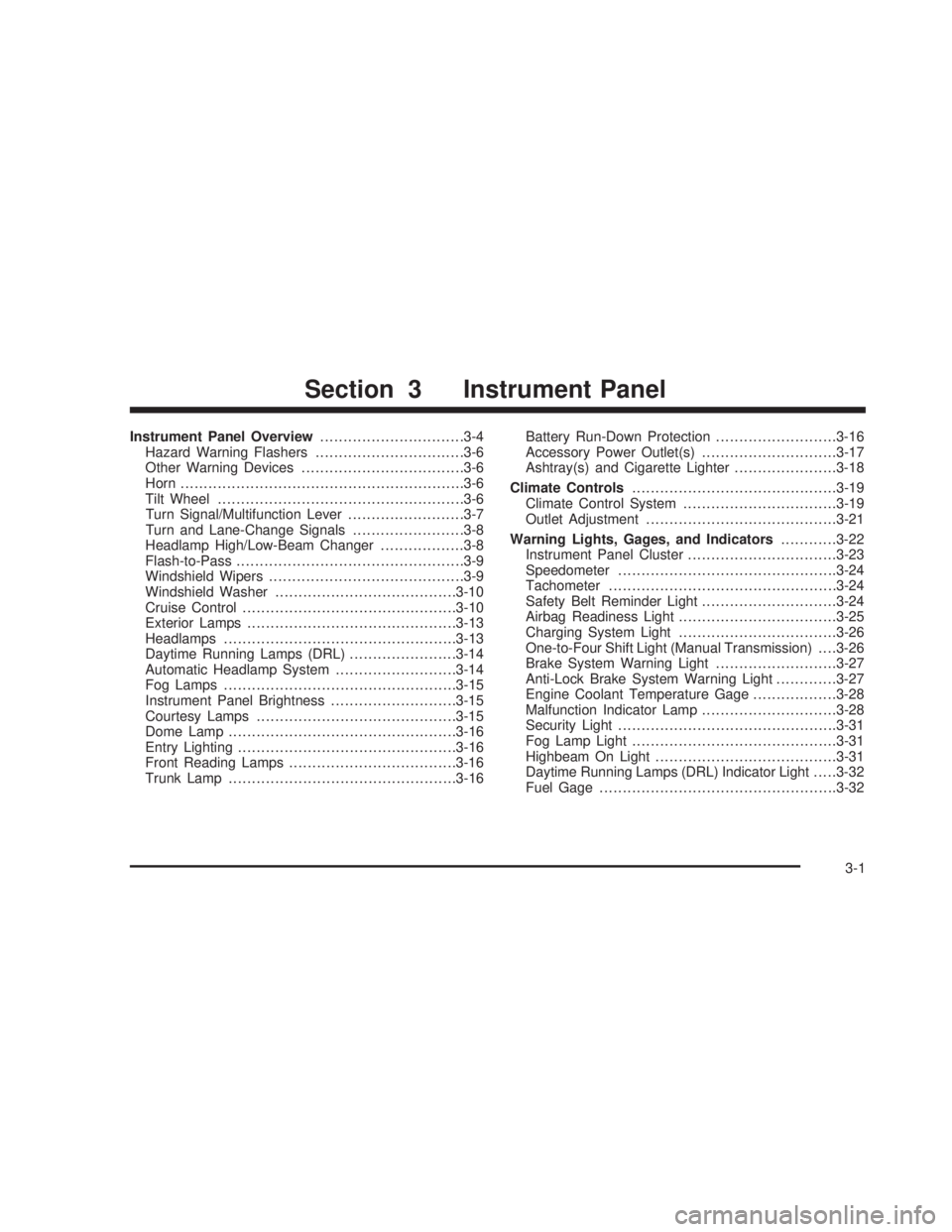
Instrument Panel Overview...............................3-4
Hazard Warning Flashers................................3-6
Other Warning Devices...................................3-6
Horn.............................................................3-6
Tilt Wheel.....................................................3-6
Turn Signal/Multifunction Lever.........................3-7
Turn and Lane-Change Signals........................3-8
Headlamp High/Low-Beam Changer..................3-8
Flash-to-Pass.................................................3-9
Windshield Wipers..........................................3-9
Windshield Washer.......................................3-10
Cruise Control..............................................3-10
Exterior Lamps.............................................3-13
Headlamps..................................................3-13
Daytime Running Lamps (DRL).......................3-14
Automatic Headlamp System..........................3-14
Fog Lamps..................................................3-15
Instrument Panel Brightness...........................3-15
Courtesy Lamps...........................................3-15
Dome Lamp.................................................3-16
Entry Lighting...............................................3-16
Front Reading Lamps....................................3-16
Trunk Lamp.................................................3-16Battery Run-Down Protection..........................3-16
Accessory Power Outlet(s).............................3-17
Ashtray(s) and Cigarette Lighter......................3-18
Climate Controls............................................3-19
Climate Control System.................................3-19
Outlet Adjustment.........................................3-21
Warning Lights, Gages, and Indicators............3-22
Instrument Panel Cluster................................3-23
Speedometer...............................................3-24
Tachometer.................................................3-24
Safety Belt Reminder Light.............................3-24
Airbag Readiness Light..................................3-25
Charging System Light..................................3-26
One-to-Four Shift Light (Manual Transmission). . . .3-26
Brake System Warning Light..........................3-27
Anti-Lock Brake System Warning Light.............3-27
Engine Coolant Temperature Gage..................3-28
Malfunction Indicator Lamp.............................3-28
Security Light...............................................3-31
Fog Lamp Light............................................3-31
Highbeam On Light.......................................3-31
Daytime Running Lamps (DRL) Indicator Light.....3-32
Fuel Gage...................................................3-32
Section 3 Instrument Panel
3-1
2006 - Pontiac GTO Owner Manual
Page 105 of 326

To tilt the wheel, pull the lever down. Then move the
wheel to a comfortable position and release the lever to
lock the wheel in place.
Telescopic Steering Column
The steering column also has a telescopic function
which allows the steering wheel to move closer or further
away from the driver.
Turn Signal/Multifunction Lever
The lever on the left side of the steering column
includes the following:
·Turn and Lane-Change Signals. SeeTurn
Signal/Multifunction Lever on page 3-7
.
·Headlamp High/Low-Beam Changer. SeeHeadlamp
High/Low-Beam Changer on page 3-8
.
·Flash-to-Pass. SeeFlash-to-Pass on page 3-9.
·Cruise Control. SeeCruise Control on page 3-10.
3-7
2006 - Pontiac GTO Owner Manual
Page 109 of 326

{CAUTION:
Cruise control can be dangerous where you
cannot drive safely at a steady speed. So, do
not use your cruise control on winding roads
or in heavy traffic.
Cruise control can be dangerous on slippery
roads. On such roads, fast changes in tire
traction can cause excessive wheel slip, and
you could lose control. Do not use cruise
control on slippery roads.
Setting Cruise Control
{CAUTION:
If you leave your cruise control on when you
are not using cruise, you might hit a button
and go into cruise when you do not want to.
You could be startled and even lose control.
Keep the cruise control switch off until you
want to use cruise control.The cruise control lever is on the left side of the
steering column. The ON-OFF/CANCEL switch is at the
end of the lever and is activated by pushing in towards
the direction of the steering column.
To set cruise control, do the following:
1. Turn on the ignition.
2. Press the ON-OFF/CANCEL switch. The CRUISE
message appears on the trip computer.
3. Get up to the speed you want.
4. Rotate the lever down to SET-DECEL. The CRUISE
ACTIVE message appears on the trip computer.
5. Take your foot off the accelerator pedal and release
the cruise control lever.
Adjusting Speed While Using Cruise
Control
You may do one of the following:
·Turn the lever down to SET-DECEL until the car
slows down to the desired speed, then release it.
·Turn the lever up to RES-ACCEL until the car
accelerates up to the desired speed, then release it.
Minor changes in speed can be achieved by
momentarily turning the lever up or down. When
reducing speed, remember that the cruise control is not
designed to operate under 25 mph (40 km/h).
3-11
2006 - Pontiac GTO Owner Manual
Page 119 of 326
1(Defrost):This mode directs the air to the
windshield. When you select this mode, the system
turns off recirculation automatically. The recirculation
mode cannot be selected while in the defrost mode. Do
not drive the vehicle until the windscreen is clear
To help clear the windscreen quickly, do the following:
1. Select the defrost mode.
2. Select the highest temperature.
3. Select the highest fan speed.
4. Select A/C.
Rear Window Defogger
The rear window defogger uses a warming grid to
remove fog or frost from the rear window.
<(Rear Defogger):Press this button on the right
dial to turn the rear window defogger on or off. An
indicator light in the button will come on to let your know
that the rear window defogger is activated. Be sure to
clear as much snow from the rear window as possible.
The rear window defogger will turn off about 15 minutes
after the button is pressed. The defogger can also
be turned off by pressing the button again or by turning
off the engine.
Notice:Do not use anything sharp on the inside of
the rear window. If you do, you could cut or
damage the warming grid, and the repairs would not
be covered by your warranty. Do not attach a
temporary vehicle license, tape, a decal or anything
similar to the defogger grid.
Outlet Adjustment
Move the thumbwheel on the vents to change the
direction of the air¯ow. The center thumbwheel adjusts
the volume of the air¯ow.
There are also similar vents for the rear of the vehicle.
They are located at the rear of the center console.
Operation Tips
·Clear away any ice, snow or leaves from the air
inlets at the base of the windshield that may
block the ¯ow of air into your vehicle.
·Use of non-GM approved hood de¯ectors may
adversely affect performance of the system.
·When an objectionable odor outside the vehicle is
encountered, use the recirculation mode, with the
temperature knob at a comfortable setting to prevent
the odor from entering the vehicle through the
ventilation system. This can be helpful when driving
through a long tunnel with poor ventilation.
However, extended usage of this mode in cold or
cool weather can cause window fogging.
3-21
2006 - Pontiac GTO Owner Manual
Page 143 of 326

{CAUTION:
This system provides you with a far greater
access to audio stations and song listings.
Giving extended attention to entertainment
tasks while driving can cause a crash and you
or others can be injured or killed. Always keep
your eyes on the road and your mind on the
drive Ð avoid engaging in extended searching
while driving.
Keeping your mind on the drive is important for safe
driving. For more information, see
Defensive Driving on
page 4-2.
Here are some ways in which you can help avoid
distraction while driving.
While your vehicle is parked:
·Familiarize yourself with all of its controls.
·Familiarize yourself with its operation.
·Set up your audio system by presetting your
favorite radio stations, setting the tone, and
adjusting the speakers. Then, when driving
conditions permit, you can tune to your favorite
radio stations using the presets and steering wheel
controls if the vehicle has them.
Notice:Before adding any sound equipment to
your vehicle, such as an audio system, CD player,
CB radio, mobile telephone, or two-way radio, make
sure that it can be added by checking with your
dealer. Also, check federal rules covering mobile
radio and telephone units. If sound equipment can
be added, it is very important to do it properly.
Added sound equipment may interfere with
the operation of your vehicle's engine, radio, or
other systems, and even damage them. Your
vehicle's systems may interfere with the operation
of sound equipment that has been added.
Setting the Time
To change the time, perform the following:
1. Turn the radio on and wait for the time to appear on
the display.
2. Press the TIME button for more than two seconds.
TIME ADJ will appear on the display and the time
will ¯ash.
3. Press either SEEK arrow to adjust the hour.
4. Press either TUNE arrow to adjust the minutes.
5. Press the TIME button again to save the new time.
The radio will automatically exit the time setting mode
if no adjustments are made for eight seconds.
3-45
2006 - Pontiac GTO Owner Manual
Page 154 of 326
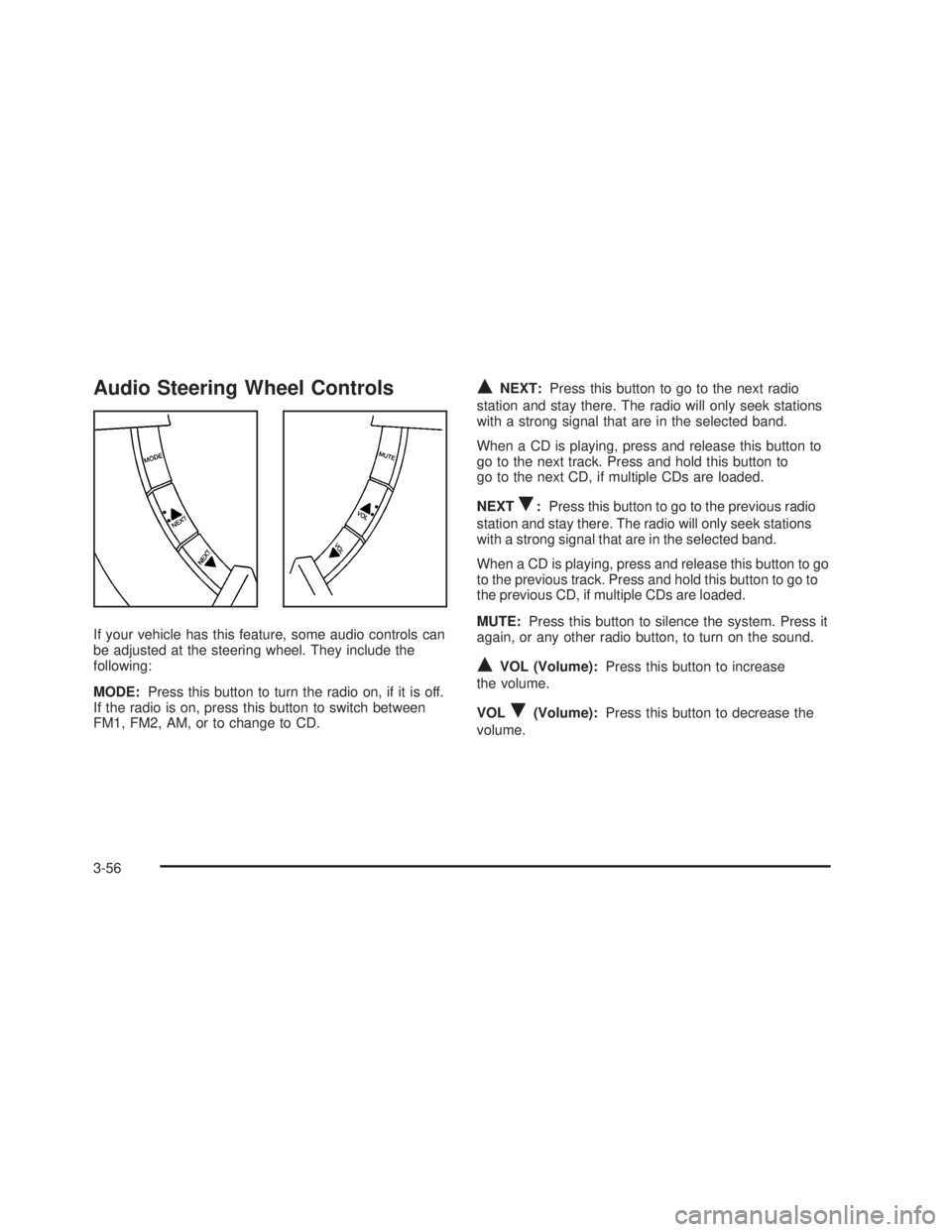
Audio Steering Wheel Controls
If your vehicle has this feature, some audio controls can
be adjusted at the steering wheel. They include the
following:
MODE:Press this button to turn the radio on, if it is off.
If the radio is on, press this button to switch between
FM1, FM2, AM, or to change to CD.
QNEXT:Press this button to go to the next radio
station and stay there. The radio will only seek stations
with a strong signal that are in the selected band.
When a CD is playing, press and release this button to
go to the next track. Press and hold this button to
go to the next CD, if multiple CDs are loaded.
NEXT
R:Press this button to go to the previous radio
station and stay there. The radio will only seek stations
with a strong signal that are in the selected band.
When a CD is playing, press and release this button to go
to the previous track. Press and hold this button to go to
the previous CD, if multiple CDs are loaded.
MUTE:Press this button to silence the system. Press it
again, or any other radio button, to turn on the sound.
QVOL (Volume):Press this button to increase
the volume.
VOL
R(Volume):Press this button to decrease the
volume.
3-56
2006 - Pontiac GTO Owner Manual
Page 164 of 326
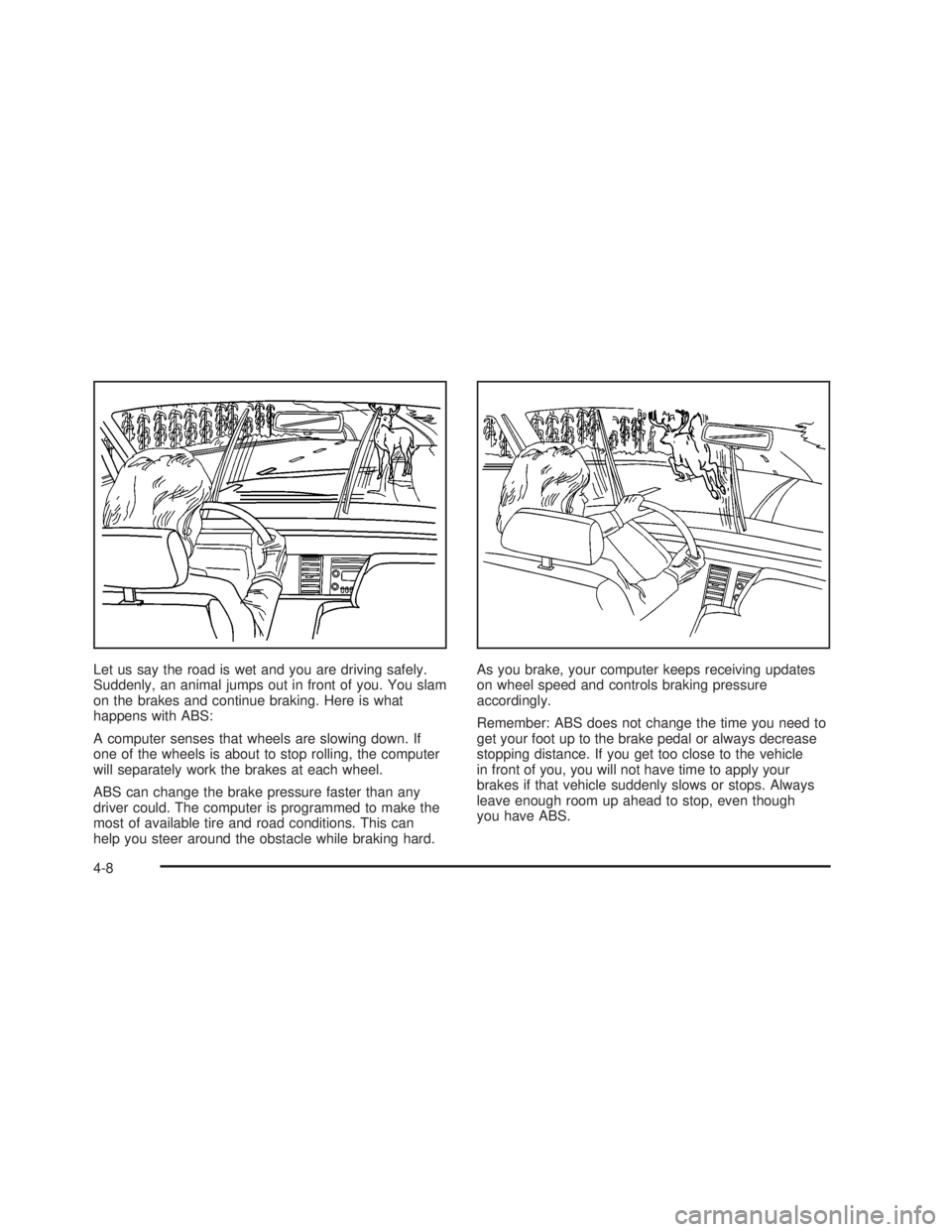
Let us say the road is wet and you are driving safely.
Suddenly, an animal jumps out in front of you. You slam
on the brakes and continue braking. Here is what
happens with ABS:
A computer senses that wheels are slowing down. If
one of the wheels is about to stop rolling, the computer
will separately work the brakes at each wheel.
ABS can change the brake pressure faster than any
driver could. The computer is programmed to make the
most of available tire and road conditions. This can
help you steer around the obstacle while braking hard.As you brake, your computer keeps receiving updates
on wheel speed and controls braking pressure
accordingly.
Remember: ABS does not change the time you need to
get your foot up to the brake pedal or always decrease
stopping distance. If you get too close to the vehicle
in front of you, you will not have time to apply your
brakes if that vehicle suddenly slows or stops. Always
leave enough room up ahead to stop, even though
you have ABS.
4-8
2006 - Pontiac GTO Owner Manual
Page 166 of 326
To turn the system off,
press the T/C button. On
manual transmission
vehicles, the button is
located on the driver's side
of the center console. On
automatic transmission
vehicles, the button is
located on the passenger's
side of the shift lever.
When you turn the system off, a Traction Ctrl Off
message is displayed on the trip computer. After
two seconds, the display goes back to the original trip
computer display with a small TRAC OFF message
on the right.
If the Traction Ctrl Off message does not display when
the button is pressed, or if it comes on during driving,
a problem is indicated in the system and traction
control is no longer operational. You should contact
your dealer for service.
Pressing the T/C button again or the next time the
ignition is turned on, will turn the system back on. The
Traction Ctrl On message is displayed on the trip
computer. After two seconds, the display goes back to
the original trip computer display. See
Trip Computer
on page 3-33for more information.Adding non-GM accessories can affect your vehicle's
performance. See
Accessories and Modi®cations
on page 5-3for more information.
Steering
Power Steering
If you lose power steering assist because the engine
stops or the system is not functioning, you can steer but
it will take much more effort.
Steering Tips
It is important to take curves at a reasonable speed.
A lot of the ªdriver lost controlº accidents mentioned on
the news happen on curves. Here is why:
Experienced driver or beginner, each of us is subject to
the same laws of physics when driving on curves.
The traction of the tires against the road surface makes
it possible for the vehicle to change its path when
you turn the front wheels. If there is no traction, inertia
will keep the vehicle going in the same direction. If
you have ever tried to steer a vehicle on wet ice, you
will understand this.
The traction you can get in a curve depends on the
condition of your tires and the road surface, the angle
at which the curve is banked, and your speed. While you
are in a curve, speed is the one factor you can control.
4-10
2006 - Pontiac GTO Owner Manual
Page 170 of 326
·Check your mirrors, glance over your shoulder, and
start your left lane change signal before moving out
of the right lane to pass. When you are far enough
ahead of the passed vehicle to see its front in your
inside mirror, activate your right lane change signal
and move back into the right lane. Remember that
your passenger side outside mirror is convex. The
vehicle you just passed may seem to be farther
away from you than it really is.
·Try not to pass more than one vehicle at a time on
two-lane roads. Reconsider before passing the
next vehicle.
·Do not overtake a slowly moving vehicle too rapidly.
Even though the brake lamps are not ¯ashing, it may
be slowing down or starting to turn.
·If you are being passed, make it easy for the
following driver to get ahead of you. Perhaps you
can ease a little to the right.
Loss of Control
Let us review what driving experts say about what
happens when the three control systems Ðbrakes,
steering, and acceleration Ð do not have enough friction
where the tires meet the road to do what the driver
has asked.
In any emergency, do not give up. Keep trying to steer
and constantly seek an escape route or area of
less danger.
Skidding
In a skid, a driver can lose control of the vehicle.
Defensive drivers avoid most skids by taking reasonable
care suited to existing conditions, and by not overdriving
those conditions. But skids are always possible.
The three types of skids correspond to your vehicle's
three control systems. In the braking skid, your wheels
are not rolling. In the steering or cornering skid, too much
speed or steering in a curve causes tires to slip and lose
cornering force. And in the acceleration skid, too much
throttle causes the driving wheels to spin.
4-14
2006 - Pontiac GTO Owner Manual
Page 242 of 326
Winter Tires
If you expect to drive on snow or ice covered roads often,
you may want to get winter tires for your vehicle. High
performance tires, like the original equipment tires
installed on your vehicle, are designed for very
responsive driving on wet or dry pavement and may not
offer the traction you would like or the same level of
performance as winter tires on snow or ice covered
roads.
Winter tires, in general, are designed for increased
traction on snow and ice covered roads. With winter
tires, there may be decreased dry road traction,
increased road noise, and shorter tire tread life. After
switching to winter tires, be alert for changes in vehicle
handling and braking.
See your dealer for details regarding winter tire
availability and proper tire selection. Also, see
Buying
New Tires on page 5-63
If you choose to use winter tires:
·Use tires of the same brand and tread type on all
four wheel positions.
·Use only radial ply tires of the same size as your
original equipment tires.
Winter tires with the same speed rating as your original
equipment tires may not be available for H, V, W, Y,
and ZR speed rated tires. If you choose winter tires with
a lower speed rating, never exceed the tire's speed
capability.
5-52
2006 - Pontiac GTO Owner Manual