reset PONTIAC GTO 2006 Owners Manual
[x] Cancel search | Manufacturer: PONTIAC, Model Year: 2006, Model line: GTO, Model: PONTIAC GTO 2006Pages: 326, PDF Size: 1.62 MB
Page 65 of 326

Remote Keyless Entry System
Operation
The buttons on your key
allow you to lock and
unlock your doors
or unlock your trunk.
When pressing the key buttons, ensure that other keys
on the key ring are not between the main key and
the vehicle. Other keys can obscure the signal being
transmitted to the vehicle.When a button on the key is pressed, it sends a signal
to the vehicle. The receiver of the signal is a small
rectangle centered on top of the dashboard. The
receiver is also used to measure sunlight. It is important
that the receiver is clean, not covered, and that there
are no metal objects close by, as this may block
the signals.
LOCK:Press this button on the key to lock all the
doors, disable the engine, and set the alarm. The
vehicle's turn signals will brie¯y ¯ash.
If you prefer to have the turn signals ¯ash accompanied
by the horn sounding, the LOCK feature can be
changed. See
Vehicle Personalization on page 2-31.
The LOCK button on the key will not work if the ignition
is turned on, or if the driver's and/or passenger's
door is open.
Prior to locking your vehicle, make sure all the doors are
closed completely. If the LOCK button is pressed when a
door is open, the horn will sound three times to indicate
that a door has not locked. Close the open door and reset
the remote system by ®rst pressing the UNLOCK button
and then the LOCK button on the key.
2-5
2006 - Pontiac GTO Owner Manual
Page 91 of 326

Vehicle Personalization
The vehicle personalization mode enables the driver to
customize some of the vehicle features using the
trip computer buttons and instrument panel center
display. Only features that are equipped on the vehicle
will be displayed.
The following list shows features that can be reset or
customized:
·RESTORE TO FACTORY SETTINGS
·UNDERSPEED CHIME
·DIST (Distance) TO ARRIVAL DISPLAY
·DIST (Distance) TO ARRIVAL DEFAULT
·TRIP COMPUTERA&B
·DIGITAL SPEEDO (Speedometer)
·REST REMINDER
·STOP WATCH
·RADIO DISPLAY
·CONFIRMATION BEEPS
·SPEED±DEPENDENT VOLUME
·AUDIO DISTORTION LIMITER
·HEADLIGHTS OFF DELAY TIME
·HEADLIGHTS APPROACH TIME
·AUTO HEADLIGHTS SENSITIVITY
·COURTESY LAMP TIMEOUT
·IGNITION OFF COURTESY LAMP
·TWO STAGE UNLOCK
·AUTO LOCK IN DRIVE
(Automatic Transmission Only)
·DOOR LOCK INDICATION
2-31
2006 - Pontiac GTO Owner Manual
Page 93 of 326

Navigating the Menu
To scroll through the different personalization features,
press the MODE button. To change the setting, use
the up or down arrows. To continue, press the MODE
button.
The following information shows how to reset or
customize features after entering the main menu:
RESTORE TO FACTORY SETTINGS
This option restores the instrument panel, audio system,
and other general vehicle systems to the factory default
settings. Use the up or down arrows to select Yes or No.
The default selection is No. If Yes is selected, the next
feature will be displayed after a two second delay. This
delay is to allow time for the default parameters to be set.
Press the MODE button to continue.
UNDERSPEED CHIME
This option is used to enable or disable the underspeed
chime. Overspeed provides a chime when your
vehicle's travelling speed exceeds the overspeed
chosen value, whereas underspeed provides an
additional chime to indicate when your vehicle's
travelling speed drops below the overspeed. Use the up
or down arrows to select Yes or No. The default
selection is No. If Yes is selected, the underspeed chime
is activated. Press the MODE button to continue. See
ªO/SPEED (Overspeed)º under
Trip Computer on
page 3-33for more information.
DIST (Distance) TO ARRIVAL DISPLAY
This option is used to enable or disable the Time to
Arrival/Distance to Arrival/Remaining Fuel set of
displays. Use the up or down arrows to select Yes or
No. The default selection is No. If Yes is selected,
the Time to Arrival/Distance to Arrival/Remaining Fuel
set of displays is activated. Press the MODE button
to continue.
2-33
2006 - Pontiac GTO Owner Manual
Page 94 of 326

DIST (Distance) TO ARRIVAL DEFAULT
This option displays only if the DIST TO ARRIVAL
DISPLAY is set to Yes. The Distance to Arrival, can be
reset, when not in personalization mode, by pressing
the SET button for less than two seconds. The distance
resets to 300 miles (500 km), which is the default
setting. When in personalization mode, the default
setting can be increased or decreased by tapping the
up or down arrows. When the desired distance is
set, press the MODE button to continue.
TRIP COMPUTERA&B
This option is used to select either one or two Trip
Time/Trip Distance/Fuel Used set of displays. Use the
up or down arrows to select Trip A or TripA&B.
The default selection is Trip A. Press the MODE button
to continue.
DIGITAL SPEEDO (Speedometer)
This option allows you to turn on a digital speedometer
that will appear on the center display. Use the up or
down arrows to select Yes or No. The default selection
is Yes. Press the MODE button to continue.
REST REMINDER
This option is to alert the driver that they may have
been travelling for too long without a break. Use the up
or down arrows to select No or Yes. The default
selection is Yes. Press the MODE button to continue.
STOP WATCH
This option is used to enable or disable the Stop Watch
display. Use the up or down arrows to select Yes or
No. The default selection is No. If Yes is selected, the
Stop Watch display is activated. Press the MODE button
to continue.
RADIO DISPLAY
This option is used to enable or disable the audio
system display on the instrument panel cluster. Detailed
information on the operation of the radio and CD is
provided in the audio section. Use the up or down
arrows to select On or Off. The default selection is On.
If On is selected, the Radio display is activated.
Press the MODE button to continue. See
Radio with
Six-Disc CD on page 3-46.
2-34
2006 - Pontiac GTO Owner Manual
Page 111 of 326

Exterior Lamps
The switch to the left of
the steering wheel on the
instrument panel controls
the following:
;(Parking Lamps):Turn the switch to this position
to turn on the parking lamps, together with the
taillamps, sidemarker lamps, license plate lamps, and
instrument panel lights.
2(Headlamps):Turn the switch to this position to
turn on the headlamps, together with the parking lamps,
taillamps, sidemarker lamps, and license plate lamps.AUTO (Automatic Headlamps):Turn the switch to
AUTO to provide for automatic operation of the
headlamps, taillamps, sidemarker lamps, and parking
lamps. For more information see
Automatic Headlamp
System on page 3-14.
9(Off):Turn the switch to this position to turn all
lamps off.
Headlamps
When the headlamps are switched on, the instrument
panel is automatically illuminated. Once illuminated, you
can adjust their brightness. Some illuminated areas
of the vehicle have been linked to the brightness control,
such as the trip computer, headlamp switch, radio,
etc. This means that the interior lights can be adjusted
to your preference. When the headlamps are turned
off and back on again, the brightness level reverts to the
last adjusted setting.
Your vehicle is designed to provide additional security,
when returning to the vehicle at night. When the
UNLOCK or LOCK button on the key is used, the car's
exterior lights will come on for a preset time or until
the car is relocked. This feature only works if the
headlamp control is in the AUTO or headlamp positions.
To set or adjust the time the headlamps stay on after
the UNLOCK button has been pressed, see
Vehicle
Personalization on page 2-31.
3-13
2006 - Pontiac GTO Owner Manual
Page 114 of 326
Dome Lamp
The dome lamp has three positions.
ON:In this position, the dome lamp is always on.
DOOR:In this position, the light automatically comes
on when a door is opened. It will turn off 30 seconds
after the last door is closed. If the ignition is turned on,
the light turns off immediately unless a door is open.
OFF:In this position, the dome lamp is always off, even
when a door is opened.
The dome lamp can be set to remain on for a preset
amount of time after the ignition has been turned
off. See
Vehicle Personalization on page 2-31.
Entry Lighting
The entry lighting feature illuminates the interior of the
vehicle before you enter. The interior lamps will come on
for 40 seconds when you unlock the doors using the
remote key buttons. After 40 seconds have elapsed, the
interior lamps will turn off. The lamps will turn off
before 40 seconds have elapsed if you do either of the
following:
·Lock all doors using the remote key buttons.
·Lock the doors manually using the lock knob.Entry lighting is canceled when any door is opened, but
the interior lights will stay on until all doors are closed.
The interior lamps may stay on for up to 25 seconds after
all doors have been closed if they have not been locked.
Front Reading Lamps
Your vehicle has reading lamps located in the dome
lamp. The lamps can be turned on and off manually by
pressing the side of each reading lamp.
Trunk Lamp
The trunk lamp comes on when you open your trunk.
Battery Run-Down Protection
Your vehicle has a battery run-down protection feature
designed to protect your vehicle's battery.
It will activate when there has been no electrical change
for one hour, nothing has been turned on or off, after
the ignition has been turned to ON or LOCK.
Once activated, all the interior lamps will turn off
including dome, reading, glovebox, trunk.
3-16
2006 - Pontiac GTO Owner Manual
Page 115 of 326
The system is turned on if a door is opened, the vehicle
is unlocked, or the trunk is opened. Once the system
is turned on, the one hour battery protection time resets
to zero and the interior lamps will continue to operate
for another hour, or until the vehicle is locked.
The interior lamp system will shut down 10 seconds after
your vehicle is locked using either the key or the remote
key locking system. However, if an interior lamp, such as
the dome lamp, has been turned on manually and is on at
the time the vehicle is locked, the system will not shut
down after the normal 10 seconds. The one hour battery
protection will be activated instead.
The vehicle's hazard lights will continue to operate at
all times.
Accessory Control
If you want the accessories to operate once the key has
been removed from the ignition, you must turn the
system on by either manually starting an accessory,
such as turning the radio on again. This will activate a
one hour timer that will operate accessories such as
the radio, accessory power outlet, and windshield wipers
before turning off. These actions will reset the timer to
zero. Likewise, if an accessory such as the radio is
turned on at any time during the one hour period, the
timer is reset to zero and all accessories will continue to
operate for another hour. To enable accessory control
after the system has been reset, you must turn the
ignition on and then off again.
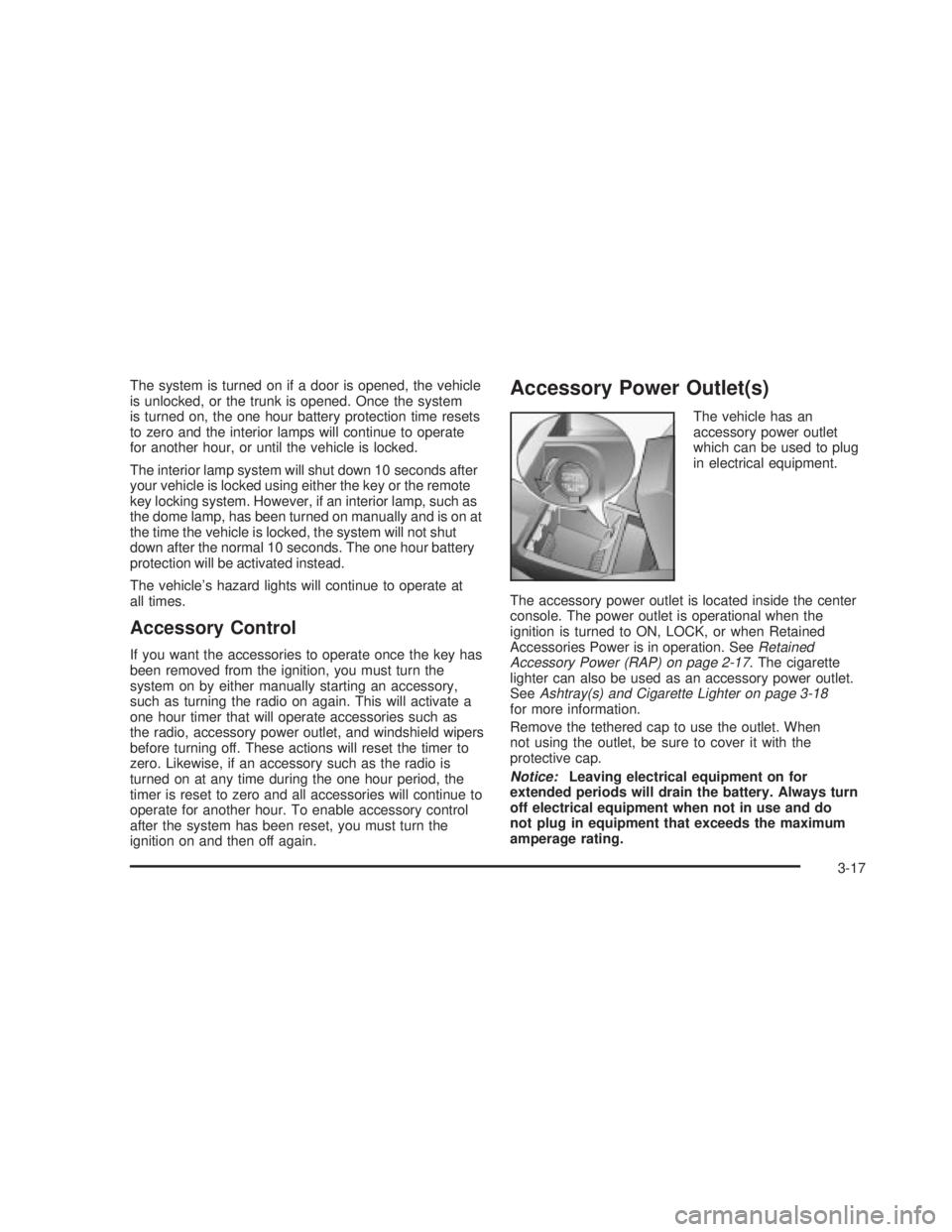
Accessory Power Outlet(s)
The vehicle has an
accessory power outlet
which can be used to plug
in electrical equipment.
The accessory power outlet is located inside the center
console. The power outlet is operational when the
ignition is turned to ON, LOCK, or when Retained
Accessories Power is in operation. See
Retained
Accessory Power (RAP) on page 2-17. The cigarette
lighter can also be used as an accessory power outlet.
See
Ashtray(s) and Cigarette Lighter on page 3-18for more information.
Remove the tethered cap to use the outlet. When
not using the outlet, be sure to cover it with the
protective cap.
Notice:Leaving electrical equipment on for
extended periods will drain the battery. Always turn
off electrical equipment when not in use and do
not plug in equipment that exceeds the maximum
amperage rating.
3-17
2006 - Pontiac GTO Owner Manual
Page 131 of 326

Trip Computer
The buttons for the trip
computer are located on
the instrument panel, to the
right of the instrument
panel cluster.
The trip computer displays are located directly beneath
the instrument panel cluster gages. Speed related
information appears in the left display, distance related
information appears in the center display, and fuel
related information appears in the right display.
The basic, more commonly used functions of the trip
computer are shown following. Tap the MODE button to
scroll between the different sets of displays.
When the ignition is turned to ON, the trip computer
displays the same functions as when the ignition
was last turned off.The trip computer can be reset when AVG SPEED or
TRIP TIME are shown on the left display. To reset, press
the SET button for less than two seconds. Resetting
does not affect the Odometer, Overspeed, Range, Time
to Arrival, Distance to Arrival, Instantaneous Fuel, or
Fuel Remaining.
Vehicle personalization is available through the trip
computer controls and display. See
Vehicle
Personalization on page 2-31.
AVG (Average) SPEED
This function shows the average speed, while the
engine is running, since the trip computer was reset.
Odometer
This function records miles travelled since the car
was built.
AVG (Average) FUEL
This function shows the average fuel used since the trip
computer was reset. After resetting, a high number
may initially be shown, due to the short distance
travelled and the high fuel used when accelerating.
TRIP TIME
This function shows the engine running time since the
trip computer was reset. If this exceeds 99 hours
and 59 minutes, the trip time is displayed in hours only.
3-33
2006 - Pontiac GTO Owner Manual
Page 132 of 326

Trip Distance
This function shows the miles travelled from the start of
a particular trip. Reset the reading to zero by pressing
and holding the SET button down for eight seconds.
FUEL USED
This function shows the total gallons or liters of fuel
used since the trip computer was reset.
TIME TO ARRIVAL
This function shows trip time to arrival in hours and
minutes, based on distance to arrival. If this exceeds
99 hours and 59 minutes, the time to arrival is displayed
in hours only.
Dist (Distance) to Arrival
At the start of a trip, estimate your distance to arrival.
Tap the up or down arrows until the display shows your
estimated trip distance. When you drive, the computer
constantly updates your time to arrival, based on
changing driving speeds. You can use the up or down
arrows to adjust the miles (kilometers) any time this
display is shown.
FUEL REMAINING
This function shows the gallons (liters) of fuel left in the
fuel tank, rounded to the nearest one gallon (liter).
When the fuel level is down to about 2 gallons
(7.5 liters), LO is displayed instead of gallons (liters).
If the Low Fuel message in the trip computer comes on
when driving, it indicates that the fuel level is low.
The Low Fuel message is displayed until the MODE
button is pressed. The trip computer then displays
its calculation of Range, which is how far you can drive
with your current fuel level, for 10 seconds before
returning to the original trip computer display with a
small low fuel symbol on the left. The symbol will remain
until the fuel tank is ®lled above the low fuel level.
If the Very Low Fuel message in the trip computer
comes on when driving, it indicates that the fuel level is
very low. The Very Low Fuel message is displayed
until the MODE button is pressed. The trip computer
then displays its calculation of Range, which is how far
you can drive with your current fuel level, for
10 seconds before returning to the original trip computer
display with a small ¯ashing low fuel symbol on the
left. The symbol will remain until the fuel tank is ®lled
above the low fuel level.
3-34
2006 - Pontiac GTO Owner Manual
Page 133 of 326

O/SPEED (Overspeed)
Overspeed sets the speed you do not want to exceed.
For example, if driving in a 45 mph zone, set
OVERSPEED to 45 mph by tapping the up or down
arrows. The overspeed setting is shown in the left
display. When your vehicle's speed exceeds the setting,
the overspeed warning message and an audible
chime warn you that you are speeding. At that time, the
trip computer automatically shows the overspeed
display, allowing you to make adjustments if desired. If
in the Overspeed preset mode, press and hold the
MODE button for two seconds to make adjustments.
Preset O/Speed (Overspeed)
Instead of adjusting overspeed up and down in
increments of 3 mph (5 km/h), you can set four
commonly used speeds. Hold down the MODE button
for two seconds when the overspeed display is
shown. The display changes from normal overspeed
operation to preset overspeed. Preset 1 has a default
setting of 25 mph (40 km/h). Tap the up arrow to see the
other three presets.
The overspeed preset display has now replaced the
normal overspeed display. Tap the MODE button
to scroll through the other displays.
To change the display back to normal overspeed, hold
down the MODE button for two seconds while the
overspeed preset display is shown.
Altering Overspeed Presets
The default overspeed settings can be changed for your
individual preference.
The vehicle must be stopped when changing a preset.
Ensure the preset you wish to change is showing.
Then brie¯y press the SET button. The display will start
to ¯ash. Use the up or down arrows to adjust the
setting. When at the desired speed, brie¯y press the
SET button. Each PRESET can be changed in this way.
The presets are automatically arranged in ascending
order.
One or more presets can be assigned to OFF, by
reducing the preset down to 0 (OFF). When driving, you
then only have three or less presets to choose from.
To turn back on, select the OFF preset when the vehicle
is stopped, brie¯y press the SET button, and use the
up arrow to increase the number.
If the up or down arrows are brie¯y pressed while
driving, the overspeed setting is changed to the speed
at which you are travelling.
If the SET button is pressed for two seconds, either
while driving or stopped, overspeed is turned completely
off or on.
3-35
2006 - Pontiac GTO Owner Manual