CD player PONTIAC PONTIAC 1995 Owners Manual
[x] Cancel search | Manufacturer: PONTIAC, Model Year: 1995, Model line: PONTIAC, Model: PONTIAC PONTIAC 1995Pages: 354, PDF Size: 17.27 MB
Page 130 of 354
Audio Systems
Your Delco@ audio system has been designed to operate
easily and give years
of listening pleasure. You will get
the
most enjoyment out of it if you acquaint yourself
with
it first. Find out what your Delco@system can
do and how to operate all its controls, to be sure you’re
getting the
most out of the advanced engineering that
went into it.
Setting the Clock
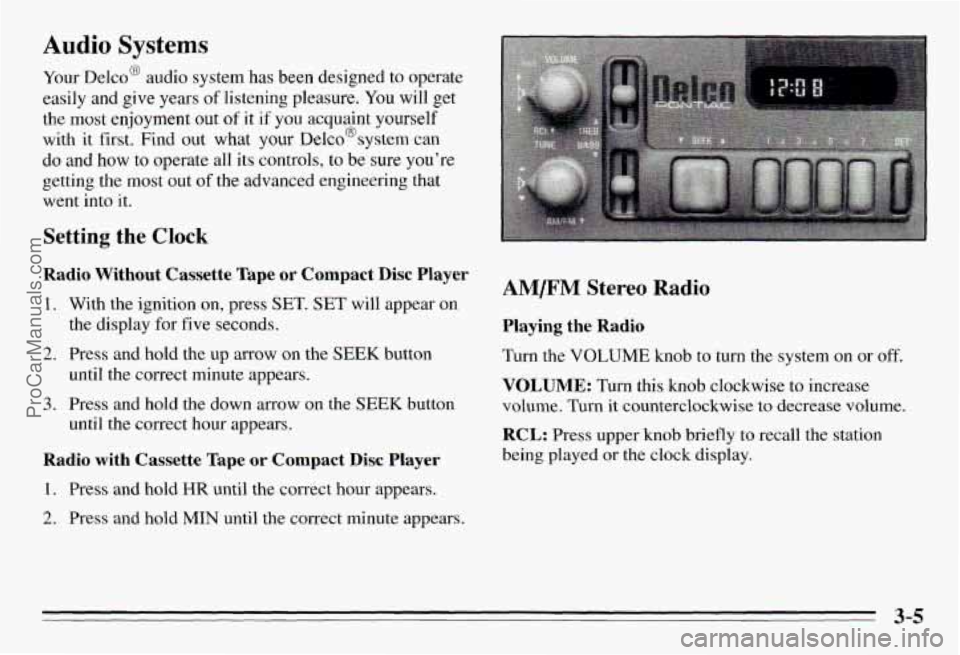
Radio Without Cassette Tape or Compact Disc Player
1. With the ignition on, press SET. SET will appear on
2.
3.
the display for five seconds.
Press and hold the up arrow on the
SEEK button
until the correct minute appears.
Press and hold the down arrow on the
SEEK button
until the correct hour appears.
Radio with Cassette Tape or Compact Disc Player
1. Press and hold HR until the correct hour appears.
2. Press and hold MIN until the correct minute appears.
AM/FM Stereo Radio
Playing the Radio
Turn the VOLUME knob to turn the system on or off.
VOLUME: Turn this knob clockwise to increase
volume. Turn it counterclockwise to decrease volume.
RCL: Press upper knob briefly to recall the station
being played
or the clock display.
3-5
ProCarManuals.com
Page 132 of 354
Optional AM/F” Stereo Radios
If your Pontiac has a radio with a cassette tape player,
a compact disc player or a graphic equalizer, the
instructions below will explain how to use the radio.
For other features, see the instructions
for the feature
your radio has.
Playing the Radio
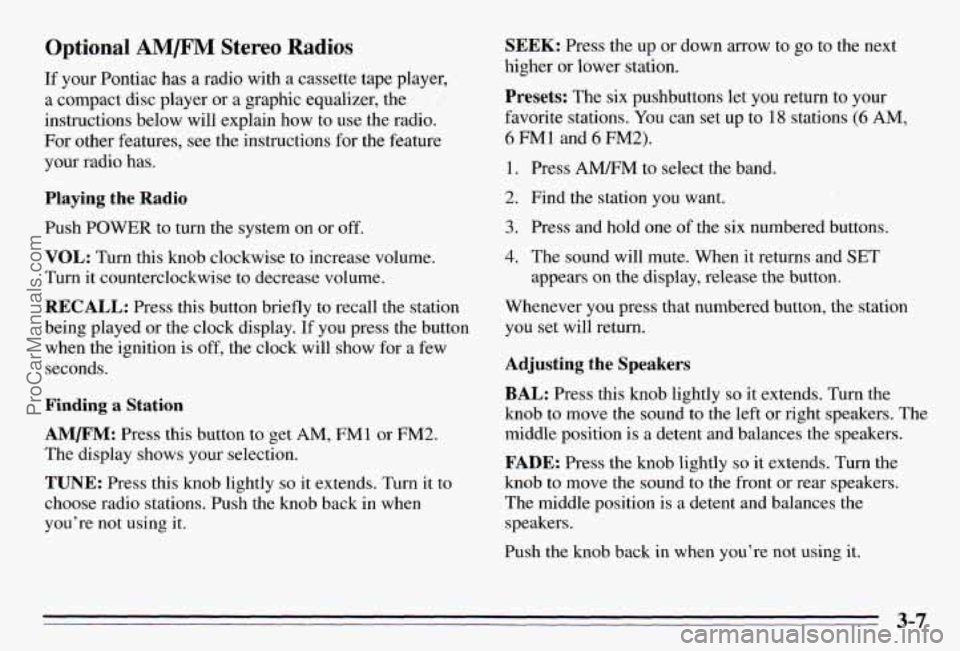
Push POWER to turn the system on or off.
VOL: Turn this knob clockwise to increase volume.
Turn it counterclockwise to decrease volume.
RECALL: Press this button briefly to recall the station
being played or the clock display.
If you press the button
when the ignition
is off, the clock will show for a few
seconds.
Finding a Station
AMm: Press this button to get AM, FMl or FM2.
The display shows your selection.
TUNE: Press this knob lightly so it extends. Turn it to
choose radio stations. Push the knob back in when
you’re not using
it.
SEEK: Press the up or down arrow to go to the next
higher
or lower station.
Presets: The six pushbuttons let you return to your
favorite stations. You can set up to
18 stations (6 AM,
6 FM1 and 6 FM2).
1. Press AMRM to select the band.
2. Find the station you want.
3. Press and hold one of the six numbered butt S.
4. The sound will mute. When it returns and SET
appears on the display, release the button.
Whenever you press that numbered button, the station
you set will return.
Adjusting the Speakers
BAL: Press this knob lightly so it extends. Turn the
knob
to move the sound to the left or right speakers. The
middle position is
a detent and balances the speakers.
FADE: Press the knob lightly so it extends. Turn the
knob to move the sound to the front or rear speakers.
The middle position is
a detent and balances the
speakers.
Push the knob back in when you’re not using
it.
3-7
ProCarManuals.com
Page 135 of 354
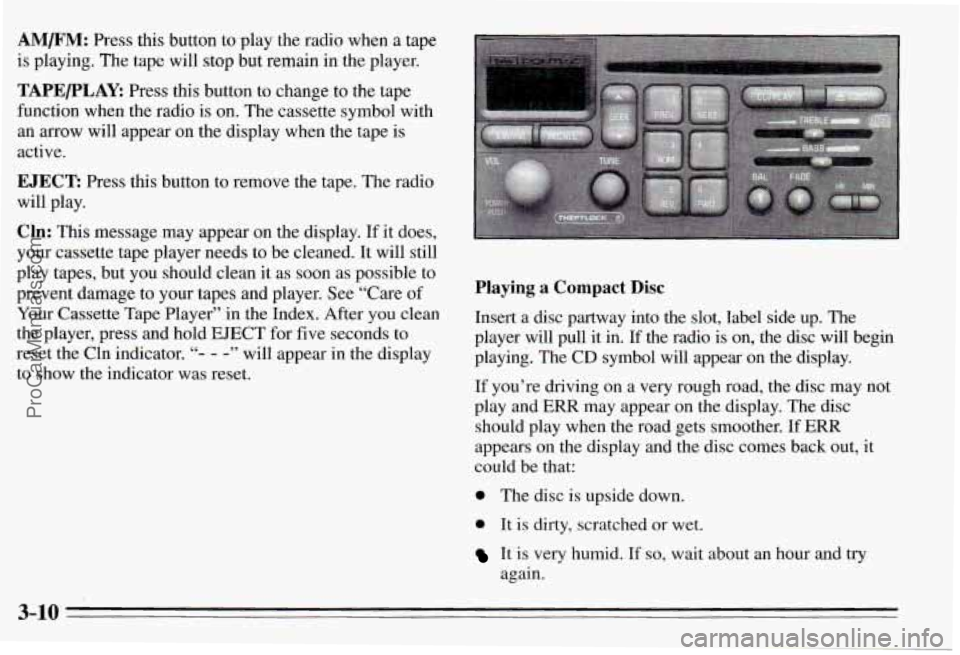
AM/F”: Press this button to play the radio when a tape
is playing. The tape will stop but remain in the player.
TAPE/PLAY: Press this button to change to the tape
function when the radio is on. The cassette symbol with
an
mow will appear on the display when the tape is
active.
EJECT: Press this button to remove the tape. The radio
will play.
Cln: This message may appear on the display. If it does,
your cassette tape player needs to be cleaned.
It will still
play tapes, but you should clean it as soon as possible to
prevent damage to your tapes and player. See “Care
of
Your Cassette Tape Player” in the Index. After you clean
the player, press and hold EJECT for five seconds to
reset the Cln indicator.
“- - -” will appear in the display
to show the indicator was reset.
Playing a Compact Disc
Insert a disc partway into the slot, label side up. The
player will pull it in. If the radio is on, the disc will begin
playing. The CD symbol
will appear on the display.
If you’re driving on a very rough road, the disc may not
play and ERR may appear on the display. The disc
should play when the road gets smoother.
If ERR
appears on the display and the disc comes back out,
it
could be that:
0 The disc is upside down.
0 It is dirty, scratched or wet.
It is very humid. If so, wait about an hour and try
again.
3-10
ProCarManuals.com
Page 136 of 354
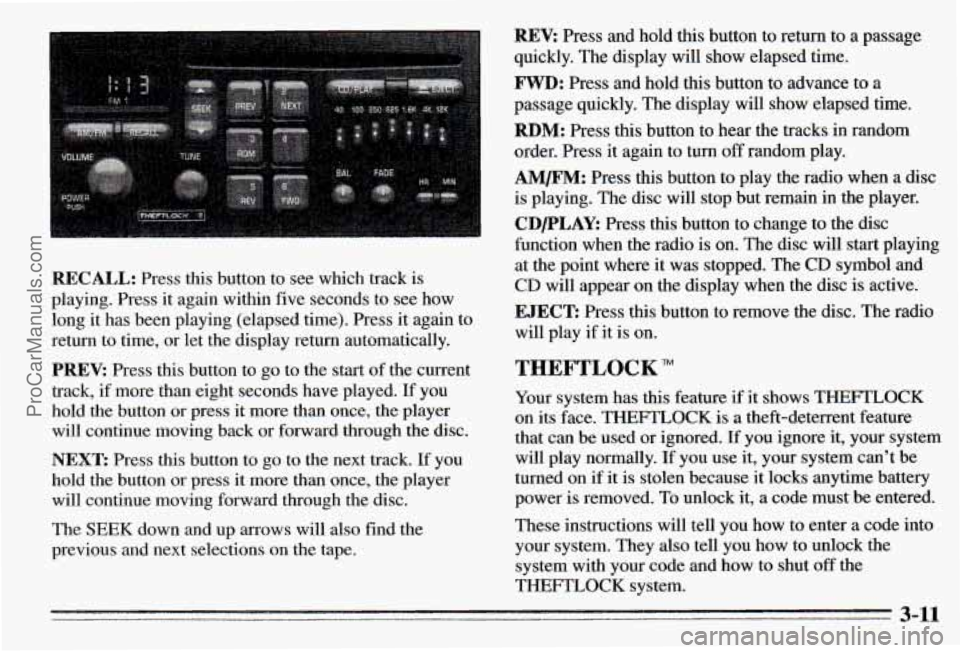
REV: Press and hold this button to return to a passage
quickly. The display will show elapsed time.
FWD: Press and hold this button to advance to a
passage quickly. The display will show elapsed time.
RBM: Press this button to hear the tracks in random
order. Press it again to turn
off random play.
AM/FM: Press this button to play the radio when a disc
is playing. The disc will stop but remain in the player.
CDPLAY: Press this button to change to the disc
function when the radio is on. The disc will start playing
at the point where it was stopped. The CD symbol and
CD will appear on the display when the disc is active.
RECALL: Press this button to see which track is
playing. Press it again within five seconds to see how
long
it has been playing (elapsed time). Press it again to
return to time, or let the display return automatically.
PREV: Press this button to go to the start of the current
track, if more than eight seconds ha.ve played. If you
hold the button or press it more than once, the player
will continue moving back or forward through the disc.
NEXT: Press this button to go to the next track. If you
hold the button
or press it more than once, the player
will continue moving forward through the disc.
The SEEK down and
up arrows will also find the
previous and next selections on the tape.
EJECT: Press this button to remove the disc. The radio
will play if it is on.
THEFTLOCK
Your system has this feature if it shows THEFTLOCK
on its face. THEFTLOCK is a theft-deterrent feature
that can be used or ignored. If you ignore it, your system
will play normally. If you use it, your system can’t be
turned on if
it is stolen because it locks anytime battery
power is removed. To unlock it,
a code must be entered.
These instructions will tell you how to enter a code into
your system. They also tell you how to unlock the
system with your code and how to shut
off the
THEFTLOCK system.
3-11
ProCarManuals.com
Page 139 of 354
Tips About Your Audio System
Hearing damage from loud noise is almost undetectable
until
it is too late. Your hearing can adapt to higher
volumes
df sound. Sound that seems normal can be loud
and hannful to your hearing. Take precautions by
adjusting the volume control
on your radio to a safe
sound level before your hearing
adapts to it.
To help avoid hearing loss or damage:
Adjust the volume control to the lowest setting.
Increase volume slowly until you hear comfortably
and clearly.
I NOTICE:
Before you add any sound equipment to your
vehicle
-- like a tape player, CB radio, mobile
telephone or two-way radio
- be sure you can
add what
you want. If you can, it’s very
important to do it properly. Added sound
equipment may interfere with the operation
of
your vehicle’s engine, Delco@ radio or other
systems, and even damage them. And, your
vehicle’s systems
may interfere with the
operation
of sound equipment that has been
added improperly.
So, before adding sound equipment, check with
your retailer and be sure
to check Federal rules
covering mobile radio and telephone units.
ProCarManuals.com
Page 140 of 354
Care of Your Cassette Tape Player
A tape player that is not cleaned regularly is subject to
reduced sound quality, ruining the cassette,
or damaging
the mechanism. Tape cassettes that are not properly
stored in their plastic cases away from contaminants,
direct sunlight, and extreme heat may not operate
properly and could cause premature failure
of the tape
player.
Your tape player should be cleaned with every
50 hours
of use to provide optimum performance. Your radio may
display Cln to indicate that you have used your tape
player for
50 hours without resetting the tape clean
timer. If you notice a reduction in sound quality,
regardless of when the tape player was last cleaned, try
playing a different cassette to see if the tape or the tape
player is at fault. If the second cassette results in no
improvement in sound quality, try cleaning the tape
player.
Proper tape player cleaning should be done with a
scrubbing action, nonabrasive cleaner cassette. This is a
wet-type cleaning system that uses a cleaning cassette
with pads which scrub the tape head as the hubs of the
cleaner cassette turn.
To properly clean your tape player,
follow the instructions with the cleaning cassette. If you
use this type
of cleaner, the radio may display an error
and eject the cartridge. This
is normal and is the result
of an added feature in the tape player that detects broken
tapes.
If an error occurs, you will need to insert the
cleaning cassette at least three times to thoroughly clean the tape player.
You may prefer to use a non-scrubbing action, wet-type
cleaner.
This type of cleaner uses a fabric belt to clean
the tape head.
This type of cleaner cassette will not
cause an error, but it may not clean the tape player as
thoroughly as the scrubbing type cleaner.
A scrubbing action cleaner is available through your
dealer
(GM Part No. 12344600).
Cassettes are subject to wear and the sound quality may
degrade over time. Always verify that the cassette tape is in good condition and the tape player is clean before
obtaining service
on your tape player.
Care of Your Compact Discs
Handle discs carefully. Store them in their original cases
or other protective cases and away from direct sunlight
and dust. If the surface of a disc is soiled, dampen a
clean, soft cloth in a mild, neutral detergent solution and
clean it, wiping from the center to the edge.
Be sure never to touch the signal surface when handling
discs. Pick up discs by grasping the outer edges or the
edge of the hole and the outer edge.
3-15
ProCarManuals.com
Page 142 of 354
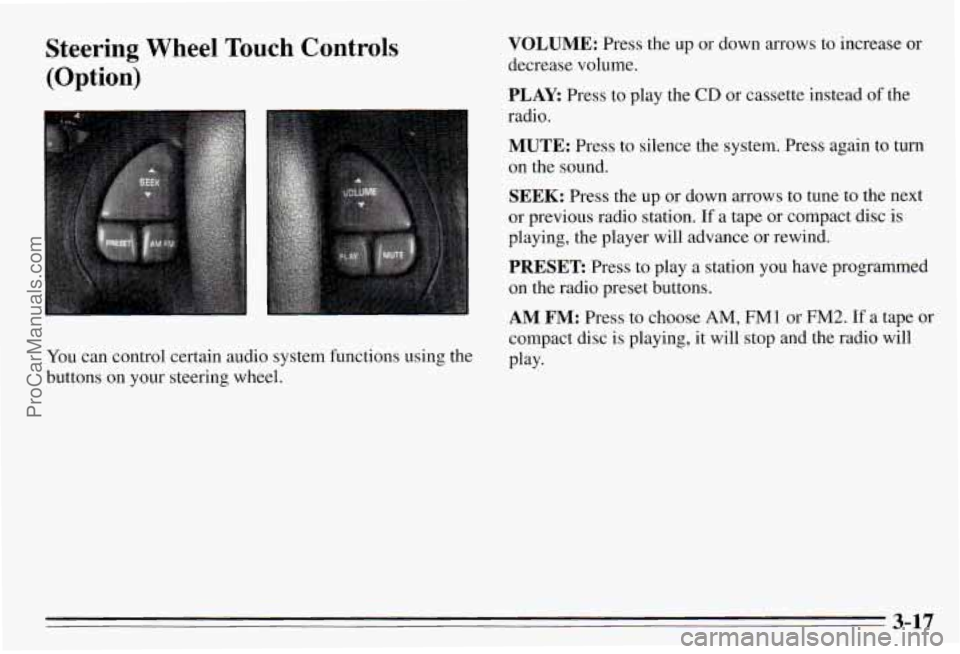
Steering Wheel Touch Controls
(Option)
You can control certain audio system functions using the
buttons on your steering wheel.
VOLUME: Press the up or down arrows to increase or
decrease volume.
PLAY: Press to play the CD or cassette instead of the
radio.
MUTE: Press to silence the system. Press again to turn
on the sound.
SEEK: Press the up or down arrows to tune to the next
or previous radio station.
If a tape or compact disc is
playing, the player will advance or rewind.
PRESET Press to play a station you have programmed
on the radio preset buttons.
AM FM: Press to choose AM, FM1 or FM2. If a tape or
compact disc is playing, it will stop and the radio will
Play-
3-17
ProCarManuals.com
Page 343 of 354
Shifting .................................... 2- 16
Third Gear (3) Position
........................ 2-18
Automatic Transaxle Fluid
........................ 6- 16
Adding
.................................... 6-18
Checking ................................... 6-16
Battery
...................................... 6-28
Charge Light
................................ 2-50
Jump Starting
................................ 5-2
Replacement. Remote Lock Control
............... 2-7
Saver
...................................... 2-36
Warnings
.................................... 5-2
BBB Auto Line
................................. 8-3
Blizzard
...................................... 4-25
Brake Adiustment
................................. 6-27
Fliid. Adding
............................... 6-26
Master Cylinder
............................. 6-25
System Parts, Replacing
....................... 6-27
System Warning Light
........................ 2-52
Trailer
..................................... 4-33
Transaxle Shift Interlock
....................... 2-24
Transaxle Shift Interlock, Maintenance
........... 7-37
Brakes, Anti-Lock
............................... 4-6
Braking
........................................ 4-5
Braking, In Emergencies
.......................... 4-9
Break-In,
New Vehicle .......................... 2-12
Parking
.................................... 2-21
PedalTravel
................................ 6-27
Wear
...................................... 6-26 BTSI (Brake Transaxle Shift Interlock)
.............. 2-24
Bulb Replacement
.............................. 6-70
BTSI (Brake Transaxle Shift InterIock). Maintenance . . 7-37
Canada. Vehicles First Sold In
11 .. .......................
Canadian Roadside Assistance ...................... 8-7
Capacities and Specifications
...................... 6-71
Carbon Monoxide
.................... 2.25.4.26. 4.32
Care
of the Head-Up Display ..................... 3-15
Cassette Tape Player
............................. 3-9
Cassette Tape Player Care ........................ 3-15
CDPlayer
..................................... 3-10
Center Console
................................. 2-41
Center High-Mounted Stoplamp Bulb Replacement
.... 6-42
Center Passenger Position
........................ 1-29
Certification Label
.............................. 4-27
Chains, Safety
................................. 4-32
Chains, Tire ................................... 6-54
Changing
a Flat Tire ............................. 5-23
Charging System Light
.......................... 2-50
Checking Your Restraint Systems
.................. 1-54
Automatic Transaxle Fluid
..................... 6-16
Engine Coolant
.............................. 6-20
EngineOil
.................................. 6-11
Power Steering Fluid
......................... 6-22
Restraint Systems
............................ 1-54
Chemical Paint Spotting
.......................... 6-61
Checking
BrakeFluid
................................. 6-25
Things Under the Hood
......................... 6-7
ProCarManuals.com
Page 344 of 354
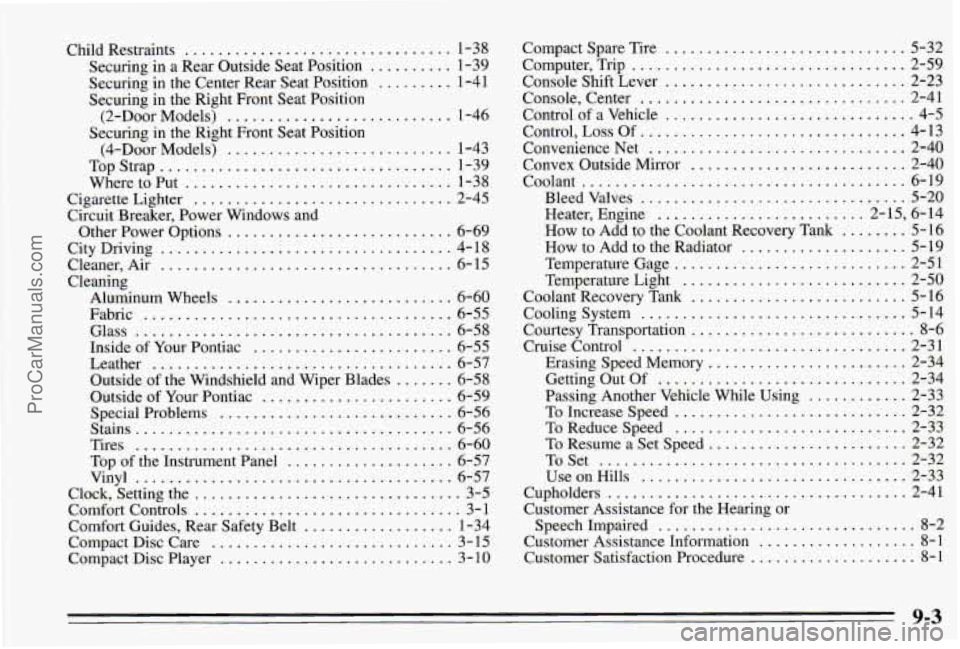
Child Restraints ................................ 1-38
Securing in a Rear Outside Seat Position
.......... 1-39
Securing in the Center Rear Seat Position
......... 1-41
Securing in the Right Front Seat Position
Securing in the Right Front Seat Position
(2-Door Models)
........................... 1-46
(&Door Models)
........................... 1-43
WheretoPut
................................ 1-38
Cigarette Lighter
............................... 2-45
Circuit Breaker. Power Windows and
Other Power Options
........................... 6-69
City Driving
................................... 4- 18
Cleaner. Air
................................... 6-15
Cleaning Aluminum Wheels
........................... 6-60
Fabric
..................................... 6-55
Glass
...................................... 6-58
Inside of Your Pontiac
........................ 6-55
Leather
.................................... 6-57
Outside of the Windshield and Wiper Blades
....... 6-58
Outside
of Your Pontiac ....................... 6-59
Special Problems
............................ 6-56
Stains
...................................... 6-56
Tires
...................................... 6-60
Top of the Instrument Panel
.................... 6-57
Vinyl
...................................... 6-57
Clock, Setting the
................................ 3-5
Comfort Controls
................................ 3-1
Comfort Guides. Rear Safety Belt
.................. 1-34
Compact Disc Care
............................. 3- 15
Compact Disc Player ............................ 3 - 10
TopStrap
................................... 1-39
Compact Spare Tire
............................. 5-32
Computer. Trip
................................. 2-59
Console Shift Lever
............................. 2-23
Console. Center
................................ 2-41
Control of a Vehicle
.............................. 4-5
Control.
Loss Of ................................ 4-13
ConvenienceNet
............................... 2-40
Convex Outside Mirror .......................... 2-40
Coolant
....................................... 6-19
Bleedvalves
................................ 5-20
Heater, Engine
......................... 2- 15, 6- 14
How to Add to the Coolant Recovery Tank
........ 5-16
How to Add to the Radiator
.................... 5-19
Temperature Gage
............................ 2-51
Temperature Light
........................... 2-50
Coolant Recovery Tank
.......................... 5-16
Cooling System
................................ 5-14
Courtesy Transportation
........................... 8-6
Cruise Control
................................. 2-31
Erasing Speed Memory
........................ 2-34
Getting
Out Of .............................. 2-34
Passing Another Vehicle While Using
............ 2-33
To Increase Speed
............................ 2-32
ToReduceSpeed
............................ 2-33
To Resume
a Set Speed ........................ 2-32
ToSet
..................................... 2-32
UseonHills
................................ 2-33
Cupholders
.................................... 2-41
Customer Assistance for the Hearing or
SpeechImpaired
............................... 8-2
Customer Assistance Information ................... 8-1
Customer Satisfaction Procedure
.................... 8-1
9-3
ProCarManuals.com
Page 351 of 354
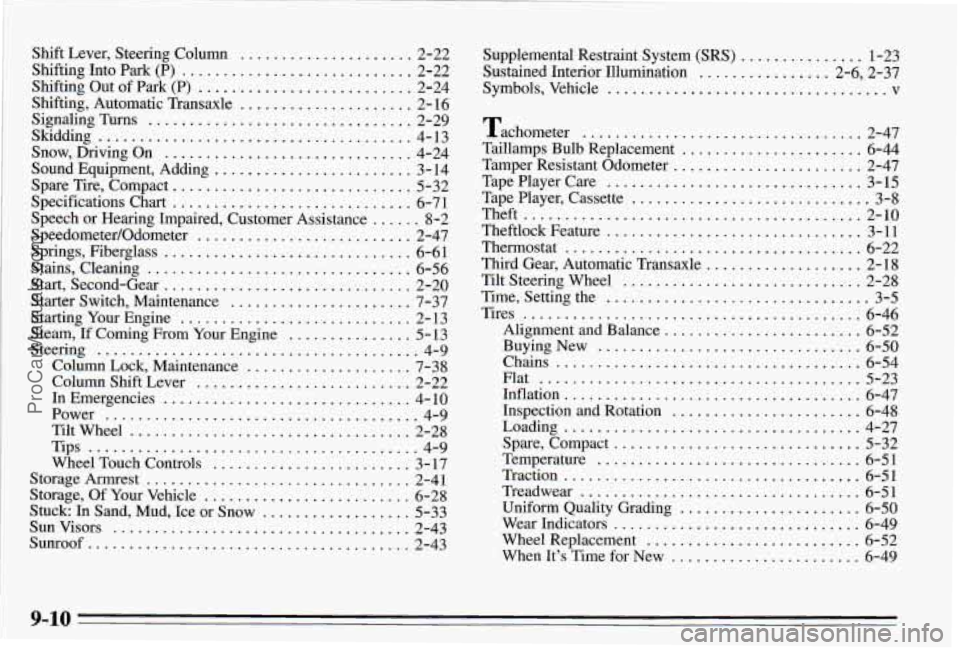
Shift Lever. Steering Column ..................... 2-22
Shifting
Into Park (P) ............................ 2-22
Shifting Out
of Park (P) .......................... 2-24
Shifting. Automatic Transaxle
..................... 2- 16
Snow, Driving On
.............................. 4-24
Sound Equipment, Adding
........................ 3-14
Spare Tire, Compact
............................. 5-32
Specifications Chart
............................. 6-7 1
Speedometer/Odometer .......................... 2-47
Springs, Fiberglass
.............................. 6-61
Stains, Cleaning
................................ 6-56
Start, Second-Gear .............................. 2-20
Starter Switch, Maintenance
...................... 7-37
Starting Your Engine
............................ 2- 13
Steam,
If Coming From Your Engine ............... 5-13
Steering
....................................... 4-9
Column Lock, Maintenance
.................... 7-38
Column Shift Lever
.......................... 2-22
InEmergencies
.............................. 4-10
Power
...................................... 4-9
Tiltwheel
.................................. 2-28
Tips
........................................ 4-9
Wheel Touch Controls
........................ 3-17
Storage Armrest
................................ 2-41
Storage, Of Your Vehicle ......................... 6-28
Stuck:
IR Sand, Mud, Ice or Snow .................. 5-33
Sunvisors
.................................... 2-43
Sunroof
....................................... 2-43
SignaLingTurns
................................ 2-29
Skidding
..................... ................ 4- 13
Speech or Hearing Impaired, Customer Assistance ...... 8-2 Supplemental Restraint System
(SRS) ............... 1-23
Sustained Interior Illumination
................ 2.6. 2.37
Symbols. Vehicle
.................................. v
Tachometer .................................. 2-47
Taillamps Bulb Replacement
...................... 6-44
Tamper Resistant Odometer ....................... 2-47
Tape Player Care
............................... 3-15
Tape Player. Cassette
............................. 3-8
Theft
......................................... 2-10
Theftlock Feature
............................... 3-11
Thermostat
.................................... 6-22
Third Gear. Automatic Transaxle
................... 2-18
Tilt Steering Wheel
.............................. 2-28
Time. Setting the
................................ 3-5
Tires
......................................... 6-46
Alignment and Balance
........................ 6-52
Buying New
................................ 6-50
Chains ..................................... 6-54
Flat
....................................... 5-23
Inflation
..................................... 6-47
Inspection and Rotation
....................... 6-48
Loading
.................................... 4-27
Spare, Compact
.............................. 5-32
Temperature
................................ 6-51
Traction
.................................... 6-51
Treadwear
.................................. 6-51
Uniform Quality Grading
...................... 6-50
Wear Indicators
.............................. 6-49
Wheel Replacement
.......................... 6-52
When It’s Time for New
....................... 6-49
9-10
ProCarManuals.com