buttons PONTIAC PONTIAC 1996 Owners Manual
[x] Cancel search | Manufacturer: PONTIAC, Model Year: 1996, Model line: PONTIAC, Model: PONTIAC PONTIAC 1996Pages: 370, PDF Size: 17.69 MB
Page 127 of 370
EXT. TEMP: Shows the temperature outside your
vehicle. Temperature can be displayed in Fahrenheit or
Celsius. This mode can’t be reset.
TRIP: Shows how far you’ve driv’en since you last reset
this mode.
ELAPSED TIME: Shows how much time has passed
with the engine running since you last reset this mode.
Control Buttons
The trip calculator has three buttons that control
its functions.
MODE: Press this button to change the mode
being displayed.
EM: Press this button to change the display from
English to metric units or metric to English.
RESET: Press this button for one second to reset the
mode displayed.
If you push and hold RESET for more
than five seconds, all the modes will reset. You can’t
reset
INST ECON, RANGE or EXT. TEMP.
Head-Up Display (Option)
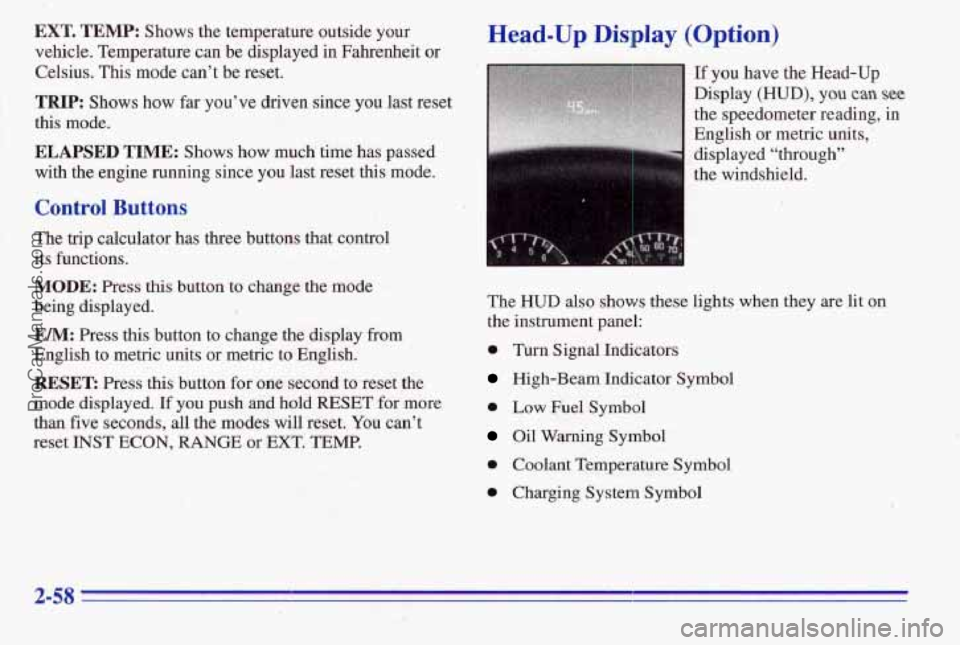
If you have the Head-Up
Display
(HUD), you can see
the speedometer reading, in
English or metric units,
’
displayed “through”
the windshield.
The
HUD also shows these lights when they are lit on
the instrument panel:
0 Turn Signal Indicators
High-Beam Indicator Symbol
0 Low Fuel Symbol
Oil Warning Symbol
0 Coolant Temperature Symbol
0 Charging System Symbol
ProCarManuals.com
Page 137 of 370

SEEK: Press the up or down arrow to go to the next
higher or lower station.
PUSHBUTTONS: The four numbered pushbuttons let
you return to your favorite stations. You can set up to
14 stations (seven AM and seven FM).
1. Press AM-F;M to select the band.
2. Tune in the desired station.
3. Press SET;
Playing the Radio
VOLUME: Turn this knob to turn the system on or off.
Turn the knob clockwise to increase volume. Turn it
counterclockwise
to decrease volume.
RCL: Press the upper knob briefly to recall the station
being played or to display the clock.
Finding a Station
AM-F": Press the lower knob to get AM or FM. The
display shows
your selection.
TUNE: Turn the lower knob to choose radio stations.
4. Whenever you press the same buttons, the station
you set will return.
4. Within five seconds, press one of the four numbered
pushbuttons. Whenever
you press that numbered
pushbutton, the station
you set will return.
5. Repeat the steps for each pushbutton.
In addition to the four stations set as above, up to three
additional stations may be preset
on each band by
pressing two adjoining huttons at the same
time. Just:
1. Tune in the desired station.
2. Press SET.
3. Press any two adjoining pushbuttons at the same
time
(within five seconds).
3-6
ProCarManuals.com
Page 139 of 370

Finding a
AM-FM: Press this button to get AM, FM1 or FM2.
The display shows your selection. If a cassette tape is
playing, press this button to play the radio.
TUNE: Press this knob lightly so it extends. Turn it to
choose radio stations. Push the knob back in when
you’re not using it.
SEEK: Press the up or down arrow to go to the next
higher or lower station.
PUSHBUTTONS: The six. numbered pushbuttons let
you return
to your favorite stations. You can set up to
18 stations (six AM, six FM1 and six FM2).
1.
2.
3.
4.
Press AM-FM to select the band.
Find the station you want
by using TUNE or SEEK.
Press and hold one of the six numbered buttons until
SET appears on the display. Whenever you press that
numbered button, the station you set will return.
Repeat the steps for each pushbutton.
the Tone
BASS: Slide the lever to the right or left to increase or
decrease bass.
TREBLE: Slide the lever to the right or left to increase
or decrease treble.
If a station is weak or noisy, slide the
lever down to reduce the noise.
Adjusting the Speakers
BAL: Press .this knob lightly so it extends. Turn this
knob to move the sound to the left or right speakers. Use
the middle position to balance these speakers. Push the
knob back in when you’re not using it.
FADE: Press this knob lightly so it extends. Turn this
knob to move the sound to the front
or rear speakers.
Use the middle position to balance these speakers. Push
the knob back in when you’re not using it.
3-8
ProCarManuals.com
Page 142 of 370

AM-FM Stereo with Cassette Tape Player
and Equalizer (Option)
Playing the Radio
VOL: Push this knob to turn the system on or off. Turn
it clockwise to increase volume and counterclockwise to
decrease volume.
RECALL: Press this button briefly to recall the station
being played
or to display the clock. If you press the
knob when the ignition is off, the clock will show for a
few seconds.
Finding a Station
AM-FM: Press this button to get AM, FM1 or FM2.
The display shows your selection. If a cassette tape is
playing, press this button to play the radio.
TUNE: Press this knob lightly so it extends. Turn it to
choose radio stations. Push the knob back in when
you’re not using it.
SEEK: Press the up or down arrow to go to the next
higher or lower station.
PUSHBUTTONS: The six numbered pushbuttons let
you return to your favorite stations.
You can set up to
18 stations
(six AM, six FM1 and six FM2).
1. Press AM-FM to select the band.
2. Find the station you want by using TUNE or SEEK.
3. Press and hold one of the six numbered buttons until
SET appears
on the display. Whenever you press that
numbered button, the station you set will return.
4. Repeat the steps for each pushbutton.
3-11
ProCarManuals.com
Page 145 of 370

AM-FM Stereo with Compact Risc Player Finding a Station
(Option) AM-FM: Press this button to get AM, FMI or €342.
Playing the Radio
VOL: Push this knob to turn the system on or off. Turn
it clockwise to increase volume and counterclockwise to
decrease volume.
RECALL: Press this button briefly to recall the station
being played or to display the clock.
If you press the
knob when the ignition is off, the clock will show for a
few seconds, The
display shows your selection.
TUNE: Press this knob lightly so it extends. Turn it to
choose radio stations. Push the knob back in when
you’re
not using it.
SEEK: Press the up or down arrow to go to the next
higher or lower station.
PUSHBUTTONS: The six numbered pushbuttons let
you
return to your favorite stations. You can set up to
18 stations (six AM, six FM 1 and six FM2).
1. Press AM-FM to select the band.
2. Find the station you want by using TUNE or SEEK.
3. Press and hold one of the six numbered buttons until
SET appears on the display. Whenever you press
that
numbered button, the station you set will return.
4. Repeat the steps for each pushbutton.
3-14
ProCarManuals.com
Page 148 of 370

Finding a Station
AM-FM: Press this button to get AM, FM1 or FM2.
The display shows your selection.
TUNE: Press this knob lightly so it extends. Turn it to
choose radio stations. Push the knob back in when
you're not using it.
SEEK: Press the up or down arrow to go to the next
higher or lower station.
PUSHBUTTONS: The six numbered pushbuttons let
you return to your favorite stations. You can set up to
18 stations (six AM, six FM 1 and six Fh42).
1. Press AM-FM to select the band.
Setting the Tone
2. Find the station you want by using TUNE or SEEK.
3. Press and hold one of the six numbered buttons until
.SET appears on the display. Whenever you press that
numbered button, the stati'on you set will return.
4. Repeat the steps for each pushbutton.
EQUALIZER: A seven band equalizer is part of your
audio system. Slide the levers up to boost or down to
reduce frequency range.
Adjusting the Speakers
BAL:
Press this knob lightly so it extends. Turn it to.
move the sound to the left or right speakers.
Use the
middle position to balance these speakers. Push the knob
back in when you're not using it.
,FADE: Press this knob lightly so it extends. Tuh it to
move the sound
to the front or rear speakers. Use the
middle position to balance these speakers. Push the knob
back in when you're not using it.
Playing a Compact Disc
The integral CD player can play 8 cm "single"
mini-discs. Full-size compact discs and mini-discs
are
loaded in the same manner. /
Insert a disc partway into the slot, label side up. The
player will pull
it in. If the ignition is on, but the radio is
off, the disc will begin playing. If you want to insert a
disc when the ignition is off, first press EJECT.
ProCarManuals.com
Page 150 of 370

Theft-Deterrent Feature
THEFTLOCK" is designed to discourage theft of your
radio. It works
by using a secret code to disable all radio
functions whenever battery power is removed.
The THEFTLOCK feature for the radio
may be used or
ignored.
If ignored, the system plays normally and the
radio is not protected by the feature. If THEFTLOCK is
activated, your radio will not operate if stolen.
When THEFTLOCK is activated, the radio will display
LOC to indicate a locked condition anytime battery
power is removed. If your battery loses power for any
reason, you must unlock the radio with the secret code
before it will operate.
' Activating the Theft-Deterrent Feature
The instructions which follow explain how to eriter your
secret code to activate the THEFTLOCK system. It is
recommended that
you read through all nine steps
before starting the procedure.
NOTE: If you allow more than 15 seconds to elapse
between any.steps, the radio automatically reverts to
time and you must start
the procedure over at Step 4.
1.
2.
3.
4.
5.
6.
7.,
8.
9.
Write down any 'three or 'four-digit number from
000 to 1999 and keep it in a safe place separate from
the vehicle.
Turn the ignition to the
ACC or RUN position.
Turn the radio off.
Press the
1 and 4 buttons together. Hold them down
until
--- shows on the display. Next you will use the
secret code ilumber which you have written down.
Press MIN and
000 will appear on the display.
Press MIN again to make the last two digits agree
with your code.
Press
HR to make the first one or two digits agree
with your, code.
Press AM-FM after you have confirmed that the
code matches the secret code you have written down.
The display will show REP to let you know that you
need to repeat Steps
5 through 7 to confirm your
secret code.
Press AM-FM and this time the display will
show
SEC to let you know that your radio is secure. -l., .I
- .. i,r . !' r,
.. .. .
I. -.' I.
ProCarManuals.com
Page 151 of 370

Unlocking the Theft-Deterrent Feature After a
Power Loss
Enter your secret code as follows; pause no more than
If seconds between steps:
1. LQC appears when the ignition is on.
2.
Press MIN and 000 will appear on the display.
3. Press MIN again to make the last two digits agree
4. Press HR to make the first one or two digits agree
5. Press AM-FM after you have confirmed that the
I with your code.
with your code.
b.
code matches the secret code you have written down.
The display will show SEC, indicating~ the radio is
now operable and secure.'
If you enter the wrong code eight times, INOP will
appear
on the display. You will have to wait an hour
with the ignition on before you
can try again. When you
try again, you will only have three chances to enter the
correct cade before
INOP appears. --
If you lose or forget your code, contact your dealer.
Disabling the Theft-Deterrent Feature
Enter your secret code as follows; pause no more than
15 seconds between steps:
1. Turn the ignition tu the ACC or RUN position.
2. Turn the radio off.
3. Press the 1 ad 4 buttons together. Hold them down
until
SEC shows on the display.
4. Press MIN and 000 will appear on the display.
5. Press MIN again to make the last two digits agree
with your code.
(5. Press HR to make the first one or two digits agree
with
your code.
7. Press AM-FM after you have confirmed that the
code matches the secret code you have written down.
The display will show ---, indicating that the radio is
no longer secured..
If the code entered is incorrect,
SEC will appear on the
display. The radio will remain secured until the correct
code is entered.
When battery power is given to a secured radio, the
radio won't turn
on and LOC will appear on the display. -. .
3-20
ProCarManuals.com
Page 152 of 370
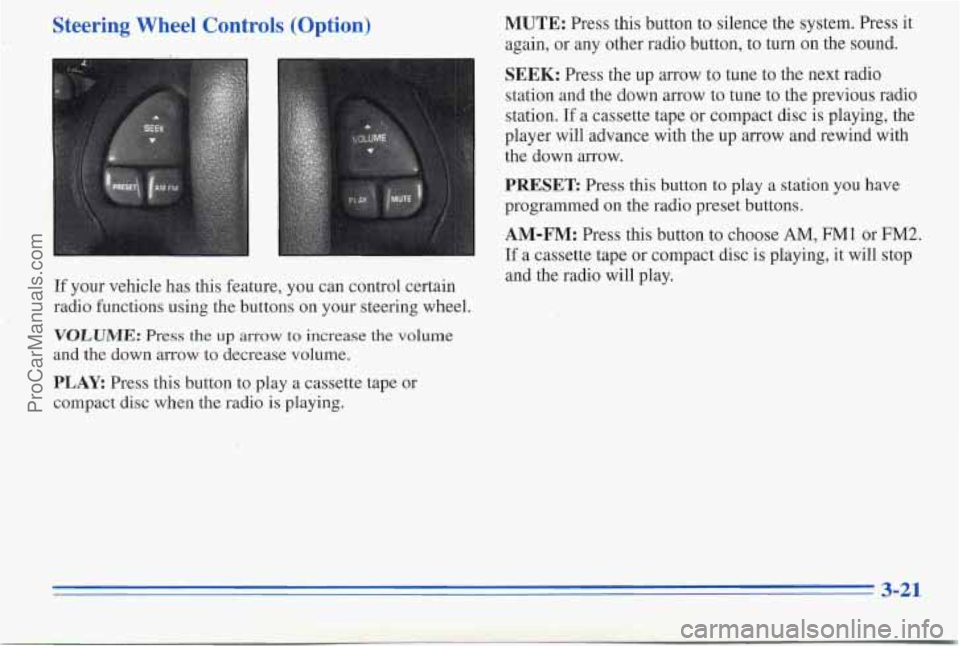
,Steering Wheel Controls (Option)
If your vehicle nas this feature, you can control certain
radio functions using the buttons on your steering wheel.
VOLUME: Press the up arrow to increase the volume
and the down arrow to decrease volume.
PLAY Press this button to play a cassette tape or
compact disc when the radio is playing.
MUTE: Press this button to silence the system. Press it
again, or any other radio button, to turn
on the sound.
SEEK: Press the up arrow to tune to the next radio
station and the down arrow to tune to the previous radio
station. If
a cassette tape or compact disc is playing, the
player will advance with the up arrow and rewind with
the down arrow.
PRESET Press this button to play a station you have
programmed on the radio preset buttons.
AM-FM: Press this button to choose AM, FM1 or FM2.
If a cassette tape or compact disc is playing, it will stop
and the radio will play.
3-21
ProCarManuals.com