buttons PONTIAC PONTIAC 1997 Owners Manual
[x] Cancel search | Manufacturer: PONTIAC, Model Year: 1997, Model line: PONTIAC, Model: PONTIAC PONTIAC 1997Pages: 419, PDF Size: 19.67 MB
Page 85 of 419
Trunk
I NOTICE:
When replacing the battery, use care not to
touch any of the circuitry. Static from your
body transferred to these surfaces may damage
the transmitter.
Resynchronizing Your Remote Keyless
Entry Transmitter
Your Keyless Entry System uses a continually changing
code for increased security. Normally, the receiver in
your vehicle will keep track
of this changing code.
0 Loss of synchronization will occur if the transmitter
is activated more than 256 times while out of range
of the vehicle.
Loss of synchronization will occur after battery
replacement
if the transmitter is immediately
activated more than
16 times while Out of range
of the vehicle.
If your key chain transmitter has stopped working, you
may need to resynchronize the transmitter to the vehicle
receiver.
To do this, press the LOCK and UNLOCK
buttons
together and hold for at least seven seconds, or
until the horn sounds when equipped with Content
Theft-Deterrent. Check transmitter.
It can be dangerous to drive with the trunk open
because carbon monoxide
(CO) gas can come into
your vehicle. You can’t see or smell CO.
It can
cause unconsciousness
and even death.
If you must drive with the trunk open or if
electrical wiring
or other cable connections must
pass through the seal between the body and
the trunk:
Make sure all windows are shut.
Turn the fan on your heating or cooling
system to its highest speed with the setting
on
VENT. That will force outside air into
your vehicle. See “Comfort Controls” in
the Index.
instrument panel, open them
all the way.
If you have air outlets on or under the
See “Engine Exhaust”
in the Index.
2-11
ProCarManuals.com
Page 156 of 419
Control Buttons
The trip computer has three buttons that control
its functions.
ENG/MET: Press this button to change the display from
English to metric units
or metric t’o English.
RESET Press this button for two seconds to reset the
mode displayed.
MODE: Press this button to change the mode
being displayed.
Functions
FUEL USED: Shows the total amount of fuel used
since you last reset this mode. The amount can be
displayed in gallons or liters.
AVG ECON: Shows your average fuel economy since
you last reset this mode.
OIL LIFE: Shows a percentage of the oil’s remaining
useful life. The system predicts remaining
oil life using
inputs from length of drives, coolant temperature,
engine rpm and vehicle speed. Each time
you get an oil
change,
be sure to reset this function so that it will give
you an accurate percentage.
To reset the ail life indicator after the oil has been
changed, press the mode button until the light appears
next to
O’IL LIFE. Press and hold the reset button for
three seconds. The oil life percentage should change
to
100%.
RANGE: Shows how much farther you can travel with
the fuel you have before refueling.
CHECK TIRE PREISS: This light alerts you that a tire
is low or flat, See “Check Tire Pressure Light” in
the Index.
LOW WASHER FLUID: This light will come on when
your ignition is on and the fluid container
is low.
DOOR A JAR: If one of your ‘doors is left ajar, a light
will appear next to that
door on the vehicle outline.
PERFORMANCE SHIFT This light comes on when
you press the performance shift button (located on the
console shift)
to indicate that your vehicle is in
performance shifting mode, See “Performance Shifting”
in the Index.
BOOST GAGE: If you have the supercharged engine,
this gage will show the amount of boost your engine
is receiving.
ProCarManuals.com
Page 166 of 419
Hot Weather Example: (When you start the vehicle in
Hot weather,
80°F (27 O C) or after being parked during
the day in full sun). If your Driver Set Temperature
is73"F
(23°C) and you are in Full Automatic mode. The
system will automatically move the temperature doors
to
full Cold. The blower will be at low speed momentarily
and then
go to high blower. The air intake will be
recirculated for maximum cooling performance. As the
interior
of the vehicle cools down to your desired
comfort point, the blower will decrease and the
temperature door will move to a warmer position to
maintain your desired comfort. As the cabin cools down
or the sun load decreases the system could switch
to air
delivered to
A/C vents and the floor. (Bi-level mode)
Manual Control
Fan Buttons
The fan buttons select the amount of air you want when
the system is not in
AUTO. The display will show the
fan speed
by illuminating a maximum of seven fan bars.
Mode Button
The center panel has several settings to control the
direction
of airflow when the system is not in AUTO.
The indicator light
on the button will glow when the
button is pressed. To access the various modes available,
continue to press the MODE button until the desired
mode appears on the display.
RECIRC: This setting recirculates much of the air
inside your vehicle and sends it through the instrument
panel outlets. The air conditioning compressor will run
automatically in this setting unless the outside
temperature is below 3
8 OF (3.3 " C).
4*
/J UPPER: This setting brings in the outside air and
directs it through the instrument panel outlets.
3-6
ProCarManuals.com
Page 171 of 419
Finding a Station 3. Press any two adjoining pushbuttons at the same
time, within five seconds. Whenever you press the
same buttons, the station you set will return.
AM-FM: Press this button to switch between AM and
FM. The display
shows your selection.
TUNE: Turn the lower knob to choose radio stations. 4. Repeat the steps for each pair of pushbutton.
SEEK: Press the up or down arrow to go to the next Setting the Tone
higher or lower station and stay there.
PUSHBUTTONS: The four numbered pushbuttons let decrease bass.
you return
to your favorite stations. You can set up to
14 stations (seven AM and seven FM). Just:
1. Press AM-FM to select the band. want to decrease
the treble.
BASS: Slide the lever up or down to increase or
TREB: Slide the lever up or down to increase or
decrease treble. If a station is weak or noisy, you may
2. Tune in the desired station.
3. Press SET. (SET will appear on the display.)
4. Press one of the four numbered pushbuttons, within
five seconds. Whenever you press that numbered
pushbutton, the station
you set will return.
5. Repeat the steps for each pushbutton.
In addition to the four stations already set, up to three
more stations may be preset on each band by pressing
two adjoining buttons at the same time. Just:
1. Tune in the desired station.
2. Press SET. (SET will appear on the display.)
Adjusting the Speakers
BALANCE: Turn the control behind the upper knob to
move the sound to the left or right speakers. The middle
position balances the sound between the speakers.
FADE: Turn the control behind the lower knob to move
the sound to the front or rear speakers. The middle
position balances the sound between the speakers.
3-11
ProCarManuals.com
Page 172 of 419
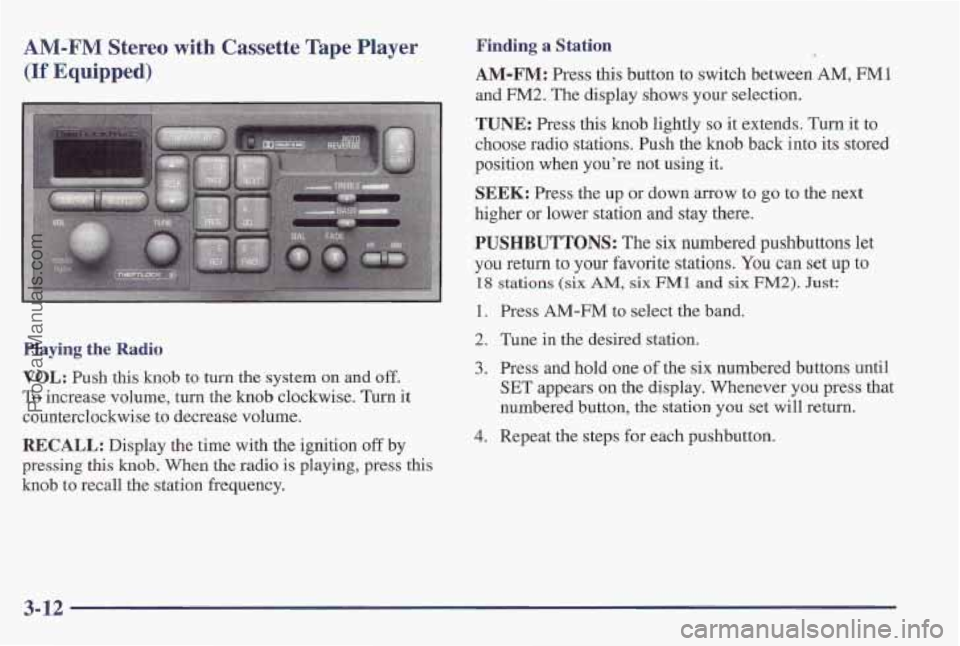
AM-FM Stereo with Cassette Tape Player
(If Equipped)
Playing the Radio
VOL: Push this knob to turn the system on an'd off.
To increase volume, turn the knob clockwise. Turn it
counterclockwise to decrease volume.
RECALL: Display the time with the ignition off by
pressing
this knob. When the radio is playing, press this
knob
to recall the station frequency.
Finding a Station
AM-FM: Press this button to switch between AM, FMl
and FM2. The display shows your selection.
TUNE: Press this knob lightly so it extends. Turn it to
choose radio stations.
Push the knob back into its store
position when you're not using it.
SEEK: Press the up or down arrow to go to the next
higher or lower station and stay there.
:d
PUSHBUTTONS: The six numbered pushbuttons let
you return to your favorite stations.
You can set up to
18 stations (six AM, six FM1 and six FM2). Just:
1. Press AM-FM to select the band.
2. Tune in the desired station.
3. Press and hold one of the six numbered buttons until
SET appears on the display. Whenever
you press that
numbered button,
the station you set will return.
4. Repeat the steps for each pushbutton.
3-12
ProCarManuals.com
Page 176 of 419
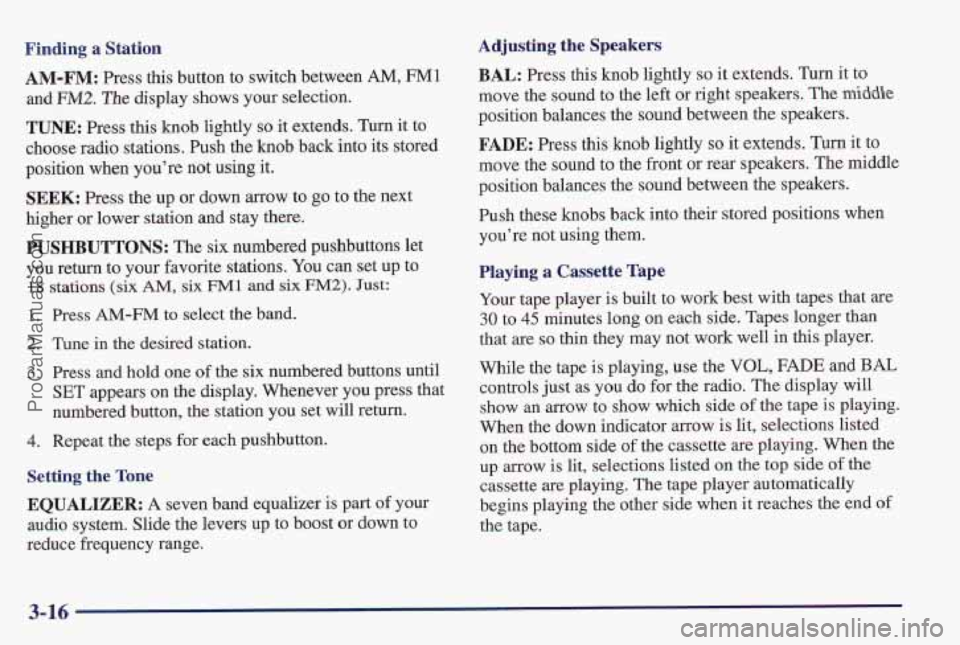
Finding a Station
AM-FM: Press this button to switch between AM, FMl
and FM2. The display shows your selection.
TUNE: Press this knob lightly so it extends, Turn it to
choos’e radio stations. Push the knob back into its stored
position when you’re not using it,
SEEK: Press the up or down arrow to go to the next
higher or lower station and stay there.
PUSHBUTTONS: The six numbered pushbuttons let
you return to your favorite stations.
You can set up to
18 stations (six AM, six FM 1 and six FM2). Just:
1. Press AM-FM to select the band.
2. Tune in the desired station.
3. Press and hold one of the six numbered buttons until
SET appears on the display. Whenever you press that
numbered button, the station
you set will return.
4. Repeat the steps for each pushbutton,
Setting the Tone
EQUALIZER: A seven band equalizer is part of your
audio system. Slide the levers up to boost or down to
reducle frequency range.
Adjusting the Speakers
BAL: Press this knob lightly so it extends. Turn it to
move the sound to the left
or right speakers. The middle
position balances the sound between the speakers.
FADE: Press this knob lightly so it extends. Turn it to
move the sound to the front or
rear speakers. The middle
position balances the sound between the speakers.
Push these knobs back into their stored positions when
you’re not using them.
Playing a Cassette Tape
Your tape player is built to work best with tapes that are
30 to 45 minutes long on each side. Tapes longer than
that
are so thin they may not work well in this player.
While the tape is playing, use the
VOL, FADE and BAL
controls just as you do for the radio. The display will
show an arrow to show which side
of the tape is playing.
When the down indicator
arrow is lit, selections listed
on the bottom side
of the cassette are playing. When the
up
arrow is lit, selections listed on the top side of the
cassette are playing. The tape player automatically
begins playing the other side when
it reaches the end of
the tape.
3-16
ProCarManuals.com
Page 179 of 419
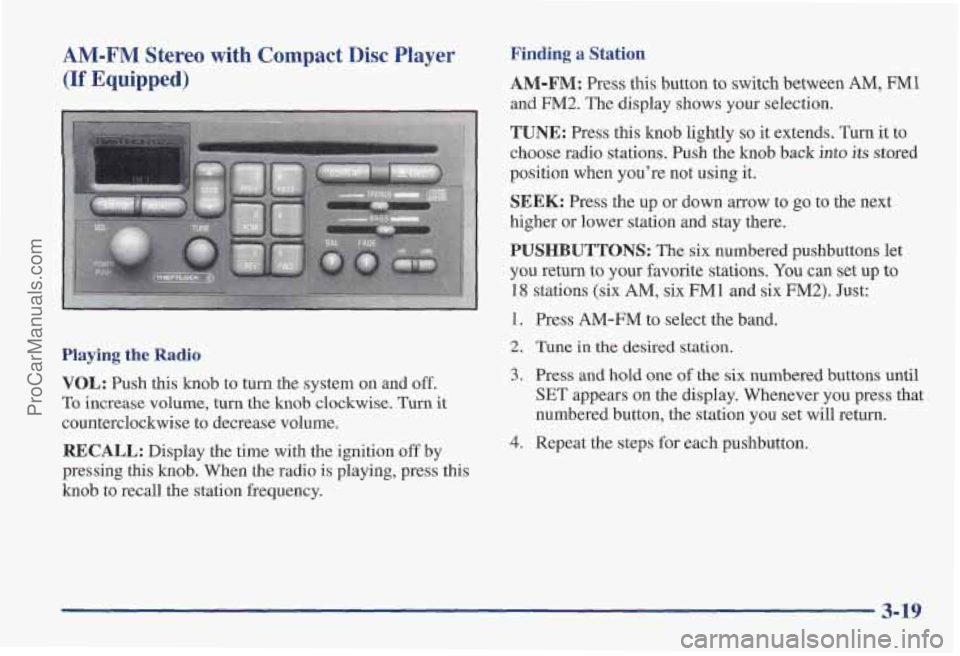
AM-FM Stereo with Compact Disc Player
(If Equipped)
Finding a Station
AM-FM: Press this button to switch between AM, FM1
and FM2. The display shows your selection,
TUNE: Press this knob lightly so it extends. Turn it to
choose radio stations. Push the knob back
into its stored
position when you’re not using it.
SEEK: Press the up or down arrow to go to the next
higher or lower station and stay there.
PUSHBUTTONS: The six numbered pushbuttons let
you return to your favorite stations.
You can set up to
18 stations (six AM, six FMl and six FM2). Just:
1. Press AM-FM to select the band.
Playing the Radio
VOL: Push this knob to turn the system on and off.
To increase volume, turn the knob clockwise. Turn it
counterclockwise to decrease volume.
RECALL: Display the time with the ignition off by
pressing this
knob. When the radio is playing, press this
knob to recall the station frequency.
2. Tune in the desired station.
3. Press and hold one of the six numbered buttons until
SET appears on the display. Whenever you press that
numbered button, the station
you set will return.
4. Repeat the steps for each pushbutton.
3-19
ProCarManuals.com
Page 182 of 419
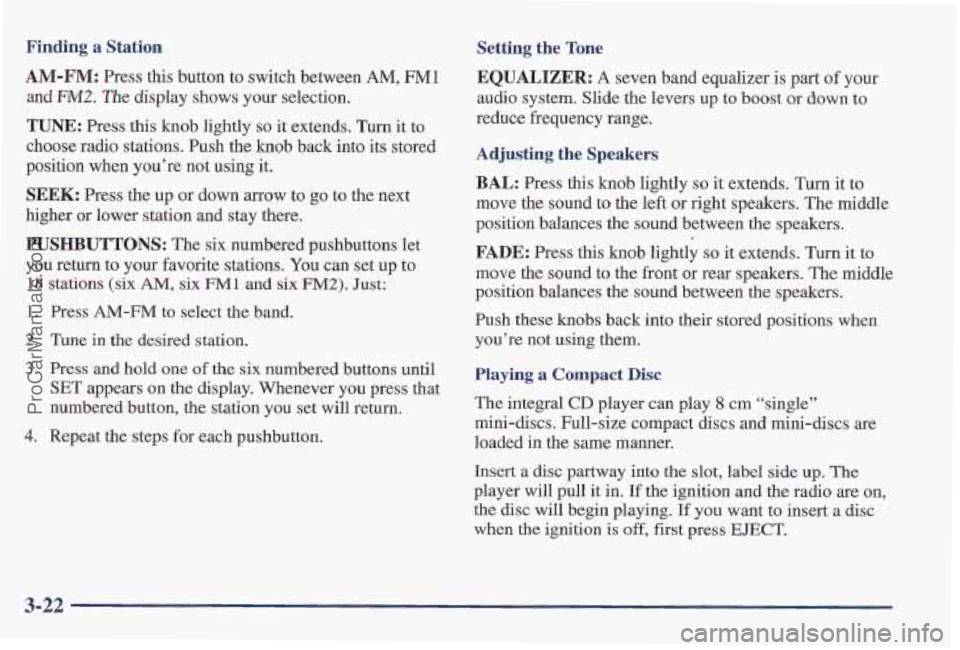
Finding a Station
AM-FM: Press this button to switch between AM, FM1
and FM2. The display shows your selection.
TUNE: Press this knob lightly so it extends. Turn it to
choose radio stations. Push the
knob back into its stored
position when you’re not using it.
SEEK: Press the up or down arrow to go to the next
higher or lower station and stay there.
PUSHBUTTONS: The six numbered pushbuttons let
you return to your favorite stations. You can set up to
18 stations (six AM, six FM1 and six FM2). Just:
1,
2.
3.
4.
Press AM-FM to select the band.
Tune in the desired station.
Press and hold one
of the six numbered buttons until
SET appears on the display. Whenever you press that
numbered button, the station you set will return.
Repeat the steps for each pushbutton.
Setting the Tone
EQUALIZER:
A seven band equalizer is part of your
audio system. Slide the levers up to
boost or down to
reduce frequency range.
Adjusting the Speakers
BAL: Press this knob lightly so it extends. Turn it to
move the sound to the left or right speakers. The middle
position balances the sound between the speakers.
FADE: Press this knob lightly so it exten.ds. Turn it to
move the sound to the front or rear speakers. The middle
position balances the sound between the speakers.
Push these
knobs back into their stored positions when
you’re not using them.
Playing a Compact Disc
The integral CD player can play 8 cm “single”
mini-discs. Full-size compact discs and mini-discs are
loaded in the
same manner.
Insert
a disc partway into the slot, label side up, The
player will pull it in. If the ignition and the radio are on,
the disc will begin playing.
If you want to insert a disc
when the ignition is
off, first press EJECT.
3-22
ProCarManuals.com
Page 184 of 419
Trunk Mounted CD Changer (If Equipped)
With the optional compact disc changer, you can play up
to 12 discs continuously. Normal size discs may be
played using
the trays supplied in the magazine.
The small discs
(8 cm) can be played only with specially
designed trays.
You must first load the magazine with discs before you
can play
a compact disc. Each of the 12 trays holds one
disc. Press the button on the back of the magazine and
pull gently
on one of the trays. Load the trays from
bottom to top, placing a disc on the tray label side down.
If you load a disc label side up, the disc will not play
and an error will occur. Gently push the tray back into
the magazine slot. Repeat this procedure for loading up
to
12 discs in the magazine.
Once you have loaded the discs in the magazine, -slide
open
the door of the compact disc (CD) changer. Push
the magazine into the changer in the direction
of the
arrow marked on top
of the magazine. Close
the door by sliding it all the way to the left. If the
door is left partially open, the changer will not operate
and an error will occur. When the door is closed, the
changer will begin checking for discs in the magazine.
This will continue for up to two minutes depending on
the number
of discs loaded.
To eject the magazine from the player, slide the CD
changer door all the way open. The magazine will
automatically eject. Remember
to keep the door closed
whenever possible to keep dirt and dust from getting
inside the changer.
All
of the CD functions are controlled by the radio
buttons except for ejelcting the magazine. Whenever a
CD magazine with discs is loaded in the changer, the
compact disc symbol will appear on the radio display.
If
the CD changer is checking the magazine for CDs, the
compact disc symbol will flash on the display until the
changer is ready
to play. When a CD begins playing, CD
will appear in the bottom left corner and a disc and track
number will be displayed. The disc numbers are listed
on the front of the magazine.
3-24
ProCarManuals.com
Page 187 of 419
Activating the Theft-Deterrent Feature
The instructions which follow, explain how to enter your
secret code to activate the THEFTLOCK system. It
is
recommended that you read through all nine steps
before starting the Drocedure.
8. Press AM-FM after you have confirmed that the
code matches the secret code you have written down.
The display will show
REP to let you know that you
need to repeat Steps 5 through
7 to confirm your
secret code.
w I
NOTE: If you allow more than 15 seconds to elapse 9. Press AM-FM and this time the display will show
between any steps, the radio automatically reverts to SEC
to let you know that your radio is secure.
time and you must start the procedure over at Step
4. Note that with the ignition off, the THEFTLOCK
1.
2.
3.
4.
5.
6.
7.
-
Write down any three or four-digit number from
000 to 1999 and keep it in a safe place separate from
the vehicle.
Turn the ignition to ACCESSORY or
RUN.
Turn the radio off.
Press the 1 and 4 buttons together. Hold them down
until
--- shows on the display. Next you will use the
secret code number which you have written down.
Press MIN and
000 will appear on the display.
Press MIN again to make the last two digits agree
with your code.
Press
HR to make the first one or two digits agree
with your code. indicator will flash
indicating a secured radio.
Unlocking the Theft-Deterrent Feature After a
Power
Loss
Enter your secret code as follows; pause no more than
15 seconds between steps:
1. LOC appears when the ignition is on.
2. Press MIN and 000 will appear on the display.
3. Press MIN again to make the last two digits agree
4. Press HR to make the first one or two digits agree
5. Press AM-FM after you have confirmed that the
with your code.
with your code.
code matches the secret code you have written down.
The display will show SEC, indicating the radio is
now operable and secure.
ProCarManuals.com