brake light PONTIAC SOLSTICE 2008 Owners Manual
[x] Cancel search | Manufacturer: PONTIAC, Model Year: 2008, Model line: SOLSTICE, Model: PONTIAC SOLSTICE 2008Pages: 348, PDF Size: 5.23 MB
Page 80 of 348

FOURTH (4):This position is also used for normal
driving. However, it reduces vehicle speed more than
DRIVE (D) without using your brakes. You might choose
FOURTH (4) instead of DRIVE (D) when driving on
hilly, winding roads and when going down a steep hill.
INTERMEDIATE (I):This position is also used for
normal driving. However, it reduces the vehicle’s
speed without using your brakes, for slight downgrades
where the vehicle would otherwise accelerate due
to steepness of grade. If constant upshifting or
downshifting occurs while driving on steep hills, this
position can be used to prevent repetitive types of shifts.
You might choose INTERMEDIATE (I) instead of
DRIVE (D) when driving on hilly and winding roads.
LOW (L):This position reduces vehicle speed more
than INTERMEDIATE (I) without using your brakes.
You can use it on very steep hills, or in deep snow or
mud. If the shift lever is put in LOW (L), the transmission
will not shift into low gear until the vehicle is going
slowly enough.
Notice:Spinning the tires or holding the vehicle
in one place on a hill using only the accelerator
pedal may damage the transmission. If you
are stuck, do not spin the tires. When stopping on
a hill, use the brakes to hold the vehicle in place.Manual Transmission Operation
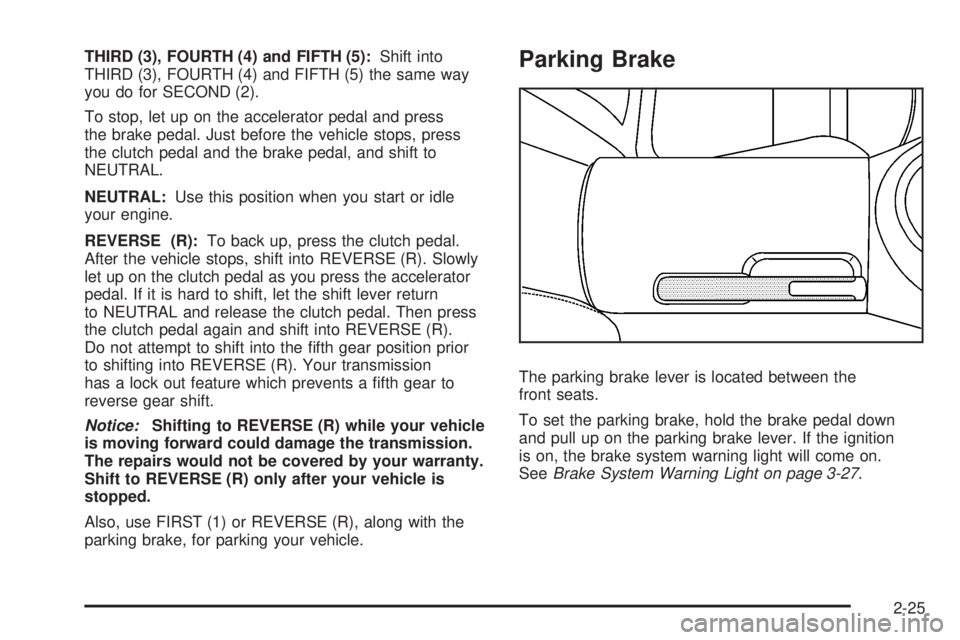
This is the shift pattern for
a manual transmission.
Here is how to operate your manual transmission:
FIRST (1):Press the clutch pedal and shift into
FIRST (1). Then, slowly let up on the clutch pedal
as you press the accelerator pedal.
You can shift into FIRST (1) when you are going less
than 20 mph (32 km/h). If you have come to a complete
stop and it is hard to shift into FIRST (1), put the shift
lever in NEUTRAL and let up on the clutch pedal. Press
the clutch pedal back down. Then shift into FIRST (1).
SECOND (2):Press the clutch pedal as you let up
on the accelerator pedal and shift into SECOND (2).
Then, slowly let up on the clutch pedal as you press
the accelerator pedal.
2-24
Page 81 of 348
THIRD (3), FOURTH (4) and FIFTH (5):Shift into
THIRD (3), FOURTH (4) and FIFTH (5) the same way
you do for SECOND (2).
To stop, let up on the accelerator pedal and press
the brake pedal. Just before the vehicle stops, press
the clutch pedal and the brake pedal, and shift to
NEUTRAL.
NEUTRAL:Use this position when you start or idle
your engine.
REVERSE (R):To back up, press the clutch pedal.
After the vehicle stops, shift into REVERSE (R). Slowly
let up on the clutch pedal as you press the accelerator
pedal. If it is hard to shift, let the shift lever return
to NEUTRAL and release the clutch pedal. Then press
the clutch pedal again and shift into REVERSE (R).
Do not attempt to shift into the fth gear position prior
to shifting into REVERSE (R). Your transmission
has a lock out feature which prevents a fth gear to
reverse gear shift.
Notice:Shifting to REVERSE (R) while your vehicle
is moving forward could damage the transmission.
The repairs would not be covered by your warranty.
Shift to REVERSE (R) only after your vehicle is
stopped.
Also, use FIRST (1) or REVERSE (R), along with the
parking brake, for parking your vehicle.Parking Brake
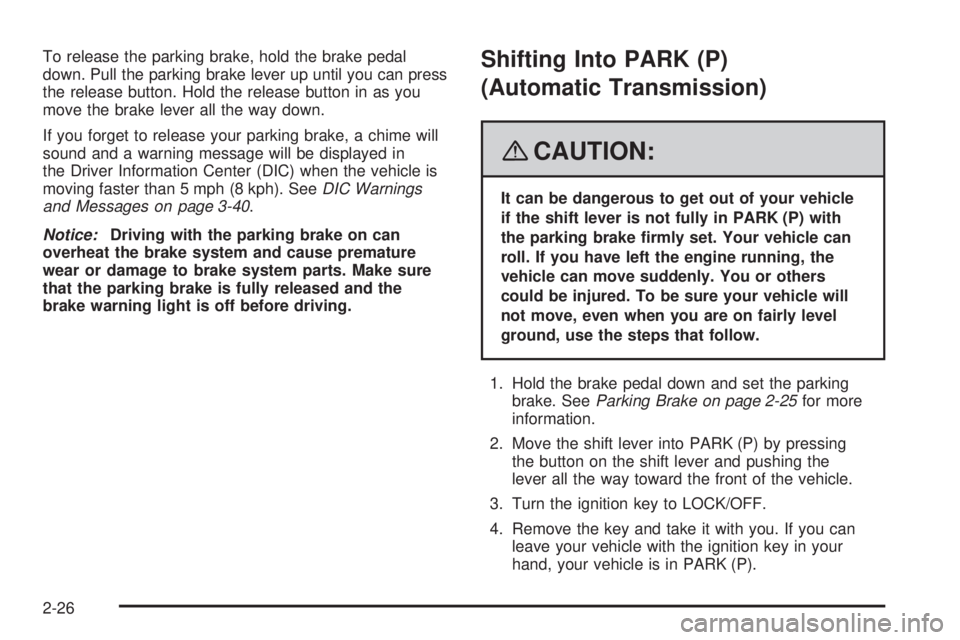
The parking brake lever is located between the
front seats.
To set the parking brake, hold the brake pedal down
and pull up on the parking brake lever. If the ignition
is on, the brake system warning light will come on.
SeeBrake System Warning Light on page 3-27.
2-25
Page 82 of 348
To release the parking brake, hold the brake pedal
down. Pull the parking brake lever up until you can press
the release button. Hold the release button in as you
move the brake lever all the way down.
If you forget to release your parking brake, a chime will
sound and a warning message will be displayed in
the Driver Information Center (DIC) when the vehicle is
moving faster than 5 mph (8 kph). SeeDIC Warnings
and Messages on page 3-40.
Notice:Driving with the parking brake on can
overheat the brake system and cause premature
wear or damage to brake system parts. Make sure
that the parking brake is fully released and the
brake warning light is off before driving.Shifting Into PARK (P)
(Automatic Transmission)
{CAUTION:
It can be dangerous to get out of your vehicle
if the shift lever is not fully in PARK (P) with
the parking brake rmly set. Your vehicle can
roll. If you have left the engine running, the
vehicle can move suddenly. You or others
could be injured. To be sure your vehicle will
not move, even when you are on fairly level
ground, use the steps that follow.
1. Hold the brake pedal down and set the parking
brake. SeeParking Brake on page 2-25for more
information.
2. Move the shift lever into PARK (P) by pressing
the button on the shift lever and pushing the
lever all the way toward the front of the vehicle.
3. Turn the ignition key to LOCK/OFF.
4. Remove the key and take it with you. If you can
leave your vehicle with the ignition key in your
hand, your vehicle is in PARK (P).
2-26
Page 97 of 348
Instrument Panel Overview...............................3-4
Hazard Warning Flashers................................3-6
Other Warning Devices...................................3-6
Horn.............................................................3-6
Tilt Wheel.....................................................3-6
Turn Signal/Multifunction Lever.........................3-7
Turn and Lane-Change Signals........................3-8
Headlamp High/Low-Beam Changer..................3-8
Flash-to-Pass.................................................3-8
Windshield Wipers..........................................3-9
Windshield Washer.......................................3-10
Cruise Control..............................................3-10
Headlamps..................................................3-13
Headlamps on Reminder................................3-13
Daytime Running Lamps (DRL).......................3-14
Fog Lamps..................................................3-14
Instrument Panel Brightness...........................3-15
Entry/Exit Lighting.........................................3-15
Mirror Reading Lamps...................................3-15
Battery Run-Down Protection..........................3-15
Accessory Power Outlet(s).............................3-16
Ashtray(s) and Cigarette Lighter......................3-16
Climate Controls............................................3-17
Climate Control System.................................3-17
Outlet Adjustment.........................................3-20Warning Lights, Gages, and Indicators............3-20
Instrument Panel Cluster................................3-21
Speedometer and Odometer...........................3-22
Tachometer.................................................3-22
Safety Belt Reminders...................................3-23
Airbag Readiness Light..................................3-24
Passenger Airbag Status Indicator...................3-25
Charging System Light..................................3-27
Brake System Warning Light.........................
.3-27
Antilock Brake System Warning Light...............3-28
Electronic Stability Control (ESC)/
Traction Control System (TCS) Indicator/
Warning Light............................................3-29
Engine Coolant Temperature Warning Light......3-30
Low Coolant Warning Light............................3-30
Tire Pressure Light.......................................3-31
Malfunction Indicator Lamp.............................3-32
Oil Pressure Light.........................................3-34
Security Light...............................................3-35
Reduced Engine Power Light
(2.4L Engine Only)....................................3-35
Highbeam On Light.......................................3-35
Trunk Ajar Light............................................3-36
Service Vehicle Soon Light............................3-36
Fuel Gage...................................................3-36
Low Fuel Warning Light.................................3-37
Section 3 Instrument Panel
3-1
Page 101 of 348
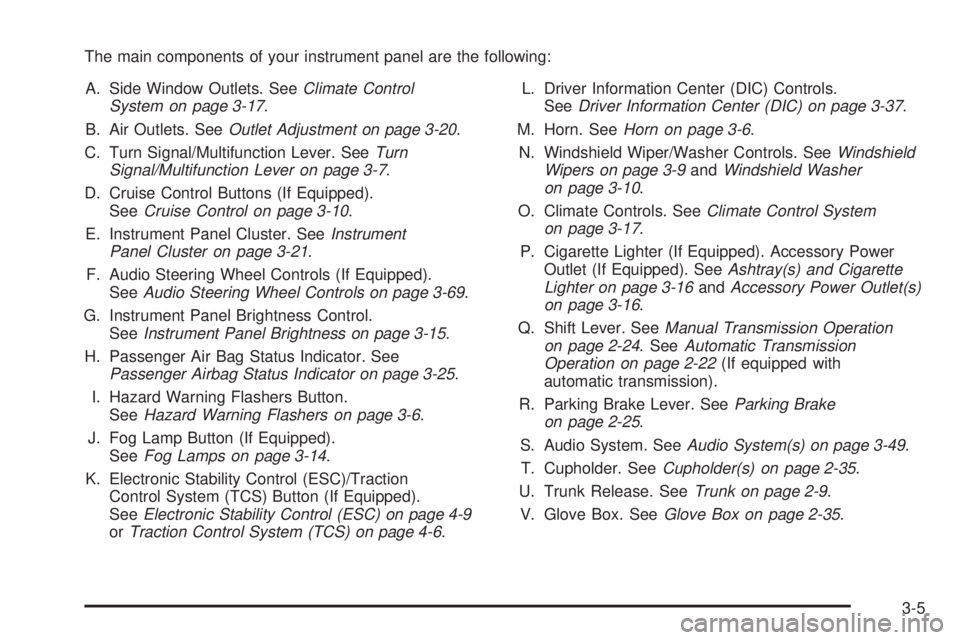
The main components of your instrument panel are the following:
A. Side Window Outlets. SeeClimate Control
System on page 3-17.
B. Air Outlets. SeeOutlet Adjustment on page 3-20.
C. Turn Signal/Multifunction Lever. SeeTurn
Signal/Multifunction Lever on page 3-7.
D. Cruise Control Buttons (If Equipped).
SeeCruise Control on page 3-10.
E. Instrument Panel Cluster. SeeInstrument
Panel Cluster on page 3-21.
F. Audio Steering Wheel Controls (If Equipped).
SeeAudio Steering Wheel Controls on page 3-69.
G. Instrument Panel Brightness Control.
SeeInstrument Panel Brightness on page 3-15.
H. Passenger Air Bag Status Indicator. See
Passenger Airbag Status Indicator on page 3-25.
I. Hazard Warning Flashers Button.
SeeHazard Warning Flashers on page 3-6.
J. Fog Lamp Button (If Equipped).
SeeFog Lamps on page 3-14.
K. Electronic Stability Control (ESC)/Traction
Control System (TCS) Button (If Equipped).
SeeElectronic Stability Control (ESC) on page 4-9
orTraction Control System (TCS) on page 4-6.L. Driver Information Center (DIC) Controls.
SeeDriver Information Center (DIC) on page 3-37.
M. Horn. SeeHorn on page 3-6.
N. Windshield Wiper/Washer Controls. SeeWindshield
Wipers on page 3-9andWindshield Washer
on page 3-10.
O. Climate Controls. SeeClimate Control System
on page 3-17.
P. Cigarette Lighter (If Equipped). Accessory Power
Outlet (If Equipped). SeeAshtray(s) and Cigarette
Lighter on page 3-16andAccessory Power Outlet(s)
on page 3-16.
Q. Shift Lever. SeeManual Transmission Operation
on page 2-24. SeeAutomatic Transmission
Operation on page 2-22(If equipped with
automatic transmission).
R. Parking Brake Lever. SeeParking Brake
on page 2-25.
S. Audio System. SeeAudio System(s) on page 3-49.
T. Cupholder. SeeCupholder(s) on page 2-35.
U. Trunk Release. SeeTrunk on page 2-9.
V. Glove Box. SeeGlove Box on page 2-35.
3-5
Page 107 of 348
Setting Cruise Control
{CAUTION:
If you leave your cruise control on when you
are not using cruise, you might hit a button
and go into cruise when you do not want to.
You could be startled and even lose control.
Keep the cruise control switch off until you
want to use cruise control.
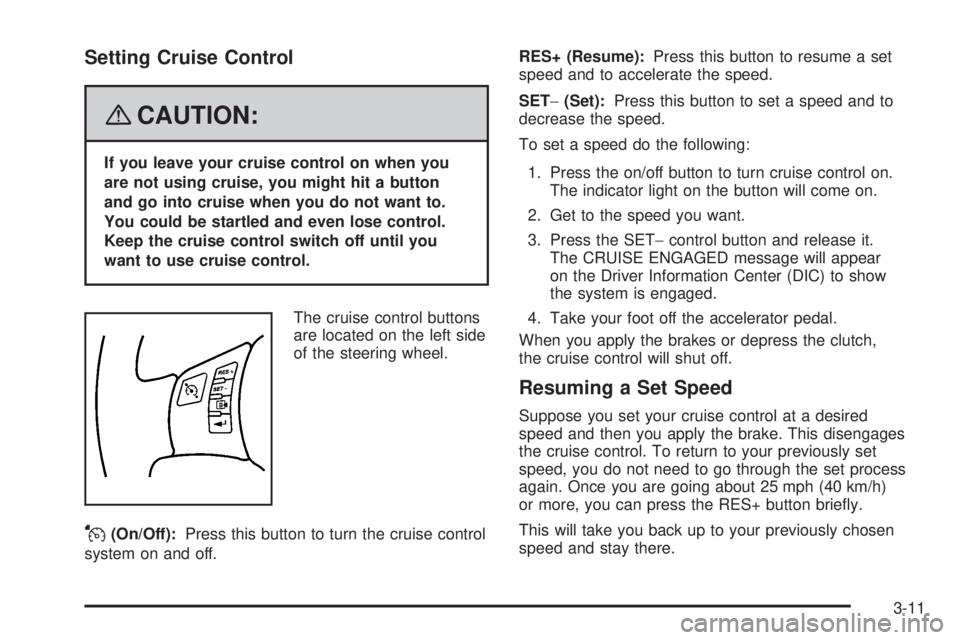
The cruise control buttons
are located on the left side
of the steering wheel.
J(On/Off):Press this button to turn the cruise control
system on and off.RES+ (Resume):Press this button to resume a set
speed and to accelerate the speed.
SET−(Set):Press this button to set a speed and to
decrease the speed.
To set a speed do the following:
1. Press the on/off button to turn cruise control on.
The indicator light on the button will come on.
2. Get to the speed you want.
3. Press the SET−control button and release it.
The CRUISE ENGAGED message will appear
on the Driver Information Center (DIC) to show
the system is engaged.
4. Take your foot off the accelerator pedal.
When you apply the brakes or depress the clutch,
the cruise control will shut off.
Resuming a Set Speed
Suppose you set your cruise control at a desired
speed and then you apply the brake. This disengages
the cruise control. To return to your previously set
speed, you do not need to go through the set process
again. Once you are going about 25 mph (40 km/h)
or more, you can press the RES+ button briey.
This will take you back up to your previously chosen
speed and stay there.
3-11
Page 108 of 348
Increasing Speed While Using
Cruise Control
There are two ways to increase speed.
1. Disengage the cruise control by applying the brake
pedal but do not turn it off. Accelerate to a higher
speed and reset the cruise control.
2. If the cruise control system is already engaged,
press the RES+ button. Press it until you get up
to the speed you want, and then release the button.
To increase your speed in very small amounts,
press the RES+ button briey and then release it.
Each time you do this, your vehicle will go about
1 mph (1.6 km/h) faster.
Reducing Speed While Using
Cruise Control
If the cruise control system is already engaged,
Push and hold the SET−part of the button until
you reach the lower speed desired, then release it.
To slow down in very small amounts, push
the SET−part of the button briey. Each time
this is done, your vehicle will go about 1 mph
(1.6 km/h) slower.
Passing Another Vehicle While Using
Cruise Control
Use the accelerator pedal to increase your speed.
When you take your foot off the pedal, your vehicle will
slow down to the cruise control speed you set earlier.
Using Cruise Control on Hills
How well your cruise control will work on hills depends
upon the vehicle speed, load, and the steepness of
the hills. When going up steep hills, you might have to
step on the accelerator pedal to maintain the vehicle
speed. When going downhill, you might have to brake or
shift to a lower gear to keep the vehicle speed down.
Of course, applying the brake turns off the cruise control.
Many drivers nd this to be too much trouble and do
not use cruise control on steep hills.
Ending Cruise Control
To end cruise control, step lightly on the brake pedal or the
clutch pedal if your vehicle has a manual transmission.
Stepping on the brake pedal or clutch pedal will only end
the current cruise control session. Press the cruise
control on/off button to turn the system completely off.
Erasing Speed Memory
When you turn off the cruise control or the ignition,
the cruise control set speed memory is erased.
3-12
Page 109 of 348
Headlamps
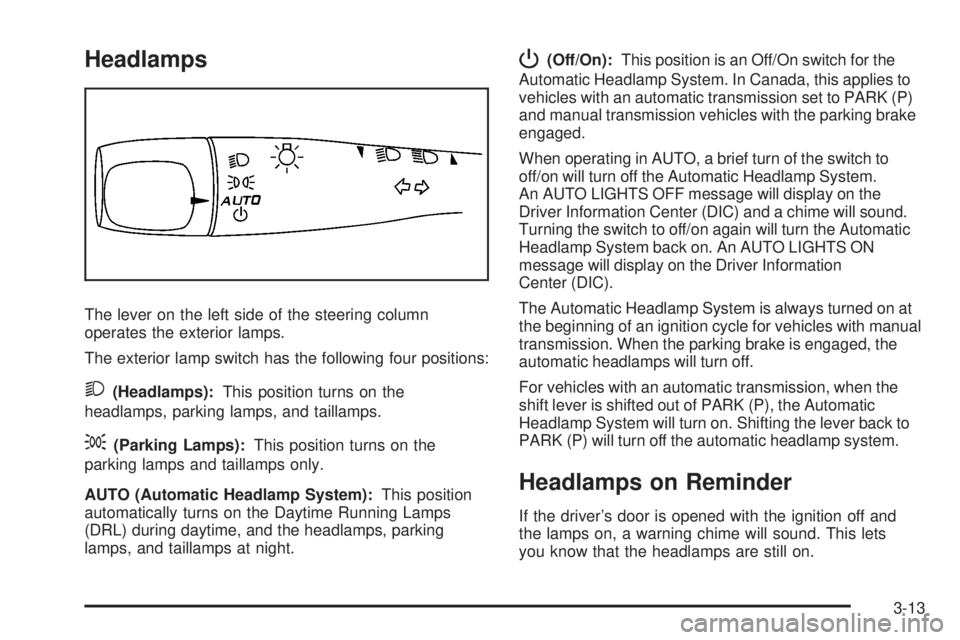
The lever on the left side of the steering column
operates the exterior lamps.
The exterior lamp switch has the following four positions:
2(Headlamps):This position turns on the
headlamps, parking lamps, and taillamps.
;(Parking Lamps):This position turns on the
parking lamps and taillamps only.
AUTO (Automatic Headlamp System):This position
automatically turns on the Daytime Running Lamps
(DRL) during daytime, and the headlamps, parking
lamps, and taillamps at night.
P(Off/On):This position is an Off/On switch for the
Automatic Headlamp System. In Canada, this applies to
vehicles with an automatic transmission set to PARK (P)
and manual transmission vehicles with the parking brake
engaged.
When operating in AUTO, a brief turn of the switch to
off/on will turn off the Automatic Headlamp System.
An AUTO LIGHTS OFF message will display on the
Driver Information Center (DIC) and a chime will sound.
Turning the switch to off/on again will turn the Automatic
Headlamp System back on. An AUTO LIGHTS ON
message will display on the Driver Information
Center (DIC).
The Automatic Headlamp System is always turned on at
the beginning of an ignition cycle for vehicles with manual
transmission. When the parking brake is engaged, the
automatic headlamps will turn off.
For vehicles with an automatic transmission, when the
shift lever is shifted out of PARK (P), the Automatic
Headlamp System will turn on. Shifting the lever back to
PARK (P) will turn off the automatic headlamp system.
Headlamps on Reminder
If the driver’s door is opened with the ignition off and
the lamps on, a warning chime will sound. This lets
you know that the headlamps are still on.
3-13
Page 110 of 348
Daytime Running Lamps (DRL)
Daytime Running Lamps (DRL) can make it easier for
others to see the front of your vehicle during the day. DRL
can be helpful in many different driving conditions, but
they can be especially helpful in the short periods after
dawn and before sunset. Fully functional daytime running
lamps are required on all vehicles rst sold in Canada.
Your vehicle has a light sensor on top of the instrument
panel that helps control the DRL. Make sure it is not
covered or the headlamps will come on when they are
not needed.
The DRL system makes both low beam headlamps turn
on at reduced intensity when the following conditions
are met:
The ignition is on.
The exterior lamp control is turned to AUTO.
The light sensor detects daytime light.
The shift lever is not in PARK (P).
While the DRL system is on, the taillamps, sidemarker
lamps, and instrument panel lights will not be on.The DRL system turns off on U.S. vehicles by using
the on/off switch for one ignition cycle, if the vehicle
is in the PARK (P) position, or if the vehicle speed
is less than 5 mph (8 km/h) after the vehicle is started.
For vehicles rst sold in Canada the DRL system
will turn off when a automatic transmission vehicle is in
the PARK (P) position or the park brake is set on a
manual transmission vehicle and the vehicle speed
is less than 8 mph (13 km/h).
As with any vehicle, you should turn on the regular
headlamp system when it is needed.
Fog Lamps
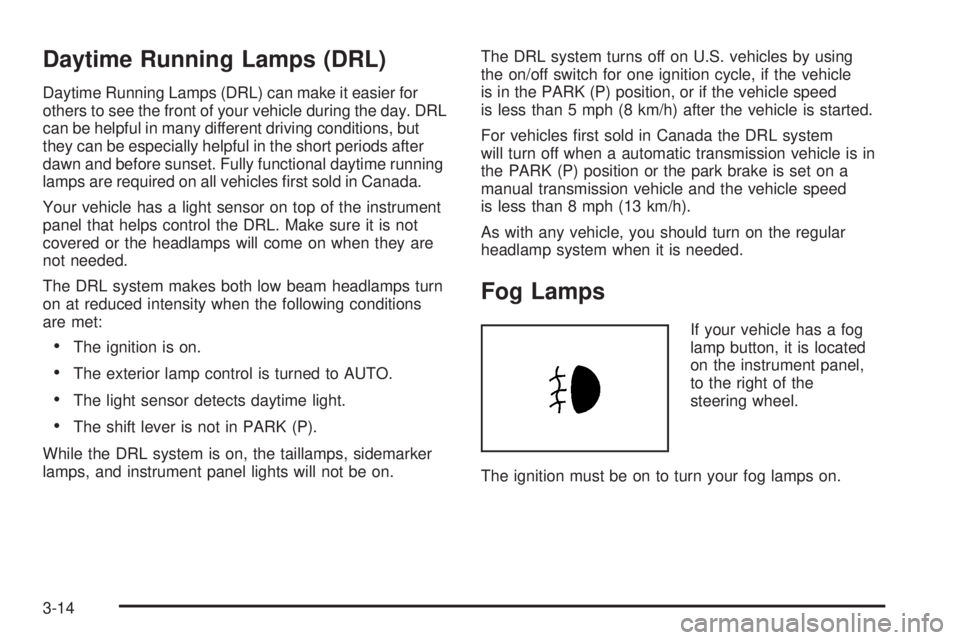
If your vehicle has a fog
lamp button, it is located
on the instrument panel,
to the right of the
steering wheel.
The ignition must be on to turn your fog lamps on.
3-14
Page 123 of 348
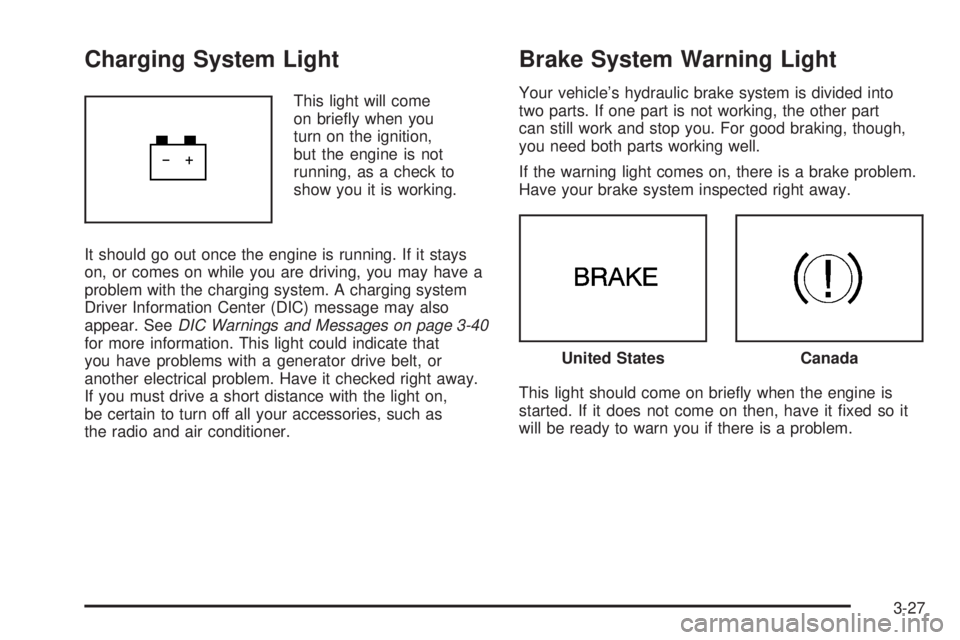
Charging System Light
This light will come
on briey when you
turn on the ignition,
but the engine is not
running, as a check to
show you it is working.
It should go out once the engine is running. If it stays
on, or comes on while you are driving, you may have a
problem with the charging system. A charging system
Driver Information Center (DIC) message may also
appear. SeeDIC Warnings and Messages on page 3-40
for more information. This light could indicate that
you have problems with a generator drive belt, or
another electrical problem. Have it checked right away.
If you must drive a short distance with the light on,
be certain to turn off all your accessories, such as
the radio and air conditioner.
Brake System Warning Light
Your vehicle’s hydraulic brake system is divided into
two parts. If one part is not working, the other part
can still work and stop you. For good braking, though,
you need both parts working well.
If the warning light comes on, there is a brake problem.
Have your brake system inspected right away.
This light should come on briey when the engine is
started. If it does not come on then, have it xed so it
will be ready to warn you if there is a problem.
United StatesCanada
3-27