keyless PONTIAC SOLSTICE 2009 User Guide
[x] Cancel search | Manufacturer: PONTIAC, Model Year: 2009, Model line: SOLSTICE, Model: PONTIAC SOLSTICE 2009Pages: 354, PDF Size: 1.98 MB
Page 134 of 354

SERVICE ESC (ELECTRONIC STABILITY
CONTROL)
If your vehicle has Electronic Stability Control (ESC),
this message displays and a chime sounds if there has
been a problem detected with ESC. The ESC/TCS
light also appears on the instrument panel cluster. This
light stays on solid as long as the detected problem
remains present. When this message displays, the
system is not working. Adjust your driving accordingly.
SeeElectronic Stability Control (ESC) on page 4-6
andElectronic Stability Control (ESC)/Traction Control
System (TCS) Indicator/Warning Light on page 3-27
for more information.
If this message turns on while you are driving, pull off
the road as soon as possible and stop carefully.
Try resetting the system by turning the ignition off and
then back on. If this message still stays on or turns back
on again while you are driving, your vehicle needs
service. Have the ESC inspected by your dealer/retailer
as soon as possible.
SERVICE TRACTION
If your vehicle has the Traction Control System (TCS),
this message displays and a chime sounds when
the system is not functioning properly. The ESC/TCS
light also appears on the instrument panel cluster. This
light stays on solid as long as the detected problem
remains present. When this message displays, thesystem is not working. Adjust your driving accordingly.
SeeTraction Control System (TCS) on page 4-8
andElectronic Stability Control (ESC)/Traction Control
System (TCS) Indicator/Warning Light on page 3-27
for more information. Have the TCS serviced by
your dealer/retailer as soon as possible.
SVC (Service) TIRE MONITOR
On vehicles with the Tire Pressure Monitor System
(TPMS), this message displays if a part on the TPMS is
not working properly. The tire pressure light also
ashes and then remains on during the same ignition
cycle. SeeTire Pressure Light on page 3-29. Several
conditions may cause this message to appear. SeeTire
Pressure Monitor Operation on page 5-56for more
information. If the warning comes on and stays on, there
may be a problem with the TPMS. See your
dealer/retailer.
TIRE LEARN ON
On vehicles without the Remote Keyless Entry (RKE)
system and with the Tire Pressure Monitor System
(TPMS), this message displays when the TPMS
is re-learning the tire positions on your vehicle. The tire
positions must be re-learned after rotating the tires
or after replacing a tire or sensor. SeeTire Inspection
and Rotation on page 5-60,Tire Pressure Monitor
System on page 5-54, andInflation - Tire Pressure on
page 5-53for more information.
3-40
Page 136 of 354

UNITS
This feature allows you to select the units of
measurement in which the DIC will display the vehicle
information. When UNITS appears on the display, press
and hold the reset button for at least one second to
scroll through the available settings:
ENGLISH (default in United States):All information
will be displayed in English units.
METRIC (default in Canada):All information will be
displayed in metric units.
To select a setting and move on to the next feature,
press the information button while the desired setting is
displayed on the DIC.
TIRE LEARN?
This mode is available on vehicles without the Remote
Keyless Entry (RKE) system and with the Tire
Pressure Monitor System (TPMS). After rotating the
tires or after replacing a tire or sensor, the TPMS must
re-learn the tire positions. To re-learn the tire positions,
seeTire Pressure Monitor System on page 5-54.
SeeTire Inspection and Rotation on page 5-60andDIC
Warnings and Messages on page 3-37for more
information.
LOCK HORN
If your vehicle has Remote Keyless Entry (RKE), this
feature, which allows the vehicle’s horn to chirp
every time the lock button on the RKE transmitter is
pressed, can be enabled or disabled. When LOCK
HORN appears on the display, press and hold the reset
button for at least one second to scroll through the
available settings:
OFF (default):The horn will not chirp on the rst press
of the lock button on the RKE transmitter. The horn
will still chirp on the second press.
ON:The horn will chirp on the rst press of the lock
button on the RKE transmitter.
SeeRemote Keyless Entry (RKE) System Operation on
page 2-4for more information.
To select a setting and move on to the next feature,
press the information button while the desired setting is
displayed on the DIC.
3-42
Page 137 of 354

UNLOCK HORN
If your vehicle has Remote Keyless Entry (RKE), this
feature, which allows the vehicle’s horn to chirp on
the rst press of the unlock button on the RKE
transmitter, can be enabled or disabled. When UNLOCK
HORN appears on the display, press and hold the
reset button for at least one second to scroll through the
available settings:
OFF (default):The horn will not chirp when the unlock
button on the RKE transmitter is pressed.
ON:The horn will chirp on the rst press of the unlock
button on the RKE transmitter.
SeeRemote Keyless Entry (RKE) System Operation on
page 2-4for more information.
To select a setting and move on to the next feature,
press the information button while the desired setting is
displayed on the DIC.
LIGHT FLASH
If your vehicle has Remote Keyless Entry (RKE), this
feature, which allows the vehicle’s exterior hazard/turn
signal lighting to ash every time the lock, unlock,
or trunk release buttons on the RKE transmitter are
pressed, can be enabled or disabled. When LIGHT
FLASH appears on the display, press and hold the reset
button for at least one second to scroll through the
available settings:
OFF:The exterior hazard/turn signal lighting will not
ash when the lock, unlock, or trunk release buttons on
the RKE transmitter are pressed.
ON (default):The exterior hazard/turn signal lighting
will ash when the lock, unlock, or trunk release buttons
on the RKE transmitter are pressed.
SeeRemote Keyless Entry (RKE) System Operation on
page 2-4for more information.
To select a setting and move on to the next feature,
press the information button while the desired setting is
displayed on the DIC.
3-43
Page 139 of 354

EXT (Exterior) LIGHTS
If your vehicle has Remote Keyless Entry (RKE), this
feature, which allows the vehicle’s exterior perimeter
lighting to turn on each time the unlock button on
the RKE transmitter is pressed, can be enabled or
disabled. When EXT LIGHTS appears on the display,
press and hold the reset button for at least one second
to scroll through the available settings:
OFF:The exterior perimeter lighting will not turn on
when the unlock button on the RKE transmitter is
pressed.
ON (default):The exterior perimeter lighting will turn on
when the unlock button on the RKE transmitter is
pressed.
SeeRemote Keyless Entry (RKE) System Operation on
page 2-4for more information.
To select a setting and move on to the next feature,
press the information button while the desired setting is
displayed on the DIC.
LANGUAGE
This feature allows you to select the language in which
the DIC will display. When LANGUAGE appears on
the display, press and hold the reset button for at least
one second to scroll through the available settings:
ENGLISH (default):All messages will appear in
English.
FRENCH:All messages will appear in French.
SPANISH:All messages will appear in Spanish.
GERMAN:All messages will appear in German.
To select a setting and exit out of the personalization
menu mode, press the information button while the
desired setting is displayed on the DIC.
Exiting Personalization Menu
The personalization menu will be exited when any of the
following conditions occur:
A ten second time period has elapsed.
The ignition is turned off.
The end of the personalization menu list is reached.
3-45
Page 206 of 354

California Proposition 65 Warning
Most motor vehicles, including this one, contain and/or
emit chemicals known to the State of California to
cause cancer and birth defects or other reproductive
harm. Engine exhaust, many parts and systems
(including some inside the vehicle), many uids, and
some component wear by-products contain and/or emit
these chemicals.
California Perchlorate Materials
Requirements
Certain types of automotive applications, such as airbag
initiators, seat belt pretensioners, and lithium batteries
contained in remote keyless transmitters, may
contain perchlorate materials. Special handling may be
necessary. For additional information, see
www.dtsc.ca.gov/hazardouswaste/perchlorate.
Doing Your Own Service Work
{CAUTION:
You can be injured and the vehicle could be
damaged if you try to do service work on a vehicle
without knowing enough about it.
Be sure you have sufficient knowledge,
experience, the proper replacement parts, and
tools before attempting any vehicle
maintenance task.
Be sure to use the proper nuts, bolts, and
other fasteners. English and metric fasteners
can be easily confused. If the wrong fasteners
are used, parts can later break or fall off. You
could be hurt.
If doing some of your own service work, use the proper
service manual. It tells you much more about how to
service the vehicle than this manual can. To order
the proper service manual, seeService Publications
Ordering Information on page 7-14.
5-4
Page 260 of 354

Replacement tires or wheels do not match your
vehicle’s original equipment tires or wheels.
Tires and wheels other than those recommended
for your vehicle could prevent the TPMS from
functioning properly. SeeBuying New Tires on
page 5-63.
Operating electronic devices or being near facilities
using radio wave frequencies similar to the TPMS
could cause the TPMS sensors to malfunction.
If the TPMS is not functioning it cannot detect or signal
a low tire condition. See your dealer/retailer for
service if the TPMS malfunction light and DIC message
comes on and stays on.
TPMS Sensor Matching Process
Each TPMS sensor has a unique identication code.
Any time you replace one or more of the TPMS sensors
or rotate the vehicle’s tires, the identication codes
need to be matched to the new tire/wheel position. The
sensors are matched, to the tire/wheel positions, in
the following order: driver side front tire, passenger side
front tire, passenger side rear tire, and driver side
rear tire using a TPMS diagnostic tool. See your
dealer/retailer for service.
The TPMS sensors can also be matched to each
tire/wheel position by increasing or decreasing the tire’s
air pressure. When increasing the tire’s pressure, do
not exceed the maximum ination pressure indicated onthe tire’s sidewall. To decrease the tire’s air-pressure
use the pointed end of the valve cap, a pencil-style
air pressure gage, or a key.
You have two minutes to match each tire and wheel
position. If it takes longer than two minutes to match any
tire and wheel position, the matching process stops
and you need to start over.
TPMS Matching Process for Vehicles
with Remote Keyless Entry (RKE)
1. Set the parking brake.
2. Turn the ignition switch to ON/RUN with the
engine off.
3. Press and hold the Remote Keyless Entry (RKE)
transmitter’s LOCK and UNLOCK buttons, at the
same time, for about ve seconds to start the TPMS
learn mode. The horn sounds twice indicating the
TPMS receiver is ready and in learn mode.
4. Start with the driver side front tire. The driver side
front turn signal also comes on to indicate that
corner’s sensor is ready to be learned.
5. Remove the valve cap from the tire’s valve stem.
Activate the TPMS sensor by increasing or
decreasing the tire’s air pressure for about
eight seconds. The horn chirp, can take up to
30 seconds to sound. It chirps one time and then all
5-58
Page 261 of 354

the turn signals ash one time to conrm the sensor
identication code has been matched to the
tire/wheel position.
6. The passenger side front turn signal comes on to
indicate that corner sensor is ready to be learned.
Proceed to the passenger side front tire and
repeat the procedure in Step 5.
7. The passenger side rear turn signal comes on to
indicate that corner sensor is ready to be learned.
Proceed to the passenger side rear tire and
repeat the procedure in Step 5.
8. The driver side rear turn signal comes on to
indicate that corner sensor is ready to be learned.
Proceed to the driver side rear tire, and repeat
the procedure in Step 5.
9. After hearing the single horn chirp for the driver
side rear tire, two additional horn chirps sound to
indicate the tire learning process is done. Turn
the ignition switch to LOCK/OFF.
If no tires are learned after entering the TPMS learn
mode, or if communication with the receiver
stops, or if the time limit has expired, turn the
ignition switch to LOCK/OFF and start over
beginning with Step 2.10. Set all four tires to the recommended air pressure
level as indicated on the Tire and Loading
Information label.
11. Put the valve caps back on the valve stems.
TPMS Matching Process for Vehicles
without Remote Keyless Entry (RKE)
1. Set the parking brake.
2. Turn the ignition switch to ON/RUN with the
engine off.
3. Using the Driver Information Center (DIC), press
the INFO and Set/Reset buttons at the same time
for about one second. Then press and release
the INFO button until the TIRE LEARN? message
displays.
4. Press and hold the Set/Reset DIC button for
approximately three seconds to start the TPMS
learn mode. The horn sounds twice to indicate the
TPMS receiver is ready and the TIRE LEARN
ON message displays. The driver side front turn
signal also comes on to indicate that corner sensor
is ready to be learned.
5. Start with the driver side front tire.
5-59
Page 305 of 354

Fuses Usage
48 Daytime Running Lamps Relay
49 Daytime Running Lamps
50Cooling Fan 1 Relay (LE5);
Empty (LNF)
51 Run/Crank Relay
52 Windshield Wiper Low/High Relay
53 Fog Lamps
54 Fog Lamps Relay
55 Horn Relay
56S Band, OnStar
®, Remote Keyless
Entry System
57 Antilock Brake System
58 Wiper Diode
59 Windshield Wiper
60 Horn
Fuses Usage
61 Antilock Brake System
62 Instrument Panel Ignition
63 Driver Side High Beam
64 Canister Vent
65 Driver Side Low-Beam Headlamp
66Passenger Side Low-Beam
Headlamp
67Passenger Side High-Beam
Headlamp
68 Parking Lamps Relay
69 Parking Lamps
70 Windshield Wiper On/Off Relay
71 Low-Beam Headlamp Relay
72 High-Beam Headlamp Relay
5-103
Page 348 of 354

Headlamps............................................3-12, 5-42
Bulb Replacement.......................................5-42
Daytime Running Lamp................................3-13
Flash-to-Pass............................................... 3-7
Front Turn Signal, Parking and Fog Lamps.....5-43
Halogen Bulbs............................................5-42
High/Low Beam Changer................................ 3-7
On Reminder..............................................3-13
Heater...........................................................3-16
Height Adjuster, Driver Seat............................... 1-2
Highbeam On Light.........................................3-33
Highway Hypnosis...........................................4-15
Hill and Mountain Roads..................................4-16
Hood
Checking Things Under................................5-10
Release.....................................................5-11
Horn ............................................................... 3-5
How to Wear Safety Belts Properly...................1-11
Hydraulic Clutch.............................................5-23
I
Ignition Positions.............................................2-16
Infants and Young Children, Restraints...............1-25
Ination - Tire Pressure...................................5-53
Inator Kit, Tire.......................................5-71, 5-80
Installing the Roof Panel..................................2-36Instrument Panel
Brightness..................................................3-14
Cluster.......................................................3-20
Overview..................................................... 3-4
J
Jump Starting.................................................5-36
K
Keyless Entry System....................................... 2-3
Keys............................................................... 2-2
L
Labeling, Tire Sidewall.....................................5-49
Lamp
Malfunction Indicator....................................3-29
Lamps
Mirror Reading............................................3-14
Lap-Shoulder Belt...........................................1-18
LATCH System for Child Restraints...................1-31
Latches, Seatback............................................ 1-5
License Plate Lamps.......................................5-45
6
Page 351 of 354
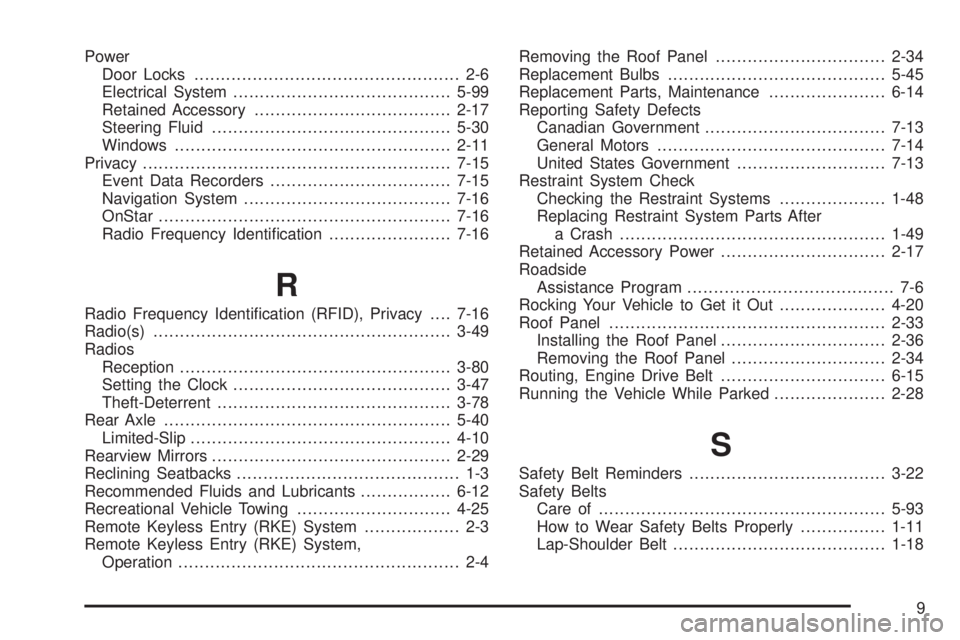
Power
Door Locks.................................................. 2-6
Electrical System.........................................5-99
Retained Accessory.....................................2-17
Steering Fluid.............................................5-30
Windows....................................................2-11
Privacy..........................................................7-15
Event Data Recorders..................................7-15
Navigation System.......................................7-16
OnStar.......................................................7-16
Radio Frequency Identication.......................7-16
R
Radio Frequency Identication (RFID), Privacy....7-16
Radio(s)........................................................3-49
Radios
Reception...................................................3-80
Setting the Clock.........................................3-47
Theft-Deterrent............................................3-78
Rear Axle......................................................5-40
Limited-Slip.................................................4-10
Rearview Mirrors.............................................2-29
Reclining Seatbacks.......................................... 1-3
Recommended Fluids and Lubricants.................6-12
Recreational Vehicle Towing.............................4-25
Remote Keyless Entry (RKE) System.................. 2-3
Remote Keyless Entry (RKE) System,
Operation..................................................... 2-4Removing the Roof Panel................................2-34
Replacement Bulbs.........................................5-45
Replacement Parts, Maintenance......................6-14
Reporting Safety Defects
Canadian Government..................................7-13
General Motors...........................................7-14
United States Government............................7-13
Restraint System Check
Checking the Restraint Systems....................1-48
Replacing Restraint System Parts After
a Crash..................................................1-49
Retained Accessory Power...............................2-17
Roadside
Assistance Program....................................... 7-6
Rocking Your Vehicle to Get it Out....................4-20
Roof Panel....................................................2-33
Installing the Roof Panel...............................2-36
Removing the Roof Panel.............................2-34
Routing, Engine Drive Belt...............................6-15
Running the Vehicle While Parked.....................2-28
S
Safety Belt Reminders.....................................3-22
Safety Belts
Care of ......................................................5-93
How to Wear Safety Belts Properly................1-11
Lap-Shoulder Belt........................................1-18
9