fuel PONTIAC TORRENT 2007 User Guide
[x] Cancel search | Manufacturer: PONTIAC, Model Year: 2007, Model line: TORRENT, Model: PONTIAC TORRENT 2007Pages: 490, PDF Size: 2.71 MB
Page 194 of 490
Driver Information Center (DIC)
Your vehicle has a Driver Information Center (DIC).
All messages will appear in the DIC display
located in the center of the instrument panel
cluster. The DIC buttons are located on the center
of the instrument panel.
The DIC comes on when the ignition is on. After a
short delay, the DIC will display the information
that was last displayed before the engine was
turned off.
The DIC displays trip, fuel, and vehicle system
information, and warning messages if a system
problem is detected. The top of the DIC display
shows the shift lever position indicator. See
Automatic Transaxle Operation on page 119for
more information.If your vehicle has this feature, the DIC also
displays the outside air temperature when viewing
the trip and fuel information. If there is a problem
with the system that controls the temperature
display, the numbers will be replaced with dashes.
If this occurs, have the vehicle serviced by your
dealer. If an abnormal temperature reading is
displayed for an extended period of time, consult
your dealer. Under certain circumstances,
especially when the engine is idling, a delay
updating the temperature display is normal.
The DIC also allows some features to be
personalized. SeeDIC Vehicle Personalization on
page 210for more information.
194
Page 195 of 490
DIC Operation and Displays
The DIC has different displays which can be
accessed by pressing the DIC buttons located on
the center of the instrument panel.
DIC Buttons
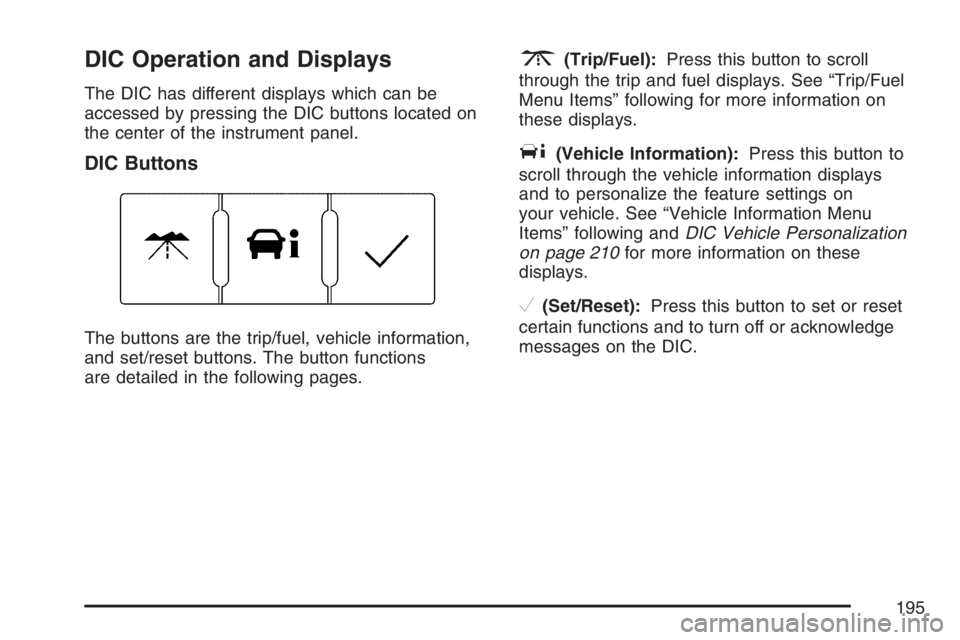
The buttons are the trip/fuel, vehicle information,
and set/reset buttons. The button functions
are detailed in the following pages.
3(Trip/Fuel):Press this button to scroll
through the trip and fuel displays. See “Trip/Fuel
Menu Items” following for more information on
these displays.
T(Vehicle Information):Press this button to
scroll through the vehicle information displays
and to personalize the feature settings on
your vehicle. See “Vehicle Information Menu
Items” following andDIC Vehicle Personalization
on page 210for more information on these
displays.
V(Set/Reset):Press this button to set or reset
certain functions and to turn off or acknowledge
messages on the DIC.
195
Page 196 of 490
Trip/Fuel Menu Items
3
(Trip/Fuel):Press this button to scroll
through the following displays:
ODOMETER
Press the trip/fuel button until ODOMETER
displays. This display shows the distance the
vehicle has been driven in either miles (mi)
or kilometers (km). This display will also show the
outside air temperature in either degrees
Fahrenheit (°F) or degrees Celsius (°C).
To change the DIC display to English or metric
units, see “UNITS” later in this section.
TRIP
Press the trip/fuel button until TRIP displays. This
display shows the current distance traveled in
either miles (mi) or kilometers (km) since the last
reset for each trip odometer. Both trip odometers
can be used at the same time. This display
will also show the outside air temperature in either
degrees Fahrenheit (°F) or degrees Celsius (°C).
Each trip odometer can be reset to zero separately
by pressing the set/reset button while the desired
trip odometer is displayed.
AVERAGE SPEED
Press the trip/fuel button until AVERAGE SPEED
displays. This display shows the average speed
of the vehicle in miles per hour (mph) or kilometers
per hour (km/h). This average is calculated
based on the various vehicle speeds recorded
since the last reset of this value. To reset
the value, press and hold the set/reset button.
The display will return to zero.
196
Page 197 of 490
AVG (Average) ECONOMY
Press the trip/fuel button until AVG ECONOMY
displays. This display shows the approximate
average miles per gallon (mpg) or liters per
100 kilometers (L/100 km). This number is
calculated based on the number of mpg (L/100 km)
recorded since the last time this menu item was
reset. To reset this display, press and hold the
set/reset button. The display will return to zero.
RANGE
Press the trip/fuel button until RANGE displays.
This display shows the approximate number
of remaining miles (mi) or kilometers (km) the
vehicle can be driven without refueling.The fuel range estimate is based on an average of
the vehicle’s fuel economy over recent driving
history and the amount of fuel remaining in the fuel
tank. This estimate will change if driving conditions
change. For example, if driving in traffic and making
frequent stops, this display may read one number,
but if the vehicle is driven on a freeway, the number
may change even though the same amount of fuel
is in the fuel tank. This is because different driving
conditions produce different fuel economies.
Generally, freeway driving produces better fuel
economy than city driving.
If your vehicle is low on fuel, the FUEL LEVEL
LOW message will be displayed. See “FUEL
LEVEL LOW” underDIC Warnings and Messages
on page 200for more information.
Blank Display
This display shows no information.
197
Page 204 of 490
ENGINE OVERHEATD (Overheated)
STOP ENGINE
Notice:If you drive your vehicle while the
engine is overheating, severe engine damage
may occur. If an overheat warning appears on
the instrument panel cluster and/or DIC, stop
the vehicle as soon as possible. SeeEngine
Overheating on page 360for more information.
This message displays along with a continuous
chime when the engine has overheated. Stop and
turn the engine off immediately to avoid severe
engine damage. SeeEngine Overheating on
page 360.
ENGINE POWER IS REDUCED
This message displays when the vehicle’s engine
power is reduced. Reduced engine power can
affect the vehicle’s ability to accelerate. If this
message is on, but there is no reduction in
performance, proceed to your destination. The
performance may be reduced the next time the
vehicle is driven. The vehicle may be driven at a
reduced speed while this message is on, but
acceleration and speed may be reduced. Anytime
this message stays on, the vehicle should be taken
to your dealer for service as soon as possible.
FUEL LEVEL LOW
This message displays when your vehicle is low
on fuel. Rell the fuel tank as soon as possible.
SeeFuel Gage on page 192andFilling the Tank
on page 343for more information.
HOOD OPEN
This message displays on some vehicles when
the hood is not closed properly. When this
message appears, make sure that the hood is
closed completely. SeeHood Release on
page 347.
ICE POSSIBLE DRIVE WITH CARE
This message displays when the outside air
temperature is cold enough to create icy road
conditions. Adjust your driving accordingly.
LIFTGATE OPEN
This message displays when the liftgate is not
closed completely. Make sure that the liftgate is
closed completely. SeeLiftgate on page 107.
204
Page 217 of 490
DO NOT RESTORE:The personalization features
will not be set to their factory default settings.
Choose one of the available settings and press the
set/reset button while it is displayed on the DIC
to select it.
EXIT FEATURE SETTINGS
This feature allows you to exit the feature
settings menu.
Press the vehicle information button until
FEATURE SETTINGS PRESS
VTO EXIT
appears in the DIC display. Press the set/reset
button to exit the menu.
If you do not exit, pressing the vehicle information
button again will return you to the beginning of
the vehicle information menu.
Exiting the Feature Settings Menu
The feature settings menu will be exited when any
of the following occurs:
The vehicle is shifted out of PARK (P).
The vehicle is no longer in RUN.
The trip/fuel DIC button is pressed.
The end of the feature settings menu is
reached and exited.
A 40 second time period has elapsed with no
selection made.
217
Page 313 of 490
Once you are moving on the freeway, make
certain you allow a reasonable following distance.
Expect to move slightly slower at night.
When you want to leave the freeway, move to the
proper lane well in advance. If you miss your
exit, do not, under any circumstances, stop and
back up. Drive on to the next exit.
The exit ramp can be curved, sometimes quite
sharply. The exit speed is usually posted.
Reduce your speed according to your
speedometer, not to your sense of motion.
After driving for any distance at higher speeds,
you may tend to think you are going slower than
you actually are.
Before Leaving on a Long Trip
Make sure you are ready. Try to be well rested.
If you must start when you are not fresh — such as
after a day’s work — do not plan to make too
many miles that rst part of the journey. Wear
comfortable clothing and shoes you can easily
drive in.Is your vehicle ready for a long trip? If you keep it
serviced and maintained, it is ready to go. If it needs
service, have it done before starting out. Of course,
you will nd experienced and able service experts
in GM dealerships all across North America. They
will be ready and willing to help if you need it.
Here are some things you can check before a trip:
Windshield Washer Fluid:Is the reservoir
full? Are all windows clean inside and outside?
Wiper Blades:Are they in good shape?
Fuel, Engine Oil, Other Fluids:Have you
checked all levels?
Lamps:Are they all working? Are the lenses
clean?
Tires:They are vitally important to a safe,
trouble-free trip. Is the tread good enough
for long-distance driving? Are the tires
all inated to the recommended pressure?
Weather Forecasts:What is the weather
outlook along your route? Should you
delay your trip a short time to avoid a major
storm system?
Maps:Do you have up-to-date maps?
313
Page 319 of 490
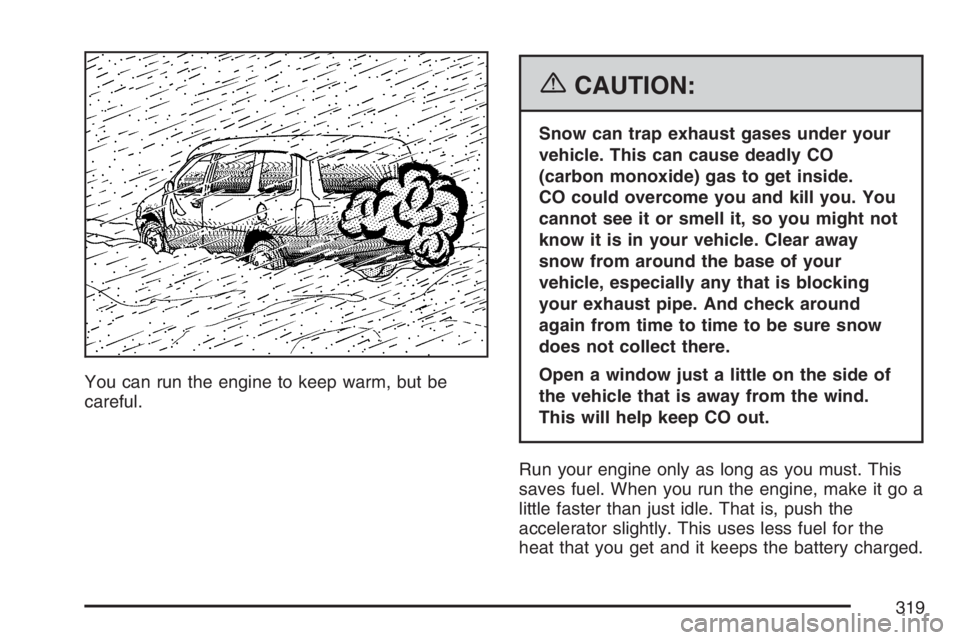
You can run the engine to keep warm, but be
careful.
{CAUTION:
Snow can trap exhaust gases under your
vehicle. This can cause deadly CO
(carbon monoxide) gas to get inside.
CO could overcome you and kill you. You
cannot see it or smell it, so you might not
know it is in your vehicle. Clear away
snow from around the base of your
vehicle, especially any that is blocking
your exhaust pipe. And check around
again from time to time to be sure snow
does not collect there.
Open a window just a little on the side of
the vehicle that is away from the wind.
This will help keep CO out.
Run your engine only as long as you must. This
saves fuel. When you run the engine, make it go a
little faster than just idle. That is, push the
accelerator slightly. This uses less fuel for the
heat that you get and it keeps the battery charged.
319
Page 320 of 490
You will need a well-charged battery to restart the
vehicle, and possibly for signaling later on with
your headlamps. Let the heater run for a while.
Then, shut the engine off and close the window
almost all the way to preserve the heat. Start
the engine again and repeat this only when you
feel really uncomfortable from the cold. But do it as
little as possible. Preserve the fuel as long as
you can. To help keep warm, you can get out of
the vehicle and do some fairly vigorous exercises
every half hour or so until help comes.
If Your Vehicle is Stuck in Sand,
Mud, Ice, or Snow
In order to free your vehicle when it is stuck, you
will need to spin the wheels, but you do not
want to spin your wheels too fast. The method
known as rocking can help you get out when you
are stuck, but you must use caution.
{CAUTION:
If you let your vehicle’s tires spin at high
speed, they can explode, and you or
others could be injured. And, the
transaxle or other parts of the vehicle can
overheat. That could cause an engine
compartment re or other damage. When
you are stuck, spin the wheels as little as
possible. Do not spin the wheels above
35 mph (55 km/h) as shown on the
speedometer.
Notice:Spinning the wheels can destroy parts
of your vehicle as well as the tires. If you
spin the wheels too fast while shifting
the transaxle back and forth, you can destroy
the transaxle. SeeRocking Your Vehicle to
Get It Out on page 321.
For information about using tire chains on your
vehicle, seeTire Chains on page 406.
320
Page 325 of 490
Certication Label
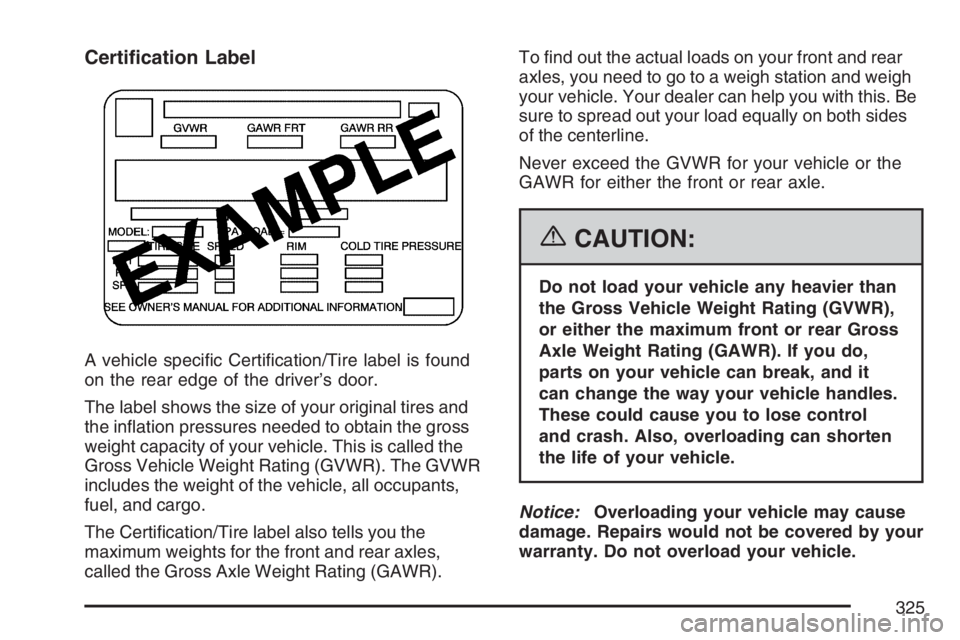
A vehicle specic Certication/Tire label is found
on the rear edge of the driver’s door.
The label shows the size of your original tires and
the ination pressures needed to obtain the gross
weight capacity of your vehicle. This is called the
Gross Vehicle Weight Rating (GVWR). The GVWR
includes the weight of the vehicle, all occupants,
fuel, and cargo.
The Certication/Tire label also tells you the
maximum weights for the front and rear axles,
called the Gross Axle Weight Rating (GAWR).To nd out the actual loads on your front and rear
axles, you need to go to a weigh station and weigh
your vehicle. Your dealer can help you with this. Be
sure to spread out your load equally on both sides
of the centerline.
Never exceed the GVWR for your vehicle or the
GAWR for either the front or rear axle.
{CAUTION:
Do not load your vehicle any heavier than
the Gross Vehicle Weight Rating (GVWR),
or either the maximum front or rear Gross
Axle Weight Rating (GAWR). If you do,
parts on your vehicle can break, and it
can change the way your vehicle handles.
These could cause you to lose control
and crash. Also, overloading can shorten
the life of your vehicle.
Notice:Overloading your vehicle may cause
damage. Repairs would not be covered by your
warranty. Do not overload your vehicle.
325